Hunter vs Lead Kahuna: Which Email Finder Wins in 2026?
Hunter is a cloud email-finder with an API and a free tier. Lead Kahuna is a Windows desktop scraper built for local-business prospecting. Here is how they actually compare on data, pricing, and verification in 2026.
TL;DR
- Hunter is a cloud email finder with a public API, a free tier, and a large crawled index of corporate domains. It is built for B2B SaaS-style outbound where you already know the company.
- Lead Kahuna is a Windows desktop application aimed at local-business and agency prospecting: it scrapes directories and maps listings, then tries to pull contact details from the sites it finds.
- They are not really the same product. Hunter answers "what is the email of this person at this company?" Lead Kahuna answers "give me a list of plumbers in Phoenix with websites."
- On per-email accuracy and verification depth, Hunter wins. On raw list building for local SEO agencies, Lead Kahuna covers a workflow Hunter never attempts.
- If you want both — sourcing and verification in one place, with an API and a free tier — a third option like Tomba's email finder is usually the cheaper answer than running two tools.
What is Hunter and what is Lead Kahuna?#
Think of it like buying a phone number versus buying a phone book. Hunter hands you one specific number when you name the person and the company. Lead Kahuna hands you the phone book for a city and a trade, then tries to fill in the numbers itself.
Hunter (hunter.io) has been around since 2015 and is one of the most recognised names in the category. It crawls the public web, builds a map of email patterns per domain (first.last@, finitial+last@, and so on), and returns a best-guess address with a confidence score plus the public sources it saw. It ships a domain search, an email finder, a verifier, a small Campaigns sender, a Chrome extension, and a documented REST API.
Lead Kahuna is a very different animal: a desktop tool (Windows-first, with users reporting they run it in a VM or on a VPS) sold under a license rather than a monthly credit plan. Its core job is scraping business listings — Google Maps-style results, directories, and search results — and enriching them with whatever contact data is exposed on the target site. It is popular with local SEO agencies who sell websites, GBP optimisation, or citation services to small businesses.
Here is the honest split in how they work:
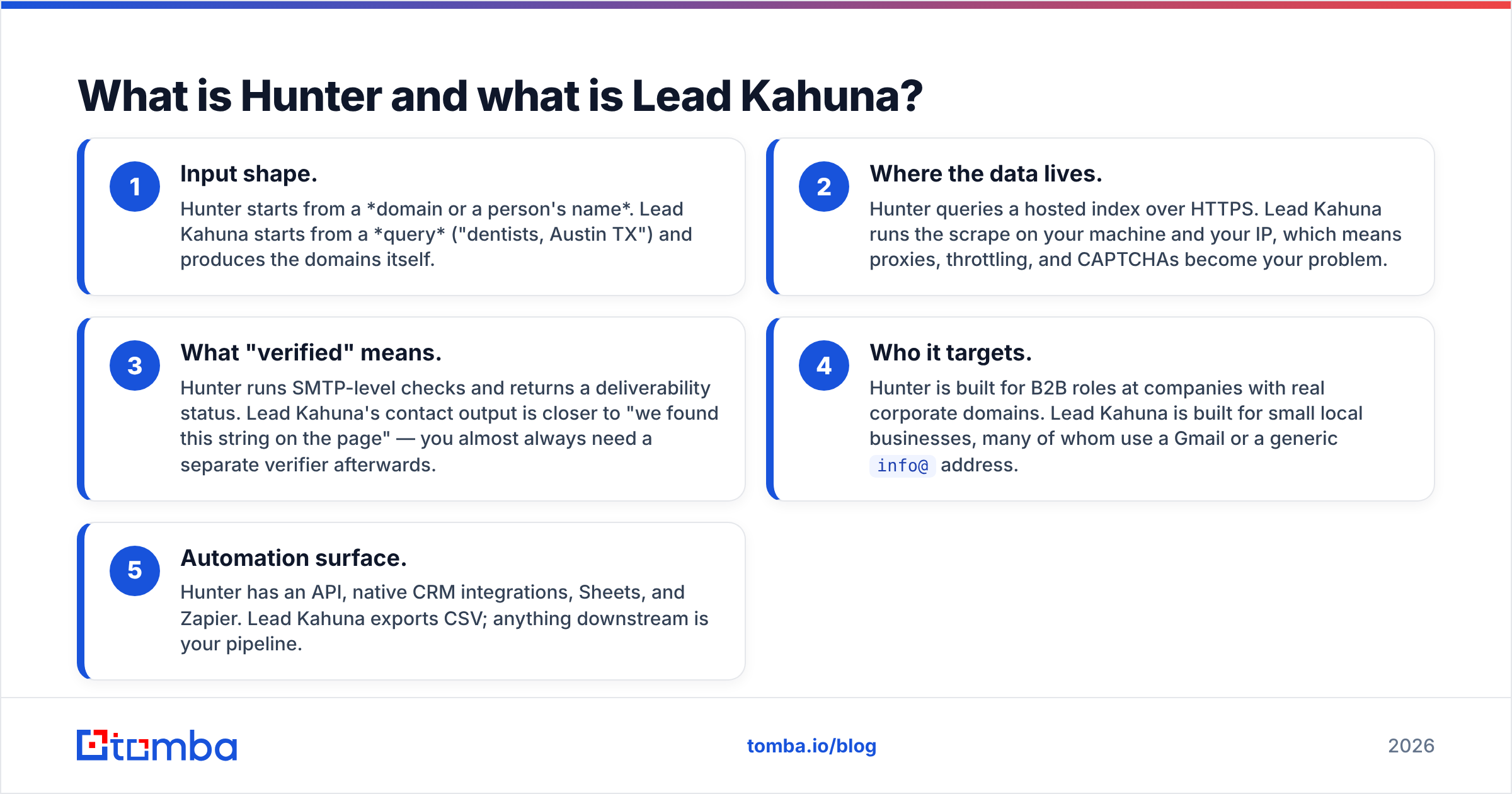
- Input shape. Hunter starts from a domain or a person's name. Lead Kahuna starts from a query ("dentists, Austin TX") and produces the domains itself.
- Where the data lives. Hunter queries a hosted index over HTTPS. Lead Kahuna runs the scrape on your machine and your IP, which means proxies, throttling, and CAPTCHAs become your problem.
- What "verified" means. Hunter runs SMTP-level checks and returns a deliverability status. Lead Kahuna's contact output is closer to "we found this string on the page" — you almost always need a separate verifier afterwards.
- Who it targets. Hunter is built for B2B roles at companies with real corporate domains. Lead Kahuna is built for small local businesses, many of whom use a Gmail or a generic
info@address. - Automation surface. Hunter has an API, native CRM integrations, Sheets, and Zapier. Lead Kahuna exports CSV; anything downstream is your pipeline.

How do Hunter and Lead Kahuna compare on features and pricing?#
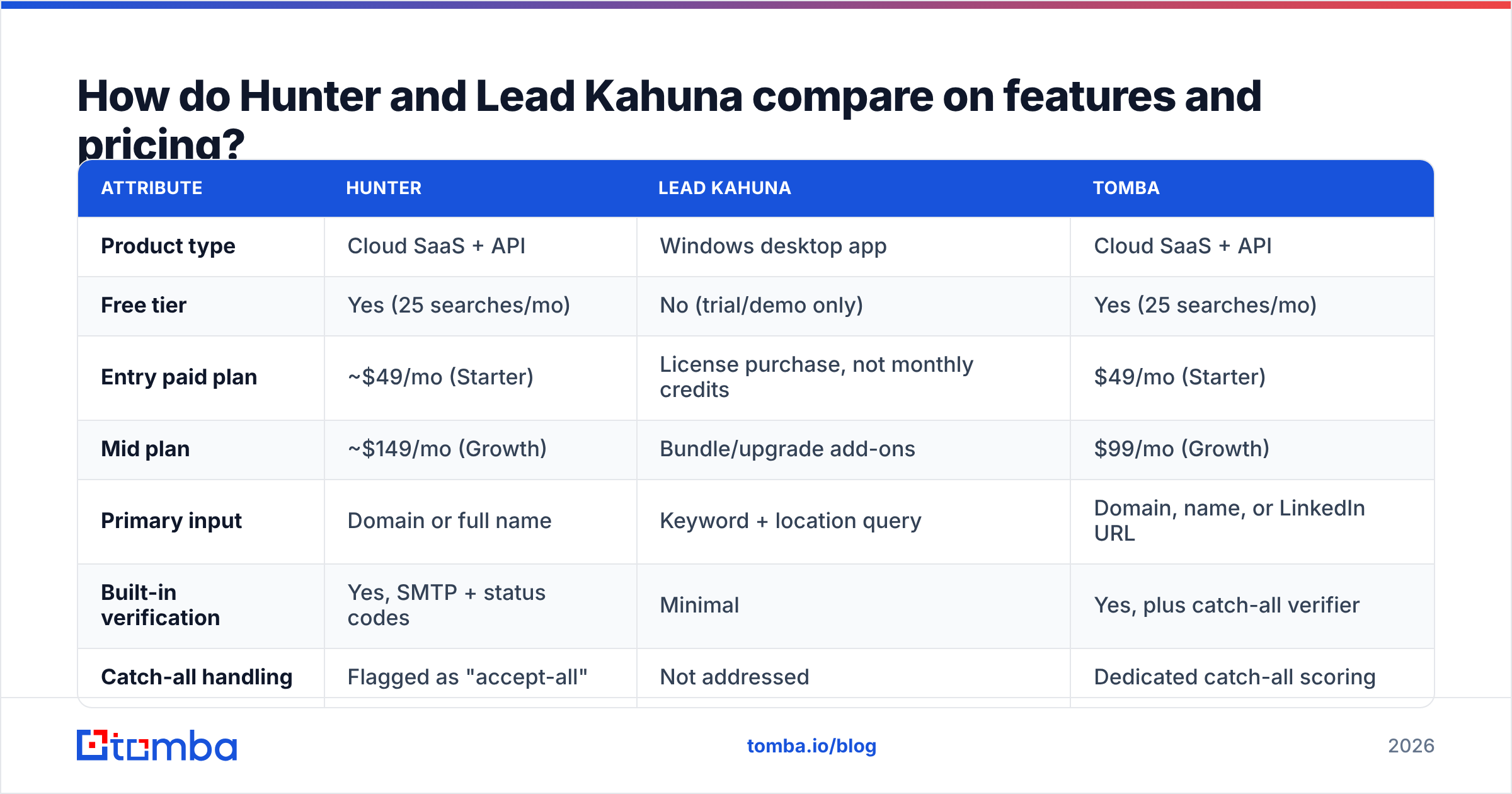
Pricing moves, so treat the numbers below as a snapshot and confirm on each vendor's own page before you buy. Hunter publishes standard monthly tiers; Lead Kahuna has historically been sold as a license (one-time or annual) rather than a metered credit plan, which changes the maths completely — there is no per-lead cost, but there is also no vendor-side data guarantee.
| Attribute | Hunter | Lead Kahuna | Tomba |
|---|---|---|---|
| Product type | Cloud SaaS + API | Windows desktop app | Cloud SaaS + API |
| Free tier | Yes (25 searches/mo) | No (trial/demo only) | Yes (25 searches/mo) |
| Entry paid plan | ~$49/mo (Starter) | License purchase, not monthly credits | $49/mo (Starter) |
| Mid plan | ~$149/mo (Growth) | Bundle/upgrade add-ons | $99/mo (Growth) |
| Primary input | Domain or full name | Keyword + location query | Domain, name, or LinkedIn URL |
| Built-in verification | Yes, SMTP + status codes | Minimal | Yes, plus catch-all verifier |
| Catch-all handling | Flagged as "accept-all" | Not addressed | Dedicated catch-all scoring |
| Public API | Yes | No | Yes |
| Phone numbers | No | Scraped from listings | Yes, via phone finder |
| Best for | B2B corporate outbound | Local business list building | Both, with verification in-line |

The row that decides most purchases is "primary input." If your ICP is a 200-person software company, Lead Kahuna's map-scraping is the wrong shovel — those companies are not won by scraping local directories. If your ICP is 4,000 roofing contractors in three states, Hunter will happily verify addresses you feed it but will not build that list for you.
Which one is more accurate at finding a valid email?#
Hunter, by a wide margin — but with a caveat that matters more than the headline.
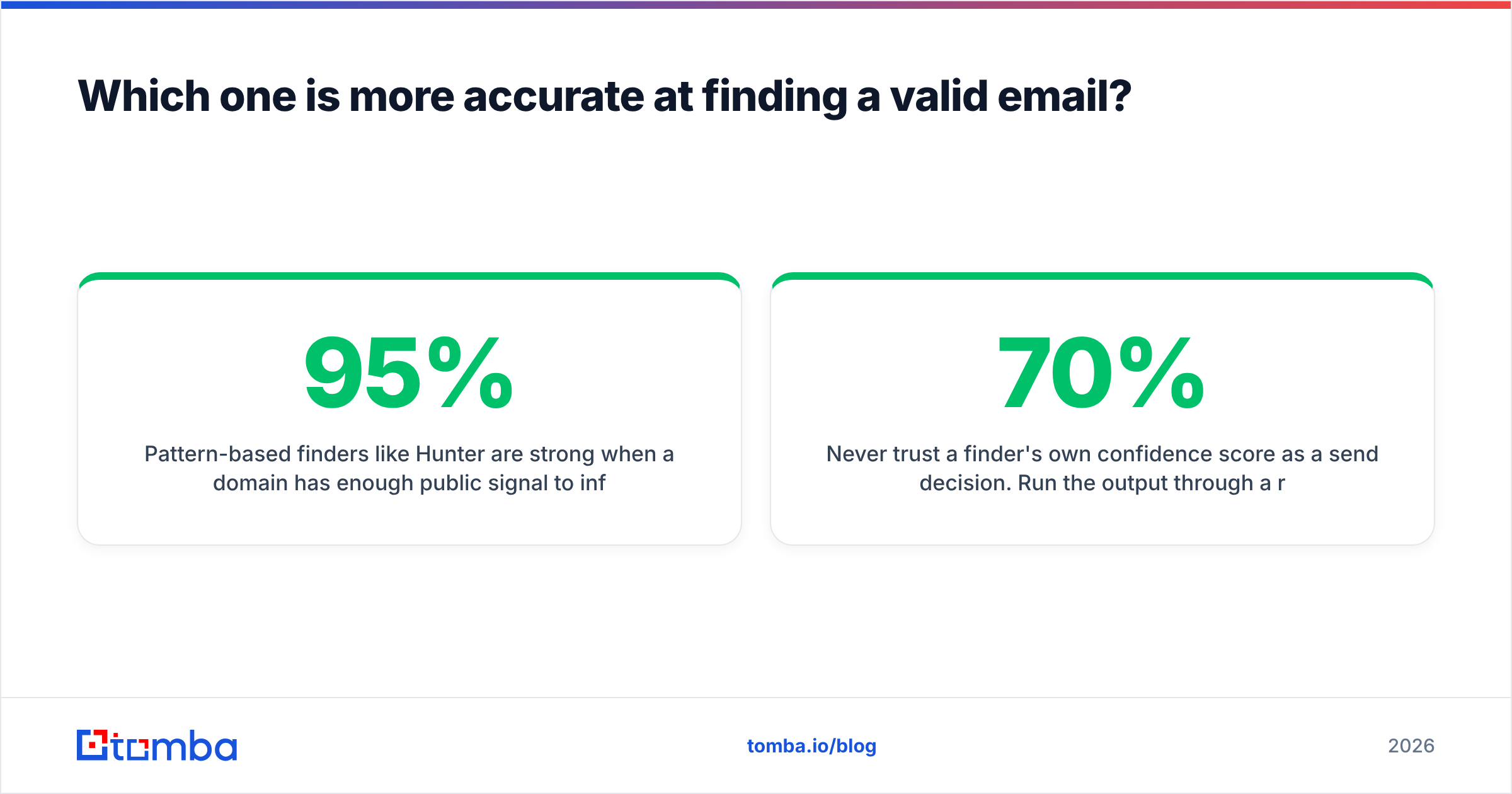
Pattern-based finders like Hunter are strong when a domain has enough public signal to infer the format with confidence. When Hunter returns a 95%+ confidence score with three cited sources, it is usually right. When it returns a 60% score on a domain it barely knows, that guess is roughly a coin flip, and the credit is spent either way. That is normal for the category, not a Hunter flaw.
Lead Kahuna's contact extraction is a different mechanism entirely. It reads what a business puts on its own website. That is very accurate when a plumber lists office@bigcityplumbing.com in the footer, and useless when the site only has a contact form. Expect a large share of role-based addresses (info@, contact@, sales@), which deliver fine but convert worse and are often shared inboxes.

Three practical accuracy rules that apply to both tools:
- Never trust a finder's own confidence score as a send decision. Run the output through a real email verifier before it touches a sequence. A 70% guess and a hard bounce cost the same reputation damage as a typo.
- Catch-all domains break naive scoring. A server that accepts everything makes any guess look valid. You need a tool that flags accept-all separately and scores it with pattern evidence, not one that quietly marks it "deliverable."
- Role addresses are not bad, they are different. For local SMB outreach
info@is often the owner's inbox. For enterprise, it is a ticket queue. Segment them; don't blanket-delete.
If bounce rate is the metric you are judged on, read up on how email deliverability is actually measured before you blame the finder. Most "the data was bad" post-mortems are really "we skipped verification" post-mortems.
Is a desktop scraper still worth it in 2026?#
This is where the comparison gets uncomfortable for Lead Kahuna, and it is worth being direct about the trade-off rather than pretending it does not exist.
Desktop scrapers gained traction because they were a one-time cost with unlimited volume. That is still their best argument. If you pull 50,000 local listings a month, no credit-metered SaaS will beat a paid license on unit economics.
The costs are hidden elsewhere:
- Your IP does the scraping. Search engines and map providers rate-limit aggressively. You will end up buying proxies, which is a recurring cost the license price does not mention.
- Breakage is your emergency. When a target site changes its DOM, a cloud vendor patches it for everyone overnight. A desktop tool waits for an installer update.
- No API means no pipeline. CSV in, CSV out. If your team runs on HubSpot or Salesforce, someone is doing manual imports forever. Compare that to a native HubSpot integration that enriches records where they already live.
- Compliance surface. Scraping and storing personal data on a local machine puts the GDPR/CCPA responsibility squarely on you, with no vendor DPA to lean on. Buyers in regulated industries increasingly ask about this in procurement, and G2 reviews in the category reflect that shift.

None of that makes Lead Kahuna a bad purchase for its niche. It makes it a specialist tool, and specialist tools should be bought for one job, not adopted as your data layer.
Who should choose Hunter?#
Choose Hunter if most of these are true:
- You sell B2B to companies with their own domain, and you already know which companies.
- You need a stable, documented API for an engineering-built workflow.
- You want the finder and the verifier from the same vendor with one billing line.
- You value the confidence score and cited sources for auditability — Hunter's transparency about where it saw an address is genuinely best-in-class.
- Your volume is modest enough that per-credit pricing does not sting. Hunter gets expensive at scale, which is exactly why the Hunter alternatives conversation exists at all.
Where Hunter frustrates people: catch-all domains, thin coverage outside North America and Western Europe, and the jump in price between tiers. Teams sending 20k+ emails a month often end up splitting workloads across two providers to control cost, which is its own kind of tax. The official pricing page is the only source worth quoting on current numbers.
Who should choose Lead Kahuna?#
Choose Lead Kahuna if you are running an agency motion against local businesses:
- You sell websites, SEO, GBP management, reputation, or ads to SMBs.
- Your prospecting starts with "who in this city does not have a decent website?" rather than "who is the VP of Marketing at Acme?"
- You want phone numbers, addresses, and business metadata alongside emails — local outreach is still substantially a phone game, and pairing a list with B2B phone numbers usually beats email-only for SMB.
- You are comfortable managing proxies, running Windows, and doing your own data hygiene.
- You want unlimited volume without watching a credit counter.
If you would rather skip the scraping entirely and buy a clean prebuilt list for a segment, BookYourData is a reasonable alternative in that lane — it sells verified contact lists by filter, which suits teams that want the output without operating a scraper.
Where does Tomba fit in this comparison?#
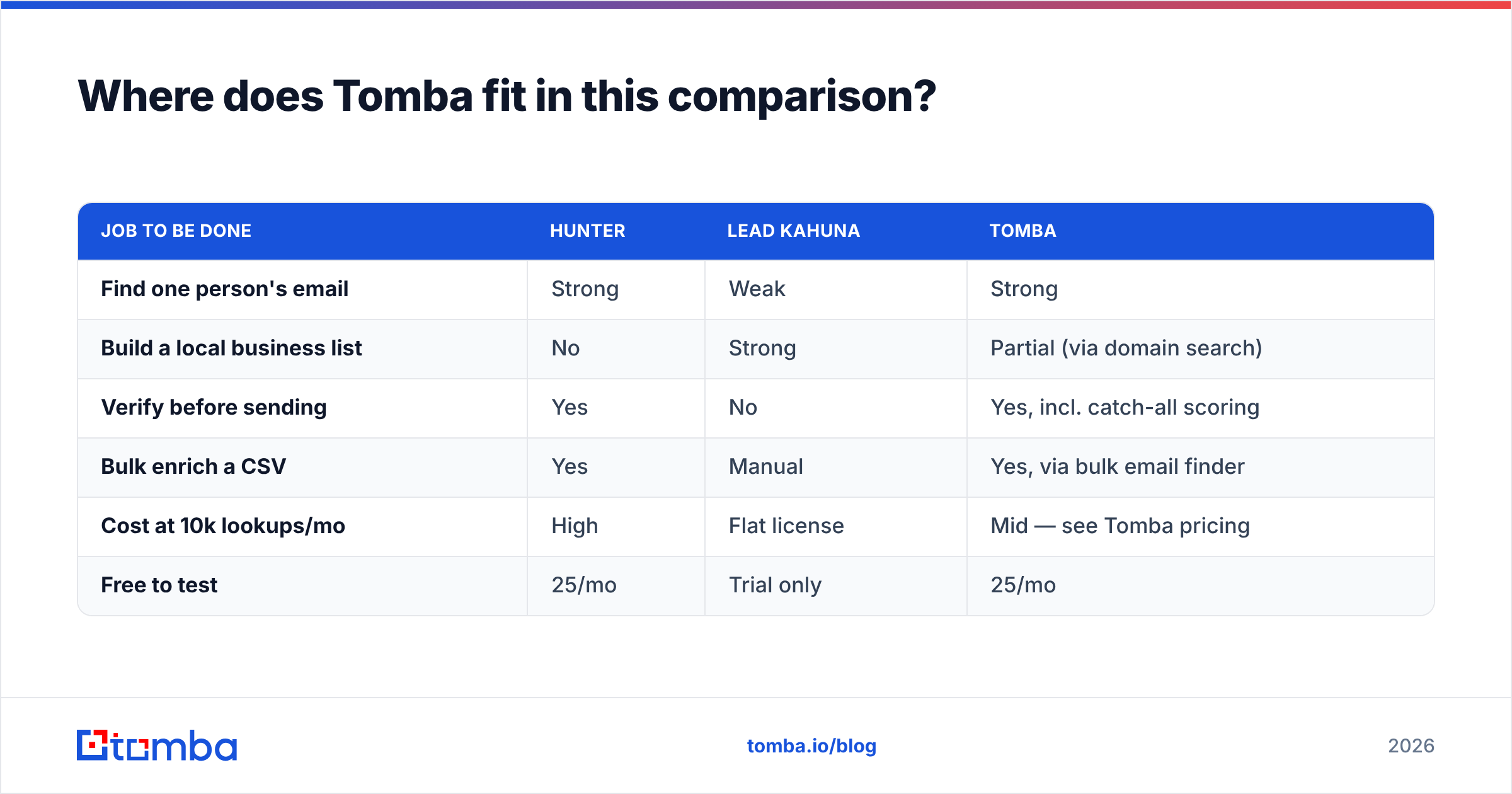
Tomba sits closer to Hunter in architecture — cloud, API-first, verification built in — but the pricing curve and the catch-all handling are the two places it was designed to be different.
The practical differences worth knowing:
| Job to be done | Hunter | Lead Kahuna | Tomba |
|---|---|---|---|
| Find one person's email | Strong | Weak | Strong |
| Build a local business list | No | Strong | Partial (via domain search) |
| Verify before sending | Yes | No | Yes, incl. catch-all scoring |
| Bulk enrich a CSV | Yes | Manual | Yes, via bulk email finder |
| Cost at 10k lookups/mo | High | Flat license | Mid — see Tomba pricing |
| Free to test | 25/mo | Trial only | 25/mo |
The realistic 2026 stack for most teams is not "pick one of these two." It is: one source that finds and verifies corporate emails through an API, plus a specialist scraper only if your ICP is genuinely local SMB. Running Lead Kahuna for local lists and a cloud finder for everything else is a perfectly sane setup. Running two cloud finders because one of them is expensive is not.
How should you test them before committing?#
Do not evaluate on vendor marketing. Run a controlled bake-off:
- Build a 100-row truth set. Take contacts you already have confirmed emails for — past customers, opted-in newsletter subscribers, people who have replied. Strip the emails out.
- Run the same list through each tool. Record hit rate (found anything) and precision (found the correct address), separately. Hit rate alone is a vanity metric.
- Send a small warm-up batch. 50 emails per source from a domain you are not afraid to burn. Measure hard bounces, not opens.
- Price the winner at your real volume. Multiply the credits you actually burned — including failed lookups, which most vendors still charge for — by 12 months.
- Check the exit. Can you export everything? Is there an API? If the answer to either is no, factor in the switching cost now, not in year two.
A week of this beats any comparison post, including this one. For a broader framework on qualifying the leads you generate, HubSpot's sales resources are a decent free starting point.
The verdict#
Hunter wins the head-to-head as an email finder. It is more accurate per lookup, it verifies, it has an API, and it does not make you babysit proxies. Lead Kahuna wins a category Hunter does not compete in — local business list building for agencies — and if that is your motion, it is a legitimate purchase alongside a proper verifier, not instead of one.
The thing neither does perfectly is give you sourcing and trustworthy verification and sane pricing in one place. That is the gap worth shopping for.
Try it against your own list. Tomba's Email Finder gives you 25 free searches a month with no card — enough to run the 100-row bake-off above — and every result comes back with a verification status, catch-all flag, and source evidence rather than a bare guess. Paid plans start at $49/mo, and the same data is available through the Tomba API if you would rather wire it straight into your pipeline than click through a dashboard.
Related guides#
// get started
Find, verify and enrich your first contacts today
Start on the free plan with 25 searches a month, then scale when your team is ready.
Free plan · No credit card required · GDPR & CCPA
// about the author