Hunter vs LeadGibbon 2026: Which Email Finder Wins?
Hunter and LeadGibbon solve the same problem from opposite ends: one starts with a domain, the other starts with a LinkedIn list. Here's how they compare on accuracy, pricing, export limits, and which one actually fits your workflow.
TL;DR
- Hunter is a domain-first email finder: you give it a company website, it returns the people and the email pattern. Best for account-based prospecting where you already know the target companies.
- LeadGibbon is a list-first lead tool: you build a list (often from LinkedIn or its own database), and it appends emails and company data. Best for volume list-building.
- Accuracy is close on common domains and diverges badly on catch-all domains, small companies, and non-US regions — that's where your bounce rate actually gets decided.
- Price per usable contact matters more than sticker price. Hunter's mid tier jumps hard once you outgrow the starter plan; LeadGibbon's credit model punishes you for enriching rows that turn out to be dead.
- If you want domain search, verification, catch-all handling, and an API on one bill, Tomba covers both jobs from $49/mo — worth benchmarking before you commit to either.
What is Hunter and who is it actually for?#
Hunter is the tool most people meet first. You type in a domain, it returns every email address it has associated with that domain, plus a confidence score and the sources it saw the address on. It also exposes the company's email pattern — {first}.{last}@, {f}{last}@, and so on — which is often the single most useful output on the page.
The workflow it rewards is account-based: you have a list of 200 target companies, you want the VP of Engineering at each, and you don't care about volume for its own sake. Hunter's Chrome extension, Google Sheets add-on, and Campaigns feature (a light sending tool) round it out into something a two-person sales team can run without a stack.
Where Hunter frustrates people: it does not build lists. It has no meaningful filtering by headcount, funding, tech stack, or job change. You bring the companies. If you don't have a company list, Hunter is a lookup utility, not a prospecting engine.
What is LeadGibbon and how is it different?#
LeadGibbon attacks the other half of the problem. It is built around list building: pull a set of profiles — commonly from LinkedIn search or Sales Navigator via its extension — and LeadGibbon appends verified business emails and firmographic fields, then exports to CSV or your CRM.
The mental model is a warehouse versus a lookup desk. Hunter is the lookup desk: you walk up with a specific question, you get a specific answer. LeadGibbon is the warehouse: you specify a shelf, and it hands you a crate.
That difference drives everything else — pricing structure, export limits, how each tool handles a contact it cannot confirm, and what your bounce rate looks like at the end of the month.

How do Hunter and LeadGibbon compare head to head?#
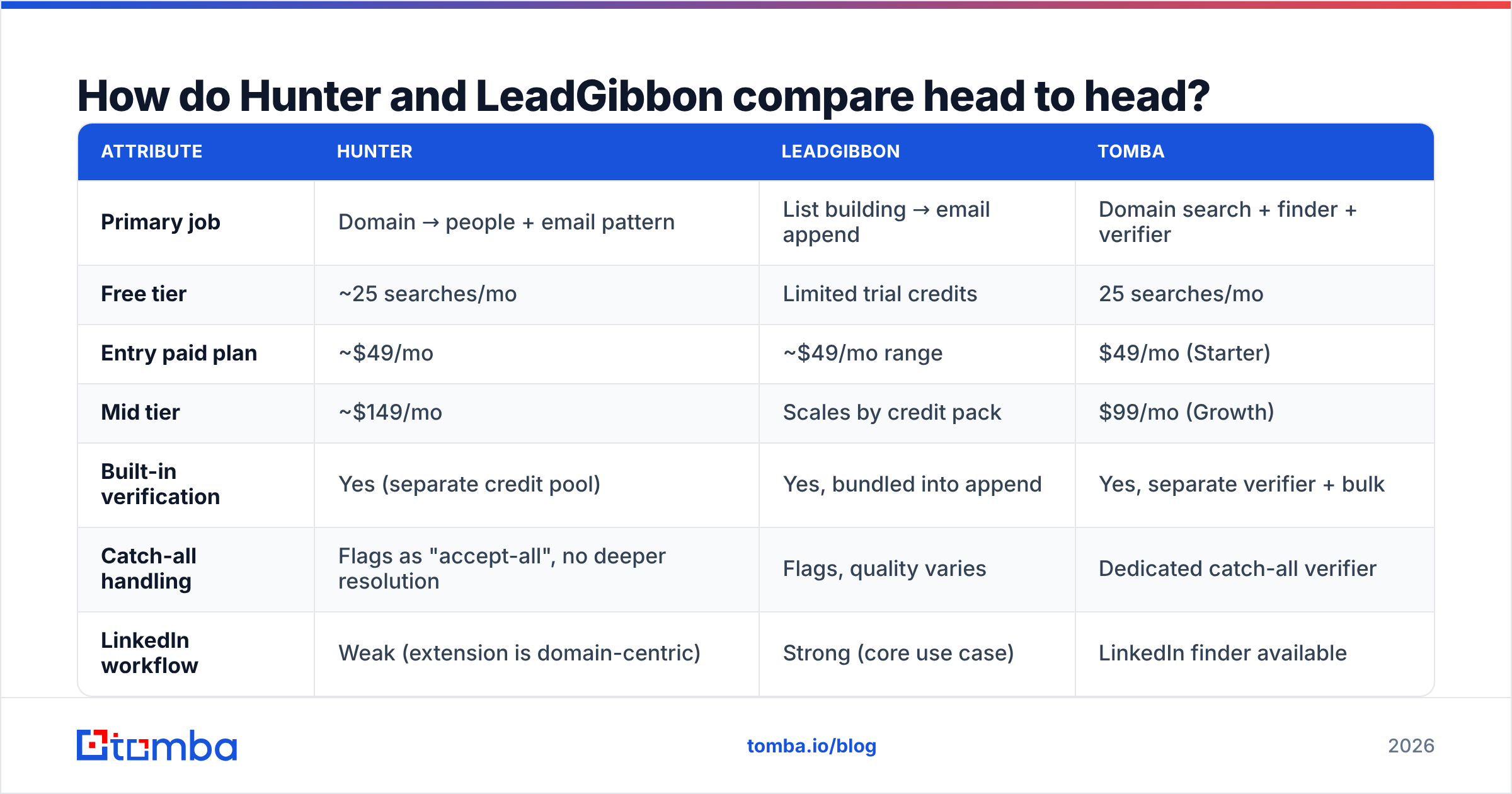
Here's the practical comparison. Pricing on both vendors moves; treat these as directional and confirm on the vendors' own pages before you buy.
| Attribute | Hunter | LeadGibbon | Tomba |
|---|---|---|---|
| Primary job | Domain → people + email pattern | List building → email append | Domain search + finder + verifier |
| Free tier | ~25 searches/mo | Limited trial credits | 25 searches/mo |
| Entry paid plan | ~$49/mo | ~$49/mo range | $49/mo (Starter) |
| Mid tier | ~$149/mo | Scales by credit pack | $99/mo (Growth) |
| Built-in verification | Yes (separate credit pool) | Yes, bundled into append | Yes, separate verifier + bulk |
| Catch-all handling | Flags as "accept-all", no deeper resolution | Flags, quality varies | Dedicated catch-all verifier |
| LinkedIn workflow | Weak (extension is domain-centric) | Strong (core use case) | LinkedIn finder available |
| API access | Yes, all paid plans | Limited / higher tiers | Yes, on all paid plans |
| Bulk CSV enrichment | Yes | Yes (core feature) | Yes, bulk finder + verifier |
| Best fit | ABM, 100–500 named accounts | High-volume list pulls | Teams needing both on one bill |
The row that decides most evaluations is catch-all handling. Roughly a third of B2B domains — especially anything running Microsoft 365 with a permissive receive policy — accept every address at the SMTP layer. A verifier that just reports "accept-all" and moves on has handed the risk back to you. That single behavior explains most of the gap between a tool's advertised accuracy and the bounce rate you see in your sending tool.

Is Hunter more accurate than LeadGibbon?#
Neither is categorically more accurate — they are accurate on different populations, and that distinction is what you should test.
Run the same 200-contact sample through both and you'll typically see:
- Large, well-indexed US companies (500+ employees). Both land in the same range. Hunter's pattern inference is strong here because there are enough public addresses on the domain to confirm the format with high confidence.
- Small companies and agencies (under 50 employees). Hunter's coverage thins out — fewer public sources, less pattern signal. LeadGibbon's profile-driven approach sometimes wins here because it starts from a person, not a domain.
- Non-US and non-English domains. Both degrade. Accented characters, regional formats (
prenom.nom@), and country TLDs are where blind pattern generation produces confident-looking garbage. - Catch-all domains. This is the honest tie-breaker. If a tool returns an address on a catch-all domain without telling you it cannot be SMTP-confirmed, you are being sold a guess with a green checkmark on it.
- Recently-changed roles. Data recency matters more than raw database size. A three-year-old record for someone who left in 2024 is a guaranteed bounce and a wasted credit.
The practical takeaway: do not accept a vendor's published accuracy figure, including ours. Take 200 contacts you can independently confirm, run them through each tool, and measure three things — coverage (how many returned anything), precision (how many were right), and cost per correct contact. That last number is the only one your CFO cares about.
If you want a second opinion before running the test, G2's lead intelligence category has enough recent reviews on both vendors to spot the recurring complaints — mostly credit burn on Hunter's side and export/CRM friction on LeadGibbon's.
What does each one actually cost per usable contact?#
Sticker price is the wrong metric. Here's the arithmetic that matters.
Say you need 2,000 verified contacts a month.
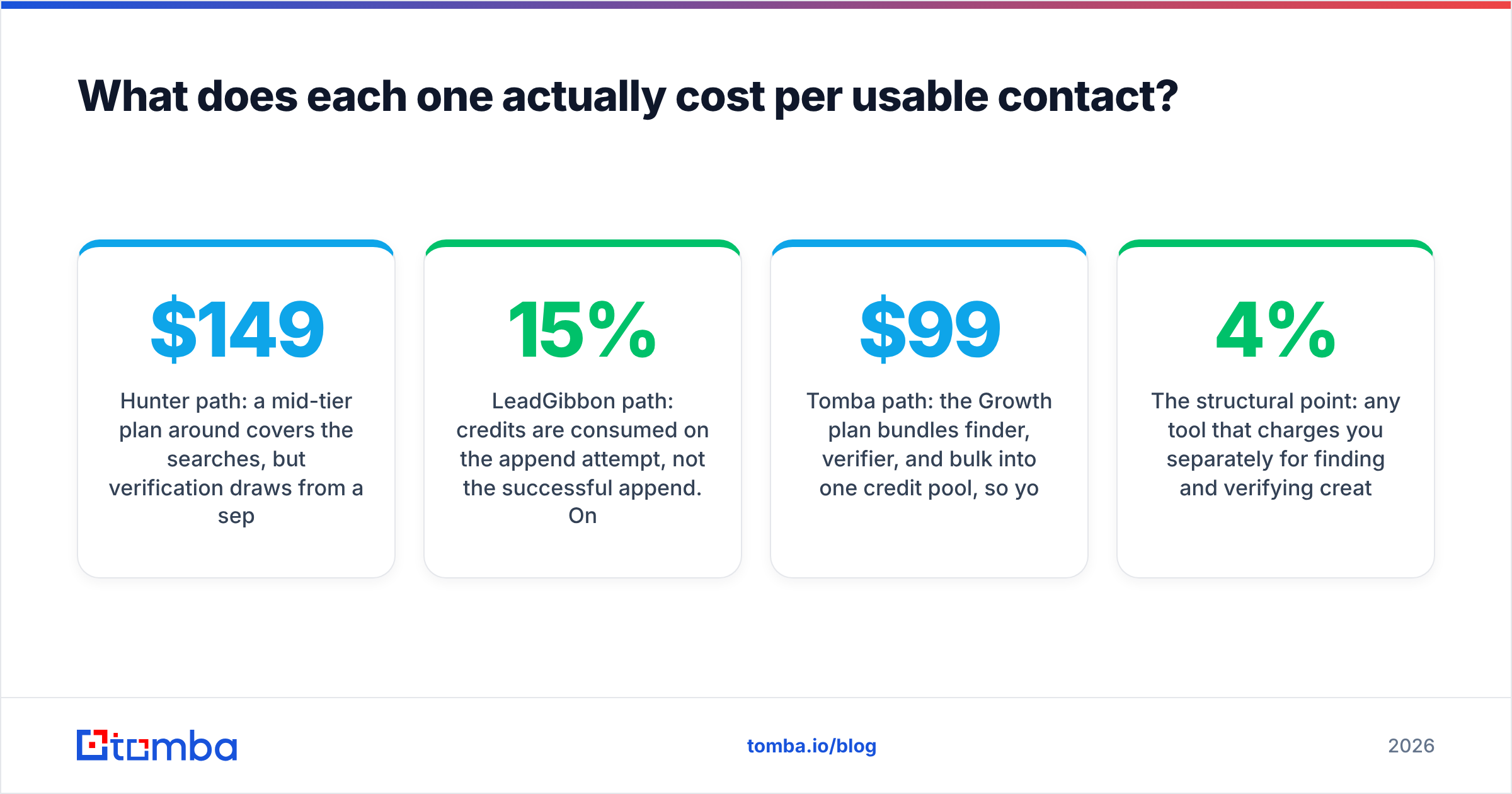
- Hunter path: a mid-tier plan around $149/mo covers the searches, but verification draws from a separate pool. If 20% of your finds are catch-all or unverifiable, you're paying for 2,000 lookups to keep maybe 1,600. Effective cost lands near $0.09 per usable contact — before you account for the ones that bounce anyway.
- LeadGibbon path: credits are consumed on the append attempt, not the successful append. On a clean list of well-known companies that's fine. On a scraped LinkedIn list with 15% junk profiles, you're paying for the junk. Effective cost swings between $0.06 and $0.12 depending entirely on input quality.
- Tomba path: the $99/mo Growth plan bundles finder, verifier, and bulk into one credit pool, so you're not arbitraging between two counters. See Tomba pricing for the current tier breakdown.
The structural point: any tool that charges you separately for finding and verifying creates a bad incentive. You start skipping verification to save credits, which is exactly how a 4% bounce rate becomes a 12% bounce rate and your domain reputation quietly degrades.

When should you pick Hunter over LeadGibbon?#
Pick Hunter when:
- You already have your target account list and just need the right person at each one.
- You want the email pattern, not just an address — useful when you're guessing at a name the database has never seen.
- You value the source citations. Hunter shows you where it saw the address, which is genuinely useful for compliance conversations and for judging whether a result is stale.
- Your volume is modest and predictable, so the starter tier actually holds.
Pick LeadGibbon when:
- Your prospecting starts on LinkedIn, not on a spreadsheet of domains.
- You need firmographic filtering to build the list in the first place.
- You export to CSV and hand off to a sequencer, rather than working contact-by-contact.
- Volume is your constraint and you can tolerate a slightly noisier list because you verify separately.
Pick neither when your real problem is that you need both behaviors plus verification, and you don't want three subscriptions. That's the case where a consolidated platform wins on cost and on data hygiene — one system means one definition of "verified," instead of reconciling three vendors' conflicting confidence scores.
Worth noting: if you'd rather buy a finished list than build one, a database vendor like BookYourData is a reasonable third path — different model, different tradeoffs, and it removes the enrichment step entirely for teams that prefer a fixed-cost list purchase.
Where does Tomba fit in this comparison?#
Honestly: Tomba overlaps with both, and the case for it is consolidation rather than any single feature being untouchable.
The email finder covers Hunter's core job — name plus domain in, verified address out — and domain search returns the full roster and pattern for a company the way Hunter's domain search does. On LeadGibbon's side, the LinkedIn finder and bulk email finder handle list-shaped work, and enrichment appends the firmographic fields.
Two things genuinely differ:
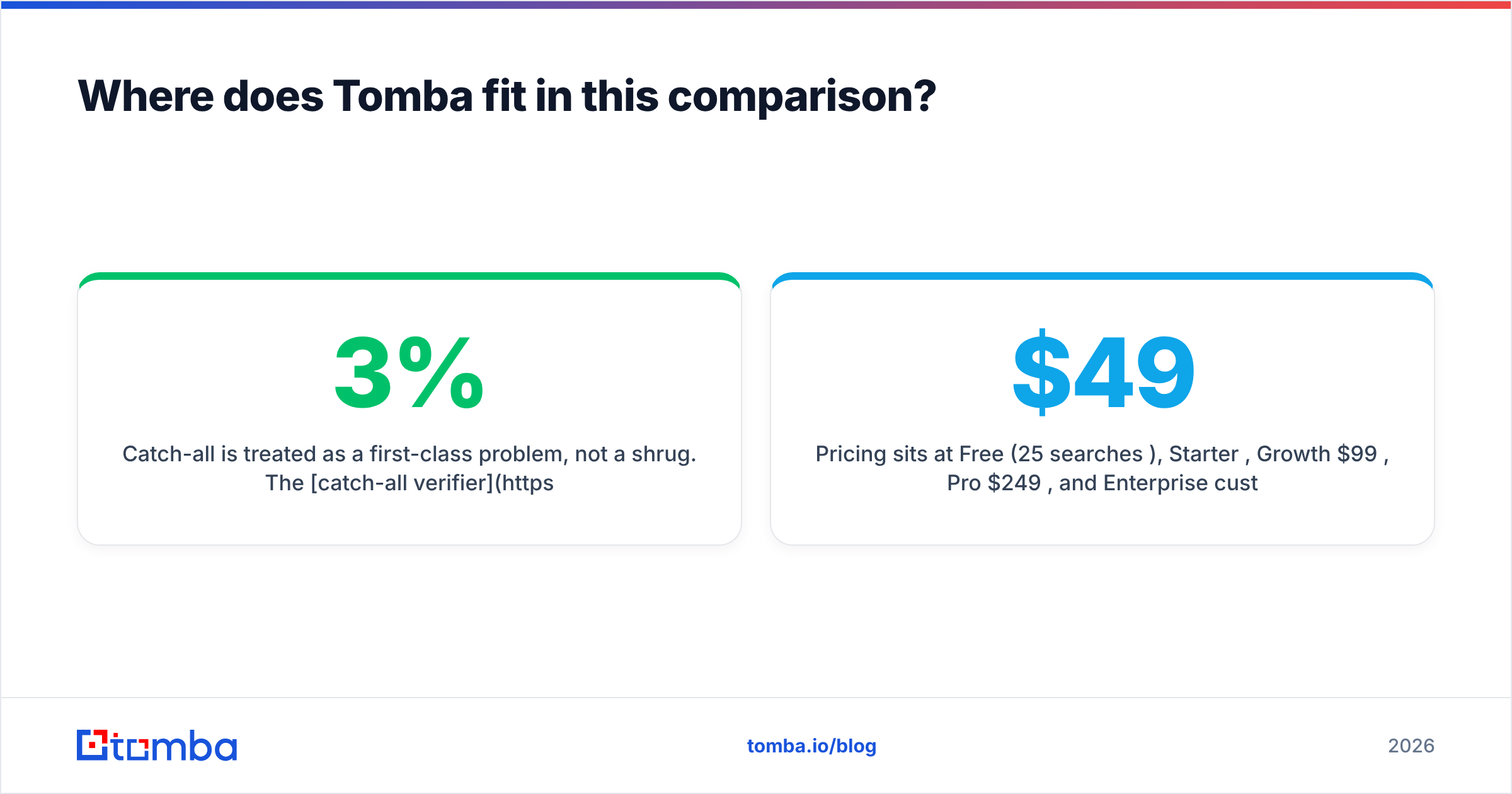
- Catch-all is treated as a first-class problem, not a shrug. The catch-all verifier attempts resolution rather than returning "accept-all" and calling it a day. On a list where a third of domains are catch-all, this is the difference between a 3% and a 10% bounce rate.
- API access on every paid plan. If you're building enrichment into a product or a RevOps pipeline, being gated behind an enterprise tier for API calls is a real cost. Tomba's API is available from the Starter plan up.
Pricing sits at Free (25 searches/mo), Starter $49/mo, Growth $99/mo, Pro $249/mo, and Enterprise custom — which puts the Growth tier roughly where Hunter's starter plan sits, with verification included rather than metered separately.

How should you run the evaluation?#
Don't read comparison posts and pick a winner. Run this in an afternoon:
- Build a 200-row ground-truth sample. Pull contacts you can independently confirm — customers, past deals, people who've replied to you. Mix company sizes and at least two regions.
- Split it by domain type. Tag which domains are catch-all before you start. Use a free checker or the tools' own flags. You want the results segmented, because a blended average hides exactly the failure you're testing for.
- Run all three tools on all 200 rows. Same input, same day. Record: returned an address (yes/no), address correct (yes/no), credits consumed.
- Send a small verification batch. Take 50 addresses each tool claims are valid and run them through a neutral third-party verifier — or just send a real, low-stakes email and count hard bounces. Vendor self-reported confidence is a marketing number until an SMTP server disagrees with it.
- Compute cost per correct contact, not cost per search. Divide monthly plan cost by the number of addresses that were actually right.
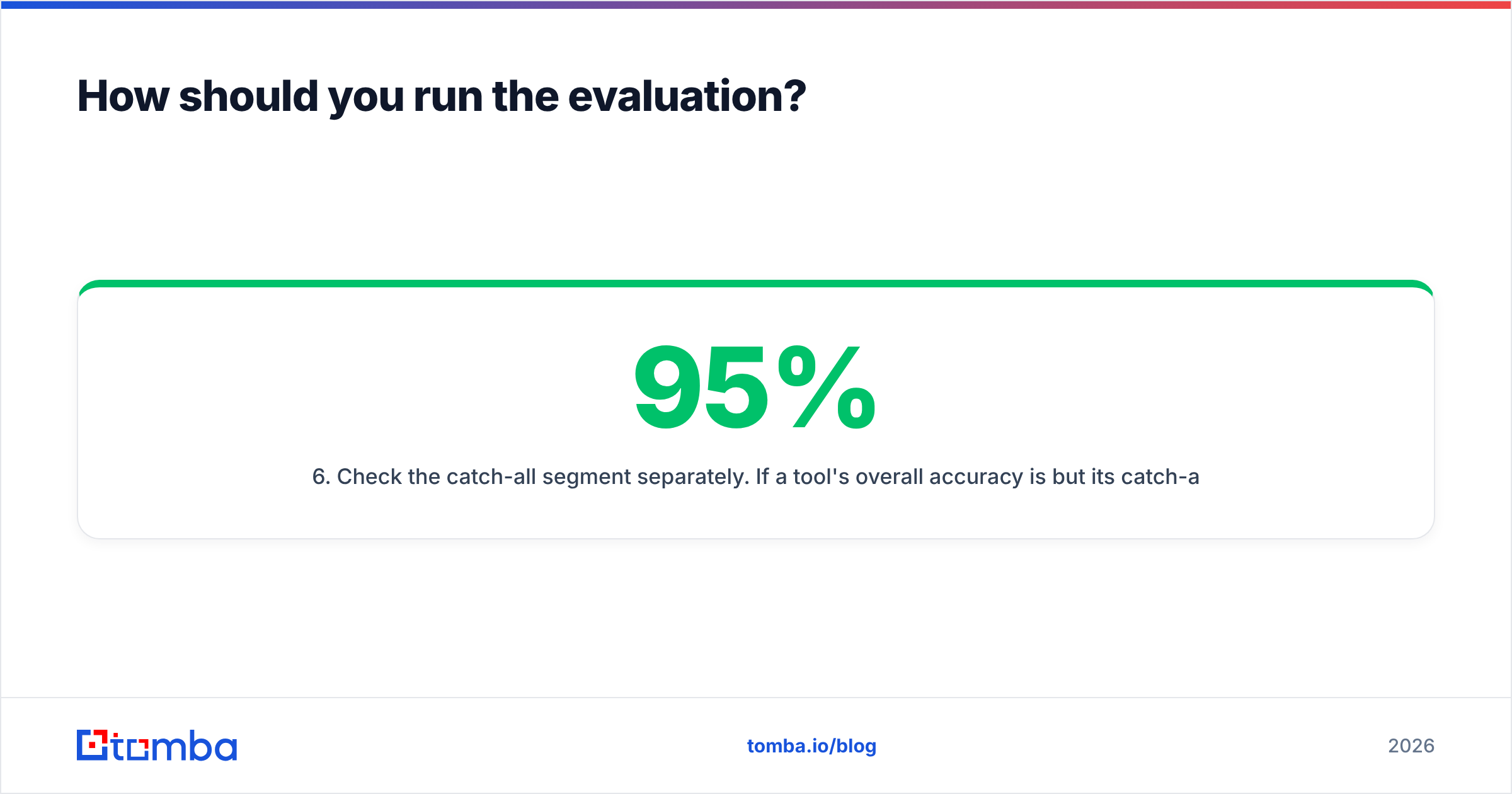
- Check the catch-all segment separately. If a tool's overall accuracy is 95% but its catch-all accuracy is 55%, and 30% of your list is catch-all, your real accuracy is about 83%. That gap is where campaigns die.
Most teams that run this properly find the ranking flips depending on their ICP. A US mid-market SaaS list produces a different winner than a European agency list. That's not a cop-out — it's the actual answer, and it's why "which is better" has no universal reply.
What's the verdict on Hunter vs LeadGibbon?#
Hunter wins on transparency and account-based precision. LeadGibbon wins on list-building throughput. They're not really competing for the same job, which is why so many teams end up paying for both — and then a separate verifier on top, because neither one's built-in verification is enough on catch-all domains.
If that's the trajectory you're on, consolidate before you're three subscriptions deep. If it isn't — if you genuinely only need domain lookups, or genuinely only need bulk list appends — pick the specialist that matches and don't overbuy.
One last piece of advice regardless of which you choose: verify immediately before you send, not when you build the list. B2B contact data decays at roughly 2–3% per month. A list verified in January and sent in April is a list you haven't verified. Wire an email verifier into the step right before the sequence starts, not the step right after the export.
Want to test the third option before you renew? Run your own 200-contact benchmark against the Tomba Email Finder — the free tier gives you 25 searches a month with no card, which is enough to sample a real list and see the coverage and catch-all handling for yourself. If it beats what you're paying for now, Starter is $49/mo with the API and verifier included. If it doesn't, you've lost an afternoon and gained a benchmark you can hold every vendor to.
Related guides#
// get started
Find, verify and enrich your first contacts today
Start on the free plan with 25 searches a month, then scale when your team is ready.
Free plan · No credit card required · GDPR & CCPA
// about the author