Hunter vs LeadRocks (2026): Which Email Finder Wins?
Hunter searches the live web for company emails; LeadRocks resells a static LinkedIn-sourced database. That single difference decides which one is worth your budget in 2026 — here is the honest breakdown.
TL;DR
- Hunter is a live search engine for company email addresses. It crawls the public web, learns each domain's email pattern, and verifies on demand. Best when you already know the company and need current contacts.
- LeadRocks is a static B2B contact database built largely from LinkedIn-sourced profiles. You filter by title, industry, and location, then export. Best when you need volume fast and don't have a target account list yet.
- Price shape differs more than price level. Hunter sells monthly credits that reset. LeadRocks has historically pushed lifetime and annual deals, which look cheap until the underlying records go stale.
- Neither is a verification platform. Hunter includes a verifier; LeadRocks assumes its records are good. On catch-all domains — roughly a fifth of B2B — both leave you guessing.
- If your workflow is domain-first and API-driven, a third option like Tomba usually costs less per validated contact than either, starting at $49/mo.
What are Hunter and LeadRocks, exactly?#
They solve the same visible problem — "get me an email address" — with opposite architectures.
Hunter is the oldest name in the category. Give it a domain and it returns the addresses it has seen published on the web, plus the pattern that domain uses ({first}.{last}@, {f}{last}@, and so on). Give it a name and a domain and it constructs the most likely address, then scores its confidence. Everything is anchored to a company you name first.
LeadRocks works from the other end. It ships a pre-built contact database — the vendor advertises well over 100 million records — with emails, phone numbers, job titles and LinkedIn URLs. You search by persona ("VP of Marketing, SaaS, 51–200 employees, Germany"), tick the rows you want, and export. There is a Chrome extension for pulling contacts off LinkedIn search pages, and enrichment by LinkedIn URL.
That difference cascades into everything else: freshness, pricing, accuracy, and what happens when a lead bounces.
How do Hunter and LeadRocks actually differ?#
Five differences matter operationally. The rest is packaging.
- Data origin. Hunter indexes public web sources and infers patterns per domain, so a contact found today reflects what the web says today. LeadRocks serves records assembled and refreshed on its own schedule — you inherit whatever the last refresh captured.
- Search direction. Hunter is domain-first (you bring the account list). LeadRocks is persona-first (it builds the account list for you). If you already have 3,000 target domains from your CRM, Hunter's model fits; if you have a blank sheet, LeadRocks does.
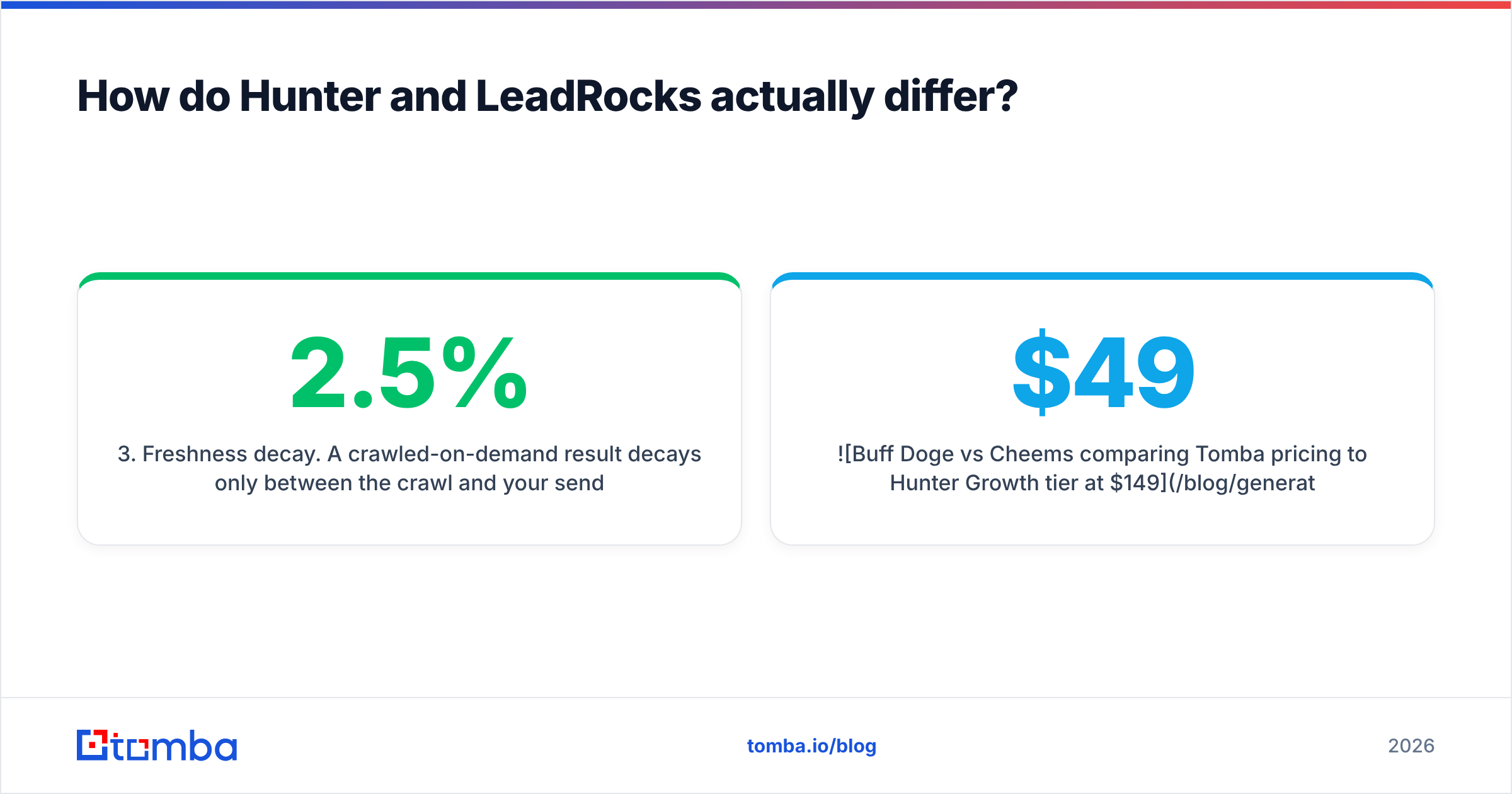
- Freshness decay. A crawled-on-demand result decays only between the crawl and your send. A database record decays continuously from the day it was collected. B2B contact data degrades roughly 2–2.5% per month as people change jobs, which is why database-first tools need aggressive re-verification.
- Verification posture. Hunter attaches a confidence score and offers a separate verifier. LeadRocks presents records as usable. Neither resolves catch-all domains, where the mail server accepts everything and tells you nothing.
- Automation surface. Hunter has a mature, well-documented API and native integrations. LeadRocks is primarily a UI and extension product; programmatic access is thinner. If you're piping contacts into a sequencer automatically, this decides it.

Which one finds more valid emails?#
Neither wins outright — they fail differently, and the failure mode should drive your choice.
Hunter is strongest on companies with a public footprint: a team page, published press contacts, GitHub commits, conference speaker bios. On a 200-person SaaS company it will usually nail the pattern and return a high-confidence address. On a 12-person industrial supplier with no web presence beyond info@, it returns thin results or a pattern guess with a mediocre confidence score. Hunter is honest about this — the score tells you when it's guessing — but an honest guess is still a guess.
LeadRocks is strongest where a person has an active, complete LinkedIn profile. Sales, marketing and executive roles at mid-market and enterprise companies are well covered. Coverage thins for operations, trades, non-English-speaking markets, and anyone who treats LinkedIn as a formality. And because records are served from storage, a contact who changed jobs eight months ago can still look perfectly valid in the export.

The practical rule: never treat any finder's output as send-ready. Run everything through an independent email verifier before it touches your sequencer. A tool that returns 700 addresses of which 500 are deliverable beats one that returns 900 of which 480 are — and you cannot tell those apart without verifying.
How do Hunter and LeadRocks compare on price?#
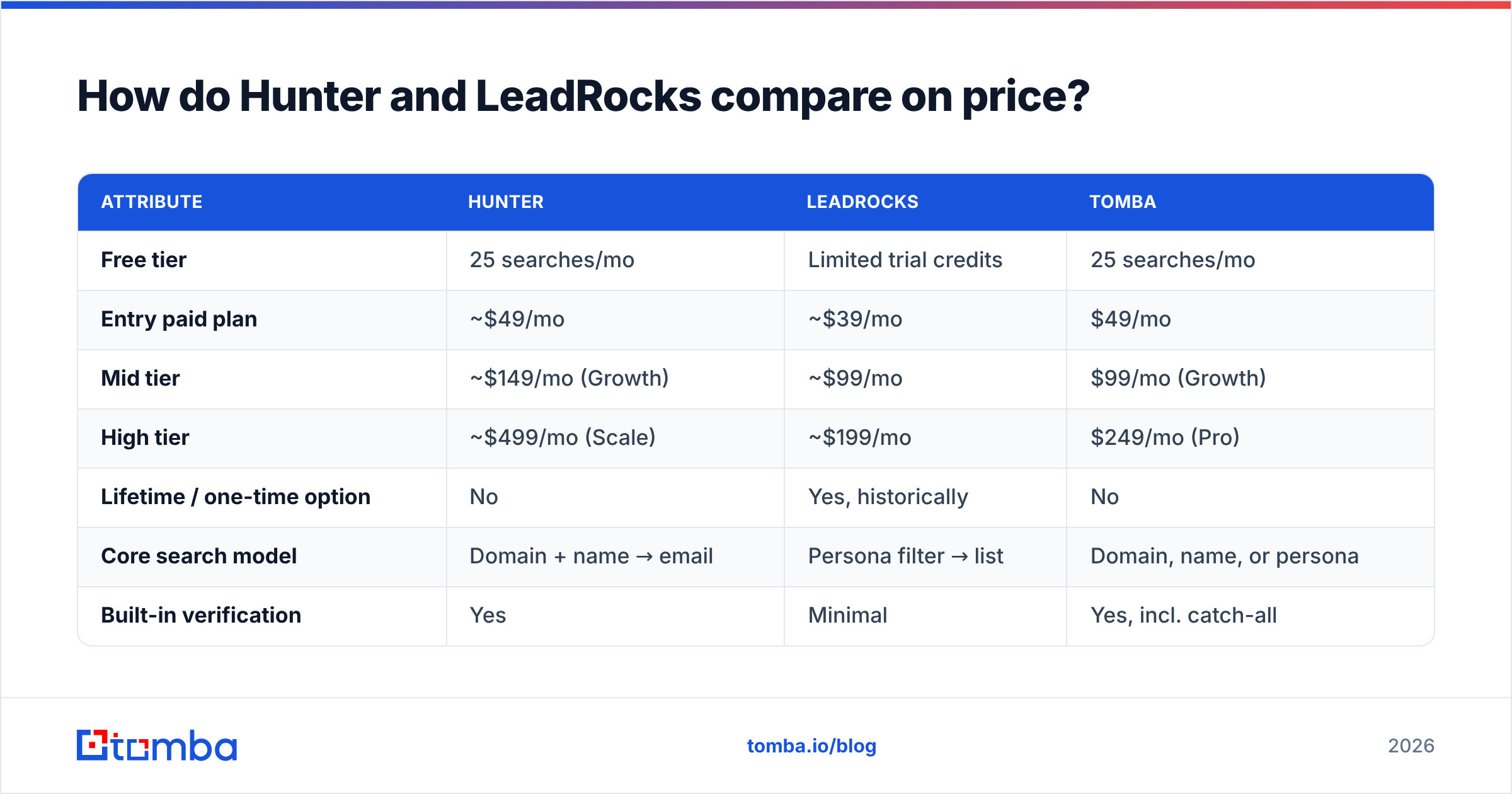
Here's where the two models stop looking similar. List prices below reflect published tiers at the time of writing; both vendors change packaging, so confirm on their pricing pages before you buy.
| Attribute | Hunter | LeadRocks | Tomba |
|---|---|---|---|
| Free tier | 25 searches/mo | Limited trial credits | 25 searches/mo |
| Entry paid plan | ~$49/mo | ~$39/mo | $49/mo |
| Mid tier | ~$149/mo (Growth) | ~$99/mo | $99/mo (Growth) |
| High tier | ~$499/mo (Scale) | ~$199/mo | $249/mo (Pro) |
| Lifetime / one-time option | No | Yes, historically | No |
| Core search model | Domain + name → email | Persona filter → list | Domain, name, or persona |
| Built-in verification | Yes | Minimal | Yes, incl. catch-all |
| Catch-all resolution | No | No | Yes |
| Phone numbers | No | Yes | Yes |
| Public API | Mature | Limited | Mature, plus CLI and MCP |
| Bulk processing | Yes | CSV export | Yes, bulk finder + verifier |
Two things jump out.
First, Hunter's mid and high tiers escalate steeply. The jump from Starter to Growth roughly triples your bill for a volume increase most teams don't need in month one. If you're a two-person SDR team burning 1,500 lookups a month, you're paying Growth prices for Starter volume — the classic reason people start shopping for a Hunter alternative.
Second, LeadRocks' lifetime pricing is a genuine advantage and a genuine trap. Paying once for a database is excellent value in month one. In month eighteen, you own a snapshot of the labour market as it existed eighteen months ago, and there is no credit meter reminding you that the data has aged. The cost doesn't show up on the invoice — it shows up in your bounce rate and your sender reputation.

What happens with catch-all domains?#
This is the gap neither tool closes, and it's bigger than most buyers realise.
A catch-all (or accept-all) domain accepts mail to every address at that domain, valid or not, then silently discards the junk internally. SMTP verification returns "OK" for definitely-not-a-real-person@company.com. Somewhere between 15% and 25% of B2B domains are configured this way — and they skew toward larger enterprises, exactly the accounts you most want.
Hunter marks these as accept-all and hands the decision back to you. LeadRocks generally doesn't surface the distinction at all. So both tools give you a bucket of addresses that are neither confirmed good nor confirmed bad, and most teams do one of two wrong things: send to all of them (bounce risk), or drop all of them (throwing away real enterprise contacts).
The right answer is pattern-plus-evidence: check whether the constructed address matches the domain's dominant format, whether the person appears in any independent source, and whether the mailbox shows signs of real use. That's the job of a dedicated catch-all verifier, and it's the single biggest accuracy lever available to a cold outbound team in 2026.
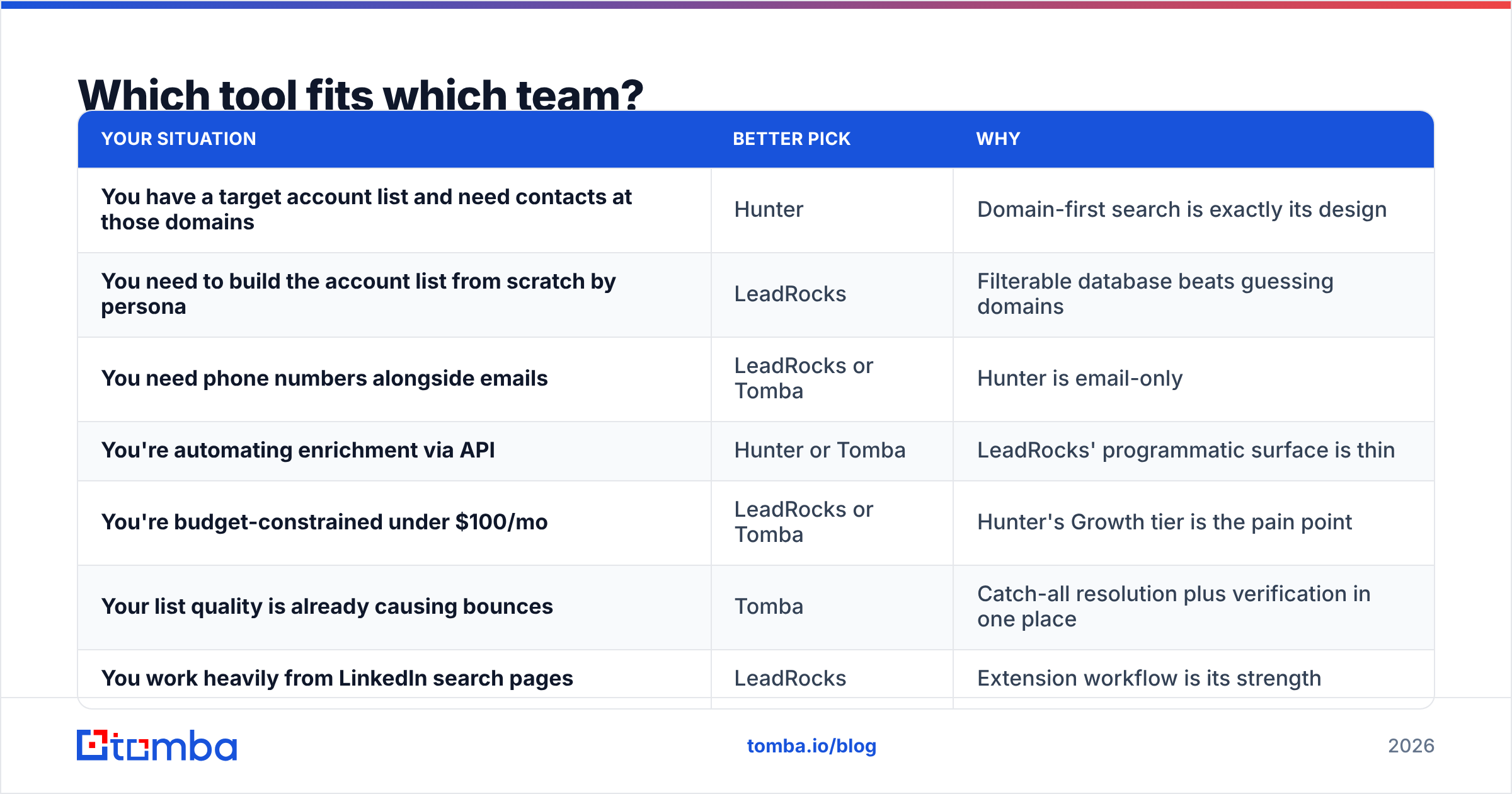
Which tool fits which team?#
| Your situation | Better pick | Why |
|---|---|---|
| You have a target account list and need contacts at those domains | Hunter | Domain-first search is exactly its design |
| You need to build the account list from scratch by persona | LeadRocks | Filterable database beats guessing domains |
| You need phone numbers alongside emails | LeadRocks or Tomba | Hunter is email-only |
| You're automating enrichment via API | Hunter or Tomba | LeadRocks' programmatic surface is thin |
| You're budget-constrained under $100/mo | LeadRocks or Tomba | Hunter's Growth tier is the pain point |
| Your list quality is already causing bounces | Tomba | Catch-all resolution plus verification in one place |
| You work heavily from LinkedIn search pages | LeadRocks | Extension workflow is its strength |
| You need EU/APAC coverage outside tech | Test both | Coverage varies sharply by region and vertical |
Read the G2 category listings for both before you commit — reviewer complaints cluster around exactly these axes (Hunter: cost at scale; LeadRocks: record freshness), and they'll tell you whether the pattern holds in your vertical.
Where does Tomba fit in this comparison?#
Honestly: as the option that refuses to pick a side of the architecture split.
Tomba runs domain-first search like Hunter — give it a domain and the domain search returns every address it holds for that company, grouped by department, with the detected pattern. It also runs persona and database lookups like LeadRocks, plus LinkedIn finder for profile-URL enrichment and a phone finder for direct dials.
The part that changes your economics is verification being in the same platform rather than a second subscription. Finding and validating on the same credit means the number you report to your VP — cost per deliverable contact — is the number you actually paid, not a two-vendor blend.
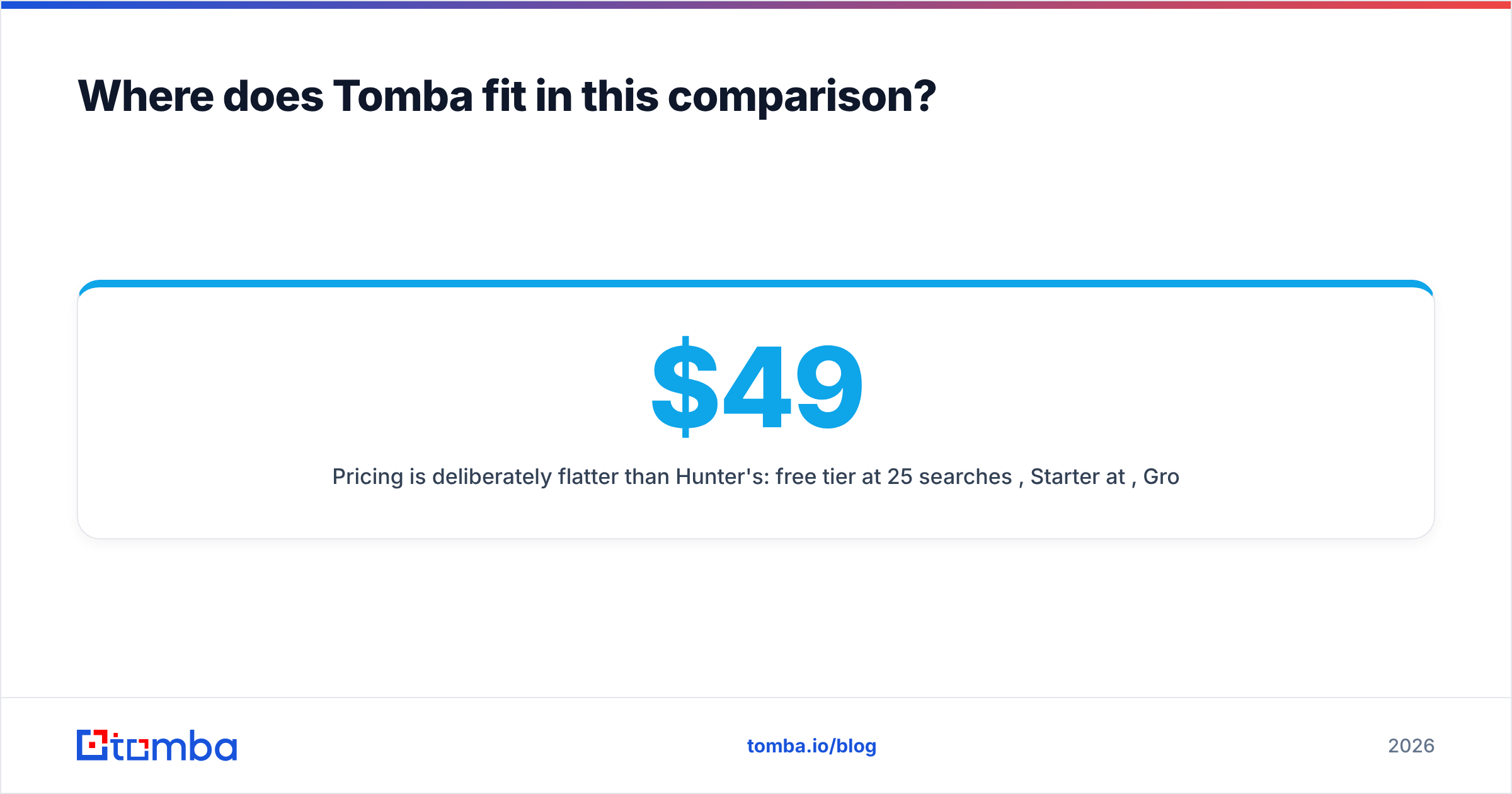
Pricing is deliberately flatter than Hunter's: free tier at 25 searches/month, Starter at $49/mo, Growth at $99/mo, Pro at $249/mo, Enterprise custom. The gap Hunter charges $149 for costs $99 here, and the tier above it lands at $249 rather than $499. Full Tomba pricing is public, and the bulk email finder handles CSV workloads without a separate seat.
Where Tomba is not the answer: if you specifically want to buy a database outright and own it forever, LeadRocks' lifetime model does something no credit-based vendor will match. That's a real trade — permanent access to aging data versus metered access to current data. Pick based on how fast your ICP churns jobs.
What should you actually buy in 2026?#
Three decisions, in order.
Decide whether you have an account list. If yes, buy a domain-first tool — Hunter or Tomba. If no, buy a persona-first database — LeadRocks or Tomba's database side. Buying the wrong shape is the most expensive mistake in this category, and it has nothing to do with price.
Decide who verifies. If your finder doesn't resolve catch-alls, budget for a separate verifier and add that cost to the comparison. A $39/mo database plus a $49/mo verification tool is $88/mo, not $39/mo. Compare like for like.
Run a 200-contact bake-off before signing anything. Pull the same 200 target contacts from each candidate, verify all of them with a neutral third tool, and calculate cost per deliverable address. Every vendor's marketing claims 95%+ accuracy. Your list is the only benchmark that counts, and 200 rows takes an afternoon.
Do those three things and the Hunter vs LeadRocks question usually answers itself — often by revealing that what you needed was the coverage of one and the pricing of the other.
Ready to test it on your own list? Start with the Tomba Email Finder — 25 free searches a month, no card, with verification and catch-all resolution included rather than sold separately. Run your next 200 prospects through it alongside whichever tool you're evaluating, and compare cost per deliverable contact instead of cost per credit. That's the only number that moves your reply rate.
Related guides#
// get started
Find, verify and enrich your first contacts today
Start on the free plan with 25 searches a month, then scale when your team is ready.
Free plan · No credit card required · GDPR & CCPA
// about the author