Hunter vs Logvalid 2026: Email Finder and Verifier Compared
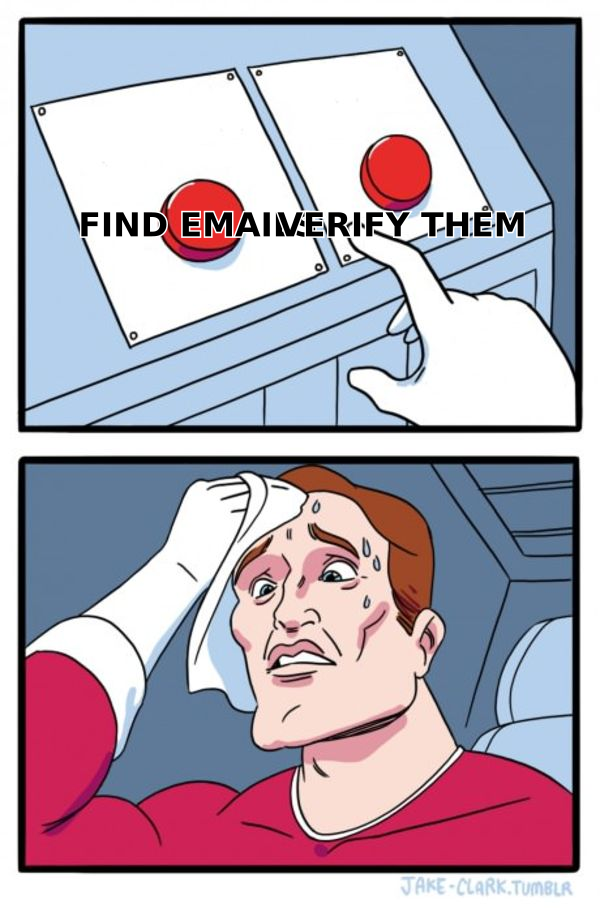
Hunter is a finder that verifies. Logvalid is a verifier that doesn't find. That single difference decides which one belongs in your stack — and whether you actually need both.
TL;DR
- Hunter and Logvalid are not the same category of tool. Hunter finds email addresses and verifies them; Logvalid is verification-first and does not build your prospect list for you.
- If you have no list yet, a verifier alone is useless. If you bought or scraped a list, a verifier is the cheaper fix.
- Hunter's pricing scales on searches and verifications together, which gets expensive when your finder usage and hygiene usage grow at different rates.
- Neither tool solves catch-all domains cleanly, and catch-alls are where most "verified" lists still bounce.
- The practical answer for most outbound teams in 2026 is one platform that does discovery, verification, and catch-all handling on the same credit pool — which is where Tomba pricing at $49/mo starter usually undercuts running two vendors.
What are Hunter and Logvalid, actually?#
Think of it like building a mailing list for a physical campaign. A finder is the person who walks the street writing down house numbers. A verifier is the person who knocks on each door to check somebody still lives there. You need both jobs done, but they are different jobs, and buying two people when one can do both is how outbound budgets quietly bloat.
Hunter is the older, better-known name. It started as a domain-based email finder — give it stripe.com and it returns the addresses it knows, plus the company's naming pattern — and has since bolted on verification, a small CRM-ish "Leads" store, and a lightweight cold-email sender called Campaigns. It's the default recommendation on most "best email finder" lists, which means it also carries the pricing confidence of a default.
Logvalid sits on the other side of the workflow. It's a verification-and-hygiene tool: you bring a list, it tells you which addresses are deliverable, which are dead, which are role accounts, and which are risky. It is not trying to be your prospecting database. That focus is a feature, not a shortcoming — but it does mean the comparison people search for ("hunter vs logvalid") is often a comparison between a Swiss Army knife and a very good pair of scissors.
Here's the split that actually matters when you're choosing:
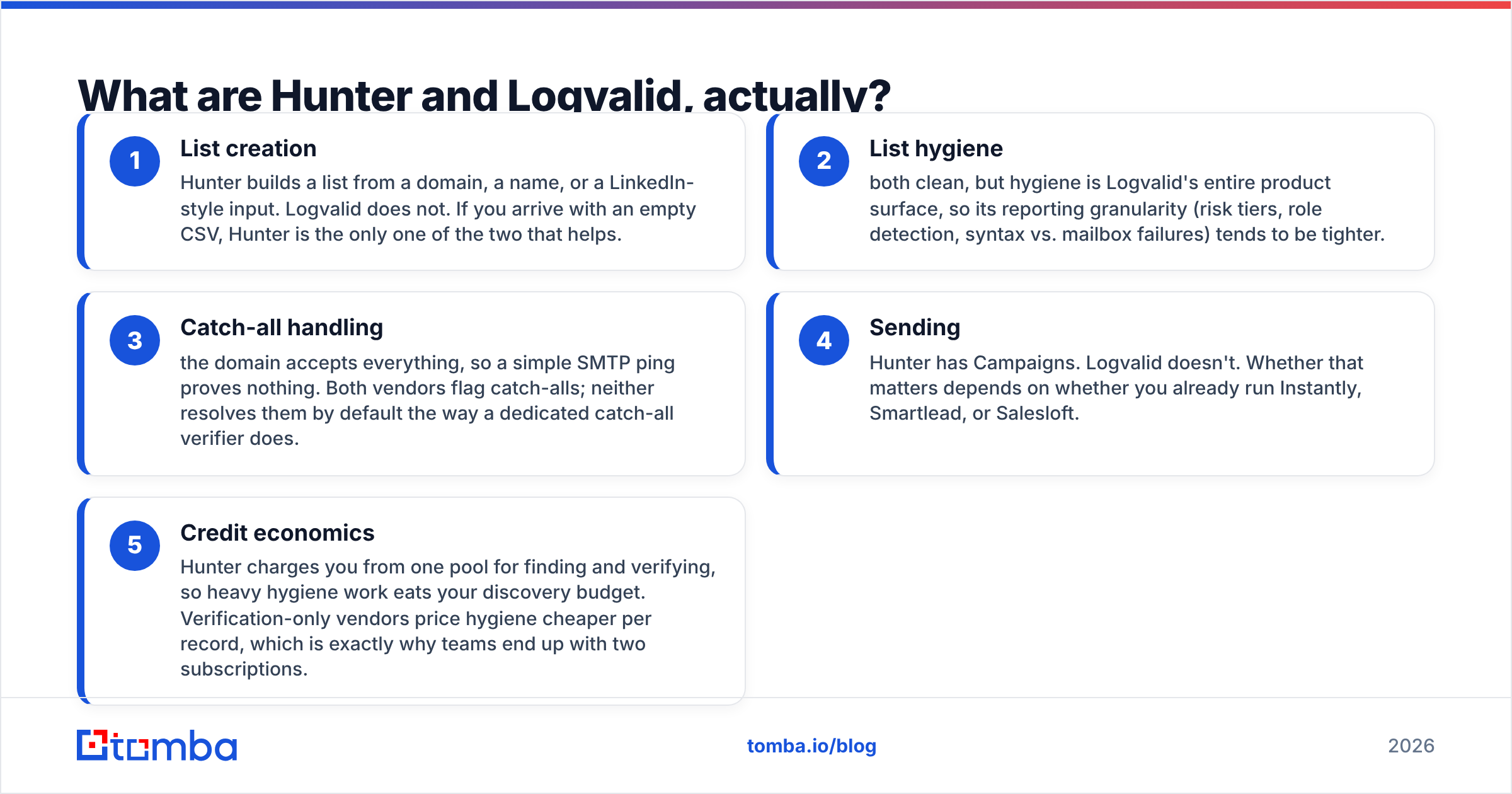
- List creation — Hunter builds a list from a domain, a name, or a LinkedIn-style input. Logvalid does not. If you arrive with an empty CSV, Hunter is the only one of the two that helps.
- List hygiene — both clean, but hygiene is Logvalid's entire product surface, so its reporting granularity (risk tiers, role detection, syntax vs. mailbox failures) tends to be tighter.
- Catch-all handling — the domain accepts everything, so a simple SMTP ping proves nothing. Both vendors flag catch-alls; neither resolves them by default the way a dedicated catch-all verifier does.
- Sending — Hunter has Campaigns. Logvalid doesn't. Whether that matters depends on whether you already run Instantly, Smartlead, or Salesloft.
- Credit economics — Hunter charges you from one pool for finding and verifying, so heavy hygiene work eats your discovery budget. Verification-only vendors price hygiene cheaper per record, which is exactly why teams end up with two subscriptions.

How do Hunter and Logvalid compare on features and pricing?#
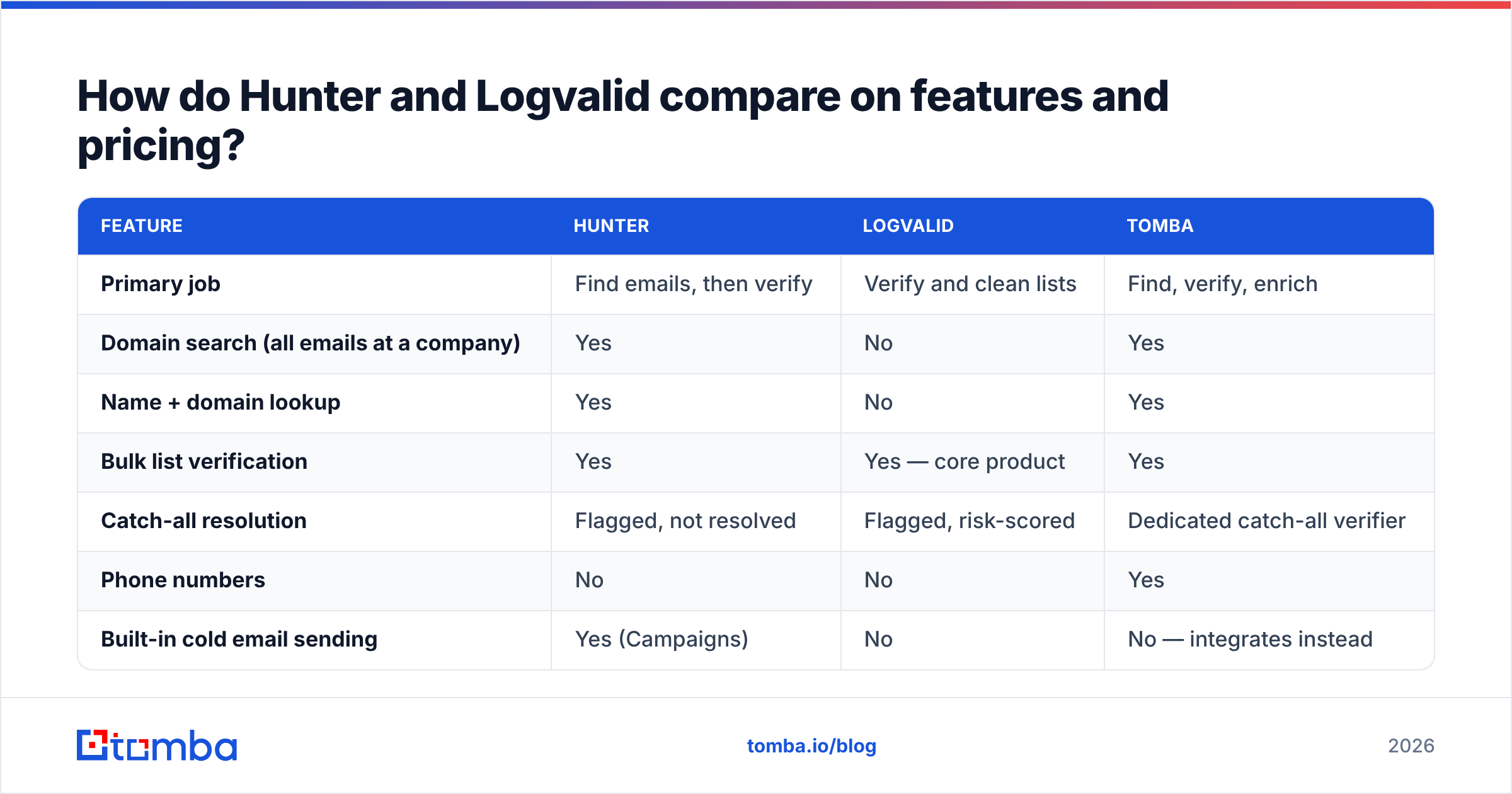
Below is the head-to-head, with Tomba included as the third column because most people running this comparison are really asking "do I need two tools?" Prices are what the vendors publish at the time of writing; verification-only vendors in particular change per-credit rates often, so confirm before you buy.
| Feature | Hunter | Logvalid | Tomba |
|---|---|---|---|
| Primary job | Find emails, then verify | Verify and clean lists | Find, verify, enrich |
| Domain search (all emails at a company) | Yes | No | Yes |
| Name + domain lookup | Yes | No | Yes |
| Bulk list verification | Yes | Yes — core product | Yes |
| Catch-all resolution | Flagged, not resolved | Flagged, risk-scored | Dedicated catch-all verifier |
| Phone numbers | No | No | Yes |
| Built-in cold email sending | Yes (Campaigns) | No | No — integrates instead |
| Free tier | 25 searches/mo | Trial credits | 25 searches/mo |
| Entry paid plan | ~$49/mo | Pay-as-you-go credits | $49/mo |
| API access | Yes, all paid plans | Yes | Yes, all plans incl. free |
| Chrome extension | Yes | Limited | Yes |
| Spreadsheet add-ons | Sheets | CSV upload | Sheets, Excel, Airtable |
| Best for | Teams starting from zero list | Teams cleaning an existing list | Teams doing both on one budget |

The row that decides most purchases is "primary job." A verification vendor cannot rescue you from not having prospects, and a finder that verifies competently can absorb the hygiene job for many teams. The counter-argument is volume: if you're cleaning 200,000 records a quarter from a data partner, per-credit verification pricing will beat finder-tier pricing every time, and running a specialist alongside a finder is rational.
Screenshot placeholder: Hunter domain search results page for a mid-market domain, showing confidence scores and the detected email pattern.
Screenshot placeholder: Logvalid bulk upload results screen with deliverable / risky / invalid breakdown.
Whose data is more accurate?#
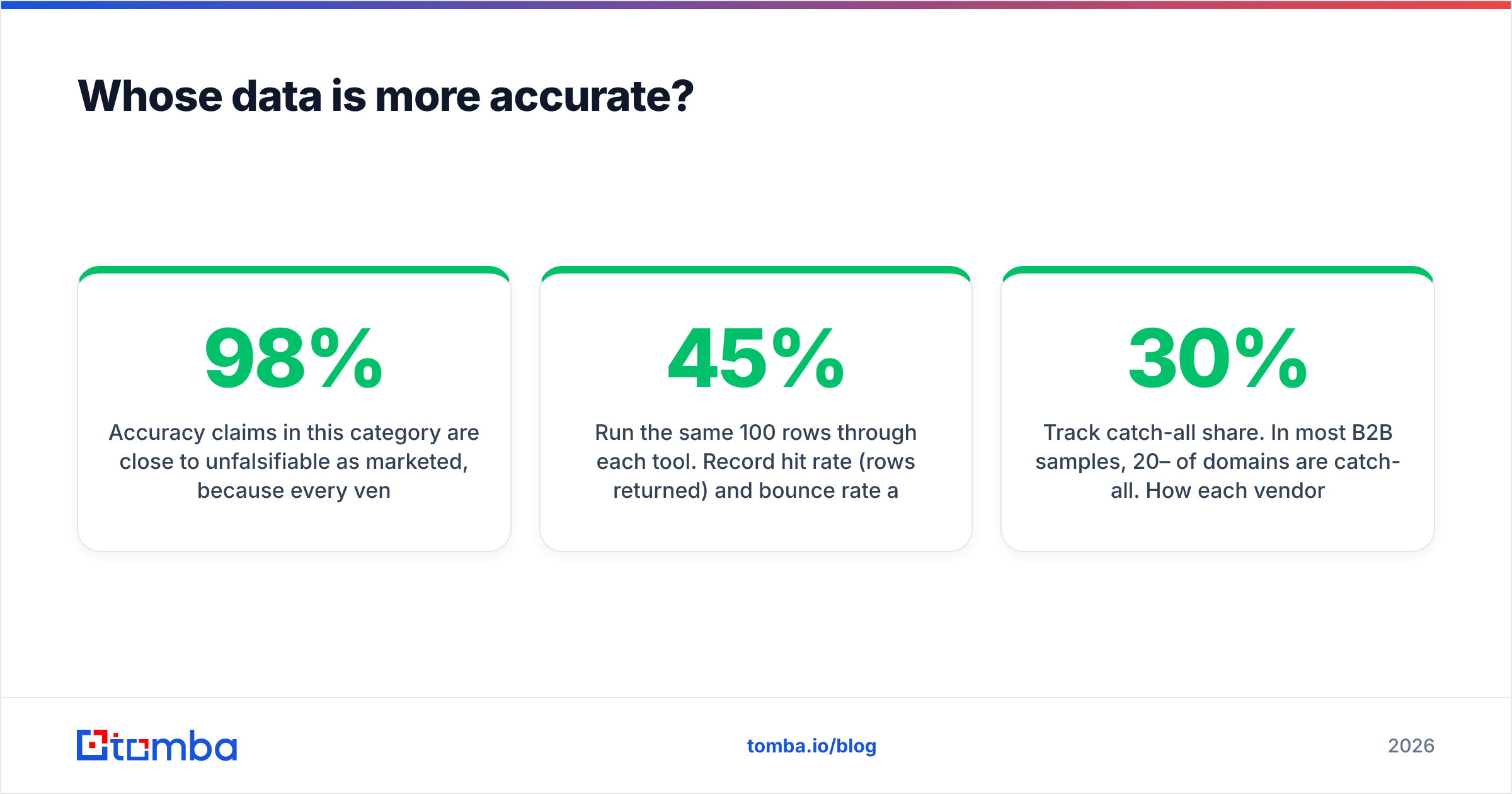
Accuracy claims in this category are close to unfalsifiable as marketed, because every vendor measures a different denominator. "98% accuracy" usually means "of the addresses we chose to return, 98% passed our own SMTP check" — not "we found 98% of the people you asked for." Coverage and accuracy trade against each other: a tool that only returns high-confidence hits looks accurate and finds fewer people.

Run your own test before committing. It takes an afternoon:
- Build a 100-row sample from your actual ICP — same seniority, same company sizes, same geographies you'll really target. Testing on Fortune 500 executives when you sell to 30-person agencies produces numbers that mean nothing.
- Run the same 100 rows through each tool. Record hit rate (rows returned) and bounce rate after a real send, separately. A tool with a 45% hit rate and 1% bounce may deliver more meetings than one with a 70% hit rate and 9% bounce, or fewer — the arithmetic depends on your sending volume headroom.
- Track catch-all share. In most B2B samples, 20–30% of domains are catch-all. How each vendor labels those rows explains most of the gap between two "accurate" tools.
- Check freshness, not just correctness. An address that was right in 2023 and belongs to someone who left in 2025 will pass a syntax and mailbox check and still fail your campaign.
Where Hunter has an edge: its confidence scoring and pattern detection are mature, and it tells you why it thinks an address is right (sources, pattern frequency). Where a verification specialist like Logvalid has an edge: its failure taxonomy is more useful for triage — you can decide policy per risk tier instead of a binary keep/drop.
If you want to see how a third approach documents its sourcing rather than asserting a number, Tomba publishes its data sources and lets you sanity-check individual results with the email verifier before any address touches a sequence. Whatever you choose, treat vendor accuracy pages as marketing and your own 100-row test as evidence. Peer reviews on G2 are a useful third data point mainly for support quality and billing surprises, less so for accuracy.
Is Hunter better than Logvalid for cold outbound?#
For a team starting from an empty spreadsheet: yes, clearly. You cannot verify addresses you don't have. Hunter's domain search plus its Chrome extension gets a rep from "here's a target account list" to "here's 400 addresses with patterns and confidence scores" the same day. Add Campaigns and you have a minimum-viable outbound stack in one subscription, which is genuinely convenient for a founder-led motion under 500 sends a month.
The limits show up as you scale:
- Credit conflation. Every verification you run is budget you didn't spend finding new prospects. At list-building volume this pushes you up a tier for the wrong reason.
- Enrichment depth. Hunter gives you an email. It does not give you phone numbers, so any multichannel play needs a second vendor for dials — see phone finder style tooling if calling is part of the motion.
- Campaigns is basic. It is fine for a first sequence and thin next to Instantly, Smartlead, or Salesloft on inbox rotation, warmup, and reply handling. Most teams outgrow it and end up paying for a sender anyway.
When does Logvalid make more sense?#
Pick the verification-first path when the bottleneck is list quality, not list existence. Concretely:
- You buy data from a provider or partner and need an independent quality gate before it enters the CRM.
- You have a five-year-old marketing database and your ESP is threatening you over bounce rate. Cleaning 80,000 old contacts through a finder's credit pool is an expensive way to do a cheap job.
- You already run a separate prospecting source — a database subscription, a scraper, a data team — and only need the hygiene layer.
- Your sender reputation is already damaged and you need a defensible, auditable cleaning process. Bounce rate above roughly 2–3% is where mailbox providers start throttling, and email deliverability recovery is slower than prevention.
In those cases Logvalid is doing the job it was built for, and paying finder-tier prices for hygiene would be the wrong trade. Handle it as a respected specialist rather than a Hunter substitute — the two are not competing for the same slot in your stack.
What do Hunter and Logvalid both leave out?#
Three gaps show up regardless of which one you pick.
Catch-all domains. Between a fifth and a third of B2B domains accept all mail at the SMTP layer, so a standard verification returns "unknown" or "risky" and you're left guessing. Most teams either drop those rows (losing real prospects, often the enterprise ones) or send anyway (eating bounces). A dedicated catch-all finder that uses pattern confidence and secondary signals instead of a single SMTP handshake recovers a meaningful chunk of that list.
Phone and multichannel data. Neither tool gives you dials. In 2026, email-only sequences underperform email-plus-call-plus-LinkedIn on almost every ICP, so a phone gap is a real gap.
One pipeline instead of two. Running a finder and a verifier means two APIs, two credit balances, two renewal dates, and a manual CSV round-trip between them. That's fine at 500 leads a month and painful at 50,000. A single bulk email finder that finds, verifies, and returns the clean file in one pass removes an entire hand-off.
How should you pick between Hunter and Logvalid?#
Answer three questions in order.
- Do you have a list? No → you need a finder; Logvalid alone cannot help. Yes, and it's dirty → a verifier is the cheaper, faster fix.
- Is your volume lopsided? If you verify 10x more records than you find, a verification specialist priced per credit will beat a finder's bundled tiers. If discovery is the bulk of the work, the reverse holds.
- Are you paying twice for one workflow? If the honest answer is "we find in one tool, export, verify in another, re-import," you're paying a subscription and an hour of ops time per week for a hand-off that shouldn't exist.
That third question is where most teams land on consolidation. Tomba runs discovery and verification on the same credits — Free (25 searches/mo), Starter $49/mo, Growth $99/mo, Pro $249/mo — with the API available on every plan including free, plus catch-all handling, phone lookup, and data enrichment in the same account. For a team currently paying roughly $50 for a finder and another $30–60 for verification credits, one plan usually does both jobs for less than the sum.
None of this makes Hunter a bad tool or Logvalid a weak one. Hunter is a genuinely good finder with a real brand behind it. Logvalid is a focused verifier that does its one job well. The question is whether your workflow justifies two line items — and for most outbound teams under 100,000 records a quarter, it doesn't.
Ready to test it against your own list?#
Take the 100-row test above and run it through the Tomba Email Finder alongside whichever tool you're considering. Free tier, 25 searches, no card. Compare hit rate and post-send bounce rate on your real ICP rather than someone else's benchmark chart — including the catch-all rows both specialists tend to hand back as "unknown." If Tomba doesn't win on your data, you'll have learned something useful for $0. If it does, you've collapsed two subscriptions into one before your next renewal.
Related guides#
// get started
Find, verify and enrich your first contacts today
Start on the free plan with 25 searches a month, then scale when your team is ready.
Free plan · No credit card required · GDPR & CCPA
// about the author