Hunter vs Ocean.io (2026): Which One Wins for Outbound?
Hunter finds emails by domain. Ocean.io finds companies that look like your best customers. Here is how the two compare on data accuracy, pricing and daily workflow, and which one actually deserves a line in your budget.
Hunter vs Ocean.io is not really a fair fight, because the two tools solve different problems. Hunter finds email addresses. Ocean.io finds companies. This guide compares them on data accuracy, pricing and day-to-day workflow, then names the pick for lean outbound teams.
TL;DR
- Hunter is an email finder. Ocean.io is an ICP and lookalike company-search platform. They overlap on contact data, but they solve different halves of the prospecting problem.
- Pick Hunter if you already know which companies you want and need addresses fast. Pick Ocean.io if your bottleneck is which accounts to target at all.
- Hunter is self-serve, with a free tier and a published $49/month entry plan. Ocean.io is quote-based and annual. That pricing motion puts it out of reach for most solo founders and small SDR pods.
Two more things to weigh in the Hunter vs Ocean.io call:
- Neither tool is the cheapest way to get verified emails at volume. If email discovery is the job, a dedicated finder with per-credit pricing wins on cost per usable contact.
- For most teams the honest answer is a split: use a targeting tool to choose accounts, then hand the domain list to a purpose-built email finder for contact resolution.
Hunter vs Ocean.io: what does each tool actually do?#
Hunter is one of the oldest email finders on the market. It launched in 2015 as Emailhunter, and the core loop has barely changed since. That is a compliment. Give it a domain, and it returns the email addresses tied to that domain, each with a confidence score and the public sources where the address was seen. Around that core sit an email verifier, bulk tasks, a Chrome extension, a Google Sheets add-on, a light cold-email sender called Campaigns, and a company-discovery module.
Ocean.io is a different animal. It is a Copenhagen-based B2B data platform built around lookalike search. You feed it a list of your best customers. It then models what those companies share, using website content, technographics, industry signals and firmographics, and returns companies that resemble them. Contact data comes attached. But contacts are the output of an account-selection engine, not the reason the product exists.
That one difference drives every other Hunter vs Ocean.io difference. Hunter answers "what is this person's email?" Ocean.io answers "which 500 companies should I be emailing at all?"
Hunter vs Ocean.io: how do the data models differ?#
Before you compare price tags, understand what you are buying. The two products rest on opposite assumptions.
- Starting point. Hunter starts from a domain you supply. Ocean.io starts from a customer profile you supply, then generates the domains for you.
- Data provenance. Hunter's addresses come mostly from public web sources, with a visible source URL and date for each one. Ocean.io leans on aggregated company signals plus licensed contact data. You get richer firmographics and far less transparency about where a single address came from.
- Unit of value. Hunter charges per search and per verification. Ocean.io charges per seat on an annual contract, with credits bundled in.
Three more splits show up once the tools are live in a real workflow.
- Refresh behavior. Email finders re-resolve on request, so the answer is live at query time. Lookalike databases refresh on a crawl cycle, so a contact record can be months stale even when the company record is fresh.
- Failure mode. When Hunter fails, it returns nothing or a low-confidence guess. That is easy to filter. When an account-intelligence platform fails, it returns a plausible contact at the right company who left 14 months ago. That is the expensive failure.
- Who owns the workflow. Hunter is used by whoever builds the list, often a single rep. Ocean.io is bought by a RevOps or demand-gen owner and rolled out to a team.
If you only remember one line from this section: coverage and accuracy are not the same metric, and account-selection tools optimize for the first one.
Hunter vs Ocean.io: whose email data is more accurate?#
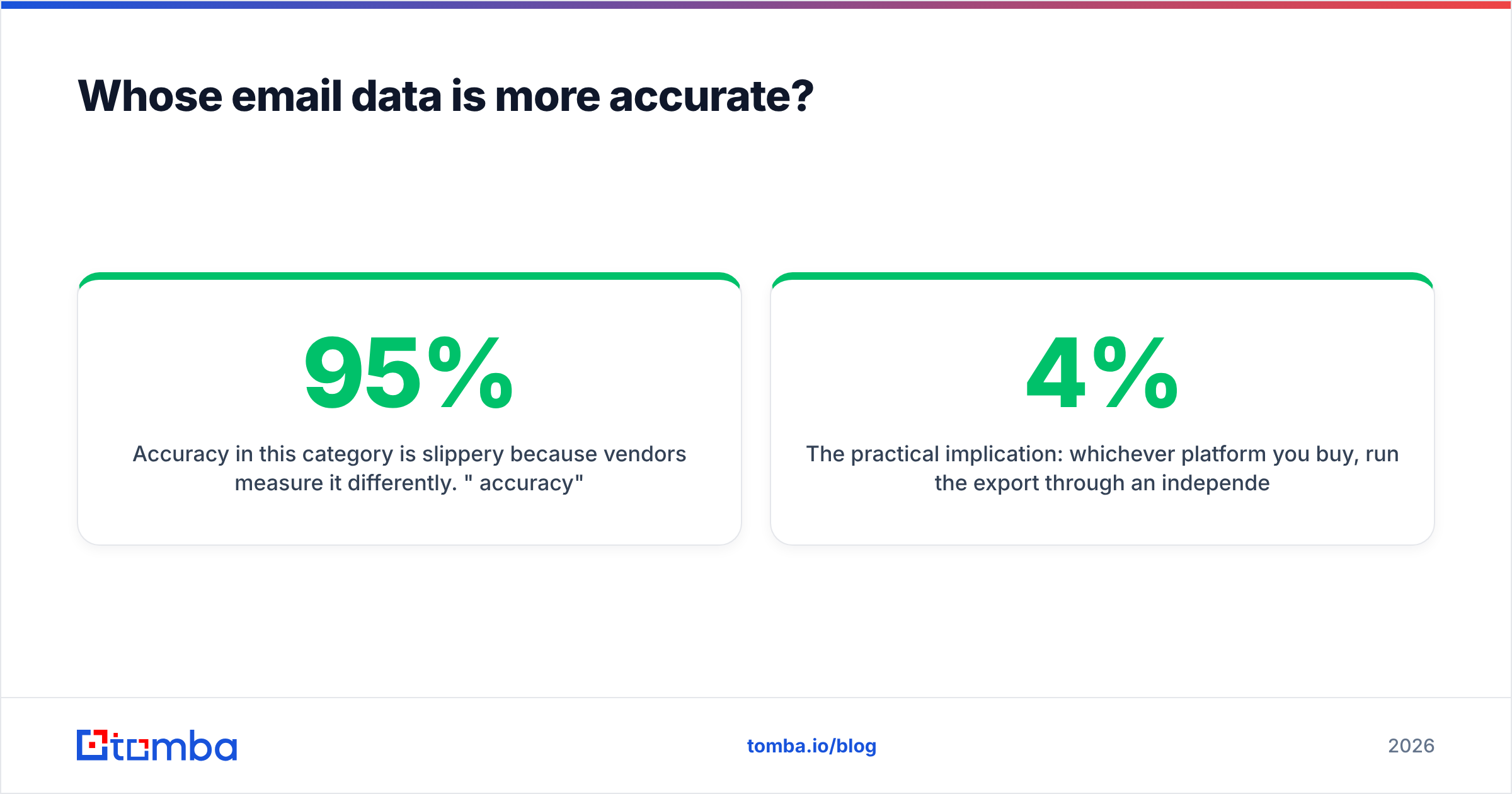
Accuracy in this category is slippery, because vendors measure it differently. "95% accuracy" usually means "of the emails we chose to return, this share passed our own validation." That quietly excludes every contact the tool could not find. A tool that returns 30% of your list at 98% accuracy looks better on paper than one that returns 70% at 92%. It also hands you less than half the usable contacts.
Demand these two numbers from any vendor:
- Hit rate: of 1,000 real prospects you uploaded, how many came back with any address?
- Bounce rate on send: of those, how many bounced when you actually mailed them?
Hunter is comparatively honest here. Every result carries a confidence score and a list of public sources, so you can set your own threshold. A common practice is to accept anything above 90 and route the 50-89 band through a separate verification step. Ocean.io marks contact records verified or not, but tells you less about why a record scored the way it did.

The practical implication is the same either way. Run the export through an independent email verifier before it touches your sending domain. Vendors validate against their own definition of valid. Your inbox provider does not care about that definition. A 4% bounce rate on a cold domain is enough to visibly damage your sender reputation, and no data platform will refund that.
Catch-all domains deserve a note. Roughly a fifth of B2B domains accept every address at the SMTP layer. Standard verification then returns "unknown" rather than valid or invalid. Hunter flags these; Ocean.io generally passes them through. Either way you need a catch-all verifier or a deliberate policy. The usual one: send to catch-alls only on high-value accounts, in small batches, from a secondary domain.
Hunter vs Ocean.io: how do features and pricing compare?#
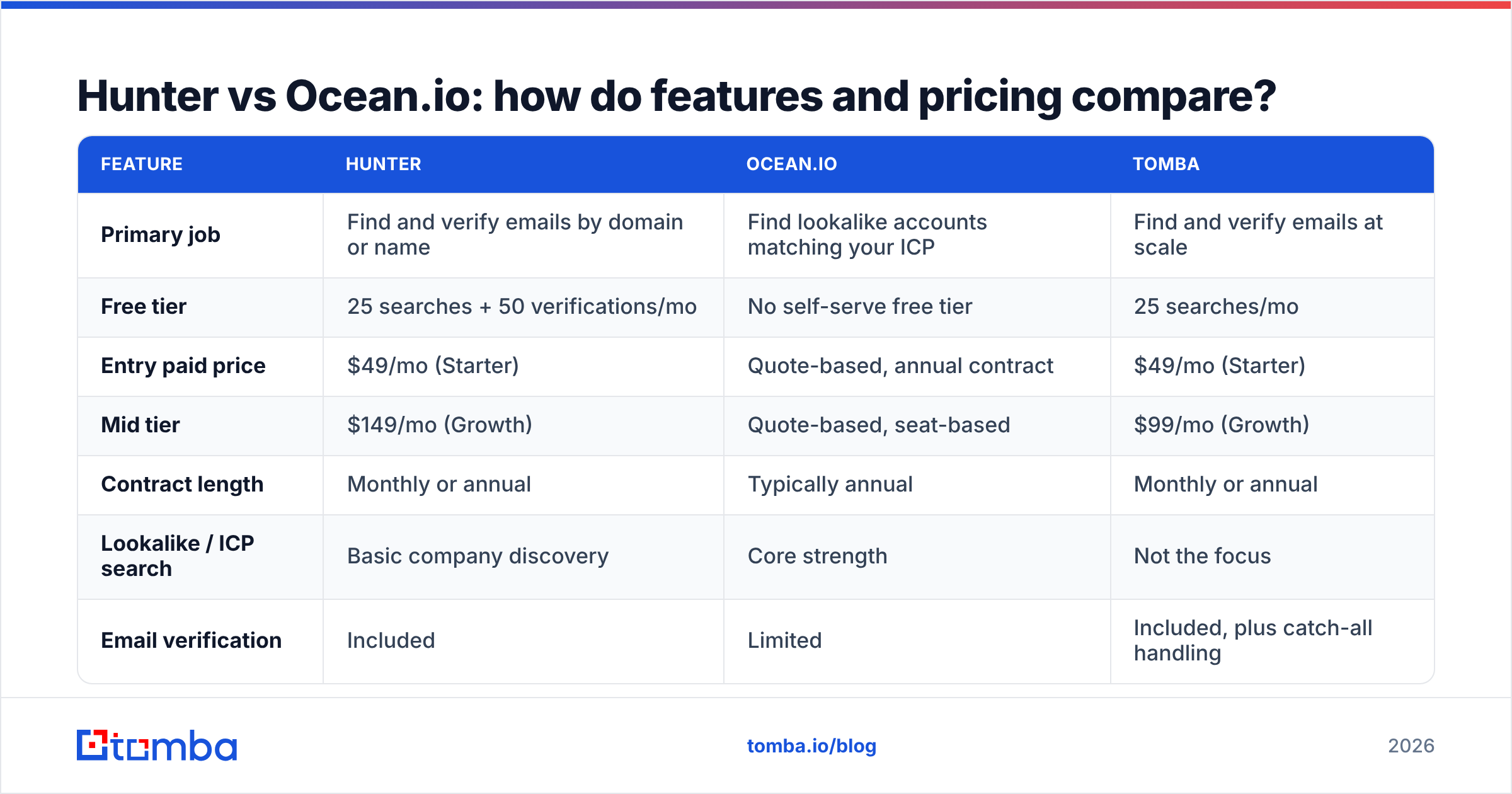
Pricing below reflects publicly listed plans at the time of writing. Ocean.io does not publish self-serve pricing. Treat its row as a directional description of the sales motion, not a quote. Always confirm on the vendor's own page.
| Feature | Hunter | Ocean.io | Tomba |
|---|---|---|---|
| Primary job | Find and verify emails by domain or name | Find lookalike accounts matching your ICP | Find and verify emails at scale |
| Free tier | 25 searches + 50 verifications/mo | No self-serve free tier | 25 searches/mo |
| Entry paid price | $49/mo (Starter) | Quote-based, annual contract | $49/mo (Starter) |
| Mid tier | $149/mo (Growth) | Quote-based, seat-based | $99/mo (Growth) |
| Contract length | Monthly or annual | Typically annual | Monthly or annual |
| Lookalike / ICP search | Basic company discovery | Core strength | Not the focus |
| Email verification | Included | Limited | Included, plus catch-all handling |
| Bulk processing | Yes | Yes (CSV enrichment) | Yes, bulk finder and verifier |
| Phone numbers | No | Yes, on some plans | Yes, via phone finder |
| API access | Yes | Yes, higher tiers | Yes, all paid plans |
| Chrome extension | Yes | Yes | Yes |
| Best for | Reps who know their target accounts | RevOps teams defining a market | Teams resolving large domain lists |

Two things stand out. First, Hunter and Ocean.io barely compete on the same line item: one is priced like a tool, the other like a platform. Second, seat-based pricing turns hostile the moment your requirement is "resolve 20,000 domains into verified contacts this quarter." You end up paying for named users when the work is a batch job.
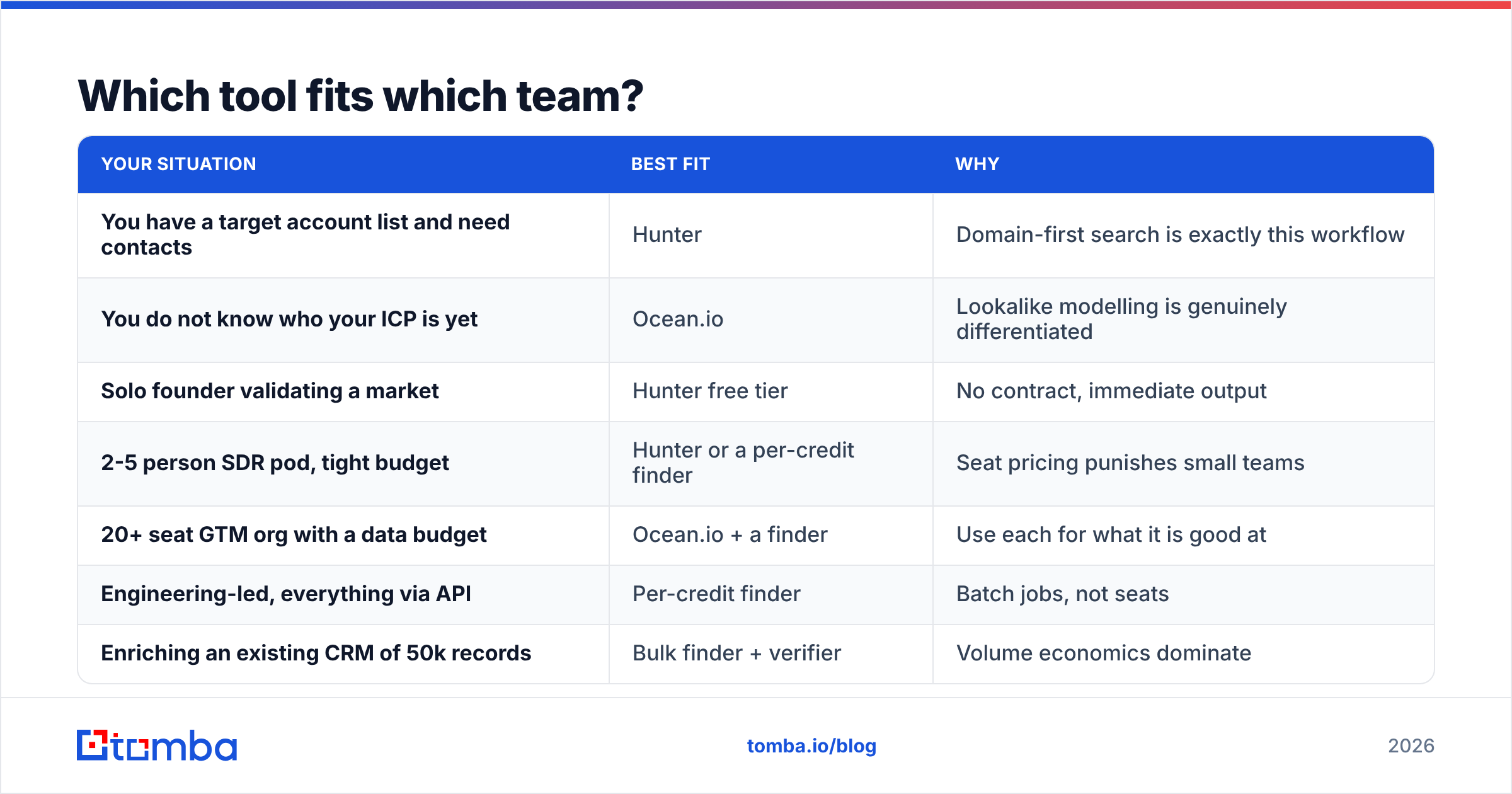
Which tool fits which team?#
Map the Hunter vs Ocean.io decision to your actual bottleneck, not to a feature checklist.
| Your situation | Best fit | Why |
|---|---|---|
| You have a target account list and need contacts | Hunter | Domain-first search is exactly this workflow |
| You do not know who your ICP is yet | Ocean.io | Lookalike modelling is genuinely differentiated |
| Solo founder validating a market | Hunter free tier | No contract, immediate output |
| 2-5 person SDR pod, tight budget | Hunter or a per-credit finder | Seat pricing punishes small teams |
| 20+ seat GTM org with a data budget | Ocean.io + a finder | Use each for what it is good at |
| Engineering-led, everything via API | Per-credit finder | Batch jobs, not seats |
| Enriching an existing CRM of 50k records | Bulk finder + verifier | Volume economics dominate |
The pairing in row five is what mature teams actually do. Account selection and contact resolution are separate problems with separate best-in-class vendors. Forcing one tool to do both means accepting the weaker half. If you run that split, feed your targeting output straight into a domain search step. The handoff should be a CSV or an API call, not a human copy-pasting company names.

What do real users say about each?#
Reviews are the other half of the Hunter vs Ocean.io picture. Read them with a filter: most complaints in this category are about credits, not features.
For Hunter, the recurring praise is simplicity and the confidence score. The recurring complaint is coverage on smaller and non-US companies. Reviewers also note that a failed search still costs time, even when it does not cost a credit, and that Campaigns is competent but thin next to a dedicated sequencer.
For Ocean.io, the praise is genuinely about the lookalike engine. Teams report finding entire segments they had not considered. The complaints cluster around price transparency, contract length, and contact-level depth compared with account-level quality. Several reviewers describe using Ocean.io for targeting and a separate tool for emails, which is the conclusion this article reaches on its own.
Check current sentiment yourself on G2 rather than trusting any vendor's cherry-picked quote wall, including this one. Filter to reviews from companies your size. A 500-person org's experience with an annual data contract tells you almost nothing about how it will feel at eight people.
What are the hidden costs on each side?#
Sticker price is the smallest line item in most data budgets. Watch these instead:
- Unused credits. Monthly credits on most email tools do not roll over. If your prospecting is bursty, heavy at quarter start and quiet mid-quarter, you pay for the peak every month.
- Seat sprawl. Seat-based platforms create pressure to buy licenses for people who query the tool twice a month. Three idle seats can cost more per year than an entire finder subscription.
- Verification as a second bill. If your data vendor's verification is thin, you buy a second product. Budget for it up front, or choose a tool where verification is included.
Two more costs never show up on the invoice:
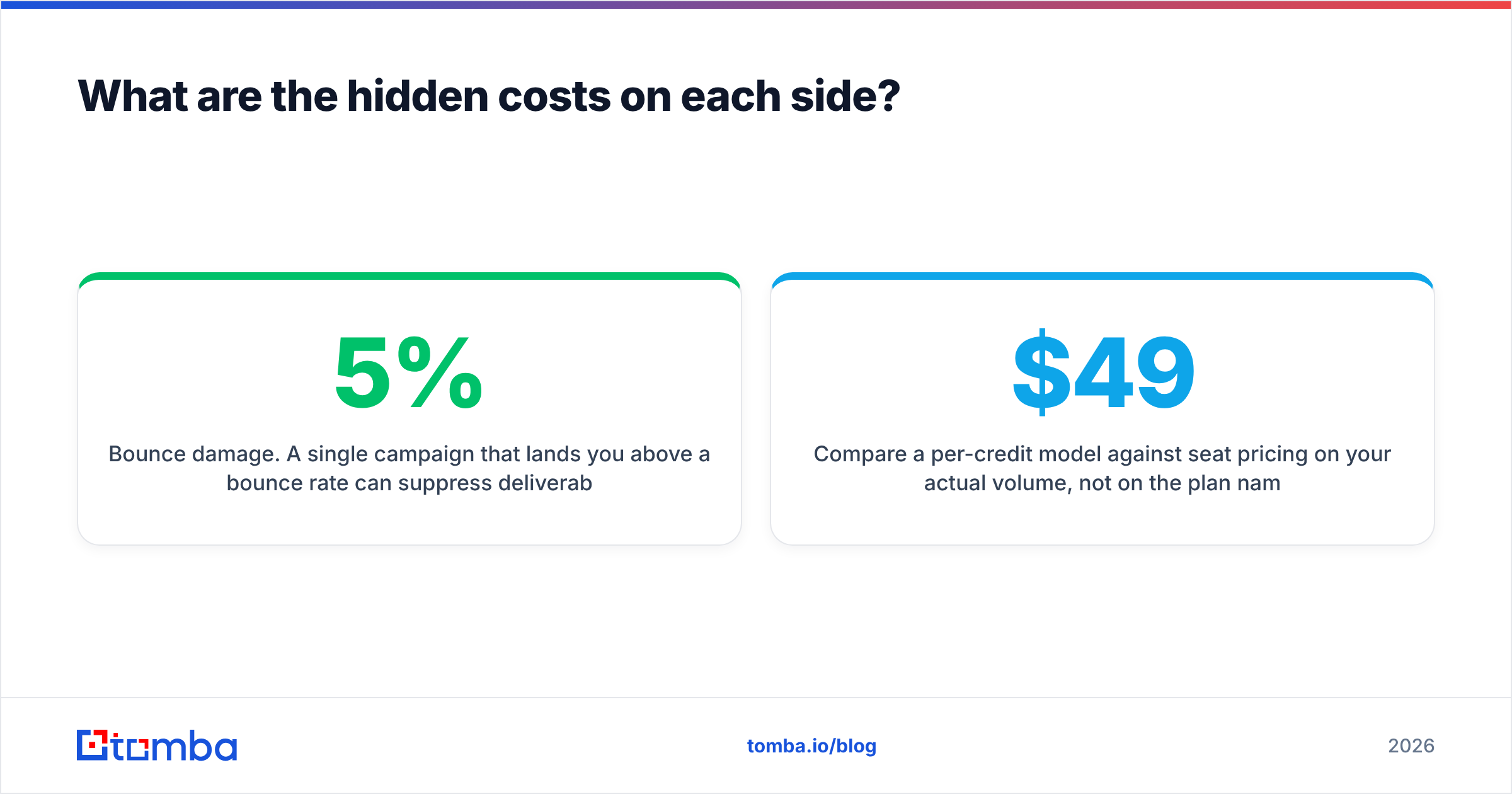
- Bounce damage. A single campaign above a 5% bounce rate can suppress deliverability for weeks. That cost is invisible, which is exactly why it gets ignored.
- Integration labor. CSV round-trips are cheap once and expensive forever. Confirm there is a real API and a working CRM sync before you sign anything annual.
Compare a per-credit model against seat pricing on your actual volume, not on the plan names. Published Tomba pricing — free at 25 searches, $49/month Starter, $99/month Growth, $249/month Pro — exists partly so you can do that arithmetic before a sales call rather than after one.
Should you consider a third option instead?#
Yes, if your bottleneck is contact resolution rather than account discovery. For most teams past the first quarter of outbound, it is.
Hunter is excellent at what it does and priced fairly for individuals. Ocean.io is a legitimately strong targeting product for organizations with the budget and the RevOps maturity to use it. Both get strained in the unglamorous middle. You have 15,000 domains. You need decision-maker emails for each, verified against catch-all edge cases, as a repeatable job rather than a manual session.
That workload wants three properties. Per-credit economics, so cost scales with work rather than headcount. Bulk and API access on entry plans, so automation is not gated behind an enterprise tier. And verification built into the same pipeline, so the contact that leaves the system has already been checked.
Frequently asked questions#
Is Ocean.io a direct Hunter competitor? Not really. Both appear in the same buying conversations because both produce B2B contacts. But Hunter competes with email finders, while Ocean.io competes with account-intelligence and ICP platforms.
Can Hunter replace an ICP tool? Partially. Hunter's discovery module can filter companies by basic attributes. It does not model similarity to your existing customers the way Ocean.io does.
Hunter vs Ocean.io: which one is cheaper? Hunter, unambiguously, for any team under about ten people. Ocean.io's annual, seat-based motion is built for a different buyer.
Do I still need a verifier if my tool says addresses are verified? Yes, if the send matters. Independent verification catches records that went stale between the vendor's last refresh and your campaign date. It also handles catch-all domains explicitly rather than guessing.
The practical next step#
The Hunter vs Ocean.io choice matters less than the piece that compounds: reliable, verified email addresses at a price that scales with volume instead of headcount. Run a domain list through the Tomba Email Finder. Check the hit rate and the bounce rate against whatever you are using today, and let the numbers decide. The free tier covers 25 searches a month, which is enough to benchmark honestly before anyone signs anything annual.
Related guides#
// get started
Find, verify and enrich your first contacts today
Start on the free plan with 25 searches a month, then scale when your team is ready.
Free plan · No credit card required · GDPR & CCPA
// about the author