Hunter vs SphereScout 2026: Which Email Finder Wins?
Hunter is the incumbent everyone knows. SphereScout is the newer challenger. We compare data sourcing, accuracy, catch-all handling, API limits and real cost per usable contact — plus where Tomba fits.
TL;DR
- Hunter is the safer default. It has the longest public track record, a documented API, a transparent free tier, and thousands of verified reviews you can actually read before you buy.
- SphereScout is the challenger with the thinner paper trail. It markets itself on AI-assisted discovery and enrichment, but publishes far less about data sourcing, verification method, and pricing than Hunter does. Treat unverifiable claims as unverified.
- Accuracy is decided by verification, not by the finder. Both tools return a guess for some contacts. The difference in your bounce rate comes from how aggressively each one validates before it hands you an address.
- Cost per usable contact matters more than the sticker price. A $49/mo plan that returns 60% deliverable addresses is more expensive than a $99/mo plan that returns 92%.
- Run the same 100-row test list through both. Thirty minutes of testing beats every comparison article, including this one.
What are Hunter and SphereScout?#
Hunter is one of the oldest email-finding tools still standing. It started as a domain-search product — type a company domain, get the email addresses associated with it plus the pattern the company uses — and grew into a suite covering verification, bulk lookups, a small campaign sender, and a well-documented API. It is the tool most sales teams have already tried, which makes it the default benchmark in almost every comparison.
SphereScout is the newer entrant in this matchup. It positions itself around AI-assisted prospect discovery: you describe a target profile, it assembles a list, enriches it, and hands back contact data. The pitch is speed and less manual list-building.
Here is the honest framing before we go further. Hunter's pricing, API docs, coverage claims, and review history are public and easy to check. SphereScout's are not, to the same degree. Where this post states something about Hunter, you can verify it on hunter.io or on G2. Where it discusses SphereScout, treat the vendor's own claims as claims until your own test data confirms them. That asymmetry is itself a finding: in B2B data, a vendor that hides its methodology and its price list is asking you to buy on faith.
How do email finders actually find an address?#
Nearly every tool in this category — Hunter, SphereScout, Tomba, and the rest — runs some combination of the same five mechanics. Understanding them tells you what a vendor's "97% accuracy" number is really measuring.
- Pattern inference. The tool learns that acme.com uses
first.last@acme.com, then constructs candidates for any name at that domain. Cheap, fast, and the single largest source of both coverage and error. - Web crawling and public sources. Company sites, press releases, staff pages, GitHub commits, conference speaker lists, article bylines. This is where genuinely confirmed addresses come from, and it is the part that takes years of index-building to do well.
- SMTP validation. The tool opens a conversation with the receiving mail server and asks whether the mailbox exists — without sending anything. Reliable on most providers, useless against catch-all domains that accept everything.
- Catch-all and risk scoring. Roughly a fifth of B2B domains accept mail to any address. A good tool tells you the domain is catch-all and gives a confidence score; a bad one marks the guess "valid" and lets you find out on send day.
- Enrichment joins. Title, seniority, company size, tech stack, phone. Useful for segmentation, but this is the layer most likely to be resold third-party data rather than something the vendor built.
The gap between two tools is almost never in step 1. Everybody can permute a name. The gap is in steps 2, 3 and 4 — how deep the crawl index runs and how honestly the tool grades its own output.

Which one is more accurate?#
Accuracy is the whole argument, and it is also the number most easily manipulated. Three tricks appear constantly in vendor marketing:
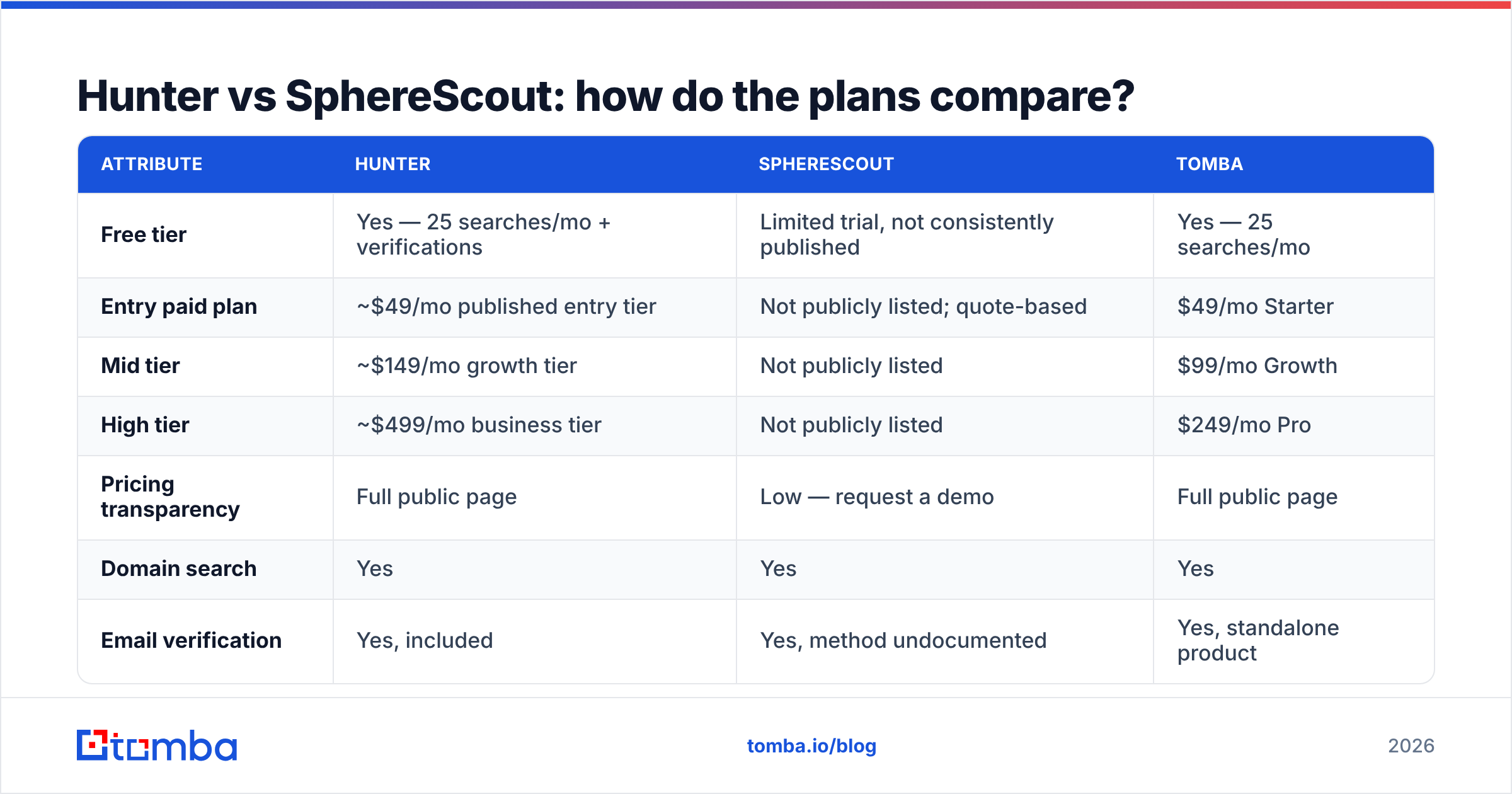
- Reporting accuracy only on returned results. If a tool refuses to answer for 60% of your list, then reports 96% accuracy on the 40% it did answer, the effective coverage is 38%. Ask for both numbers.
- Counting catch-all as valid. Inflates every metric at once and passes the risk to your sending domain.
- Benchmarking on Fortune 500 domains. Everybody nails microsoft.com. Nobody's public benchmark uses 200-employee manufacturers in the Midwest, which is what your actual list looks like.

Hunter's advantage here is disclosure. It returns a confidence score with every result and separates "verified" from "guessed," which lets you filter before you send. In practice, teams that only send to Hunter's high-confidence tier report bounce rates in the low single digits; teams that send to everything Hunter returns do considerably worse. That is not a Hunter flaw — it is the tool telling you the truth and the user ignoring it.
SphereScout's accuracy claims are harder to audit because the underlying verification method is not documented in detail. If you are evaluating it, insist on a trial that returns raw confidence scores, not just a filtered "here are your leads" export.
Whichever you pick, run the output through a dedicated email verifier before it touches a sequence. Finders optimise for coverage; verifiers optimise for not burning your domain. They are different jobs, and the second one protects your sender reputation.
Hunter vs SphereScout: how do the plans compare?#
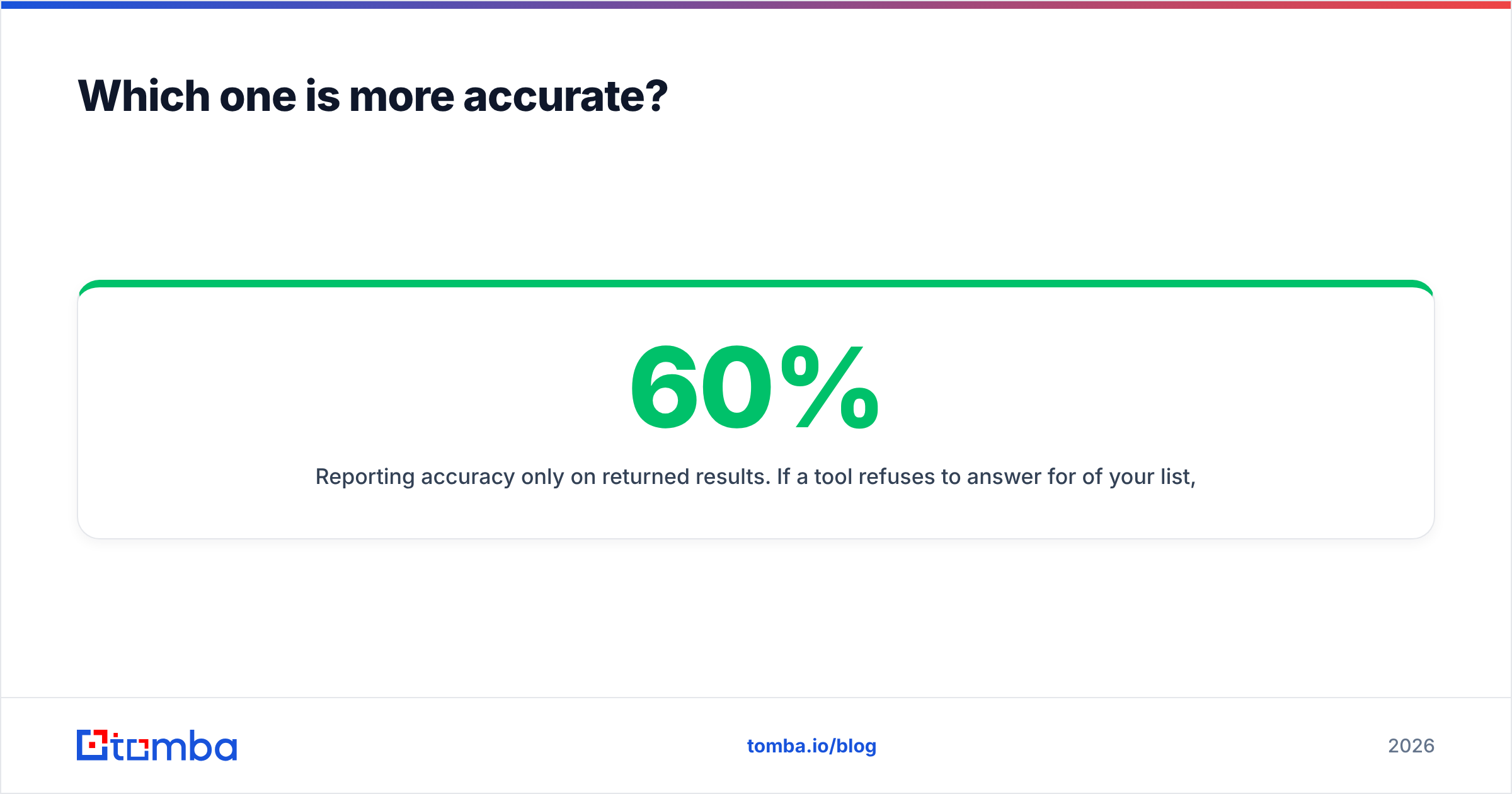
| Attribute | Hunter | SphereScout | Tomba |
|---|---|---|---|
| Free tier | Yes — 25 searches/mo + verifications | Limited trial, not consistently published | Yes — 25 searches/mo |
| Entry paid plan | ~$49/mo published entry tier | Not publicly listed; quote-based | $49/mo Starter |
| Mid tier | ~$149/mo growth tier | Not publicly listed | $99/mo Growth |
| High tier | ~$499/mo business tier | Not publicly listed | $249/mo Pro |
| Pricing transparency | Full public page | Low — request a demo | Full public page |
| Domain search | Yes | Yes | Yes |
| Email verification | Yes, included | Yes, method undocumented | Yes, standalone product |
| Catch-all handling | Flagged with confidence score | Unclear | Dedicated catch-all verifier |
| Phone numbers | No | Marketed as included | Yes, separate phone finder |
| Public API docs | Yes, mature | Limited public documentation | Yes, public REST API |
| Chrome extension | Yes | Yes | Yes |
| Native spreadsheet add-ons | Sheets | Not documented | Sheets, Excel, Airtable |
| Best known for | Domain search + reliability | AI list building | Accuracy per dollar + API depth |

Two caveats on that table. First, vendor pricing moves — check each vendor's own pricing page before you commit budget; Tomba pricing is the only column here we control and can guarantee. Second, "not publicly listed" is not an accusation. Plenty of good companies sell through demos. But it does mean you cannot compare SphereScout on cost-per-credit without getting on a call, and that changes your evaluation timeline from twenty minutes to two weeks.
What does Hunter do better?#
Trust and paper trail. Hunter has been publicly reviewed for a decade. You can find bad reviews as easily as good ones, which is exactly what you want when spending real money. A tool with only glowing testimonials on its own site is a tool you know nothing about.
Domain search depth. If your workflow is "here are 400 target companies, get me everyone in marketing," Hunter's domain-first model fits naturally. It surfaces the company's email pattern alongside the addresses, so you can sanity-check the logic yourself instead of trusting a black box.
API maturity. Hunter's API has been stable for years, with predictable rate limits and error handling. If you are building lead capture into a product rather than clicking around a dashboard, stability beats novelty.
Honest confidence scoring. Hunter is comfortable telling you it does not know. That is rarer than it should be.
What does SphereScout do better?#
Time-to-list. The AI-assisted discovery angle genuinely saves time at the top of the funnel. Describing an ICP in a sentence and getting a populated list back is faster than building filters by hand — provided the list is good.
Bundled contact types. Marketing phone numbers alongside email in one workflow removes a tool from the stack, which matters for small teams. Whether the phone data holds up is a question for your trial, not for a blog post.
Newer UI conventions. Younger products tend to ship cleaner interfaces because they carry less legacy. Sales reps notice this more than founders expect.
The counterweight: newer tools have shallower crawl indexes. Coverage in this category compounds over years. A two-year-old index will lose to a ten-year-old index on obscure domains almost every time, no matter how good the model sitting on top of it is.

Where does Tomba fit in this comparison?#
Tomba competes on the boring axis: accuracy per dollar, and how much of the pipeline you can automate without leaving one vendor.
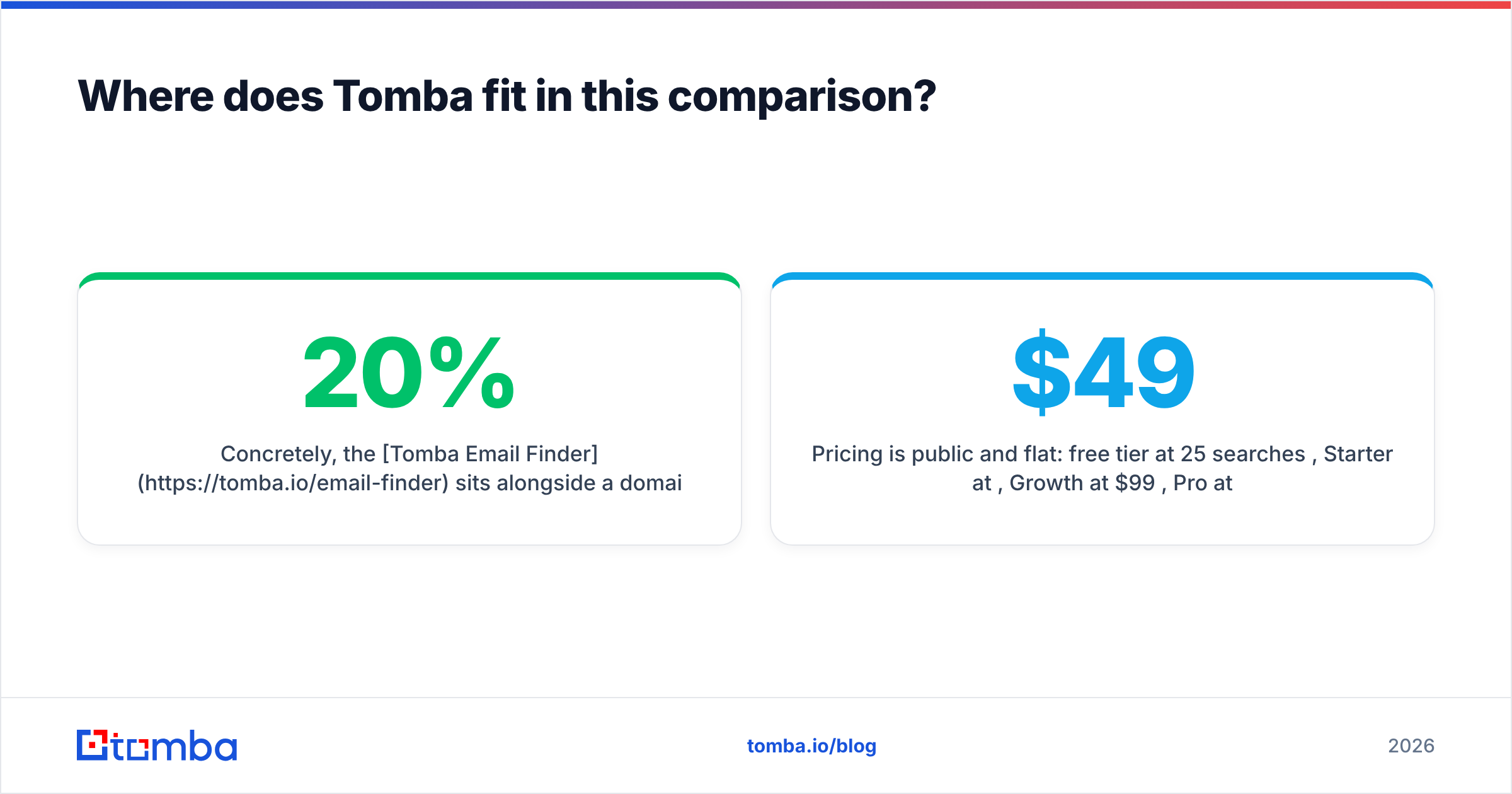
Concretely, the Tomba Email Finder sits alongside a domain search, a standalone verifier, a catch-all verifier for those 20% of domains that break naive validation, a phone finder, enrichment, and a bulk email finder for list work. Everything is exposed through the same Tomba API, plus a CLI and an MCP server if you are wiring this into agents rather than dashboards.
Pricing is public and flat: free tier at 25 searches/month, Starter at $49/mo, Growth at $99/mo, Pro at $249/mo, Enterprise custom. No per-seat multiplier, which is the line item that quietly doubles the cost of tools priced "per user" once a second SDR joins.
Where Tomba does not win: if your entire need is "build me a list from a description," a discovery-first tool will feel faster on day one. Tomba assumes you know who you are targeting and need the contact data to be right.
It is also worth naming a good peer in this space. BookYourData takes a different route — a pay-as-you-go verified B2B database rather than a live finder — and for teams that want a one-time list with a bounce guarantee rather than an ongoing search subscription, that model is a legitimately strong fit.
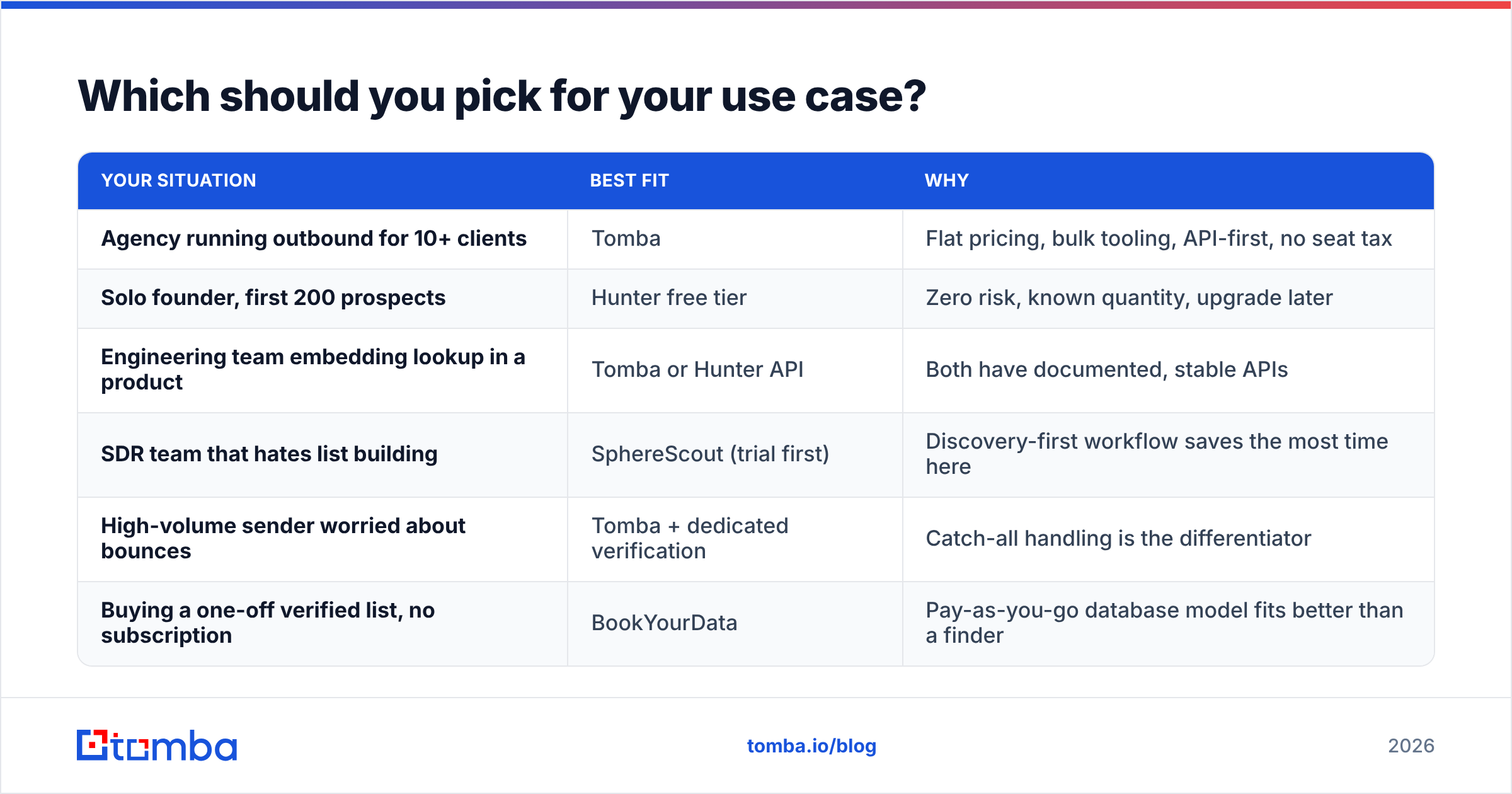
Which should you pick for your use case?#
| Your situation | Best fit | Why |
|---|---|---|
| Agency running outbound for 10+ clients | Tomba | Flat pricing, bulk tooling, API-first, no seat tax |
| Solo founder, first 200 prospects | Hunter free tier | Zero risk, known quantity, upgrade later |
| Engineering team embedding lookup in a product | Tomba or Hunter API | Both have documented, stable APIs |
| SDR team that hates list building | SphereScout (trial first) | Discovery-first workflow saves the most time here |
| High-volume sender worried about bounces | Tomba + dedicated verification | Catch-all handling is the differentiator |
| Buying a one-off verified list, no subscription | BookYourData | Pay-as-you-go database model fits better than a finder |
How should you actually run the evaluation?#
Do not evaluate on features. Evaluate on your own data, in one afternoon:
- Build a 100-row control list from your real ICP — not enterprise logos. Include at least 20 companies under 100 employees and a few non-English domains.
- Run the identical list through every candidate. Same names, same domains, same day.
- Record three numbers per tool: match rate (how many returned anything), confidence distribution, and cost of those 100 lookups.
- Verify every result with a neutral third-party verifier so no vendor grades its own homework.
- Send a small warmed batch — 30 addresses, plain text, real reply-to — and log actual bounces. This is the only number that pays your bills.
- Divide cost by deliverable contacts. That figure, not the monthly plan price, is your answer.
Teams that skip step 4 consistently pick the wrong tool, because the tool most willing to guess always looks best on match rate. Teams that skip step 6 buy the cheapest plan and then pay for it in domain reputation, which is a far more expensive currency.
What is the verdict on Hunter vs SphereScout?#
Hunter wins on trust; SphereScout wins on speed-to-list; neither is automatically right for you. If you need a dependable, documented, publicly-priced email finder with a decade of scrutiny behind it, Hunter remains the safe pick and its free tier costs you nothing to confirm. If manual list building is genuinely your bottleneck and you have the patience for a demo cycle, SphereScout is worth a trial — but insist on raw confidence scores and run your own bounce test before signing anything.
If what you actually want is high-accuracy contact data at a flat, published price, with verification, catch-all detection, enrichment and an API in the same account, start with the Tomba Email Finder. The free tier gives you 25 searches a month — enough to run the 100-row test above across a few sessions and decide with your own numbers instead of anyone's marketing page.
Related guides#
// get started
Find, verify and enrich your first contacts today
Start on the free plan with 25 searches a month, then scale when your team is ready.
Free plan · No credit card required · GDPR & CCPA
// about the author