Hunter vs Supersend: Which Tool Fits Your Outbound Stack?
Hunter finds and verifies email addresses. Supersend sends multichannel sequences. Comparing them head-to-head only makes sense once you know which half of the outbound problem you actually have — here's the honest breakdown.
TL;DR
- Hunter and Supersend are not really competitors. Hunter is a data tool (find and verify email addresses). Supersend is a sending engine (multichannel sequences across email and LinkedIn). Most teams that ask "Hunter vs Supersend" end up buying both — or one of each category.
- If your problem is "I don't have contacts", you need a finder. If your problem is "I have 4,000 contacts and no way to reach them at scale", you need a sender.
- Hunter's entry paid plan starts at $49/mo with a small free tier; Supersend prices around sending accounts and contacts, so its real cost scales with your sending volume, not your research volume.
- The overlap is thin: Supersend includes basic enrichment/verification touches, and Hunter includes a lightweight Campaigns feature. Neither replaces the other well.
- The cheapest sane stack in 2026 is a dedicated finder + verifier feeding a dedicated sender. Tomba covers the data half from $49/mo with a 25-search free tier and an API that plugs into whatever sequencer you pick.
What are Hunter and Supersend, and why are they compared?#
They get compared because they both show up when you search "cold email tool" — and because both sit somewhere in the outbound pipeline. That's where the similarity ends.
Hunter launched as a domain-based email search engine and grew into a data suite: domain search, email finder, email verifier, a Chrome extension, a Google Sheets add-on, and a bolted-on Campaigns module for basic sequences. Its center of gravity is data. People buy Hunter to answer "what is this person's work email, and is it real?"
Supersend is a multichannel outbound automation platform. It runs email sequences and LinkedIn touches from one workflow, rotates inboxes, handles unibox-style reply management, and builds conditional branches into campaigns. Its center of gravity is delivery. People buy Supersend to answer "how do I run 500 personalized touches a week without babysitting them?"
So the honest framing of hunter vs supersend is not "which is better." It's "which half of your outbound machine is currently broken."
What does each tool actually do?#
Here's the functional split, stated plainly:
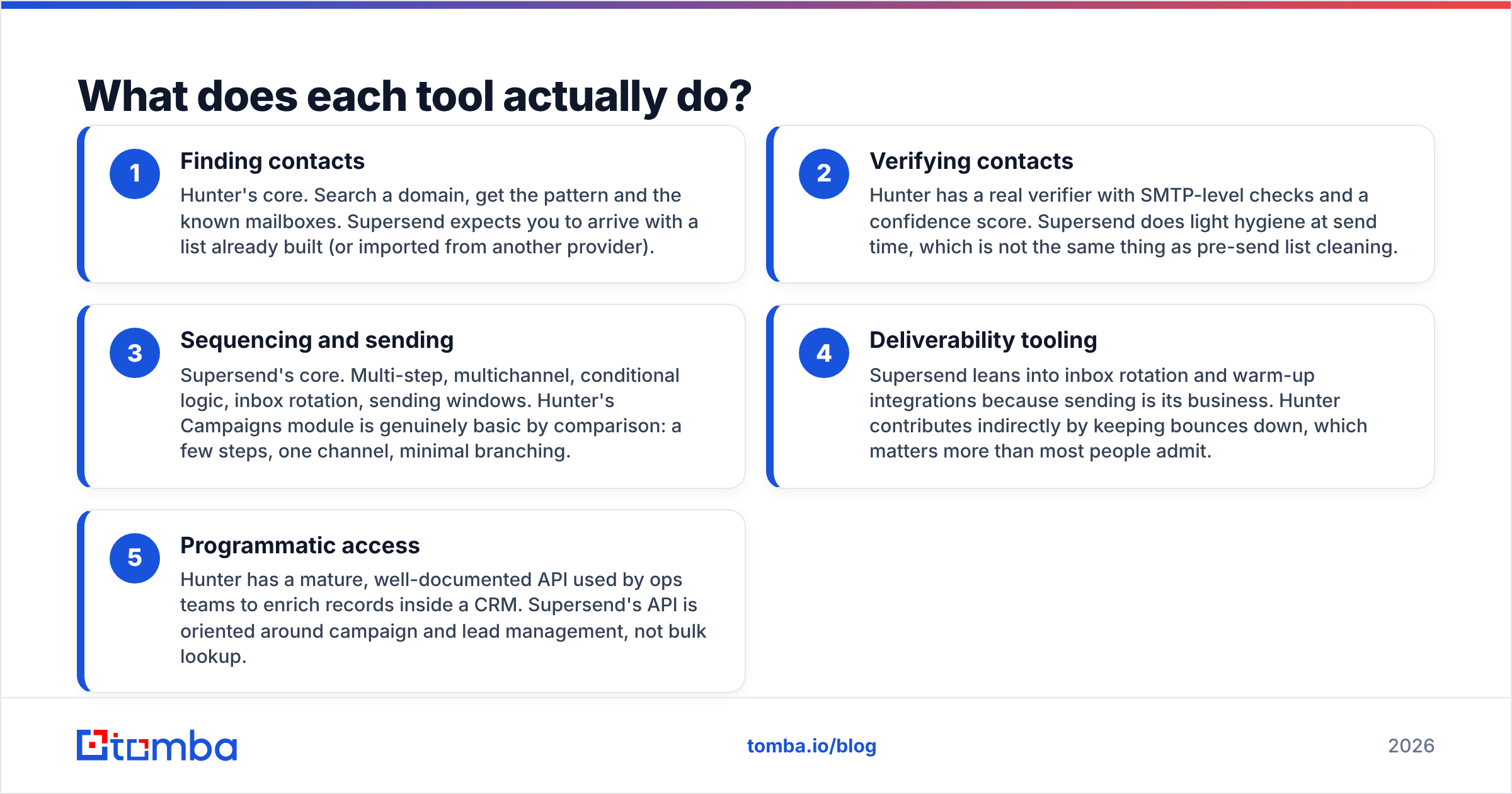
- Finding contacts — Hunter's core. Search a domain, get the pattern and the known mailboxes. Supersend expects you to arrive with a list already built (or imported from another provider).
- Verifying contacts — Hunter has a real verifier with SMTP-level checks and a confidence score. Supersend does light hygiene at send time, which is not the same thing as pre-send list cleaning.
- Sequencing and sending — Supersend's core. Multi-step, multichannel, conditional logic, inbox rotation, sending windows. Hunter's Campaigns module is genuinely basic by comparison: a few steps, one channel, minimal branching.
- Deliverability tooling — Supersend leans into inbox rotation and warm-up integrations because sending is its business. Hunter contributes indirectly by keeping bounces down, which matters more than most people admit.
- Programmatic access — Hunter has a mature, well-documented API used by ops teams to enrich records inside a CRM. Supersend's API is oriented around campaign and lead management, not bulk lookup.
Read that list again and notice that items 1–2 and items 3–4 almost never live in the same product well. Vendors that try tend to be excellent at one and adequate at the other.

How do Hunter and Supersend compare feature by feature?#
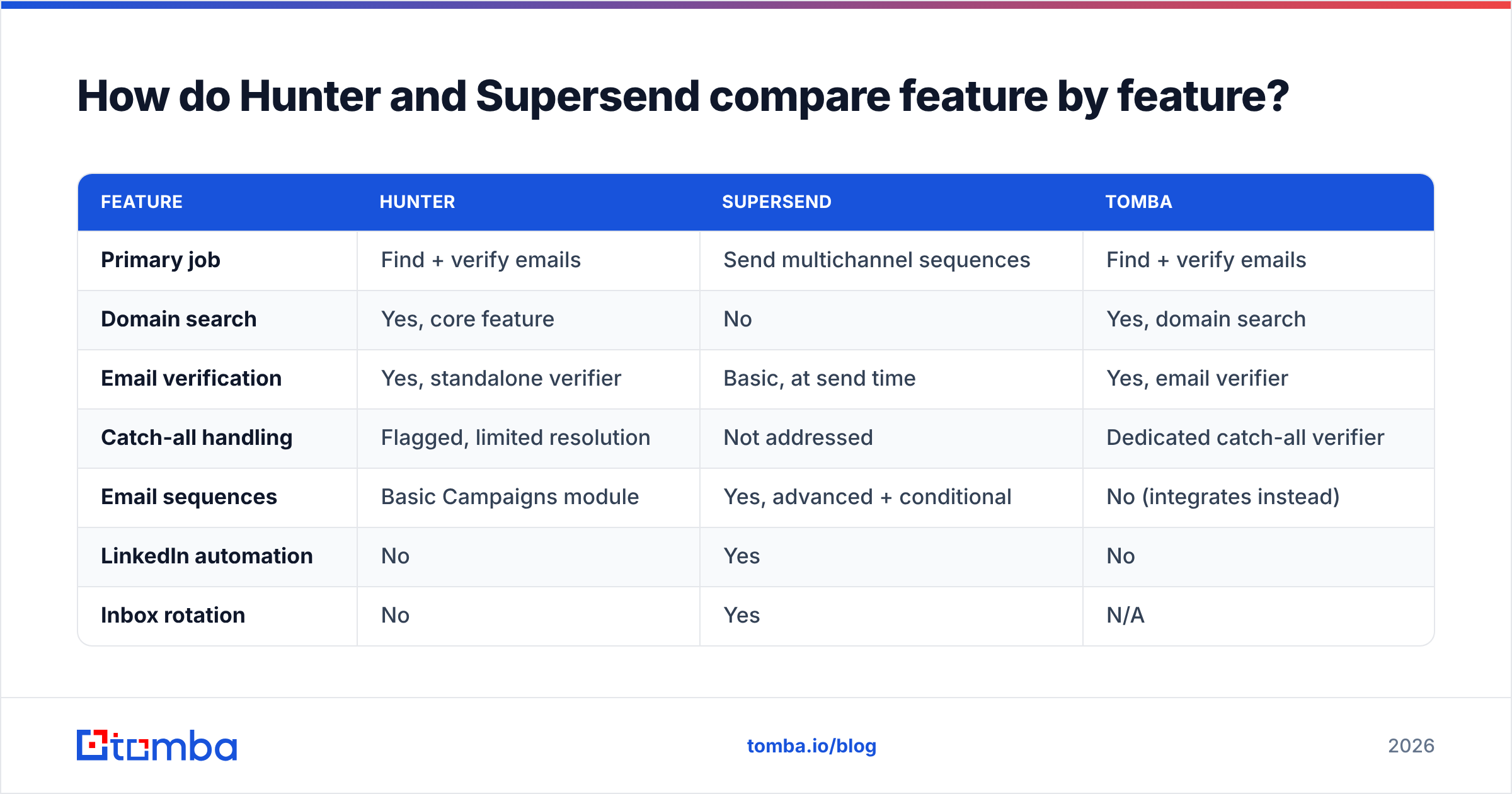
| Feature | Hunter | Supersend | Tomba |
|---|---|---|---|
| Primary job | Find + verify emails | Send multichannel sequences | Find + verify emails |
| Domain search | Yes, core feature | No | Yes, domain search |
| Email verification | Yes, standalone verifier | Basic, at send time | Yes, email verifier |
| Catch-all handling | Flagged, limited resolution | Not addressed | Dedicated catch-all verifier |
| Email sequences | Basic Campaigns module | Yes, advanced + conditional | No (integrates instead) |
| LinkedIn automation | No | Yes | No |
| Inbox rotation | No | Yes | N/A |
| Phone numbers | No | No | Yes, phone finder |
| Free tier | 25 searches/mo | Trial-based | 25 searches/mo |
| Entry paid plan | $49/mo | Scales with accounts + contacts | $49/mo |
| Public API | Mature, widely used | Campaign-focused | Yes, Tomba API |
| Best for | Building clean lists | Running the outreach | Building clean lists at lower cost per credit |
Pricing here reflects publicly listed plans at the time of writing. Both vendors change tiers regularly — confirm on their own pricing pages before you commit, and check recent buyer reviews on G2 for the current state of support and reliability.
Which one is better for finding email addresses?#
Hunter, comfortably — Supersend isn't in that race.
But "better than Supersend at finding emails" is a low bar, so the more useful question is how Hunter holds up against dedicated finders. Three things determine that:
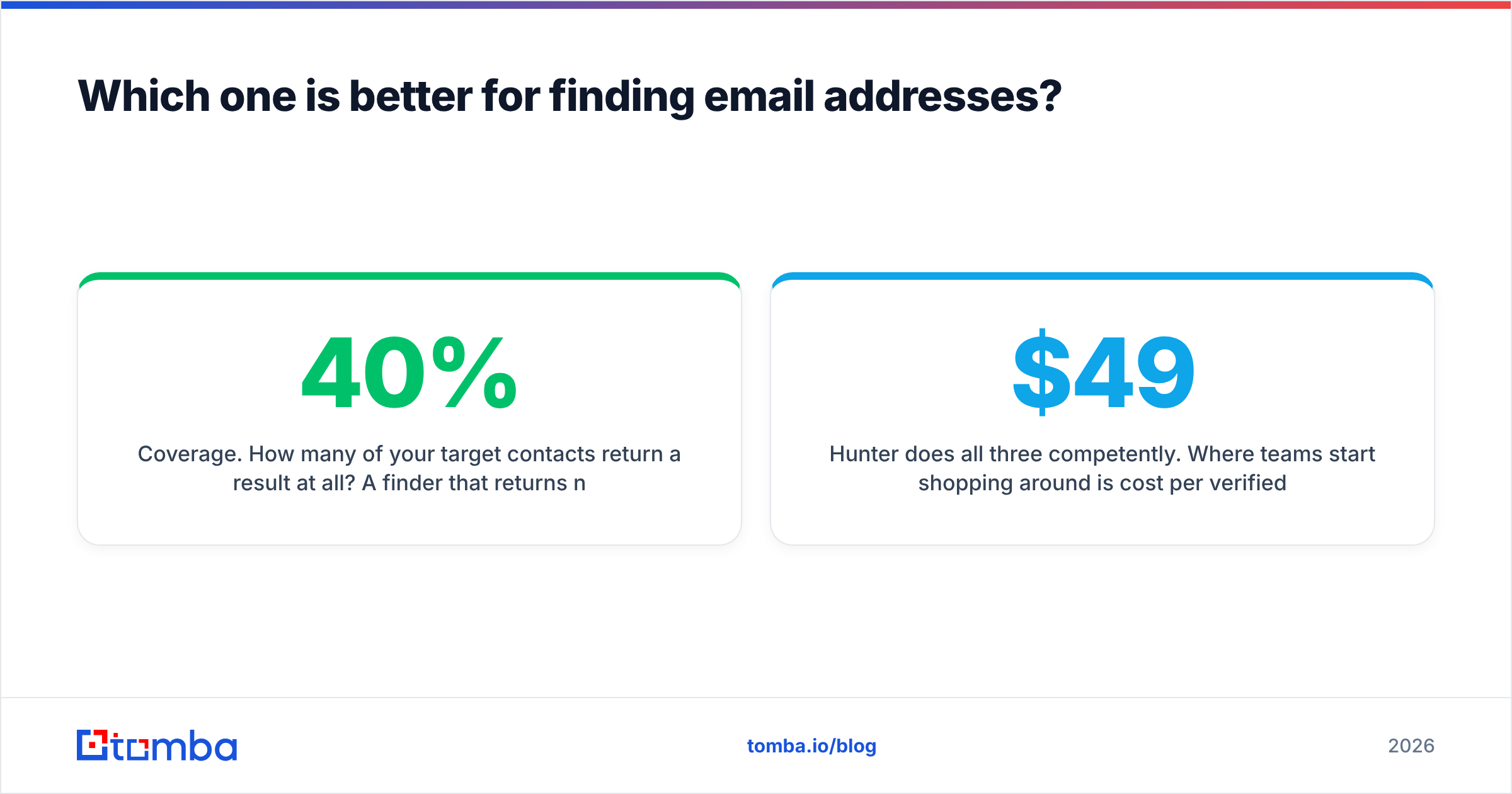
Coverage. How many of your target contacts return a result at all? A finder that returns nothing for 40% of your list quietly kills your campaign volume before deliverability ever enters the picture. Coverage varies enormously by geography and company size — European SMBs and non-English domains are where most providers fall apart.
Accuracy. Of the emails returned, how many actually accept mail? Any provider can inflate coverage by guessing patterns and shipping them with a shrug. The number you care about is verified-deliverable rate, not hit rate.
Catch-all resolution. Roughly a third of B2B domains are catch-all, meaning the server accepts everything and tells you nothing. Most tools mark these "risky" and hand the problem back to you. Tools with a real catch-all verifier recover a meaningful slice of that list instead of writing it off.
Hunter does all three competently. Where teams start shopping around is cost per verified contact once volume grows, and how much of the catch-all bucket they're being asked to eat. That's the exact gap Tomba targets: the same lookup and verification surface, with catch-all resolution and bulk workflows included rather than sold as a separate line item. Full Tomba pricing is a flat $49/mo at Starter, $99/mo at Growth, $249/mo at Pro.
Can Supersend replace Hunter (or vice versa)?#
No, in both directions — and the failure modes are different.
Using Supersend as your data source means you're importing lists from somewhere else anyway (a scraper, a marketplace, a colleague's spreadsheet from 2024). You'll discover the quality problem on send day, in the form of a 12% bounce rate and a burned domain. Supersend will do exactly what you told it to do, very efficiently, to a bad list.
Using Hunter Campaigns as your sending engine works for a specific profile: one sender, one channel, a few hundred contacts a month, simple two-touch follow-ups. Past that, you'll hit the ceiling fast. No LinkedIn touches, no inbox rotation across a pool of domains, limited conditional logic. It exists as a convenience for people already paying for data, not as a serious alternative to a purpose-built sequencer.
The comparison people should actually run is Hunter vs Tomba (data layer) and Supersend vs Instantly/Smartlead/Lemlist (sending layer). Cross-category shopping is how teams end up paying for two mediocre halves.
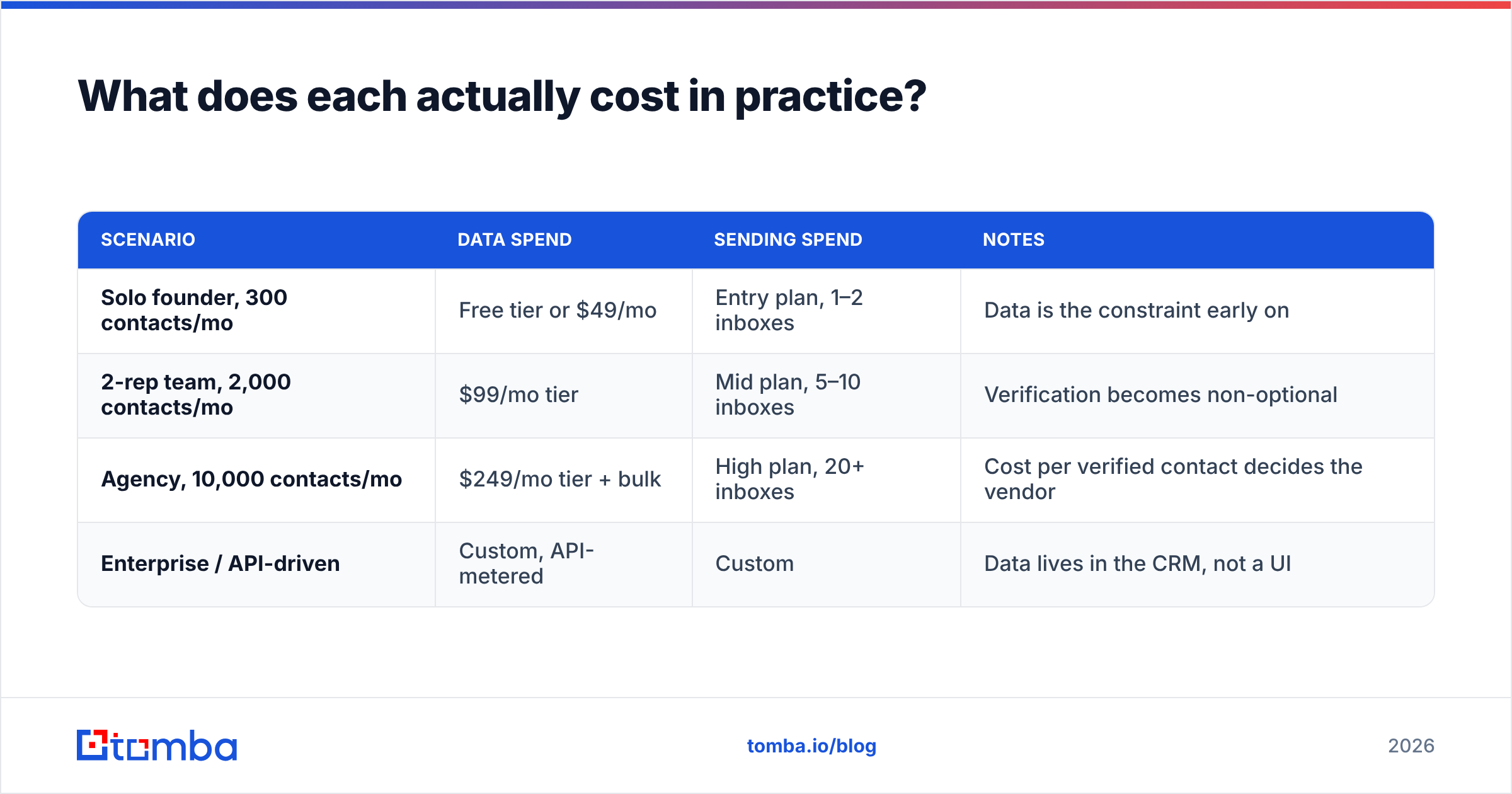
What does each actually cost in practice?#
Cost comparisons break down because the two products meter completely different things. Hunter meters lookups. Supersend meters sending capacity — accounts, contacts, seats. Your bill scales with different behavior in each.
| Scenario | Data spend | Sending spend | Notes |
|---|---|---|---|
| Solo founder, 300 contacts/mo | Free tier or $49/mo | Entry plan, 1–2 inboxes | Data is the constraint early on |
| 2-rep team, 2,000 contacts/mo | $99/mo tier | Mid plan, 5–10 inboxes | Verification becomes non-optional |
| Agency, 10,000 contacts/mo | $249/mo tier + bulk | High plan, 20+ inboxes | Cost per verified contact decides the vendor |
| Enterprise / API-driven | Custom, API-metered | Custom | Data lives in the CRM, not a UI |
Two practical notes. First, per-seat pricing on sending tools is what silently doubles outbound budgets — model your 12-month cost at your target headcount, not today's. Second, unverified contacts cost you twice: once in credits, once in the deliverability damage they do. A $99/mo verifier that prevents a domain reputation hit is cheaper than the two weeks of rebuilding that hit causes.
How do you wire the two layers together?#
The clean architecture is boring and it works:
- Source the account list — ICP filters, job change signals, funding news, whatever your trigger is.
- Find the contacts — run domain search on each account, or name + domain lookups on named targets. Bulk mode for anything over a hundred rows.
- Verify before export — drop hard bounces, resolve catch-alls, flag role accounts. This is the step teams skip and regret.
- Enrich for personalization — titles, seniority, tech stack, LinkedIn URL. Sequences without a personalization variable are just spam with better formatting.
- Push to the sender — via native integration, Zapier, or API. Supersend picks it up from there.
- Return replies to the CRM — closing the loop so the same contact isn't sourced again next quarter.
Steps 2–4 are the data layer. Step 5–6 is the sending layer. If you run bulk email finder jobs on a schedule and hand the sender only verified rows, your bounce rate stays under 2% and your deliverability problem largely solves itself. Most "Supersend isn't working" complaints trace back to a step-3 failure, not a sending failure.
Who should choose Hunter, and who should choose Supersend?#
Choose Hunter if: your bottleneck is contact data. You're researching accounts one at a time, you need a Chrome extension and a Sheets add-on, and your sending volume is modest enough that Campaigns covers it. It's a good, mature tool with a long track record.
Choose Supersend if: your bottleneck is throughput. You have a list, you have domains warmed, and you need multichannel sequences with real branching logic and inbox rotation. Nothing about Hunter's Campaigns module competes here.
Choose both if: you're a two-to-ten person outbound team. This is the normal answer, and it's fine.
Choose Tomba plus a dedicated sender if: cost per verified contact is the metric you're optimizing, or you want the data layer accessible programmatically rather than through a UI. Tomba's surface — email finder, verifier, domain search, catch-all verifier, phone finder, enrichment — is deliberately data-only, which is why it slots underneath Supersend, Instantly, Smartlead, or a CRM sequencer without overlap or double-billing.
What should you check before you commit?#
Run a 100-row bake-off. It takes an afternoon and settles the argument better than any review site.
- Take 100 real target contacts, ideally spanning geographies and company sizes.
- Run them through each finder you're evaluating. Record hit rate and, separately, verified-deliverable rate.
- Count how many come back catch-all, and how many of those each tool can resolve.
- Divide your monthly price by verified contacts returned. That's your real cost per usable lead.
- Send 20 of them a genuine message and check what bounces.
Vendors compete on hit rate because it's the flattering number. You should be buying on verified rate. The gap between the two is where budgets quietly leak.
The bottom line#
Hunter vs Supersend is a category mismatch dressed up as a comparison. Hunter builds the list; Supersend works the list. Pick the one that fixes your current bottleneck, and expect to own something in the other category within a quarter.
If the data half is where you're stuck — bad coverage, bounce rates creeping past 5%, catch-all domains eating a third of your list — start with the Tomba Email Finder. The free tier gives you 25 searches a month to run your own bake-off against whatever you're using now, paid plans start at $49/mo, and every result comes back with a verification status so your sequencer only ever sees addresses that actually accept mail. Build the list properly, then let Supersend do what it's genuinely good at.
Related guides#
// get started
Find, verify and enrich your first contacts today
Start on the free plan with 25 searches a month, then scale when your team is ready.
Free plan · No credit card required · GDPR & CCPA
// about the author