Import.io Alternatives in 2026: 9 Web Data Tools Compared
Import.io pioneered no-code web data extraction, but enterprise pricing and slow onboarding push teams elsewhere. Here are 9 alternatives compared on price, setup time, and what kind of data they actually deliver.
TL;DR — the nine best Import.io alternatives in 2026, at a glance:
- Import.io alternatives split into three groups: web content scrapers, no-code page monitors, and B2B contact data tools. Pick the group first. Then pick the tool.
- Import.io is a managed web data platform built for large teams. It works. But it is priced for big retail and pricing programs, not for a five-person sales team.
- If your scraping project exists only to find names and emails, skip the pipeline. A purpose-built email finder needs no selectors, no proxies, and no CAPTCHA budget.
- Self-serve tools cost $0 to $299 a month. Managed extraction runs on a custom contract instead.
- A move is far easier when you treat extraction and enrichment as two layers, not one vendor.
What is Import.io and what does it actually do?#
Import.io turns public web pages into clean data tables. You give it a set of URLs. It reads the page layout and returns rows: prices, listings, job posts, reviews. You get them on a schedule, through an API, an S3 bucket, or a dashboard. Import.io sells this as a managed service. Their team fixes the scraper when a site changes its layout. That repair work is the costly part of running scrapers in-house.
The managed model is the whole value here. It is also the whole problem. It shines if you track 400,000 rival products each day. It is heavy and slow to set up if you just want 5,000 companies with contact details.
Think of it like hiring a catering firm when you wanted a sandwich. The caterer is very good at catering.
Why are teams looking for Import.io alternatives in 2026?#
Four reasons push teams toward Import.io alternatives. They come up again and again in G2 reviews and in migration talks.
- No public price. Import.io does not list prices. Every deal goes through sales, and most run a year. Teams building a compare sheet cannot fill in the cell.
- Slow start. Managed setup means scoping calls and config work. Self-serve rivals hand you a working data set in an afternoon.
- Too much tool for contact data. Many "we need a scraper" projects are really lead projects in disguise. Scraping for emails is fragile, legally messy, and often wrong.
- The gap closed. Proxy rotation, browser fingerprints, and self-healing selectors now ship at $50 to $200 a month. That erodes the premium Import.io charges to babysit your scrapers.

What should you look for in an Import.io alternative?#
Most teams compare Import.io alternatives logo by logo. Start with these five traits instead. Bad tool picks come from chasing the wrong one.
- Data type — Are you pulling content (prices, listings, articles) or contacts (people, emails, phones)? The two need different tools. Contact data has to be verified, and generic scrapers do not do that.
- Who fixes it — You fix broken selectors, the vendor fixes them, or there is nothing to fix because you never touch HTML.
- Volume math — You pay per page, per credit, or a flat fee. At 1,000 records a month, flat wins. At 10 million pages, per page wins.
- Compliance — Where does the data come from? Is there a lawful basis you can show a buyer? For contact data under GDPR and CCPA, this is a must. Read each vendor's data sources page.
- Time to live — Not time to a demo. Time until a job writes clean rows into your CRM with no one watching.
What are the best Import.io alternatives in 2026?#
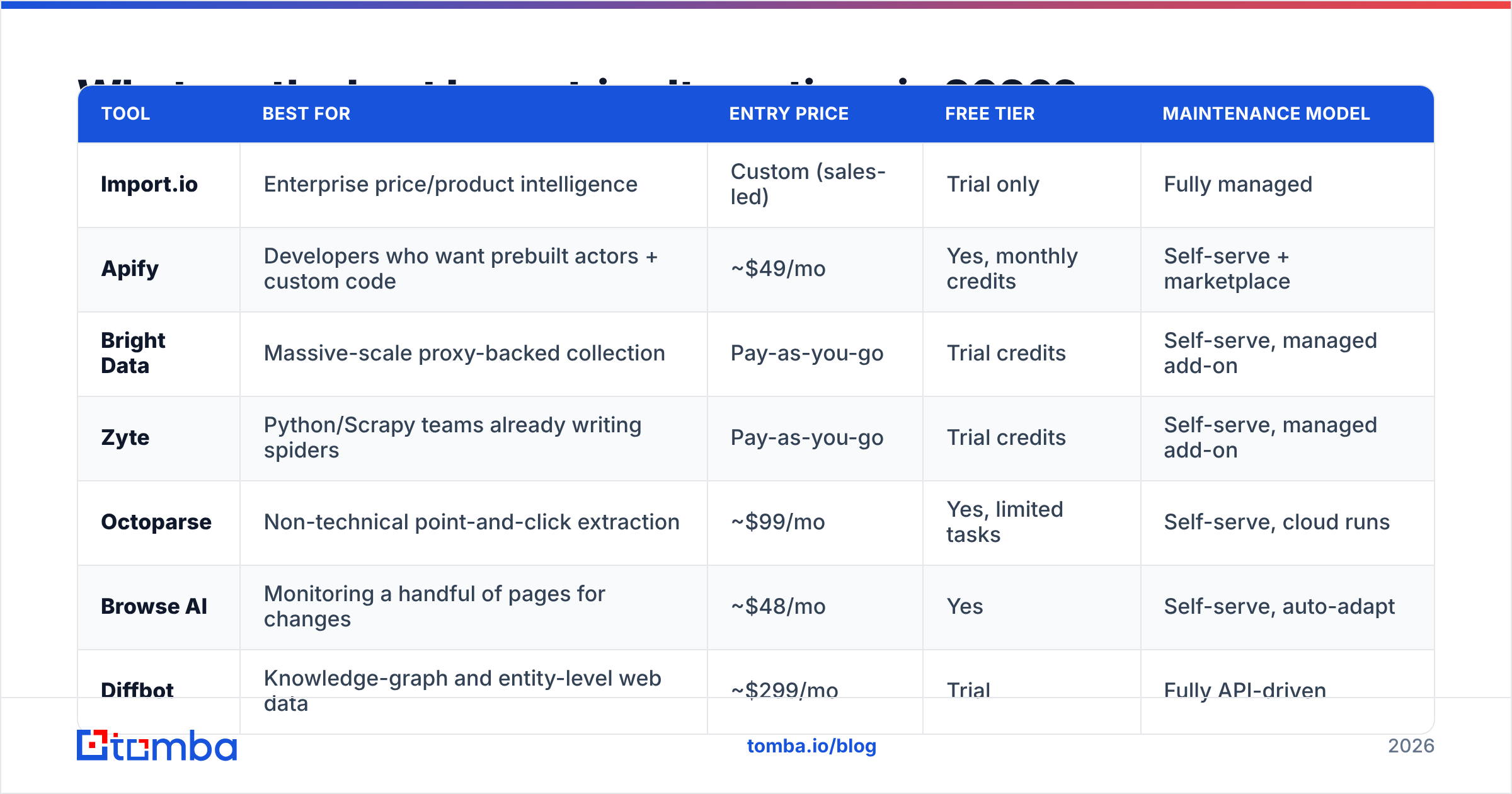
Here is the head-to-head. These nine Import.io alternatives cover three very different jobs. Prices are the public self-serve tiers at the time of writing, and they move often. Check each vendor's site before you budget.
| Tool | Best for | Entry price | Free tier | Maintenance model |
|---|---|---|---|---|
| Import.io | Enterprise price/product intelligence | Custom (sales-led) | Trial only | Fully managed |
| Apify | Developers who want prebuilt actors + custom code | ~$49/mo | Yes, monthly credits | Self-serve + marketplace |
| Bright Data | Massive-scale proxy-backed collection | Pay-as-you-go | Trial credits | Self-serve, managed add-on |
| Zyte | Python/Scrapy teams already writing spiders | Pay-as-you-go | Trial credits | Self-serve, managed add-on |
| Octoparse | Non-technical point-and-click extraction | ~$99/mo | Yes, limited tasks | Self-serve, cloud runs |
| Browse AI | Monitoring a handful of pages for changes | ~$48/mo | Yes | Self-serve, auto-adapt |
| Diffbot | Knowledge-graph and entity-level web data | ~$299/mo | Trial | Fully API-driven |
| Tomba | B2B contact data: emails, patterns, enrichment | $49/mo | Yes, 25 searches/mo | API-driven, nothing to maintain |
| BookYourData | Ready-made verified B2B lists, no pipeline | Credit packs | Sample credits | Prebuilt database |
Apify#
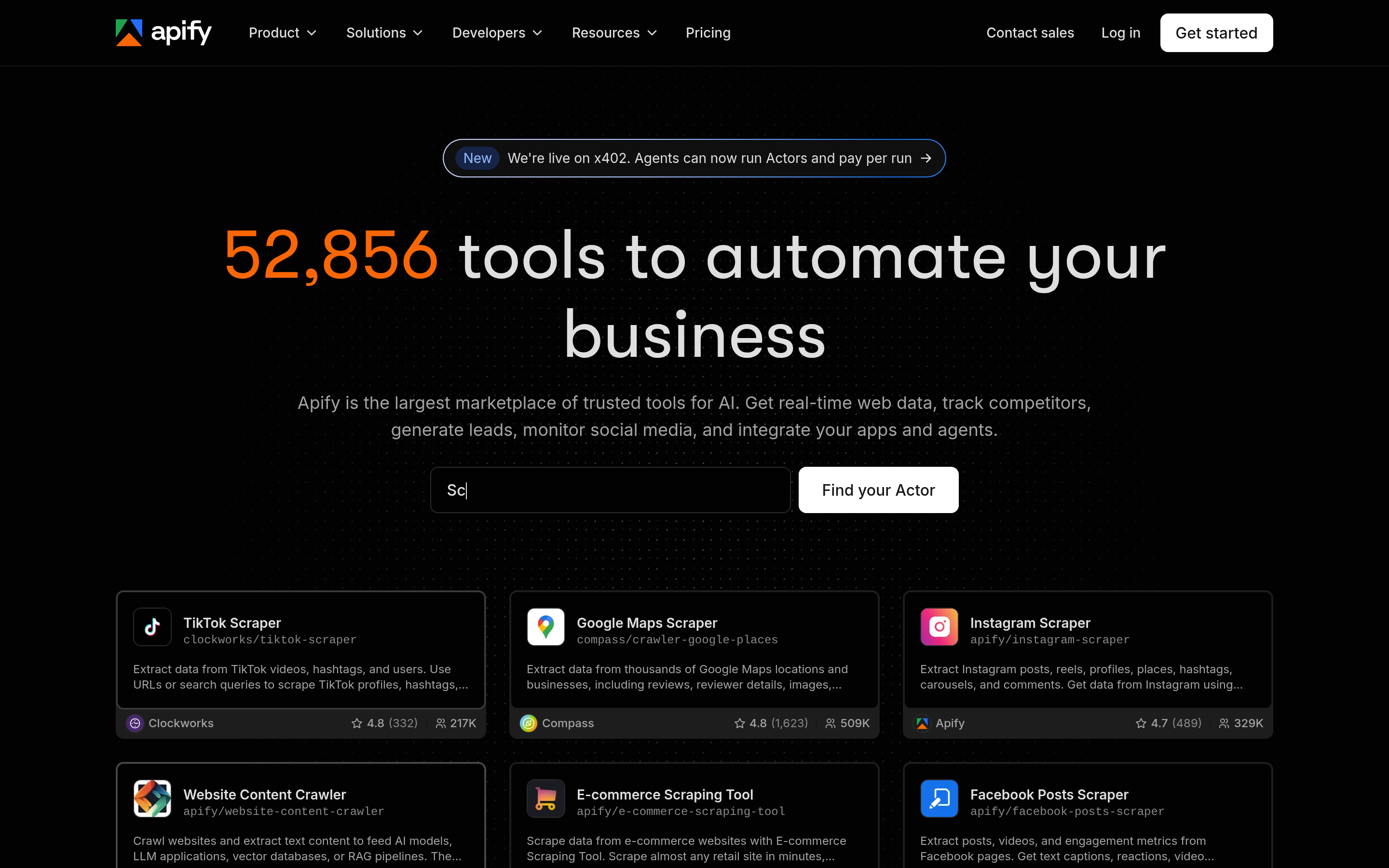
The closest thing to a drop-in swap. Apify runs a store of ready-made "actors," which are scrapers for common targets. You can also run your own Node or Python code. Proxies, scheduling, storage, and webhooks come built in. The catch: store actors vary in quality, and you own the failures.
Pick it if: you have at least one engineer and a range of targets.
Bright Data#
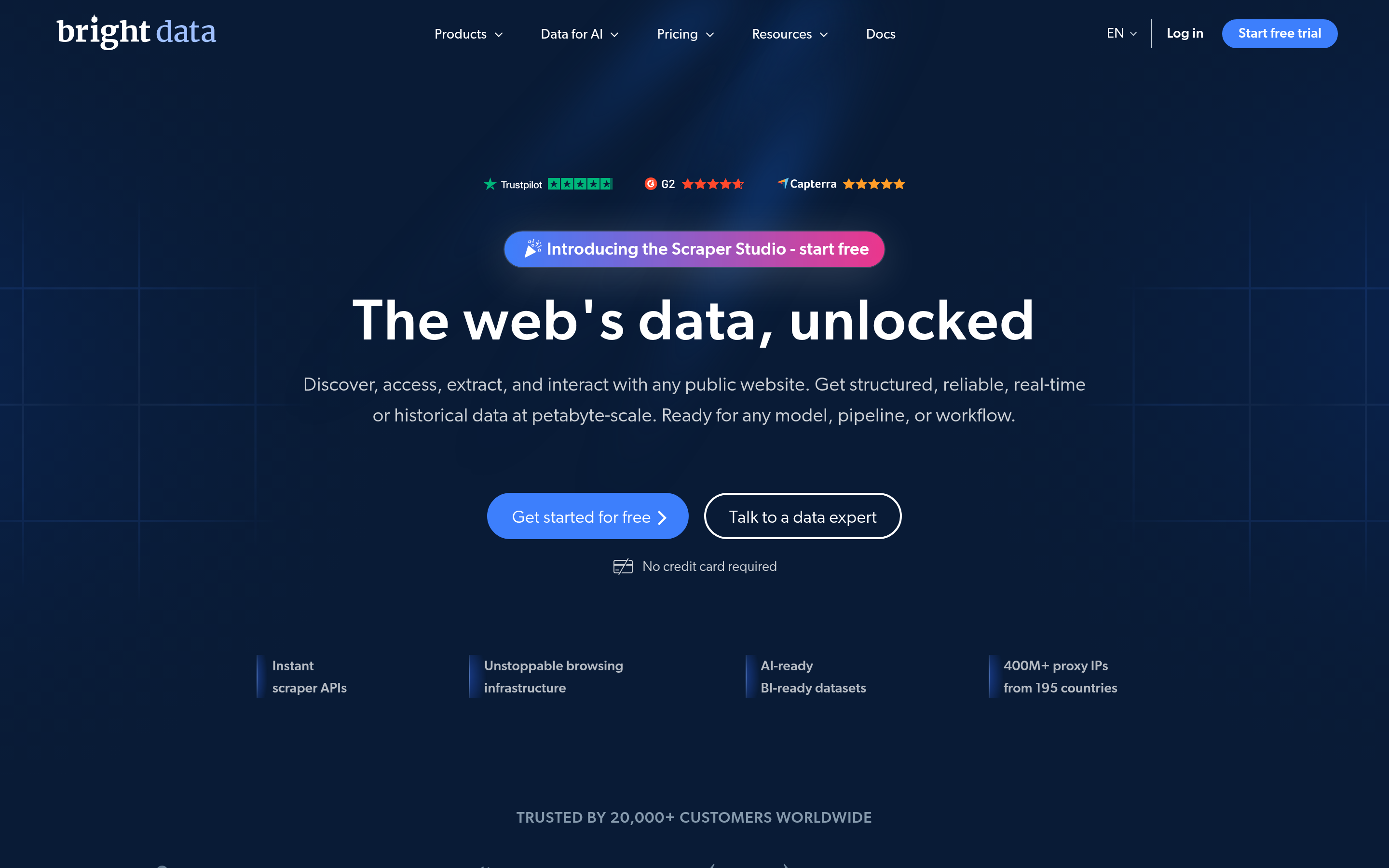
Infrastructure first. Bright Data is a proxy network with scraping products layered on top. It is the answer when your real problem is getting blocked. Their datasets and collection products handle scale that most tools cannot. Cost tracking is the common gripe. Usage billing across proxies, unblocking, and storage can surprise you.
Pick it if: volume and bot defenses are what hold you back.
Zyte#
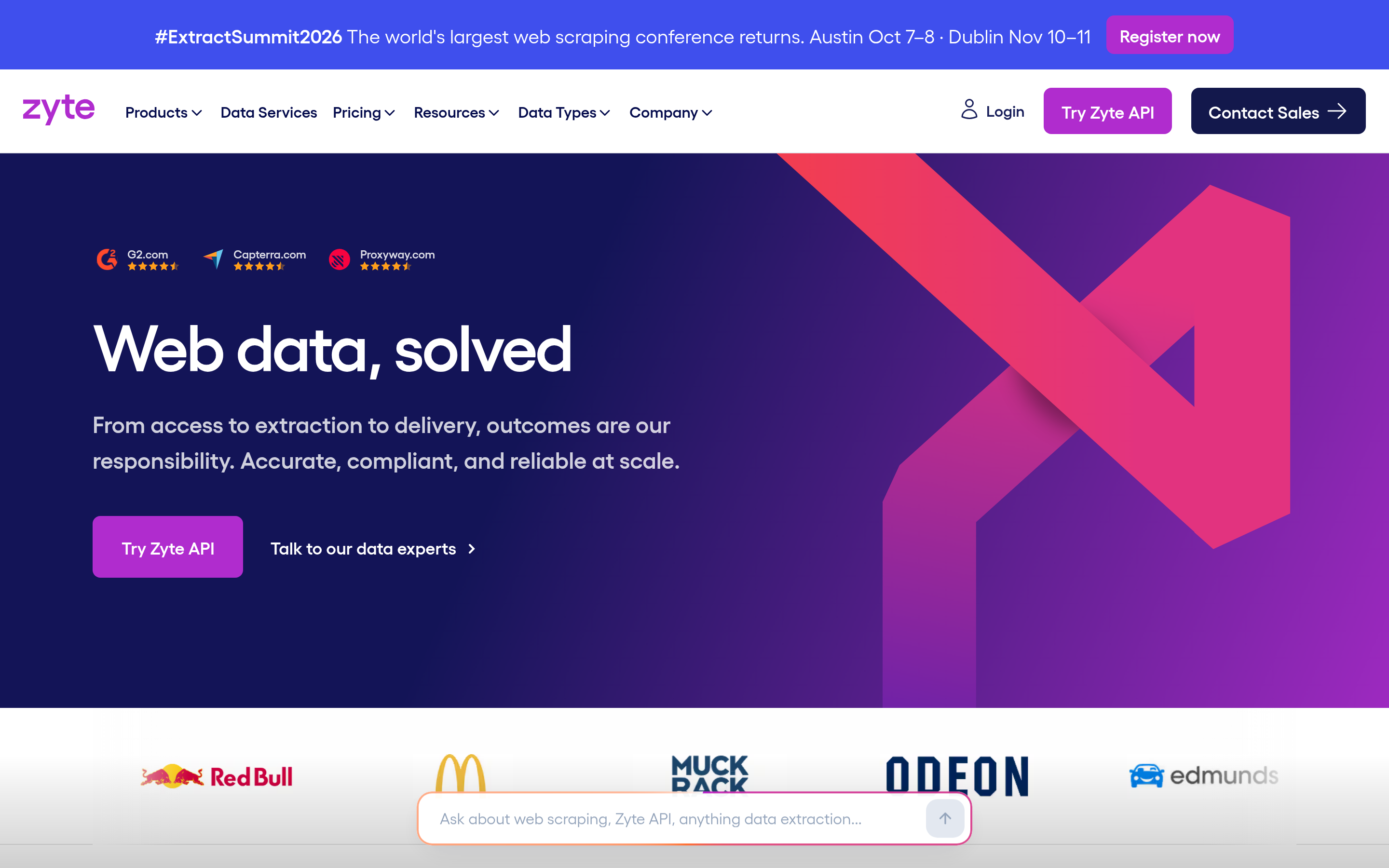
Formerly Scrapinghub, and the home of Scrapy. If your team writes spiders, Zyte gives you a place to deploy them, an auto-extraction API, and smart proxy handling. You keep your code. It is the most engineer-friendly option here.
Pick it if: you have Scrapy code and want to stop running servers.
Octoparse#
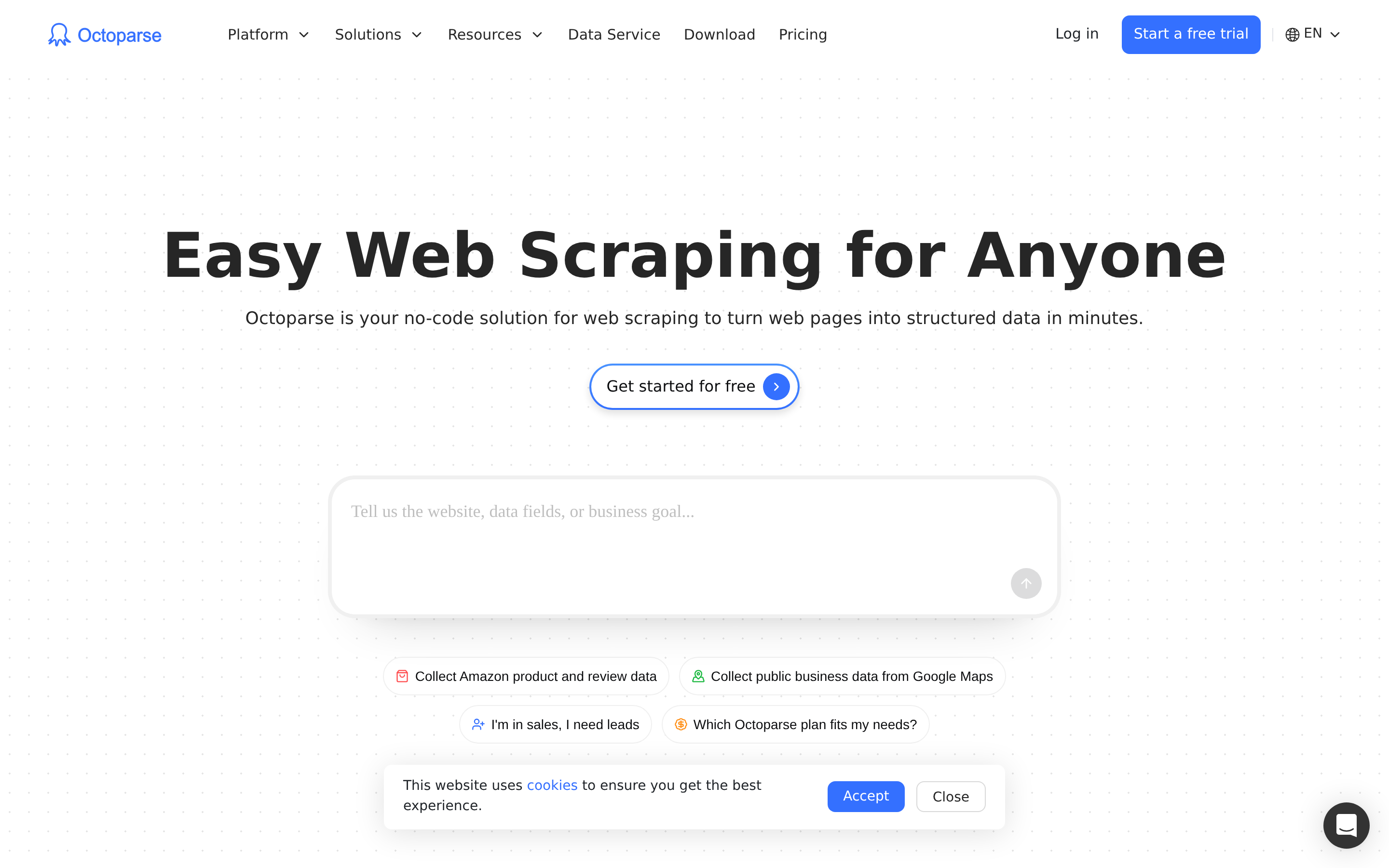
The no-code twin of Import.io's first promise. You click parts of a page, set up paging, and schedule cloud runs. Setup takes hours, not weeks. Prices are published.
Pick it if: you want that ease of use at a public price, and you can fix your own scrapers.
Browse AI#
Smaller and cheaper. Browse AI trains a robot on one workflow, watches it, and emails you the diffs. It is great at "tell me when this rival changes its pricing page." It is wrong for "give me 2 million rows."
Pick it if: you watch dozens of pages, not millions.
Diffbot#
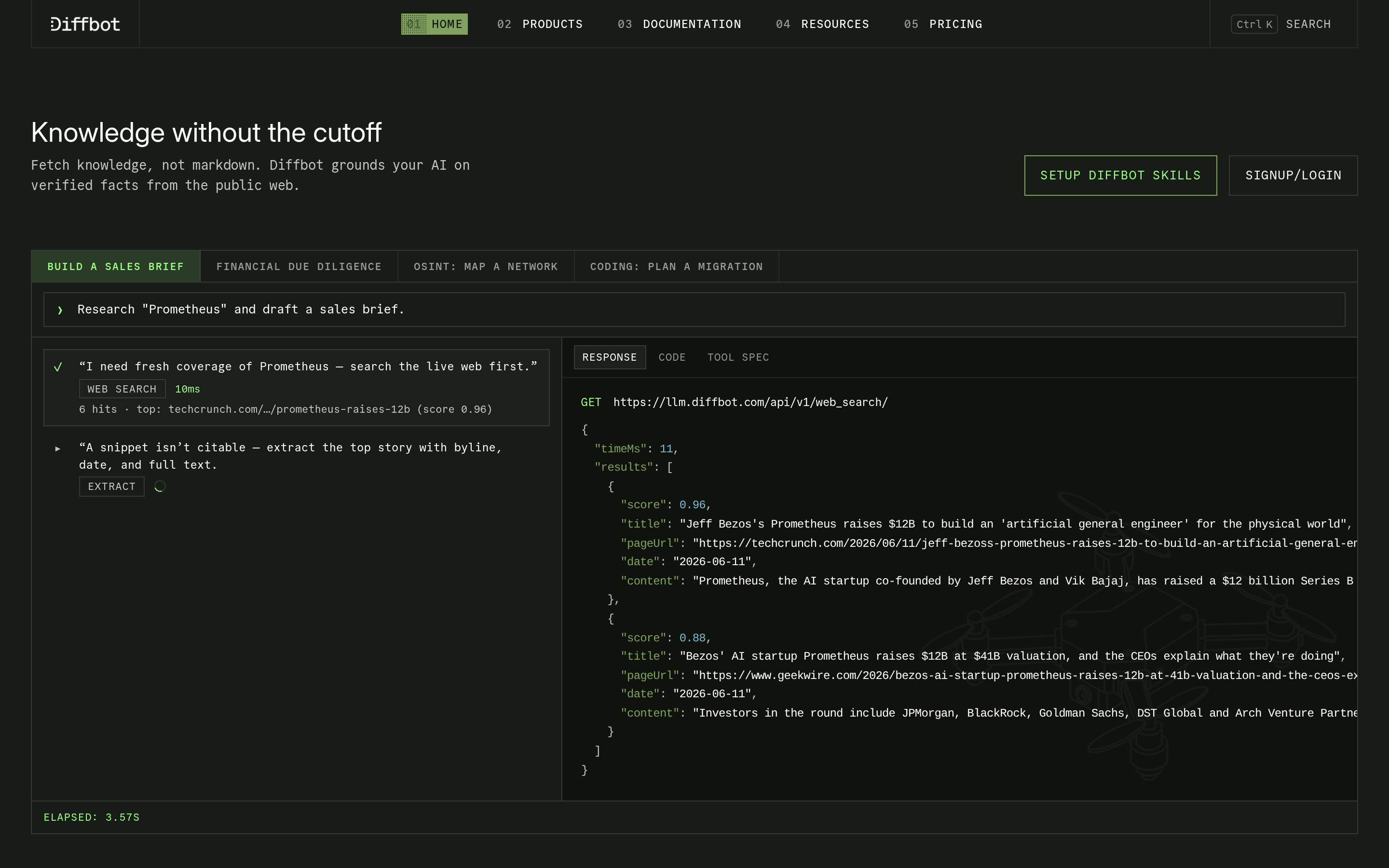
A different idea. You do not write selectors. Diffbot's models sort pages into types — article, product, company, person — and return clean objects. It also keeps a knowledge graph you can query. It costs more, but scraper repair goes away for good.
Pick it if: you want entities, not HTML scraps, and the budget allows.
Tomba#
Tomba is not a general scraper, and it would be silly to claim otherwise. It solves the slice that most Import.io reviews really cover: verified business contacts, with no pipeline to build. Domain search returns every address it can find at a company. The email finder turns a name plus a domain into a verified address. The Tomba API drops into the stack you already run. Prices are public: free at 25 searches a month, Starter $49, Growth $99, Pro $249.
Pick it if: your "scraping project" is really a prospecting project.
BookYourData#
A solid option that skips scraping. BookYourData sells ready-made, verified B2B lists. You filter by industry, title, place, and company size. You pay with credits, not a subscription. Need a clean list this quarter with no urge to build one? Buying the data outright is fair, and often faster.
Pick it if: you want data delivered, not data collected.
Is scraping or ready-made data better for lead generation?#
This fork decides most moves to Import.io alternatives. Here is the honest view.
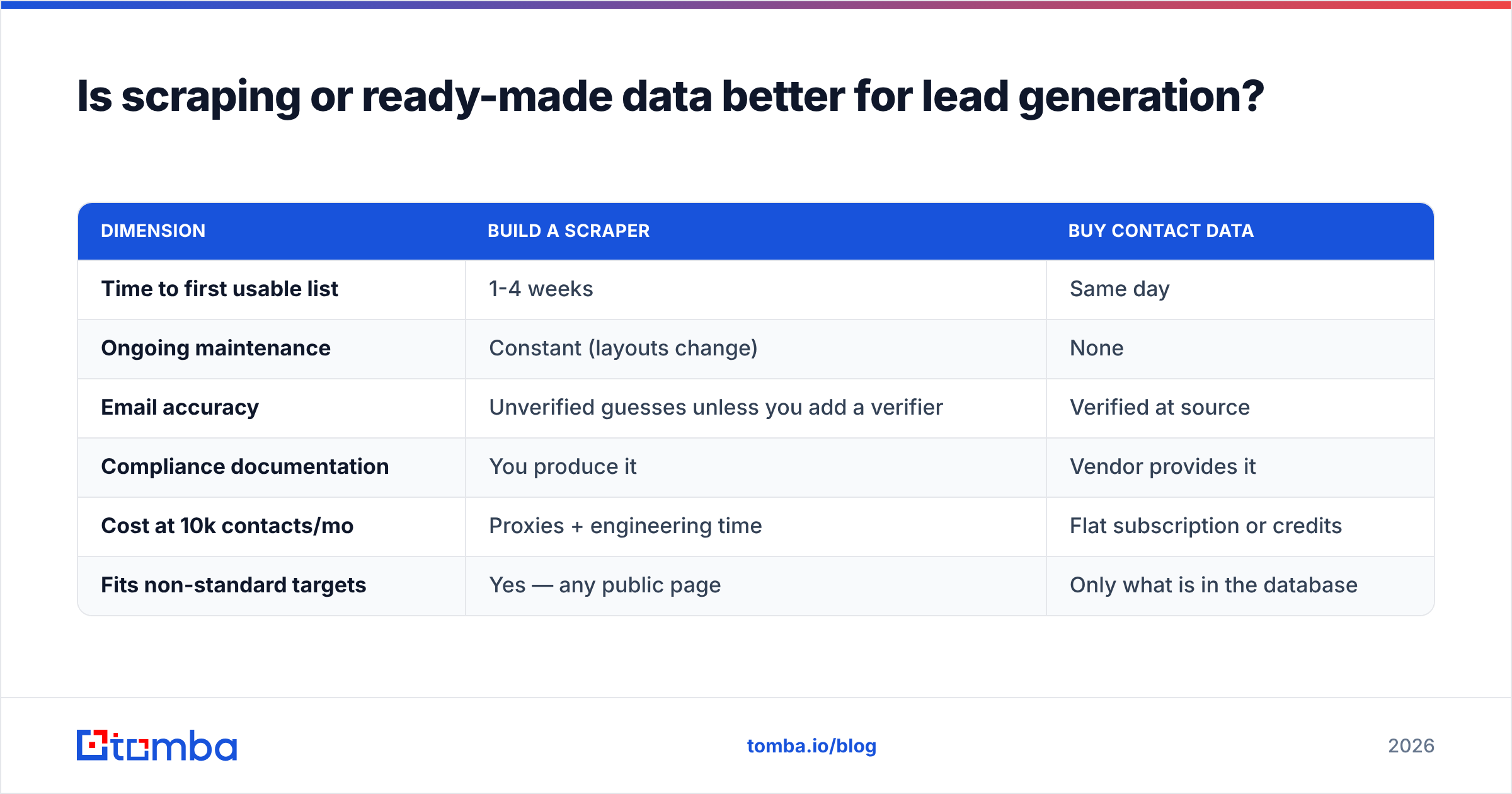
| Dimension | Build a scraper | Buy contact data |
|---|---|---|
| Time to first usable list | 1-4 weeks | Same day |
| Ongoing maintenance | Constant (layouts change) | None |
| Email accuracy | Unverified guesses unless you add a verifier | Verified at source |
| Compliance documentation | You produce it | Vendor provides it |
| Cost at 10k contacts/mo | Proxies + engineering time | Flat subscription or credits |
| Fits non-standard targets | Yes — any public page | Only what is in the database |
Scraping wins on reach. Say your buyer list is defined by something no database tracks. Maybe firms that use one JavaScript library. Maybe shops hiring for one job title in one city. Then you need to scrape. Everything else is faster to buy.
The mix that works: scrape the signal (who to target). Then use an API for the contact (how to reach them). Pull 3,000 company domains from a directory with Apify. Push them through domain search or bulk email finder. Land verified contacts in your CRM. Neither tool does the other's job badly.
How do you migrate off Import.io without breaking your pipelines?#
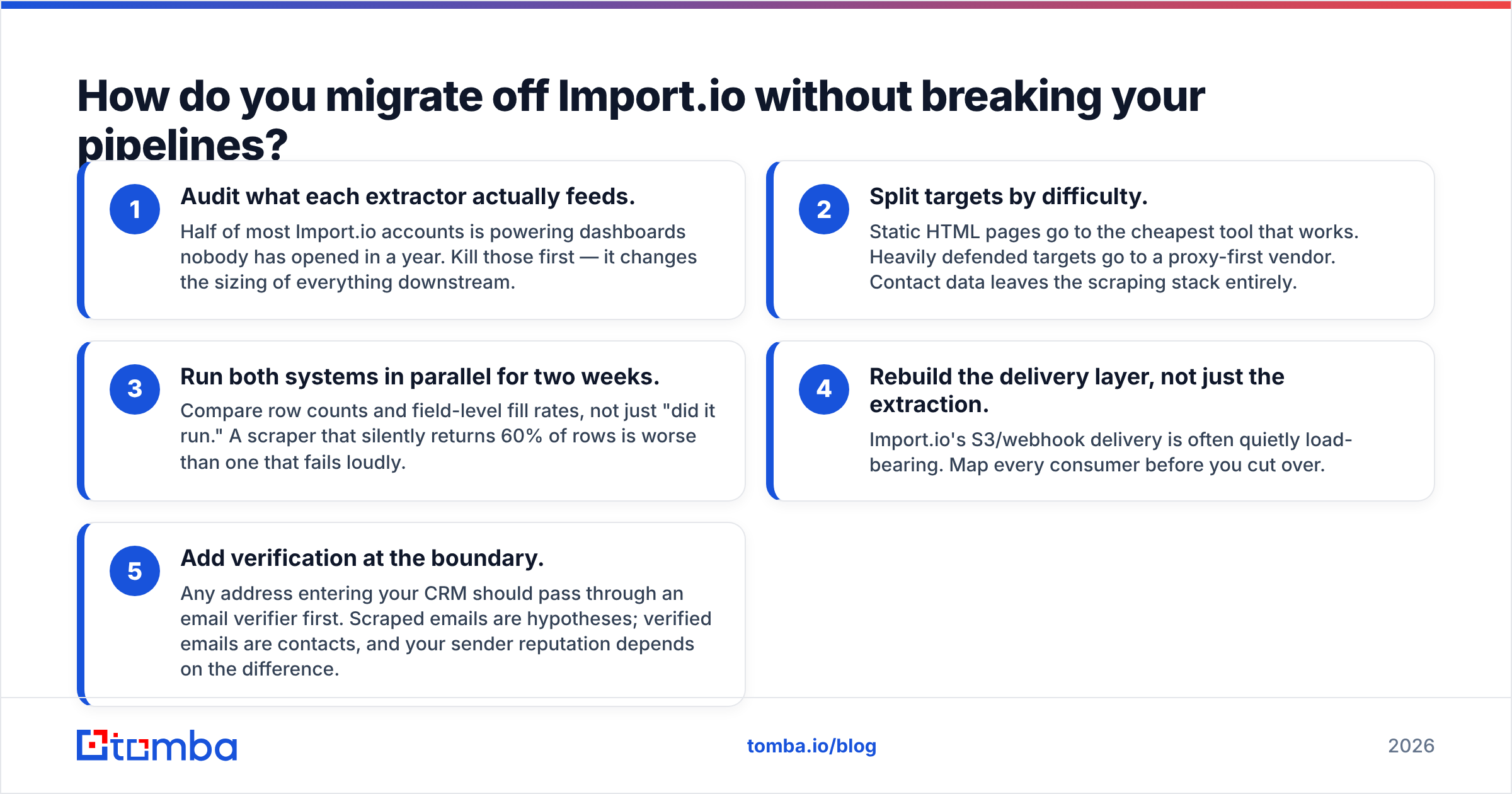
Do this in order once you have picked from the Import.io alternatives above. Skipping step one is how a swap turns into a three-month project.
- Audit what each scraper feeds. Half of most Import.io accounts feeds dashboards no one has opened in a year. Kill those first. It changes the size of everything downstream.
- Sort targets by difficulty. Plain HTML goes to the cheapest tool that works. Well-defended sites go to a proxy-first vendor. Contact data leaves the scraping stack for good.
- Run both systems for two weeks. Compare row counts and field fill rates, not just "did it run." A scraper that quietly returns 60% of rows is worse than one that fails loudly.
- Rebuild delivery, not just extraction. Import.io's S3 and webhook delivery is often load-bearing. Map every consumer before you cut over.
- Verify at the door. Every address that enters your CRM should pass an email verifier first. Scraped emails are guesses. Verified emails are contacts, and your sender reputation rides on that gap.
What does this cost in practice?#
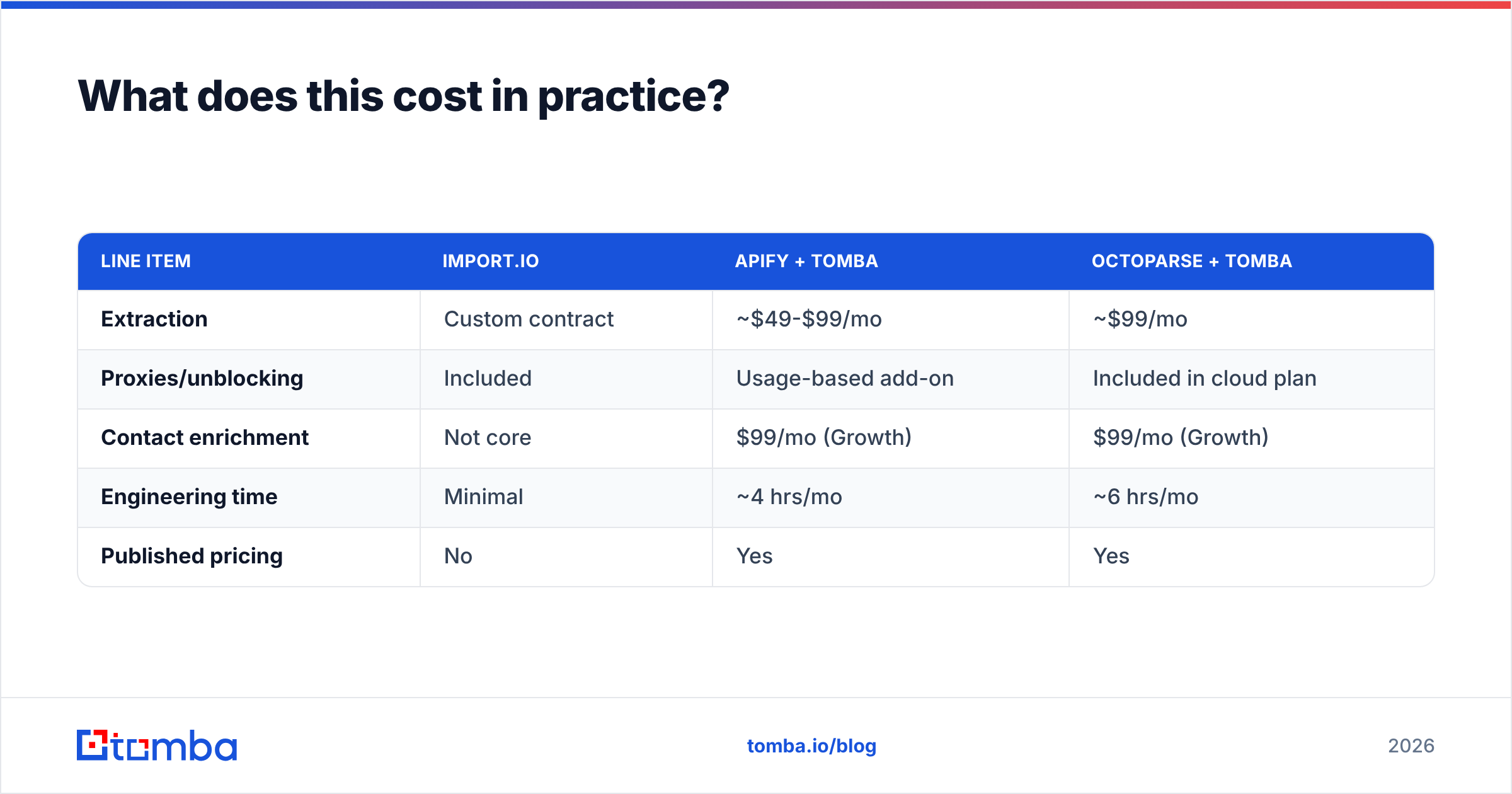
A real mid-market case: 50,000 pages a month, plus 5,000 contacts enriched.
| Line item | Import.io | Apify + Tomba | Octoparse + Tomba |
|---|---|---|---|
| Extraction | Custom contract | ~$49-$99/mo | ~$99/mo |
| Proxies/unblocking | Included | Usage-based add-on | Included in cloud plan |
| Contact enrichment | Not core | $99/mo (Growth) | $99/mo (Growth) |
| Engineering time | Minimal | ~4 hrs/mo | ~6 hrs/mo |
| Published pricing | No | Yes | Yes |
Stacked Import.io alternatives land well under a managed contract. The trade is that you own the upkeep. If your team has no engineers at all, the managed model still has a real case. That is what you pay for. Full Tomba pricing is public if you want exact numbers for the enrichment row.
Which Import.io alternative should you actually choose?#
- Web content at large scale, with a vendor on the hook: stay put, or look at Bright Data's managed datasets.
- Engineers and mixed targets: Apify or Zyte.
- No-code work at a public price: Octoparse, or Browse AI for a few pages.
- Entities instead of HTML: Diffbot.
- A lead project in disguise: Tomba to find and verify by API, or BookYourData to buy the list.
The big mistake here is treating "web data" as one thing. Split content from contacts, and the list of Import.io alternatives drops from nine to two. Both will cost less than the one platform you set out to replace.
Getting contacts, not HTML? Start with the Tomba Email Finder. Give it a name and a domain, or just a domain. Get verified business emails back in the dashboard, the Chrome extension, Google Sheets, or the API. The free tier covers 25 searches a month with no card. That is enough to test accuracy against what your scraper guesses today.
Related guides#
// get started
Find, verify and enrich your first contacts today
Start on the free plan with 25 searches a month, then scale when your team is ready.
Free plan · No credit card required · GDPR & CCPA
// about the author