In Sync CRM Pricing, Reviews, Pros and Cons (2026 Guide)
In Sync CRM does not publish a public price list, which makes budgeting harder than it looks. Here is how to model the real cost, what reviews reveal, and when a mainstream CRM is the safer buy.
TL;DR
- In Sync CRM sits in the "quote-first" tier of the CRM market: there is no reliable public price list, so every number you hear comes from a sales call, not a pricing page.
- That pricing model is not automatically bad, but it shifts the burden onto you. You have to build the cost model yourself — seats, onboarding, data migration, integrations, and support tiers.
- Review volume on G2 and Capterra is thin compared to HubSpot, Pipedrive, or Zoho. Thin review data means you are buying on demos, not on evidence.
- The realistic comparison set is Zoho CRM ($14–$40/user/mo), Pipedrive ($14–$64/user/mo), HubSpot Sales Hub (free tier plus paid seats), and Salesforce (from $25/user/mo).
- Whatever CRM you land on, the record quality matters more than the interface. A CRM full of stale or invalid contacts costs more than the license ever will.
What is In Sync CRM?#
In Sync CRM is a small-vendor customer relationship management product aimed at SMB and mid-market sales teams that want contact management, pipeline tracking, and basic automation without the configuration overhead of an enterprise platform. Think of it the way you'd think of a regional bank: the core services look like the big names, the staff know your name, and the trade-off is fewer branches and a smaller ATM network.
Two things are worth saying up front, because most posts on this topic skip them.
First, "In Sync CRM" is a name used by more than one vendor and more than one reseller. Before you evaluate pricing, confirm exactly which product you are looking at — the vendor's own domain, the entity on the invoice, and the support SLA. Buyers regularly compare quotes from two different companies with near-identical names and wonder why the numbers don't line up.
Second, the product does not publish a standard public price list the way HubSpot does. That single fact drives most of this article. When a vendor does not publish pricing, the price becomes a negotiation, and negotiations reward buyers who arrive with a cost model.
How much does In Sync CRM cost in 2026?#
The honest answer: it depends on your seat count, contract length, and how much implementation help you need — and you will not know until you request a quote.
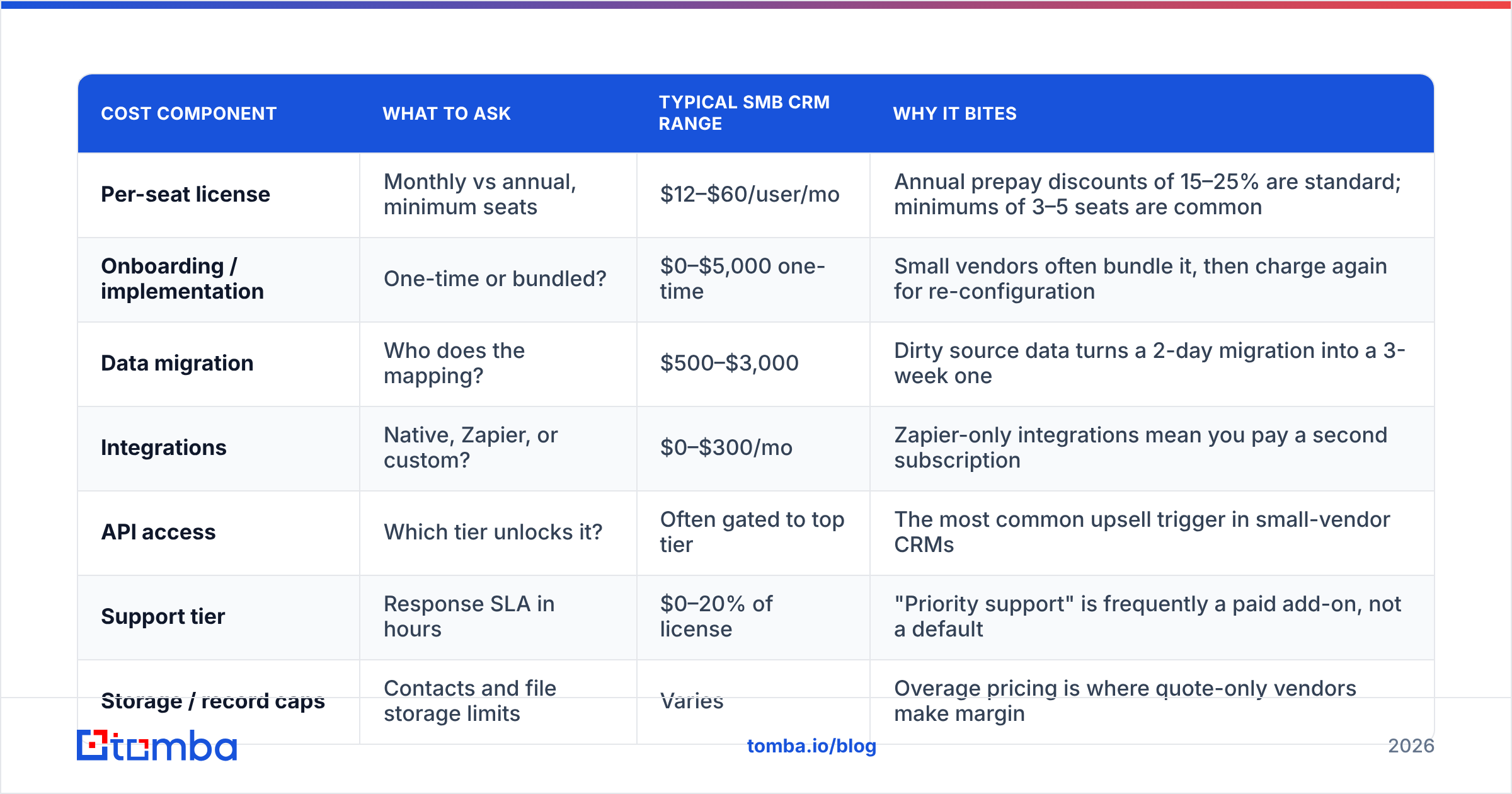
That is not a cop-out, it is the finding. Here is the cost model to build before you take the call, so you can pressure-test whatever number comes back.
| Cost component | What to ask | Typical SMB CRM range | Why it bites |
|---|---|---|---|
| Per-seat license | Monthly vs annual, minimum seats | $12–$60/user/mo | Annual prepay discounts of 15–25% are standard; minimums of 3–5 seats are common |
| Onboarding / implementation | One-time or bundled? | $0–$5,000 one-time | Small vendors often bundle it, then charge again for re-configuration |
| Data migration | Who does the mapping? | $500–$3,000 | Dirty source data turns a 2-day migration into a 3-week one |
| Integrations | Native, Zapier, or custom? | $0–$300/mo | Zapier-only integrations mean you pay a second subscription |
| API access | Which tier unlocks it? | Often gated to top tier | The most common upsell trigger in small-vendor CRMs |
| Support tier | Response SLA in hours | $0–20% of license | "Priority support" is frequently a paid add-on, not a default |
| Storage / record caps | Contacts and file storage limits | Varies | Overage pricing is where quote-only vendors make margin |
Run that table against any quote you receive. If the rep cannot answer six of the seven rows on the first call, you are looking at a vendor whose pricing is still improvised — and improvised pricing goes up at renewal.
How does In Sync CRM pricing compare to mainstream CRMs?#
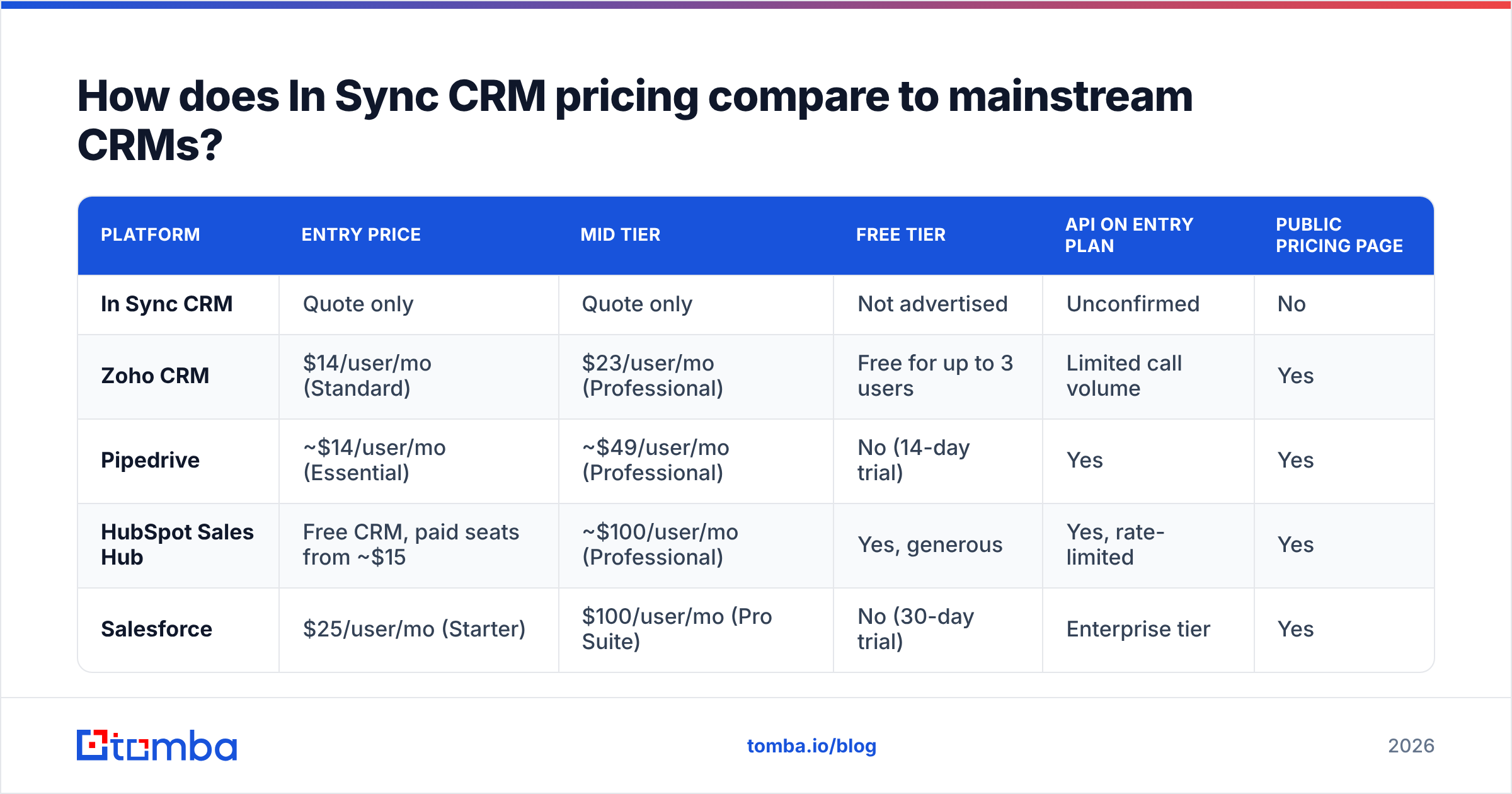
Because In Sync CRM's number is private, the useful exercise is benchmarking against the published alternatives. These are list prices at the time of writing, billed annually; always re-check the vendor page before you budget.
| Platform | Entry price | Mid tier | Free tier | API on entry plan | Public pricing page |
|---|---|---|---|---|---|
| In Sync CRM | Quote only | Quote only | Not advertised | Unconfirmed | No |
| Zoho CRM | $14/user/mo (Standard) | $23/user/mo (Professional) | Free for up to 3 users | Limited call volume | Yes |
| Pipedrive | ~$14/user/mo (Essential) | ~$49/user/mo (Professional) | No (14-day trial) | Yes | Yes |
| HubSpot Sales Hub | Free CRM, paid seats from ~$15 | ~$100/user/mo (Professional) | Yes, generous | Yes, rate-limited | Yes |
| Salesforce | $25/user/mo (Starter) | $100/user/mo (Pro Suite) | No (30-day trial) | Enterprise tier | Yes |
The pattern is obvious: every major vendor publishes. When a smaller vendor doesn't, it is usually one of three reasons — pricing is still being tested, deals are routed through resellers with margin flexibility, or the average contract value is high enough that they want a human in the loop. None of those is disqualifying. All three mean you should get the quote in writing with a renewal cap clause.

What do In Sync CRM reviews actually tell you?#
Less than you'd like, and that is the second finding.
Check the G2 CRM category and the Capterra CRM directory yourself before you buy. What you'll typically see for products in this tier:
- Low review count. Under roughly 50 reviews, a 4.6 average tells you almost nothing. Two enthusiastic implementation partners can move the score a full point.
- Clustered dates. If most reviews land in the same two-month window, they came from a review campaign, not organic usage.
- Praise concentrated on support. Small vendors genuinely do win on responsiveness. This is real and it matters — but it is also the easiest thing to review positively after a good onboarding call.
- Criticism concentrated on reporting and integrations. This is the consistent weak spot across small CRMs. Pipeline reporting that can't slice by custom field, and integration lists that stop at Gmail and Zapier.
Read the two-star and three-star reviews first. Five-star reviews tell you what the demo covered. Three-star reviews tell you what month four feels like.
What are the pros of In Sync CRM?#
Where a smaller CRM genuinely beats the giants:
- Negotiating leverage. Quote-based pricing cuts both ways. A 10-seat deal that HubSpot prices off a rate card may get 30% off from a smaller vendor closing its quarter.
- Real humans in support. You often get a named contact instead of a ticket queue. For a five-person sales team without an ops hire, this is worth real money.
- Faster time-to-value. Fewer features means fewer decisions. Teams routinely go live in a week on a lightweight CRM and spend two months on a Salesforce rollout.
- Lower adoption friction. Reps actually update simple pipelines. The most expensive CRM in the world is the one your team stops logging activity in.
- Willingness to build. Small vendors will sometimes ship a field, a webhook, or a report for a mid-size customer. Enterprise vendors will not.
What are the cons of In Sync CRM?#
The trade-offs are just as concrete:
- Opaque total cost. You cannot model a three-year budget from a pricing page that doesn't exist, and renewal increases are harder to forecast.
- Integration gaps. If your stack includes a marketing automation platform, a support desk, and a billing system, check every connector by name. "We integrate via Zapier" is a cost, not a feature.
- Reporting ceilings. Custom dashboards, multi-object reports, and forecast accuracy tracking are where small CRMs run out of room fastest.
- Vendor risk. Smaller vendors get acquired, pivot, or sunset products. Ask about data export formats before you sign, not after.
- Thin ecosystem. No consultant network, few templates, limited community answers at 2am when an import goes wrong.
- API gating. If CRM data needs to flow into your enrichment or outbound stack, API access on the entry plan is non-negotiable. Confirm the rate limits in writing.

What hidden costs should you budget for?#
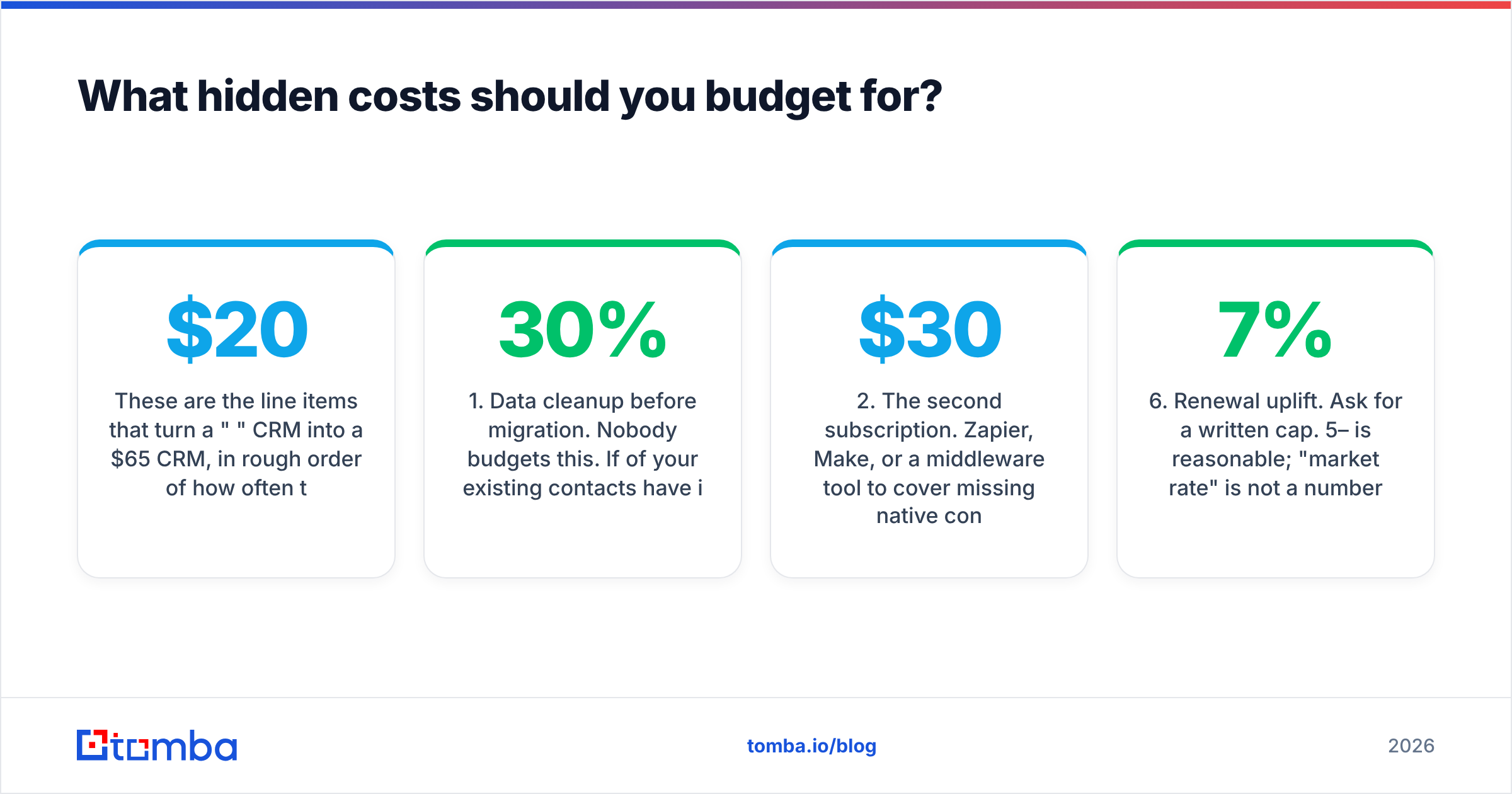
These are the line items that turn a "$20 per seat" CRM into a $65 per seat CRM, in rough order of how often they surprise buyers.
- Data cleanup before migration. Nobody budgets this. If 30% of your existing contacts have invalid or bounced emails, you are paying to store dead records forever. Run the list through an email verifier before import — it is cheaper than any migration service.
- The second subscription. Zapier, Make, or a middleware tool to cover missing native connectors. Budget $30–$300/mo depending on task volume.
- Admin time. Someone owns field mapping, permission sets, and pipeline hygiene. At 3 hours a week, that is a meaningful fraction of a salary.
- Enrichment. A CRM stores data; it does not create it. Company size, tech stack, direct contacts, and phone numbers come from a data enrichment layer you buy separately.
- Training and re-training. Every new rep costs onboarding hours. Simple CRMs win here; complex ones compound the cost.
- Renewal uplift. Ask for a written cap. 5–7% is reasonable; "market rate" is not a number.
Who should buy In Sync CRM — and who shouldn't?#
Good fit if: you run a 3–15 person sales team, your process is linear (lead → demo → proposal → closed), you value a responsive account manager over a feature matrix, and your integration needs stop at email and calendar.
Bad fit if: you need multi-currency forecasting, territory management, a marketing automation tie-in, SOC 2 evidence for procurement, or an API that your RevOps team will build on. In those cases, pay the list price at a bigger vendor and keep the optionality.
The tie-breaker question: can you export every object — contacts, companies, deals, activities, custom fields — as CSV, on demand, without a support ticket? If yes, the downside of being wrong is a weekend of work. If no, you are marrying the vendor.
What are the best In Sync CRM alternatives?#
If the quote comes back higher than expected, or the integration list falls short, these are the realistic swaps:
- Zoho CRM — the cheapest credible full-featured option, with a free tier for up to three users and an enormous add-on suite. Steepest learning curve of the three.
- Pipedrive — the best pure pipeline tool for teams that sell in defined stages. Weakest on marketing features.
- HubSpot Sales Hub — the free CRM is genuinely usable, and the upgrade path is smooth. Gets expensive fast at Professional tier and above.
- Salesforce Starter — worth a look if you know you will scale past 25 reps within two years and want to avoid a second migration.
Whichever you pick, the integration layer decides how much value you actually extract. Check the native connector list against your stack — Tomba connects to both HubSpot and Pipedrive directly, so enriched contacts land in the right object without a middleware hop.
How do you run a fair 14-day evaluation?#
Do not evaluate on the demo. Evaluate on your own data.
- Day 1–2: Import 200 real records, not sample data. Note every field that fails to map.
- Day 3–5: Have two reps work live deals in it. No parallel spreadsheet. If they revert to the spreadsheet, that's your answer.
- Day 6–8: Build the three reports your manager actually reads weekly. Time how long each takes.
- Day 9–11: Test the integrations end to end, including error states. Disconnect and reconnect an integration deliberately.
- Day 12–14: Export everything. Time the export, check field fidelity, and confirm you can rebuild your pipeline from the file alone.
Score each phase out of 5 and total it before you look at the price. Decide on fit first, then negotiate.
Where does contact data fit in all this?#
Here is the part most CRM comparisons skip: the CRM is a filing cabinet. Its value is entirely a function of what you put in it.
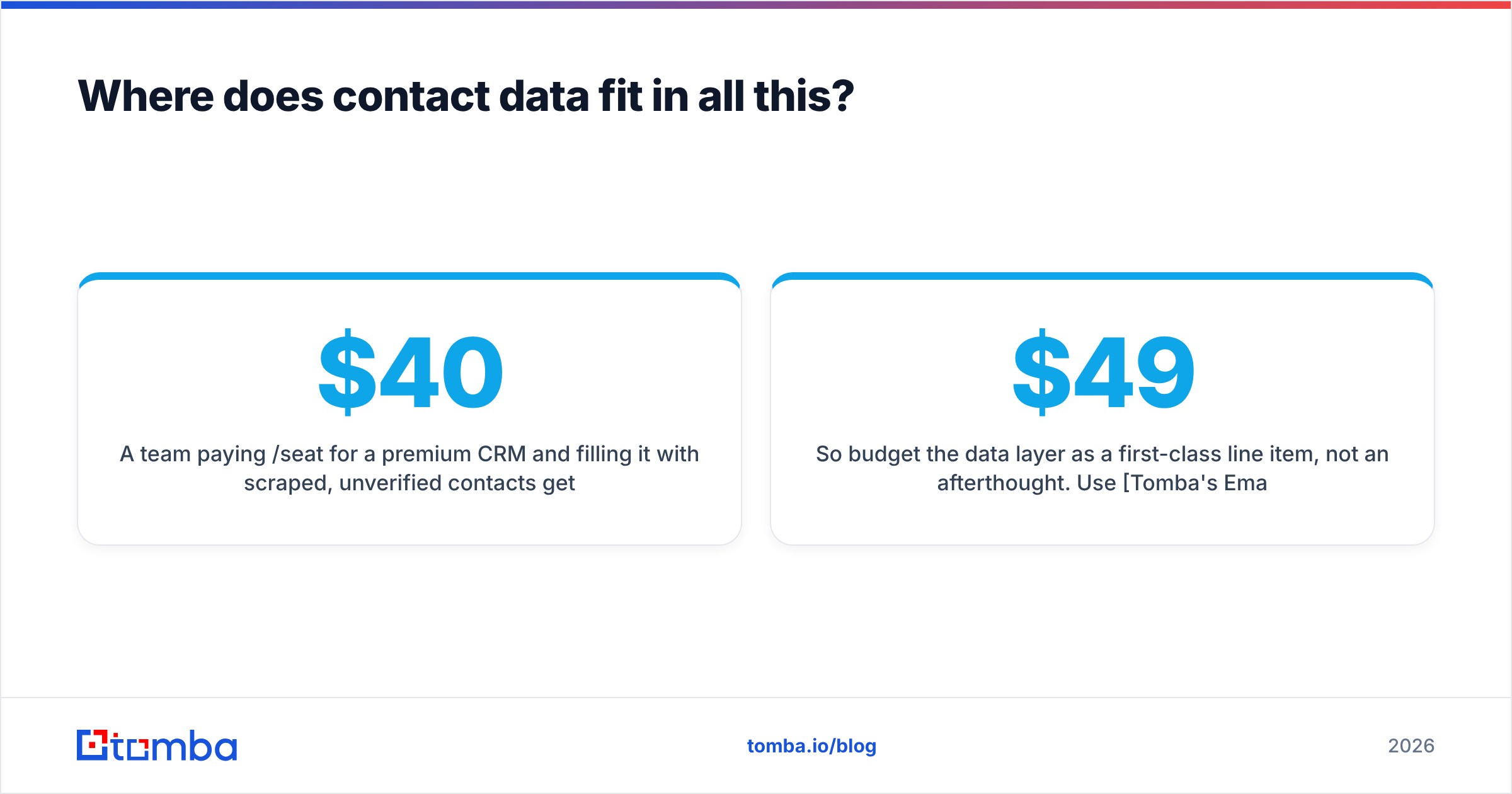
A team paying $40/seat for a premium CRM and filling it with scraped, unverified contacts gets worse results than a team on a $14/seat CRM feeding it verified, enriched records. Bounce rates hurt sender reputation, stale records inflate your storage tier, and duplicate companies break every report you build.
So budget the data layer as a first-class line item, not an afterthought. Use Tomba's Email Finder to source verified, deliverable contacts by domain, name, or company, then push them into whichever CRM you land on. Pricing is published and flat — a free tier with 25 searches per month, Starter at $49/mo, Growth at $99/mo, and Pro at $249/mo — so the one part of your stack you can model precisely stays that way. See the full Tomba pricing breakdown, start on the free tier, and test it against your own target account list before you commit to any CRM contract.
Related guides#
// get started
Find, verify and enrich your first contacts today
Start on the free plan with 25 searches a month, then scale when your team is ready.
Free plan · No credit card required · GDPR & CCPA
// about the author