Inboxflow Alternatives in 2026: 9 Tools Worth Switching To
Outgrown Inboxflow, or never quite got value from it? Here are nine alternatives compared on price, data quality, sending limits and deliverability controls, plus how to migrate without burning your domains.
TL;DR
- Most teams searching for Inboxflow alternatives are solving one of three problems: contact data that bounces, sending limits that cap growth, or a bill that stopped making sense at renewal.
- No single tool covers the whole outbound chain. You need a data layer (finding and verifying addresses), a sending layer (sequences, inbox rotation, warmup), and increasingly an enrichment layer.
- If your bounce rate is above 3%, changing sending platforms will not fix it. Fix the list first.
- Cheapest entry price is a bad selection criterion — per-record data cost and wasted sending volume dominate total spend.
- Best-fit picks below: Tomba for data accuracy at a flat rate, Instantly and Smartlead for high-volume sending, Apollo for an all-in-one starting point, BookYourData for pay-as-you-go verified lists.
What is Inboxflow, and why are people looking for alternatives?#
Inboxflow sits in the cold email tooling category — the crowded middle ground between a contact database and a sending platform. Tools in this bracket typically bundle some combination of prospect lookup, sequence sending, inbox warmup and reply tracking into one subscription.
That bundling is exactly why teams start shopping. A single vendor rarely wins on all three layers at once, and the layer where it is weakest is the one that quietly costs you money. Search intent for "Inboxflow alternatives" usually breaks down like this:
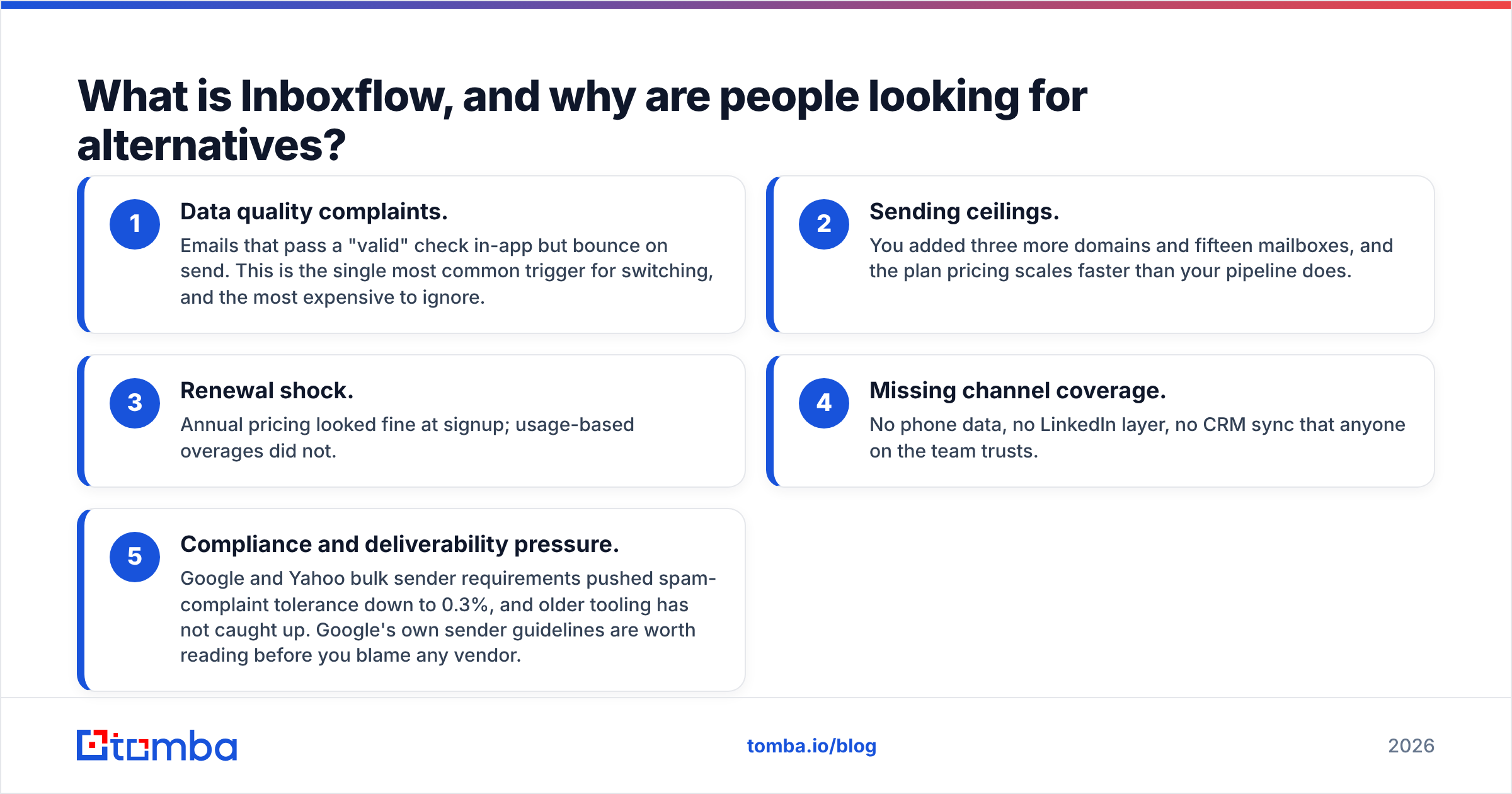
- Data quality complaints. Emails that pass a "valid" check in-app but bounce on send. This is the single most common trigger for switching, and the most expensive to ignore.
- Sending ceilings. You added three more domains and fifteen mailboxes, and the plan pricing scales faster than your pipeline does.
- Renewal shock. Annual pricing looked fine at signup; usage-based overages did not.
- Missing channel coverage. No phone data, no LinkedIn layer, no CRM sync that anyone on the team trusts.
- Compliance and deliverability pressure. Google and Yahoo bulk sender requirements pushed spam-complaint tolerance down to 0.3%, and older tooling has not caught up. Google's own sender guidelines are worth reading before you blame any vendor.
Before you evaluate replacements, work out which of those five is actually your problem. Swapping a sending platform because of a data problem is the most common and most costly mistake in this category.
What should an Inboxflow alternative actually replace?#
Think of your outbound stack like a water system. The pipes (sending platform) get blamed when nothing comes out of the tap, but the problem is usually the reservoir (your data). Map your requirements across these five layers before you look at a single pricing page:
- Contact discovery — finding a real, current, role-appropriate email address for a named person at a named company. Measured by hit rate on your ICP, not on a vendor's demo list.
- Verification — SMTP-level checking, catch-all handling and syntax/MX validation. A tool that returns "unknown" honestly is more useful than one that guesses "valid." Run new lists through an email verifier before they ever touch a sequence.
- Sending infrastructure — multiple domains, mailbox rotation, throttling, warmup pools, and per-mailbox reputation monitoring.
- Sequencing and personalization — multi-step logic, reply detection, A/B variants, and merge fields that fail gracefully when data is missing.
- Reporting and CRM sync — bidirectional push to HubSpot, Salesforce or Pipedrive so your reps do not work two systems.
Score your current setup 1–5 on each. The layer scoring lowest is the one you should be shopping for. If discovery and verification both score low, a sending tool switch will change nothing.
Which Inboxflow alternatives are worth comparing in 2026?#
Here is the shortlist, grouped by what each one is genuinely good at. Prices checked September 2026 — every vendor in this list has repackaged tiers within the last 18 months, so confirm on their own pricing page before you commit to annual.
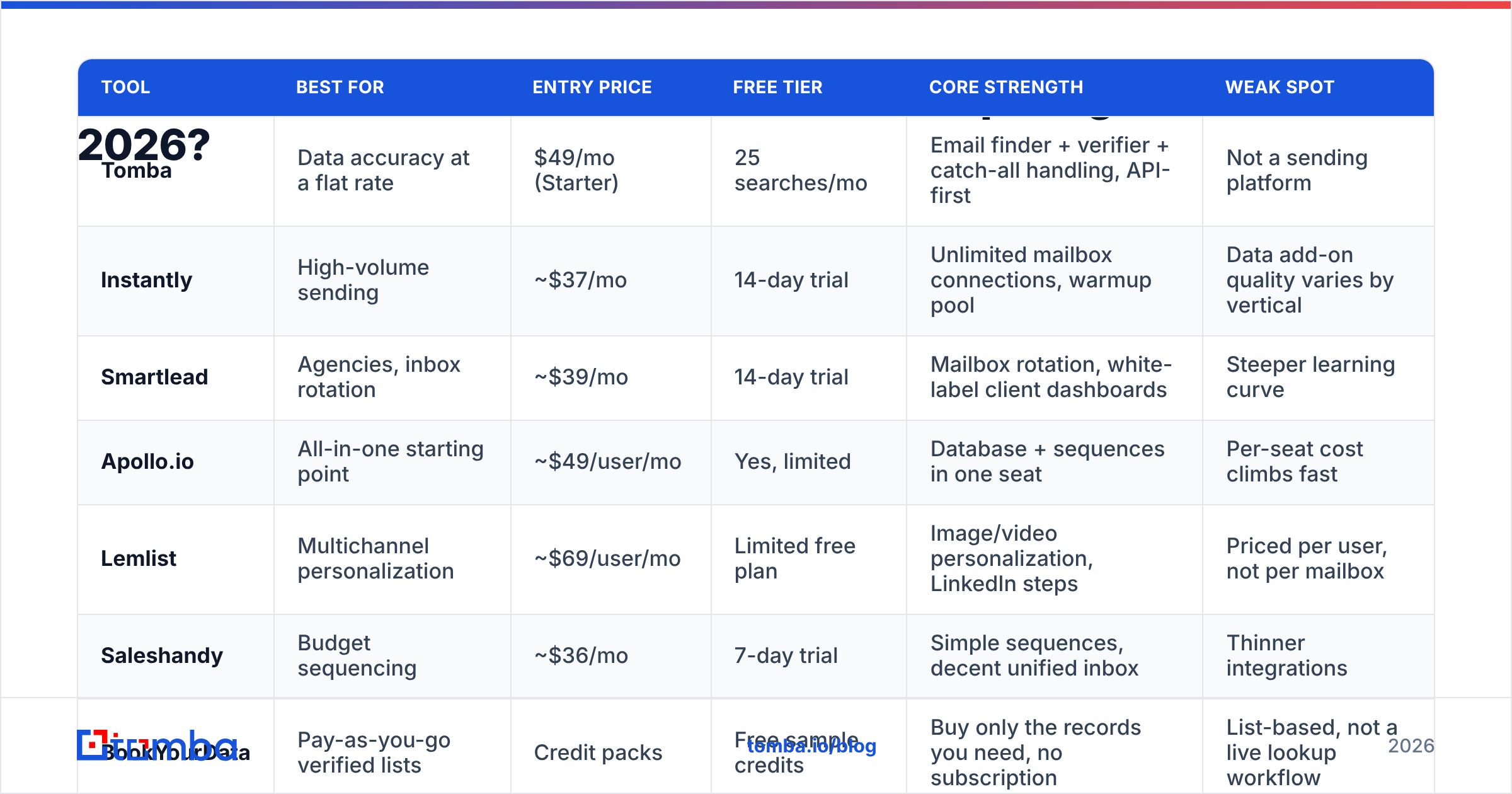
| Tool | Best for | Entry price | Free tier | Core strength | Weak spot |
|---|---|---|---|---|---|
| Tomba | Data accuracy at a flat rate | $49/mo (Starter) | 25 searches/mo | Email finder + verifier + catch-all handling, API-first | Not a sending platform |
| Instantly | High-volume sending | ~$37/mo | 14-day trial | Unlimited mailbox connections, warmup pool | Data add-on quality varies by vertical |
| Smartlead | Agencies, inbox rotation | ~$39/mo | 14-day trial | Mailbox rotation, white-label client dashboards | Steeper learning curve |
| Apollo.io | All-in-one starting point | ~$49/user/mo | Yes, limited | Database + sequences in one seat | Per-seat cost climbs fast |
| Lemlist | Multichannel personalization | ~$69/user/mo | Limited free plan | Image/video personalization, LinkedIn steps | Priced per user, not per mailbox |
| Saleshandy | Budget sequencing | ~$36/mo | 7-day trial | Simple sequences, decent unified inbox | Thinner integrations |
| BookYourData | Pay-as-you-go verified lists | Credit packs | Free sample credits | Buy only the records you need, no subscription | List-based, not a live lookup workflow |
| Reply.io | AI-assisted multichannel | ~$59/user/mo | Free trial | Sequences plus call and LinkedIn steps | Overkill for solo senders |
| Woodpecker | SMB agencies, EU-based teams | ~$29/mo | Free trial | Deliverability guardrails, adaptive sending | Smaller native database |
Two structural notes on that table. First, the "entry price" column is not comparable across rows: per-user pricing (Apollo, Lemlist, Reply) behaves completely differently from per-mailbox or flat pricing once you add a second rep. Second, only three of these nine are primarily data tools. The rest assume you arrive with a clean list.
If you want third-party sentiment rather than vendor claims, the G2 sales engagement category is the least-bad public source — filter reviews to the last six months, because this category churns.
Tomba — when the problem is your data, not your sender#
Tomba is the pick when your bounce rate, not your sending volume, is the constraint. It is an email finder first: domain search, name-plus-company lookup, catch-all verification, phone finder and enrichment sit around that core.
Pricing is flat and predictable — Free (25 searches/mo), Starter $49/mo, Growth $99/mo, Pro $249/mo, Enterprise custom. See Tomba pricing for current credit allocations. The practical advantage over bundled tools is that credits are not shared with a sending quota, so a heavy prospecting month does not throttle your outreach.
Where it does not compete: Tomba does not send sequences. You pair it with Instantly, Smartlead, Saleshandy or whatever your team already runs. For teams processing lists in batches, the bulk email finder handles CSV in, verified CSV out.
Instantly and Smartlead — when the problem is sending volume#
These two are effectively the default answer for anyone running more than five mailboxes. Both give you unlimited mailbox connections at the mid tier, both include warmup pools, both rotate sends across domains to spread reputation risk.
Choose Instantly if you want the simpler interface and a large warmup network. Choose Smartlead if you run an agency and need white-labelled client reporting and sub-accounts. Neither is a data company, whatever the upsell screen says — their built-in lead databases are convenience features, not accuracy leaders.
Apollo.io — when you want one bill instead of three#

Apollo remains the most common single-vendor answer, and for a two-person team it is defensible: database, sequences, dialer and basic CRM in one seat. The trade-off is that everything is merely good, and per-seat pricing punishes growth. Teams typically outgrow it in one of two directions — toward dedicated data (an Apollo alternative for accuracy) or toward dedicated sending infrastructure.
BookYourData — when you want to buy records, not rent software#
BookYourData is worth a serious look if your buying pattern is bursty: a campaign every quarter rather than continuous prospecting. It sells verified B2B contact records on a credit basis with an accuracy guarantee, which means you are not paying a subscription during the months you are not prospecting. For list-building against a defined ICP — say, 3,000 CFOs in US manufacturing — the pay-as-you-go model often beats a monthly seat you use twice a year. It is a genuinely different purchasing motion from live-lookup tools, and a reasonable complement to one rather than a straight substitute.

Is a cheaper Inboxflow alternative always the better deal?#
No, and the arithmetic is not close. Run the numbers on cost per positive reply rather than cost per month.
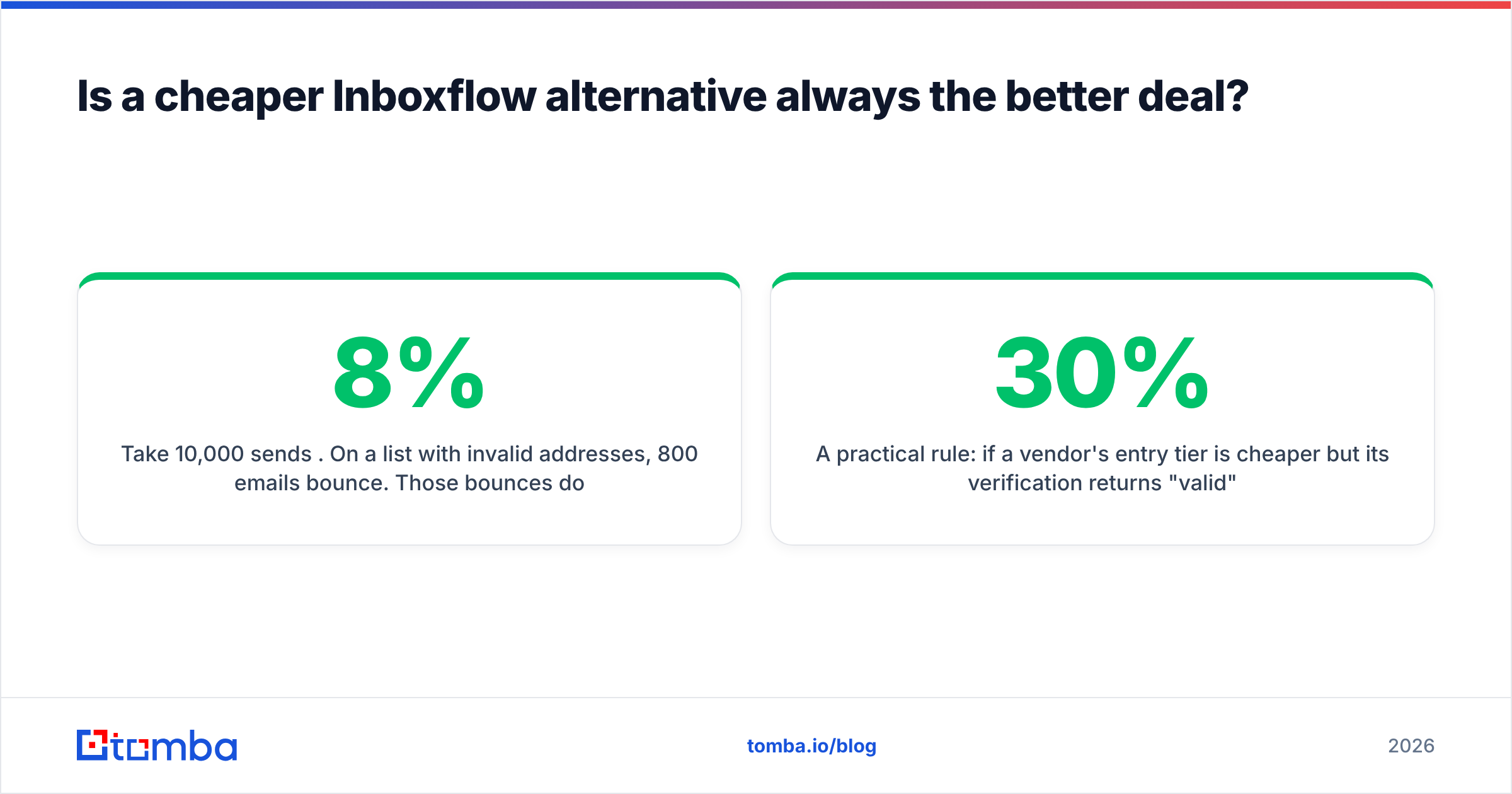
Take 10,000 sends per month. On a list with 8% invalid addresses, 800 emails bounce. Those bounces do three things: they waste sending credits, they push your bounce rate past the 3% threshold where mailbox providers start throttling you, and they damage domain reputation in a way that suppresses the other 9,200 emails. A domain that needs two weeks of reduced sending to recover costs you more in lost pipeline than any subscription line item.
Now price the fix. Verifying 10,000 addresses is a flat, predictable cost. Recovering a burned domain is not. This is why email deliverability belongs in your tool-selection criteria and not in a separate "we'll deal with it later" bucket.
A practical rule: if a vendor's entry tier is 30% cheaper but its verification returns "valid" for catch-all domains without further checking, it is more expensive. Ask every vendor on your shortlist one question — what do you return for a catch-all domain? The honest answer is "unknown, with a confidence score." The answer that should worry you is "valid."
How do you migrate off Inboxflow without tanking deliverability?#
Switching platforms mid-campaign is where teams accidentally wreck domains that were performing fine. Sequence it:
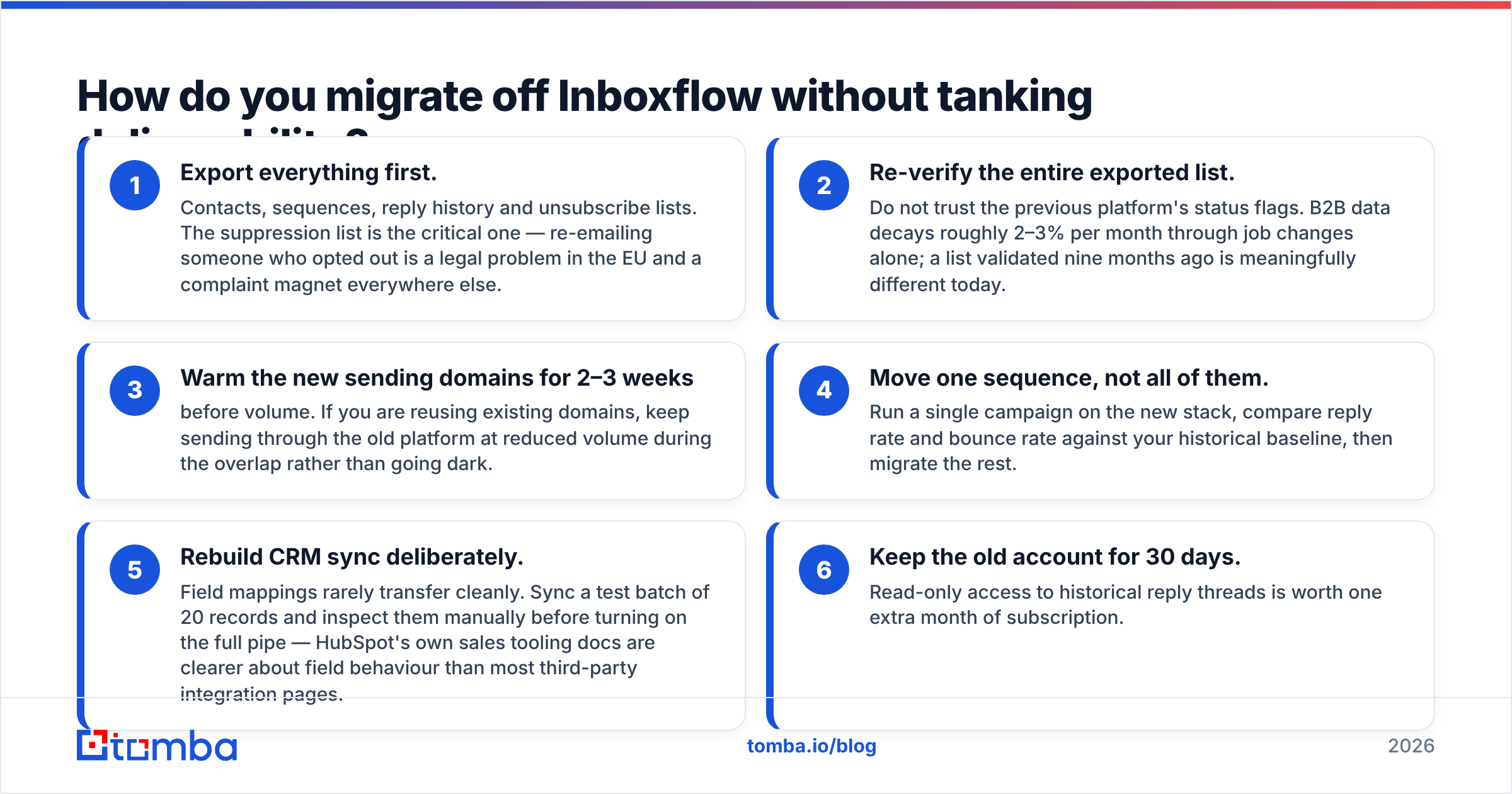
- Export everything first. Contacts, sequences, reply history and unsubscribe lists. The suppression list is the critical one — re-emailing someone who opted out is a legal problem in the EU and a complaint magnet everywhere else.
- Re-verify the entire exported list. Do not trust the previous platform's status flags. B2B data decays roughly 2–3% per month through job changes alone; a list validated nine months ago is meaningfully different today.
- Warm the new sending domains for 2–3 weeks before volume. If you are reusing existing domains, keep sending through the old platform at reduced volume during the overlap rather than going dark.
- Move one sequence, not all of them. Run a single campaign on the new stack, compare reply rate and bounce rate against your historical baseline, then migrate the rest.
- Rebuild CRM sync deliberately. Field mappings rarely transfer cleanly. Sync a test batch of 20 records and inspect them manually before turning on the full pipe — HubSpot's own sales tooling docs are clearer about field behaviour than most third-party integration pages.
- Keep the old account for 30 days. Read-only access to historical reply threads is worth one extra month of subscription.
Which alternative fits which team?#
- Solo founder, under 1,000 sends/month: Tomba Free or Starter for data, plus Saleshandy or Woodpecker for sending. Total under $90/mo.
- Two-to-five person SDR team: Tomba Growth for data, Instantly for sending. Predictable, and the layers scale independently.
- Agency running client campaigns: Smartlead for white-label sending, Tomba API for per-client data pulls, BookYourData for one-off list purchases when a client's ICP falls outside your usual coverage.
- Enterprise with an existing CRM of record: Apollo or Reply for sequencing inside the CRM, dedicated verification on ingest so bad records never enter Salesforce in the first place.
- Developer-led growth team: Skip the UI entirely. The Tomba API handles finding and verification inside your own workflow, and you pick a sending provider on cost alone.
What questions should you ask before signing?#
Four that reliably expose weak vendors:
- What is your measured bounce rate on delivered addresses, not your claimed accuracy percentage?
- Do credits roll over, and what happens on overage — hard stop or silent billing?
- Can I export my data, including suppression lists, without contacting support?
- What is the notice period on annual, and does the price hold at renewal?
Get all four answered in writing. The gap between the sales call and the contract is where most renewal shock originates.
The bottom line#
There is no single best Inboxflow alternative, because Inboxflow-class tools bundle three jobs that are best bought separately once you pass a certain volume. Diagnose which layer is failing you, then buy the specialist for that layer and keep the rest.
If the failing layer is data — bounces, stale contacts, catch-all domains you cannot resolve — start there, because it is the layer that silently degrades every other tool you pay for. The Tomba Email Finder gives you 25 free searches a month to test your own ICP against your current provider's output before you spend anything. Run the same 50 target companies through both, compare hit rate and bounce rate on a live send, and let the numbers decide your renewal.
Related guides#
// get started
Find, verify and enrich your first contacts today
Start on the free plan with 25 searches a month, then scale when your team is ready.
Free plan · No credit card required · GDPR & CCPA
// about the author