InboxLane Alternatives: 7 Better Cold Email Stacks in 2026
Most teams shopping for InboxLane alternatives are really solving two different problems: sending infrastructure and contact data. Here's how seven tools compare on price, deliverability control, and data accuracy.
TL;DR
- Most people searching for InboxLane alternatives are trying to fix one of two things: sending infrastructure (mailboxes, warmup, rotation) or the contact data going into it. Those are separate purchases, and bundling them badly is why campaigns underperform.
- If your problem is bounce rate, no sending tool will save you. Fix the list first with a dedicated finder and verifier.
- Sending platforms worth comparing: Instantly, Smartlead, Saleshandy, lemlist. Data layers worth comparing: Tomba, Apollo, BookYourData.
- Budget reality: a workable stack in 2026 runs roughly $80–$150/month for one sender — data ($49/mo) plus sending ($37–$60/mo) — not the $500+ some all-in-one quotes imply.
- Verify every vendor's current pricing before you sign. Plan names and credit allowances in this category change every few quarters, including InboxLane's.
What is InboxLane, and why do teams look for alternatives?#
InboxLane sits in the cold email infrastructure category — the layer that provisions and manages sending mailboxes, warms them up, rotates sends across them, and pushes sequences out the door. That category has gotten crowded fast, and switching costs are low, which is exactly why "InboxLane alternatives" is a query people type.
A caveat before you compare anything line by line: this segment reprices constantly. Plan names, per-mailbox costs, and credit allowances shift, and InboxLane is no exception. Treat every number below as a directional benchmark checked in September 2026, then confirm on the vendor's own pricing page before you commit budget.
The more useful question isn't "what replaces InboxLane" — it's "which half of my stack is actually failing." Teams usually churn out of an infrastructure tool for one of four reasons:
- Deliverability plateaued. Open rates fell off a cliff, replies dried up, and the vendor's answer was "add more mailboxes." More mailboxes multiply a bad list; they don't fix one.
- Per-mailbox pricing scaled badly. Infrastructure priced per inbox looks cheap at 3 mailboxes and painful at 30. Sequence-based pricing behaves differently as you grow.
- The bundled data was thin. Some platforms include a contact database as a sweetener. Bundled data is almost always narrower and staler than what a dedicated provider sells.
- Reporting couldn't answer "which segment replied?" If your tool reports at the campaign level only, you can't tell whether the list, the copy, or the domain was the problem.
Diagnose which of those four you're living with. The answer decides whether you need a new sender, a new data source, or both.

What should an InboxLane alternative actually replace?#
A working outbound stack has five layers. Most vendors cover two or three and market as if they cover all five. Map yours before you shop:
- Contact data — Finding the right person's verified work email and phone. This is where campaign performance is won or lost. Tools: Tomba, Apollo, BookYourData.
- Verification — Removing invalid, catch-all, and role-based addresses before they ever hit a send queue. An email verifier belongs between data and sending, always.
- Sending infrastructure — Domains, mailboxes, SPF/DKIM/DMARC, warmup, and rotation. Tools: Instantly, Smartlead, Saleshandy, InboxLane.
- Sequencing and copy — Multi-step cadences, conditional branches, A/B testing, personalization tokens.
- CRM sync and attribution — Pushing replies into HubSpot, Salesforce, or Pipedrive so pipeline gets credited correctly.
The mistake worth avoiding: buying one tool that does layers 1 through 5 at a mediocre level, then blaming the copy when reply rates sit at 0.8%. Best-in-class layer 1 plus best-in-class layer 3 beats an average all-in-one almost every time, and usually costs less.
Which InboxLane alternatives are worth comparing in 2026?#
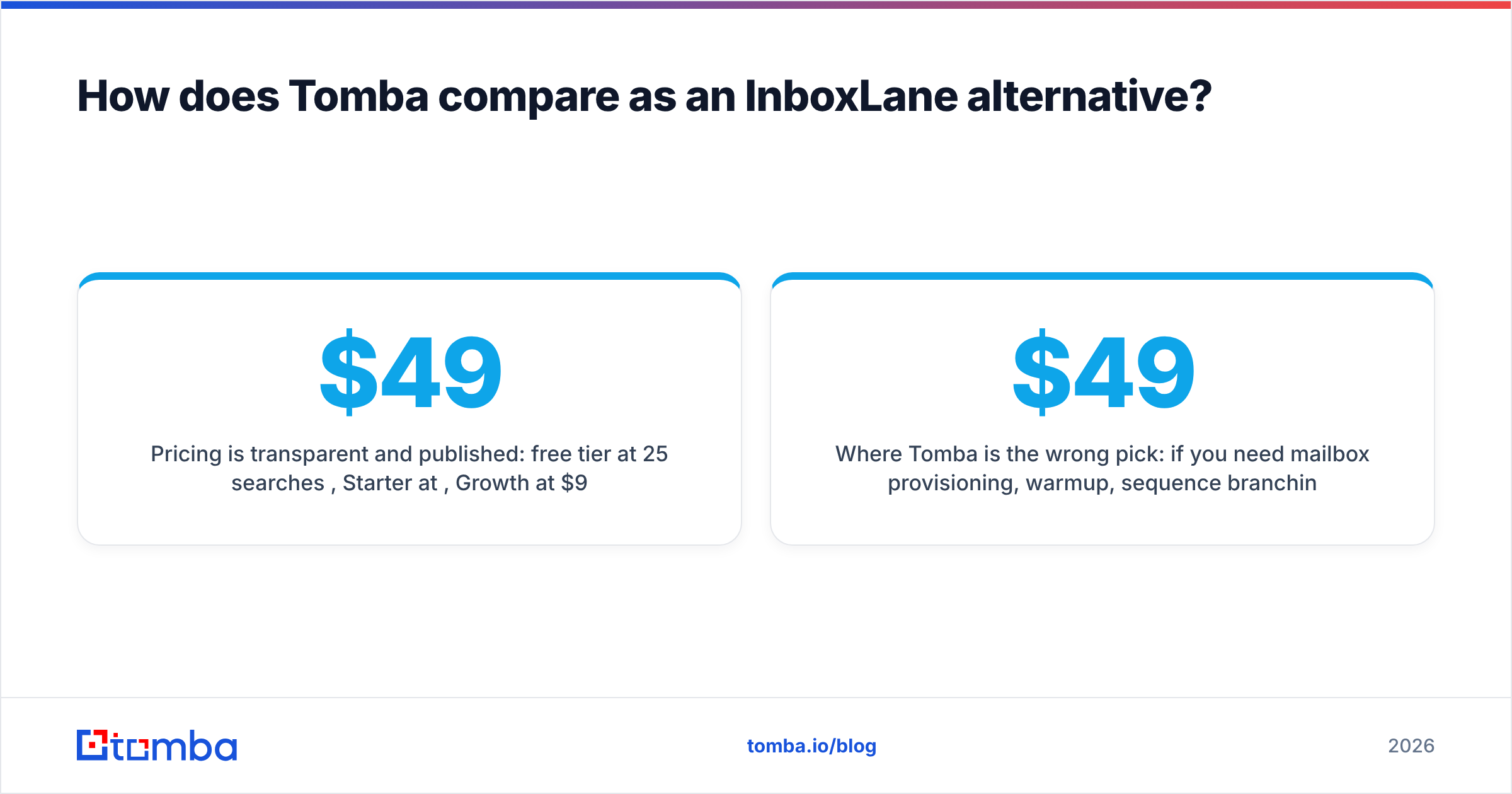
Here's the honest side-by-side. Pricing is entry-level list price as of September 2026 — verify before buying.
| Tool | Primary layer | Starting price | Free tier | Best for |
|---|---|---|---|---|
| Tomba | Contact data + verification | $49/mo (Starter) | 25 searches/mo | Teams whose bounce rate is the bottleneck |
| Instantly | Sending infrastructure | ~$37/mo (Growth) | 14-day trial | High-volume senders wanting unlimited mailboxes |
| Smartlead | Sending infrastructure | ~$39/mo (Basic) | 14-day trial | Agencies running many client workspaces |
| Saleshandy | Sending + sequencing | ~$36/mo | Limited free plan | SMBs wanting sending and data in one bill |
| lemlist | Sequencing + personalization | ~$39/mo | 14-day trial | Teams leaning on image/video personalization |
| Apollo | Data + light sequencing | Free, then ~$49/user/mo | Yes, credit-capped | Reps who want database browsing plus dialer |
| BookYourData | Contact data (pay-as-you-go) | Credit packs, no subscription | Sample credits | Buyers who want list ownership without a monthly commitment |
| InboxLane | Sending infrastructure | Check current plans | Varies | Existing users comparing renewal cost |
Two patterns jump out. First, the sending layer has converged — Instantly, Smartlead, and Saleshandy all land within a few dollars of each other at entry level, and feature parity is close enough that the deciding factor is usually workspace management and support responsiveness, not the feature grid. You can sanity-check that against user reviews on G2 rather than vendor marketing pages.
Second, the data layer is where real differentiation lives, and where pricing models diverge hardest: subscription credits (Tomba), seat-based database access (Apollo), or one-time credit packs you own outright (BookYourData). Those are genuinely different purchases, not three flavors of the same thing.
Is a sending tool or a data tool the better replacement?#
Run the diagnostic before you spend. Pull your last 5,000 sends and check three numbers:
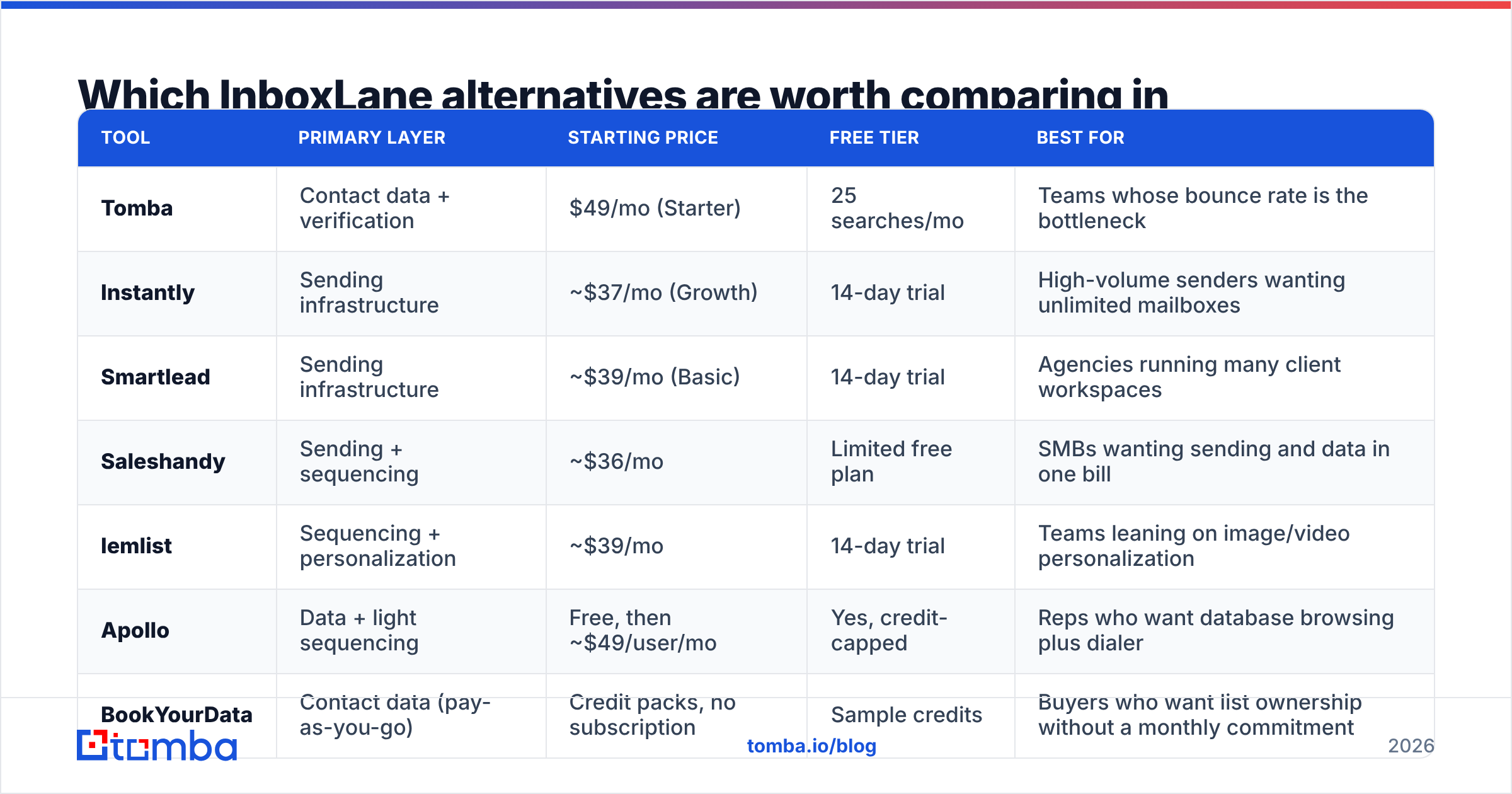
- Hard bounce rate above 3%? Your problem is data, not sending. No amount of warmup fixes invalid addresses, and sustained bounces will damage sender reputation across every domain you own.
- Bounce rate under 2% but open rate under 25%? Your problem is infrastructure or subject lines. Check domain age, DMARC alignment, and whether your warmup ratio is realistic for volume.
- Opens above 40% but replies under 1%? Your problem is targeting or copy. The list is deliverable and the emails land — they just aren't relevant to who's reading them.
That third bucket is the sneaky one. It usually means the data source gave you technically valid addresses for people who don't own the problem you're selling into. Valid ≠ correct.
For bucket one, a dedicated email finder with source attribution is the fix. Tomba returns the public sources behind each address, which means you can audit why a contact was returned instead of trusting a confidence score you can't inspect. That auditability matters more at scale than a headline accuracy percentage does.

How does Tomba compare as an InboxLane alternative?#
Directly: Tomba doesn't replace InboxLane's sending layer, and pretending otherwise would be dishonest. It replaces the data and verification layers that sit in front of it — layers many infrastructure tools include as a thin bundled extra.
Where it fits well:
- Domain-first prospecting. Domain search returns every discoverable address at a company plus the detected email pattern, which is faster than guessing per-person.
- Pre-send verification. Catch-all domains are the quiet killer in cold email — they accept everything at SMTP and bounce later. A dedicated catch-all check separates "accepted" from "actually deliverable."
- Bulk list building. Bulk email finder processes uploaded CSVs, which is how most teams actually work rather than one lookup at a time.
- API-first workflows. If your RevOps team enriches inside a pipeline rather than a UI, the API matters more than the dashboard does.
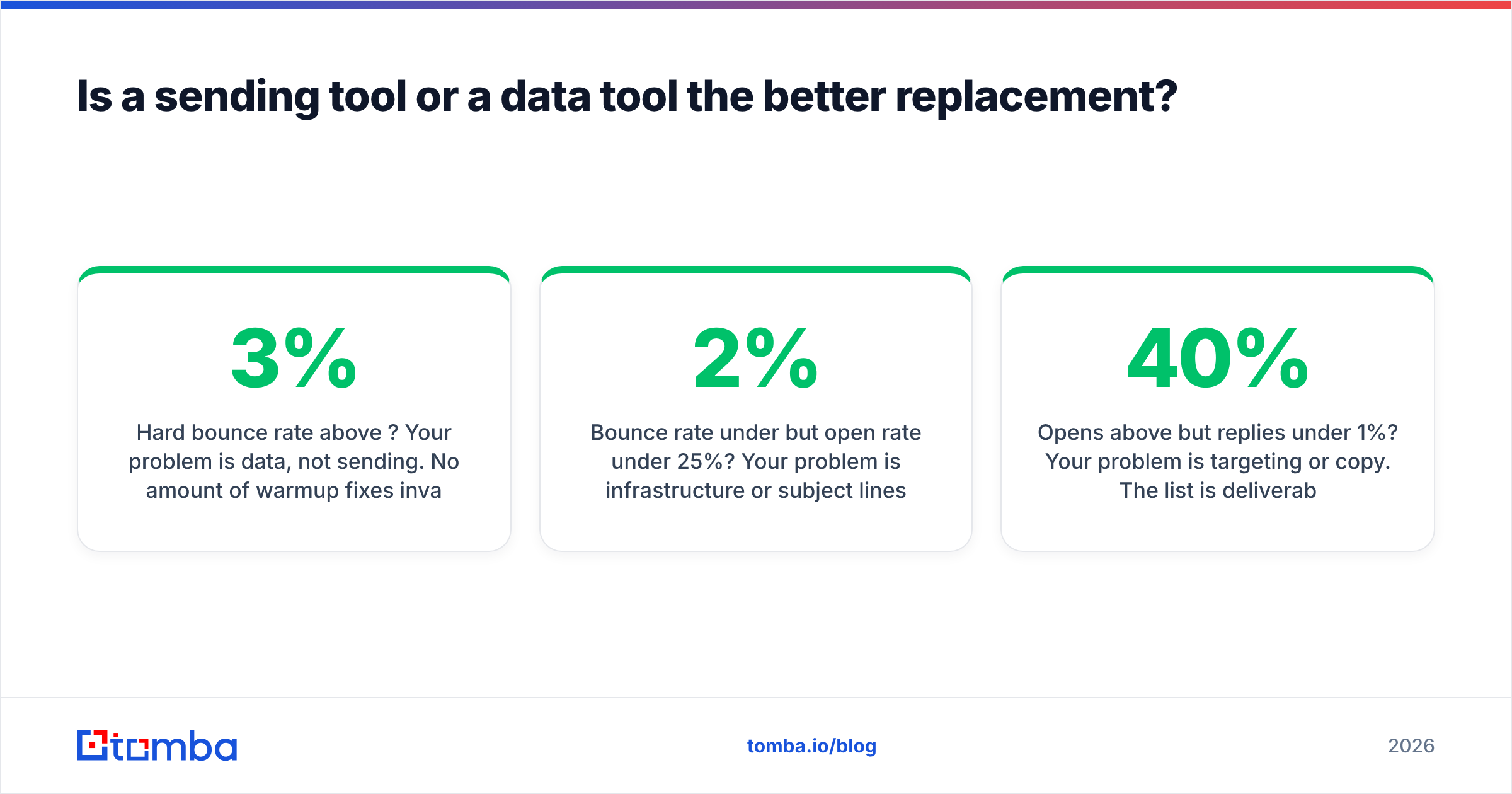
Pricing is transparent and published: free tier at 25 searches/month, Starter at $49/mo, Growth at $99/mo, Pro at $249/mo, Enterprise custom. Full Tomba pricing is on-site — no quote gate, which is worth something when you're comparing against vendors that hide numbers behind a demo call.
Where Tomba is the wrong pick: if you need mailbox provisioning, warmup, sequence branching, or a dialer, you still need a sending platform alongside it. It is a component, not a suite. Budget accordingly — roughly $49 for data plus $37–$60 for sending gets a single-sender setup running properly.
What about BookYourData and Apollo for the data layer?#
BookYourData takes a different and genuinely useful approach: pay-as-you-go credit packs with no monthly subscription, and you keep the records you buy. For teams that build a list once a quarter rather than continuously — think event follow-up, a single ABM push, or a seasonal campaign — that model is often cheaper and simpler than carrying a subscription through months you don't use it. Their accuracy guarantee is a real commitment rather than marketing copy, and it suits buyers who want a defined list handed over rather than an ongoing search tool.
Apollo is the opposite shape: a large browsable database bundled with sequencing and a dialer, priced per seat. It's strong when reps want to prospect and send from one screen, and it has the broadest free tier in the category. The trade-off is that seat-based pricing scales with headcount rather than usage, and the bundled sending layer is generally weaker than a dedicated one like Instantly or Smartlead.
Simple decision rule:
- Continuous prospecting, small team, API needs → Tomba
- One-off list purchase, no subscription wanted → BookYourData
- Multiple reps who want database browsing plus a dialer in one seat → Apollo
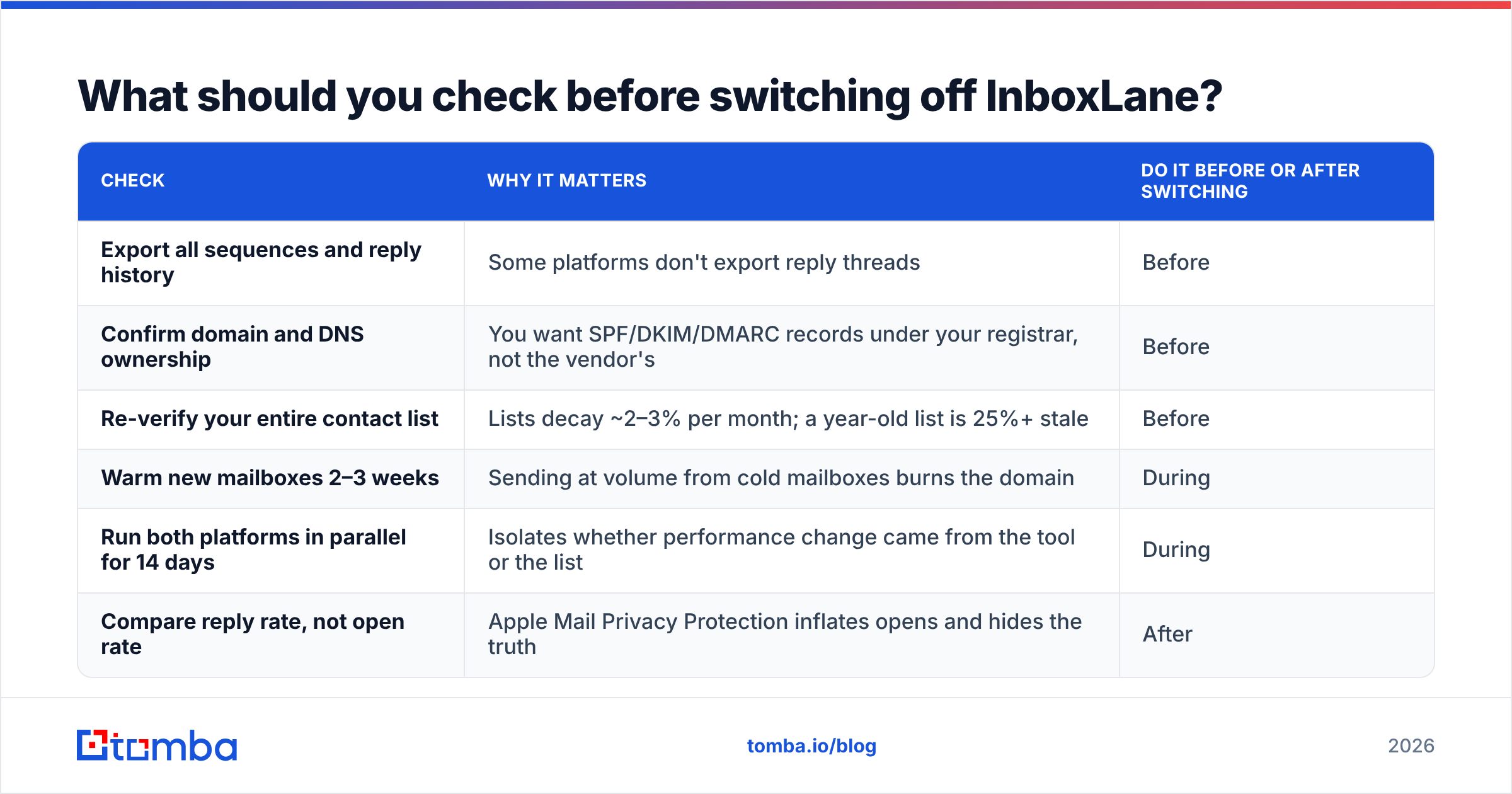
What should you check before switching off InboxLane?#
Switching infrastructure is riskier than switching data providers, because your domain reputation travels with you and warmup restarts cost weeks. Work through this before you cancel anything:
| Check | Why it matters | Do it before or after switching |
|---|---|---|
| Export all sequences and reply history | Some platforms don't export reply threads | Before |
| Confirm domain and DNS ownership | You want SPF/DKIM/DMARC records under your registrar, not the vendor's | Before |
| Re-verify your entire contact list | Lists decay ~2–3% per month; a year-old list is 25%+ stale | Before |
| Warm new mailboxes 2–3 weeks | Sending at volume from cold mailboxes burns the domain | During |
| Run both platforms in parallel for 14 days | Isolates whether performance change came from the tool or the list | During |
| Compare reply rate, not open rate | Apple Mail Privacy Protection inflates opens and hides the truth | After |
That parallel-run step is the one teams skip and then regret. If you swap tool and list simultaneously, you learn nothing about which change moved the number. Hold one variable still.
One more thing worth internalizing: email deliverability is a reputation system with memory. Mailbox providers score the sending domain over months, not days. A tool switch resets your interface, not your history — which is another argument for fixing list quality first, since that's the input the reputation system is actually scoring.
What does the right stack look like at each stage?#
- Solo founder, under 500 sends/month. Tomba free tier or Starter for data, one warmed mailbox on any entry-tier sender. Total: under $90/month.
- Small sales team, 2,000–10,000 sends/month. Tomba Growth at $99/mo, plus Instantly or Smartlead at $37–$39/mo, plus a dedicated sending domain. Total: roughly $150/month.
- Agency running client campaigns. Smartlead for workspace separation, Tomba Pro or API access for per-client list building, separate domains per client. Total: $300+/month, scaling with clients.
- Enterprise with RevOps. API-level data enrichment into the CRM, a compliance-reviewed sending platform, and attribution wired into your reporting layer before a single email goes out.
Notice that none of these need a $500/month all-in-one. The category's pricing has compressed hard, and the main cost driver in 2026 is data volume, not software seats.
Where should you start?#
Start with the list, because it's the cheapest thing to fix and the biggest lever on results. Pull a sample of 500 contacts from your current source, run them through verification, and look at the invalid rate. If more than 5% come back invalid or catch-all, you found your bottleneck — and switching sending platforms would have wasted a month proving nothing.
Try the Tomba Email Finder on your next target account list. The free tier gives you 25 searches a month, which is enough to benchmark against whatever you're using now before spending anything. Find the real addresses first, then pick the sending platform that fits your volume — in that order, every time.
Related guides#
// get started
Find, verify and enrich your first contacts today
Start on the free plan with 25 searches a month, then scale when your team is ready.
Free plan · No credit card required · GDPR & CCPA
// about the author