Influno vs Leadrocks (2026): Which Outbound Tool Wins?
Influno sends the cold email. Leadrocks sells you the list. They solve different halves of outbound — here's how each holds up in 2026, where the data cracks, and which one actually belongs in your stack.
TL;DR
- They are not the same category. Influno is an outbound sending and sequencing platform. Leadrocks is a B2B contact database you query and export. Comparing them head-to-head only makes sense if you are deciding where your next $50/month goes.
- Leadrocks wins on cheap volume, especially through its lifetime-deal pricing. It loses on freshness — database records age, and nothing in a static export tells you which addresses died last quarter.
- Influno wins on workflow — mailbox rotation, sequences, reply detection — but it is only as good as the list you feed it. Garbage list in, spam folder out.
- Neither one is a verification layer. Both treat "we found an email" and "this email will accept mail today" as the same claim. They are not.
- The realistic 2026 stack is three parts: a source of contacts, a real-time finder plus verifier, and a sender. Pick one tool per job instead of hoping one vendor does all three well.
What are Influno and Leadrocks, actually?#
Start here, because half the "Influno vs Leadrocks" comparisons online treat them as interchangeable and they are not.
Influno is a cold email outreach platform. You connect mailboxes, build sequences, and it handles the send mechanics — throttling, rotation across inboxes, follow-up logic, reply detection so a prospect who answers stops receiving step 3. It sits in the same shelf as Instantly, Smartlead, and Saleshandy. Its job starts the moment you already have contacts.
Leadrocks is a B2B contact database. You search by job title, company, location, or industry, and it returns records — name, company, LinkedIn URL, business email, sometimes a phone number. You filter, save to a list, export CSV or push to your CRM. Its job ends the moment you have the contacts.
The distinction matters because the failure modes are completely different:
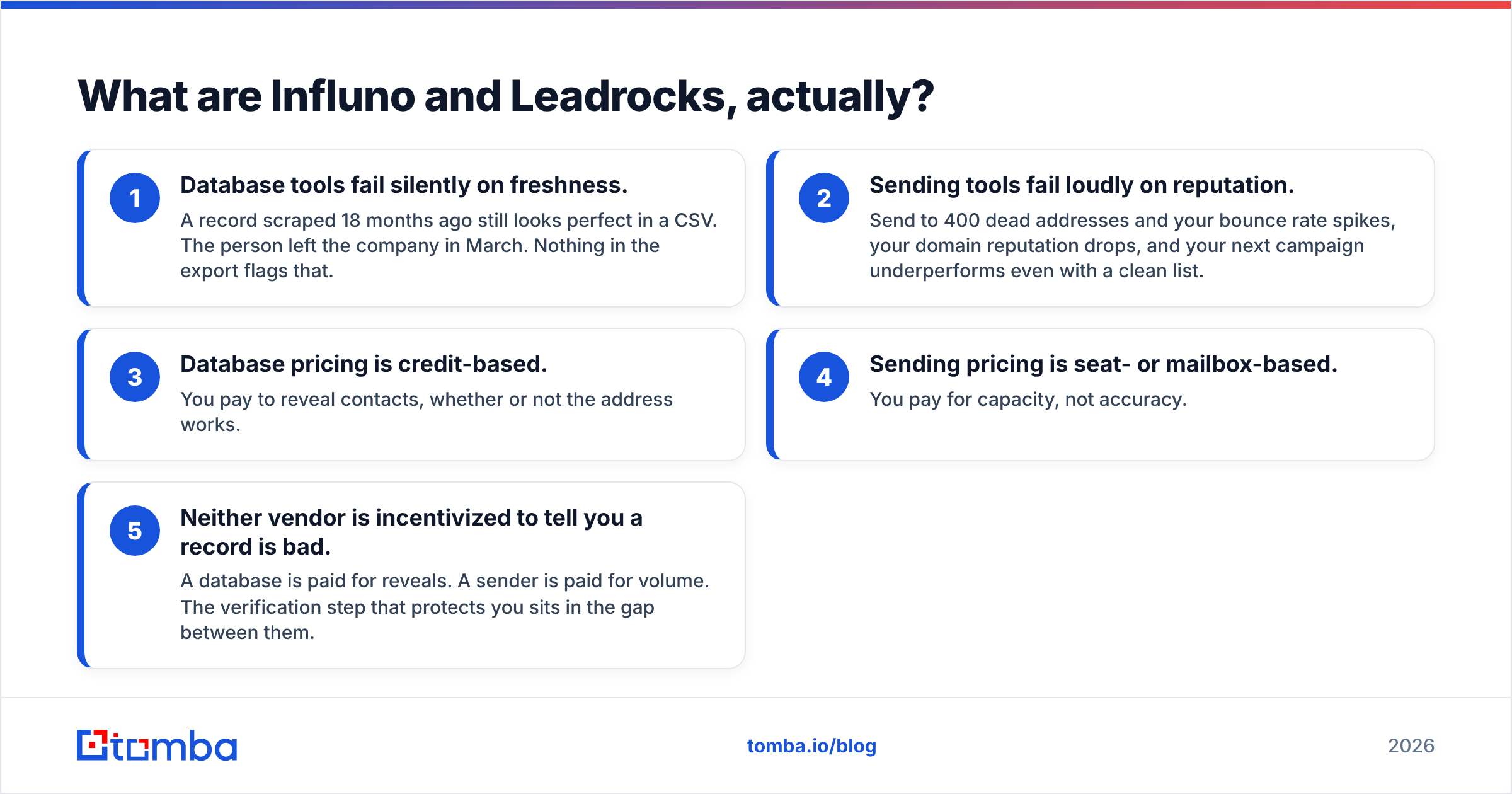
- Database tools fail silently on freshness. A record scraped 18 months ago still looks perfect in a CSV. The person left the company in March. Nothing in the export flags that.
- Sending tools fail loudly on reputation. Send to 400 dead addresses and your bounce rate spikes, your domain reputation drops, and your next campaign underperforms even with a clean list.
- Database pricing is credit-based. You pay to reveal contacts, whether or not the address works.
- Sending pricing is seat- or mailbox-based. You pay for capacity, not accuracy.
- Neither vendor is incentivized to tell you a record is bad. A database is paid for reveals. A sender is paid for volume. The verification step that protects you sits in the gap between them.
That gap is the whole argument of this post. Before we get to it, the direct comparison.
How do Influno and Leadrocks compare head to head?#
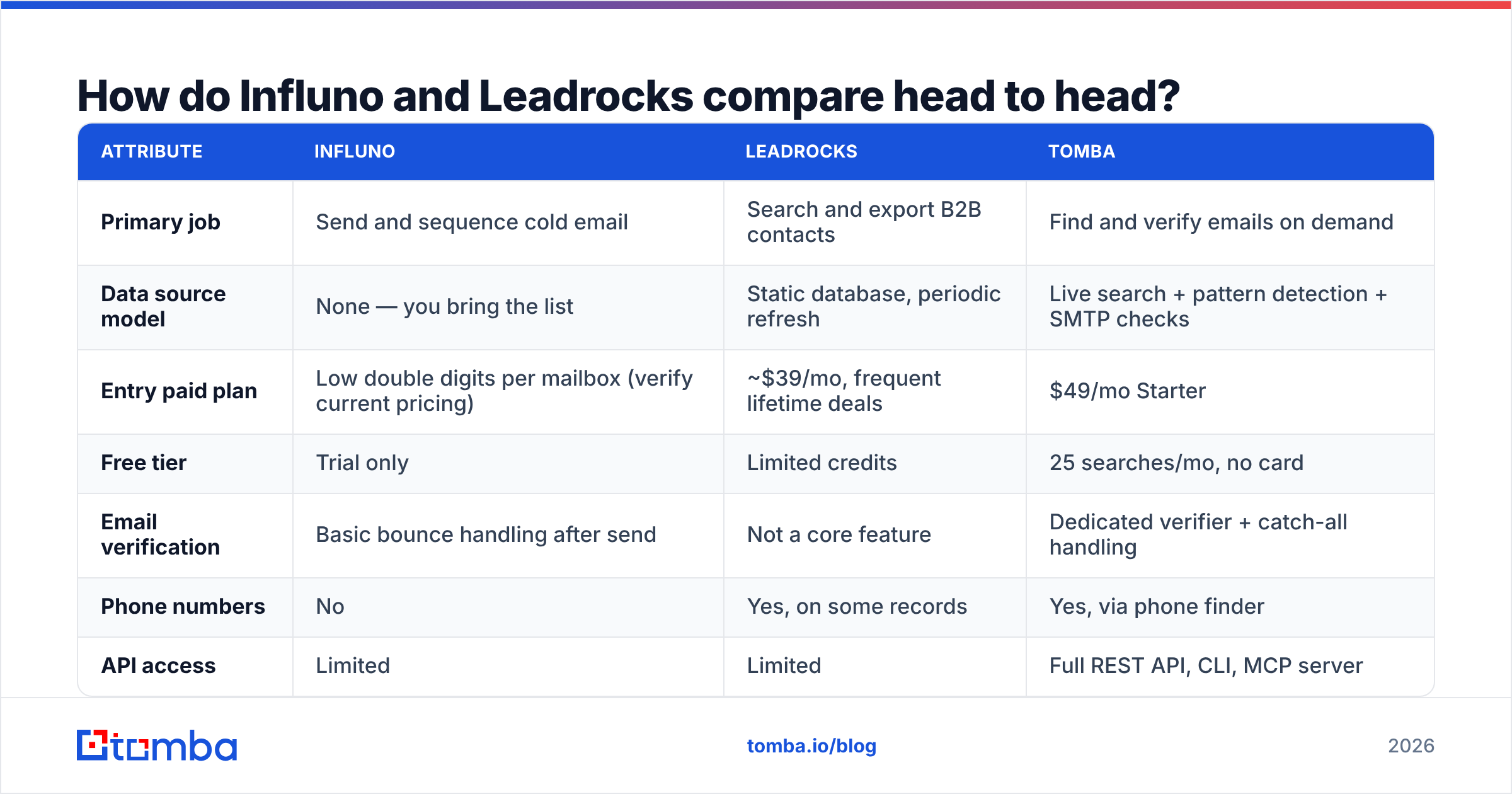
| Attribute | Influno | Leadrocks | Tomba |
|---|---|---|---|
| Primary job | Send and sequence cold email | Search and export B2B contacts | Find and verify emails on demand |
| Data source model | None — you bring the list | Static database, periodic refresh | Live search + pattern detection + SMTP checks |
| Entry paid plan | Low double digits per mailbox (verify current pricing) | ~$39/mo, frequent lifetime deals | $49/mo Starter |
| Free tier | Trial only | Limited credits | 25 searches/mo, no card |
| Email verification | Basic bounce handling after send | Not a core feature | Dedicated verifier + catch-all handling |
| Phone numbers | No | Yes, on some records | Yes, via phone finder |
| API access | Limited | Limited | Full REST API, CLI, MCP server |
| Bulk workflow | Campaign-level | CSV export | Bulk find + bulk verify |
| Best for | Teams that already have clean lists | Cheap volume prospecting | Accuracy-first list building |
| Weak spot | Deliverability depends entirely on list quality | Record staleness, no freshness signal | Not a sequencer — pairs with one |
Pricing on all three moves. Check each vendor's page before you commit; the figures above reflect publicly listed tiers at the time of writing, and Leadrocks in particular runs lifetime deals that change the math entirely.
Read the table row by row and the honest conclusion writes itself: Influno and Leadrocks are complements, not competitors. If you are forced to choose, you are really choosing which problem hurts more right now — not having contacts, or not having a way to reach them systematically.

Is Leadrocks data accurate enough for cold outreach?#
Short answer: accurate enough to prospect with, not accurate enough to send to unverified.
Every static B2B database — Leadrocks, and its peers — works the same way. Records are assembled from public profiles, partner data, and contributed sources, then stored. The storage is the problem. Gartner has long estimated that B2B contact data decays at roughly 25–30% per year as people change roles, companies rebrand, and mail servers get reconfigured. That decay is invisible in a CSV.
What that means in practice:
- A 1,000-record export is realistically 700–850 deliverable addresses if the database was refreshed in the last year, and worse if it wasn't.
- Catch-all domains inflate the illusion. A catch-all server accepts every address at the domain, so a naive check marks it "valid." It isn't — it just isn't rejected at the SMTP handshake. You need a catch-all verifier to separate real mailboxes from the accept-everything wall.
- Role accounts slip through.
info@,sales@,contact@look like wins in a credit report and perform terribly in a sequence. - Titles go stale faster than emails. Someone who was "VP Marketing" when the record was built may now be "CMO" — or gone. Your personalization line ages out before the address does.
None of this makes Leadrocks a bad product. At its price point, especially on a lifetime deal, it is a reasonable way to build a top-of-funnel pool. It just means the export is a starting point, not a send list. Run it through an email verifier before a single message leaves your domain, and treat anything the verifier flags as unknown the same way you treat a bounce: don't send.
Can Influno replace a dedicated sequencer like Instantly or Smartlead?#
For most small teams, yes — with caveats.
The core sending features are table stakes now across the category: multi-mailbox rotation, warmup pacing, spintax or variable personalization, conditional follow-ups, reply detection, unsubscribe handling. Influno covers that ground. If you are running one or two domains and sending a few thousand emails a month, the difference between platforms in this tier is mostly UI preference and support responsiveness.
Where you will feel limits:
- Multi-channel. If your play mixes email with LinkedIn outreach and calls, a pure email sender forces you into a second tool and manual sync.
- Deep CRM sync. Bi-directional sync with HubSpot or Salesforce, with field mapping and activity logging, is where lighter platforms tend to be thinnest. Check this specifically against your CRM before you migrate.
- Deliverability reporting. Aggregate open and reply rates are easy. Per-mailbox reputation, placement testing, and spam-folder diagnostics are not — and those are what you actually need when a domain starts underperforming. Cross-reference with free signals like Google Postmaster Tools rather than trusting one vendor's dashboard.
- List hygiene. No sender I've tested does serious pre-send verification. They handle bounces reactively, after the damage lands on your reputation. That's the wrong end of the pipeline.
If you are evaluating, read recent user reviews on G2 rather than the vendor comparison pages — the useful complaints in this category are almost always about support response time and deliverability edge cases, and those only show up in real reviews.
Which should you choose for your use case?#
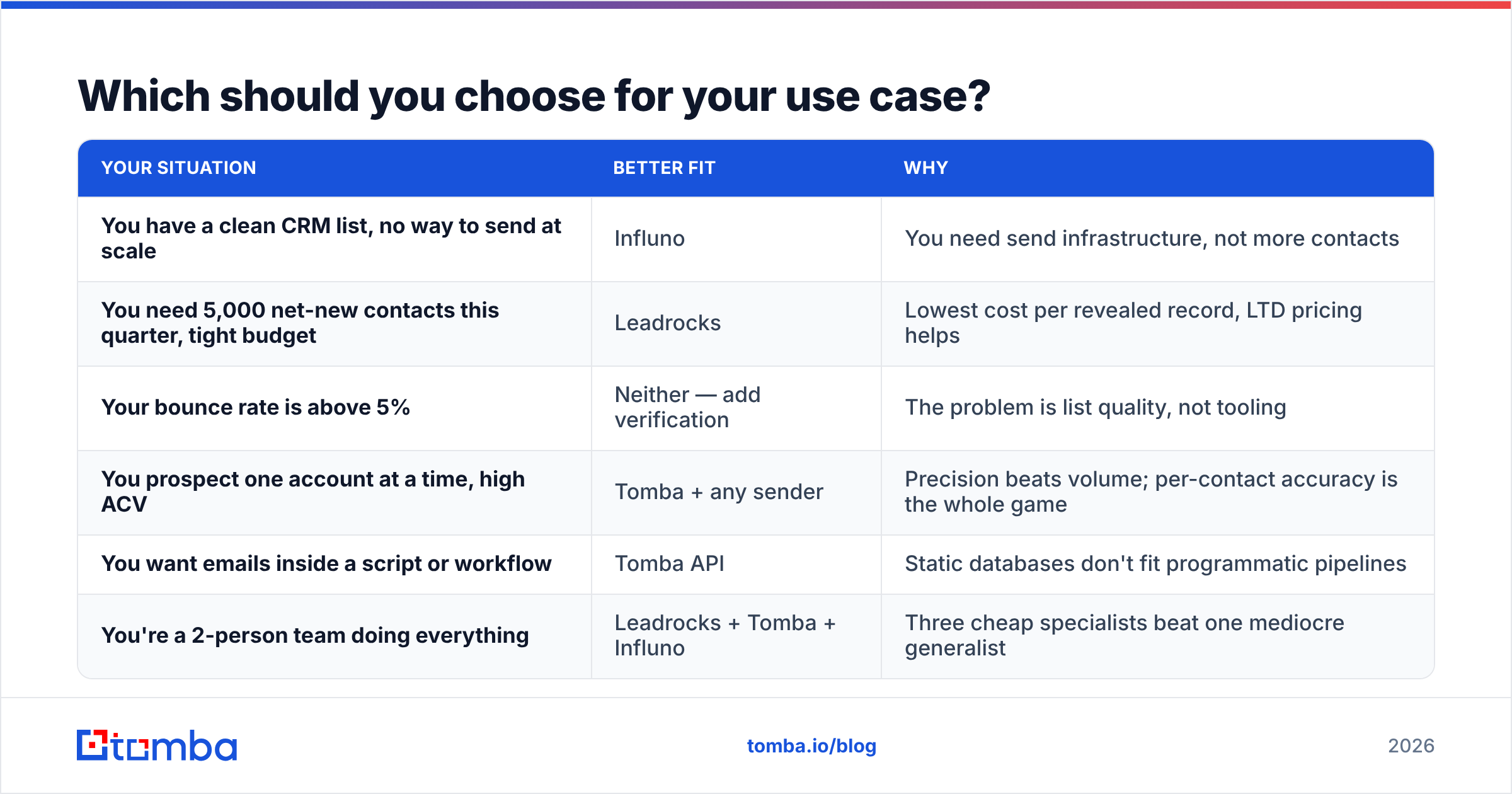
| Your situation | Better fit | Why |
|---|---|---|
| You have a clean CRM list, no way to send at scale | Influno | You need send infrastructure, not more contacts |
| You need 5,000 net-new contacts this quarter, tight budget | Leadrocks | Lowest cost per revealed record, LTD pricing helps |
| Your bounce rate is above 5% | Neither — add verification | The problem is list quality, not tooling |
| You prospect one account at a time, high ACV | Tomba + any sender | Precision beats volume; per-contact accuracy is the whole game |
| You want emails inside a script or workflow | Tomba API | Static databases don't fit programmatic pipelines |
| You're a 2-person team doing everything | Leadrocks + Tomba + Influno | Three cheap specialists beat one mediocre generalist |
The row worth dwelling on is the third one. If your bounce rate is high, buying a different database or switching senders will not fix it. Bounce rate is a symptom of unverified sending, and it compounds: mailbox providers treat repeated hard bounces as a spam signal, which depresses inbox placement for the addresses that are valid. You can have a perfect sequence and a great list and still land in Promotions because of what you sent three weeks ago. That's the case for treating email deliverability as a separate discipline from both sourcing and sending.

What does a properly separated outbound stack look like in 2026?#
Three layers, each doing one job well:
Layer 1 — Sourcing. Where names come from. A database like Leadrocks, LinkedIn Sales Navigator exports, conference attendee lists, your website's anonymous traffic, inbound signups. Optimize this layer for coverage and targeting, not accuracy. It's fine if it's messy.
Layer 2 — Resolution and verification. Where messy becomes deliverable. You take a name plus a company domain and resolve the actual working address, then confirm it will accept mail. This is where an email finder and verifier earn their keep — and where a domain search fills gaps when you have the company but not the person. Optimize this layer for accuracy, because everything downstream inherits its error rate.
Layer 3 — Sending. Sequences, mailbox rotation, reply routing. Influno lives here, as do Instantly, Smartlead, and the rest. Optimize this layer for deliverability controls and reporting.
Most teams that struggle with outbound have collapsed layer 2 into layer 1 — they treat the database export as the final list. That single shortcut explains more bad campaign results than copy, timing, and targeting combined. Adding a verification pass typically costs a few dollars per thousand records and routinely cuts bounce rates from double digits to under 2%.
If you want this automated instead of manual, both directions work: run exports through a bulk email finder job, or wire resolution directly into your pipeline with the Tomba API so every new record gets resolved and verified at the moment it enters your CRM. The second option is more work up front and eliminates the problem permanently.
What are the hidden costs of each option?#
Leadrocks' hidden cost is credit waste. You spend a credit to reveal a record whether the email is alive or dead. On a stale segment, a meaningful share of your credits buys you nothing. Lifetime deals soften this — a sunk cost can't be wasted twice — but on a monthly plan it's a real leak. Always sample: reveal 100 records from a segment, verify them, and calculate your effective cost per deliverable contact rather than per revealed one.
Influno's hidden cost is domain damage. Cheap sending encourages volume, volume on an unverified list burns sender reputation, and a burned domain takes weeks to recover — or a new domain plus a fresh warmup cycle. The platform fee is the small number. The recovery time is the big one.
The shared hidden cost is tool sprawl. Three tools mean three logins, three billing cycles, and two integration points. That's a real tax, and it's the strongest argument for consolidation — but only when the consolidated tool is genuinely good at each job. In 2026, no single vendor is best-in-class at sourcing, verification, and sending simultaneously. Pick specialists and connect them.
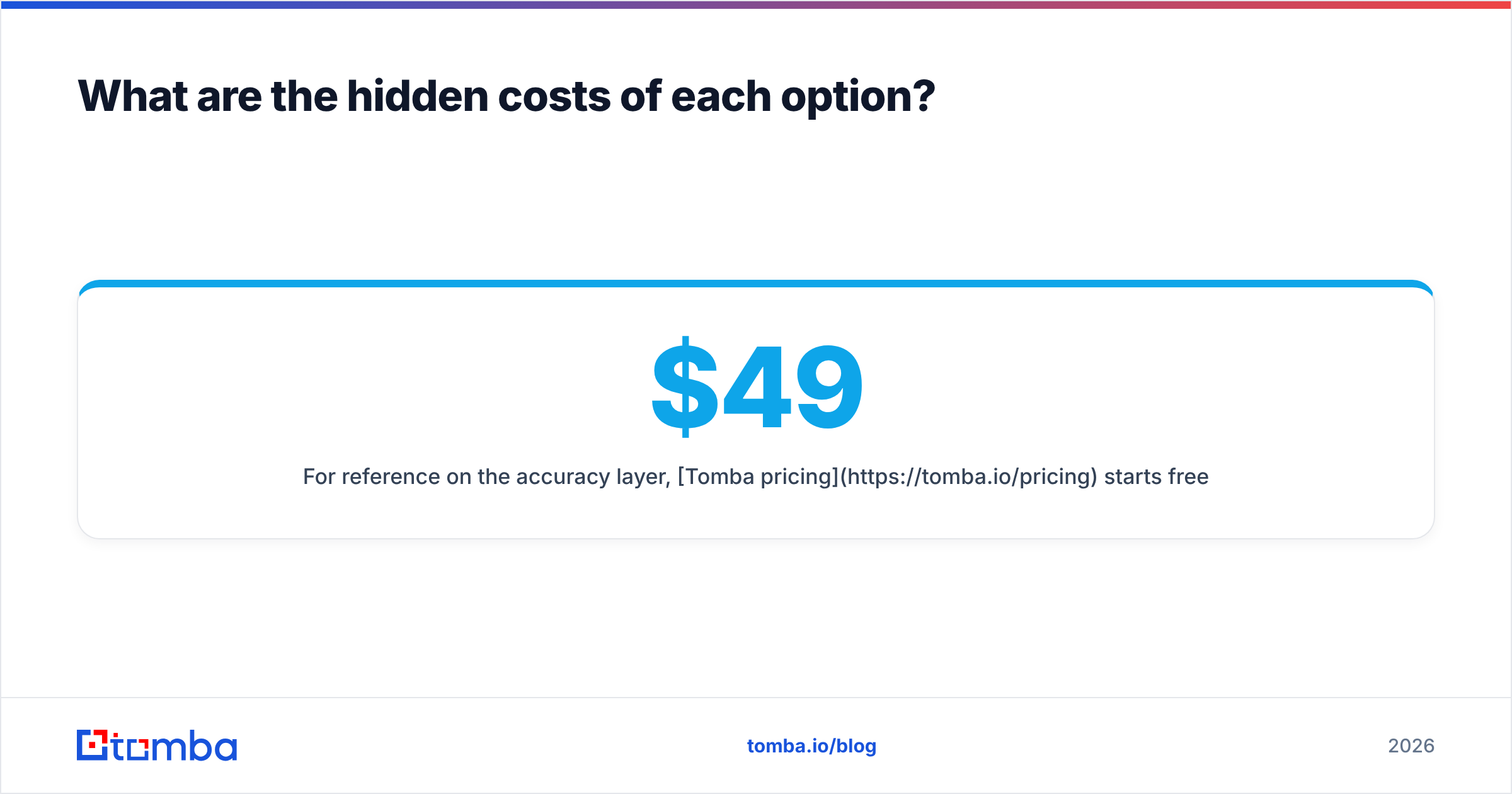
For reference on the accuracy layer, Tomba pricing starts free with 25 searches per month, then $49/mo Starter, $99/mo Growth, and $249/mo Pro — which is generally less than what a single burned sending domain costs you in lost pipeline.
The verdict#
If someone forces a single answer to "Influno vs Leadrocks," it's Leadrocks for teams that lack contacts, Influno for teams that lack send infrastructure — and the honest observation that most teams asking the question actually lack neither. They lack the verification layer between the two, and they're hoping one of these tools quietly handles it. Neither does.
Build the middle layer deliberately. Source cheaply, verify rigorously, send carefully.
Start with the layer that determines everything downstream. Run your next list through the Tomba Email Finder — 25 free searches, no card required — resolve the addresses your database left blank, verify the ones it gave you, and then feed a clean list into whatever sender you're using. Your bounce rate will tell you within one campaign whether it was worth it.
Related guides#
// get started
Find, verify and enrich your first contacts today
Start on the free plan with 25 searches a month, then scale when your team is ready.
Free plan · No credit card required · GDPR & CCPA
// about the author