7 Best Infofree Alternatives in 2026 (Free and Paid Tools)
Infofree sells unlimited lead lists for a flat fee, but unlimited is not the same as accurate. Here are 7 Infofree alternatives compared on data freshness, verification, pricing and export limits.

TL;DR
- Infofree's pitch is volume: a flat monthly fee for "unlimited" US business and consumer lead lists, plus a light CRM. That model works if you cold call local SMBs and it breaks down fast if you send cold email at scale.
- The real cost of a cheap list is bounce rate. A 40%+ bounce on a fresh domain can cost you the inbox for months, which is far more expensive than a $99 subscription.
- Best swap depends on the job: Tomba for verified email discovery and API workflows, BookYourData for pay-as-you-go verified lists, Apollo for an all-in-one sequencing stack, Data Axle Genie for the closest like-for-like local-business database, ZoomInfo for enterprise firmographics.
- Never buy on list size alone. Ask for a sample of 100 records, verify them yourself, and measure the deliverable percentage before you sign anything.
- Cheapest credible starting point in 2026: a free tier plus a $49/mo verified-data plan, not a $99/mo unlimited-anything plan.
What is Infofree and who is it actually for?#
Infofree.com is a US-centric sales lead database that sells access on a flat subscription rather than per credit. Founded by Vin Gupta, the same person behind infoUSA, Infofree packages business lists, consumer lists, reverse phone lookup and a basic CRM into one low monthly price. Its marketing leans hard on one word: unlimited.
The core use case is old-fashioned and still legitimate. If you sell payroll services, insurance, POS systems or commercial cleaning to small businesses inside a 50-mile radius, you want a list of every dry cleaner in three counties with a phone number attached. Infofree does that cheaply, and the built-in CRM means a two-person team never has to buy Salesforce.
The problems show up when your motion changes. Modern B2B outbound is email-first, targets named decision makers rather than a company switchboard, and needs job titles, seniority, LinkedIn profiles and technographics. Compiled business-directory data was never built for that. It was built for direct mail and dialers.
So the honest framing for this comparison: Infofree is not a bad product, it is an old product category. The question is whether the category still matches the way you sell.
Why do teams look for Infofree alternatives?#
Five complaints come up repeatedly in user reviews on G2 and in sales communities.
Email accuracy. Compiled databases infer or scrape addresses and rarely re-verify them at the moment of export. Stale records are the norm on any compiled file, and generic info@ addresses inflate the count without generating replies.
Contact depth. You often get a company, an address, a phone number and maybe one owner name. You do not reliably get the VP of Operations with a direct email and a LinkedIn URL.
Export and download limits. "Unlimited" usually means unlimited viewing with a capped daily or monthly download allowance. Read the fine print on your plan before you build a workflow that assumes otherwise.
No verification layer. There is no SMTP-level check between the database and your sending tool, so your email service provider becomes the verifier. That is a very expensive place to discover bad data.
Weak integrations. Native connections to modern stacks such as HubSpot, Outreach, Clay or Smartlead are limited, which pushes teams into CSV shuffling.

How should you compare Infofree alternatives?#
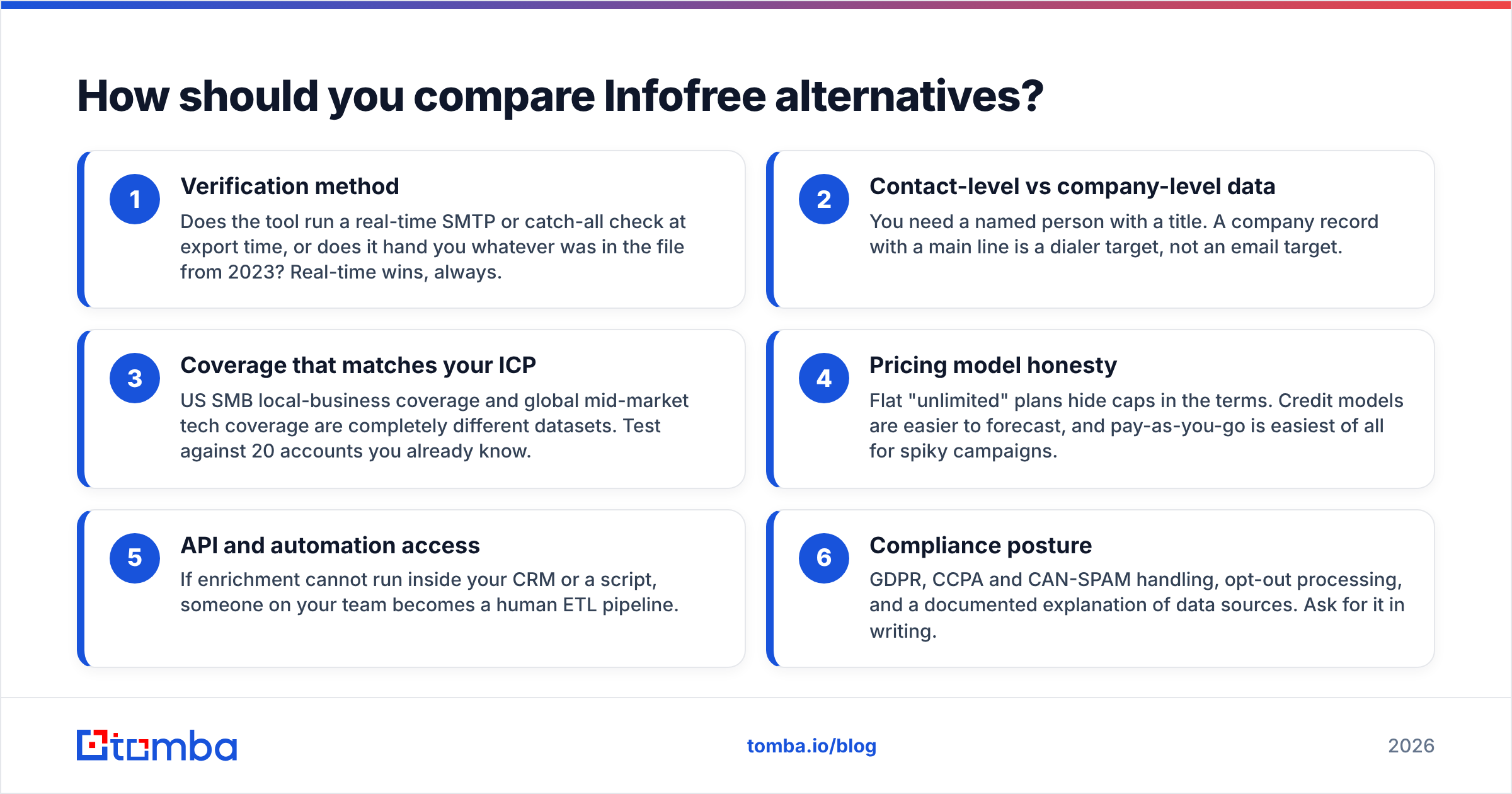
Score every vendor on the same six axes before you look at price. This is the checklist that separates a data provider from a list broker.
- Verification method — Does the tool run a real-time SMTP or catch-all check at export time, or does it hand you whatever was in the file from 2023? Real-time wins, always.
- Contact-level vs company-level data — You need a named person with a title. A company record with a main line is a dialer target, not an email target.
- Coverage that matches your ICP — US SMB local-business coverage and global mid-market tech coverage are completely different datasets. Test against 20 accounts you already know.
- Pricing model honesty — Flat "unlimited" plans hide caps in the terms. Credit models are easier to forecast, and pay-as-you-go is easiest of all for spiky campaigns.
- API and automation access — If enrichment cannot run inside your CRM or a script, someone on your team becomes a human ETL pipeline.
- Compliance posture — GDPR, CCPA and CAN-SPAM handling, opt-out processing, and a documented explanation of data sources. Ask for it in writing.
Run those six questions against any vendor and most of the noise disappears. Two tools that look identical on a pricing page usually differ wildly on axes one and two.
What are the best Infofree alternatives in 2026?#
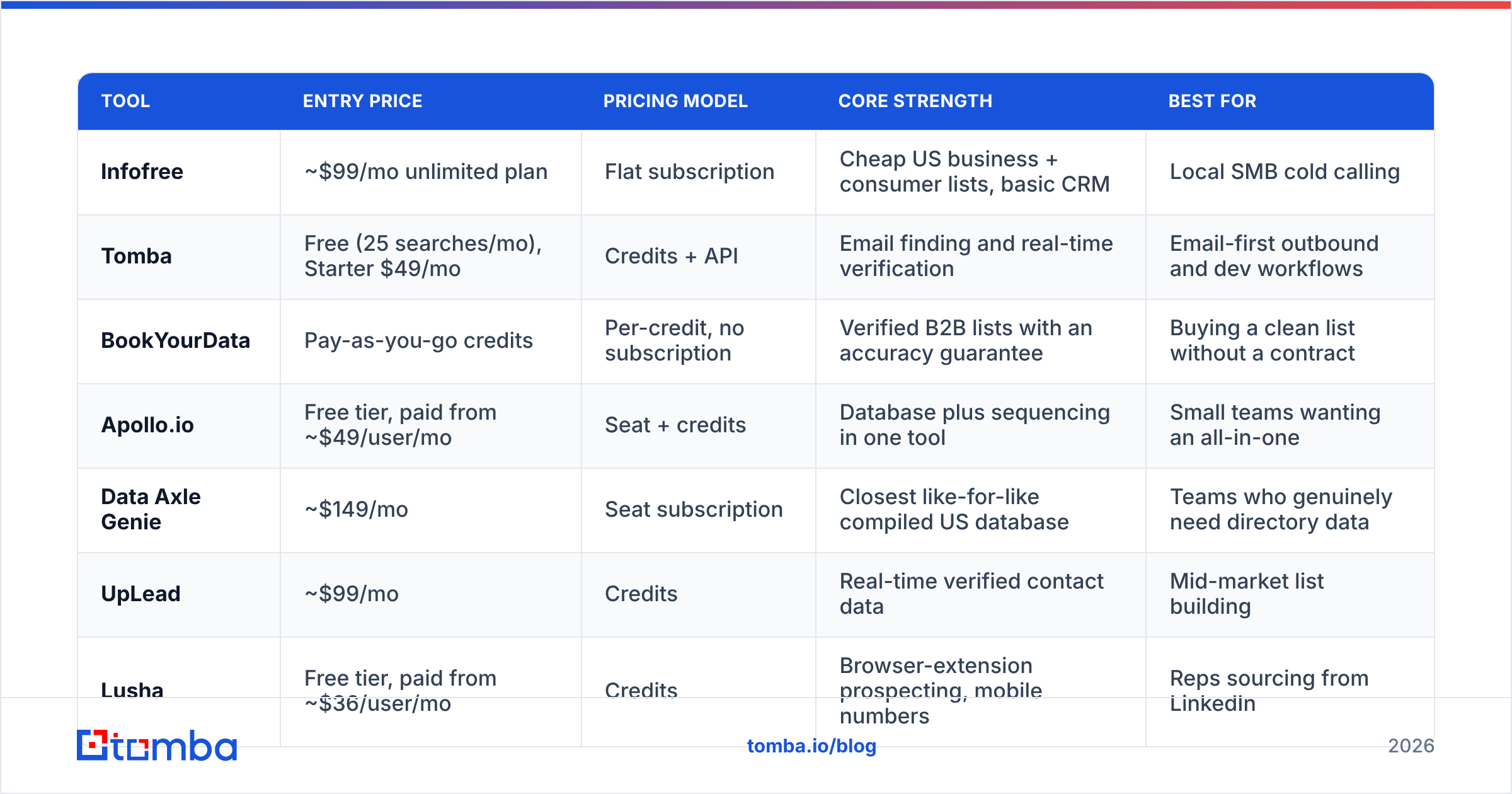
Here is the head-to-head. Prices are the publicly listed figures at the time of writing; always confirm on the vendor's own pricing page, since data vendors change packaging often.
| Tool | Entry price | Pricing model | Core strength | Best for |
|---|---|---|---|---|
| Infofree | ~$99/mo unlimited plan | Flat subscription | Cheap US business + consumer lists, basic CRM | Local SMB cold calling |
| Tomba | Free (25 searches/mo), Starter $49/mo | Credits + API | Email finding and real-time verification | Email-first outbound and dev workflows |
| BookYourData | Pay-as-you-go credits | Per-credit, no subscription | Verified B2B lists with an accuracy guarantee | Buying a clean list without a contract |
| Apollo.io | Free tier, paid from ~$49/user/mo | Seat + credits | Database plus sequencing in one tool | Small teams wanting an all-in-one |
| Data Axle Genie | ~$149/mo | Seat subscription | Closest like-for-like compiled US database | Teams who genuinely need directory data |
| UpLead | ~$99/mo | Credits | Real-time verified contact data | Mid-market list building |
| Lusha | Free tier, paid from ~$36/user/mo | Credits | Browser-extension prospecting, mobile numbers | Reps sourcing from LinkedIn |
| ZoomInfo | Custom (typically five figures/yr) | Annual contract | Deepest firmographics, intent data | Enterprise RevOps |
Tomba — best for verified email discovery#
Tomba attacks the exact weakness in the compiled-database model: it finds and verifies addresses at the moment you ask, instead of handing you a file and wishing you luck. The email finder resolves a name plus domain into a deliverable address, domain search pulls every public address behind a company, and the email verifier runs syntax, MX, SMTP and catch-all checks before anything reaches your sequencer.
Practically, that changes the shape of your workflow. Instead of exporting 5,000 unverified records and praying, you build a tight target list of 400 accounts, enrich them, and send to addresses that were checked this week.
The developer story is the other differentiator. There is a documented Tomba API, a CLI, an MCP server, and Sheets, Excel and Airtable add-ins, so enrichment can live inside the system you already use. Tomba pricing starts free with 25 searches per month, then $49/mo Starter, $99/mo Growth and $249/mo Pro.
Where it is not the answer: Tomba is not a consumer database and it does not ship a CRM. If your whole business model is calling homeowners, this is the wrong tool.
BookYourData — best for pay-as-you-go verified lists#
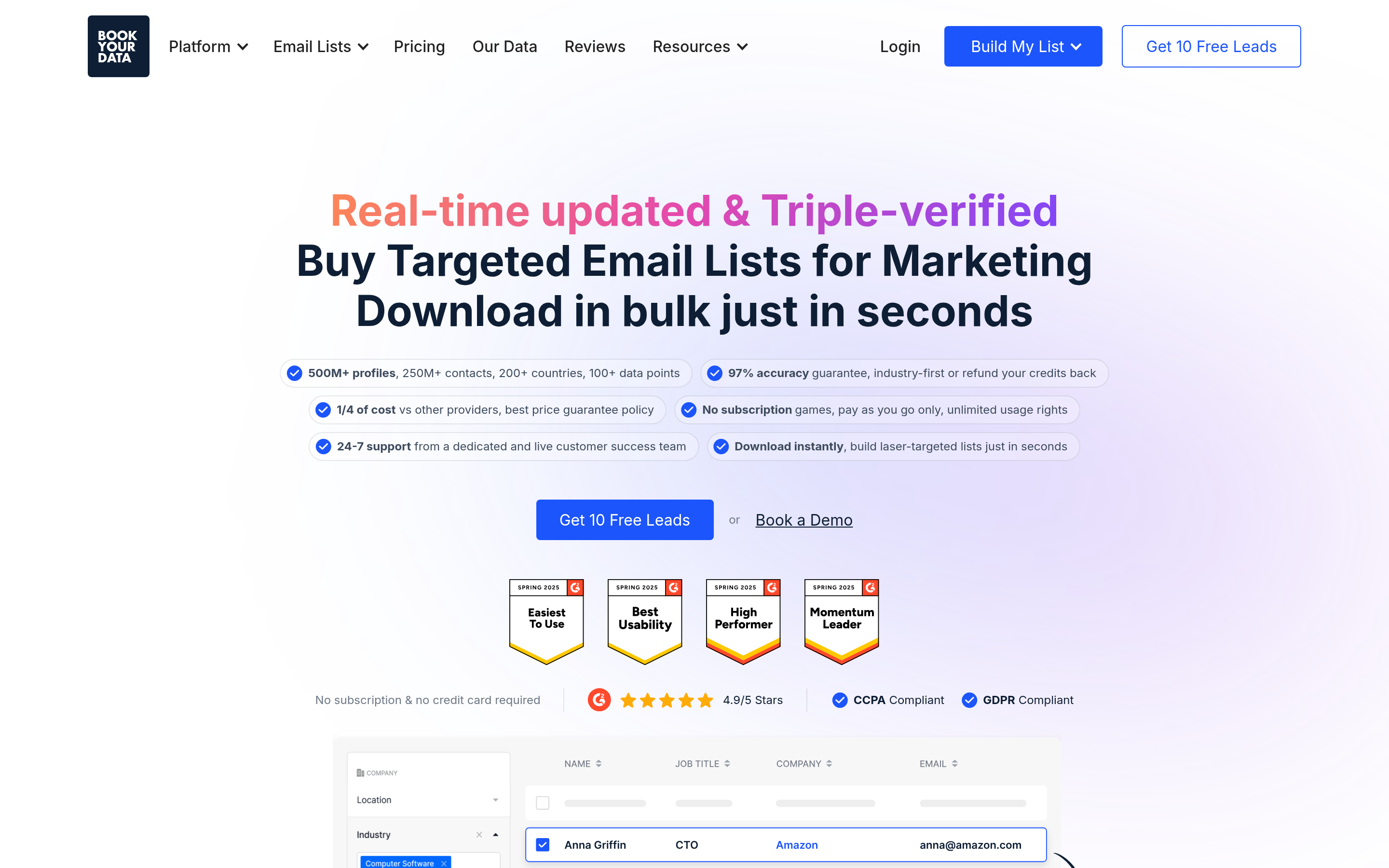
BookYourData solves a problem subscriptions cannot: sometimes you need 3,000 clean contacts once, not a recurring commitment. Its credits never force you into a monthly plan, it publishes an accuracy guarantee on delivered records, and the segmentation filters cover job title, industry, company size and geography with a live counter before you buy.
It is a strong pick for agencies running one-off campaigns for clients, and for founders who want to test an ICP without a 12-month contract hanging over the experiment. If your objection to Infofree is the subscription model itself rather than the data, start here.
Apollo.io — best all-in-one for small teams#

Apollo bundles a large contact database with sequencing, dialing, a Chrome extension and CRM sync. For a three-person team that wants one bill instead of four, the consolidation is genuinely valuable, and the free tier is generous enough to evaluate seriously.
The trade-offs are real. Data quality varies sharply by region and seniority, seat-based pricing scales faster than credit pricing, and many teams end up running Apollo's contacts through a separate verifier anyway. If that describes you, compare notes on the Apollo alternative breakdown before you commit a full year.
Data Axle Genie — the closest like-for-like swap#
If what you actually liked about Infofree was the compiled US business and consumer file, Data Axle Genie (formerly Salesgenie) is the same category done at a larger scale, with more filters and better mapping. It costs more, roughly $149/mo and up, and it is the honest recommendation when your motion really is territory-based calling and direct mail. Do not switch to an email-finder tool if you are never going to send email.
UpLead — verified contacts with a familiar interface#
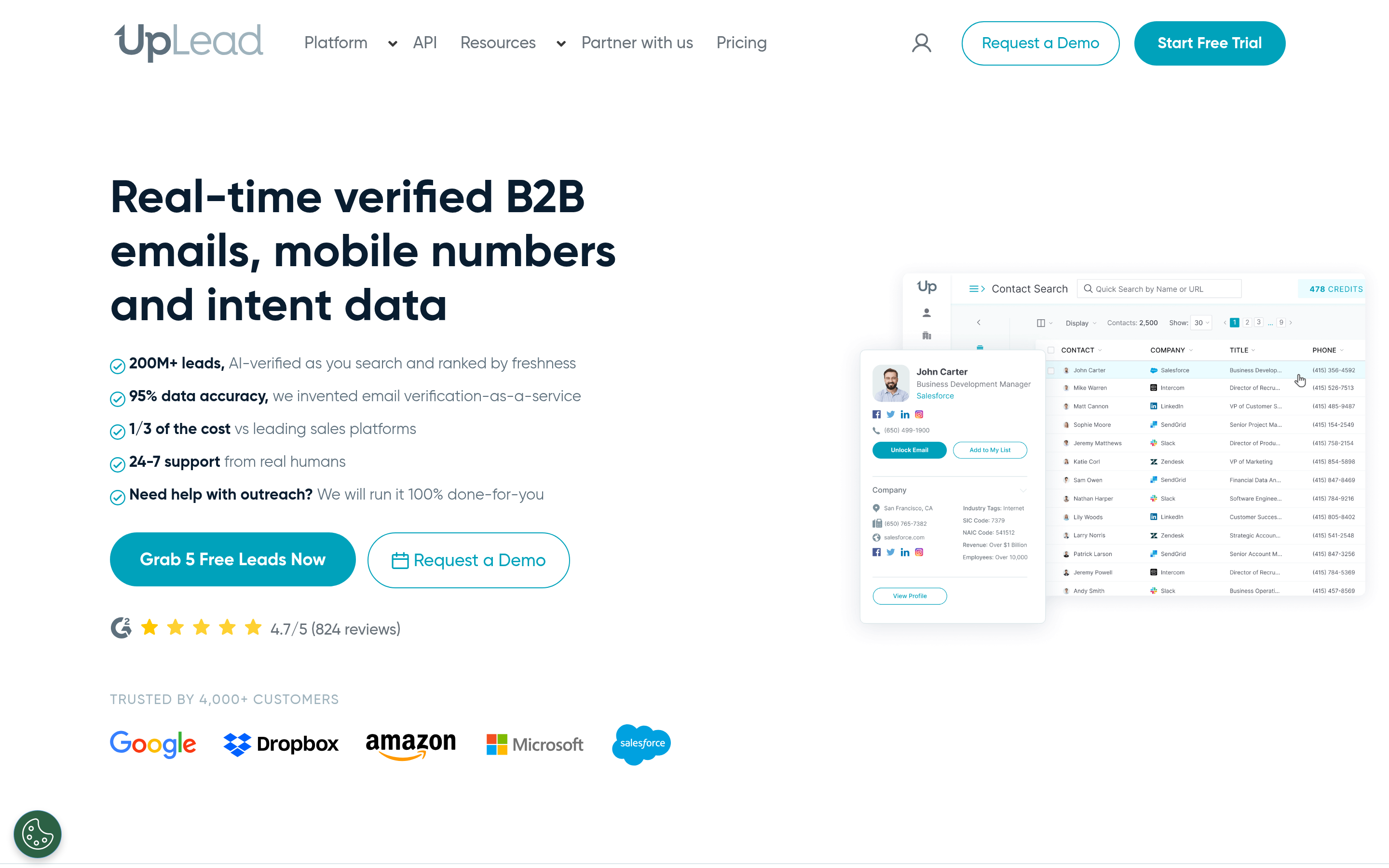
UpLead sits between Infofree and ZoomInfo. You get real-time email verification at export, technographic filters, intent signals on higher tiers, and a clean UI. Plans start around $99/mo. It is a reasonable middle option when you want verified contact data but prefer a point-and-click list builder over an API.
Lusha — best browser-extension workflow#
Lusha is built around the rep sitting in LinkedIn. Click the extension, get an email and often a mobile number, push to CRM. Coverage on direct dials in North America and Western Europe is a genuine strength. It is a prospecting accelerant rather than a bulk list source, so pair it with something else if you need volume. For B2B mobile coverage specifically, compare it against a dedicated phone finder rather than assuming one vendor wins everywhere.
ZoomInfo — when budget is not the constraint#
ZoomInfo remains the deepest dataset for firmographics, org charts, intent and buying-committee mapping. It is also an annual contract that typically lands in five figures, with a sales process to match. If you are evaluating it against a $99/mo tool, you are not really comparing the same thing. Buy it when you have a RevOps function to operationalize it.
Is unlimited lead data actually worth it?#
Only if you measure the output, not the input. Run the arithmetic on your own numbers.
Say you export 10,000 "unlimited" records and 40% bounce. You have not saved money. You have burned a sending domain, tanked your sender reputation, and handed your next three campaigns a lower inbox rate. Mailbox providers treat repeated hard bounces as a spam signal, and recovering a damaged domain takes weeks of throttled sending.
Now run the same campaign with 2,000 verified contacts. Fewer sends, higher deliverability, more replies, and no reputation damage. The list was smaller and the pipeline was bigger.

The rule of thumb that survives contact with reality: verified volume beats raw volume at every list size above a few hundred. If a vendor will not tell you their verification method, assume there isn't one.
How do you migrate off Infofree without losing pipeline?#
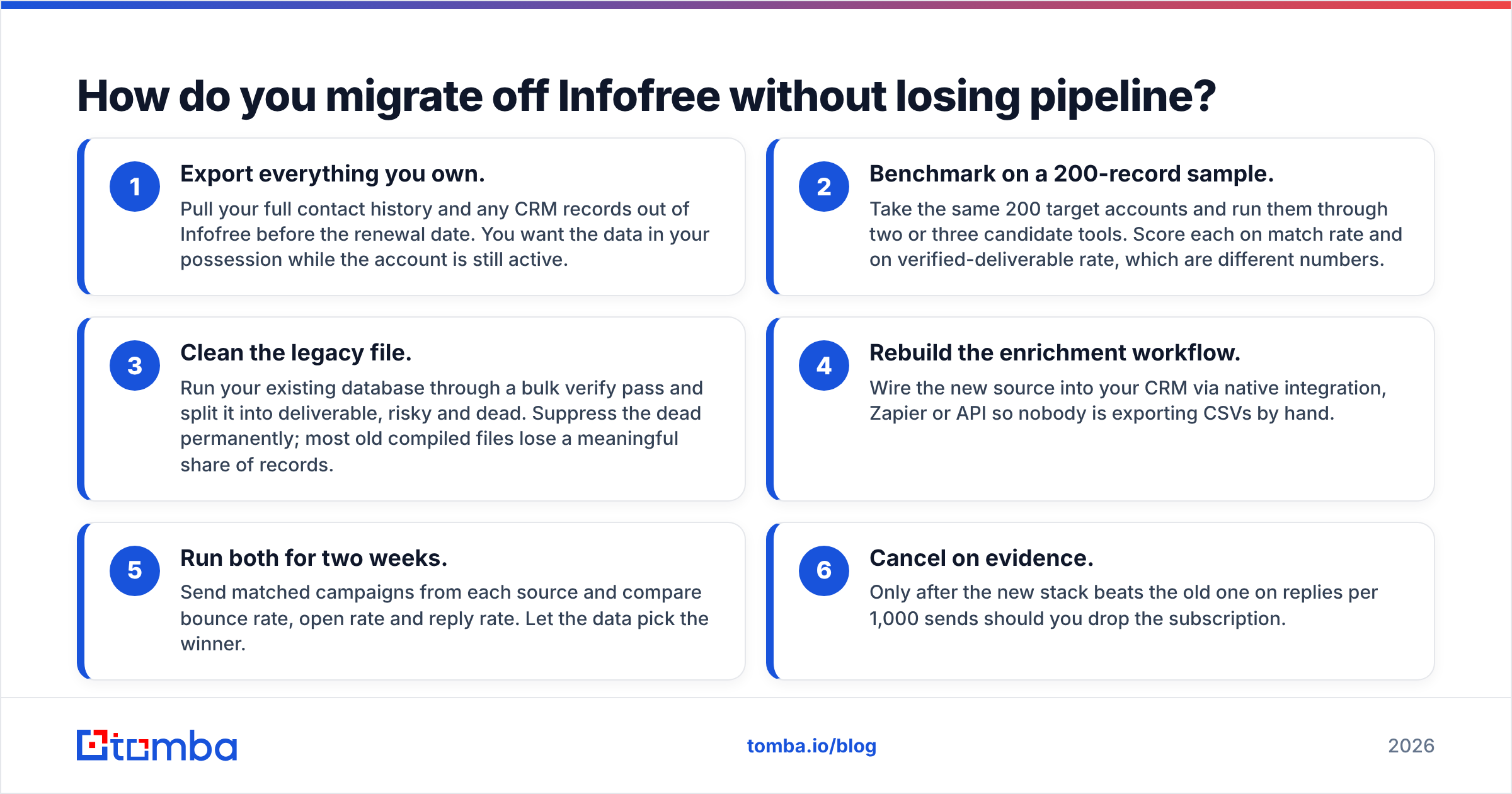
Do it in parallel, not as a hard cutover. Four weeks is enough.
- Export everything you own. Pull your full contact history and any CRM records out of Infofree before the renewal date. You want the data in your possession while the account is still active.
- Benchmark on a 200-record sample. Take the same 200 target accounts and run them through two or three candidate tools. Score each on match rate and on verified-deliverable rate, which are different numbers.
- Clean the legacy file. Run your existing database through a bulk verify pass and split it into deliverable, risky and dead. Suppress the dead permanently; most old compiled files lose a meaningful share of records.
- Rebuild the enrichment workflow. Wire the new source into your CRM via native integration, Zapier or API so nobody is exporting CSVs by hand.
- Run both for two weeks. Send matched campaigns from each source and compare bounce rate, open rate and reply rate. Let the data pick the winner.
- Cancel on evidence. Only after the new stack beats the old one on replies per 1,000 sends should you drop the subscription.
The most common migration mistake is swapping tools without changing the motion. If you move from a directory database to a verified email platform but still blast 5,000 generic messages, your results will not improve. Smaller, better-targeted lists are the point.
Which Infofree alternative should you choose?#
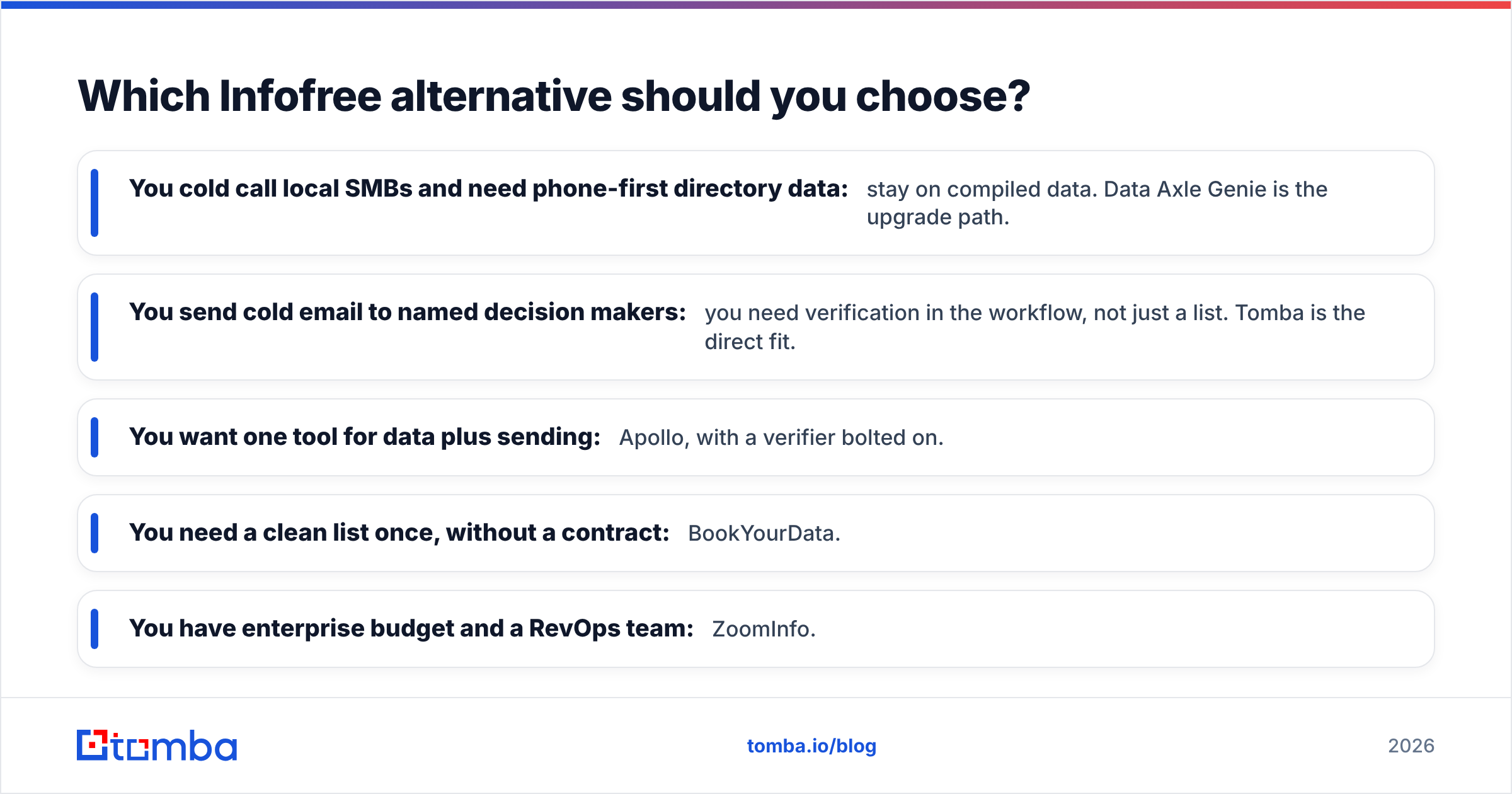
Pick by motion, not by feature count.
- You cold call local SMBs and need phone-first directory data: stay on compiled data. Data Axle Genie is the upgrade path.
- You send cold email to named decision makers: you need verification in the workflow, not just a list. Tomba is the direct fit.
- You want one tool for data plus sending: Apollo, with a verifier bolted on.
- You need a clean list once, without a contract: BookYourData.
- You have enterprise budget and a RevOps team: ZoomInfo.
Whatever you choose, apply the same test on day one: export 100 records, verify them independently, and count how many are actually deliverable. That single number tells you more than any pricing page.
Ready to stop paying for volume and start paying for accuracy? Start with the Tomba Email Finder free tier — 25 searches a month, no card required — and run it head to head against your current list. If the verified match rate wins, plans start at $49/mo and the API is included from day one.
Related guides#
// get started
Find, verify and enrich your first contacts today
Start on the free plan with 25 searches a month, then scale when your team is ready.
Free plan · No credit card required · GDPR & CCPA
// about the author