InfraForge Pricing 2026: Reviews, Pros and Cons Explained
InfraForge sells dedicated cold email infrastructure at per-mailbox prices that undercut Google Workspace. Here is what the plans really cost, where the fees hide, and when a shared alternative wins.
This InfraForge pricing review breaks down what the plans really cost, where the extra fees hide, and who the product actually suits.
TL;DR
- InfraForge is dedicated cold email infrastructure from the Salesforge suite. You get your own domains, mailboxes, and dedicated IPs, set up in bulk instead of one seat at a time.
- The pricing model matters more than any single plan number. You pay per mailbox, per domain, and on higher tiers per dedicated IP. Real cost lands near $1.50–$3 per mailbox a month. Google Workspace runs about $7–$8 per user.
- What reviews praise: automatic DNS (SPF, DKIM, DMARC), fast bulk setup, and IP isolation. One bad sender cannot poison your reputation.
- What they flag: domains cost extra, dedicated IPs need volume to warm up, and the tool assumes you know deliverability basics.
- Infrastructure does not fix a bad list. If guessed addresses drive your bounce rate, no dedicated IP saves you. Fix data quality first.
Pricing below reflects publicly listed rates at the time of writing. Vendors change tiers often; confirm current numbers on the official page before you budget.
What is InfraForge, exactly?#
InfraForge is the email infrastructure layer of the Salesforge product family. The same lineup includes Mailforge (shared infrastructure), Warmforge (warmup), and the Salesforge sequencer. A sending tool sends. InfraForge supplies what it sends from: registered domains, configured mailboxes, DNS records, and dedicated IP addresses.
Think of a rented desk in a coworking space versus your own floor. On shared infrastructure, your mail leaves from IPs that other senders also use. If one of them blasts a scraped list, the whole building takes the hit. Dedicated infrastructure puts you on your own floor. Your reputation is yours to build, and yours to ruin.
That gap is the whole pitch. Teams running 20, 50, or 200 mailboxes across dozens of secondary domains hit a wall with per-seat providers. Google Workspace costs about $7 per user a month. So 100 mailboxes runs near $700 a month before you send a single email. Setting them up by hand takes days. InfraForge cuts both the cost and the setup time.
InfraForge pricing review: how does the billing work?#
InfraForge does not price like a SaaS app with feature gates. It prices like a hosting provider. Here are the meters that add up:
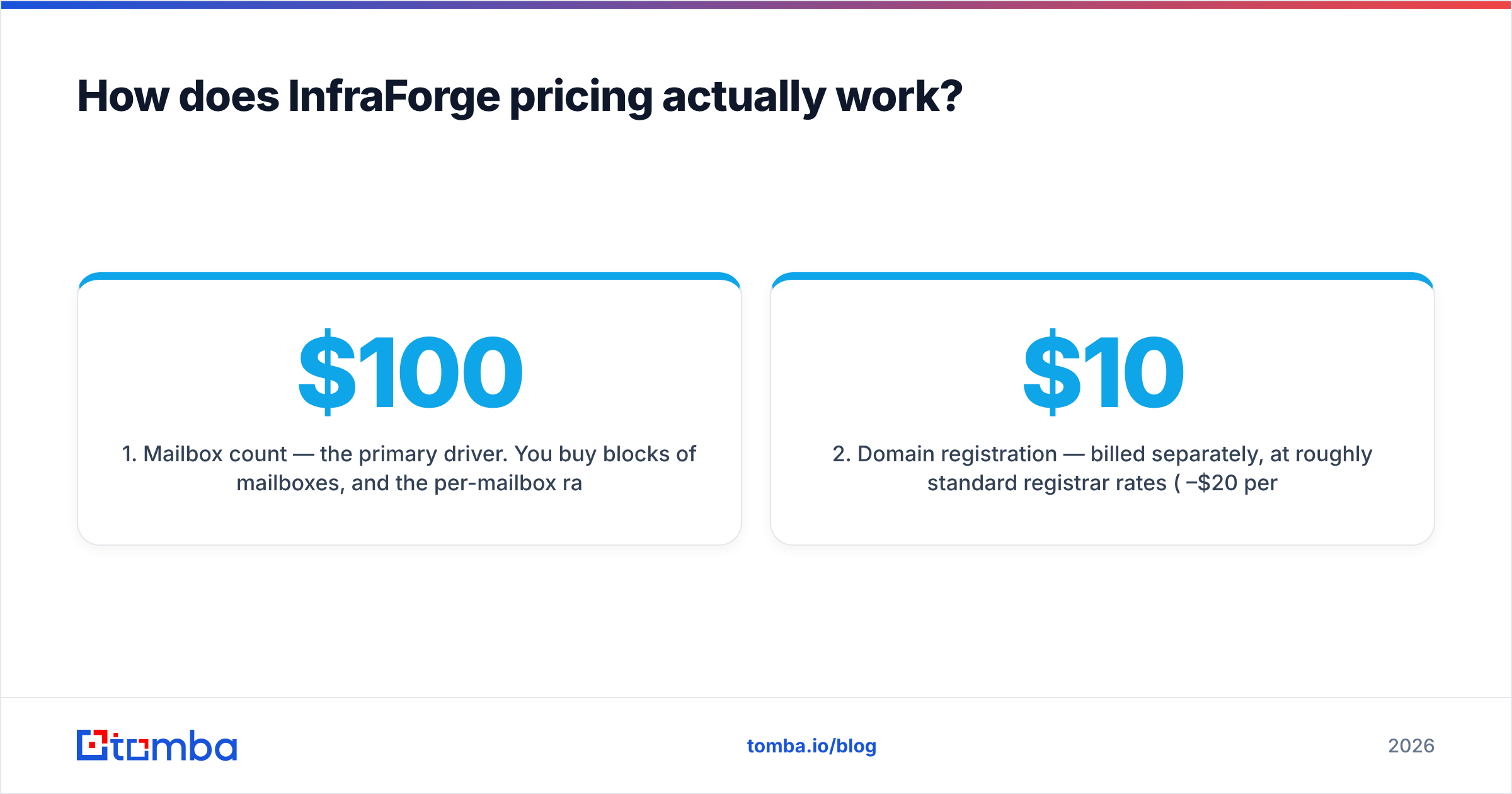
- Mailbox count — the main driver. You buy blocks of mailboxes, and the rate drops as volume climbs. Entry pricing starts under $100 a month. At scale, the effective rate lands near $1.50–$3 per mailbox.
- Domain registration — billed on its own, at normal registrar rates ($10–$20 per domain per year). A 50-mailbox setup across 17 domains is a real line item, not a rounding error.
- Dedicated IP allocation — the feature that separates InfraForge from its cheaper sibling, Mailforge. Higher tiers include dedicated IPs. Entry tiers may not, so read the plan sheet.
- Warmup — usually a companion tool (Warmforge), not a bundled feature. Budget for it, or for a third-party service.
- Sequencer — InfraForge is infrastructure, not an outreach platform. You still pay for Salesforge, Instantly, Smartlead, or whatever sends your campaigns.
That last point trips people up. The sticker price is not the program cost. A mid-size outbound team pays for infrastructure, warmup, a sequencer, and data. Infrastructure is usually the smallest of the four.

How does InfraForge compare to the alternatives?#
Here is the honest side-by-side. These are the factors that change your monthly invoice and your inbox rate.
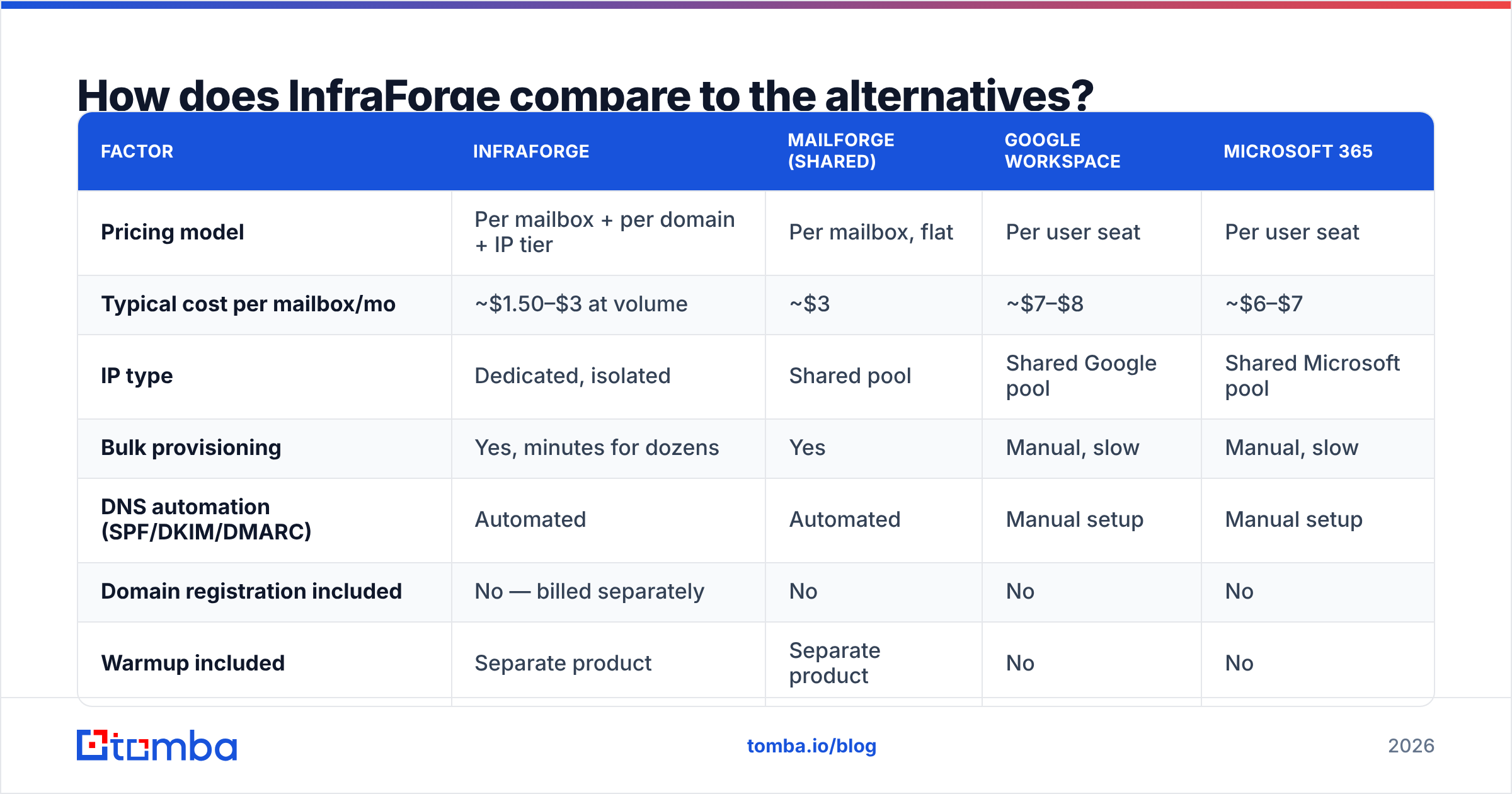
| Factor | InfraForge | Mailforge (shared) | Google Workspace | Microsoft 365 |
|---|---|---|---|---|
| Pricing model | Per mailbox + per domain + IP tier | Per mailbox, flat | Per user seat | Per user seat |
| Typical cost per mailbox/mo | ~$1.50–$3 at volume | ~$3 | ~$7–$8 | ~$6–$7 |
| IP type | Dedicated, isolated | Shared pool | Shared Google pool | Shared Microsoft pool |
| Bulk provisioning | Yes, minutes for dozens | Yes | Manual, slow | Manual, slow |
| DNS automation (SPF/DKIM/DMARC) | Automated | Automated | Manual setup | Manual setup |
| Domain registration included | No — billed separately | No | No | No |
| Warmup included | Separate product | Separate product | No | No |
| Best for | 50+ mailboxes, reputation control | 10–50 mailboxes, budget | Real company inboxes | Enterprise IT stacks |
| Weak spot | Needs volume to justify dedicated IPs | No reputation isolation | Cost at scale | Aggressive throttling |
Two takeaways from that grid. First, the move from shared to dedicated is not mainly a cost decision. At low volume, shared infrastructure is cheaper and safer. A cold dedicated IP with 200 emails a day behind it warms slowly, and filters treat it as suspect. Second, never run your primary company domain on burner infrastructure. Use secondary domains only.
What do reviews say are InfraForge's strongest points?#
Reading through user feedback on G2 and community threads, the praise clusters tightly:
- Provisioning speed. Spinning up 40 mailboxes across 10 domains takes a coffee break, not a sprint. Teams moving off manual Google Workspace setups call this the biggest time win.
- DNS done right by default. SPF, DKIM, and DMARC are configured for you. Bad authentication is still a top reason cold email lands in spam, and Google's bulk sender requirements made it a must.
- Reputation isolation. When the IP is yours alone, your sending history is a clean signal. No surprise penalties from a neighbor's scraped list.
- Unit economics at scale. Past 50 mailboxes, the math against per-seat providers is not close. This is the point that closes most deals.
- Ecosystem fit. If you already run Salesforge or Warmforge, the parts snap together with no middleware.
What are the cons you should price in?#
Every honest InfraForge pricing review has to cover the downside. No vendor puts these on its own pricing page, so here they are.
Domains are a real, recurring, separate cost. Reviewers who budget only the mailbox line get surprised. Sixty domains at $15 each is $900 a year, and it appears nowhere in the plan comparison.
Dedicated IPs punish low volume. A new IP has no sending history, so it has no reputation. Mailbox providers treat unknown IPs with suspicion. You need steady daily volume and a slow warmup ramp, usually 4 to 8 weeks. Only then does a dedicated IP beat a well-run shared pool. If you send 300 emails a day in total, you are paying for isolation you cannot use.
It assumes you already know deliverability. The platform automates setup, not judgment. It will not stop you from sending 500 emails a day from a two-week-old domain. Newer senders sometimes blame the infrastructure for damage their own sending caused.
Support and documentation depth. Feedback on response times is mixed, as with most fast-moving tools here. That is fine if you are technical. It is rough if you need help with a DNS propagation issue at 11pm.
Total-cost creep. Infrastructure plus warmup plus sequencer plus data can quietly triple the number you first quoted to your CFO. Model the full stack before you commit.
Who is InfraForge actually worth it for?#
- Agencies running multi-client outbound. Client-level IP isolation is not a nice-to-have here. It is malpractice insurance. One careless client should not burn the rest of your book.
- Outbound teams past 50 mailboxes. This is where the per-seat math flips, and the setup time savings compound.
- Companies with a strict "never touch the primary domain" policy. Secondary domain estates need to be cheap, disposable, and fast to rebuild.
- Teams already inside the Salesforge ecosystem. Integration overhead drops to near zero.
- Anyone under 20 mailboxes. Honestly, skip it. Shared infrastructure or a few Workspace seats will serve you better until volume justifies dedicated IPs.

Does better infrastructure actually fix your deliverability?#
Partly. Most InfraForge pricing review write-ups stop right here, and that is too early.
Infrastructure controls the sending side of email deliverability: authentication, IP reputation, domain age, and throttling. It does nothing for the list side. The list is where most cold campaigns die.
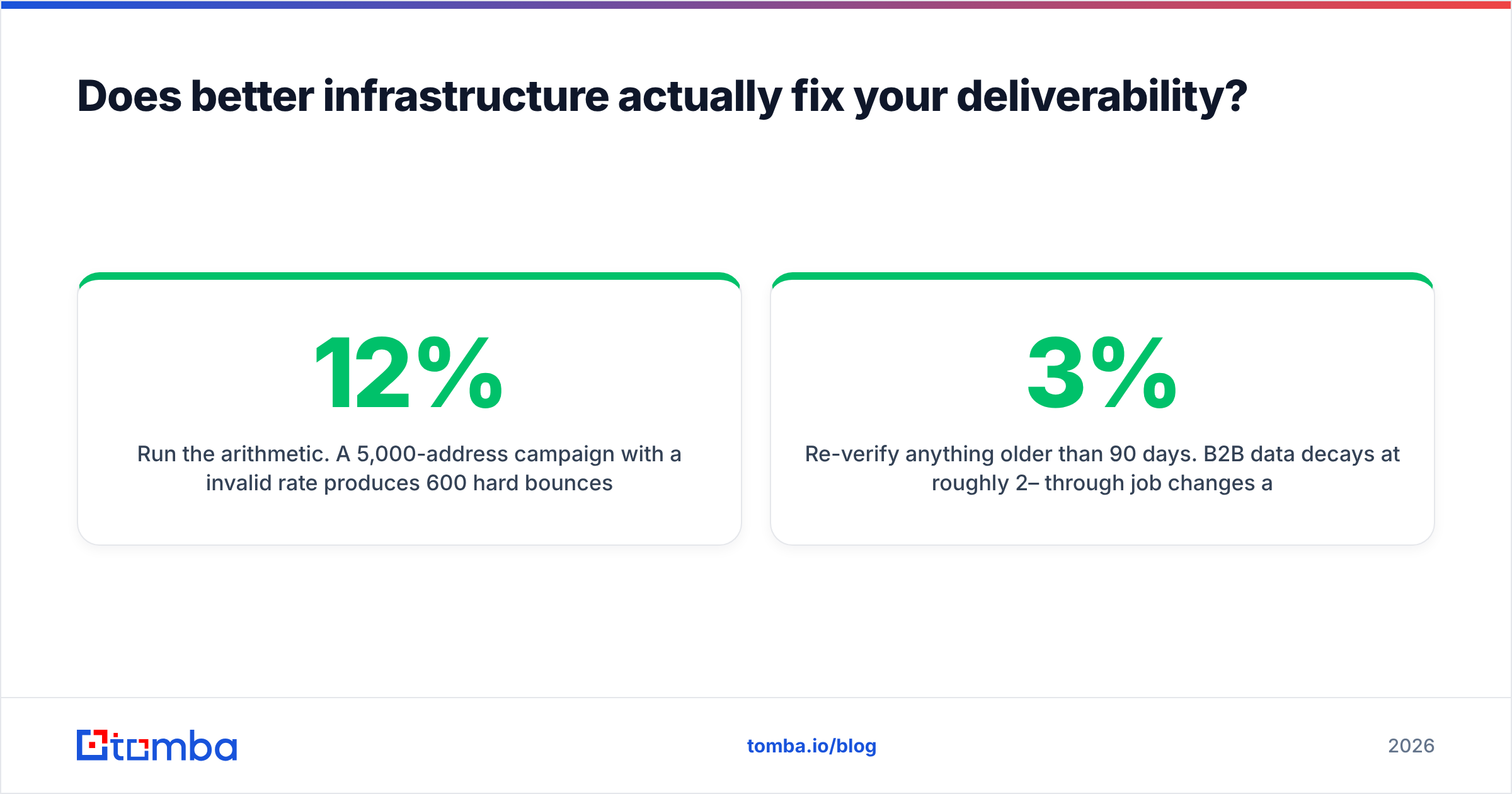
Run the math. A 5,000-address campaign with a 12% invalid rate creates 600 hard bounces. A bounce rate above 2–3% tells mailbox providers you bought or guessed the list. They throttle you for it. The penalty is the same on a dedicated IP, a shared pool, or a clean Google Workspace seat. You paid for isolation, then handed the filters a reason to distrust you.
The fix is upstream, and it is cheap next to infrastructure. Before a single address enters a sequence:
- Run every address through an email verifier and drop anything that fails SMTP validation.
- Handle catch-all domains on purpose with a catch-all verifier. Do not assume they deliver.
- Source addresses from known patterns instead of guesses. A domain search returns the formats a company really uses.
- Re-verify anything older than 90 days. B2B data decays about 2–3% a month through job changes alone.
Pair clean data with proper infrastructure and both investments pay off. Pair dirty data with a dedicated IP and you have simply bought a faster way to burn a domain.
What is the realistic monthly budget?#
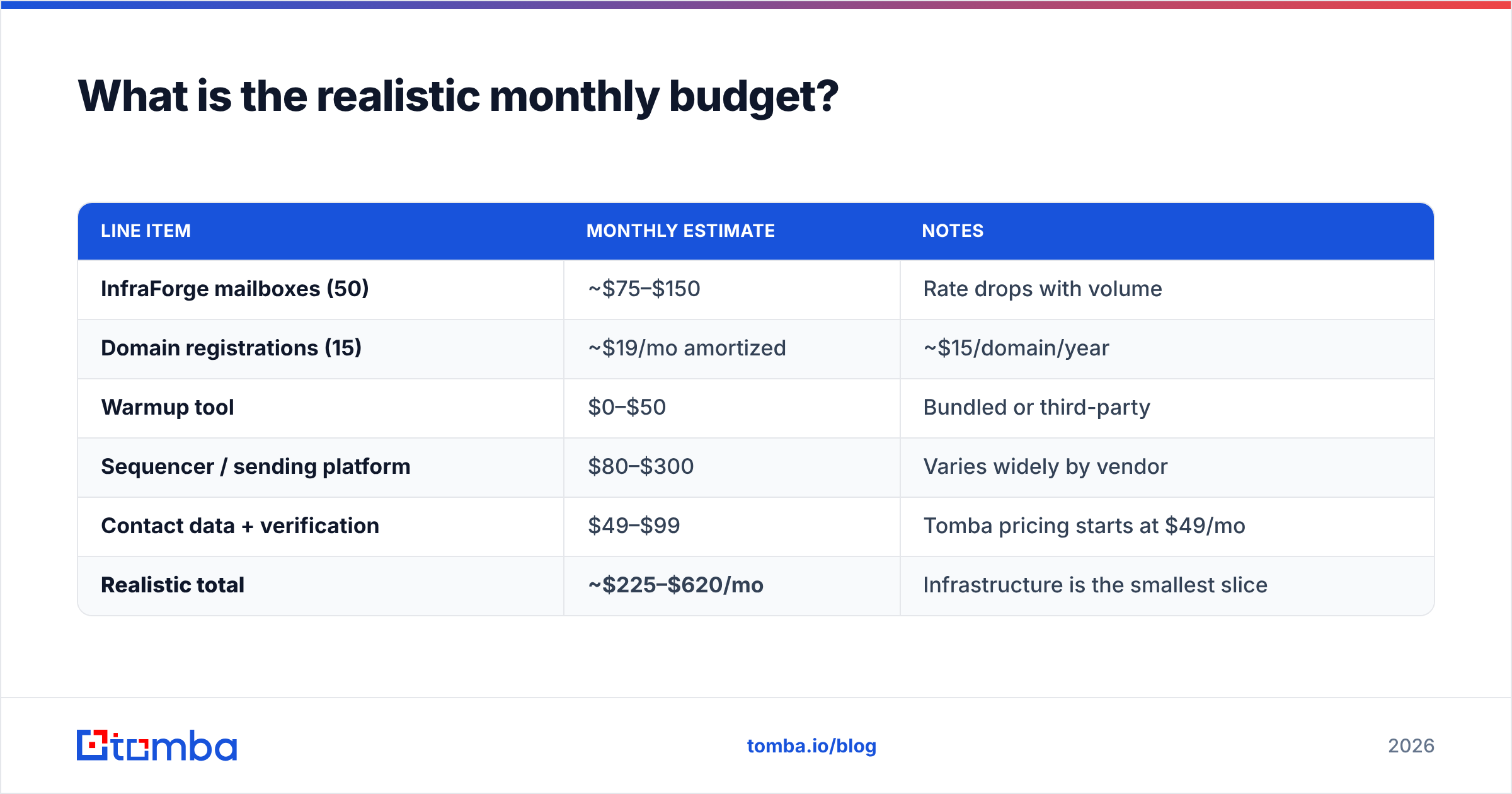
Here is a worked example for a team running 50 mailboxes across 15 domains, sending about 20 emails per mailbox per day.
| Line item | Monthly estimate | Notes |
|---|---|---|
| InfraForge mailboxes (50) | ~$75–$150 | Rate drops with volume |
| Domain registrations (15) | ~$19/mo amortized | ~$15/domain/year |
| Warmup tool | $0–$50 | Bundled or third-party |
| Sequencer / sending platform | $80–$300 | Varies widely by vendor |
| Contact data + verification | $49–$99 | Tomba pricing starts at $49/mo |
| Realistic total | ~$225–$620/mo | Infrastructure is the smallest slice |
Compare that to 50 Google Workspace seats at about $375 a month. That buys mailboxes alone, with no warmup, no sequencer, no data, and no reputation isolation. The infrastructure case holds up. Just do not mistake the infrastructure invoice for the program budget.
What should you check before you sign up?#
- Confirm which tier includes dedicated IPs. Do not assume the entry plan does.
- Ask about the minimum contract term, and whether mailbox counts can scale down mid-term.
- Verify that domain registration is billed at registrar cost, not marked up.
- Check whether warmup is included or a separate subscription.
- Test the DNS automation on one throwaway domain before you provision fifty.
- Confirm your sequencer supports custom SMTP/IMAP connections. Most do, but verify.
The bottom line#
The short answer from this InfraForge pricing review: the rates sit well below per-seat providers, and the value tracks volume. It also removes the worst chore in a secondary domain estate, which is manual provisioning and DNS. Run 50 or more mailboxes, or run outbound for several clients, and the case is clear. Under 20 mailboxes, dedicated IPs cost more than they return, and shared infrastructure is the more honest fit.
The part no infrastructure vendor can sell you is a list worth sending to. Before you spend a dollar on dedicated IPs, make sure the addresses in your sequencer are real. Use the Tomba Email Finder to source verified professional addresses by domain, name, or company. Start free with 25 searches a month, no card required. Clean data first, then infrastructure. That order is the whole game.
Related guides#
// get started
Find, verify and enrich your first contacts today
Start on the free plan with 25 searches a month, then scale when your team is ready.
Free plan · No credit card required · GDPR & CCPA
// about the author