Inside Sales Tips: 15 Tactics That Actually Close in 2026
Most inside sales advice is recycled 2015 playbooks. Here are 15 tactics that hold up in 2026 — with the data quality, call cadence, and channel math behind each one.
TL;DR
- Inside sales performance in 2026 is decided before the first call: bad contact data quietly caps your connect rate no matter how good the pitch is.
- Multi-channel cadences (email + phone + LinkedIn) outperform single-channel sequences, but only when the touches are spaced and sequenced deliberately — not blasted.
- Discovery quality, not talk time, predicts win rate. Reps who ask 11-14 questions per call consistently outperform reps who pitch.
- Volume still matters, but volume on a verified list beats volume on a scraped list by a wide margin. Clean your data first, scale second.
- The single highest-leverage fix for most teams: stop letting reps spend 3+ hours a day building lists manually.
Inside sales — selling remotely by phone, email, and video rather than in the field — is now the default motion for most B2B companies. That also means it's crowded. The tactics that worked when a cold email was a novelty do not work when your prospect gets 60 of them a week.
What follows is a practical set of inside sales tips organized by where they actually bite: data, cadence, calls, discovery, and measurement. No motivational filler.
What is inside sales, and how is it different in 2026?#
Inside sales is remote selling. Your reps never board a plane. They work a territory or a segment from a desk, using a CRM, a dialer, an email sequencer, and a data provider.
The structural difference in 2026 versus five years ago is that the buyer is now also remote-first and drowning in outreach. Gartner's research on B2B buying has consistently found that buyers spend only a small fraction of their purchase journey talking to any sales rep at all — most of the process happens in independent research and internal consensus-building. That reshapes the job description.
Here is what actually changed:
- Signal beats volume. Reaching out because a company just posted a relevant job, changed tooling, or raised funding converts far better than reaching out because they matched a firmographic filter.
- Deliverability became a skill. Google and Yahoo's bulk-sender requirements pushed authentication, complaint-rate ceilings, and list hygiene from "nice to have" into "your mail doesn't land otherwise."
- Phone came back. As inboxes saturated, connect rates on well-timed calls improved relative to email for senior titles.
- Data decay accelerated. With sustained job mobility, a B2B contact list ages fast. A list you bought 12 months ago is meaningfully wrong today.
- AI made the mediocre version of everything free. Which means generic AI-written outreach is now the baseline noise your message has to beat, not an advantage.
Why does contact data quality decide your inside sales results?#
Because every downstream metric multiplies through it.
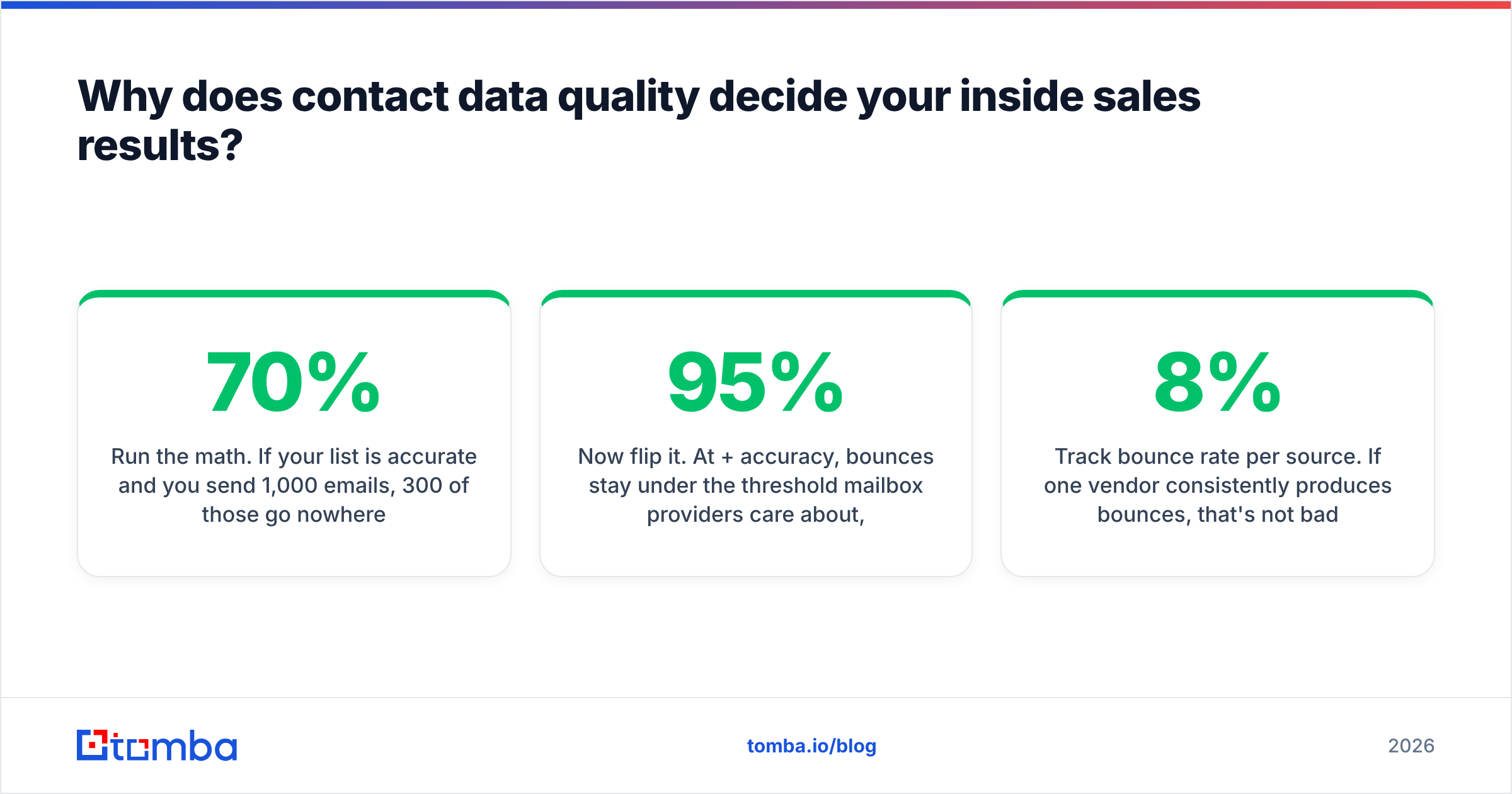
Run the math. If your list is 70% accurate and you send 1,000 emails, 300 of those go nowhere — and a chunk of them bounce, which drags your sender reputation down and reduces deliverability for the 700 good ones. You didn't just waste 30% of your effort; you degraded the other 70%.
Now flip it. At 95%+ accuracy, bounces stay under the threshold mailbox providers care about, your domain reputation holds, and your reply rate on the same copy goes up without changing a single word.

This is why the first inside sales tip is unglamorous: audit your data before you audit your messaging. Most teams do it backwards, rewriting subject lines for a month while the real problem is that a third of the list is stale.
A practical hygiene routine:
- Verify before every send, not quarterly. Contacts churn continuously. Run your list through an email verifier at send time rather than trusting a monthly snapshot.
- Handle catch-all domains separately. Catch-all servers accept everything, so a standard SMTP check tells you nothing. Segment them and use a catch-all verifier before you decide to mail them.
- Deduplicate across sources. Reps working the same account from two lists is the fastest way to look unprofessional.
- Track bounce rate per source. If one vendor consistently produces 8% bounces, that's not bad luck, that's a bad feed.

How should you structure a multi-channel cadence?#
Sequence the channels, don't stack them. A prospect who gets an email, a LinkedIn request, and a call within 90 minutes feels surveilled, not courted.
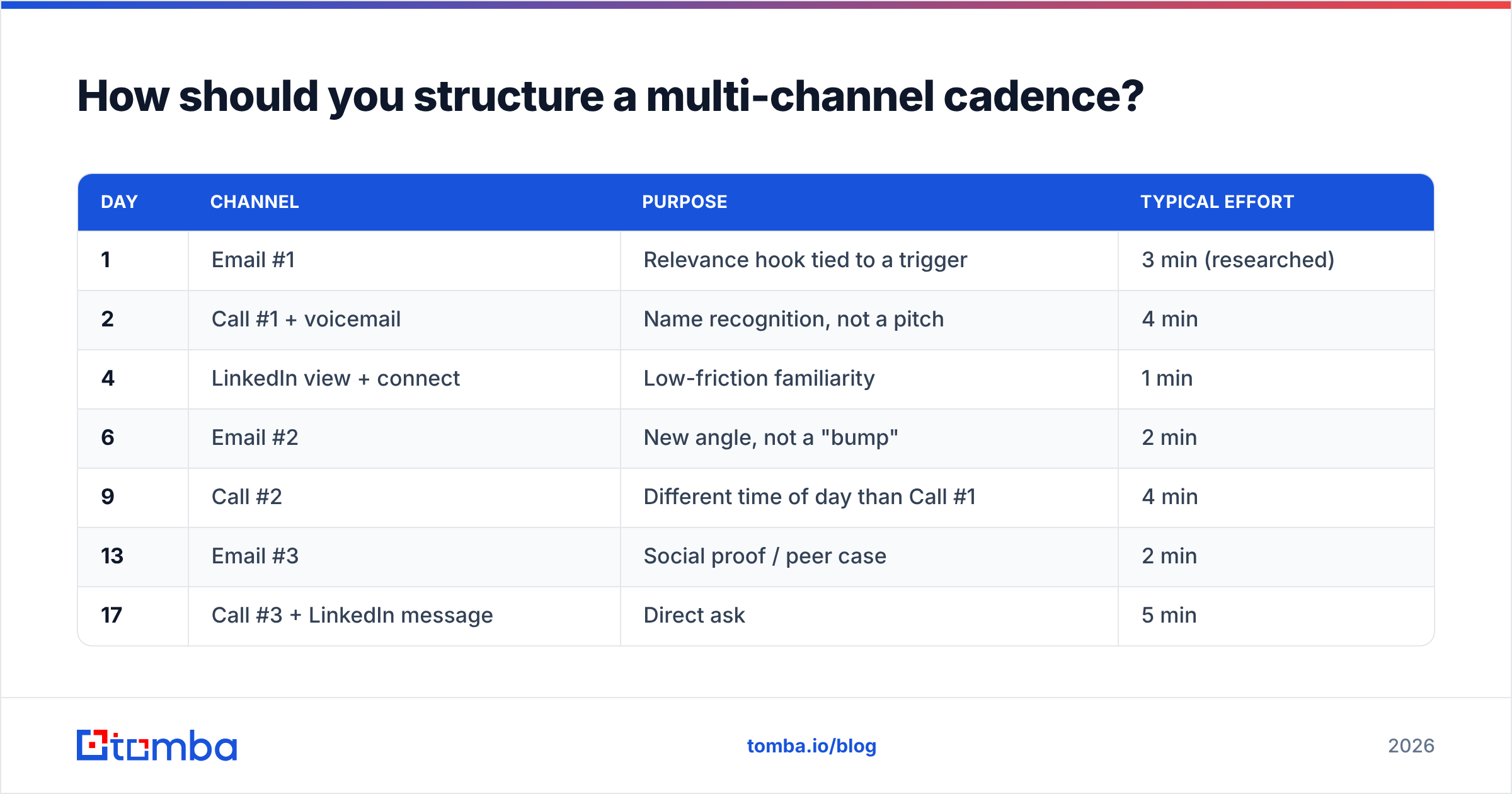
A cadence that holds up across most mid-market B2B motions:
| Day | Channel | Purpose | Typical effort |
|---|---|---|---|
| 1 | Email #1 | Relevance hook tied to a trigger | 3 min (researched) |
| 2 | Call #1 + voicemail | Name recognition, not a pitch | 4 min |
| 4 | LinkedIn view + connect | Low-friction familiarity | 1 min |
| 6 | Email #2 | New angle, not a "bump" | 2 min |
| 9 | Call #2 | Different time of day than Call #1 | 4 min |
| 13 | Email #3 | Social proof / peer case | 2 min |
| 17 | Call #3 + LinkedIn message | Direct ask | 5 min |
| 21 | Break-up email | Permission to close the loop | 1 min |
Three rules that matter more than the exact grid:
- Vary the time of day on repeat calls. Calling the same prospect at 10:05 a.m. four times tells you one thing: they're in a standup at 10 a.m.
- Never send a "just bumping this up" email. Each touch needs an independent reason to exist. If you can't think of one, the prospect can't either.
- Stop at the break-up, then recycle in 90 days. Persistence past ~8 touches in one window mostly buys you spam complaints.
If you're running a LinkedIn-heavy motion, pairing profile-sourced prospects with a LinkedIn finder lets you convert a connection-request queue into an actual email cadence instead of waiting on acceptance rates.
What actually improves cold call connect rates?#
Timing, list quality, and the first 10 seconds — roughly in that order.
Timing. Connect rates cluster around the edges of the workday. Late afternoon (4–5 p.m. local) and early morning before meetings start tend to outperform the 11 a.m.–2 p.m. dead zone. Test it against your own segment rather than trusting a blog chart, including this one.
Direct dials. A switchboard number is a gatekeeper tax. Direct mobile and desk lines convert at multiples of main-line numbers, which is why a phone finder tends to pay for itself faster than another email tool for teams whose ICP skews senior.
The opener. Two openers that consistently beat "How are you today?":
- "Hi [Name] — this is a cold call. Want to give me 30 seconds and then decide?" Permission-based, disarms the reflex hang-up.
- "[Name], I'm calling because [specific trigger]. Bad time?" Leads with the reason, offers an easy exit, which paradoxically reduces hang-ups.
Voicemail discipline. Keep it under 20 seconds, state your name and number twice, and do not pitch. The voicemail's only job is to make your next email feel like a follow-up rather than a cold touch.
How many discovery questions should you ask?#
More than you think. Analysis of large call-recording datasets — the kind Gong has published repeatedly — points to a sweet spot around 11 to 14 questions in a discovery call, with win rates dropping on either side. Fewer and you're pitching blind; more and it becomes an interrogation.
Structure matters more than count:
- Situation — what's in place today, who owns it, what it costs.
- Problem — where it breaks, how often, who complains.
- Impact — what that breakage costs in money, time, or risk.
- Consequence of inaction — what happens if they do nothing for four quarters.
- Decision process — who signs, what else is competing for that budget, what the timeline actually is.
- Success criteria — how they'd judge this in 90 days.
Skip step 4 and you lose to "no decision," which in most B2B pipelines beats your named competitors as the top reason deals die.
Which inside sales tools should you actually pay for?#
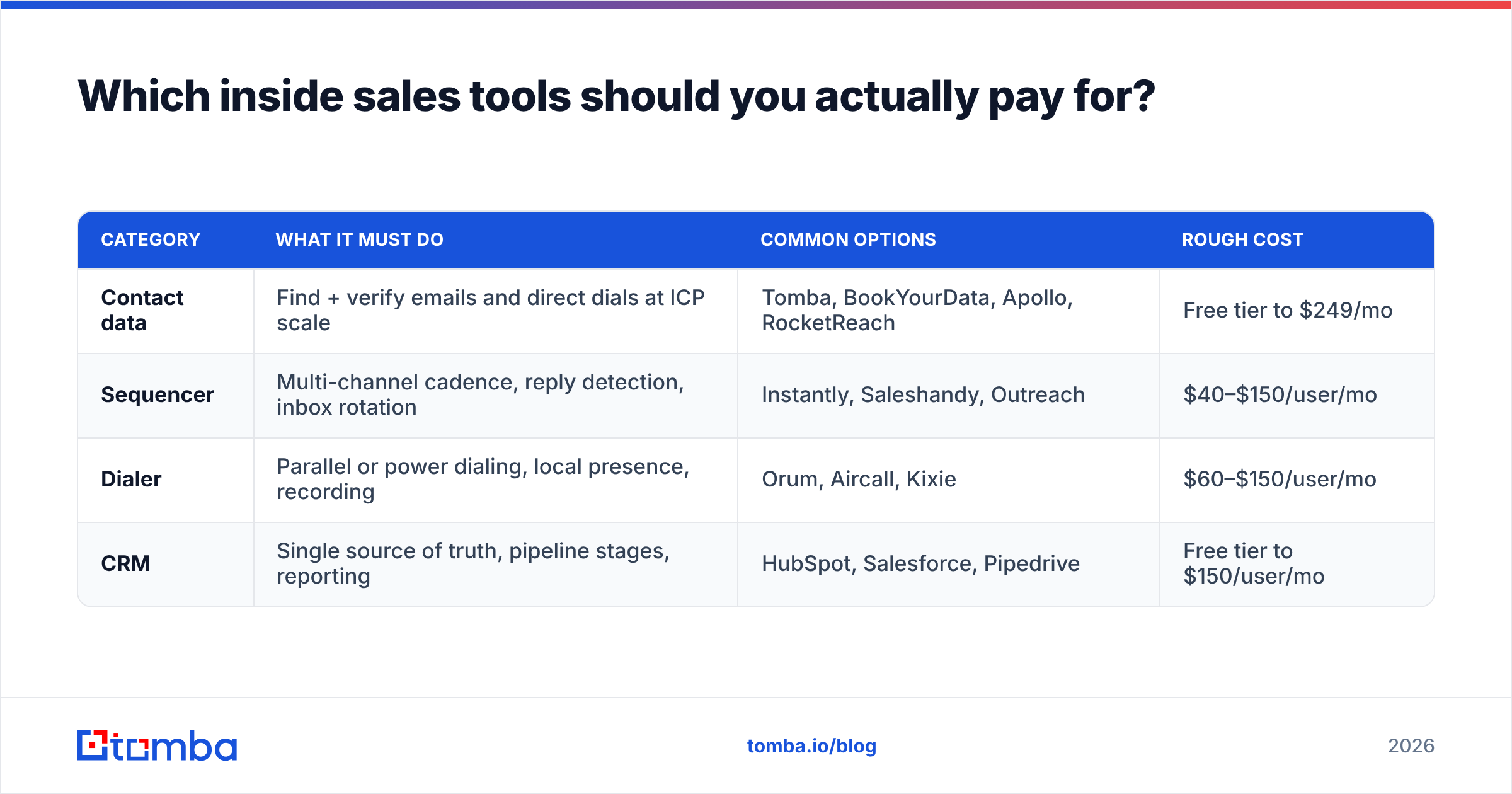
Most teams over-buy. You need four categories, and you can run a strong inside sales motion with one tool in each.
| Category | What it must do | Common options | Rough cost |
|---|---|---|---|
| Contact data | Find + verify emails and direct dials at ICP scale | Tomba, BookYourData, Apollo, RocketReach | Free tier to $249/mo |
| Sequencer | Multi-channel cadence, reply detection, inbox rotation | Instantly, Saleshandy, Outreach | $40–$150/user/mo |
| Dialer | Parallel or power dialing, local presence, recording | Orum, Aircall, Kixie | $60–$150/user/mo |
| CRM | Single source of truth, pipeline stages, reporting | HubSpot, Salesforce, Pipedrive | Free tier to $150/user/mo |
On the data layer specifically, the tradeoff is between breadth and precision. Prebuilt database vendors like BookYourData are strong when you want a large, filtered list delivered ready-to-go — useful for broad segment plays where you'll verify and prune afterward. Real-time finders like Tomba are stronger when you're working a defined account list and need the current address for a specific named person on a specific domain, resolved at the moment you need it. Plenty of teams run both: buy breadth, then re-resolve and verify the contacts that matter.

For pricing context on the finder side, Tomba pricing starts with a free tier at 25 searches per month, then Starter at $49/mo, Growth at $99/mo, and Pro at $249/mo — with Enterprise priced on request. That structure matters for inside sales teams because per-seat data tools get expensive fast once you staff a full SDR pod; credit-pooled pricing usually works out cheaper than per-rep licensing at 5+ reps.
How do you stop reps from wasting time on list building?#
This is the highest-ROI operational fix available to most inside sales managers, and it's rarely framed as a tactic.
Time-study your reps for a week. In most teams that haven't systematized it, SDRs spend somewhere between two and four hours a day on research and list assembly — tabbing between LinkedIn, company sites, and a spreadsheet, guessing email patterns. That's 40–50% of the working day producing zero touches.
Three fixes, in order of impact:
- Bulk-resolve instead of one-off lookups. Feed a list of names and domains through a bulk email finder once, rather than having reps resolve contacts individually as they work the list.
- Push data into the CRM, not a spreadsheet. A HubSpot integration or equivalent means enriched contacts land where the sequence runs, not in a file someone forgets to upload.
- Give reps a browser-level shortcut. A browser extension turns a profile or company page into a verified contact in one click, which removes the pattern-guessing habit entirely.
A reasonable target: reps spend under 45 minutes a day on list work and the rest on touches and conversations. If you can't get there, the constraint is your tooling, not your reps' discipline.
What metrics should an inside sales team actually track?#
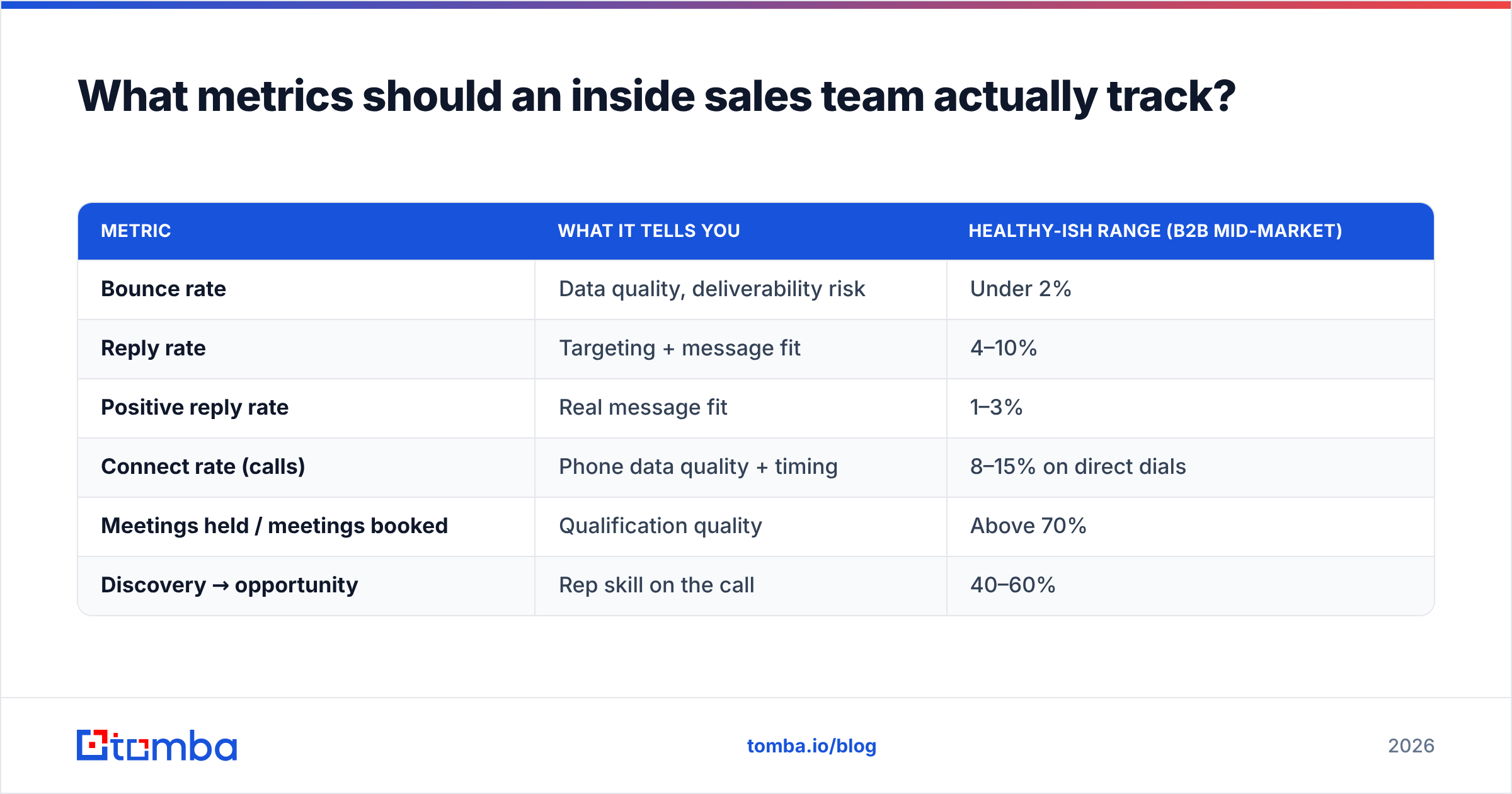
Track the ratios, not the raw counts. Raw activity numbers reward busywork.
| Metric | What it tells you | Healthy-ish range (B2B mid-market) |
|---|---|---|
| Bounce rate | Data quality, deliverability risk | Under 2% |
| Reply rate | Targeting + message fit | 4–10% |
| Positive reply rate | Real message fit | 1–3% |
| Connect rate (calls) | Phone data quality + timing | 8–15% on direct dials |
| Meetings held / meetings booked | Qualification quality | Above 70% |
| Discovery → opportunity | Rep skill on the call | 40–60% |
Two diagnostic reads worth memorizing:
- High reply rate, low meetings held. Your copy is working and your targeting isn't — you're catching interest from people who can't buy.
- High connect rate, low conversation length. Your opener is losing them. That's a coaching problem, fixable in a week of call reviews.
Also track response rate by segment rather than in aggregate. A blended 6% can easily be 12% in one vertical and 1% in another, and the aggregate number hides the decision you should be making: kill the 1% segment.
How do you keep emails landing in the primary inbox?#
Deliverability is its own discipline, but four habits cover most of the risk for inside sales teams:
- Authenticate properly. SPF, DKIM, and DMARC on every sending domain. Google and Yahoo's bulk sender guidelines spell out the requirements; treat them as mandatory, not aspirational.
- Use separate sending domains. Never burn your primary company domain on cold outreach. Register lookalike domains and warm them.
- Keep spam complaints under 0.3%. That's the line mailbox providers actually enforce. One aggressive campaign can cross it.
- Cap volume per mailbox. Roughly 30–50 cold sends per mailbox per day. If you need more volume, add mailboxes, not send-rate.
Most "our emails stopped working" incidents trace back to one of these four, plus a dirty list. Fix the list first — email deliverability problems are usually data problems wearing a technical costume.
What separates the top 10% of inside sales reps?#
Having reviewed a lot of team performance data over the years, the pattern is consistent and slightly boring:
- They research fewer accounts, harder. Depth on 30 accounts beats skimming 300.
- They call more than their peers — on better lists. Volume and quality aren't opposites; top reps have both because they don't waste calls on wrong numbers.
- They ask more questions and talk less. Roughly a 45/55 talk-to-listen ratio on discovery, not 70/30.
- They follow up past the point most reps quit. The average rep stops at 2–3 touches. Most replies arrive at touch 4+.
- They log everything. Not for the manager — for themselves, so the next quarter's territory plan is built on data rather than memory.
None of that requires talent. All of it requires a system, and most of the system is decided by whether your rep starts the day with a clean, accurate list or a spreadsheet full of guesses.
Where should you start?#
Pick the constraint, not the tip you like most. If your bounce rate is above 3%, your problem is data — nothing else you change will show up in the numbers. If your bounce rate is clean and your reply rate is under 3%, your problem is targeting or copy. If replies are healthy but meetings don't hold, your problem is qualification.
Diagnose in that order and you'll fix things in one quarter that teams normally chase for a year.
If the constraint turns out to be data — and for most inside sales teams it is — start with the Tomba Email Finder. It resolves verified professional email addresses by name and domain, so your reps start each morning with a list that actually connects instead of one that quietly eats 30% of their sends. The free tier gives you 25 searches a month to test it against your own segment before you commit; run it head-to-head on 100 known-good contacts and judge it on your bounce rate, not on ours.
Related guides#
// get started
Find, verify and enrich your first contacts today
Start on the free plan with 25 searches a month, then scale when your team is ready.
Free plan · No credit card required · GDPR & CCPA
// about the author