Inside Sales Tracking Software: What Actually Works in 2026
Most inside sales teams buy a tracker, log 40% of their activity, and wonder why forecasts miss. Here's what inside sales tracking software should measure, what the main tools cost per seat, and how to roll one out in 30 days.
TL;DR
- Inside sales tracking software exists to answer three questions: what did reps do, what happened as a result, and which of those actions are worth repeating. Most deployments only answer the first one.
- The category splits into three layers — CRM (system of record), sales engagement (activity execution), and conversation/revenue intelligence (what was actually said). Buying all three at full list price runs $250–$400 per seat per month.
- Automatic activity capture is the single feature that decides whether your data is trustworthy. Manual logging tops out around 60% completeness in practice, and partial data produces confidently wrong conclusions.
- Tracking is only as good as the contact records underneath it. Bad emails and stale phone numbers inflate your "attempts" metric and destroy connect-rate math.
- Start with 5–7 metrics, one dashboard, and a 30-day pilot on a single team. Teams that instrument 30 fields on day one abandon the tool by quarter two.
What is inside sales tracking software?#
Inside sales tracking software records and analyzes the work your non-field reps do — calls, emails, LinkedIn touches, meetings, demos, pipeline movement — and ties it to revenue outcomes.
Think of it like a fitness tracker for a sales floor. A fitness tracker doesn't make you fit; it makes the gap between "I worked out" and "I burned 210 calories" impossible to argue about. Inside sales tracking software does the same to "I'm working my territory hard." It replaces self-reported effort with timestamped events.
The confusion in this category comes from vendors all claiming the same job. In practice there are three distinct layers, and most teams need two of them:
- The system of record (CRM). Accounts, contacts, opportunities, stages, close dates. This is where the outcome lives. Salesforce, HubSpot, and Pipedrive dominate here. Without this layer, nothing you track connects to money.
- The execution layer (sales engagement). Sequences, dialers, email sending, task queues. This is where the activity happens, which means it's also where activity gets captured accurately without anyone typing a note. Salesloft, Outreach, and Apollo sit here.
- The intelligence layer (conversation and revenue intelligence). Call recording, transcription, talk-time ratios, deal risk scoring. Gong and Chorus made this a category. It answers "why did that deal stall" rather than "how many calls did we make."
- The data layer underneath all three. Contact records, verified emails, direct dials, firmographics. Nobody markets this as "tracking software," but it silently determines whether your connect rates and bounce rates mean anything at all.
A team of six SDRs with a simple product probably needs layers 1, 2, and 4. A 40-rep inside sales org with six-figure ACVs and long cycles usually needs all four.
What should inside sales tracking software actually measure?#
Most dashboards fail because they track volume and call it performance. Volume is an input, not a result. Here's the metric set that survives contact with an actual QBR:
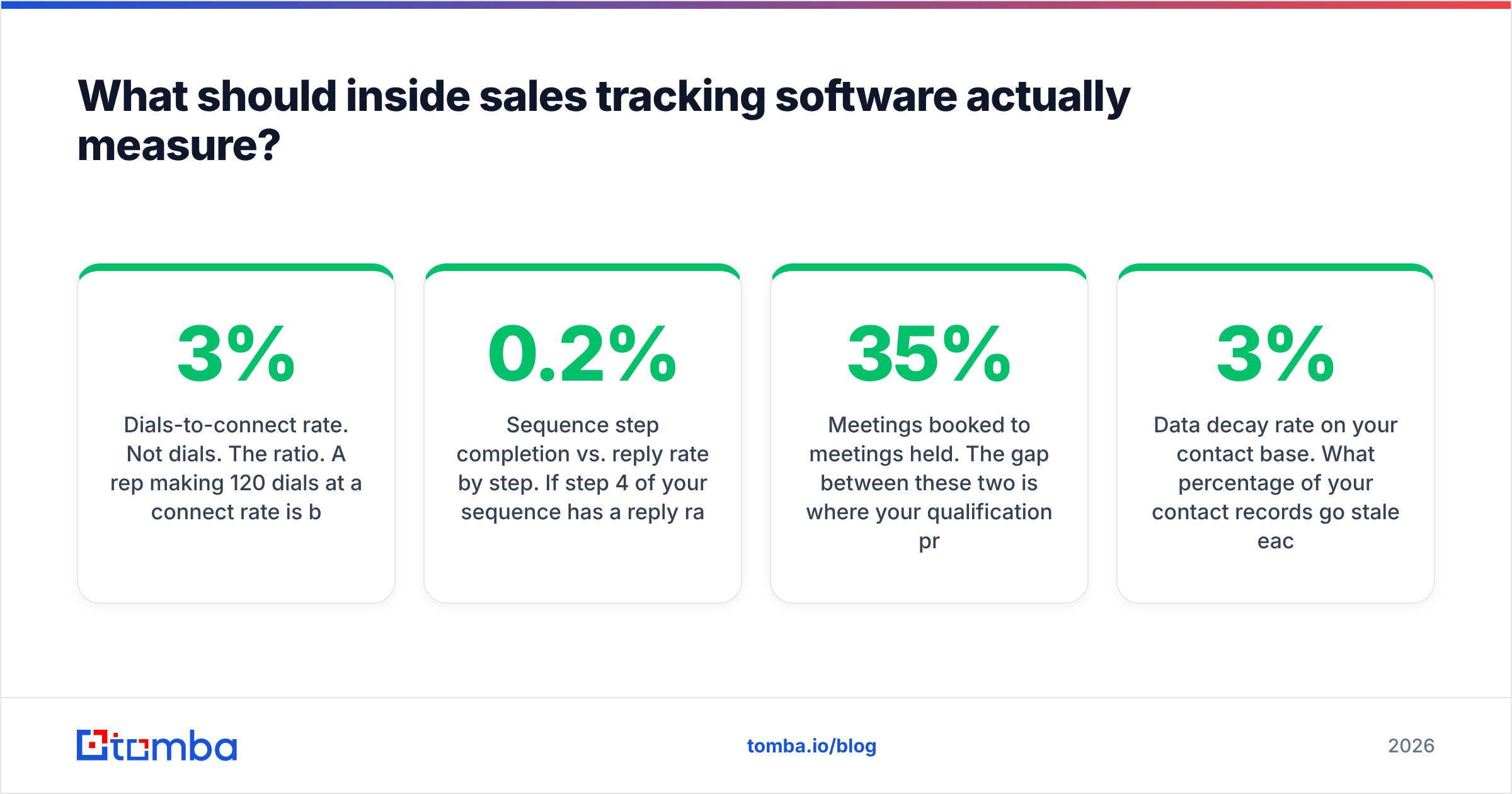
- Dials-to-connect rate. Not dials. The ratio. A rep making 120 dials at a 3% connect rate is burning a list; a rep making 45 dials at 14% has good data and good timing. This number is the fastest read on data quality you will ever get.
- Sequence step completion vs. reply rate by step. If step 4 of your sequence has a 0.2% reply rate across 900 sends, delete step 4. Tracking software that can't slice reply rate by step is just an email counter.
- Meetings booked to meetings held. The gap between these two is where your qualification problem lives. A 35% no-show rate means your booking motion is over-promising, not that your reps need more dials.
- Stage-to-stage conversion and stage velocity. How many opportunities move from Discovery to Proposal, and how long do they sit? This is the backbone of a defensible forecast, and it's why pipeline hygiene matters more than pipeline volume.
- Activity per closed-won, not activity per rep. Once you know it takes roughly 19 touches across 14 days to produce one closed-won deal in your motion, you have a capacity model. Without it, quota-setting is guesswork.
- Data decay rate on your contact base. What percentage of your contact records go stale each quarter? B2B contact data decays roughly 2–3% per month as people change jobs. If you're not measuring this, your tracking metrics silently drift.
Five to seven of these, reported weekly, beat a 30-widget dashboard nobody opens. Pick the ones that map to your actual bottleneck.
How do the main inside sales tracking tools compare in 2026?#
Pricing below reflects publicly listed plans at the time of writing. Enterprise tiers and sales-engagement vendors are quote-only and move constantly — treat these as a planning range, not a quote.
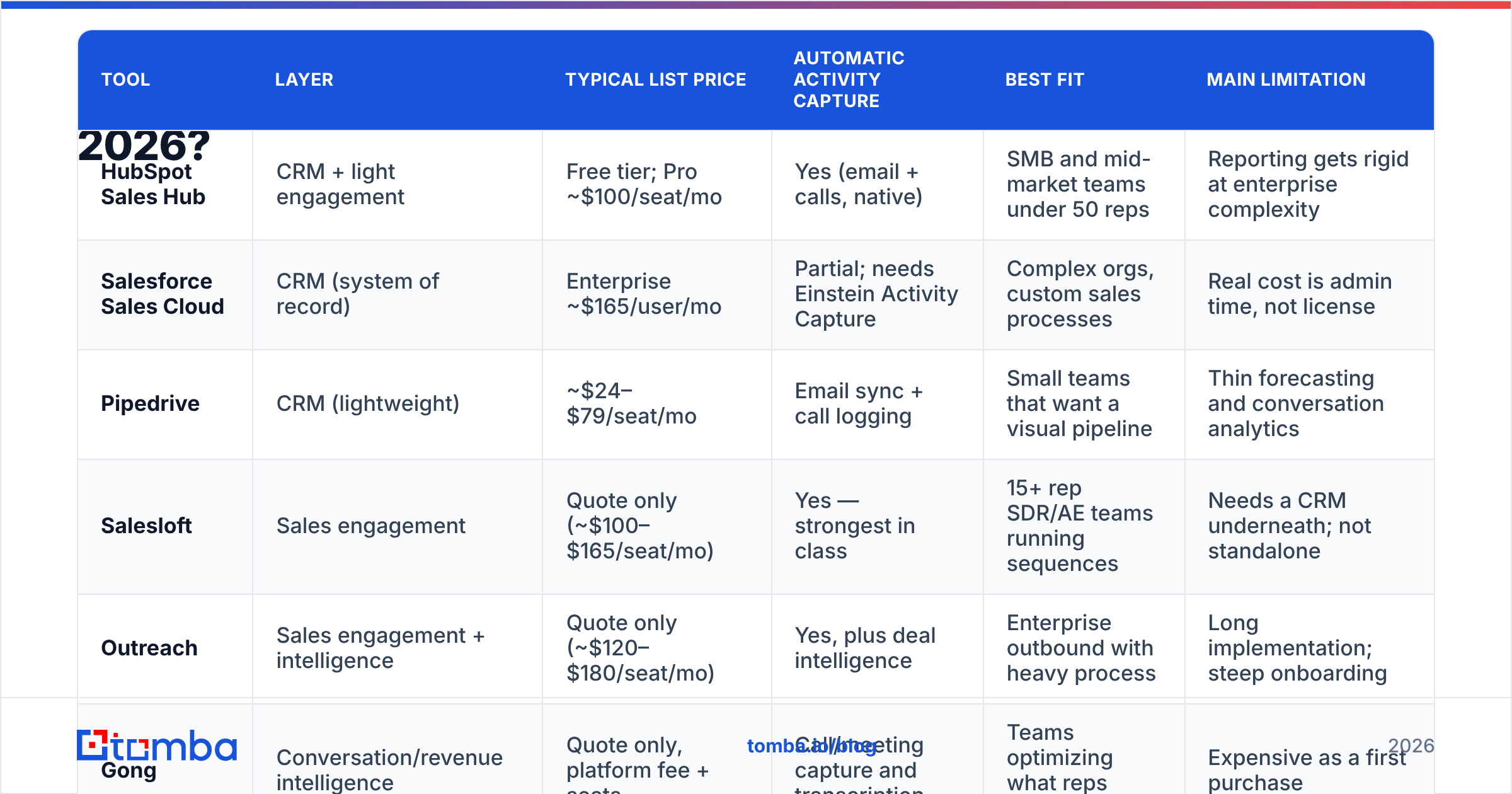
| Tool | Layer | Typical list price | Automatic activity capture | Best fit | Main limitation |
|---|---|---|---|---|---|
| HubSpot Sales Hub | CRM + light engagement | Free tier; Pro ~$100/seat/mo | Yes (email + calls, native) | SMB and mid-market teams under 50 reps | Reporting gets rigid at enterprise complexity |
| Salesforce Sales Cloud | CRM (system of record) | Enterprise ~$165/user/mo | Partial; needs Einstein Activity Capture | Complex orgs, custom sales processes | Real cost is admin time, not license |
| Pipedrive | CRM (lightweight) | ~$24–$79/seat/mo | Email sync + call logging | Small teams that want a visual pipeline | Thin forecasting and conversation analytics |
| Salesloft | Sales engagement | Quote only (~$100–$165/seat/mo) | Yes — strongest in class | 15+ rep SDR/AE teams running sequences | Needs a CRM underneath; not standalone |
| Outreach | Sales engagement + intelligence | Quote only (~$120–$180/seat/mo) | Yes, plus deal intelligence | Enterprise outbound with heavy process | Long implementation; steep onboarding |
| Gong | Conversation/revenue intelligence | Quote only, platform fee + seats | Call/meeting capture and transcription | Teams optimizing what reps say | Expensive as a first purchase |
Two observations from this table that vendors won't put in their decks.
First, the layers stack multiplicatively. A 20-rep team running Salesforce + Salesloft + Gong is realistically looking at $250–$400 per seat per month all-in — $60K–$96K a year before implementation. That's a fine spend if your ACV is $40K. It's absurd if you're selling a $1,200/year product.
Second, "automatic activity capture" means different things per vendor. Some capture email and calendar only. Some capture dialer sessions. Almost none capture LinkedIn touches without a browser extension. Ask for a written list of captured event types before signing, because the gap between marketing copy and actual telemetry is where tracking projects die. Third-party review aggregation on G2's sales engagement category is a reasonable sanity check on what buyers actually report post-implementation.
Is a CRM enough, or do you need a dedicated tracker?#
For teams under about 10 reps with a short cycle, a well-configured CRM is enough. Past that, it usually isn't — for one specific reason.
CRMs are built around the opportunity object. They're excellent at "what stage is this deal in" and mediocre at "what were the 47 touches that got it here." Sales engagement platforms are built around the activity object, which is the unit inside sales actually manages.
The practical test: open your CRM and try to answer "what is the average number of touches before a first meeting, by lead source, for the last 90 days?" If you can answer that in under two minutes with data you trust, your CRM is enough. If you need to export three reports and reconcile them in a spreadsheet, you've outgrown it.
A useful middle path is a CRM with native engagement features — HubSpot's Sales Hub and Salesforce Sales Cloud both ship sequence and dialer functionality now. It's not as deep as a dedicated engagement platform, but it eliminates one integration seam, and integration seams are where activity data goes missing.
Why does contact data quality break your tracking metrics?#
This is the part most buying committees skip, and it invalidates everything downstream.
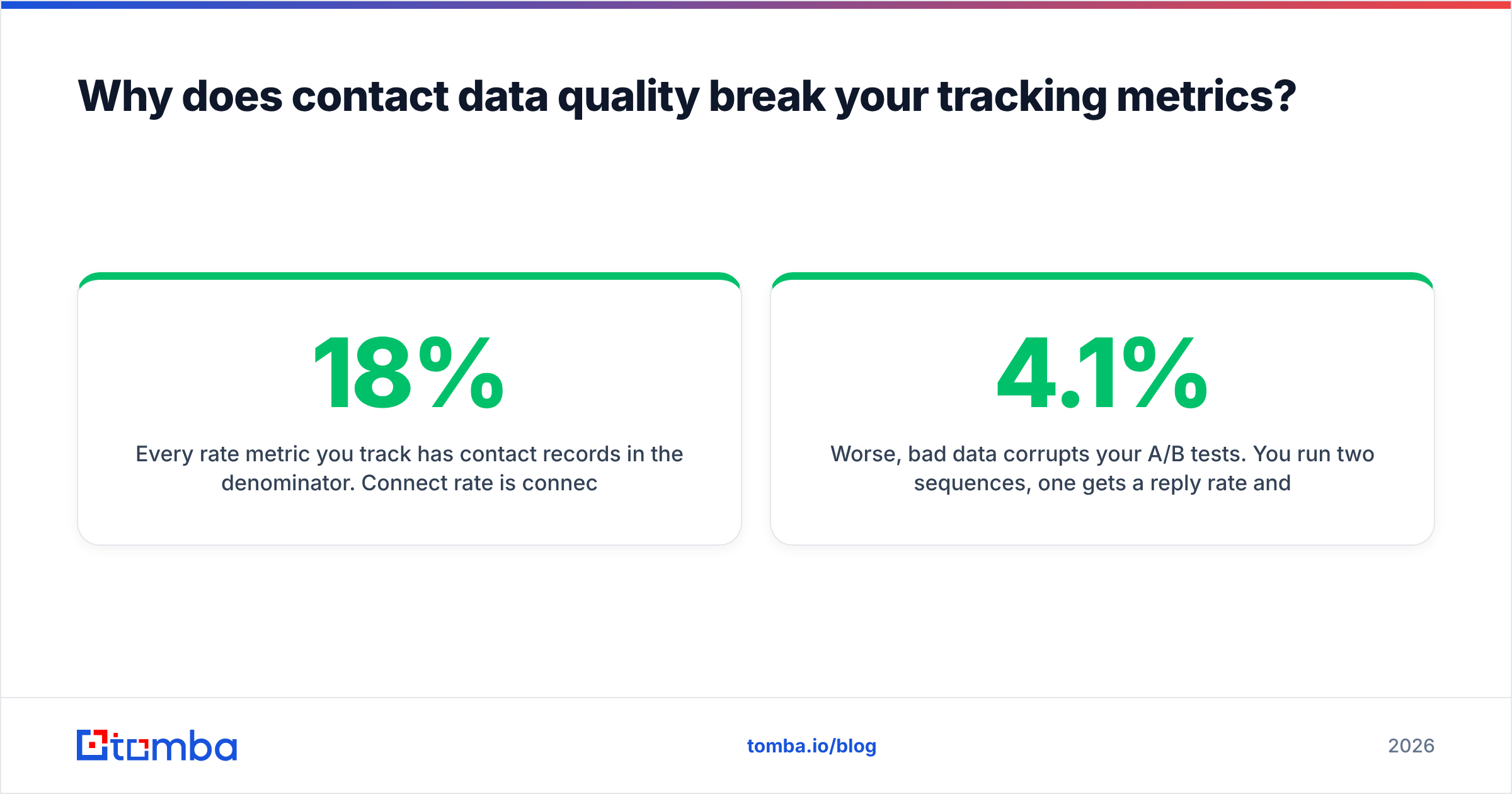
Every rate metric you track has contact records in the denominator. Connect rate is connects divided by dials — but a dial to a disconnected number was never a real attempt. Reply rate is replies divided by sends — but a send to a bounced address was never a real send. When 18% of your list is bad, your connect rate reads 18% lower than reality and your team gets coached on a problem they don't have.
Worse, bad data corrupts your A/B tests. You run two sequences, one gets a 4.1% reply rate and one gets a 2.8%, and you kill the second. But if the second list had a higher bounce rate, you may have just killed your better sequence. Deliverability damage compounds: high bounce rates hurt sender reputation, which suppresses inbox placement, which suppresses reply rates on every sequence afterward.
Three fixes, in order of ROI:
- Verify before you send, not after you bounce. Running a list through an email verifier before it enters a sequence is the highest-leverage 10 minutes in the whole workflow. Catch-all domains need a separate check — a catch-all verifier tells you whether "accepts everything" actually means "delivers to a human."
- Enrich on record creation, not quarterly. Wiring contact enrichment into your CRM at the point of record creation means every new lead arrives with a verified email, title, and company data attached. That makes segmentation reliable from day one instead of after a cleanup project.
- Automate re-verification on a schedule. Pipe your contact base through the Tomba API monthly and flag the decayed records. Vendors like BookYourData offer verified B2B lists that are a solid starting point when you're building a territory from scratch; the discipline of ongoing re-verification is what keeps any purchased or self-built list useful past month three.
None of this is glamorous. All of it is why one team's dashboard drives decisions and another team's gets ignored.
How do you roll out inside sales tracking in 30 days?#
The failure mode is scope. Teams try to instrument everything, reps revolt, adoption stalls, and the tool becomes shelfware with a renewal date.
Week 1 — Define the questions. Write down the five decisions this data should drive. "Should we hire two more SDRs?" "Is our outbound sequence better than our inbound follow-up?" Every field you track must serve one of these. If it doesn't, cut it.
Week 2 — Wire the plumbing. Connect the CRM, the email client, the dialer, and your data source. Verify that activities appear automatically. Test with three reps and check whether the logged activity matches what actually happened — not what the system claims happened. Native connectors like a HubSpot integration or Salesforce integration beat a custom Zapier chain here because they fail loudly instead of silently.
Week 3 — Pilot with one team. One pod, one manager, one dashboard. Run the weekly review off the tool, not off the spreadsheet. Every metric that nobody looks at during that meeting gets deleted.
Week 4 — Set the baseline and publish it. Record your current connect rate, reply rate, meeting-held rate, and stage conversions. Publish them. You cannot demonstrate improvement without a number from before you started, and "we feel more organized" doesn't renew a budget.
Then leave it alone for a quarter. Tracking systems need stable definitions to produce trend lines. Changing your stage definitions in month two means you've thrown away month one.
What mistakes kill inside sales tracking projects?#
Tracking activity without outcomes. A dashboard of dials and emails sent with no conversion data attached turns into a surveillance tool. Reps optimize for the number being watched, quality collapses, and you've built a machine for generating meaningless activity.
Making reps the data-entry layer. Every field a rep types by hand is a field that's 60% complete and 80% accurate. If the system can't capture it automatically, seriously consider not tracking it.
Buying the intelligence layer first. Conversation intelligence on top of a messy CRM and an unverified contact list is an expensive way to get precise answers to the wrong questions. Fix the foundation, then buy the microscope.
Ignoring the denominator. Covered above, but it bears repeating: your rate metrics are only as honest as your contact records. A bulk verify pass before a quarterly push costs almost nothing and changes what your numbers mean.
Treating the rollout as an IT project. The manager who runs the weekly pipeline review owns this tool. If they don't run their meeting off it within 30 days, it will not survive the year.
Where should you start?#
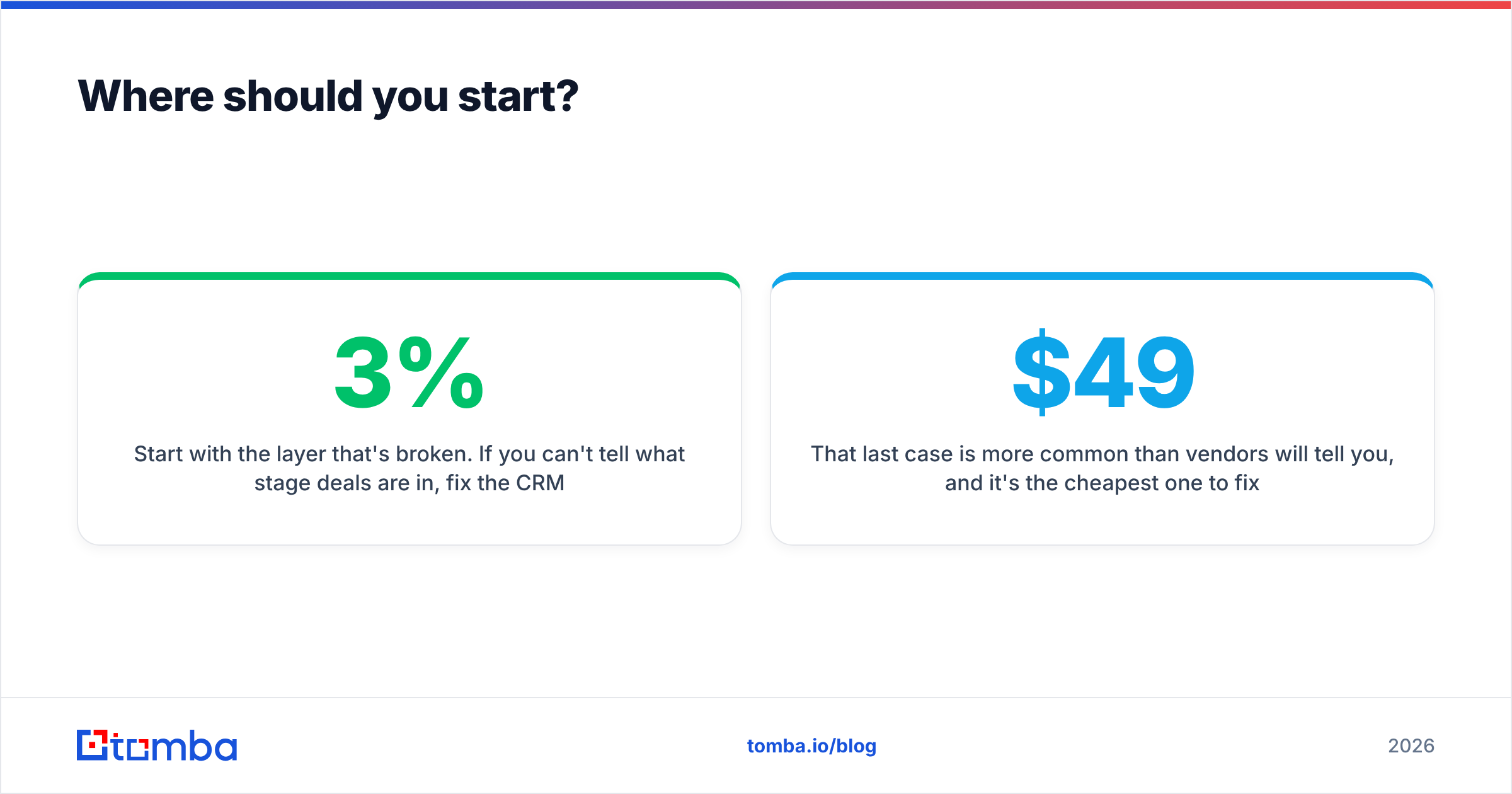
Start with the layer that's broken. If you can't tell what stage deals are in, fix the CRM. If reps are copy-pasting emails, buy an engagement platform. If your connect rates are inexplicably terrible and your bounce rate is above 3%, your problem isn't tracking software at all — it's the data you're tracking against.
That last case is more common than vendors will tell you, and it's the cheapest one to fix. Run your contact list through Tomba's Email Finder to fill the gaps with verified, source-cited addresses, and check Tomba pricing — the free tier gives you 25 searches a month to test against a real segment of your list, with Starter at $49/mo and Growth at $99/mo once you're ready to run it across the whole territory. Clean the denominator first, then decide which dashboard is worth paying per seat for.
Related guides#
// get started
Find, verify and enrich your first contacts today
Start on the free plan with 25 searches a month, then scale when your team is ready.
Free plan · No credit card required · GDPR & CCPA
// about the author