InsideSales Pricing 2026: Reviews, Pros, Cons and Costs
InsideSales publishes no price list, so buyers negotiate blind. Here are the reported costs, the contract terms that bite, what reviewers actually praise, and when a cheaper stack wins.
TL;DR
- InsideSales (the Playbooks platform, once called XANT) hides its price list. Every number online comes from buyers, resellers, or leaked quotes. Treat it as a starting point.
- Reported InsideSales pricing sits near $100–$195 per user per month on yearly deals. Seat floors apply, and setup runs $5,000–$15,000.
- Reviewers praise the dialer, the Salesforce sync, and the "what to do next" cadence engine. They fault slow setup, rigid terms, and a slower roadmap since Aurea bought the firm.
- Below ~15 reps, InsideSales pricing rarely pays off. A simple sequencer plus a good data source costs far less.
- If your real problem is contact data rather than workflow, buy data first. Start with an accurate email finder and spend the rest on sequencing.
What is InsideSales, and who owns it in 2026?#
InsideSales.com is one of the first sales engagement platforms. It launched in 2004 and raised more than $250M. It became XANT in 2019, then took the old name back in 2021. Aurea, part of the ESW Capital group, bought it soon after. That history shapes InsideSales pricing today. ESW-owned software tends to follow one pattern: steady upkeep, a slow roadmap, and deals that reward long renewals.
The main product is Playbooks. It sits on top of Salesforce, and to a lesser degree Dynamics. Reps work a ranked list of contacts. Playbooks tells them who to touch next, and on which channel. The dialer and email tools then send the touch. Behind that sits a huge store of buyer activity. It scores leads and times outreach.
So InsideSales pricing does not buy you a dialer. It buys a system that enforces how a sales floor works. That gap decides whether the quote is a bargain or a waste.
How much does InsideSales cost in 2026?#
Nobody outside the firm knows the real rate card, because there is no public one. The official site sends every InsideSales pricing question to a demo form. What follows comes from public reviews, reseller listings, and buyer reports. Use it as a guide, not as gospel.
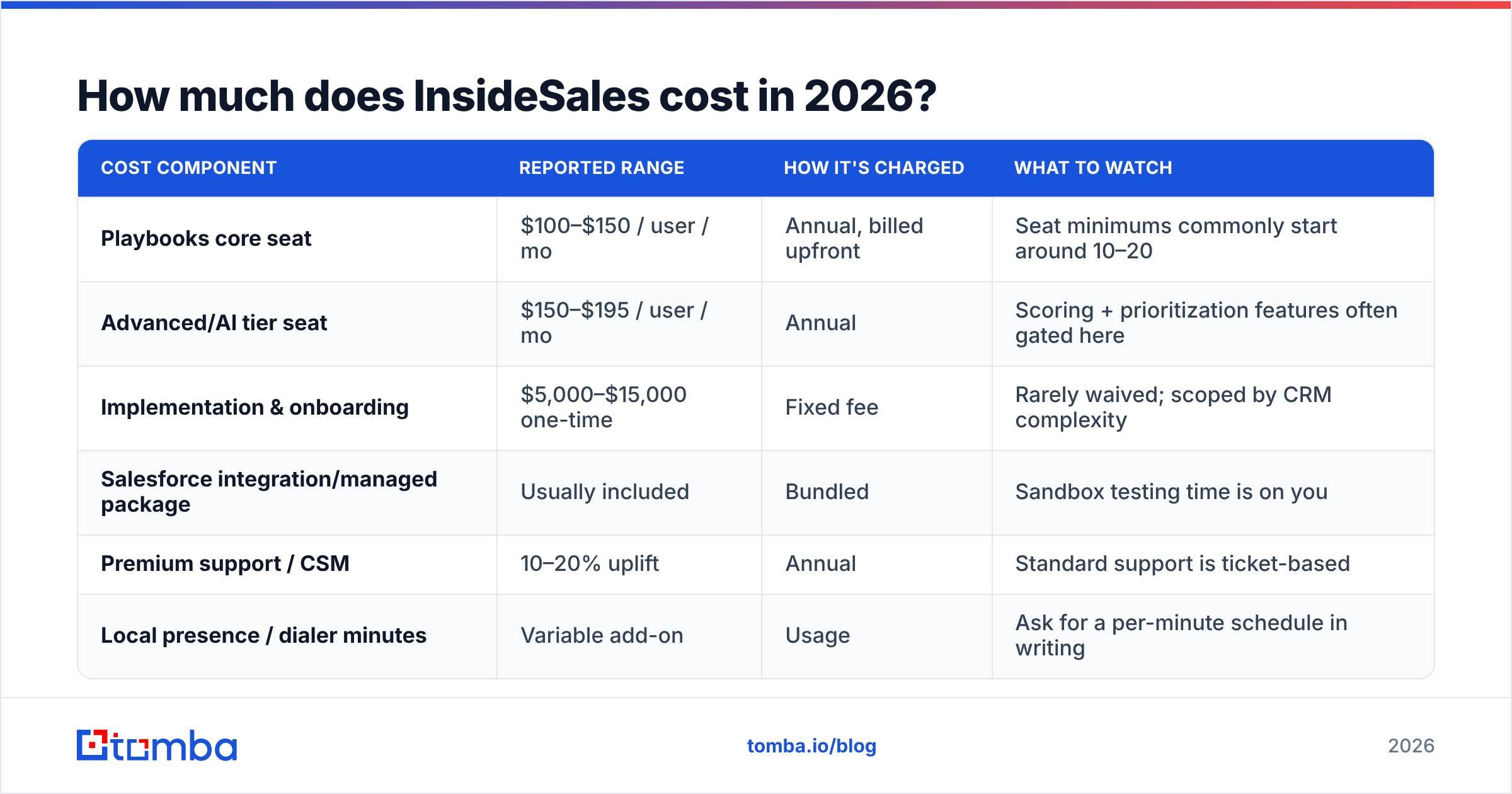
| Cost item | Reported range | How it's billed | Watch out for |
|---|---|---|---|
| Core Playbooks seat | $100–$150 per user | Yearly, paid upfront | Seat floors near 10–20. |
| AI tier seat | $150–$195 per user | Yearly | Scoring is gated here. |
| Setup and training | $5,000–$15,000 once | Flat fee | Rarely waived. |
| Salesforce package | Usually free | Bundled | Your test time is not. |
| Premium support | Adds 10–20% | Yearly | Basic help is by ticket. |
| Dialer minutes | Varies | Usage | Ask for a rate card. |
A 25-rep team on a mid tier lands near $45,000–$55,000 in year one, setup included. Renewal years drop to roughly $37,000–$45,000. That is real money, so your review should be harsh.
Four habits show up again and again in buyer reports. Put each one on your checklist.
- Yearly prepay is the default. Monthly billing is rare. When you get it, you pay more.
- Seat counts go up, not down. Adding seats mid-term is easy. Cutting them is not. Size the first deal to your lowest headcount.
- Renewal windows are short. Reviewers report 60–90 day notice rules. Put that date in your calendar the day you sign.
- Discounts are real, but slow. Multi-year terms unlock the best seat rates. Whether you want a three-year term here is another question.
What do you actually get at each tier?#
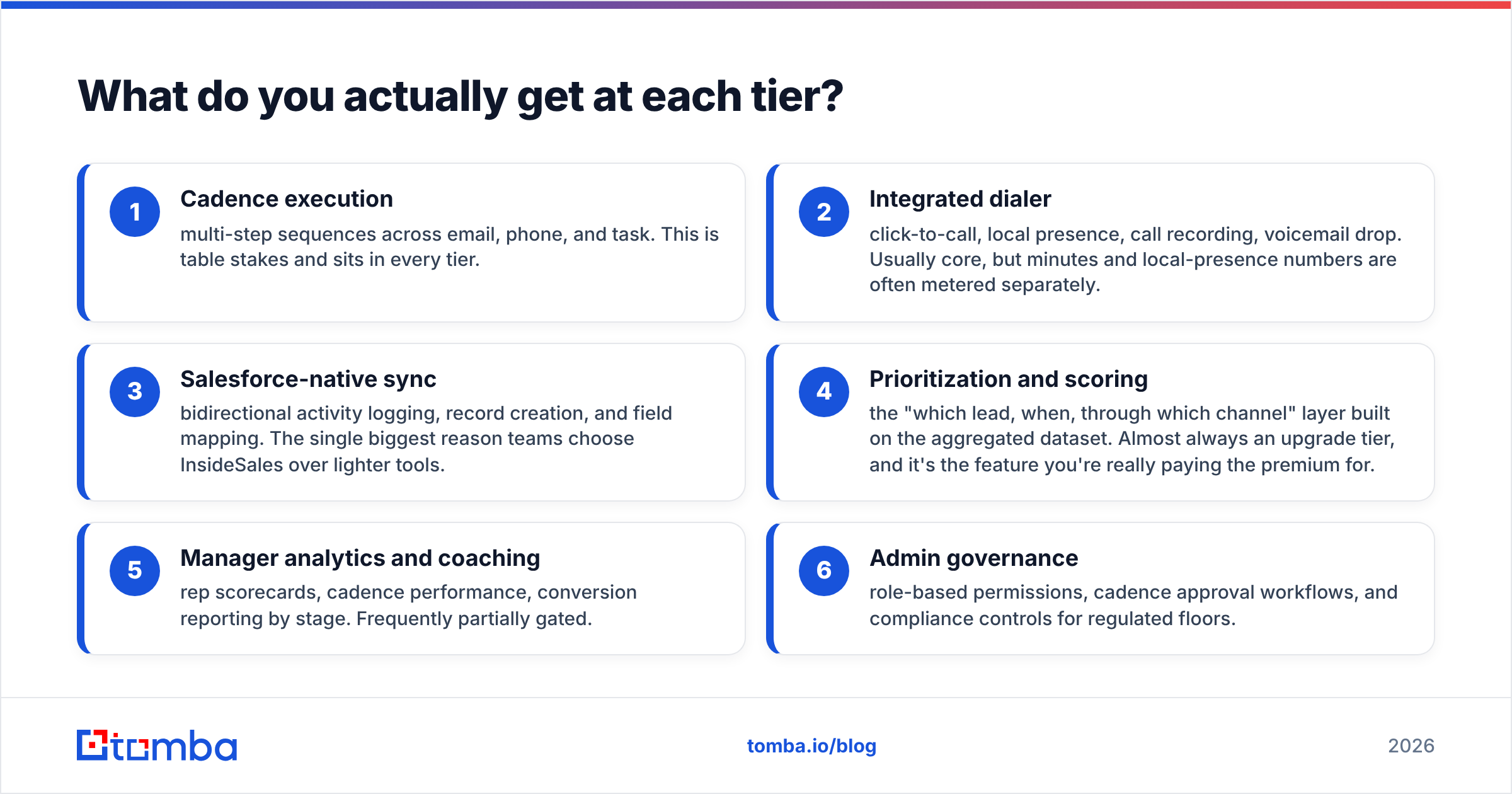
Tier names shift from quote to quote. So judge by what you get, not by the label. Six blocks matter, roughly in the order vendors lock them.
- Cadence steps — multi-step plays by email, phone, and task. Every tier has this.
- Built-in dialer — click to call, local presence, recording, voicemail drop. Minutes often cost extra.
- Salesforce sync — two-way logging, record creation, field mapping. This is the top reason teams pick it over lighter tools.
- Ranking and scoring — who to call, when, and on which channel. This is almost always an upgrade tier. It is also the real reason InsideSales pricing climbs.
- Manager reporting — rep scorecards, cadence results, stage conversion. Often locked in part.
- Admin controls — roles, approval steps, and rules for regulated floors.
If blocks 4 and 6 are not on your must-have list, a much cheaper stack will do. That is the best filter in this whole post.
What do reviews say are the pros?#
Pull the public reviews on G2's sales engagement category. One picture shows up. The praise lands in four places.
The dialer is very good. Reps who make 80 calls a day report better connect rates from local presence. Voicemail drop and click to call save real time. For phone-heavy floors, this is the best part of the product.
Salesforce data gets cleaner fast. Logging that just works is rare here. Teams report much better pipeline data, because reps stop logging calls by hand. That is hidden ROI, and most business cases miss it.
Guided workflow cuts rep mistakes. New SDRs gain the most. Instead of guessing who to call, they work the list the system hands them. Managers with high churn renew for this reason.
New hires ramp faster. When software enforces the cadence, a new rep is useful in days, not weeks. If you hire in groups, put a number on that. It is often worth more than the license.
What do reviewers say are the cons?#
The gripes are just as steady. Most are about the contract, not the tech.
Setup is heavy. It takes weeks, not days, and teams with no Salesforce admin report delays past a quarter. Budget your own hours too, not just the vendor fee.
The UI looks dated. Reviewers who come from newer tools call it dense and old. It works. Your reps just won't rave about it.
Contracts bend very little. Yearly prepay, seat floors, and short notice windows come up often. Some buyers could not cut seats after a layoff.
The roadmap moves slowly. Since the sale, the product is stable but ships fewer new features. Buying for what it does today is fine. Buying for where it lands in 2028 is a risk.
Data is not the reason to buy it. The scoring data is unusual, but InsideSales is not a contact database. You still need good emails and B2B phone numbers at the top of the funnel. Most business cases forget that line.
How does InsideSales pricing compare to the alternatives?#
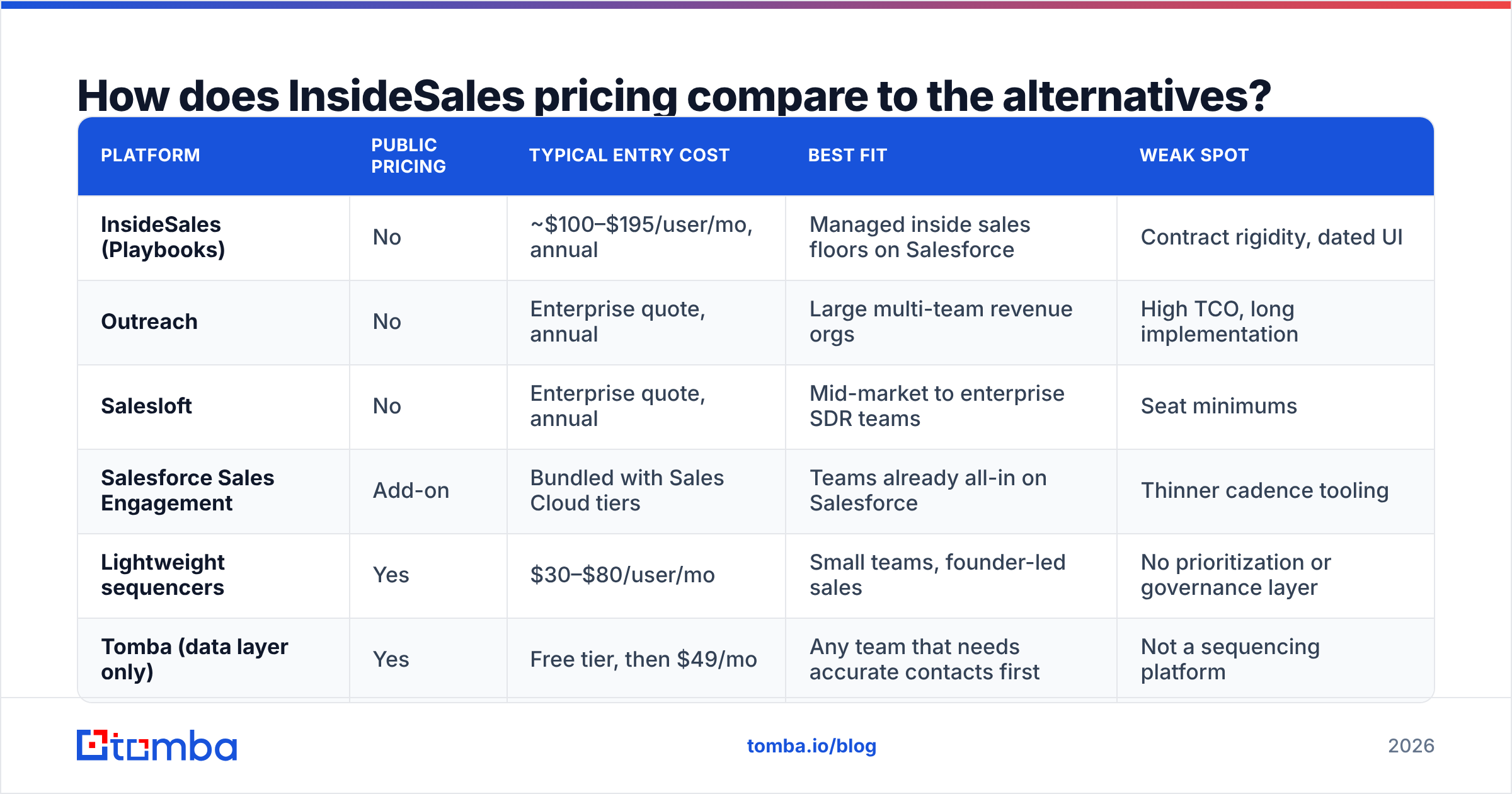
This is a crowded market, and the cheapest path hangs on one question. Do you need the rules layer, or just the sending?
| Tool | Public price? | Entry cost | Best fit | Weak spot |
|---|---|---|---|---|
| InsideSales | No | ~$100–$195 per seat | Phone floors on Salesforce | Rigid deals. |
| Outreach | No | Quote only | Large revenue teams | High total cost. |
| Salesloft | No | Quote only | Mid-market SDR teams | Seat floors. |
| Salesforce add-on | Yes | Bundled with Sales Cloud | Salesforce shops | Thin cadence tools. |
| Light sequencers | Yes | $30–$80 per seat | Small teams | No ranking layer. |
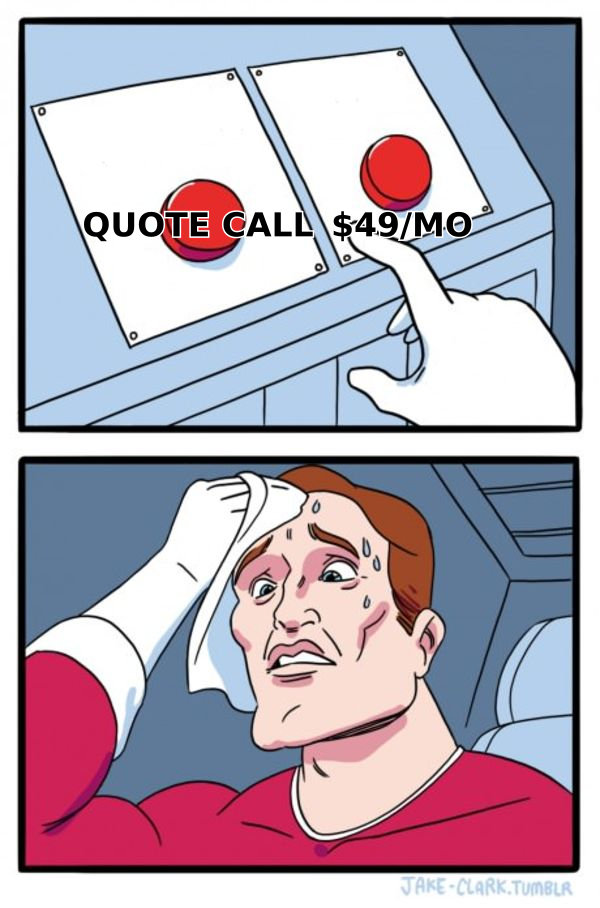
| Tomba (data only) | Yes | Free, then $49/mo | Teams that need contacts | Not a sequencer. |
Two rows deserve a note. If you already pay for Sales Cloud, price the native add-on first. The extra cost is often lower than a new deal, and the debate about wiring it up goes away.
And if your needs are simple, a $50 seat plus good management gets 80% of the result at a quarter of the spend. Compare open options on Tomba pricing to see what a published rate card looks like: a free tier at 25 searches a month, Starter at $49/mo, Growth at $99/mo, and Pro at $249/mo.
Is InsideSales worth it in 2026?#
It fits one kind of buyer. For everyone else, InsideSales pricing is dead weight.
Buy it if you run 20 or more reps on a phone-heavy floor. You live in Salesforce. You lose reps often. And you need software to enforce a cadence that managers cannot police by hand. Then the seat cost is small next to the gains.
Skip it if your team is under 15 reps. Or your motion leads with email. Or you don't run Salesforce. Or your reps are senior, and a scripted order feels like a straitjacket. Then you pay top rates for rules you don't need.
One question settles it. Is your pipeline problem execution or input? If reps work the right list badly, this platform helps. If reps work a bad list well, no cadence tool saves you. That is a data problem, and it is cheaper to fix.
How do you cut the real cost of an InsideSales deployment?#
These moves lower InsideSales pricing, and they work on rival tools too.
- Split out the setup fee. It is the easiest line to discount, above all at quarter end. Trade a case study for it.
- Cap seat floors at your lowest headcount. Add seats later at the same rate, and get that rate in writing.
- Ask for a per-minute dialer rate. Usage add-ons are where the quote and the bill drift apart.
- Pilot one team for one quarter. Ten seats and one clear metric cost far less than a full rollout.
- Clean the list before you pay to work it. Bounced sends burn your priciest resource. Run the import through an email verifier first.
- Diary the renewal date. Ninety days out, not thirty.
What should you do before any sales engagement demo?#
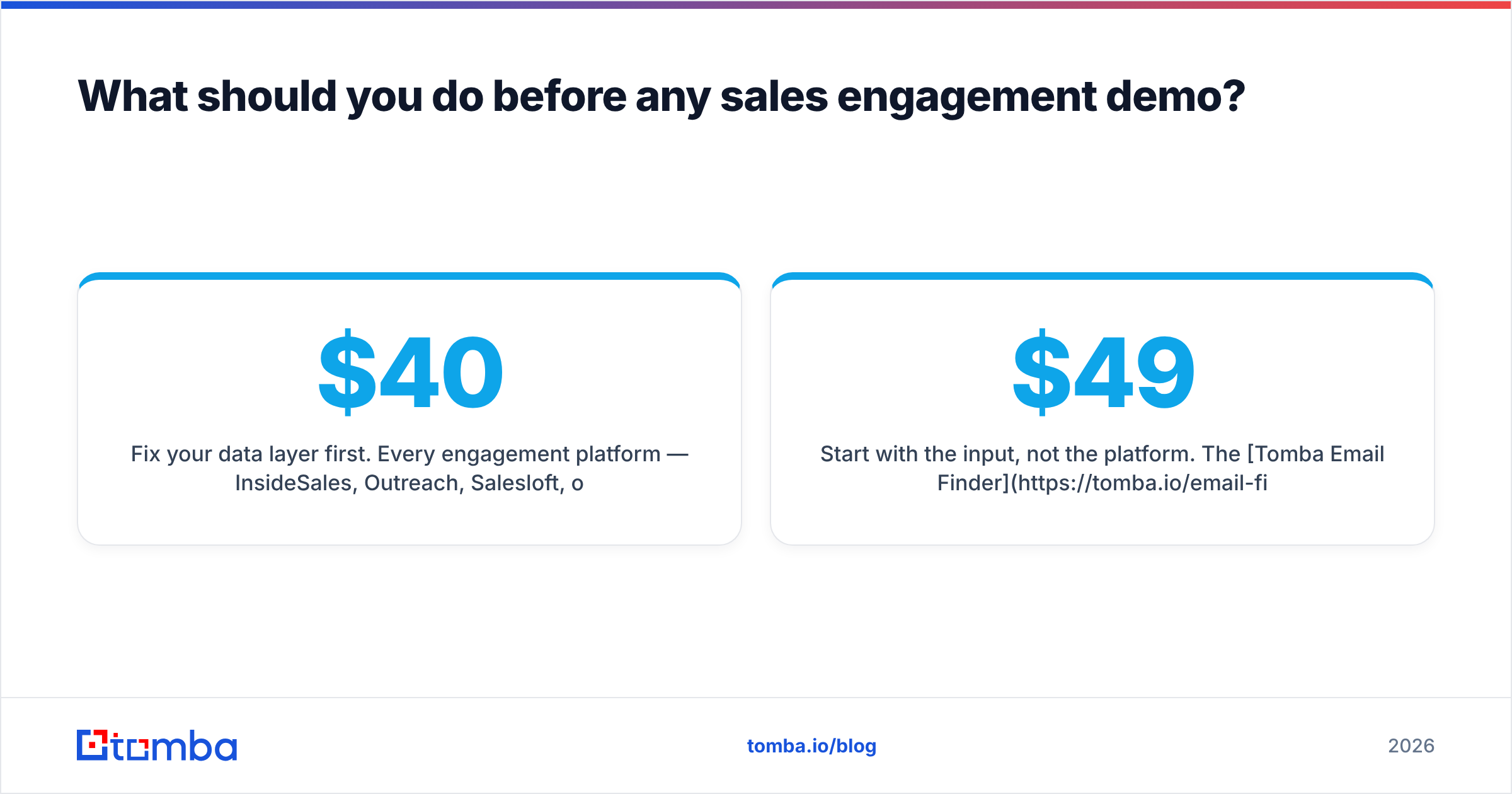
Fix your data layer first. Every platform here multiplies the list you feed it. That goes for InsideSales, Outreach, Salesloft, or a $40 sequencer. A 22% bounce rate does not drop because the cadence is smarter. It just costs more, and it burns your sender reputation.
Get the contacts right first. Then decide how much control you really need. Most teams find the second bill is much smaller than they feared.
Start with the input, not the platform. The Tomba Email Finder returns verified work emails by name, domain, or company. The free tier covers 25 searches a month, and paid plans start at $49/mo, listed on the site with no demo call. Build a clean list first, then let the leftover problem answer the InsideSales pricing question.
Related guides#
// get started
Find, verify and enrich your first contacts today
Start on the free plan with 25 searches a month, then scale when your team is ready.
Free plan · No credit card required · GDPR & CCPA
// about the author