Interactive Sales Presentations: The 2026 Playbook That Closes
Static decks get skimmed and forgotten. Here's how interactive sales presentations actually change buyer behavior in 2026 — the formats, the tools, the metrics, and the mistakes that quietly kill deals.
TL;DR
- Interactive sales presentations replace linear slides with buyer-controlled paths: clickable product demos, live ROI calculators, branching agendas, and embedded pricing configurators.
- The measurable win is not "engagement" — it is shorter cycles and more multithreading, because the deck survives being forwarded to people you never met.
- Four formats dominate in 2026: interactive decks, product tours, digital sales rooms, and video-plus-demo hybrids. They solve different problems and cost wildly different amounts.
- Tooling ranges from roughly $25/user/month for interactive deck builders to five figures a year for enterprise demo platforms. Most teams over-buy.
- None of it matters if the deck lands in the wrong inbox. Contact accuracy is the upstream variable everybody skips.
What is an interactive sales presentation?#
An interactive sales presentation is a pitch asset the buyer operates instead of watches. Rather than 38 slides advancing in one fixed order, the buyer clicks into the module relevant to them, adjusts inputs, skips what they already know, and shares a link with their CFO who then does the same thing at 11pm on a Tuesday.
The everyday analogy: a static deck is a printed restaurant menu read aloud to you by a waiter who will not skip the desserts. An interactive presentation is the menu in your own hands — you jump straight to mains, check the allergen filter, and hand it to the person across the table.
Technically, these assets share four traits:
- Non-linear navigation — a menu, tabs, or branching logic lets the buyer choose their path instead of scrolling a fixed sequence.
- Live inputs — ROI calculators, pricing sliders, headcount fields, or configuration toggles that recompute in the browser.
- Embedded product reality — a clickable tour, sandbox environment, or captured UI flow, not a screenshot with a red arrow drawn on it.
- Telemetry — per-viewer analytics: who opened it, which section they spent 90 seconds on, who they forwarded it to, and when they came back.
That fourth trait is the one that changes forecasting. A PDF tells you nothing after you hit send. An interactive asset tells you that the deal you marked "stalled" was reopened three times last week by someone in Finance.
Why do static decks lose deals in 2026?#
Because buying committees got bigger and champion time got smaller. Gartner's research on B2B buying has consistently shown that buyers spend a small minority of the purchase cycle with any one vendor's sellers, and that groups of 6–10 stakeholders are the norm for complex deals. Your champion is not presenting your deck for you. They are forwarding it, unedited, into a Slack channel where nobody has context.
A static deck fails that relay in three specific ways:
- It has no entry point for a stranger. Slide 1 was built for the discovery call, not for a security reviewer who joined in week five.
- It cannot answer the one question each stakeholder has. Finance wants payback period. IT wants the SSO story. Ops wants the migration plan. One linear narrative serves exactly one of them.
- It goes dark. You lose the signal at the exact moment the internal sell begins — which is the only part of the deal you don't control.
Interactive formats do not magically fix a weak value proposition. They fix the distribution of a good one.
What are the main formats of interactive sales presentations?#
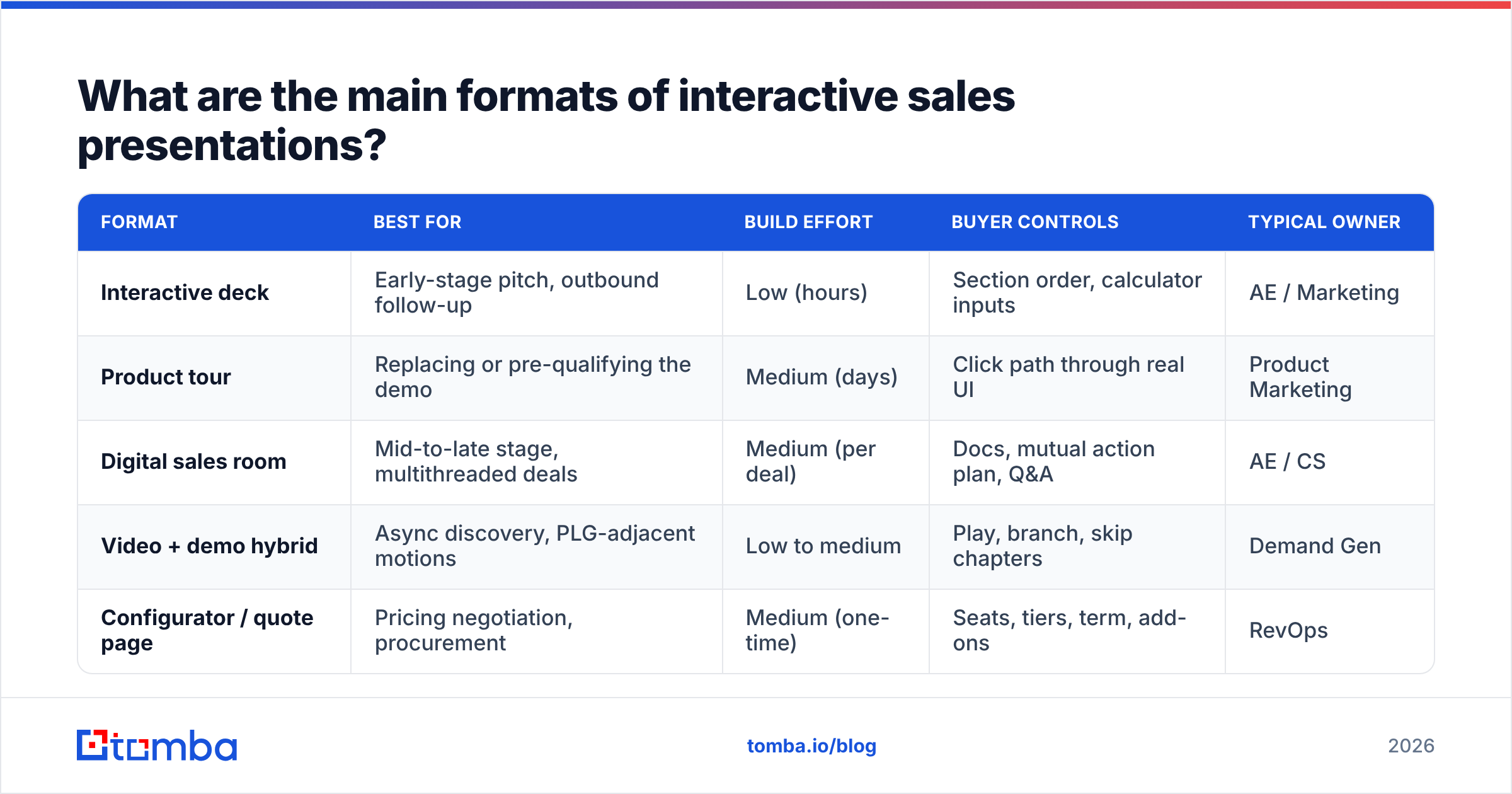
There are four, and conflating them is the most common budgeting mistake. Here is how they differ on the attributes that actually matter:
| Format | Best for | Build effort | Buyer controls | Typical owner |
|---|---|---|---|---|
| Interactive deck | Early-stage pitch, outbound follow-up | Low (hours) | Section order, calculator inputs | AE / Marketing |
| Product tour | Replacing or pre-qualifying the demo | Medium (days) | Click path through real UI | Product Marketing |
| Digital sales room | Mid-to-late stage, multithreaded deals | Medium (per deal) | Docs, mutual action plan, Q&A | AE / CS |
| Video + demo hybrid | Async discovery, PLG-adjacent motions | Low to medium | Play, branch, skip chapters | Demand Gen |
| Configurator / quote page | Pricing negotiation, procurement | Medium (one-time) | Seats, tiers, term, add-ons | RevOps |
How to read that table: if your problem is "prospects ghost after the first call," you need an interactive deck or a product tour. If your problem is "deals stall in legal and procurement," you need a digital sales room with a mutual action plan. Buying an enterprise demo platform to solve a follow-up problem is a $30,000 answer to a $300 question.
Interactive decks#
Web-based, responsive, analytics-instrumented replacements for PDFs. The buyer scrolls, but sections are modular and often personalized by name, logo, and use case. Cheap, fast, and the right default for most mid-market teams.
Interactive product tours#
A captured or replicated version of your product the buyer clicks through without a login. Vendors like Navattic and Walnut built entire categories here. Strong for technical products where "show me" beats "tell me," expensive to maintain if your UI ships weekly.
Digital sales rooms#
A persistent shared workspace per opportunity: the deck, the security docs, the pricing, the recorded calls, and a mutual action plan with dates. This is where multithreading actually happens. It is also the format with the highest abandonment rate, because it requires the rep to maintain it.
Video and demo hybrids#
Short recorded segments with branching — "if you're evaluating for a 20-person team, click here." Consensus popularized the intelligent demo variant. Excellent for qualifying inbound at volume, weak as a closing asset.
Which interactive sales presentation tools are worth paying for?#
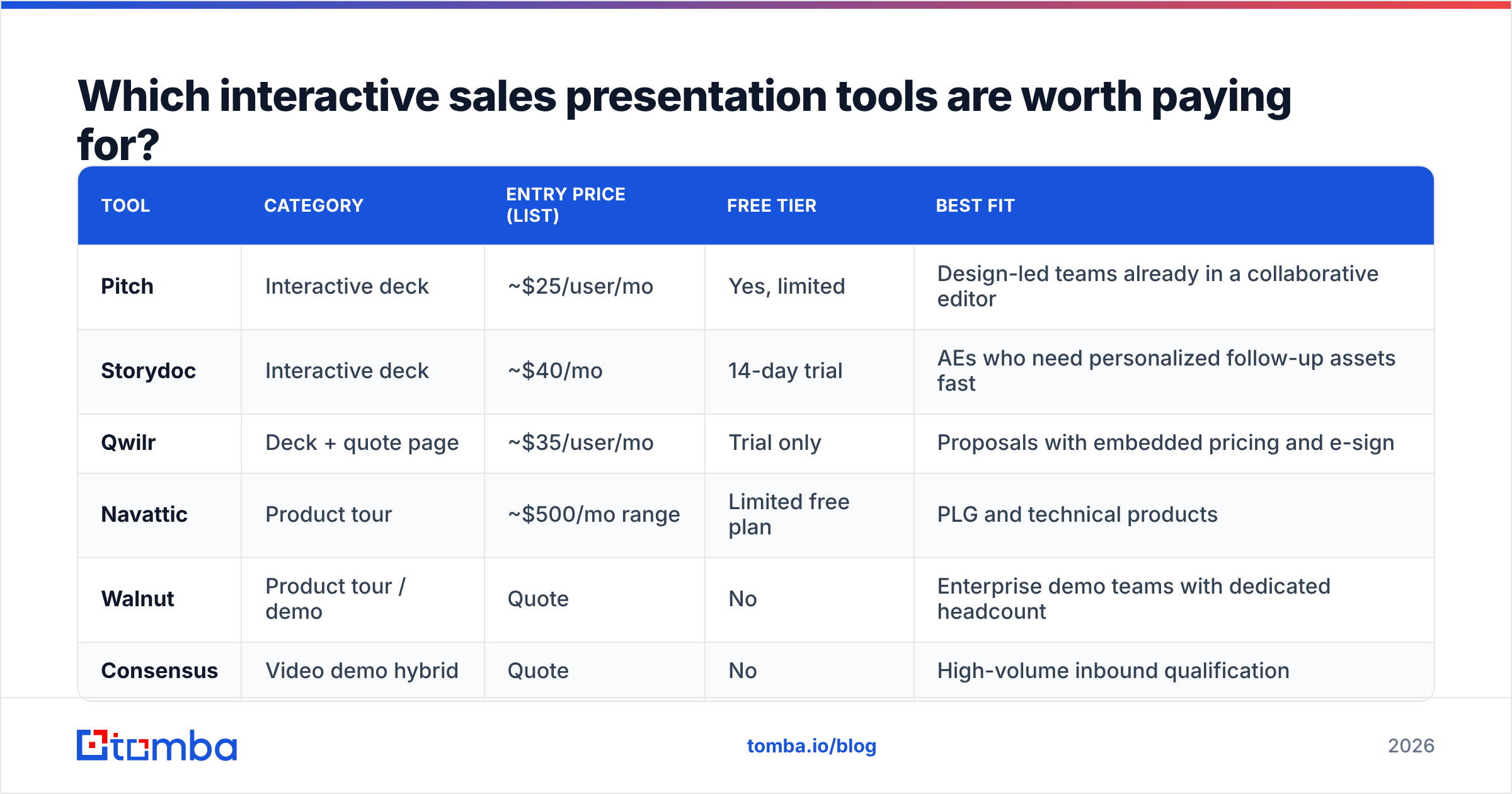
Prices below are published list rates at the time of writing and change often — verify on each vendor's own pricing page before you budget. Anything marked "Quote" is not publicly listed, which itself tells you something about the sales motion you're about to enter.
| Tool | Category | Entry price (list) | Free tier | Best fit |
|---|---|---|---|---|
| Pitch | Interactive deck | ~$25/user/mo | Yes, limited | Design-led teams already in a collaborative editor |
| Storydoc | Interactive deck | ~$40/mo | 14-day trial | AEs who need personalized follow-up assets fast |
| Qwilr | Deck + quote page | ~$35/user/mo | Trial only | Proposals with embedded pricing and e-sign |
| Navattic | Product tour | ~$500/mo range | Limited free plan | PLG and technical products |
| Walnut | Product tour / demo | Quote | No | Enterprise demo teams with dedicated headcount |
| Consensus | Video demo hybrid | Quote | No | High-volume inbound qualification |
Two honest caveats. First, per-user pricing punishes wide rollouts — a 40-rep team at $35/user is $16,800/year before anyone builds a single asset. Second, product tour tools carry a hidden maintenance tax: every UI release invalidates captured flows, and somebody has to recapture them. Budget the headcount, not just the license. G2's presentation software category is a reasonable place to sanity-check current user sentiment before you commit.
How do you build one that actually converts?#
Six steps, in order. Skipping step one is why most interactive decks perform exactly like the PDFs they replaced.
- Start from the forward, not the call. Write the asset for the stakeholder who receives it second-hand with zero context. If it needs your voiceover to make sense, it is still a static deck with animations.
- Give every persona a door. A top-level menu with three to five entry points — Finance, IT, Ops, Executive — outperforms a single narrative. Name the doors after the buyer's job, not your feature categories.
- Put one live number in it. A calculator the buyer edits creates ownership. When the CFO types their own headcount into your payback model, the output stops being your claim and becomes their math.
- Cap the core path at seven interactions. Interactive does not mean infinite. If the primary path takes more than seven clicks, completion collapses.
- Instrument before you send. Set up per-section analytics and a notification when a new viewer opens the link. The new-viewer alert is the single highest-value signal the format produces.
- Version it per segment, not per prospect. Personalize the logo and the use case block; do not rebuild the whole asset for every deal. Reps who rebuild stop using the tool by week three.

Does an interactive deck fix a bad pipeline?#
No. And this is the uncomfortable part.
An interactive sales presentation multiplies whatever you already have. Send a brilliant, branching, ROI-calculating masterpiece to a role-based catch-all address that nobody monitors, and the analytics dashboard will faithfully report zero opens for the rest of the quarter. The format amplifies reach inside an account — but only after something correctly identified the account and the human in it.
Three upstream checks are worth more than any presentation upgrade:
- Is the contact real and current? Job changes run high in B2B sales and marketing roles. A deck sent to a departed champion is not a deck problem. Running your list through an email verifier before a campaign strips out the bounces that would otherwise poison your sender reputation and hide your real engagement rate.
- Are you reaching the right seniority? If your interactive asset is built for a CFO and you only have the SDR's contact, the forwarding chain is doing work your targeting should have done. A domain search that returns the full org chart for a target company solves this before the deck is ever built.
- Do you know enough to personalize? Interactive assets are only interactive if the branches match the buyer. Contact enrichment — headcount, tech stack, funding stage — is what lets you pick the right variant instead of shipping the generic one.
Put bluntly: a $16,800 presentation tool sitting on top of a 22% bounce rate is a very expensive way to talk to nobody.
How do you measure whether it works?#
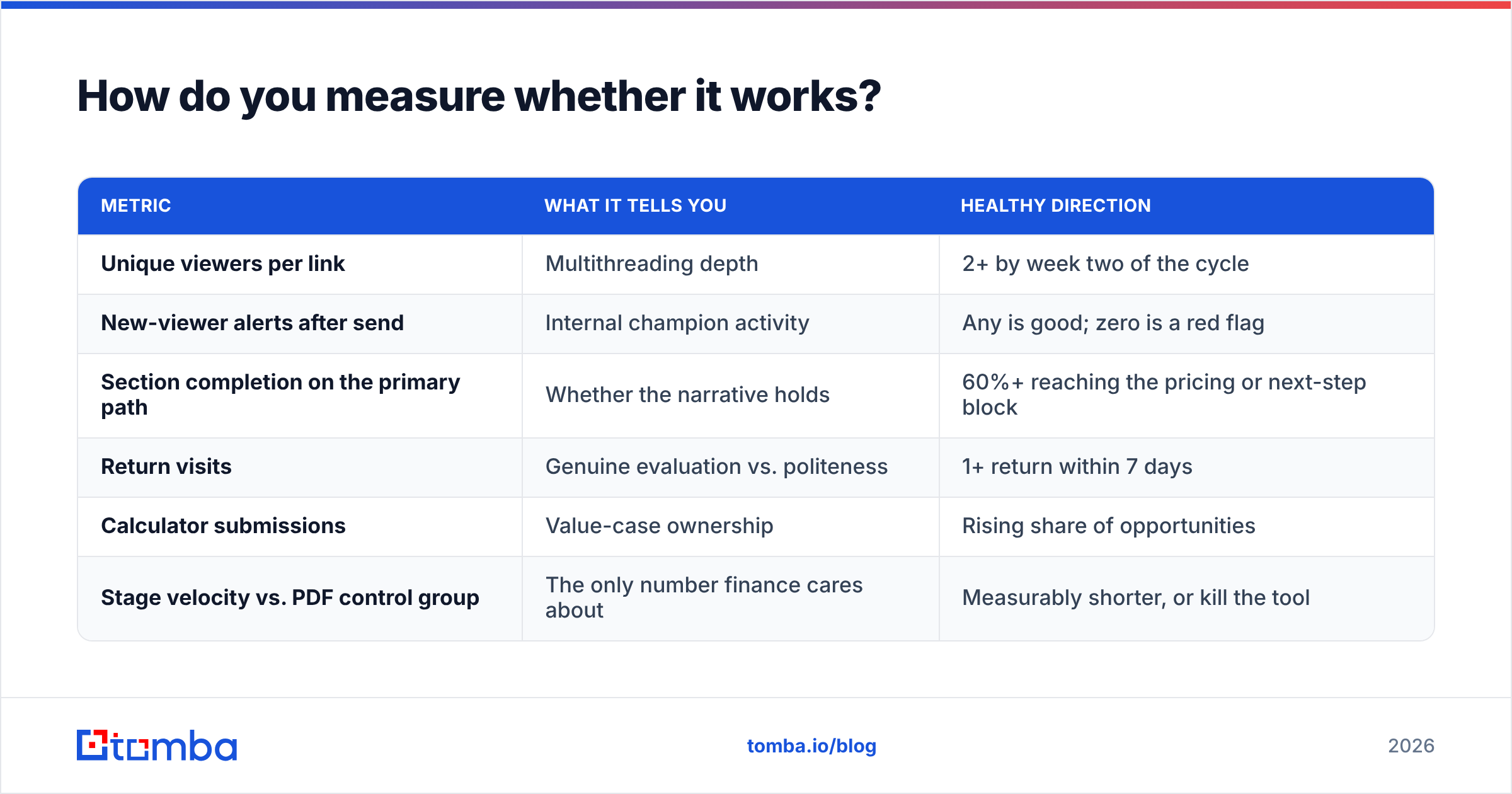
Ignore "engagement time." It is the vanity metric of this category — a buyer who spent nine minutes might be confused rather than convinced. Track these instead:
| Metric | What it tells you | Healthy direction |
|---|---|---|
| Unique viewers per link | Multithreading depth | 2+ by week two of the cycle |
| New-viewer alerts after send | Internal champion activity | Any is good; zero is a red flag |
| Section completion on the primary path | Whether the narrative holds | 60%+ reaching the pricing or next-step block |
| Return visits | Genuine evaluation vs. politeness | 1+ return within 7 days |
| Calculator submissions | Value-case ownership | Rising share of opportunities |
| Stage velocity vs. PDF control group | The only number finance cares about | Measurably shorter, or kill the tool |
Run it as a real test. Hold out a control group of reps on the old deck for one quarter. If cycle time and multithreading do not move, the problem is the message or the targeting — and no amount of clickable UI will rescue either. Measuring against a baseline is standard practice in HubSpot's sales enablement guidance and it is the difference between a tool purchase and a tool habit.
What mistakes quietly kill interactive presentations?#
- Building a maze. Branching logic that requires the buyer to understand your product taxonomy before navigating it. Label branches by the buyer's question, never by your module name.
- Gating the asset. Putting a form in front of a link your champion needs to forward destroys the entire mechanism. Gate the trial, not the deck.
- Letting it rot. Pricing changed in March, the asset still shows January's tiers. Assign an owner and a quarterly review date or it becomes a liability in procurement.
- Confusing motion with proof. Animation is not interactivity. If the buyer cannot change anything, you built a nicer PDF.
- Ignoring mobile. A meaningful share of forwarded links open on a phone during a commute. If your calculator breaks at 390px wide, your CFO never saw the payback number.
- No human next step. Every path should end in one obvious action — book time, request the security packet, invite a colleague. Interactive assets that dead-end simply move the ghosting one step later.
Where should you start next quarter?#
If you have never shipped one: build a single interactive deck for your highest-volume use case, with three persona doors and one live calculator. Use a low-cost deck tool, instrument it, and run it against a PDF control for eight weeks. That experiment costs a few hundred dollars and tells you whether the category deserves a bigger line item.
If you already ship them and results are flat, the fix is almost never the tool. It is targeting — the wrong people are receiving a well-built asset. Fix the list first, then re-run the test.
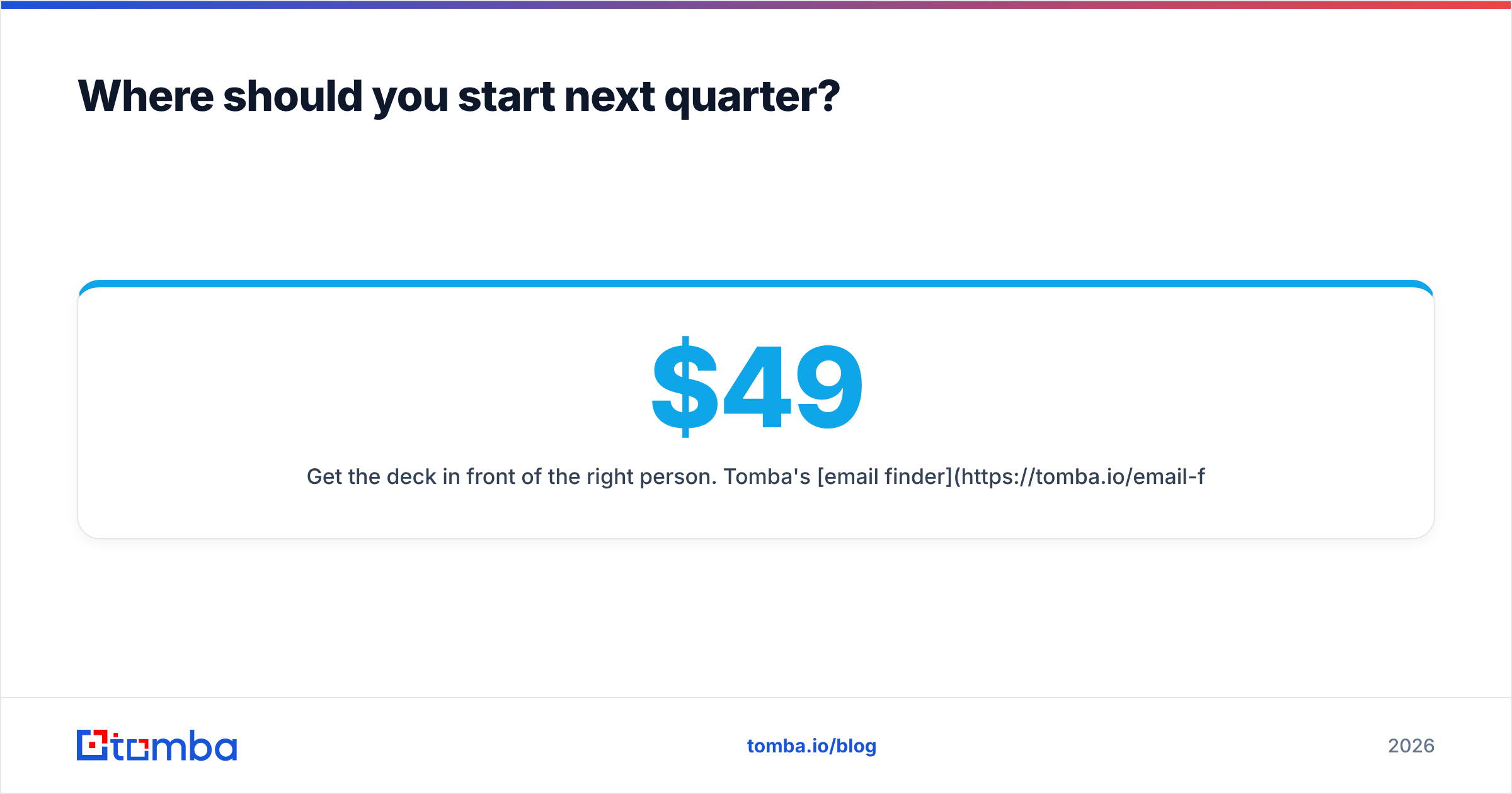
Get the deck in front of the right person. Tomba's email finder returns verified professional addresses by name, company, or domain, so your interactive presentation lands with the decision-maker instead of a dead alias. Start on the free tier with 25 searches a month, or scale to Starter at $49/mo, Growth at $99/mo, and Pro at $249/mo — full Tomba pricing is public, no quote call required.
Related guides#
// get started
Find, verify and enrich your first contacts today
Start on the free plan with 25 searches a month, then scale when your team is ready.
Free plan · No credit card required · GDPR & CCPA
// about the author