Introduction Email to Client for New Company: 7 Templates
Your first email from an unknown company has about nine seconds to earn a reply. Here are seven introduction email templates, the structure behind them, and the deliverability checks that decide whether they ever land.
TL;DR
- An introduction email to client for new company outreach has one job. It must prove in three sentences that you understand the client's situation. Twelve other unknown senders hit that inbox the same morning.
- Lead with the client's context, not your founding story. "We launched in March" is not a reason for anyone to reply.
- Pick your angle from the relationship you actually have — warm referral, inbound signal, trigger event, or genuinely cold. The template changes completely across those four.
- Verify every address before you send. A new sending domain with a 6% bounce rate gets filtered before your copy ever gets judged.
- Plan three to four follow-ups. Roughly 40-50% of replies arrive after the first message, so a one-and-done send throws away half your pipeline.
What is an introduction email to client for new company outreach?#
An introduction email to client for new company outreach is the first email a brand-new business sends to a prospect who has never heard of it. No shared history, no brand recognition, no existing contract. That last part is what makes it hard. An established vendor can lean on logos and case studies. A new company cannot, so the email has to earn attention on relevance alone.
Think of it like knocking on a neighbour's door the week you move in. Nobody cares about your mortgage rate or your renovation plans. They care whether you're going to be loud on Sundays and whether you're the type to lend a ladder. Useful first, biography later.
Three things separate this from a generic cold email:
- You have no trust reserve. Every claim needs a proof point in the same sentence, or it reads as noise.
- Your domain has no reputation. Mailbox providers treat a three-month-old domain with suspicion. The technical side matters as much as the copy.
- You're often selling a category, not just a product. New companies often solve problems the buyer hasn't named yet. That changes the structure of the ask.
What has to be in the email, and what can you cut?#
Six components carry almost all the weight. Everything else is optional garnish. The first three open the email:
- A subject line that describes the email, not the company. "Question about your Q4 onboarding flow" beats "Introducing Acme" every time. The first is a reason to open. The second is a reason to archive.
- A relevance line in the first sentence. Name the specific thing you noticed — a hire, a launch, a job posting, a pricing page change. This is the highest-leverage sentence in the email.
- One line of credibility, maximum. "We built this after running RevOps at two Series B companies" does more than a paragraph about your mission.
The last three close it:
- A specific, falsifiable claim. Not "we help companies grow." Instead: "we cut list-building time from six hours a week to about forty minutes for three agencies like yours."
- A low-friction ask. A question they can answer in one line beats a calendar link. "Worth a look, or are you already sorted here?" gets replies because "no" is an easy, complete answer.
- A signature that proves you're a real company. Full name, role, company URL, physical address if you can. New domains without these look like throwaway accounts.
What you can cut: your founding date, your funding announcement, the word "revolutionary," your full feature list, three paragraphs of mission, and any sentence beginning "I hope this email finds you well."
Which introduction email angle fits your situation?#
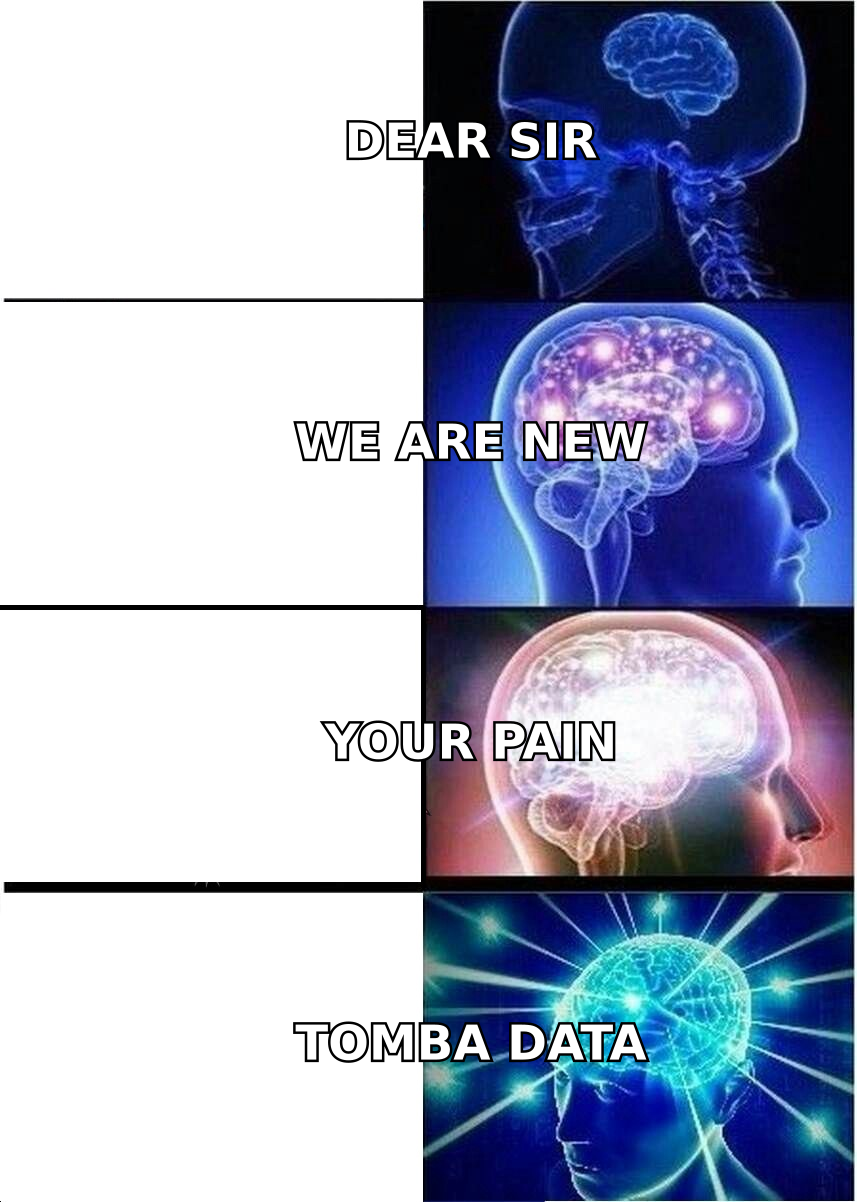
The biggest mistake new companies make is using one template for four very different situations. Here's how the angles compare in practice:
| Angle | When it applies | Opening move | Typical reply rate | Main risk |
|---|---|---|---|---|
| Warm referral | A mutual contact agreed to be named | Name the referrer in the subject line | 25-40% | Referrer never actually vouched — always confirm first |
| Trigger event | New hire, funding, launch, tech change | State the trigger in sentence one | 10-18% | Trigger is stale; anything older than 30 days reads as scraped |
| Inbound signal | They visited pricing, downloaded something | Reference the topic, never the tracking | 15-25% | Sounding surveillance-y; keep it vague and human |
| Cold + segment fit | They match your ICP, no other signal | Lead with a peer-group insight | 3-8% | Generic personalisation that any competitor could send |
| Event follow-up | Met at a conference or webinar | Reference the specific conversation | 20-35% | Waiting more than 48 hours after the event |
Two practical notes on that table. First, the reply-rate ranges assume a verified list and a warmed domain. Send the same copy to an unverified list and you land in the 1-3% band, whatever the angle. Second, "cold + segment fit" is where most new companies live, and it is the hardest quadrant. You can often manufacture a trigger by watching hiring pages, product changelogs, and funding news. Do that before you send a single generic email.
How do you write the subject line?#
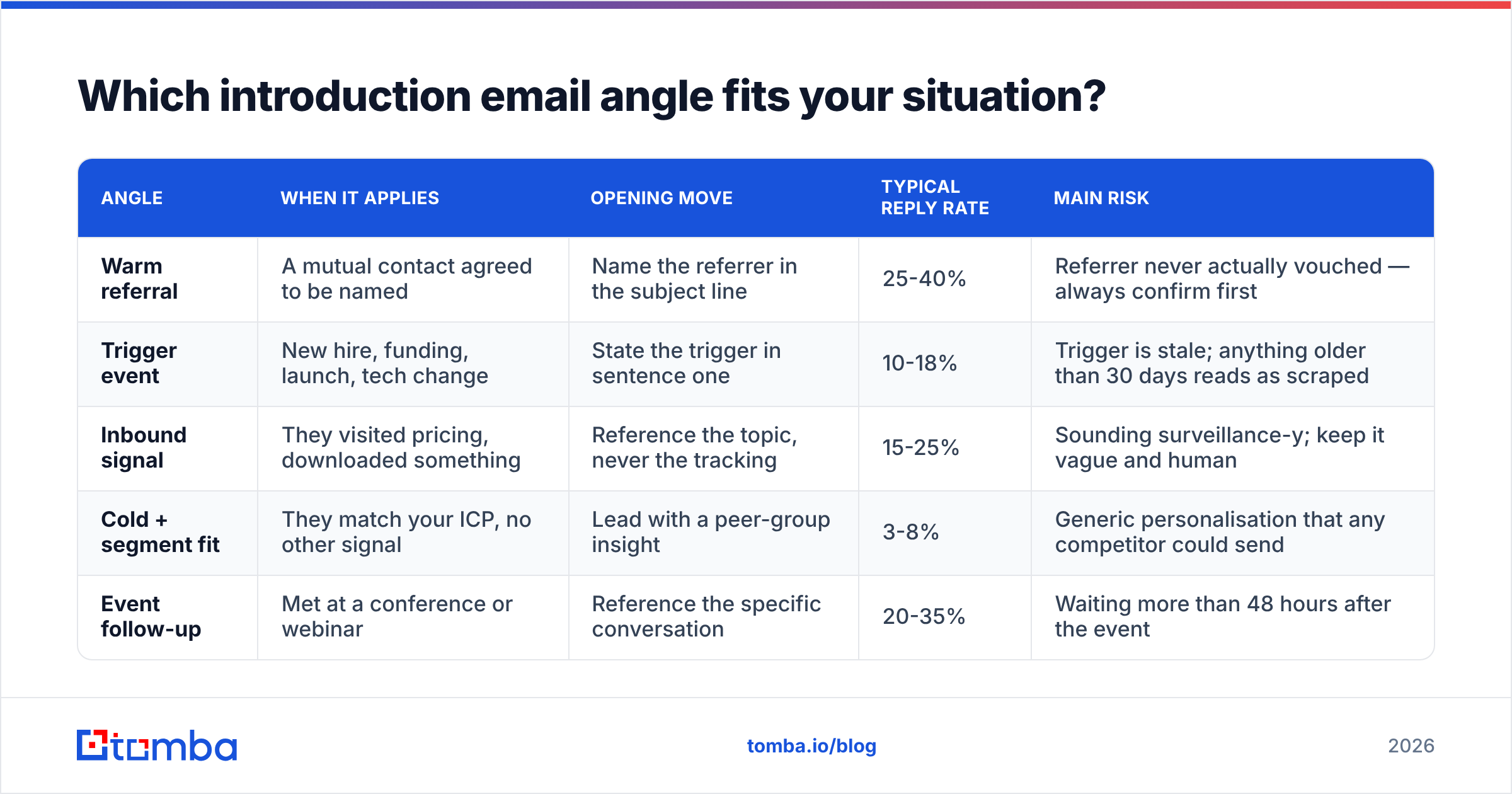
Short, lowercase-ish, and specific. Six words is a good ceiling. The subject line's only job is to make the first sentence get read. It is not a summary, and it is definitely not a headline.
Patterns that hold up:
question about {specific thing}— works because it's true and narrow{referrer name} suggested I reach out— highest performer when honest{their company} + {outcome}— e.g. "Northwind + 40% faster onboarding"re: your {job posting / launch / blog post}— only if you're genuinely responding to it
Patterns to avoid: anything with "Introducing," any sentence in title case, and any emoji sent from a domain younger than six months. Skip any number you can't back up in line two. If you want to pressure-test variants before sending, run them through a subject line generator. Then cut whatever sounds like marketing.
What do the templates actually look like?#
Seven versions, each mapped to a real situation. Keep them under 120 words when you send.
1. The referral intro
Subject: Sara Kim suggested I reach out
Hi Daniel,
Sara Kim mentioned you're rebuilding the outbound motion at Northwind this quarter and that list quality has been the bottleneck.
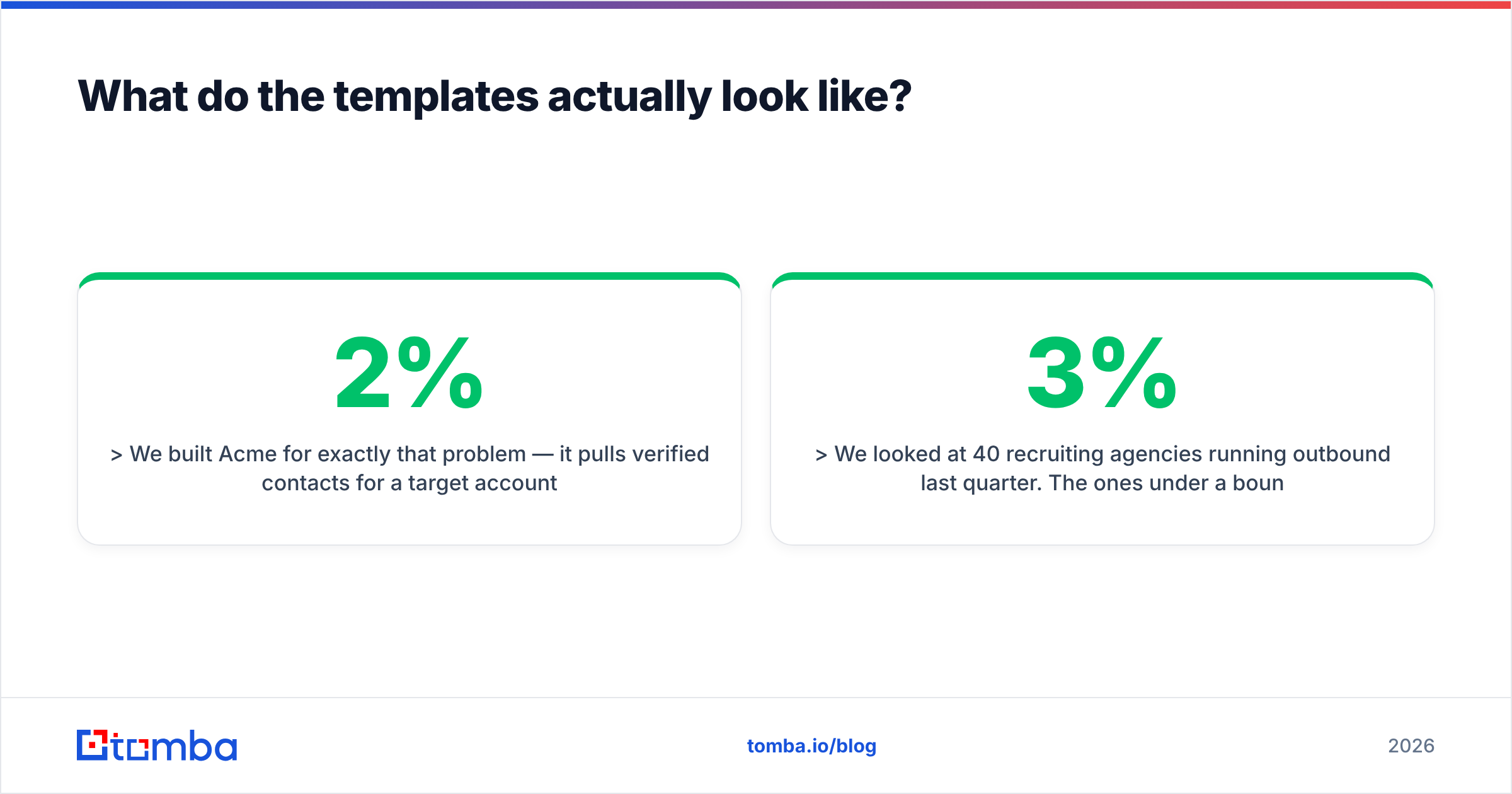
We built Acme for exactly that problem — it pulls verified contacts for a target account list so SDRs stop wasting mornings on bounced addresses. Two of Sara's portfolio companies cut their bounce rate under 2% in the first month.
Worth a quick look, or is that already handled on your side?
— Mo
2. The trigger event (new hire)
Subject: question about the new SDR hires
Hi Priya,
Saw you added three SDRs in August. Most teams that scale that fast hit the same wall around week six: the contact data can't keep up with the call volume.
We're a new company solving that specific gap. Happy to show you what the first 500 verified contacts for your ICP would look like — no call needed, I'll just send the file.
Useful?
— Mo
3. The funding trigger
Subject: Northwind's Series A + pipeline coverage
Hi Daniel,
Congrats on the raise. The usual next problem is pipeline coverage — the board wants 4x, and the current list won't stretch that far.
I run Acme. We're new, and we're deliberately narrow: verified B2B contacts for a defined account list, nothing else. Three post-Series-A teams are using us to triple their addressable list without adding headcount.
Want the 200-contact sample for your top accounts?
— Mo
4. The inbound-signal intro
Subject: the data accuracy question
Hi Priya,
You were looking at contact data tooling recently, so I'll be direct: most vendors quote accuracy on the addresses they're confident about and quietly exclude catch-all domains from the denominator.
Here's how we calculate ours, including catch-alls: [link].
Even if you don't buy from us, that one question will save you a quarter of bad sends.
— Mo
5. The peer-insight cold intro
Subject: what 40 recruiting agencies did about bounce rates
Hi Daniel,
We looked at 40 recruiting agencies running outbound last quarter. The ones under a 3% bounce rate all did the same thing: they verified at send time rather than at import time.
That's the whole product at Acme. We're eight months old, so I'm not going to pretend we have a Fortune 500 logo wall — but the mechanic works.
Want the breakdown?
— Mo
6. The event follow-up
Subject: your point about ramp time at SaaStr
Hi Priya,
You said something at the Thursday panel that stuck with me — that new reps lose their first month to list building rather than selling.
That's literally why we started Acme. I'd love ten minutes to show you the version we built for a team with your ramp problem. Thursday or Friday?
— Mo
7. The "new company, honest about it" intro
Subject: new vendor, narrow pitch
Hi Daniel,
We launched Acme four months ago. You've never heard of us, and I'd normally skip that part, but here's why it matters: we only do one thing, so the price is a third of what the suite vendors charge you for it.
If contact data is a line item you'd rather shrink, I'll send a side-by-side. If not, no follow-ups from me.
— Mo
That last one converts better than most people expect. Admit you're new, then turn it into an advantage. That defuses the reflexive "who are you" objection. If you want more starting points, the cold email templates library covers adjacent use cases.

How do you make sure the email actually lands?#
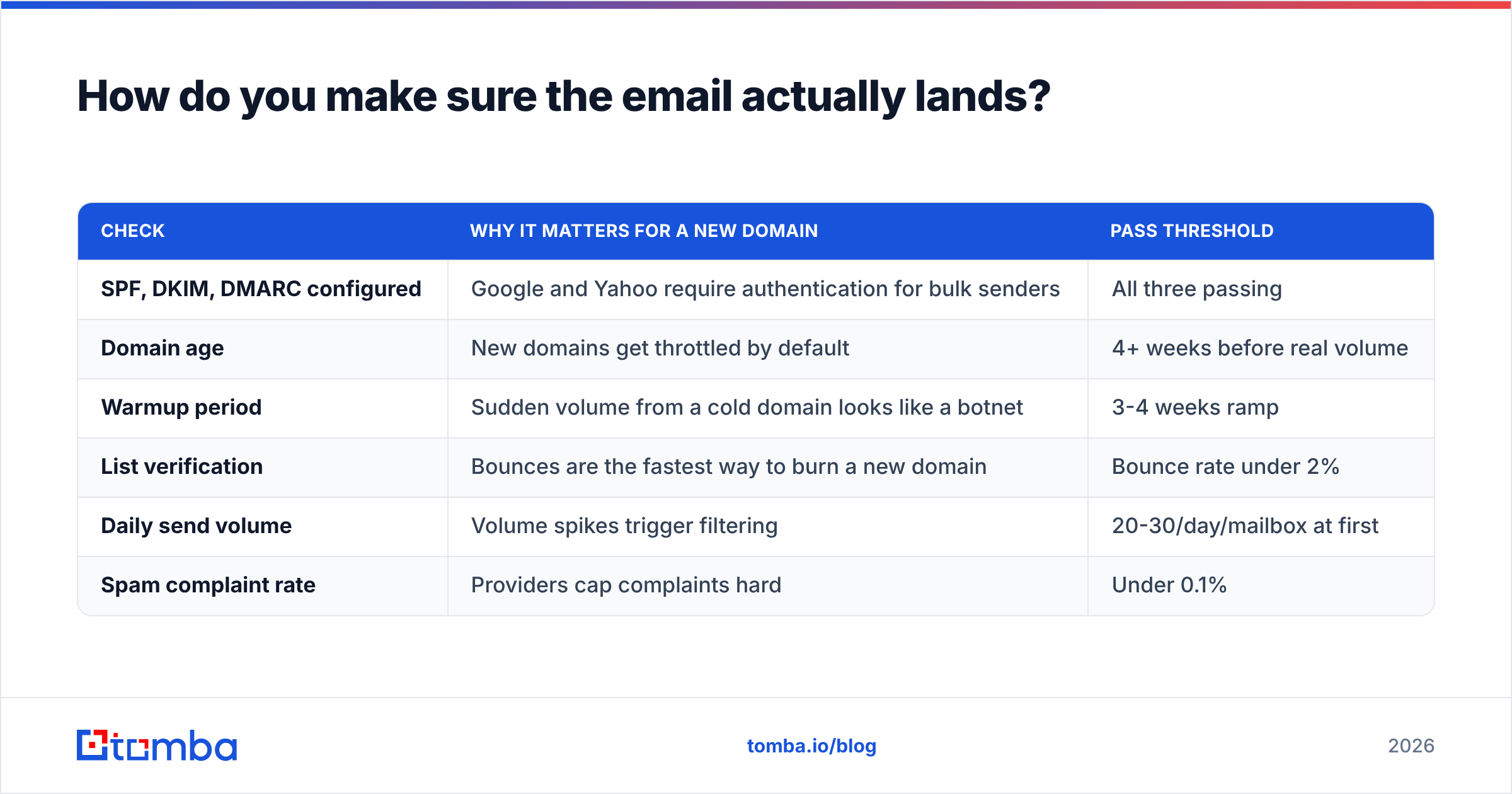
Copy is the second problem. Delivery is the first. A new company sending from a new domain is in the hardest possible spot with mailbox providers. No subject line is clever enough to beat a spam folder.
Run this checklist before your first send:
| Check | Why it matters for a new domain | Pass threshold |
|---|---|---|
| SPF, DKIM, DMARC configured | Google and Yahoo require authentication for bulk senders | All three passing |
| Domain age | New domains get throttled by default | 4+ weeks before real volume |
| Warmup period | Sudden volume from a cold domain looks like a botnet | 3-4 weeks ramp |
| List verification | Bounces are the fastest way to burn a new domain | Bounce rate under 2% |
| Daily send volume | Volume spikes trigger filtering | 20-30/day/mailbox at first |
| Spam complaint rate | Providers cap complaints hard | Under 0.1% |
Google's own sender guidelines spell out the authentication and complaint-rate thresholds. They have been enforced, not merely suggested, since 2024. Read them once. They will save you a domain.
The list verification line is the one that catches new companies. Say you built your prospect list by guessing email patterns — first.last@, f.last@, firstname@. A good share of those guesses are wrong. Each wrong guess is a bounce charged against a domain with no reputation buffer. Run the list through an email verifier first. For the domains that accept everything, use a catch-all verifier, since catch-alls hide the real failures until after you've sent.
Sourcing matters too. Buy a static list, send to it from a four-month-old domain, and you get filtered permanently. Build the list yourself from the companies you actually want. Run domain search on your target accounts, or use a vetted provider like Tomba or BookYourData. That keeps the data fresh and the bounce rate survivable.
What mistakes quietly kill replies?#
- The origin story opener. "Founded in 2025 by two ex-engineers..." Nobody has ever replied because of this sentence.
- Personalisation that isn't. Mentioning the company name and city is not personalisation. It's mail-merge, and buyers spot it instantly.
- Multiple asks. A call, a demo, a whitepaper, and a LinkedIn connect in one email means zero of them happen.
- Fake familiarity. "Just circling back" on a first email, or "as discussed" when nothing was discussed. It reads as a trick, and it is one.
- Unclear sender identity. No company URL, no real signature, a generic Gmail address. For a new company, this is fatal. You're already unknown; don't also look anonymous.
- No follow-up plan. Send once, decide "cold email doesn't work," and you have hit the most common failure mode of all.
How many follow-ups should you send?#
Three to four after the initial email, spaced across two to three weeks. Each one should add something new. A follow-up that says "just bumping this" adds nothing and trains the recipient to ignore you.
A workable cadence:
- Day 0 — the intro email, one specific angle
- Day 3 — a relevant proof point: a number, a short case, a screenshot
- Day 8 — a different angle on the same problem, in case the first framing missed
- Day 16 — the polite close: "I'll assume the timing's wrong and stop here"
That last email routinely beats everything before it. It removes the pressure and gives a clean exit. Plenty of replies arrive there. HubSpot's sales blog has good breakdowns of cadence testing if you want deeper benchmarks. Category reviews on G2 show which sequencing tools actually enforce these limits.
Track response rate per angle rather than per template. Templates are just packaging. The angle is the variable that moves results.
How do you know it's working?#
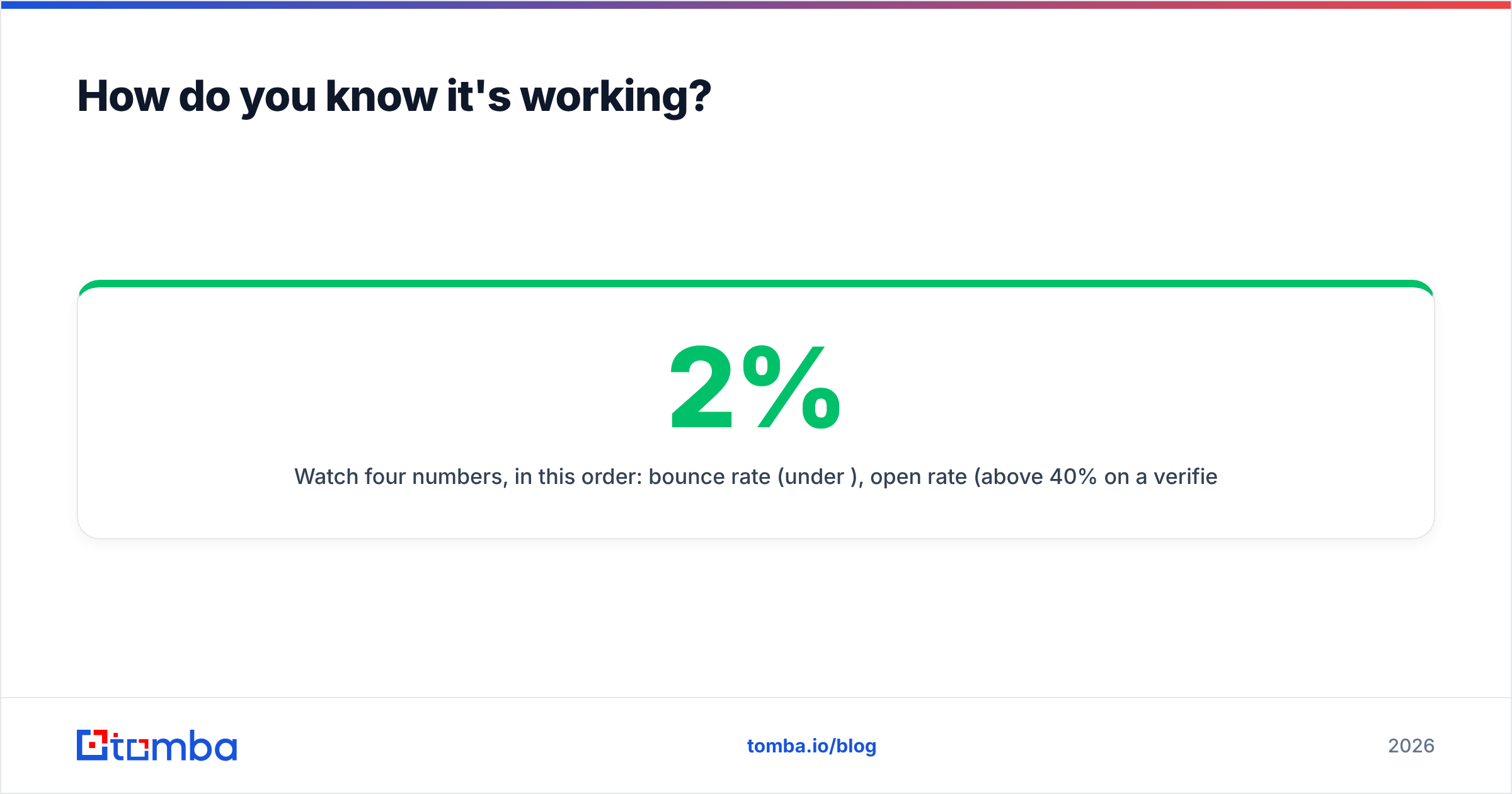
Watch four numbers, in this order. Bounce rate, under 2%. Open rate, above 40% on a verified list. Reply rate, above 5% cold and above 20% warm. Positive reply rate, above 30% of all replies. If bounces are high, nothing below them can be read — fix the data first. If opens are fine but replies are flat, the problem is your relevance line, not your subject. If replies come but they're all negative, your targeting is wrong, and no amount of copy editing fixes that.
Give each angle at least 100 sends before judging it. Below that, you're reading noise.
Where should you start?#
Start with the list, not the copy. The best introduction email to client for new company outreach still bounces if you guessed the address. On a new domain, enough bounces mean your next hundred emails never arrive at all.
Build your target account list. Pull verified contacts for the exact roles you want. Only then open a document and start writing. Tomba's Email Finder does that first part — verified professional addresses by domain, name, or company, with the verification built in rather than bolted on. The free tier gives you 25 searches a month to test your ICP before committing. Paid plans start at $49/mo with bulk lookups and API access, and full Tomba pricing is public. Get the data right, and the seven templates above start doing the work they're supposed to do.
Related guides#
// get started
Find, verify and enrich your first contacts today
Start on the free plan with 25 searches a month, then scale when your team is ready.
Free plan · No credit card required · GDPR & CCPA
// about the author