Introductions For Emails: 12 Openers That Get Replies
Your first two lines decide whether the rest of your email gets read. Here are 12 email introductions that earn attention, the four that kill it, and how to pick the right one per prospect.
TL;DR
- The first 8-12 words of your email are the only part most prospects actually read — they render in the inbox preview line, next to the subject.
- "My name is X and I'm the founder of Y" is the single most common opener in B2B outbound and one of the weakest. It spends your best real estate talking about you.
- The four opener archetypes that consistently earn a second line: observed trigger, specific compliment with evidence, shared context, and blunt permission ask.
- Personalization only pays off when the underlying data is right. An opener referencing the wrong company, wrong role, or a bounced address is worse than a generic one.
- Match the opener to the relationship temperature — cold, warm-ish, referral, and inbound replies each need a different first line.
What Are Introductions For Emails, Exactly?#
An email introduction is the first one to three sentences of the body — the part that appears in the inbox preview pane before anyone clicks. It is not your greeting ("Hi Sarah"), and it is not your pitch. It is the bridge between "this email arrived" and "this email is worth thirty more seconds."
Think of it like the first ten seconds of a cold call. Nobody hangs up because your product is bad — they hang up because the first ten seconds sounded like every other call that week. Email works the same way, except the hang-up is silent and you never learn it happened.
Technically, the introduction does three jobs at once:
- It passes the preview test. Gmail and Outlook show roughly 40-90 characters of body text beside the subject line. If your first words are "I hope this email finds you well," you have burned the entire preview on nothing.
- It answers "why me, why now?" The reader needs a reason this email landed in their inbox specifically, not in 5,000 others.
- It sets the ask size. A good intro implies whether you want 15 minutes, a forward, or a one-word reply. Ambiguity kills reply rates.
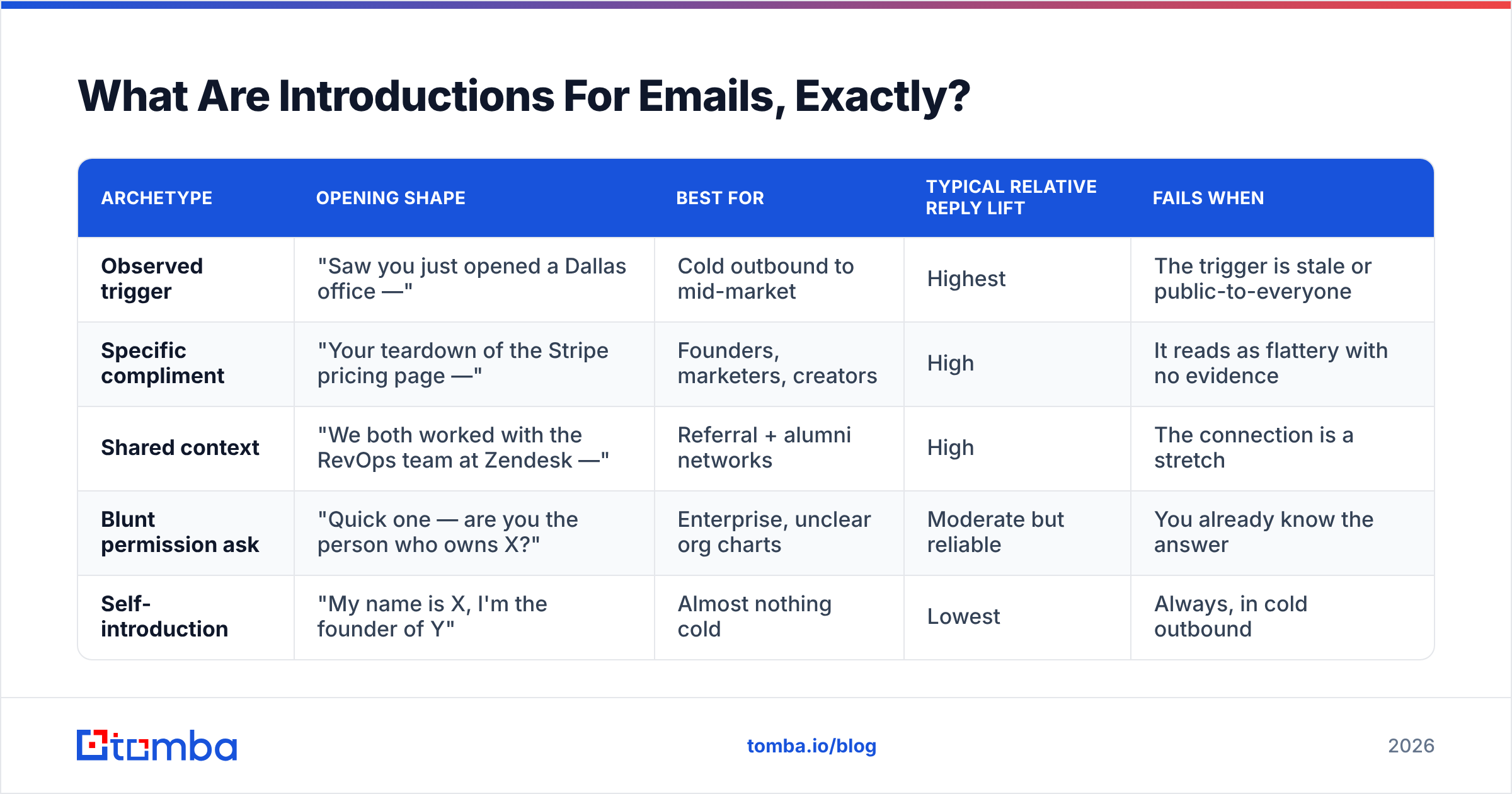
Here is how the four working archetypes compare:
| Archetype | Opening shape | Best for | Typical relative reply lift | Fails when |
|---|---|---|---|---|
| Observed trigger | "Saw you just opened a Dallas office —" | Cold outbound to mid-market | Highest | The trigger is stale or public-to-everyone |
| Specific compliment | "Your teardown of the Stripe pricing page —" | Founders, marketers, creators | High | It reads as flattery with no evidence |
| Shared context | "We both worked with the RevOps team at Zendesk —" | Referral + alumni networks | High | The connection is a stretch |
| Blunt permission ask | "Quick one — are you the person who owns X?" | Enterprise, unclear org charts | Moderate but reliable | You already know the answer |
| Self-introduction | "My name is X, I'm the founder of Y" | Almost nothing cold | Lowest | Always, in cold outbound |
Why Do Most Email Introductions Fail?#
They fail because they optimize for the sender's comfort instead of the reader's attention.
Writing "I hope you're doing well" feels polite. It is also the most-used phrase in B2B email, which means it carries exactly zero signal. The reader's pattern-matching brain files it under "template" before the second sentence loads.
The four failure modes, in order of how much damage they do:
- The throat-clear. "I hope this finds you well." "I know you're busy, so I'll be brief." Both consume the preview line and promise nothing. If you are going to be brief, be brief — don't announce it.
- The autobiography. "My name is Marcus and I'm the VP of Partnerships at Northbeam, a company that helps DTC brands..." Nobody asked. Your name is in the From field. Your company is in your signature.
- The fake personalization. "Loved your recent post!" with no indication of which post, or a first-name merge tag that fires "Hi {{FirstName}}" because the record was incomplete. This is worse than no personalization — it proves the email is automated and sloppy.
- The premature pitch. Leading with a feature list before establishing why you are in their inbox. The reader has no frame to evaluate the claim, so they discard it.
There is a data problem underneath failure mode three that no amount of copywriting fixes. If your CRM says a prospect is "Head of Growth at Acme" and they left eight months ago, your beautifully researched opener lands as an insult. According to HubSpot's research on CRM data decay, B2B contact records degrade at a meaningful rate every year as people change roles, which means your personalization is only as fresh as your last enrichment run. Running your list through data enrichment before a campaign is not a nice-to-have — it is what makes a personalized opener safe to send.
What Are the Best Introductions For Emails? (12 Examples)#
These are grouped by relationship temperature. Copy the structure, not the words.
Cold — no prior relationship#
1. The observed trigger
"Saw the Series B announcement last week — congrats. Usually that means the data team doubles in six months, which is when attribution starts breaking."
Works because the trigger is verifiable, recent, and connected to a consequence you can help with.
2. The specific detail
"Your careers page lists four open SDR roles in EMEA. That's an aggressive ramp for Q1."
Public, specific, and impossible to fake at scale without actually looking.
3. The permission ask
"Quick one — are you the right person for how Contoso handles lead routing? If not, happy to be pointed elsewhere."
Low cognitive load. Gives a two-word exit that is still a reply, which restarts the thread.
4. The contrarian observation
"Most teams your size run 3 tools for what you're doing with one. That's either very smart or about to break."
Risky, high-reward. Only use when you can back it up in the next sentence.
5. The question with a stake
"What's your current cost per verified contact? Asking because the number teams quote me is usually 3x what they think."
Opens a loop. The reader wants to know if they're the 3x case.
Warm — they know your company or category#
6. The mutual context
"We both spoke at SaaStock Dublin — you were on the pricing panel right after my session."
7. The content reference
"Your comment on Lenny's post about PLG churn is the first time I've seen someone name the activation gap directly."
8. The prior-touch callback
"You downloaded our deliverability benchmark in March. Curious whether the SPF findings matched what you saw internally."
Referral — someone connected you#
9. The name-first referral
"Priya Raman suggested I reach out — she mentioned you're rebuilding the outbound motion from scratch."
Lead with the referrer's name. It is the highest-trust asset in the email, so it goes first.
10. The warm-handoff continuation
"Following up on the intro Priya made Tuesday — here's the short version of what I'd propose."
Reply / inbound — they contacted you#
11. The direct answer
"Short answer: yes, and you can do it without changing your ESP. Longer version below."
12. The clarifying narrow
"Two ways to read your question — tell me which one and I'll skip the wrong answer."
How Do You Personalize an Introduction At Scale?#
You separate the variable from the constant and only research the variable.
Most people try to write 200 bespoke emails and burn out at 30. The working method is a three-layer template where layer one is researched per-prospect, layer two is per-segment, and layer three is identical for everyone.
- Layer 1 — the opener (15-25 words, fully unique). One verifiable fact about this person or company. Sourced from a hiring page, a funding announcement, a podcast, a G2 review, or a LinkedIn post. This is the only part you write by hand.
- Layer 2 — the bridge (one sentence, per-segment). Connects the fact to a problem their segment has. You write five of these total, one per persona, and reuse them.
- Layer 3 — the ask (one sentence, identical). Same CTA across the campaign so you can actually measure what the opener did.
- Layer 4 — the signature and P.S. (identical). Static. Never personalize here; it is wasted effort below the fold.
The economics matter. If layer one takes you 90 seconds per prospect and everything else is templated, 100 emails costs you 2.5 hours of research instead of 12 hours of writing. That is the difference between a campaign you run weekly and one you run once.
The constraint is contact data quality, not writing speed. You cannot personalize an opener for a contact you cannot reach. Before you invest research time, confirm the address is real — a bulk verify pass removes the records that would have wasted your best writing. And if you are building the list from company domains rather than a purchased file, domain search plus role filtering gets you to the right humans before you start writing anything.
For sourcing the trigger itself, the reliable public signals are:
- Hiring pages — headcount direction, new markets, new functions.
- Funding and M&A announcements — budget unlocks, integration pain.
- Podcast and conference appearances — the person's own words, quotable.
- Review sites — G2 reviews of their current vendor tell you exactly what frustrates them.
- Changelog and release notes — for product and engineering personas, nothing beats referencing a shipped feature.
What Should You Never Put in an Email Introduction?#
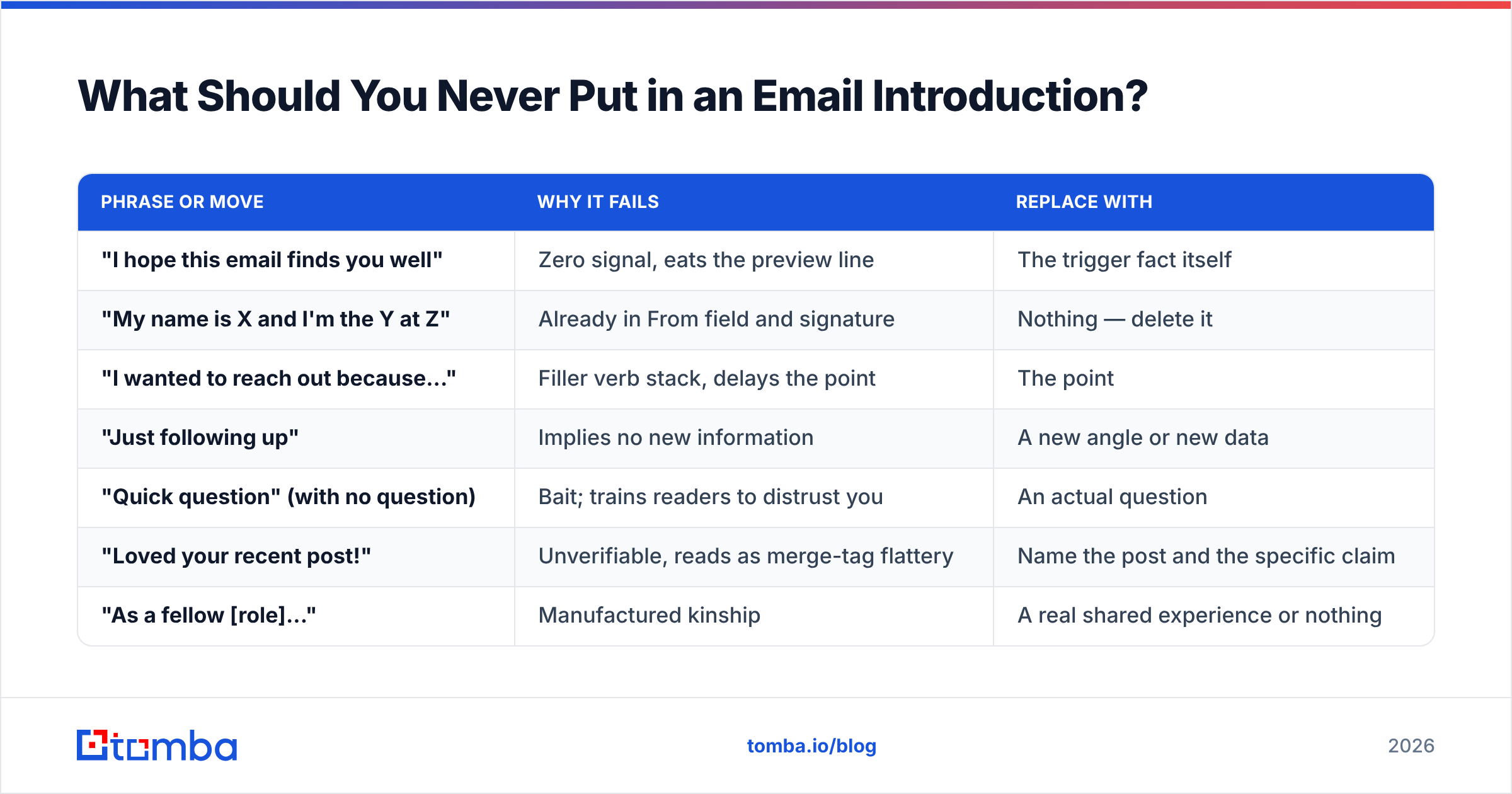
A short blocklist, ranked by how much reply rate it costs you:
| Phrase or move | Why it fails | Replace with |
|---|---|---|
| "I hope this email finds you well" | Zero signal, eats the preview line | The trigger fact itself |
| "My name is X and I'm the Y at Z" | Already in From field and signature | Nothing — delete it |
| "I wanted to reach out because..." | Filler verb stack, delays the point | The point |
| "Just following up" | Implies no new information | A new angle or new data |
| "Quick question" (with no question) | Bait; trains readers to distrust you | An actual question |
| "Loved your recent post!" | Unverifiable, reads as merge-tag flattery | Name the post and the specific claim |
| "As a fellow [role]..." | Manufactured kinship | A real shared experience or nothing |
One more: do not open with an apology. "Sorry to bother you" frames the entire message as an imposition, and the reader will agree with you.
How Do Openers Change by Channel and Sequence Position?#
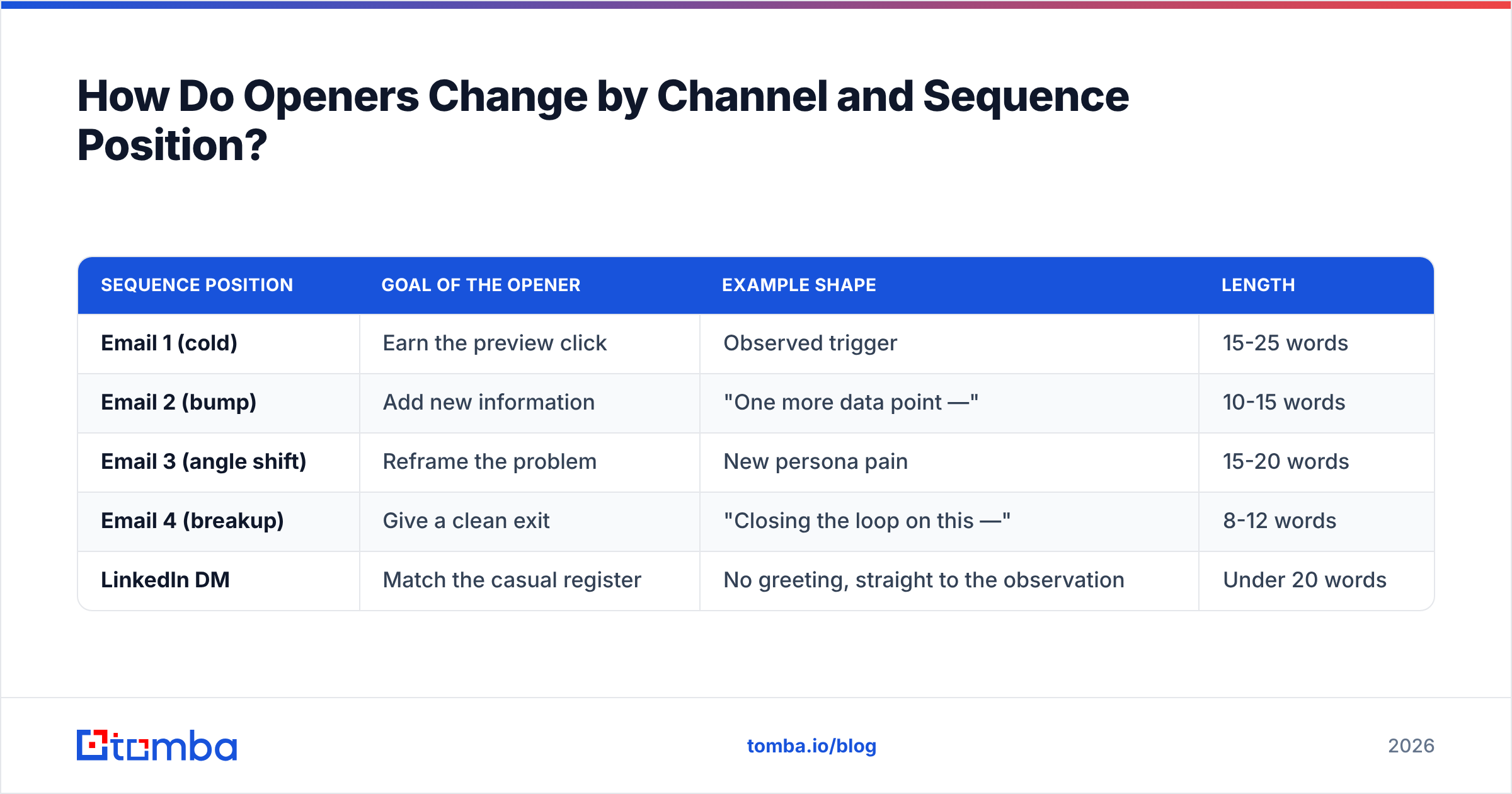
The same intro does not work at email one and email four.
| Sequence position | Goal of the opener | Example shape | Length |
|---|---|---|---|
| Email 1 (cold) | Earn the preview click | Observed trigger | 15-25 words |
| Email 2 (bump) | Add new information | "One more data point —" | 10-15 words |
| Email 3 (angle shift) | Reframe the problem | New persona pain | 15-20 words |
| Email 4 (breakup) | Give a clean exit | "Closing the loop on this —" | 8-12 words |
| LinkedIn DM | Match the casual register | No greeting, straight to the observation | Under 20 words |
Two rules that hold across all of them. First, each email in a sequence needs a new reason to exist — a bump that says "just checking in" teaches the reader that ignoring you works. Second, your intro length should shrink as the sequence progresses. By email four you have already spent your credibility; a long opener at that stage reads as desperation.
Channel matters too. A cold email opener transplanted into a LinkedIn message reads stiff, because LinkedIn's norm is lowercase, no greeting, one thought. Adjust the register, keep the specificity. If you are running both channels against the same list, the LinkedIn finder path lets you match profiles to work addresses so the two touches reinforce each other instead of looking like two unrelated strangers.
How Do You Test Which Introductions Work?#
Test one variable and hold the rest still — this is where most teams quietly cheat and then wonder why their data is useless.
A clean opener test looks like this:
- Same subject line across both arms. If the subject changes, you are testing the subject.
- Same CTA, same body, same signature. Only sentence one changes.
- Minimum 200 sends per arm. Below that, reply-rate differences are noise. Cold email reply rates sit in the low single digits, so small samples swing wildly.
- Measure replies, not opens. Apple Mail Privacy Protection has made open rates structurally unreliable since 2021; Litmus has documented how pre-fetching inflates them. Reply rate is the only opener metric that survives.
- Segment the result before you generalize. An opener that wins with founders may lose with enterprise IT. Report by persona, not in aggregate.
Run each test for at least a full business week. Tuesday sends and Friday sends behave differently enough that a three-day window will mislead you.
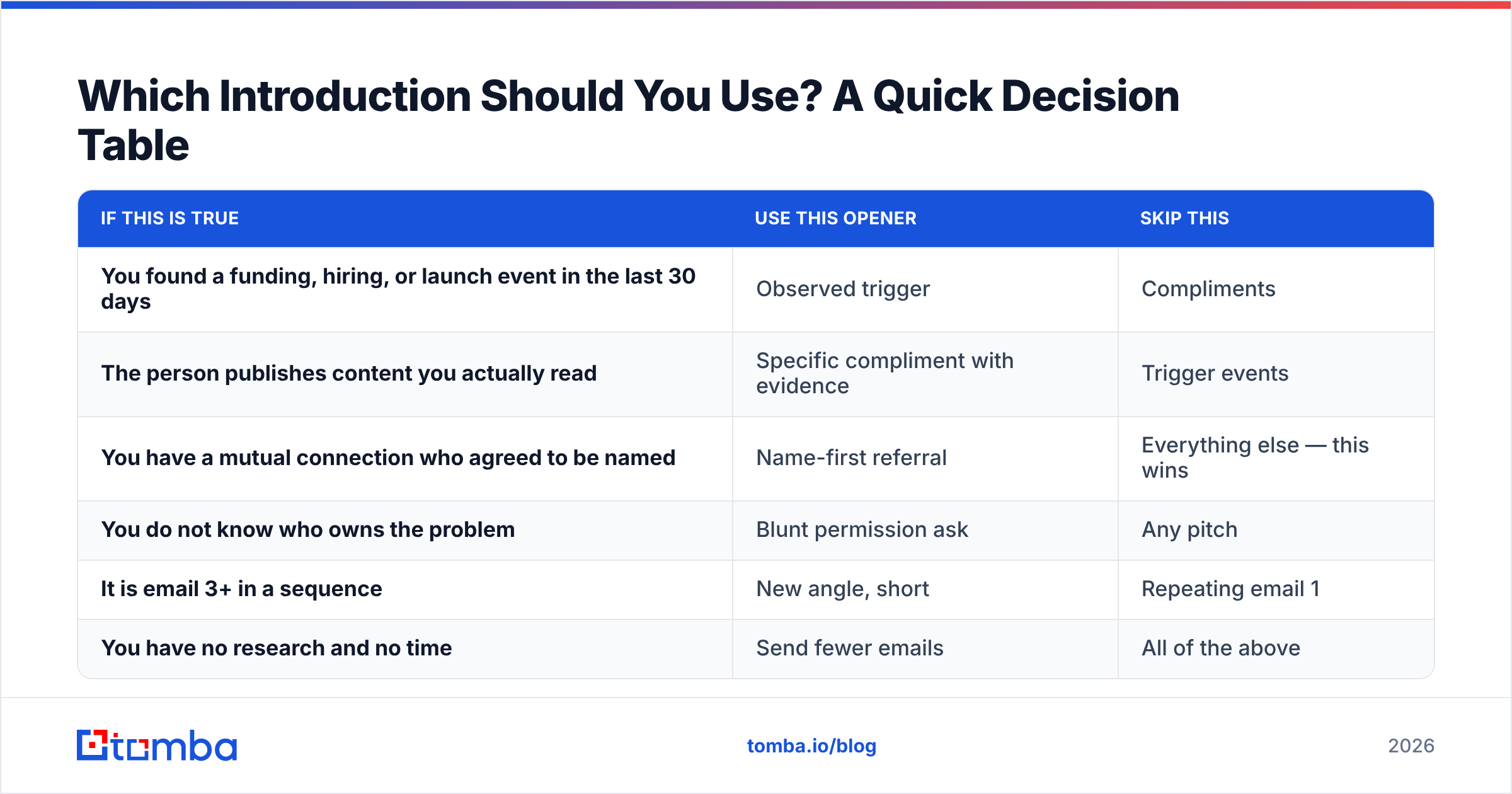
Which Introduction Should You Use? A Quick Decision Table#
| If this is true | Use this opener | Skip this |
|---|---|---|
| You found a funding, hiring, or launch event in the last 30 days | Observed trigger | Compliments |
| The person publishes content you actually read | Specific compliment with evidence | Trigger events |
| You have a mutual connection who agreed to be named | Name-first referral | Everything else — this wins |
| You do not know who owns the problem | Blunt permission ask | Any pitch |
| It is email 3+ in a sequence | New angle, short | Repeating email 1 |
| You have no research and no time | Send fewer emails | All of the above |
That last row is the honest one. If you cannot source a real fact about a prospect, the highest-EV move is to cut them from the list rather than send a generic opener that trains them to ignore your domain. Volume without specificity damages sender reputation and converts a reachable prospect into a permanently dead one.
Start With the Data, Then Write the Line#
The best introductions for emails are not clever — they are informed. Every opener in this post depends on knowing something true about the person receiving it: where they work now, what their company just did, whether the address even resolves to a human.
That is the part you can systematize. Use the Tomba Email Finder to build lists from the domains and people you have actually researched, verify before you send, and spend your writing time on the fifteen words that decide whether the rest gets read. The free tier gives you 25 searches a month to test the workflow; paid plans start at $49/mo on Starter with more volume on Growth and Pro — see Tomba pricing for the full breakdown.
Write fewer emails. Make the first line earn the second.
Related guides#
// get started
Find, verify and enrich your first contacts today
Start on the free plan with 25 searches a month, then scale when your team is ready.
Free plan · No credit card required · GDPR & CCPA
// about the author