Jet Leads Pro Pros and Cons: An Honest 2026 Buyer's Review
A neutral, checklist-driven look at Jet Leads Pro: what it does well, where the data and pricing get murky, and how to run a 30-minute test before you sign anything.

TL;DR — the Jet Leads Pro pros and cons in one line: you buy speed and pay for it in stale data and hidden prices.
- Jet Leads Pro is an all-in-one lead package: bulk contact lists plus light outreach tools, sold through demos and quotes rather than a public price page.
- The big pro is convenience — one vendor, one invoice, lists ready to import. The big con is that you inherit the seller's data quality, and you can't audit it before you pay.
- If a vendor won't let you test a free 100-row sample against your own checker, don't sign. That one test settles most of the debate.
- For targeted outbound to named accounts, a per-lookup finder with live checks (Tomba, Findymail) beats a static list. For volume in one region, a list provider like BookYourData is a fair fit.
- Budget for the real cost: a 20% bounce rate on a 5,000-contact list wastes 1,000 rows and burns the sending domain you need for the next six months.
What is Jet Leads Pro?#
Jet Leads Pro is sold as a business lead service — bulk B2B contact data, usually bundled with list filters, CSV export, and basic email outreach. It sits in a crowded tier of sellers that hand you access to contacts rather than a tool that finds contacts on demand.
That split matters more than any feature list. A list vendor hands you a snapshot of a database. A finder looks up a named person at a named company the moment you ask. Think of it as buying a phone book versus calling directory assistance. The phone book is cheaper per name and useful right away. It also starts to rot the second it is printed.
Here is the honest caveat up front. Jet Leads Pro does not publish the basics an outside reviewer needs: price tiers, data sources, an accuracy promise, or a refund rule for dead records. That is not a deal-breaker on its own. Plenty of small vendors sell by quote. But it does mean you cannot hand the homework to a blog post, this one included. You have to test.
What are the pros of Jet Leads Pro?#
Taking the category at face value, here is what a bundled lead service does well:
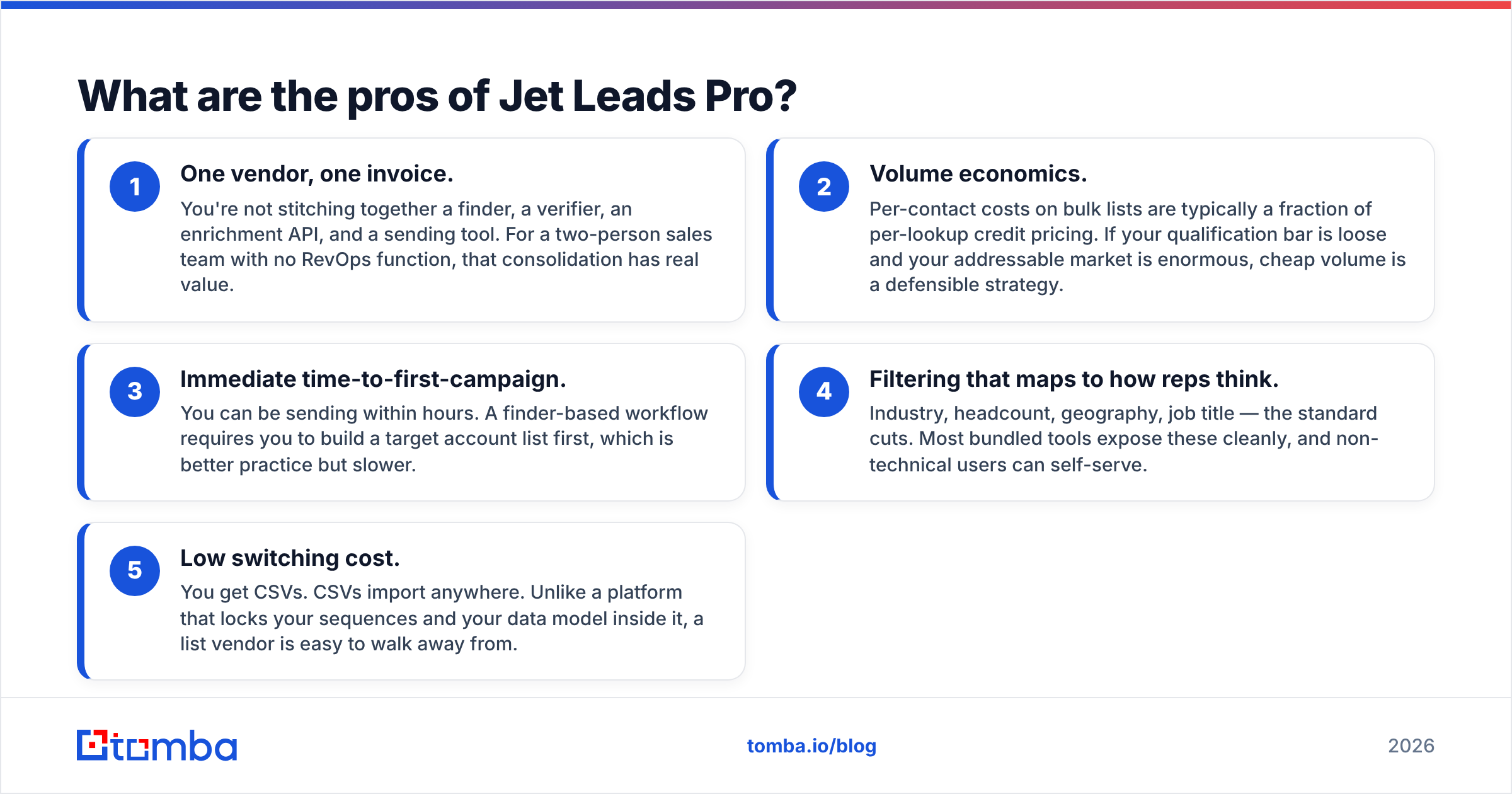
- One vendor, one invoice. You are not stitching together a finder, a checker, an enrichment API, and a sending tool. For a two-person sales team with no RevOps help, that bundling has real value.
- Volume economics. Per-contact costs on bulk lists are a fraction of per-lookup credit pricing. If your bar is loose and your market is huge, cheap volume is a fair strategy.
- Fast first campaign. You can be sending within hours. A finder-based flow makes you build a target account list first, which is better practice but slower.
- Filters that map to how reps think. Industry, headcount, region, job title — the standard cuts. Most bundled tools expose these cleanly, and non-technical users can self-serve.
- Low switching cost. You get CSVs. CSVs import anywhere. Unlike a platform that locks up your sequences and your data, a list vendor is easy to walk away from.
What are the cons of Jet Leads Pro?#
The downsides are baked into the model, not slights aimed at this vendor:
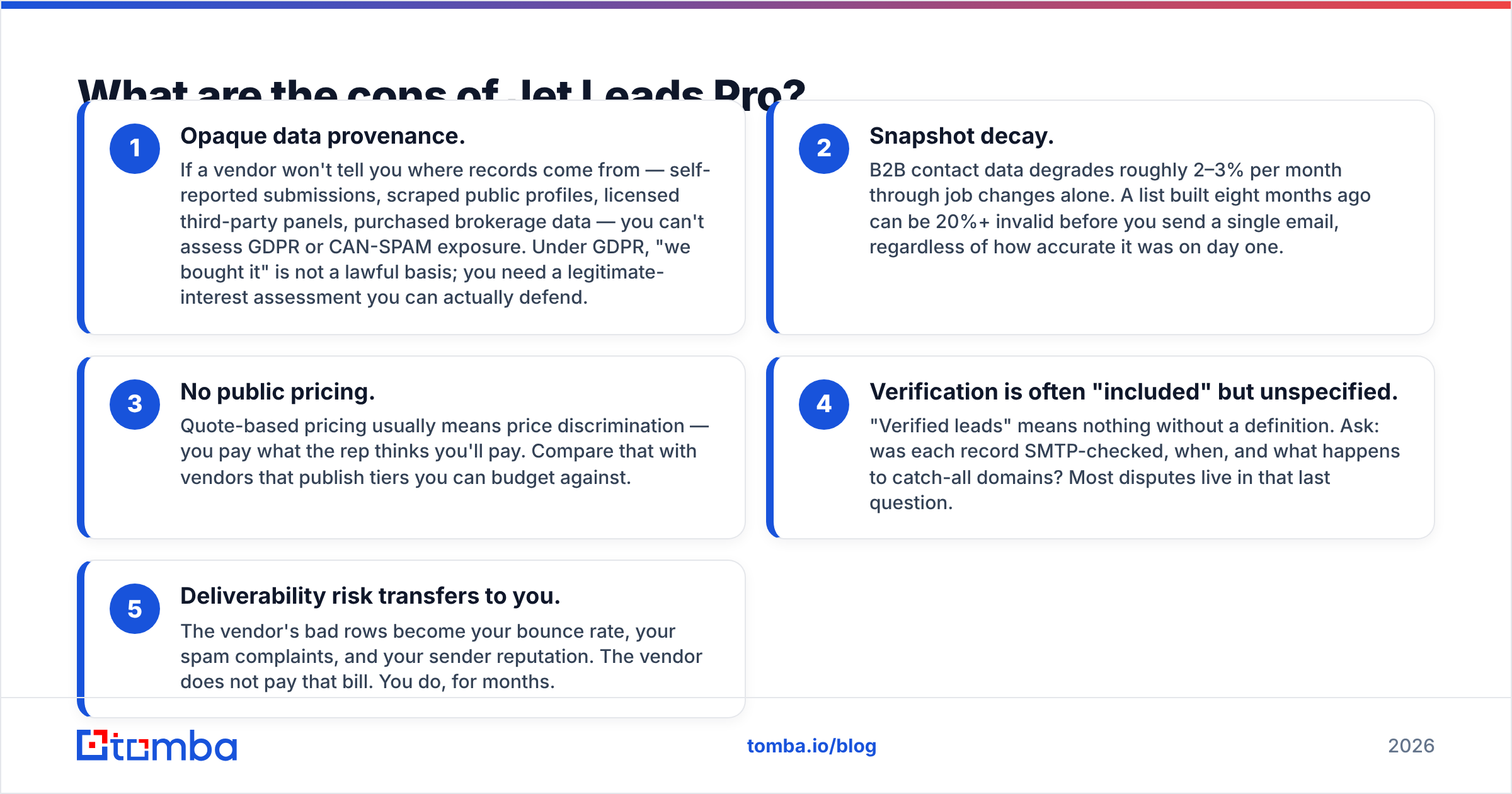
- No clear data sources. If a vendor won't say where records come from — opt-in forms, scraped profiles, licensed panels, broker data — you can't judge your GDPR or CAN-SPAM risk. Under GDPR, "we bought it" is not a lawful basis.
- Snapshot decay. B2B contact data goes stale by 2–3% a month through job changes alone. A list built eight months ago can be 20% dead on arrival.
- No public pricing. Quote-based pricing means you pay what the rep thinks you will pay. Compare that with vendors that publish tiers you can budget against.
- "Verified" is left undefined. The word means nothing without a test. Ask what was checked, when, and what happens to catch-all domains.
- Bounce risk lands on you. The vendor's dead rows become your bounce rate, your spam complaints, and your sender reputation. The vendor does not pay that bill. You do, for months.
How does Jet Leads Pro compare to other options?#
Most Jet Leads Pro pros and cons come down to the model, not the brand. Three approaches, framed honestly:
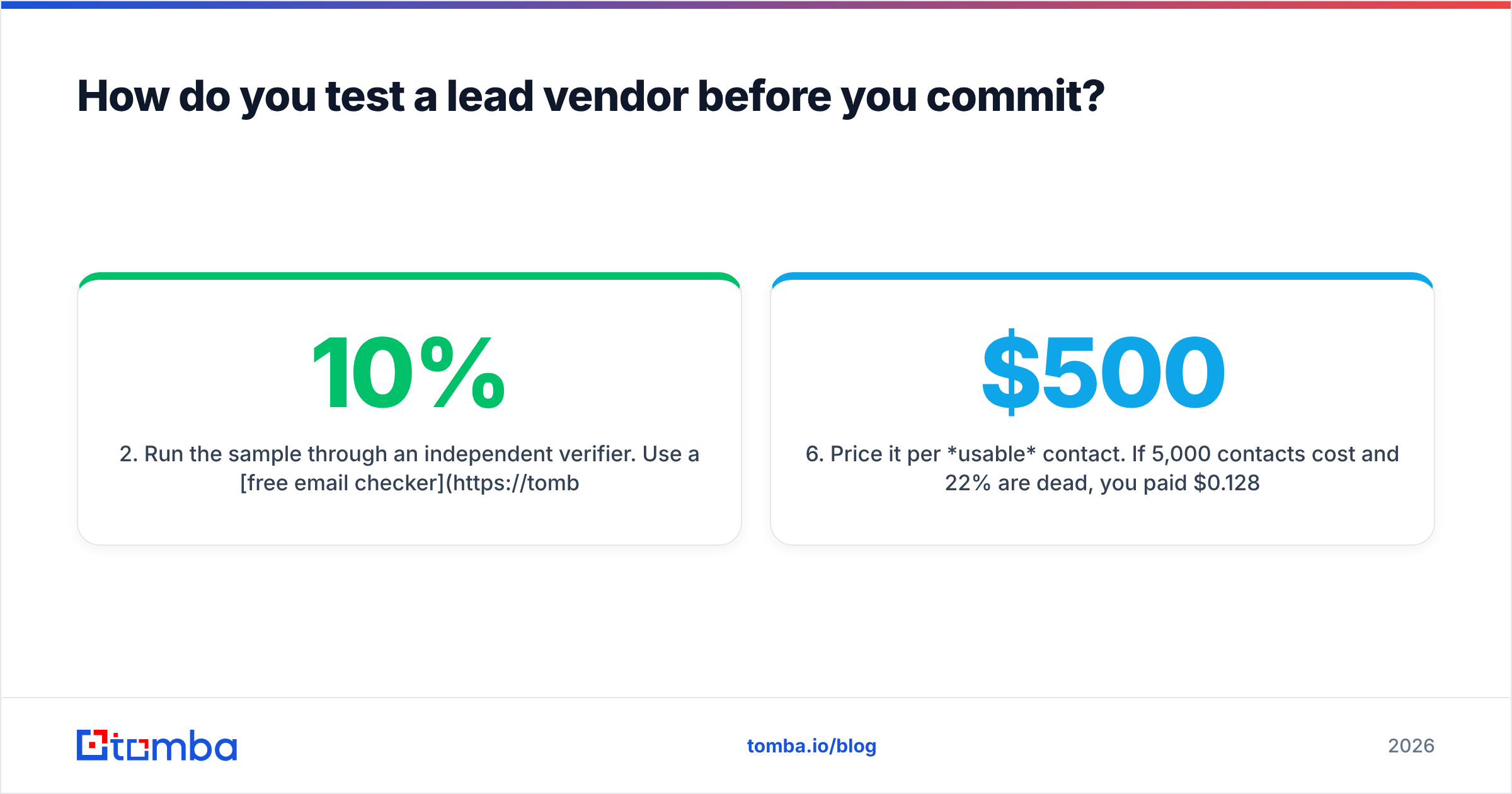
| Criterion | Jet Leads Pro (bundled list service) | Tomba (on-demand finder + verifier) | BookYourData (verified list marketplace) |
|---|---|---|---|
| Pricing transparency | Quote-based; no public tier page at time of writing | Public: Free (25 searches/mo), Starter $49/mo, Growth $99/mo, Pro $249/mo | Public pay-as-you-go credit packs, no subscription required |
| Data freshness model | Snapshot at time of delivery | Resolved live per query, re-verified on request | Refreshed database with an advertised accuracy guarantee |
| Verification | "Verified" claimed; methodology not documented publicly | SMTP + catch-all handling exposed as a separate step and API | Accuracy guarantee published (advertises 97%+), credits replaced on invalid rows |
| Best-fit motion | High-volume, low-specificity outbound | Named-account and ABM outbound, CRM enrichment | Geographic or industry saturation campaigns |
| API / automation | Limited or undocumented | Full REST API, CLI, Sheets/Excel add-ins, MCP server | Bulk export focused |
| Free evaluation | Demo call typically required | 25 free searches, no card | Free sample records available |
| Who owns bounce risk | You | Shared — verification runs before send | Shared — guarantee covers replacements |
Two things stand out. First, Tomba and BookYourData both let you test something before money changes hands. One gives free searches; the other gives sample rows and a stated accuracy promise. Both are fair picks, depending on whether your bottleneck is precision or coverage. Second, the bundled model's weakest column is always "what can I check before I buy."
If you want the category-level picture rather than one vendor's pitch, the review volume on G2's lead capture category and Capterra's lead generation software directory is a better signal than any case study a rep sends you.
How do you test a lead vendor before you commit?#
Run this in about 30 minutes. It has settled more buying arguments than any feature matrix:
- Ask for a 100-row sample in the ICP you would really buy, not a demo list. If samples come only after you sign, that is your answer.
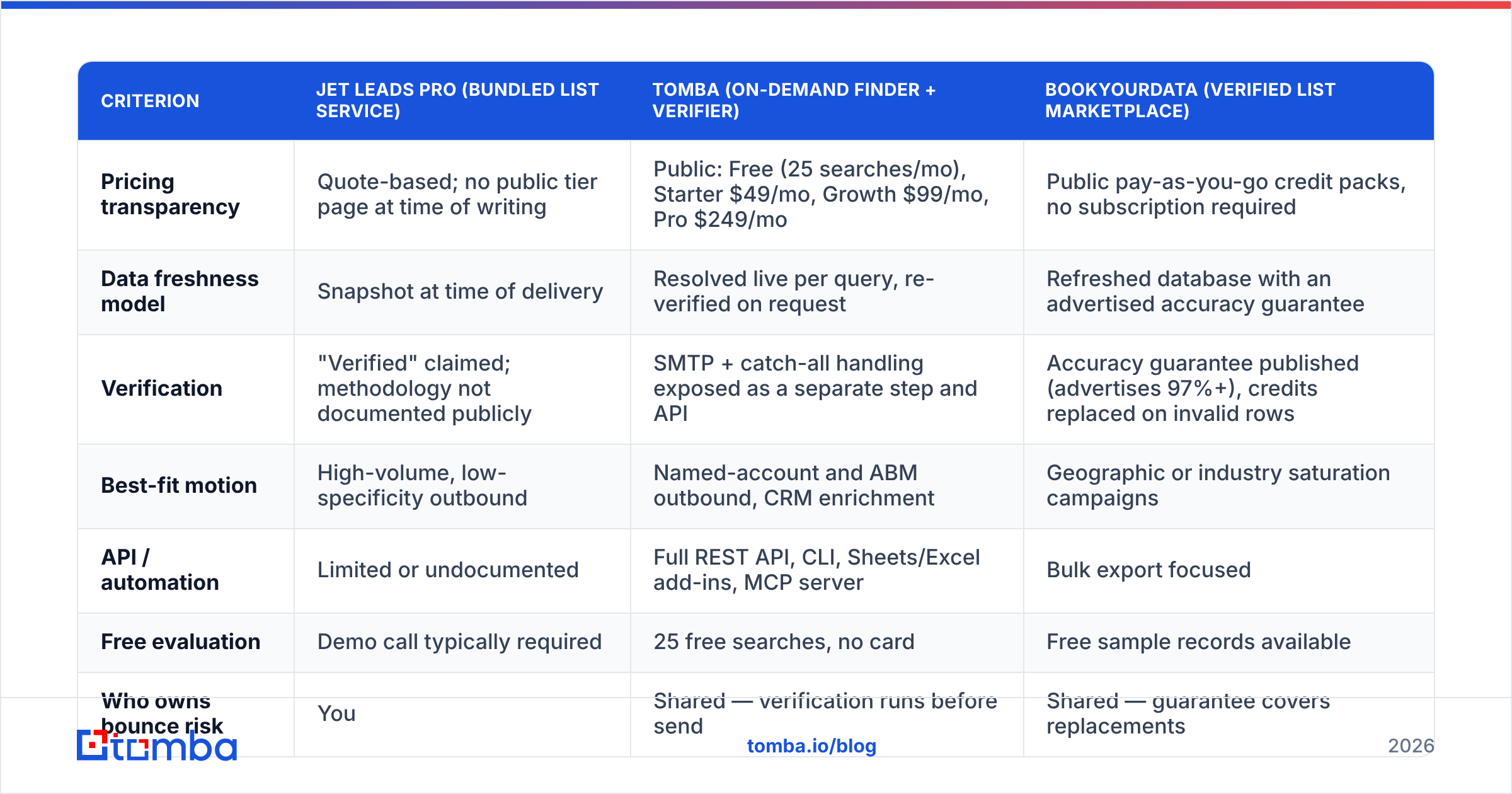
- Run the sample through your own checker. Use a free email checker or a bulk email verifier you control. Look at the invalid and catch-all share. Above 10% invalid on a "verified" list is a fail.
- Spot-check 10 records by hand. Open the LinkedIn profile. Is the person still there? Job-change drift is the failure vendors never report.
- Check the catch-all share. Catch-all domains accept every address, so they pad "valid" counts. A catch-all verifier shows if the vendor leans on them.
- Get the refund rule in writing. "We credit invalid records" means nothing without a defined window and test.
- Price it per usable contact. If 5,000 contacts cost $500 and 22% are dead, you paid $0.128 per good record, not $0.10.
What does bad lead data actually cost?#
Run the math once and the debate ends.
Say you buy 10,000 contacts and send to all of them. At an 18% hard-bounce rate — normal for an unchecked bought list — you get 1,800 bounces. Google and Microsoft treat a steady bounce rate above 2–3% as a spam signal. You cleared that line by six times on day one.
The cost is not "1,800 wasted emails." It is that the other 8,200 real contacts now get your mail in the spam folder, and your domain needs weeks of repair. HubSpot's ongoing sales and outbound research shows the same pattern again and again. List hygiene is the highest-leverage variable in cold outbound — ahead of copy, ahead of timing, ahead of sequence length.
That is why the finder-plus-checker model tends to win on total cost, even when its per-contact price looks worse. You pay more per record and send to records that exist. For the mechanics, the background on email deliverability is worth ten minutes before your next campaign.
Who should use Jet Leads Pro — and who shouldn't?#
Reasonable fit if:
- You sell a low-ACV product where volume beats precision.
- You have a separate, warmed sending setup you are willing to risk.
- Your team has no technical capacity to run an API or a checking step.
- You ran the 6-step test above and the sample came back clean.
Poor fit if:
- You run account-based outbound and need a named VP at a named company. A list won't reliably hold them, but a domain search will show who is there now.
- You work under GDPR and need a documented source for every record.
- Your main sending domain is also your corporate domain. Never bet that one on unaudited data.
- You need enrichment inside a CRM flow rather than a one-time CSV drop.
What is the verdict on Jet Leads Pro pros and cons?#
The Jet Leads Pro pros and cons net out to this. Bundled lead services buy you speed and ease, and they charge for it in transparency and data freshness. Jet Leads Pro may well deliver for a volume-first motion. But it sits in a category where the burden of proof is on the vendor, and the only proof that counts is a sample you check yourself with a tool the vendor does not control.
Do not take a review's word for it. Do not take the rep's word for it. Take the 100-row test.
If your outbound depends on reaching named people rather than filling a queue, start from the other end. The Tomba Email Finder resolves verified work addresses by name and domain, and it flags catch-all domains instead of hiding them in a "valid" bucket. It runs from a browser extension, Google Sheets, or the API when you want to automate. The free tier gives you 25 searches a month with no card — enough to check a vendor's sample list and learn, in one sitting, whether you are buying contacts or buying bounces.
Related guides#
// get started
Find, verify and enrich your first contacts today
Start on the free plan with 25 searches a month, then scale when your team is ready.
Free plan · No credit card required · GDPR & CCPA
// about the author