Jet Leads Pro vs Nymeria: Which Email Finder Wins in 2026?
One is a lean credit-pack lead tool, the other a developer-friendly enrichment API. We compare Jet Leads Pro and Nymeria on accuracy, credits, exports and catch-all handling — and name the situations where neither is the right buy.
Jet Leads Pro vs Nymeria is a common shortlist for B2B sales teams. One tool is a cheap list exporter. The other is a data API. Here is how the two score on accuracy, credits, exports and catch-all domains.
TL;DR
Nymeria is the more mature tool. It ships a people database, public API docs, a LinkedIn Chrome extension and bulk lookups. Pick it if you want code access.
Jet Leads Pro is the cheap one. Buy a credit pack, run a search, export a CSV. That is fine for a one-off list. The docs are thin, so confirm each limit before you pay.
Neither tool ships a real catch-all verifier. Most of your bounce risk hides there. Pay for a checker on the side, or pick a tool that bundles one.
Both trail the specialist finders on raw accuracy. Test all three on the same 200 rows before you commit.
Fast rule. Need an API? Nymeria. Need cheap volume? Jet Leads Pro. Need mail that lands? A finder plus a verifier.
What are Jet Leads Pro and Nymeria?#
Both tools answer one question: what is this person's work email? They come at it from opposite ends.
Nymeria sells data. Its core asset is a large people dataset, and you reach it three ways. A browser extension shows contacts while you browse LinkedIn. A web app runs bulk jobs. A REST API feeds your own stack.
The tone is technical. The docs are public. The API returns clean person records with emails, phones and social links. You pay by credit, not by seat.
Jet Leads Pro is newer and lighter. It sits in the search-and-export camp. Pick a filter, run the search, download a CSV. The pitch is cost per row, not depth per row.
That model has a real audience. Agencies who build one-off lists like it. So do founders on a first 500-contact push. It also carries small-vendor risk: thin docs, prices that move with no changelog, and support through one inbox.
Be honest about the gap. Nymeria publishes docs, a status page and a price page you can audit. Jet Leads Pro publishes far less. That gap should weigh as much as any feature box. It decides what happens when a campaign breaks mid-send.
Jet Leads Pro vs Nymeria: how do they find emails?#
The sourcing method predicts failure modes better than any sales page.
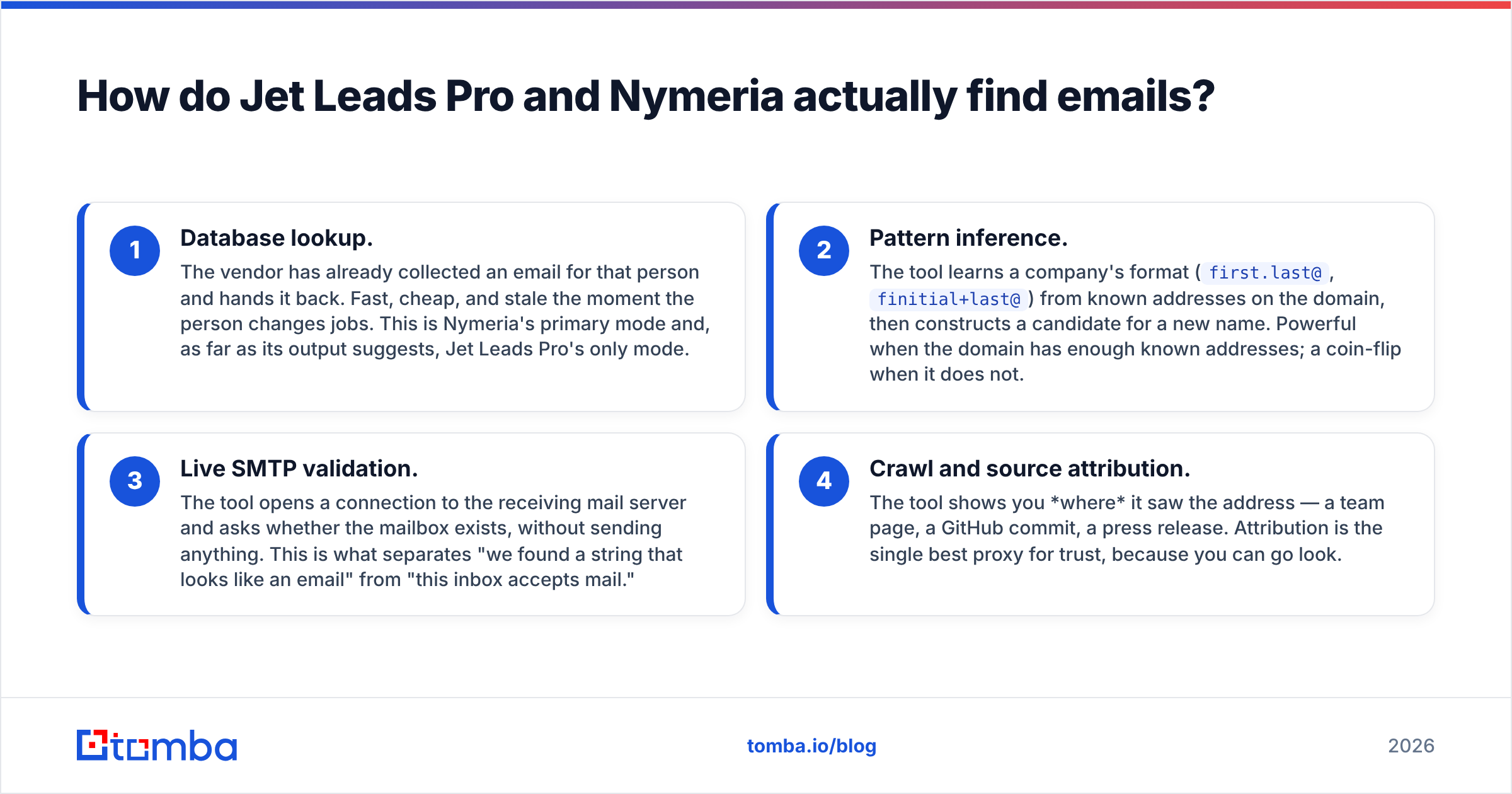
Database lookup. The vendor already holds an email and hands it back. Fast and cheap. It goes stale the day the person moves jobs. This is Nymeria's main mode, and it looks like Jet Leads Pro's only mode.
Pattern inference. The tool learns the company format (
first.last@,finitial+last@) from known addresses on that domain. Then it builds a guess for a new name. Strong on big domains. A coin flip on small ones.Live SMTP validation. The tool asks the mail server whether the mailbox exists. Nothing is sent. This is the line between "looks like an email" and "this inbox accepts mail."
Source attribution. The tool shows you where it saw the address: a team page, a commit, a press release. Sources are the best proxy for trust, because you can go and look.
Nymeria covers 1 and 2 well, and gives some signal on 3. Jet Leads Pro is mostly 1, with thin proof of 3. Neither leads with 4. That is why both feel like black boxes when a list flops. Tools that show their data sources let you debug a bad batch. Tools that hide them leave you guessing.

Which tool has better email accuracy?#
Nymeria wins, but by less than the landing pages claim. Both sit behind the specialist finders.
Here is the trap most buyers fall into. Vendors quote accuracy as the share of returned emails that are valid. That number is easy to game. Return fewer emails and the score goes up.
The number that decides your campaign is the verified hit rate. Of 1,000 real targets you upload, how many come back with an address that accepts mail?
Run the test yourself. Take 200 contacts you can confirm on your own: past customers, webinar signups, or names on a public team page. Strip the emails. Push the names and domains through each tool.
Then score three columns. Found. Verified as safe to send. Matched the address you already knew. Most teams find a 20 to 30 point gap between the quoted number and the real one.

Two patterns show up in that test. First, database-first tools like Nymeria do best on well-indexed roles. Think engineering and marketing, or any job with a public footprint. They fall off fast for ops, finance and mid-market manufacturing.
Second, cheap export tools like Jet Leads Pro return more rows per credit. Fewer of those rows survive the checks. That quietly flips the price advantage. A $0.02 email that bounces costs more than a $0.08 email that lands, once you price in the hit to your sender reputation.
How do Jet Leads Pro, Nymeria and Tomba compare on price?#
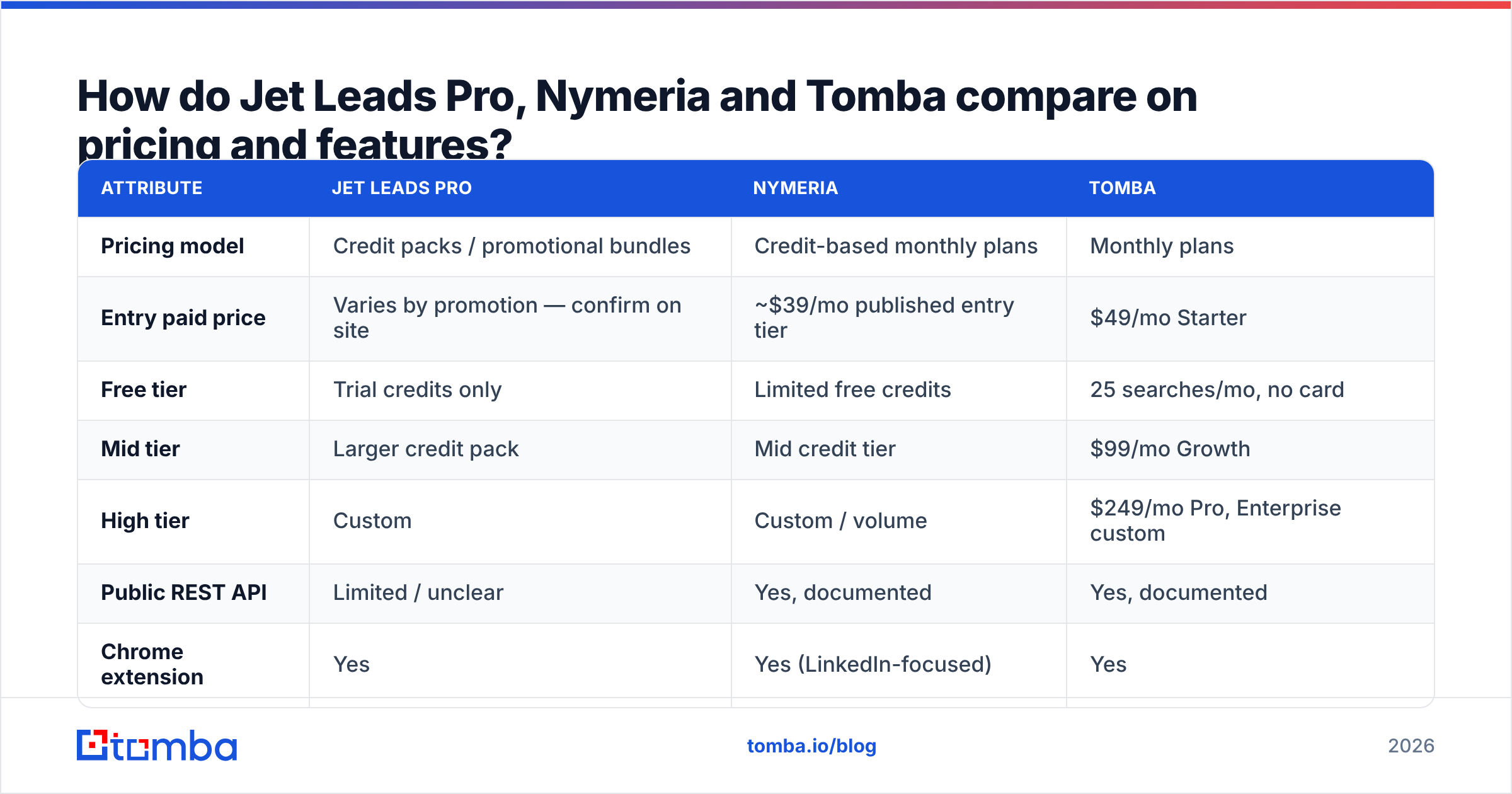
Price pages move. Treat the table below as a snapshot for shape, not a quote. Confirm the live numbers on each site before you buy. That goes double for Jet Leads Pro, which has leaned on promo and lifetime deals rather than a stable tier list.
| Attribute | Jet Leads Pro | Nymeria | Tomba |
|---|---|---|---|
| Pricing model | Credit packs / promotional bundles | Credit-based monthly plans | Monthly plans |
| Entry paid price | Varies by promotion — confirm on site | ~$39/mo published entry tier | $49/mo Starter |
| Free tier | Trial credits only | Limited free credits | 25 searches/mo, no card |
| Mid tier | Larger credit pack | Mid credit tier | $99/mo Growth |
| High tier | Custom | Custom / volume | $249/mo Pro, Enterprise custom |
| Public REST API | Limited / unclear | Yes, documented | Yes, documented |
| Chrome extension | Yes | Yes (LinkedIn-focused) | Yes |
| Email verification included | Basic syntax/MX | Basic validation | Full verifier + catch-all handling |
| Catch-all domain resolution | No | No | Yes, dedicated catch-all verifier |
| Bulk CSV enrichment | Yes | Yes | Yes |
| Phone numbers | Limited | Yes | Yes |
| Sheets / Excel / Airtable add-ons | No | Partial | Yes |

Three rows matter more than the headline price.
Credits do not mean the same thing twice. One vendor bills every lookup. The next bills only a match. A third bills the email and the phone apart. Before you weigh $39 against $49, work out the cost per contact you can actually mail. That one sum reorders most shortlists.
An API is either a hard need or it is not. If your team enriches records on form submit, public API docs are the whole game, and Jet Leads Pro drops out. If the job is "an SDR pulls a list on Monday," the API is decoration.
The checker is the hidden line item. Both tools expect you to bring your own. Add $30–$80/mo for a standalone email verifier to either quote, and the price gap shrinks to noise. Full Tomba pricing folds that step into the same plan.
What happens with catch-all domains?#
This is where both tools leave you exposed. It earns its own section, because catch-all handling drives more bounces than anything else in B2B outbound.
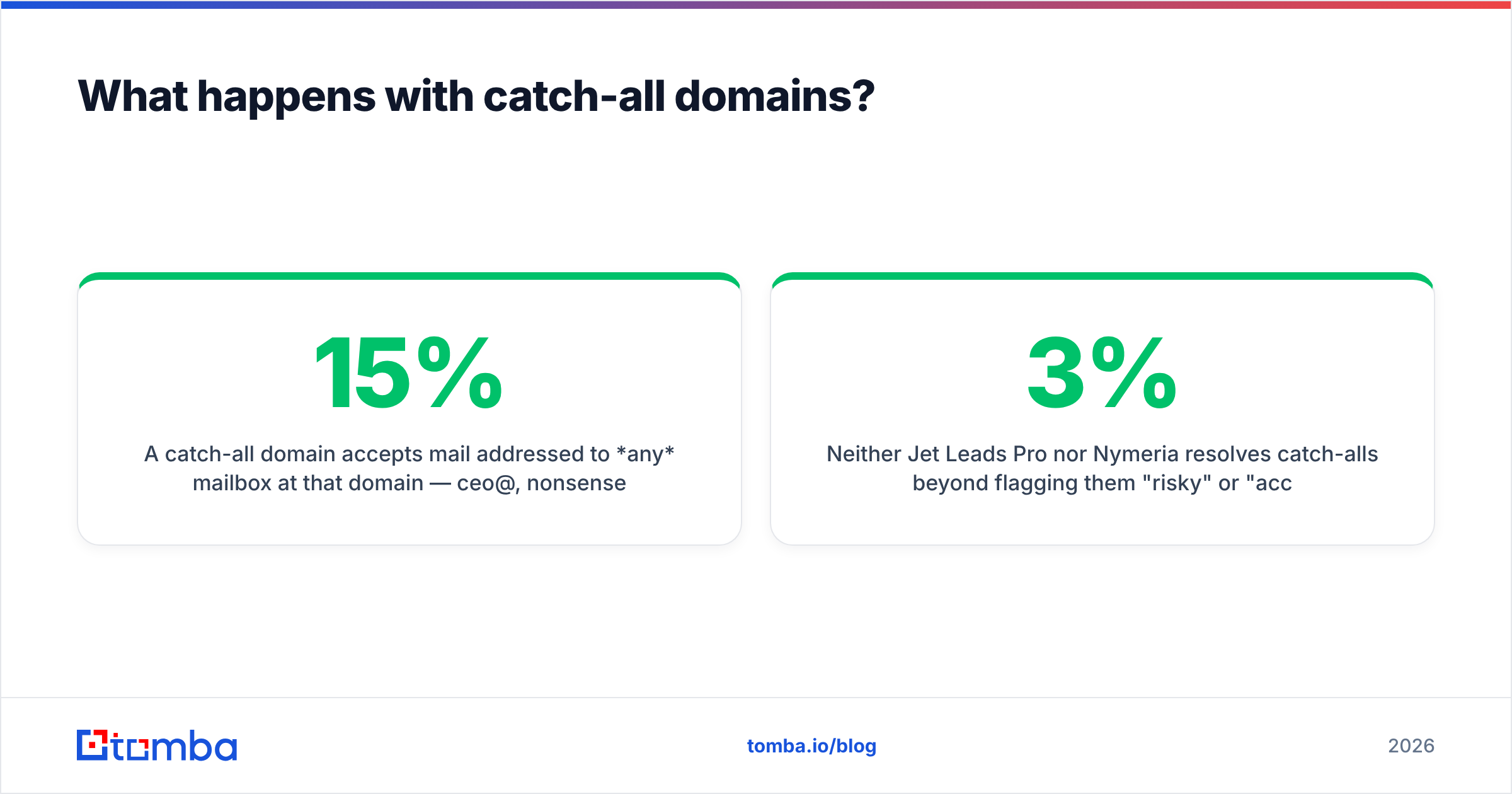
A catch-all domain accepts mail sent to any mailbox: ceo@, nonsense123@, all of it. It sorts the mess later. A standard SMTP check therefore returns "valid" for names that do not exist.
How common is that? In most markets, 15% to 35% of B2B domains work this way. The share runs high in enterprise, in financial services, and behind gateways like Mimecast or Proofpoint.

Neither tool resolves catch-alls. Both just flag them "risky" or "accept-all." That leaves two bad options. Send anyway and eat the bounces. Or drop the whole segment and bin a third of your enterprise market.
There is a third path. A catch-all verifier grades each risky address using pattern confidence and second signals. That is what keeps a 3% bounce rate from turning into 12% on your best accounts.
If you take one habit from this guide, take this one. Never send to an unresolved catch-all from a domain you care about. Route those people to LinkedIn or the phone, or clear the address first.
Google and Microsoft both weigh bounce rate heavily when they place mail. Once you take a hit, the climb back is measured in weeks. HubSpot's research on email deliverability covers the mechanics in depth.
Which tool fits which team?#
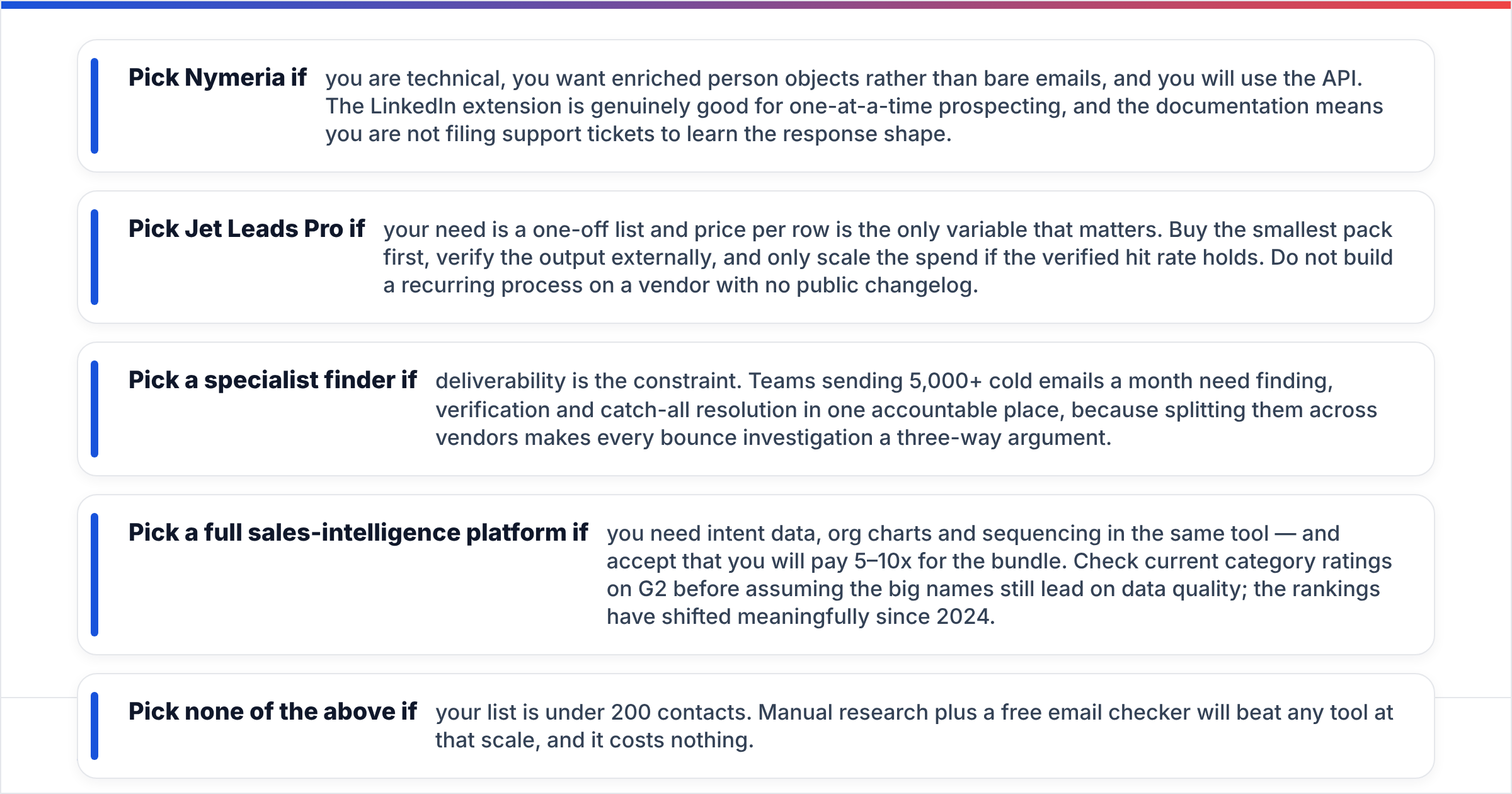
Pick Nymeria if you are technical and you will use the API. You want full person records, not bare emails. The LinkedIn extension is genuinely good for one-at-a-time work, and the docs mean you are not filing tickets to learn the response shape.
Pick Jet Leads Pro if you need one list and price per row is the only thing that matters. Buy the smallest pack. Check the output with your own tool. Scale the spend only if the hit rate holds. Do not build a weekly process on a vendor with no public changelog.
Pick a specialist finder if delivery is your constraint. At 5,000+ cold emails a month, you want finding, checking and catch-all work in one place. Split them across vendors and every bounce turns into a three-way argument.
Pick a full sales-intelligence suite if you need intent data, org charts and sequencing together. Expect to pay 5–10x for the bundle. Check current ratings on G2 first; the rankings have moved a lot since 2024.
Pick none of the above if your list is under 200 names. Manual research plus a free email checker beats any tool at that size, and it costs nothing.
Where does Tomba fit in Jet Leads Pro vs Nymeria?#
Honestly, Tomba overlaps with both. It wins or loses on one axis.
Against Nymeria, the edge is checking depth. The catch-all verifier and the full email verifier run on the same credits as the finder, so there is no second vendor in the loop. Nymeria's edge is profile breadth. If you want social handles, work history and phones in one record, it is the stronger data layer.
Against Jet Leads Pro, Tomba costs more per row on paper. The counter is the point this guide keeps making: rows that bounce are not rows. Say Jet Leads Pro returns 1,000 addresses and 62% land. Tomba returns 800 and 95% land. Tomba reached 140 more inboxes for a similar spend, and did not burn your sending domain.
Where Tomba is the wrong pick: intent signals, an org-chart view, or a sequencer. Tomba does not build those. Pair it with a sending tool instead.
Here is a clean way to test all three. Start on Tomba's free tier, 25 searches a month, no card. Run the same 25 contacts through Nymeria's free credits and a minimum Jet Leads Pro pack. Score how many you can safely mail, not how many you matched.
Then check where the winner plugs in. The Google Sheets add-on and the Tomba API exist so the test does not end with "great tool, wrong workflow."
Jet Leads Pro vs Nymeria: what is the verdict?#
Nymeria takes the head-to-head on maturity, docs and API access. Jet Leads Pro wins on raw cost per exported row, and on nothing else.
The more useful call is this. If delivery is your bottleneck, that is the wrong pair to choose between. Both leave checking and catch-all work on your desk, and that is where outbound dies.
Buy Nymeria if you are building something programmatic. Buy Jet Leads Pro for one cheap list, with your eyes open about vendor risk.
And if what you need is a shorter list of addresses that reliably land, start with the Tomba Email Finder. Find, check and resolve catch-alls on the same credits. Free for your first 25 searches, $49/mo when you scale.
Related guides#
// get started
Find, verify and enrich your first contacts today
Start on the free plan with 25 searches a month, then scale when your team is ready.
Free plan · No credit card required · GDPR & CCPA
// about the author