Jet Leads Pro vs Reachfast: Which Email Finder Wins in 2026?
Jet Leads Pro and Reachfast both promise verified B2B emails at low cost. We break down accuracy, credit math, bulk workflows, and API depth — plus where a third option beats both.
TL;DR
- Jet Leads Pro and Reachfast compete in the same lane: cheap, fast B2B email lookup aimed at small outbound teams rather than enterprise RevOps stacks.
- The real decision is not "who has more contacts" — it's who tells you the truth about a result. Coverage without a confidence score just moves the bounce problem downstream.
- Jet Leads Pro skews toward volume and list-building; Reachfast skews toward single-lookup and browser-extension prospecting. Neither is a full replacement for a dedicated verifier.
- Budget honestly: a $49/mo plan that returns 40% unverifiable addresses costs more than a $99/mo plan that returns 92% deliverable ones, once you price in domain reputation damage.
- If you want one vendor for finding, verifying, catch-all handling, and enrichment through a single API, Tomba is the stronger consolidation play at $49–$249/mo.
What are Jet Leads Pro and Reachfast?#
Both are B2B contact-discovery tools. You give them a name and a company domain — or just a domain — and they return work email addresses, usually with some kind of confidence indicator.
That's where the similarity ends.
Jet Leads Pro positions itself around list building. The pitch is throughput: upload a CSV of companies or prospects, run it, get emails back. Tools in this category live or die on their bulk pipeline — how fast it processes, how it handles partial matches, and whether it charges you for rows it couldn't resolve.
Reachfast leans the other direction: individual lookups, browser-extension workflows, and finding a specific person you already identified on LinkedIn or a company site. That's a different job. You're not building a 5,000-row list; you're unblocking one account you actually care about.
Before you compare feature checklists, decide which of those two motions describes your week. A seat that's great at bulk enrichment is mediocre at one-off lookups, and vice versa. Most "X vs Y" arguments online are really people with different motions talking past each other.
One caveat on everything that follows: both vendors change pricing and packaging frequently, and neither publishes an audited accuracy benchmark. Treat the numbers below as directional, verify current plans on each vendor's own site, and — this matters more than any review — run your own 100-contact test before committing budget. Category listings on G2 and Capterra are useful for spotting recent complaint patterns that marketing pages won't mention.
How do Jet Leads Pro and Reachfast compare head-to-head?#
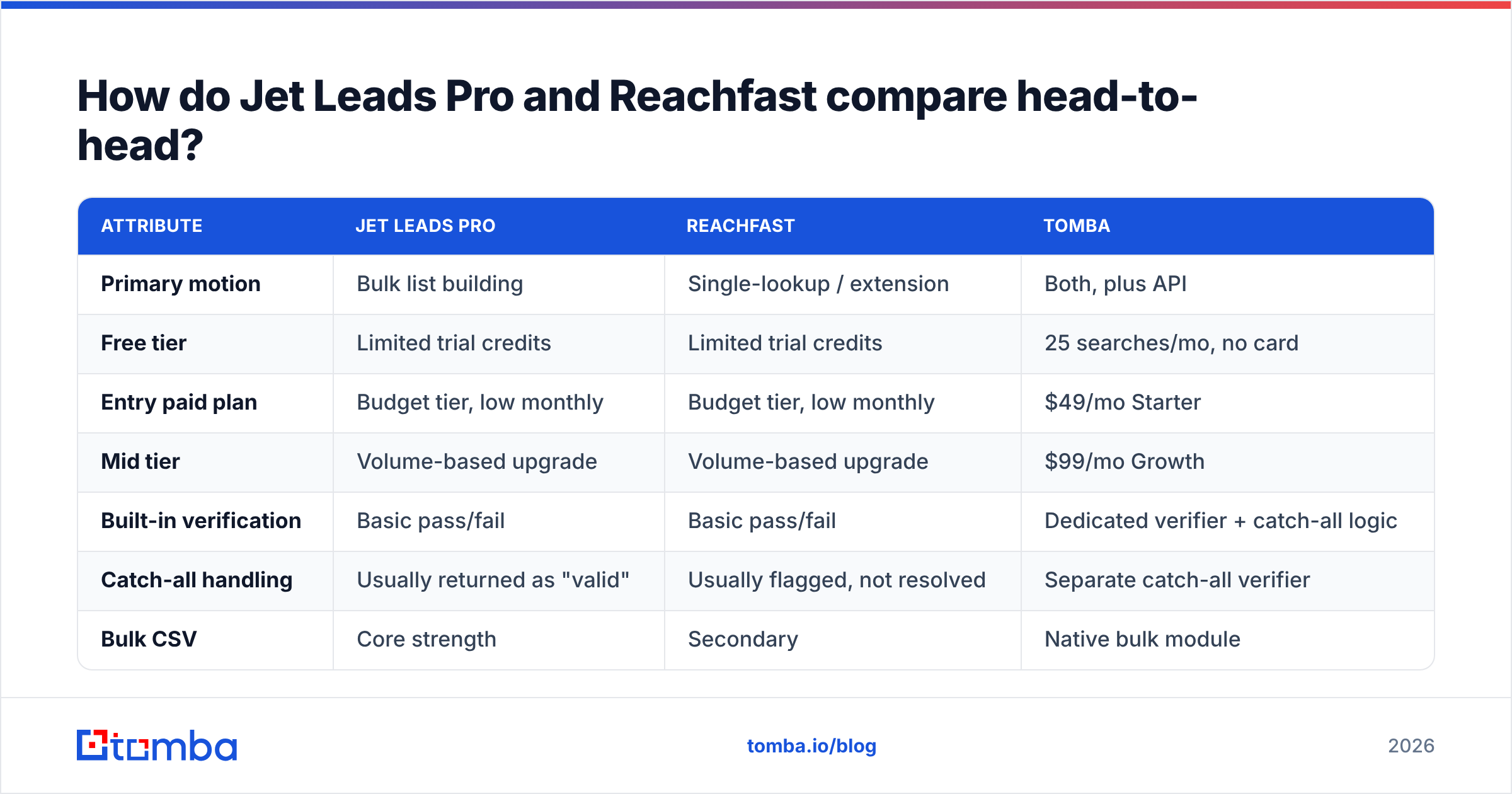
Here's the practical breakdown across the attributes that actually change your cost per booked meeting.
| Attribute | Jet Leads Pro | Reachfast | Tomba |
|---|---|---|---|
| Primary motion | Bulk list building | Single-lookup / extension | Both, plus API |
| Free tier | Limited trial credits | Limited trial credits | 25 searches/mo, no card |
| Entry paid plan | Budget tier, low monthly | Budget tier, low monthly | $49/mo Starter |
| Mid tier | Volume-based upgrade | Volume-based upgrade | $99/mo Growth |
| Built-in verification | Basic pass/fail | Basic pass/fail | Dedicated verifier + catch-all logic |
| Catch-all handling | Usually returned as "valid" | Usually flagged, not resolved | Separate catch-all verifier |
| Bulk CSV | Core strength | Secondary | Native bulk module |
| API access | Limited on lower tiers | Limited on lower tiers | API on all paid tiers |
| Phone numbers | No / limited | No / limited | Phone finder + validator |
| Credit rollover | Typically none | Typically none | Check current plan terms |
Two rows deserve more attention than the rest.
Catch-all handling. A catch-all domain accepts every address at the SMTP layer, including asdfgh@company.com. Cheap tools return those as "valid" because the server said yes. That single behavior explains most of the gap between a tool's advertised accuracy and the bounce rate you actually see. If your ICP skews enterprise — where catch-all configurations are common — this is the row that decides the comparison.
Credit behavior on failures. Ask both vendors directly: do you charge a credit when no email is found? The honest answer separates good tools from ones that quietly inflate usage. A vendor that only bills on a successful, scored result is aligned with you. One that bills on every query is aligned with its own gross margin.

Which one is more accurate?#
Neither vendor publishes a methodology you can audit, so anyone quoting a precise accuracy percentage for Jet Leads Pro or Reachfast is guessing. What you can do is test them the same way.
Run this protocol before you buy:
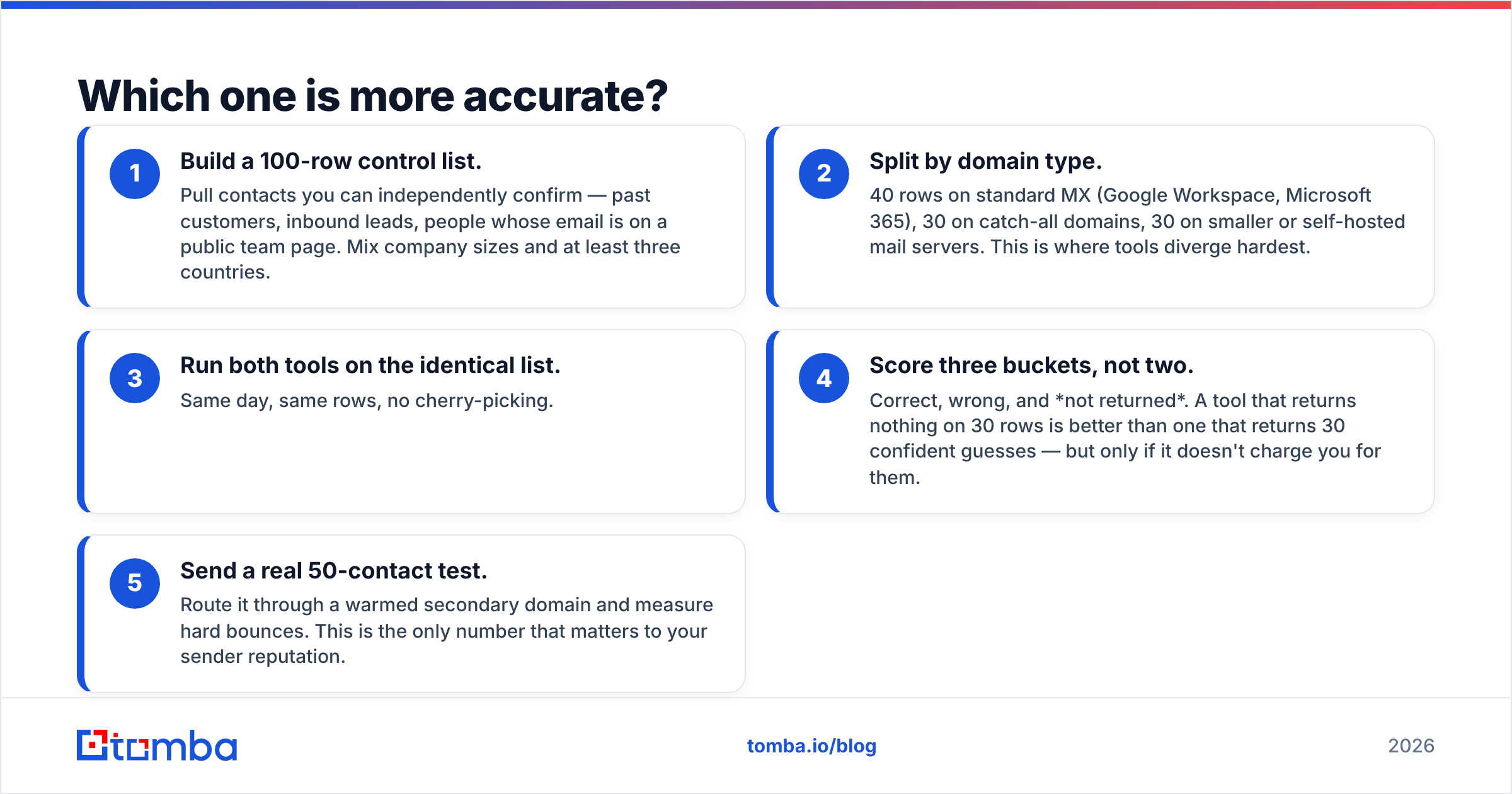
- Build a 100-row control list. Pull contacts you can independently confirm — past customers, inbound leads, people whose email is on a public team page. Mix company sizes and at least three countries.
- Split by domain type. 40 rows on standard MX (Google Workspace, Microsoft 365), 30 on catch-all domains, 30 on smaller or self-hosted mail servers. This is where tools diverge hardest.
- Run both tools on the identical list. Same day, same rows, no cherry-picking.
- Score three buckets, not two. Correct, wrong, and not returned. A tool that returns nothing on 30 rows is better than one that returns 30 confident guesses — but only if it doesn't charge you for them.
- Send a real 50-contact test. Route it through a warmed secondary domain and measure hard bounces. This is the only number that matters to your sender reputation.

Placeholder: side-by-side screenshot of both tools' result panes for the same prospect, showing confidence score and source attribution.
What the test usually reveals: raw "found rate" is the least informative metric in this category. A tool can hit 90% found rate by permuting first.last@domain.com and calling it a day. A company email pattern check can do the same thing for free. What you're paying a vendor for is the evidence layer — where the address was seen, when it was last confirmed, and whether the mail server responded honestly.
This is where source transparency matters. Tools that show you why they believe an address is real — a public source, a verified crawl date, an SMTP response code — let you make a judgment call on the ambiguous 20%. Tools that return a bare green checkmark don't. Tomba publishes its data sources for exactly this reason, and the email verifier separates deliverable, risky, and catch-all instead of collapsing everything into pass/fail.
What does each one actually cost?#
Sticker price is the wrong unit. Cost per usable contact is the right one.
Work the math with your own numbers:
- Cost per credit = monthly price ÷ included credits.
- Usable rate = (correct results) ÷ (credits consumed), from your 100-row test.
- True cost per contact = cost per credit ÷ usable rate.
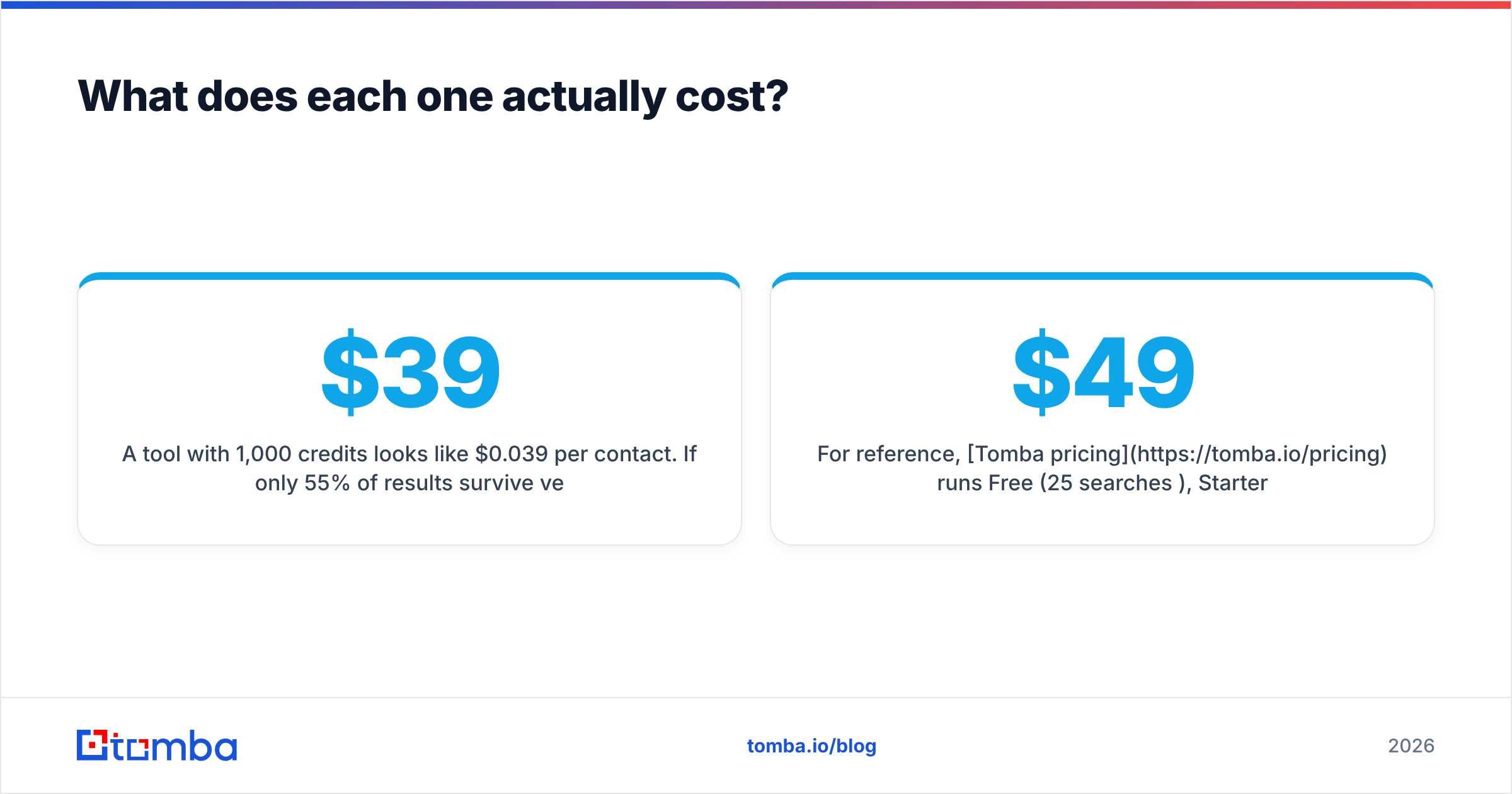
A $39/mo tool with 1,000 credits looks like $0.039 per contact. If only 55% of results survive verification, your true cost is $0.071. A $49/mo plan with 500 credits at a 92% usable rate costs $0.106 — more per contact, but you send to a list that doesn't torch your domain. Then add the hidden line item nobody budgets: one bad send that pushes your bounce rate past 3% can cost you weeks of sender reputation recovery, and there's no credit pack that buys that back.
For reference, Tomba pricing runs Free (25 searches/mo), Starter at $49/mo, Growth at $99/mo, Pro at $249/mo, and custom Enterprise — with API access included rather than gated to an upper tier. That last detail matters more than it looks. If you're planning to automate enrichment inside HubSpot, a spreadsheet, or your own app, an entry plan without API access is a plan you'll outgrow in month two.

Which should you choose for your use case?#
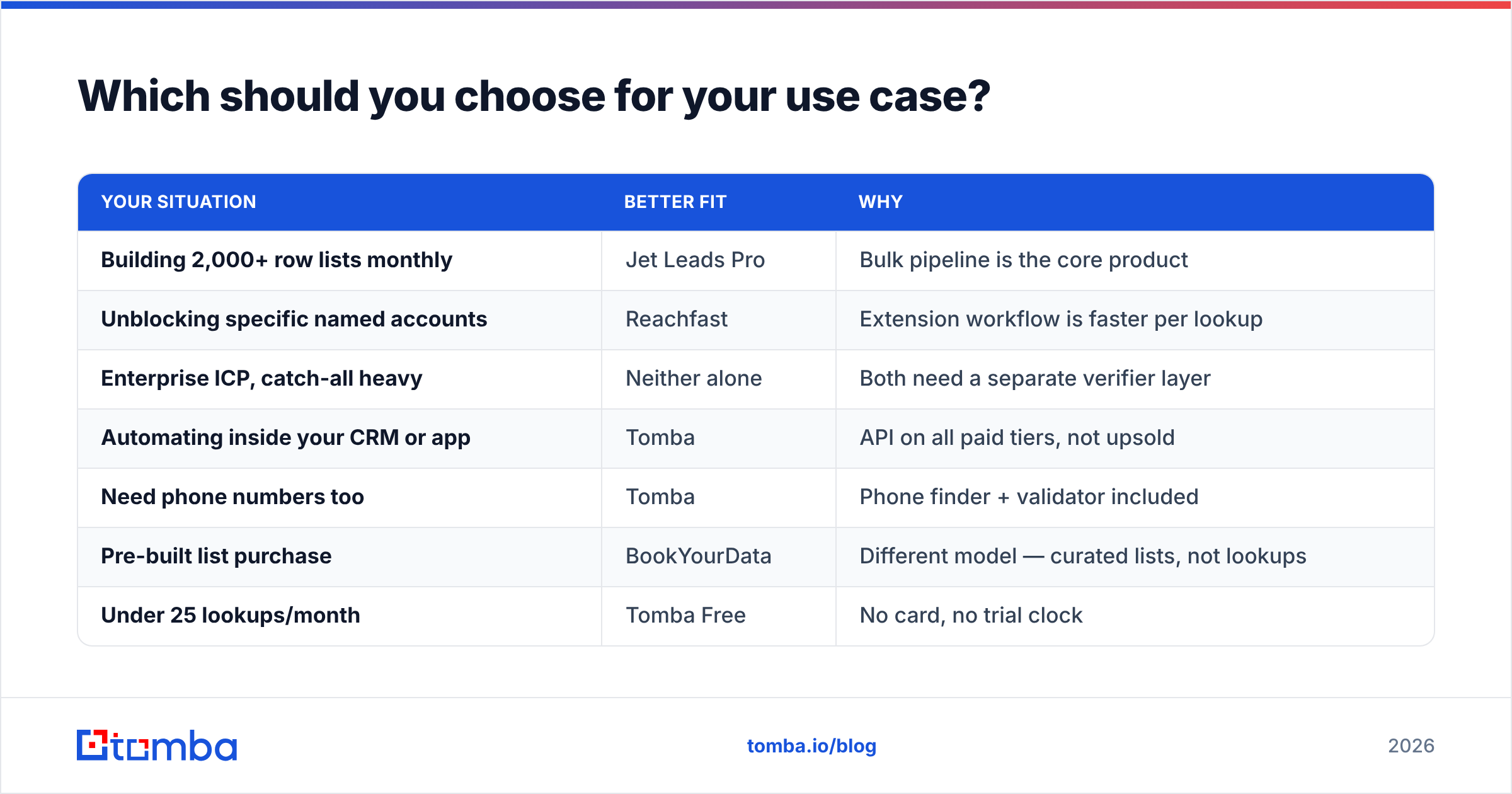
| Your situation | Better fit | Why |
|---|---|---|
| Building 2,000+ row lists monthly | Jet Leads Pro | Bulk pipeline is the core product |
| Unblocking specific named accounts | Reachfast | Extension workflow is faster per lookup |
| Enterprise ICP, catch-all heavy | Neither alone | Both need a separate verifier layer |
| Automating inside your CRM or app | Tomba | API on all paid tiers, not upsold |
| Need phone numbers too | Tomba | Phone finder + validator included |
| Pre-built list purchase | BookYourData | Different model — curated lists, not lookups |
| Under 25 lookups/month | Tomba Free | No card, no trial clock |
A note on that BookYourData row: it solves a genuinely different problem. If you want to buy a filtered list rather than find contacts one at a time, a curated database vendor is the right shape of tool, and comparing it to a lookup API is a category error. Some teams run both — a purchased base list, then a finder API to fill gaps and re-verify before each send.
Where do both tools fall short?#
Three gaps show up consistently in this price bracket, regardless of which logo is on the dashboard.
1. Verification is a checkbox, not a product. Both Jet Leads Pro and Reachfast bundle "verification," but bundled verification usually means a single SMTP ping. Real verification stacks syntax, MX, disposable-domain detection, role-account detection, catch-all probing, and historical engagement signals. If deliverability is your bottleneck, budget for a real email verification step regardless of which finder you pick.
2. No phone or multi-channel data. Email-only means you're single-threaded. When a prospect ignores four emails, you have nowhere to go. Tools that also return B2B phone numbers let you run the same target list across two channels without a second vendor, a second contract, and a second data-hygiene process.
3. Shallow automation surface. Both work well when a human is clicking. Both get awkward when you want a workflow — new HubSpot company created, enrich, verify, score, route — to run without you. Check whether API access sits on the plan you can actually afford, and whether rate limits are documented publicly. Tomba's email finder API and bulk email finder exist precisely for that hand-off from manual to automated.

Placeholder: screenshot of a CRM enrichment workflow — trigger, enrich, verify, route — to illustrate the automation gap.
How do you run a fair trial in one week?#
Don't buy on a demo. Buy on a bake-off. Five days is enough.
- Day 1 — Define the control set. 100 contacts you can verify independently. Lock the list; don't edit it once testing starts.
- Day 2 — Run both tools. Record found rate, wrong rate, not-returned rate, and credits consumed. Note whether failures cost credits.
- Day 3 — Cross-verify. Push every returned address through an independent checker. A free email checker is fine for spot checks; use a proper verifier for the full set.
- Day 4 — Live send. 50 contacts through a warmed domain. Measure hard bounces, soft bounces, and spam placement.
- Day 5 — Compute true cost. Cost per credit ÷ usable rate. Compare against the annual contract each vendor is pushing. Then decide.
If you want background on why the mechanics of an address matter for deliverability, the Wikipedia entry on email addresses covers local-part and domain rules well enough to make SMTP responses less mysterious.
So which one wins?#
Honest verdict: neither Jet Leads Pro nor Reachfast wins outright, because they're optimized for different motions — and both leave a verification gap you'll end up paying for somewhere.
Pick Jet Leads Pro if your week is dominated by bulk list building and you already have a separate verification step. Pick Reachfast if you're an AE unblocking named accounts one at a time and speed-per-lookup beats throughput. Pick neither if you're about to automate, need phones, or sell into catch-all-heavy enterprise domains — because you'll be shopping again in a quarter.
The consolidation argument is the one worth weighing seriously. Running three vendors for finding, verifying, and enriching means three bills, three data-freshness policies, and three places for a record to go stale. One provider covering the full chain is usually cheaper and cleaner than a best-of-breed stack at this company size.
Test it against your own list, not ours. Run 25 contacts through Tomba Email Finder on the free tier — no card required — and compare the confidence scores and source attribution side by side with whatever you're using today. If the results hold up on your ICP, Starter is $49/mo with API access included, and Growth at $99/mo covers most outbound teams running multi-channel sequences. The bake-off takes an afternoon; the wrong vendor takes a quarter to unwind.
Related guides#
// get started
Find, verify and enrich your first contacts today
Start on the free plan with 25 searches a month, then scale when your team is ready.
Free plan · No credit card required · GDPR & CCPA
// about the author