Jet Leads Pro vs SecureMailMerge (2026): Which Do You Need?
One of these tools finds the contacts. The other sends the mail from inside Outlook. Here is the honest breakdown of where each fits, what each costs, and the layer both of them leave wide open.
TL;DR
- Jet Leads Pro and SecureMailMerge are not really competitors. One sits at the sourcing layer (get contacts), the other at the sending layer (deliver personalized mail from your own Outlook mailbox).
- SecureMailMerge's whole pitch is privacy: your contact list never leaves your Microsoft 365 tenant, and sends go through your own mailbox rather than a third-party relay. That is a real advantage in regulated industries — and a real ceiling on volume.
- Jet Leads Pro sits in the crowded lead-list category. It is a smaller, thinly documented vendor, which means you should run a paid-for-by-them trial batch and measure bounce rate before you commit budget.
- Neither tool solves verification. A list tool that exports stale records into a mail merge that sends from your primary domain is the fastest way to torch your sender reputation.
- Practical stack for most teams in 2026: a dedicated finder/verifier for the data layer, then SecureMailMerge (or any sender) for the delivery layer. They are complements, not alternatives.
What are Jet Leads Pro and SecureMailMerge, exactly?#
Start here, because half the confusion in this comparison comes from people assuming both tools do the same job.
SecureMailMerge is an Outlook add-in. You install it into Microsoft 365 or Outlook desktop, point it at a spreadsheet or a contact list, write a templated message with merge fields, and it sends individual personalized emails from your own mailbox. The differentiator is architectural: the contact data is processed locally and dispatched through your Microsoft account rather than uploaded to a vendor's sending infrastructure. For legal, healthcare, finance, and public-sector teams that cannot ship a client list to a US SaaS server, that design choice is the entire reason the product exists. You can find it and its user reviews on the Microsoft AppSource marketplace, where most Outlook add-ins are distributed.
Jet Leads Pro sits on the other side of the funnel. It is positioned as a B2B lead-sourcing product: filter by industry, company size, geography, or role, and export a list of contacts you can load into whatever sender you use. It belongs to the same broad category as the dozens of list-builders you will find on G2's lead intelligence listings — a category where the gap between the best and worst vendors is enormous and almost entirely invisible from the marketing page.
One important honesty note before we go further: Jet Leads Pro is a small vendor with limited independent review coverage. Everything below about its category behaviour is reliable. Anything about its specific database size or freshness should be treated as unverified until you test it yourself. That is not a knock — it is how you should treat any list vendor without a third-party audit.

Why does comparing them feel like comparing a drill to a hammer?#
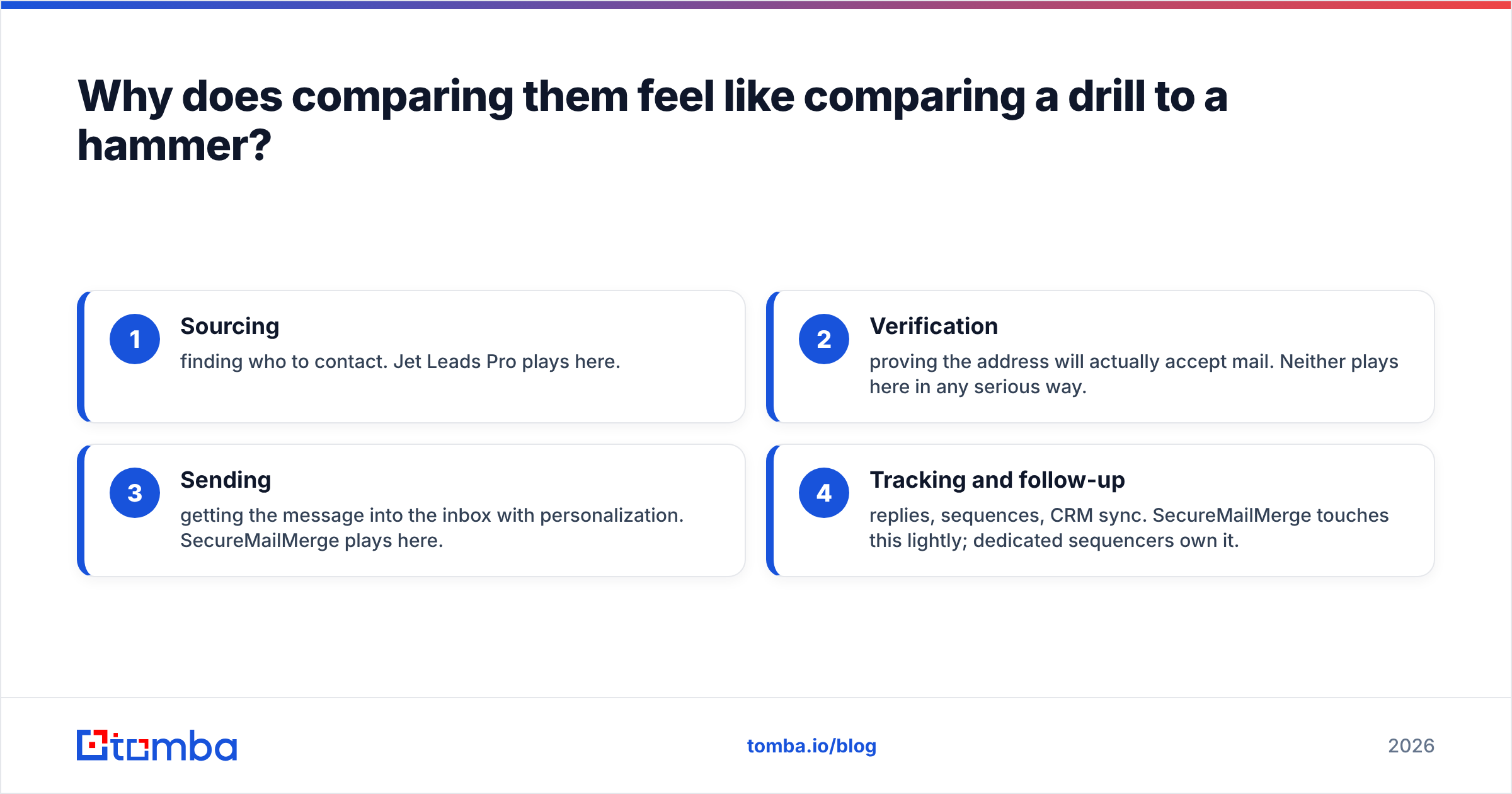
Because it mostly is. Outbound email has four distinct layers, and these two products live on different floors of the building:
- Sourcing — finding who to contact. Jet Leads Pro plays here.
- Verification — proving the address will actually accept mail. Neither plays here in any serious way.
- Sending — getting the message into the inbox with personalization. SecureMailMerge plays here.
- Tracking and follow-up — replies, sequences, CRM sync. SecureMailMerge touches this lightly; dedicated sequencers own it.
The reason people search "Jet Leads Pro vs SecureMailMerge" is usually budget triage: they have one line item for outbound tooling and want to know which single purchase moves the needle. The honest answer is that buying only one of them leaves a hole. If you buy the list tool and send from a generic mail client, you get poor personalization and no deliverability discipline. If you buy the sender and have no data pipeline, you are mail-merging a list you scraped by hand on a Tuesday afternoon.
How do Jet Leads Pro and SecureMailMerge compare feature by feature?#
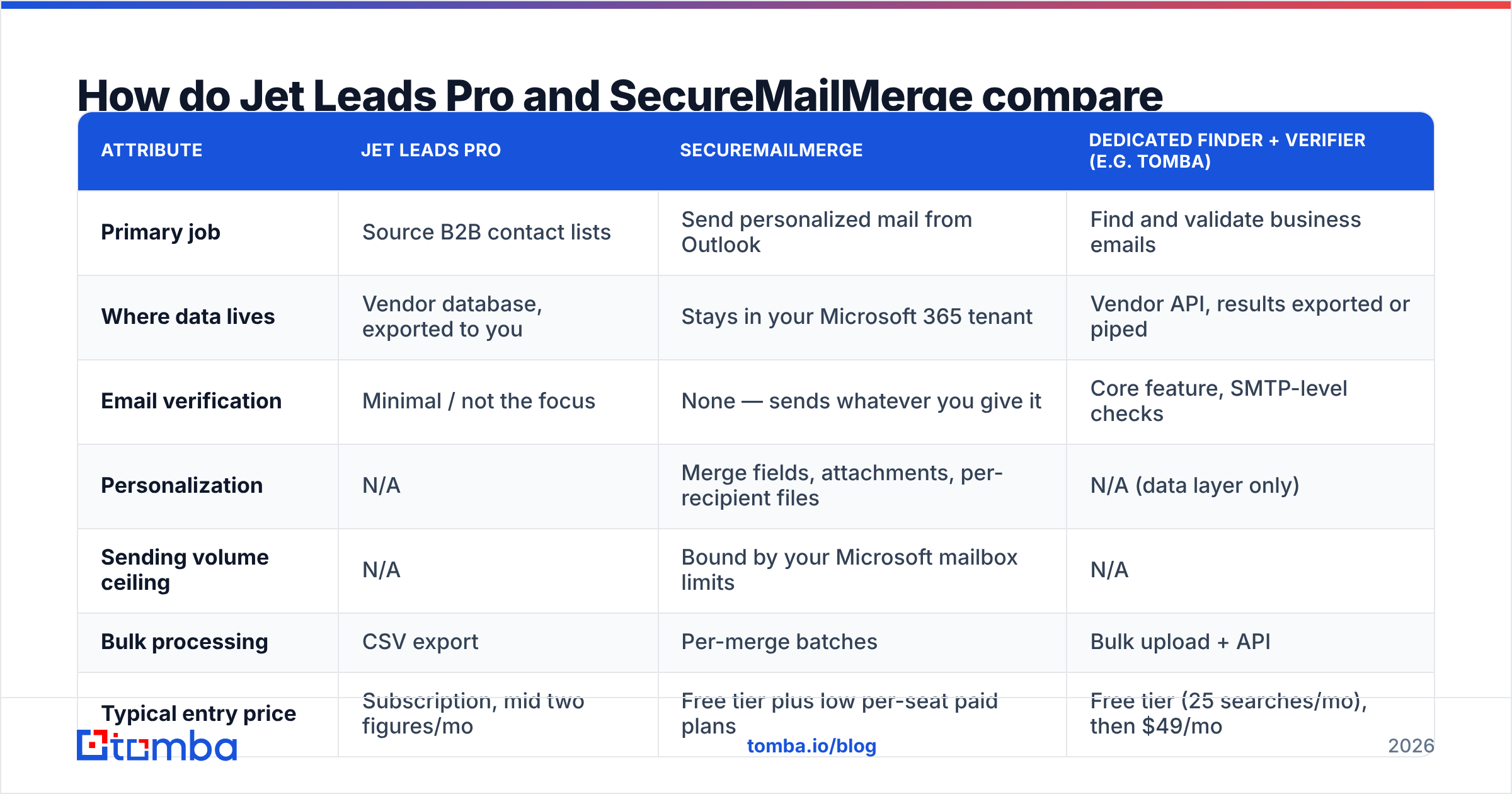
Here is the layer-by-layer breakdown. Treat pricing as directional — both vendors adjust plans, so confirm on their current pricing pages before you buy.
| Attribute | Jet Leads Pro | SecureMailMerge | Dedicated finder + verifier (e.g. Tomba) |
|---|---|---|---|
| Primary job | Source B2B contact lists | Send personalized mail from Outlook | Find and validate business emails |
| Where data lives | Vendor database, exported to you | Stays in your Microsoft 365 tenant | Vendor API, results exported or piped |
| Email verification | Minimal / not the focus | None — sends whatever you give it | Core feature, SMTP-level checks |
| Personalization | N/A | Merge fields, attachments, per-recipient files | N/A (data layer only) |
| Sending volume ceiling | N/A | Bound by your Microsoft mailbox limits | N/A |
| Bulk processing | CSV export | Per-merge batches | Bulk upload + API |
| Typical entry price | Subscription, mid two figures/mo | Free tier plus low per-seat paid plans | Free tier (25 searches/mo), then $49/mo |
| Best for | Filling an empty prospect list | Compliance-sensitive personalized sends | Accuracy-first data pipelines |
| Biggest weakness | Unaudited data freshness | Hard volume ceiling, no sourcing | Not a sender — you still need one |
The row that decides most purchases is sending volume ceiling. Because SecureMailMerge dispatches through your own mailbox, your throughput is whatever Microsoft allows your tenant — commonly a few thousand recipients per day, often much lower on smaller plans, and lower still if your tenant has throttling policies. That is fine for a 400-person conference follow-up. It is not an engine for 50,000 sends a month, and the product does not pretend otherwise.
What does the pricing difference actually look like?#
Rough shape of the two spends, since they are structured very differently:
- SecureMailMerge uses a freemium, per-seat model. There is a usable free tier with a daily send cap, and paid tiers unlock higher limits, attachments, and scheduling. One rep on a paid seat is cheap. Ten reps on paid seats is ten times cheap, which stops being cheap.
- Jet Leads Pro uses a credit or subscription model typical of list vendors — you pay for a volume of records per month, and unused credits usually do not roll over generously.
- The hidden third cost is the one nobody budgets: bounced sends. If 30% of a purchased list is dead, you paid for those records, you paid for the seat that mailed them, and you paid a third time in sender reputation.
That third cost is the one that actually shows up in your numbers. A domain that takes a reputation hit does not recover in a week, and email deliverability problems are notoriously hard to attribute after the fact — you just quietly stop getting replies. HubSpot's own outbound guidance has argued this point for years: list quality beats list size on every metric that matters.
Does either tool protect you from bounces?#
No. This is the single most important thing to understand before choosing between them.
SecureMailMerge sends what you hand it. It has no opinion about whether j.smith@acmecorp.com is a live mailbox, a role account, a spam trap, or a person who left in 2023. Jet Leads Pro, like most list vendors, applies some internal hygiene — but "some internal hygiene" is not the same as a fresh SMTP-level check at the moment of send, and list records decay at roughly 2 to 2.5% per month as people change jobs.
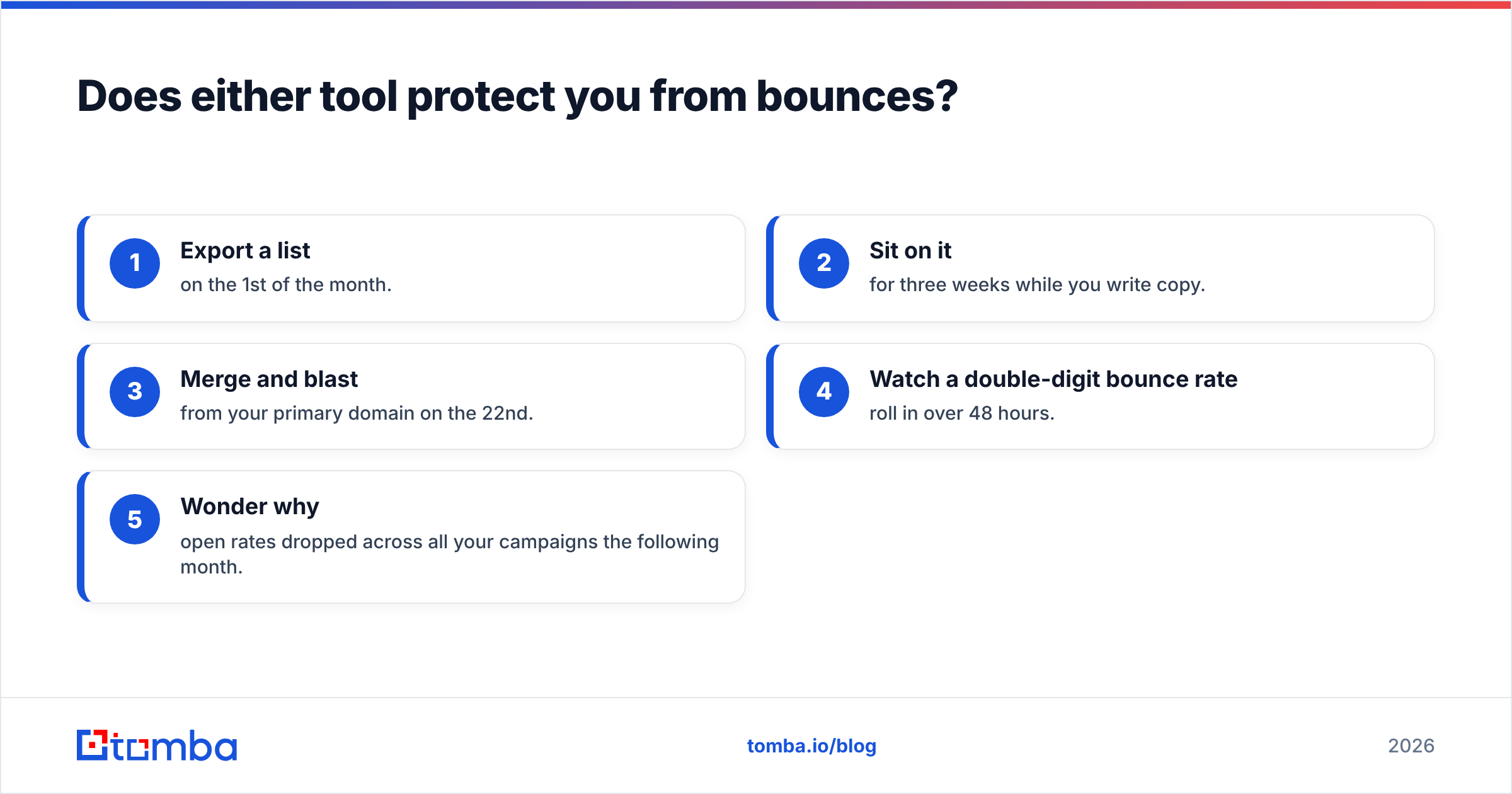
Stack those two facts and you get the standard failure pattern:
- Export a list on the 1st of the month.
- Sit on it for three weeks while you write copy.
- Merge and blast from your primary domain on the 22nd.
- Watch a double-digit bounce rate roll in over 48 hours.
- Wonder why open rates dropped across all your campaigns the following month.

The fix is unglamorous and cheap: verify immediately before you send, not when you buy. Running an email verifier over a list the morning of the campaign catches the records that died between export and send, and it catches the catch-all domains that will accept everything and deliver nothing. If you are working with lists in the thousands, a bulk email finder pass handles both the enrichment and the validation in one job rather than two manual steps.
Which one should you buy if you can only buy one?#
Decision rules, in the order I would apply them:
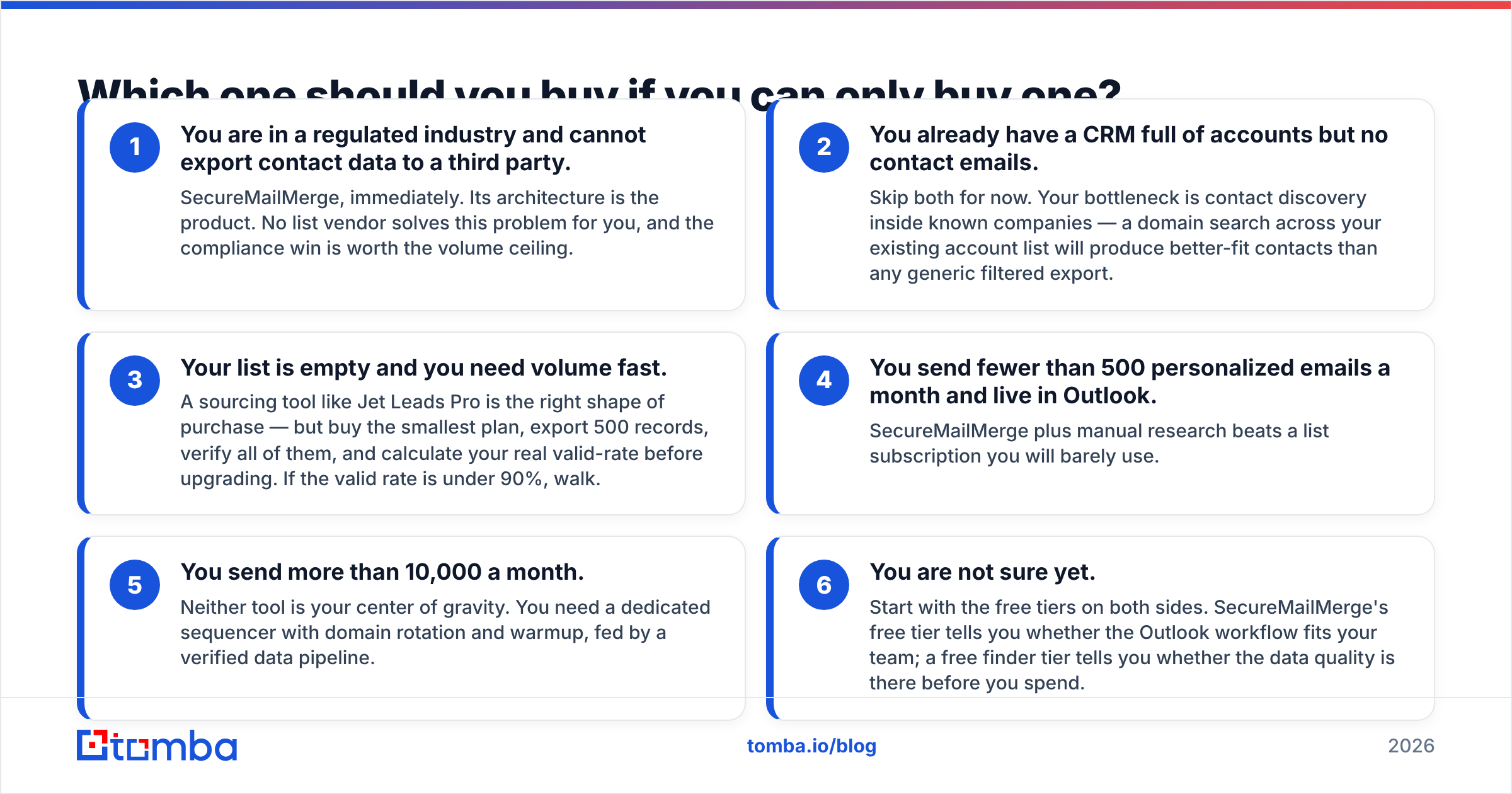
- You are in a regulated industry and cannot export contact data to a third party. SecureMailMerge, immediately. Its architecture is the product. No list vendor solves this problem for you, and the compliance win is worth the volume ceiling.
- You already have a CRM full of accounts but no contact emails. Skip both for now. Your bottleneck is contact discovery inside known companies — a domain search across your existing account list will produce better-fit contacts than any generic filtered export.
- Your list is empty and you need volume fast. A sourcing tool like Jet Leads Pro is the right shape of purchase — but buy the smallest plan, export 500 records, verify all of them, and calculate your real valid-rate before upgrading. If the valid rate is under 90%, walk.
- You send fewer than 500 personalized emails a month and live in Outlook. SecureMailMerge plus manual research beats a list subscription you will barely use.
- You send more than 10,000 a month. Neither tool is your center of gravity. You need a dedicated sequencer with domain rotation and warmup, fed by a verified data pipeline.
- You are not sure yet. Start with the free tiers on both sides. SecureMailMerge's free tier tells you whether the Outlook workflow fits your team; a free finder tier tells you whether the data quality is there before you spend.
How do you build the stack these two leave incomplete?#
The practical 2026 outbound stack has three parts, and the mistake is buying two of them and hoping the third takes care of itself.
Data layer. You need a source of contacts and a verifier, ideally from the same vendor so the handoff is not a CSV. This is where an email finder that exposes an API matters more than raw database size — you want to enrich on demand, at the moment of outreach, rather than shopping for a static list once a quarter and watching it rot. Transparency about data sources is a reasonable filter here; vendors who will not say where records come from usually have a reason.
Delivery layer. SecureMailMerge is a genuinely good fit if your constraint is privacy and your volume is moderate. If your constraint is volume, you are shopping in a different aisle — Instantly, Smartlead, Saleshandy and friends. Do not force a compliance-first tool to do a scale-first job.
Hygiene layer. Warmup, SPF/DKIM/DMARC, a separate sending domain, and pre-send verification. This is unglamorous and it is the difference between a 40% open rate and a 12% one. If you have never audited yours, a mail-merge tool is not where you start.
For what it's worth, teams that get this right rarely have the most expensive stack. They have the most validated one. The concept of mail merge itself is decades old — it predates the web — and the tooling around it has improved far faster than the data feeding it. The bottleneck in 2026 is almost never the sender.
What about BookYourData, Apollo, and the other names in this category?#
Worth a brief mention, because "Jet Leads Pro vs SecureMailMerge" is rarely a two-horse race in practice. If you are evaluating the sourcing side seriously, you should also be looking at established list providers like BookYourData — a solid, well-reviewed option with a pay-as-you-go model that suits teams who do not want a monthly subscription — alongside all-in-one platforms like Apollo. Each makes a different trade between database breadth, per-record cost, and how much of the sending workflow it absorbs.
The evaluation method matters more than the shortlist. For any vendor on your list:
- Export or pull 200 records in your actual ICP, not a generic demo segment.
- Verify all 200 with an independent verifier.
- Measure valid rate, catch-all rate, and role-account rate separately.
- Divide total cost by valid records, not total records. That number is the only price that means anything.
Run that on three vendors and the decision usually makes itself in an afternoon.
Which is the better buy overall?#
If you are forced into a single answer: SecureMailMerge is the safer purchase, because it does one narrow job well and its limitations are visible on day one. A list tool's limitations only become visible after you have mailed the list — and by then the cost has already been paid in reputation.
But the framing is wrong. Sourcing and sending are different problems. Buy the one that matches your actual bottleneck, keep the other cheap, and put the money you save into the verification step that both tools skip.
Start with the data layer. If your bounce rate is the thing quietly capping your reply rate, fix it at the source: Tomba Email Finder finds professional email addresses by domain, name, or company, with verification built into the same workflow instead of bolted on afterwards. The free tier gives you 25 searches a month to test the accuracy against your own ICP before spending anything, and paid plans start at $49/mo — see full Tomba pricing for volume tiers. Export clean, verified contacts, then hand them to whichever sender fits your compliance and volume profile. That is the stack that holds up.
Related guides#
// get started
Find, verify and enrich your first contacts today
Start on the free plan with 25 searches a month, then scale when your team is ready.
Free plan · No credit card required · GDPR & CCPA
// about the author