Jet Leads Pro vs Skrapp: Which Email Finder Wins in 2026?
One of these email finders has a decade of public track record, the other has a marketing page. Here is how Jet Leads Pro and Skrapp actually compare on coverage, verification, pricing and API access in 2026.
Jet Leads Pro vs Skrapp is an easy pair to shortlist and a hard pair to judge. One tool has shipped since 2017 and carries hundreds of public reviews. The other has a marketing site and little third-party proof. This guide compares both on coverage, verification, pricing and API access. Then it shows you how to test them on your own list.
TL;DR
- Skrapp is the known quantity. It has shipped since 2017. Pricing is public, reviews on G2 and Capterra are plentiful, and the LinkedIn-first workflow is one B2B sellers already know.
- Jet Leads Pro is the unknown quantity. Public proof of its database size, verification method and refund policy is thin. That is not a verdict. It means you test it on your own list first.
- The deciding factor is verified deliverable rate. Two tools can both "find" an email. Only one tells you honestly when it is guessing.
- Price will not decide this. Skrapp starts near $49/mo. Tomba starts at $49/mo with a free tier. Confirm Jet Leads Pro's tiers on its own site before you buy.
- Run one 200-contact list through both. Bounce rate after a real send is the only benchmark that survives your CRM.
What are Jet Leads Pro and Skrapp?#
Both products sit in the same category: B2B email finders that turn a name plus a company (or a LinkedIn profile, or a domain) into a business email address you can put into a sequence.
Skrapp is a mature, LinkedIn-centric email finder. Its core loop is a Chrome extension. It scrapes profiles and Sales Navigator results, resolves work emails, and pushes them into lists you can export as CSV. It also offers domain search, a bulk uploader, and an API on higher tiers. You can see its current plan structure on the official Skrapp site, and its user feedback is public on G2 and Capterra. That matters more than it sounds. It means the failure modes are documented by strangers, not just by the vendor.
Jet Leads Pro is a newer entrant. It sells itself as an all-in-one prospecting suite: email lookup, list building, and outreach-adjacent tooling in one place. Here is the honest part. Public proof of its data sources, match rates and enterprise terms is thin next to established players. That is not an accusation. Early-stage tools are often cheaper and hungrier for your feedback. It does mean the burden of proof sits with your own trial, not with a comparison chart.
So treat this less as "which brand is better" and more as "which evidence standard are you willing to accept."
Jet Leads Pro vs Skrapp: how do they compare head to head?#
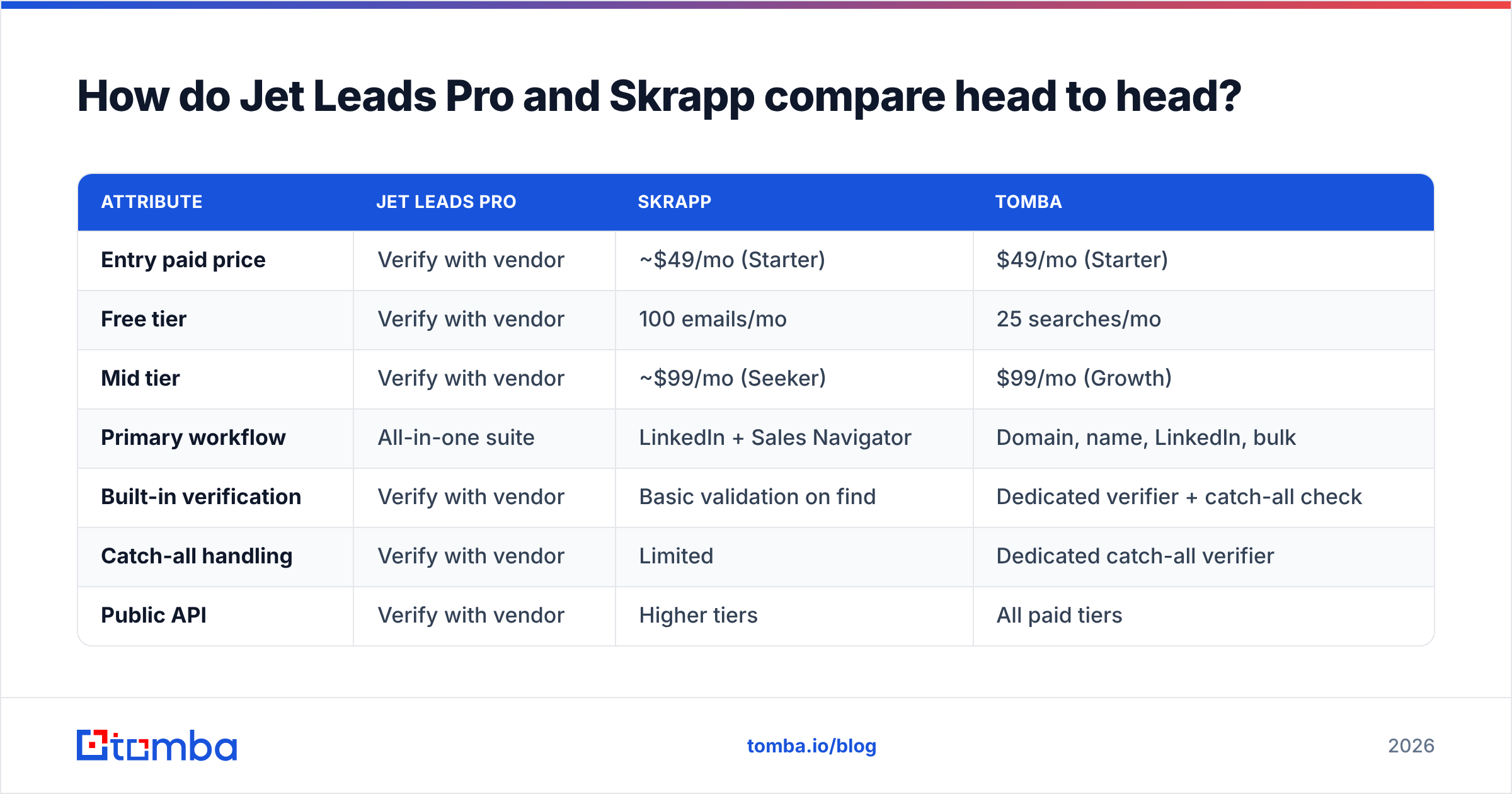
Here is the practical matrix. Where a cell reads verify with vendor, no reliable public source confirms it as of 2026. Inventing a number would be worse than admitting the gap.
| Attribute | Jet Leads Pro | Skrapp | Tomba |
|---|---|---|---|
| Entry paid price | Verify with vendor | ~$49/mo (Starter) | $49/mo (Starter) |
| Free tier | Verify with vendor | 100 emails/mo | 25 searches/mo |
| Mid tier | Verify with vendor | ~$99/mo (Seeker) | $99/mo (Growth) |
| Primary workflow | All-in-one suite | LinkedIn + Sales Navigator | Domain, name, LinkedIn, bulk |
| Built-in verification | Verify with vendor | Basic validation on find | Dedicated verifier + catch-all check |
| Catch-all handling | Verify with vendor | Limited | Dedicated catch-all verifier |
| Public API | Verify with vendor | Higher tiers | All paid tiers |
| Third-party review volume | Very low | High (G2, Capterra) | Moderate and growing |
| Phone numbers | Verify with vendor | No | Yes (phone finder) |
| Spreadsheet add-ons | Verify with vendor | Limited | Excel, Google Sheets, Airtable |

Read that table twice. The interesting column is not price — it is the row for third-party review volume. When a tool has 400 public reviews, you can search "bounce" or "refund" and learn what actually happens on month three. When it has eight, you are buying on vibes.
How should you judge email-finder accuracy?#
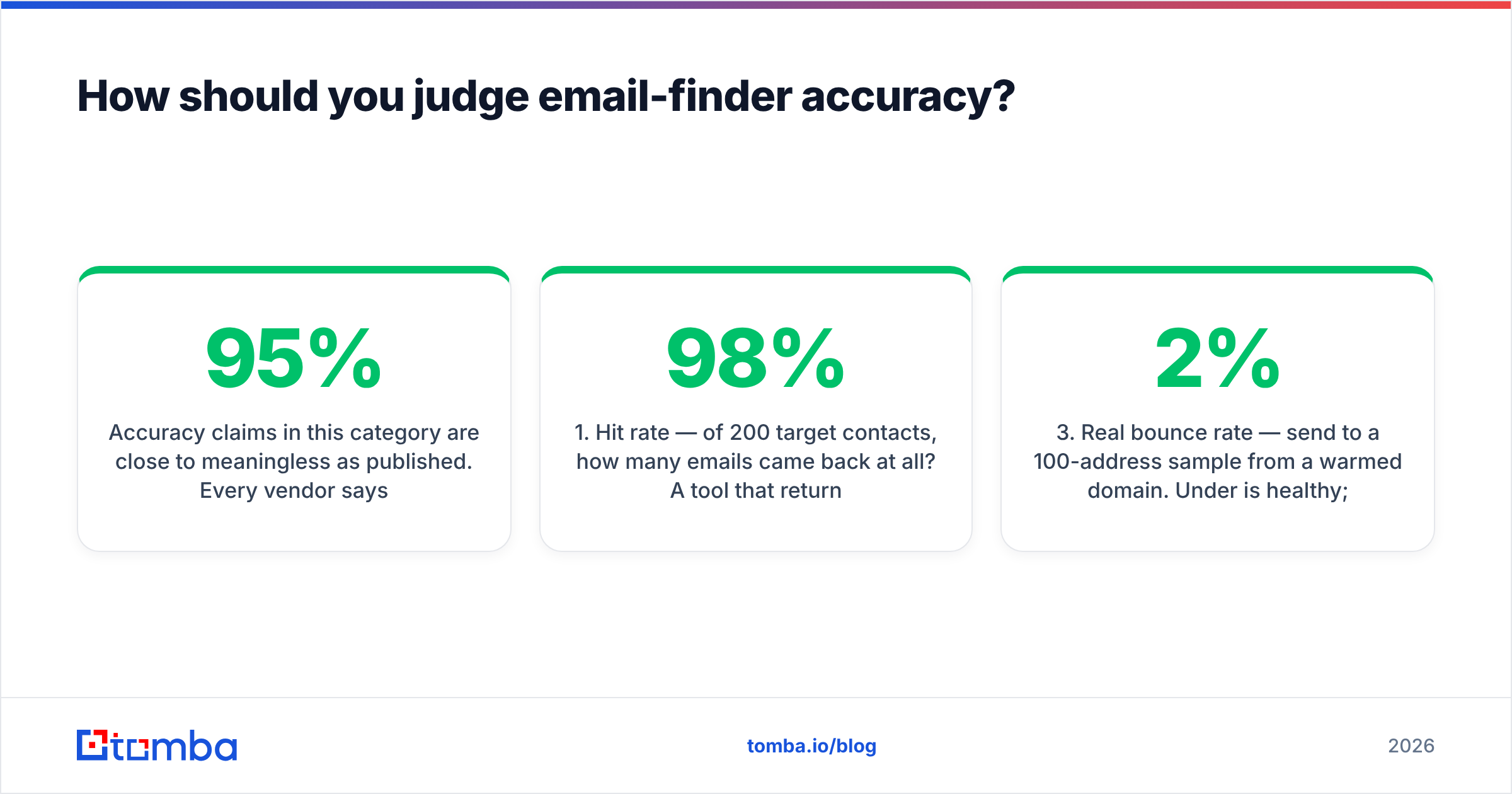
Accuracy claims in this category are close to meaningless as published. Every vendor says 95%+. The number is engineered by the denominator. If a tool only returns results it is sure about, its "accuracy" looks great while its coverage quietly collapses. You are left with 40% of your list unresolved.
Judge on four numbers instead, measured on your own data:
- Hit rate — of 200 target contacts, how many emails came back at all? A tool that returns 120 at 98% accuracy may beat one that returns 180 at 82%. Do the arithmetic.
- Verified deliverable rate — of those returned, how many pass an independent email verifier you did not buy from the same vendor? Self-graded homework is not evidence.
- Real bounce rate — send to a 100-address sample from a warmed domain. Under 2% is healthy; 3–5% is a warning; above 5% will damage your sender reputation.
- Catch-all share — what share of results sit on accept-all domains? Does the tool label them honestly, or quietly count them as valid? That one behaviour separates careful vendors from careless ones.

Skrapp is generally candid here. It will often tell you a result is a pattern-based guess rather than a confirmed address. Whether Jet Leads Pro applies the same discipline is exactly what your trial should establish. Export 50 results and check whether the status column has more than two states. If everything says "valid," be suspicious. Real email data is messy, and a tool that never admits doubt is hiding it.
Which one is better for LinkedIn prospecting?#
Skrapp, on current evidence, and it is not particularly close.
Skrapp's entire product gravity points at LinkedIn. You run a Sales Navigator search, the extension harvests the result set, and you leave with a list. For SDRs who build target accounts by filtering on headcount, title and geography inside LinkedIn, that is the shortest path from filter to CSV.
Jet Leads Pro markets a broader suite, which cuts both ways. Broad suites are handy when they work and annoying when one module lags the rest. You end up paying for an outreach sender you never use, because you already run Instantly or Smartlead.
If LinkedIn is your main source, ask one question: does the tool turn a profile URL into a work email without you copy-pasting names? Tomba's LinkedIn finder does this at the URL level. Skrapp does it at the browsing level. Jet Leads Pro's approach should be tested against a batch of 25 profiles you already know the answers for. Salespeople underrate this test. You almost certainly have 25 known-good contacts in your CRM — use them as an answer key.
What about verification, catch-alls and deliverability?#
This is where cheap tools get expensive.
A catch-all (accept-all) domain accepts mail for every address at SMTP time, then silently discards the invalid ones. Roughly a fifth of B2B domains behave this way. They cluster in enterprise accounts — precisely the logos you want. A finder that treats catch-all as "valid" will hand you a list that looks clean and bounces like gravel.
Three ways vendors handle it:
- Label and exclude. Honest, conservative, costs you coverage.
- Label and let you decide. Best of the three, because you can risk-segment: send catch-alls from a secondary domain.
- Silently mark valid. Cheap to build, and it is your email deliverability that pays the bill.
Skrapp sits somewhere between the first and second. Tomba splits the problem into an explicit catch-all verifier, so the call is yours rather than the algorithm's. For Jet Leads Pro, filter your trial export for known accept-all domains — a large enterprise you already email is a good probe — and see which bucket the tool puts them in.
Whatever you choose, keep the guardrails. Authenticate with SPF, DKIM and DMARC. Warm new domains for two to three weeks. Cap volume per mailbox. Re-verify any list older than 90 days, because B2B contact data decays at roughly 2–3% per month through job changes alone.
How do the APIs and integrations compare?#
If you are building anything — lead routing, enrichment on form fill, a CRM hygiene job — the API tier matters more than the UI.
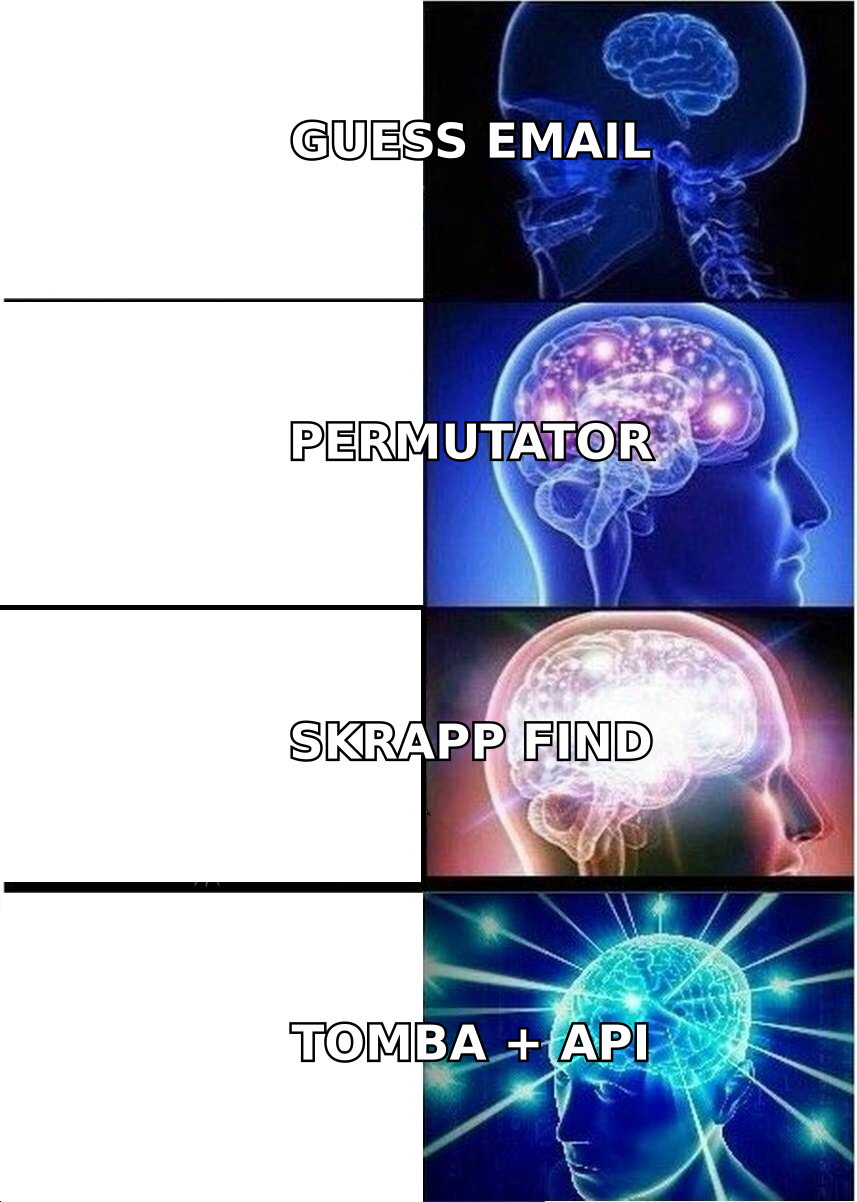
Skrapp gates API access to higher plans. That is common, but annoying for small teams who want programmatic access at $49 rather than $199. Tomba exposes the Tomba API on every paid tier, plus a CLI and an MCP server if you are wiring email lookup into an AI agent workflow. Jet Leads Pro's API limits and per-call pricing are the first things to ask its sales team. "We have an API" and "we have documented, versioned, rate-limited endpoints with a sandbox key" are different products.
Ask these five questions before you sign anything:
- Is there a sandbox key that does not consume paid credits?
- What is the rate limit per second and per day, and what happens at the ceiling — 429s or silent truncation?
- Are failed lookups billed? Some vendors charge for a miss. Over a 50,000-row enrichment job, this is the difference between a $200 bill and a $900 one.
- Is bulk asynchronous? Synchronous-only APIs make large bulk email finder jobs painful.
- What is the data-deletion and GDPR posture? You are processing personal data of EU citizens whether you planned to or not.
Where does Tomba fit in this comparison?#
Openly: this is Tomba's blog, so take the recommendation with the appropriate salt and check it against the trial protocol above.
Tomba's argument is not that it finds addresses no one else can. It is that finding and verifying are one pipeline rather than two products. The email finder returns a result with a confidence signal, and the verifier re-checks it. Catch-alls are flagged as catch-alls. The same operations run through the API, a Chrome extension, Google Sheets, Excel and Airtable. The free tier is 25 searches a month, which is enough to run the honesty test above without a credit card. Tomba pricing runs $49 (Starter), $99 (Growth), $249 (Pro), then custom for enterprise.
Against Skrapp, the trade is breadth for LinkedIn-native ergonomics. Skrapp's extension workflow is smoother if LinkedIn is your only source. Tomba is stronger when you work from domains, author bylines, spreadsheets or code. Against Jet Leads Pro, the trade is documented behaviour against a newer, potentially cheaper unknown.
So which should you choose?#
Settle Jet Leads Pro vs Skrapp by your dominant workflow, not by the feature grid:
- You live inside Sales Navigator and export lists by hand — Skrapp. Its extension is the point of the product, and its public review history means fewer surprises.
- You enrich from domains, spreadsheets, or code — Tomba. API on every paid tier, Sheets and Excel add-ins, and verification that is a first-class product rather than a checkbox.
- You need phone numbers alongside email — Tomba or a dedicated provider. Skrapp does not cover phones.
- You are price-sensitive and willing to run a bake-off — include Jet Leads Pro in the test. If it matches on coverage with an honest status column at a lower price, take the win. Just verify before you move a workflow onto it.
- You need enterprise procurement, DPAs and SLAs — weight toward the vendor that can produce the paperwork today.
The meta-advice: do not buy an email finder on a comparison post, including this one. Buy it on a 200-row test list, scored on hit rate, independent verification pass rate, and post-send bounce rate. That test takes an afternoon and saves a quarter.
Ready to run the test?#
Start with the control group. Take 50 contacts whose emails you have already confirmed. Run them through Tomba Email Finder on the free tier and score the results honestly: hits, misses, catch-alls, and how well the confidence labels match what you know to be true. Then run the same 50 through both rivals and lay the three scorecards side by side. That is the only Jet Leads Pro vs Skrapp verdict that counts, because it runs on your data. If Tomba wins, upgrade at $49/mo. If it does not, you have lost an afternoon and gained a benchmark you can reuse.
Related guides#
// get started
Find, verify and enrich your first contacts today
Start on the free plan with 25 searches a month, then scale when your team is ready.
Free plan · No credit card required · GDPR & CCPA
// about the author