9 Best Joomag Alternatives in 2026 for Digital Publishing
Joomag bundles a flipbook editor, analytics and a light CRM — but most teams only need two of the three. Here are nine alternatives compared on price, lead capture and export freedom.

TL;DR
- Joomag is a digital publishing suite: a flipbook editor, hosting, reader analytics, and a light CRM bolted on top. Most teams use maybe 60% of it.
- The best Joomag alternatives split into three camps — cheap flipbook converters (Flipsnack, Paperturn, Yumpu), analytics-first publishers (FlippingBook, Issuu, Publitas), and no-code interactive content platforms (Foleon, Turtl, Ceros).
- If you mainly convert PDFs and want tracking, FlippingBook or Flipsnack will cost you less than a bundled suite. If your publication is a demand-gen asset, Foleon or Turtl are the closer fit.
- The expensive part of gated content is not the viewer. It is what happens to the contact record after someone fills the form — most of those emails are typos, aliases, or personal Gmail accounts.
- Verify and enrich every captured address before it hits your CRM, or your beautiful catalog becomes a bounce generator.
What is Joomag and who actually uses it?#
Joomag is a digital publishing platform built around its Crater Editor. You upload a PDF (or build a publication from scratch), it becomes a page-flip web experience, and you distribute it via link, embed, or email. On top of that core, Joomag layers reader analytics, subscription management, paywalls, and a lightweight CRM for tracking who read what.
The typical buyer is a marketing team, a membership association publishing a quarterly magazine, or a retailer pushing a seasonal catalog. It is a genuinely capable product — the complaint is rarely "it doesn't work," it's "we pay for a suite and use the viewer."
Here is what the bundle actually contains, which matters when you start pricing alternatives:
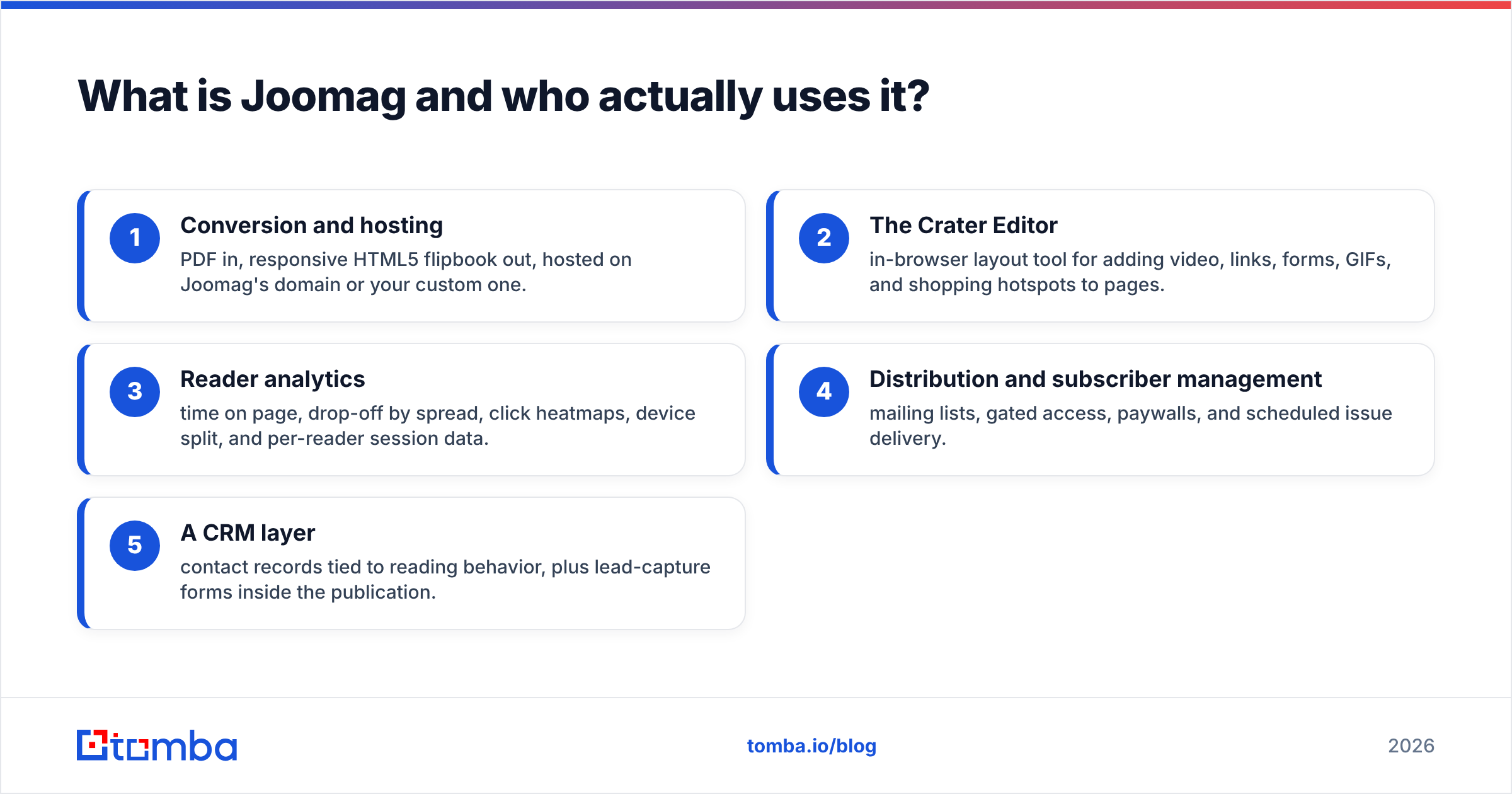
- Conversion and hosting — PDF in, responsive HTML5 flipbook out, hosted on Joomag's domain or your custom one.
- The Crater Editor — in-browser layout tool for adding video, links, forms, GIFs, and shopping hotspots to pages.
- Reader analytics — time on page, drop-off by spread, click heatmaps, device split, and per-reader session data.
- Distribution and subscriber management — mailing lists, gated access, paywalls, and scheduled issue delivery.
- A CRM layer — contact records tied to reading behavior, plus lead-capture forms inside the publication.
The fifth item is where the pricing pressure comes from. If you already run HubSpot, Salesforce, or Pipedrive, you are paying twice for the same contact record — and the Joomag copy is the one with worse data.
Why do teams look for Joomag alternatives?#
Four reasons come up repeatedly in review threads on G2 and Capterra:
Price per publication, not per seat. Suite pricing scales awkwardly when you publish twelve issues a year but only have two editors. Per-publication or per-view limits force upgrades that feel unrelated to team size.
Editor learning curve. The Crater Editor is powerful and therefore not instant. Teams whose designers live in InDesign or Figma often want a tool that does nothing but ingest the finished PDF cleanly.
Analytics depth versus what you can export. Reading dashboards inside a publishing tool is fine. Getting that data into your warehouse or attribution model is a different question, and it is the one that decides renewals.
CRM overlap. The most common migration trigger. Once the marketing ops team standardizes on one system of record, a second contact database inside the publishing tool becomes a liability, not a feature.

How do the top Joomag alternatives compare?#
Pricing below reflects publicly listed plans at the time of writing. Vendors change tiers often — confirm on the vendor's own page before you budget.
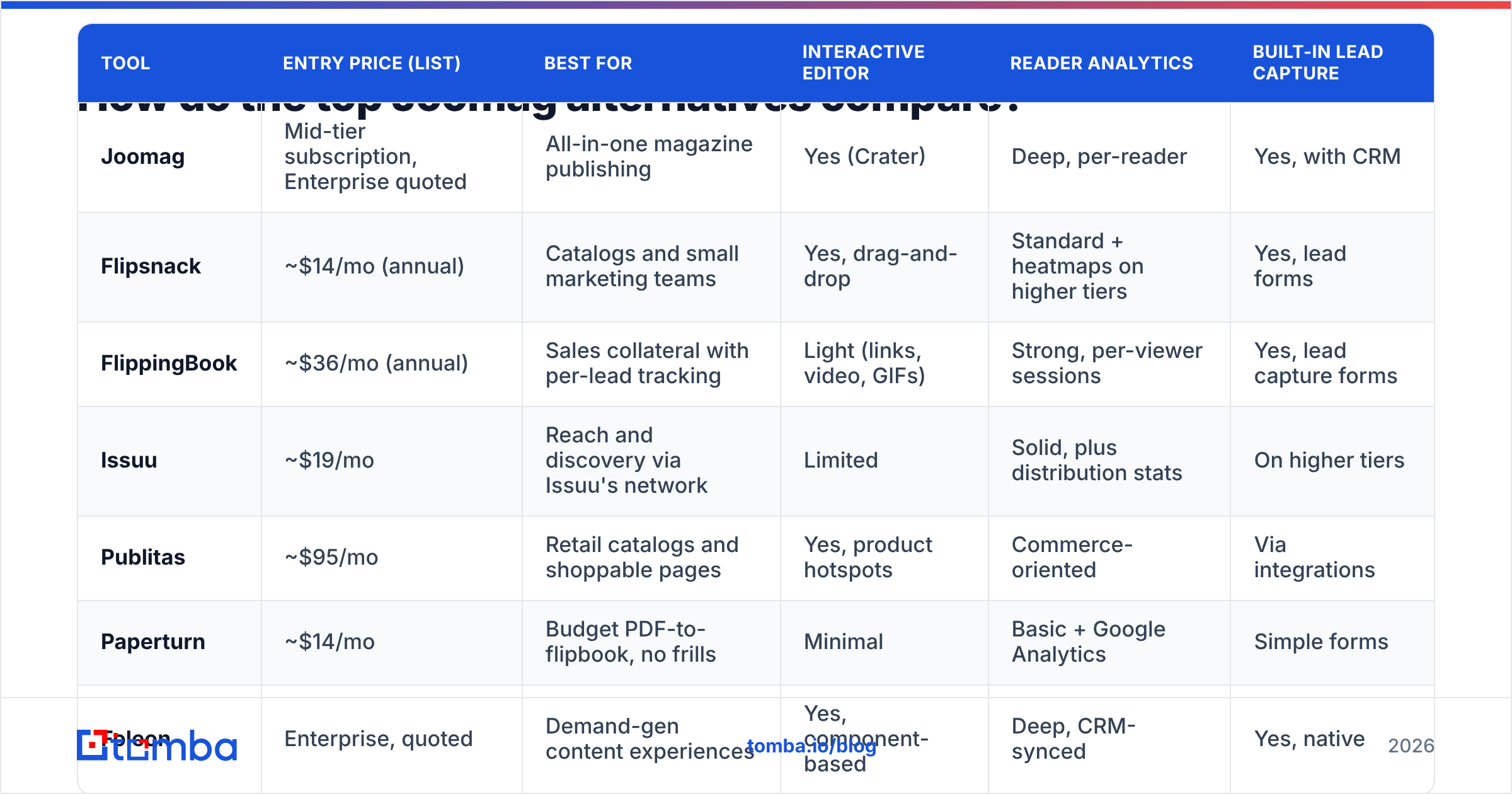
| Tool | Entry price (list) | Best for | Interactive editor | Reader analytics | Built-in lead capture |
|---|---|---|---|---|---|
| Joomag | Mid-tier subscription, Enterprise quoted | All-in-one magazine publishing | Yes (Crater) | Deep, per-reader | Yes, with CRM |
| Flipsnack | ~$14/mo (annual) | Catalogs and small marketing teams | Yes, drag-and-drop | Standard + heatmaps on higher tiers | Yes, lead forms |
| FlippingBook | ~$36/mo (annual) | Sales collateral with per-lead tracking | Light (links, video, GIFs) | Strong, per-viewer sessions | Yes, lead capture forms |
| Issuu | ~$19/mo | Reach and discovery via Issuu's network | Limited | Solid, plus distribution stats | On higher tiers |
| Publitas | ~$95/mo | Retail catalogs and shoppable pages | Yes, product hotspots | Commerce-oriented | Via integrations |
| Paperturn | ~$14/mo | Budget PDF-to-flipbook, no frills | Minimal | Basic + Google Analytics | Simple forms |
| Foleon | Enterprise, quoted | Demand-gen content experiences | Yes, component-based | Deep, CRM-synced | Yes, native |
| Turtl | Enterprise, quoted | B2B content with reader scoring | Yes, template-driven | Reader-level engagement scoring | Yes, native |
| Marq (ex-Lucidpress) | Free tier, paid from ~$10/user/mo | Brand-controlled template publishing | Yes, design-first | Light | Limited |
| Yumpu | Free tier, paid from ~$15/mo | Cheapest hosted flipbook | Minimal | Basic | Limited |
Read that table as three clusters rather than ten products. Cheap converters win on cost and lose on data. Analytics-first publishers win on per-reader tracking. Enterprise content platforms win on CRM integration and cost accordingly.
Which Joomag alternative fits your use case?#
If you publish a recurring magazine or member newsletter: Flipsnack or Issuu. Both handle issue archives, custom domains, and embedded video without enterprise procurement. Issuu adds discovery traffic from its own reader network, which matters if distribution is a problem you have not solved.
If your publication is a sales asset: FlippingBook is the closest functional match to what most Joomag customers actually use. Per-viewer session tracking tells a rep which prospect read pages 4 through 9 twice, which is the only analytics question sales ever asks.
If you run a retail or product catalog: Publitas. Shoppable hotspots, product feeds, and commerce analytics are native rather than bolted on. Flipsnack's shopping features are a reasonable cheaper fallback.
If the publication is a demand-gen campaign: Foleon or Turtl. These are not flipbook tools — they produce responsive, scrollable content experiences with native CRM sync and reader-level engagement scoring. Expect enterprise pricing and an implementation period.
If you need brand control across many contributors: Marq. Locked templates stop regional teams from destroying your brand guidelines, and the free tier makes pilots easy.
If you just need a PDF online cheaply: Paperturn or Yumpu. No CRM, no interactive editor, no pretense. Pair either with your existing analytics stack and stop paying for a suite.
What should you check before you migrate?#
Migration pain in digital publishing is almost always about three things, and none of them are the editor.
URL continuity. Your old issues are indexed, embedded in emails, and linked from partner sites. Ask every vendor whether you can keep the same custom-domain paths or set up permanent redirects. If the answer is vague, assume you lose the backlinks.
Analytics history. You will not port per-reader session history between platforms. Export what you have as CSV before you cancel, and accept that year-over-year comparisons will have a seam in them.
Contact data ownership. If Joomag's CRM holds lead records that never synced to your main system, that list is stranded the day you stop paying. Export it first, then clean it — which is the part most teams skip.
Embed and integration rework. Every embedded viewer on your site, every Zapier automation, every marketing-automation trigger tied to "opened publication" needs rebuilding. Budget a sprint, not an afternoon.
Where does contact data fit into a digital publishing stack?#
This is the part nobody puts in a comparison table, and it decides whether any of these tools pay for themselves.
A gated flipbook produces a form fill. A form fill produces a string that looks like an email address. Between those two things sits a gap that quietly wrecks pipeline: hand-typed addresses carry typos, plenty of readers enter personal Gmail accounts to skip your nurture sequence, and role addresses like info@ route to a shared inbox nobody reads. Send a campaign to that raw list and your bounce rate climbs, which damages sender reputation, which reduces deliverability for every other email your domain sends.

The fix is a two-step hygiene layer that runs before anything reaches your CRM:
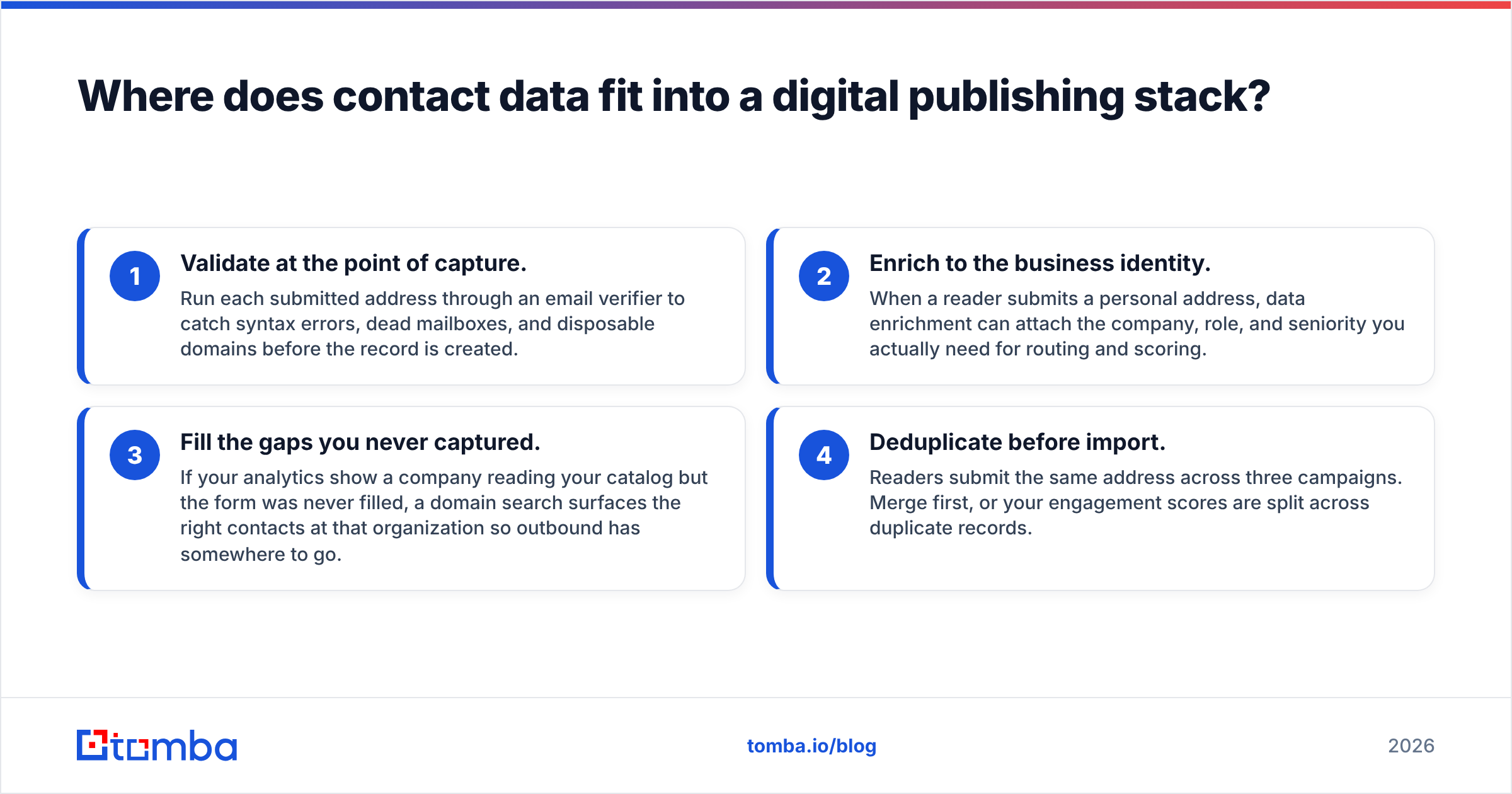
- Validate at the point of capture. Run each submitted address through an email verifier to catch syntax errors, dead mailboxes, and disposable domains before the record is created.
- Enrich to the business identity. When a reader submits a personal address, data enrichment can attach the company, role, and seniority you actually need for routing and scoring.
- Fill the gaps you never captured. If your analytics show a company reading your catalog but the form was never filled, a domain search surfaces the right contacts at that organization so outbound has somewhere to go.
- Deduplicate before import. Readers submit the same address across three campaigns. Merge first, or your engagement scores are split across duplicate records.
Run that sequence and a $35/month flipbook tool with clean downstream data outperforms a $500/month suite feeding garbage into Salesforce. The viewer was never the bottleneck.
For teams evaluating B2B contact sources alongside their publishing stack, providers like BookYourData and Tomba solve adjacent halves of the problem — prebuilt list purchase versus on-demand lookup and verification. Which one fits depends on whether you are building a target account list from scratch or cleaning contacts you already captured.
What does this cost across a full year?#
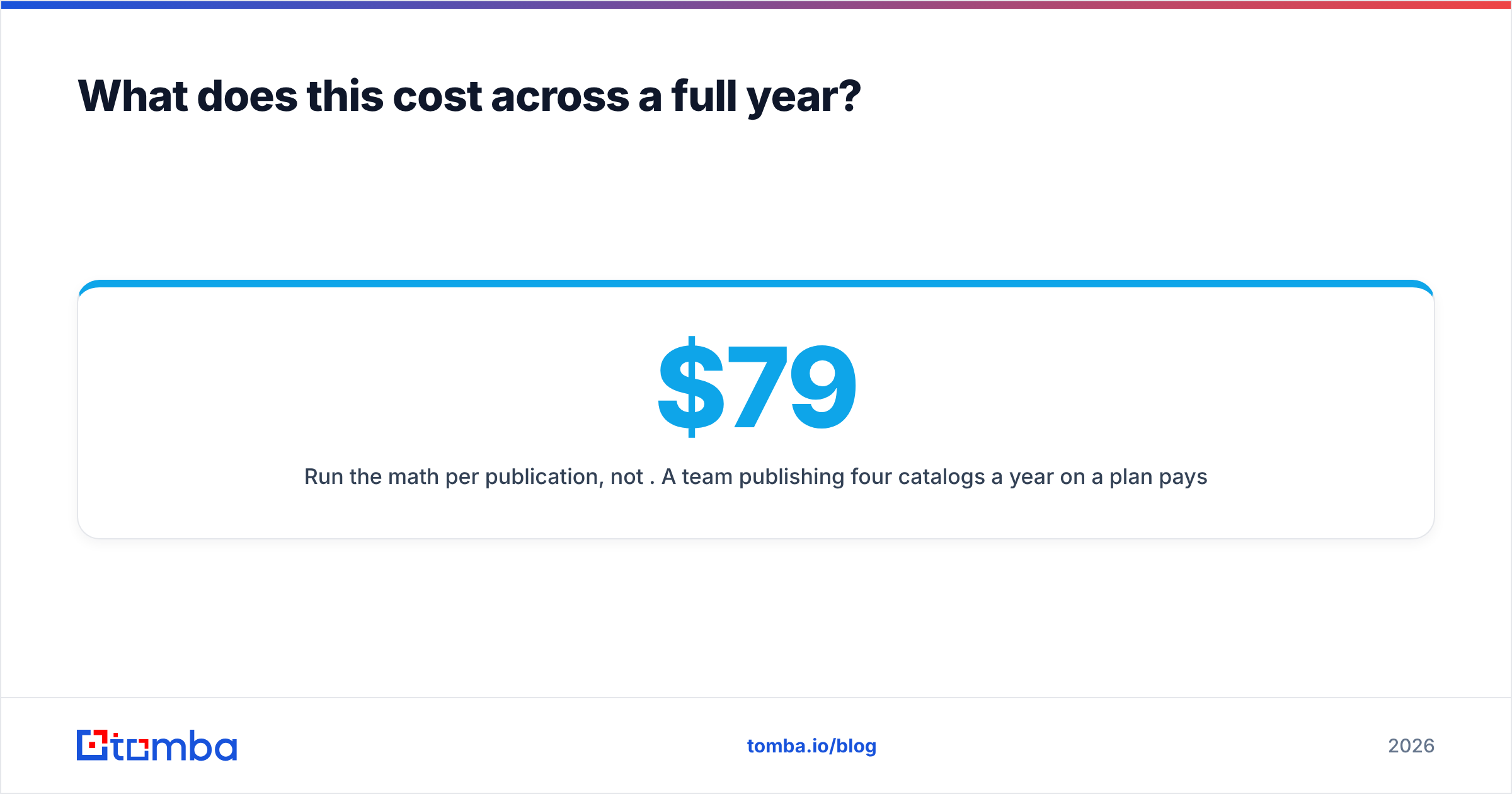
Run the math per publication, not per month. A team publishing four catalogs a year on a $79/month plan pays roughly $950 annually — about $237 per catalog. The same team on an enterprise content platform at $1,500/month pays $18,000, or $4,500 per catalog.
That is defensible if the platform drives measurable pipeline, and indefensible if it produces a PDF with page-flip animation. The honest test: can you name the revenue attributable to your last publication? If not, buy the cheap converter, invest the difference in distribution and data quality, and revisit in a year with numbers.
FAQ#
Is there a free Joomag alternative? Yes. Yumpu and Marq both offer free tiers with branding and feature limits, and Issuu has a free plan capped on uploads. Free tiers generally exclude custom domains and lead capture.
Can I keep my Joomag analytics after switching? Not directly. Export CSVs before cancellation. Most alternatives integrate with Google Analytics 4, which gives you a consistent baseline going forward even if historical data has a break.
Which alternative has the best lead capture? Foleon and Turtl for native CRM-synced forms and reader scoring; FlippingBook for the best price-to-tracking ratio. Whichever you choose, verify the captured addresses — no publishing tool validates mailboxes for you.
Do flipbooks still help SEO in 2026? Only if the platform renders indexable HTML text rather than image layers. Ask each vendor specifically. Many flipbook viewers are effectively invisible to search engines, which is why demand-gen teams have shifted toward responsive content platforms.
Is Joomag worth keeping? If you use the editor, the analytics, and the subscription management, yes — replacing three tools with two rarely saves money. If you use the viewer and ignore the CRM, you are overpaying.
Start with the data, not the viewer#
Pick the publishing tool that matches how you actually work — cheap converter, analytics-first publisher, or enterprise content platform — and stop paying for the modules you never open. Then fix the part that no flipbook vendor will fix for you.
Every gated download, every form fill, every company that reads your catalog without identifying itself is a contact record waiting to be completed. Run those addresses through the Tomba Email Finder to find and verify the right person at each account, so the leads your publication generates arrive in your CRM clean, routable, and safe to email. Plans start free with 25 searches a month, with paid tiers from $49/mo — see Tomba pricing for the full breakdown.
Related guides#
// get started
Find, verify and enrich your first contacts today
Start on the free plan with 25 searches a month, then scale when your team is ready.
Free plan · No credit card required · GDPR & CCPA
// about the author