Kaspr vs ListClean (2026): Which One Does Your Team Need?
Kaspr finds LinkedIn phone numbers and emails. ListClean scrubs the lists you already have. Here is how the two compare on data, pricing, and workflow fit — and when you actually need both.
TL;DR
- Kaspr and ListClean are not really competitors. Kaspr is a contact-discovery tool built around a LinkedIn Chrome extension; ListClean is an email verification service that scrubs lists you already own.
- Kaspr's strongest asset is European mobile phone data pulled at the moment you view a profile. Its weakness is per-seat pricing and credit ceilings that punish team-wide rollouts.
- ListClean's strongest asset is cheap, pay-as-you-go bounce removal. Its weakness is that it cannot create a single new contact — garbage in, verified garbage out.
- If you buy only one, buy the one that matches your bottleneck: no contacts to email means you need a finder; a 12% bounce rate means you need a verifier.
- A combined platform that finds, verifies, and enriches from one credit pool usually beats stitching two single-purpose vendors together — especially once you add an API.
What are Kaspr and ListClean, and why do people compare them?#
They get compared because both show up in the same Google searches: "find B2B emails," "clean my prospect list," "reduce bounce rate." Underneath, they do opposite jobs.
Kaspr is a prospecting tool. You install a browser extension, open a LinkedIn profile or a Sales Navigator search, and it reveals phone numbers, business emails, and company data for that person. Kaspr was acquired by Cognism in 2022, and it now serves as Cognism's self-serve, SMB-facing entry point. Its identity is European mobile numbers and GDPR-conscious sourcing.
ListClean sits at the other end of the pipeline. You upload a CSV of addresses you already collected — from a webinar signup, an old CRM export, a scraped list — and it tells you which ones are deliverable, which are invalid, which are role accounts (info@, sales@), and which are catch-all domains it cannot definitively judge. It is an email hygiene layer, not a data source.
So the honest framing of "Kaspr vs ListClean" is not "which tool is better." It is "which stage of my outbound is broken."

How does Kaspr actually work?#
Kaspr operates on a reveal model. Nothing happens until you land on a profile and click. Then:
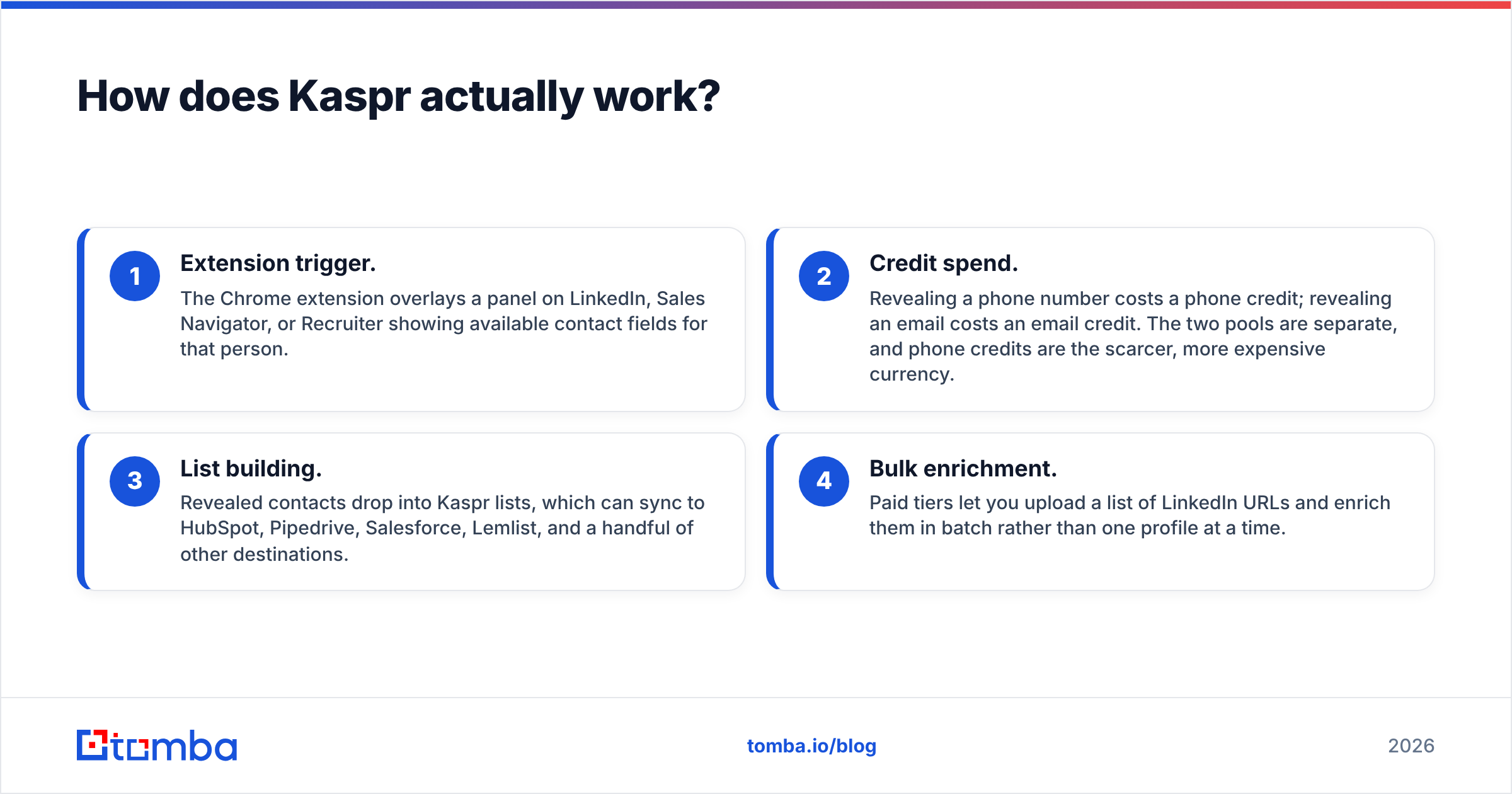
- Extension trigger. The Chrome extension overlays a panel on LinkedIn, Sales Navigator, or Recruiter showing available contact fields for that person.
- Credit spend. Revealing a phone number costs a phone credit; revealing an email costs an email credit. The two pools are separate, and phone credits are the scarcer, more expensive currency.
- List building. Revealed contacts drop into Kaspr lists, which can sync to HubSpot, Pipedrive, Salesforce, Lemlist, and a handful of other destinations.
- Bulk enrichment. Paid tiers let you upload a list of LinkedIn URLs and enrich them in batch rather than one profile at a time.
The workflow is tight if your prospecting genuinely starts on LinkedIn. It is awkward if your list starts somewhere else — a conference attendee PDF, a G2 category page, a target-account spreadsheet handed to you by marketing. Kaspr expects a LinkedIn identity as the input key. Without one, its usefulness drops sharply.
The second constraint is seats. Kaspr prices per user, and credits are allocated per user. A four-person SDR team does not share one pool by default, which means you either over-provision or you have reps sitting idle at month-end. That is a normal SaaS pattern, but it changes the real cost of the tool versus a domain-based or API-based alternative.
How does ListClean actually work?#
ListClean runs a multi-stage validation pass on every address you feed it:
- Syntax and format check. Malformed addresses, typos in the local part, illegal characters.
- Domain and MX record check. Does the domain exist, and does it have mail servers configured to receive mail?
- Disposable and role detection. Flags temporary inbox providers and generic mailboxes that rarely convert.
- SMTP-level probe. Opens a conversation with the receiving server to test whether the specific mailbox responds as valid.
- Catch-all classification. Marks domains that accept everything, which no verifier can resolve with certainty through SMTP alone.
That last step is where verification vendors quietly differ. A domain configured as catch-all will say "yes" to every address, including nonsense. Some tools mark these "unknown" and hand you the risk. Others apply pattern intelligence and historical engagement data to grade catch-alls as likely-valid or likely-invalid. If a meaningful chunk of your list sits on Microsoft 365 tenants with catch-all enabled — and in enterprise B2B, plenty do — the way a tool handles that bucket matters more than its headline accuracy number.
Tomba, for comparison, splits this into a dedicated catch-all verifier rather than lumping unresolvable addresses into a generic "risky" pile.
Which one is more accurate — and is that even the right question?#
Accuracy means two different things here, and conflating them is how teams end up buying the wrong tool.
For Kaspr, accuracy means match rate and correctness of discovered data: of 100 LinkedIn profiles you reveal, how many return a phone number at all, and how many of those numbers actually reach the person? Kaspr performs well on Western European mobiles and noticeably weaker on APAC and parts of North America. Public review data on G2 reflects this pattern consistently — European teams rate the phone data far higher than US teams do.
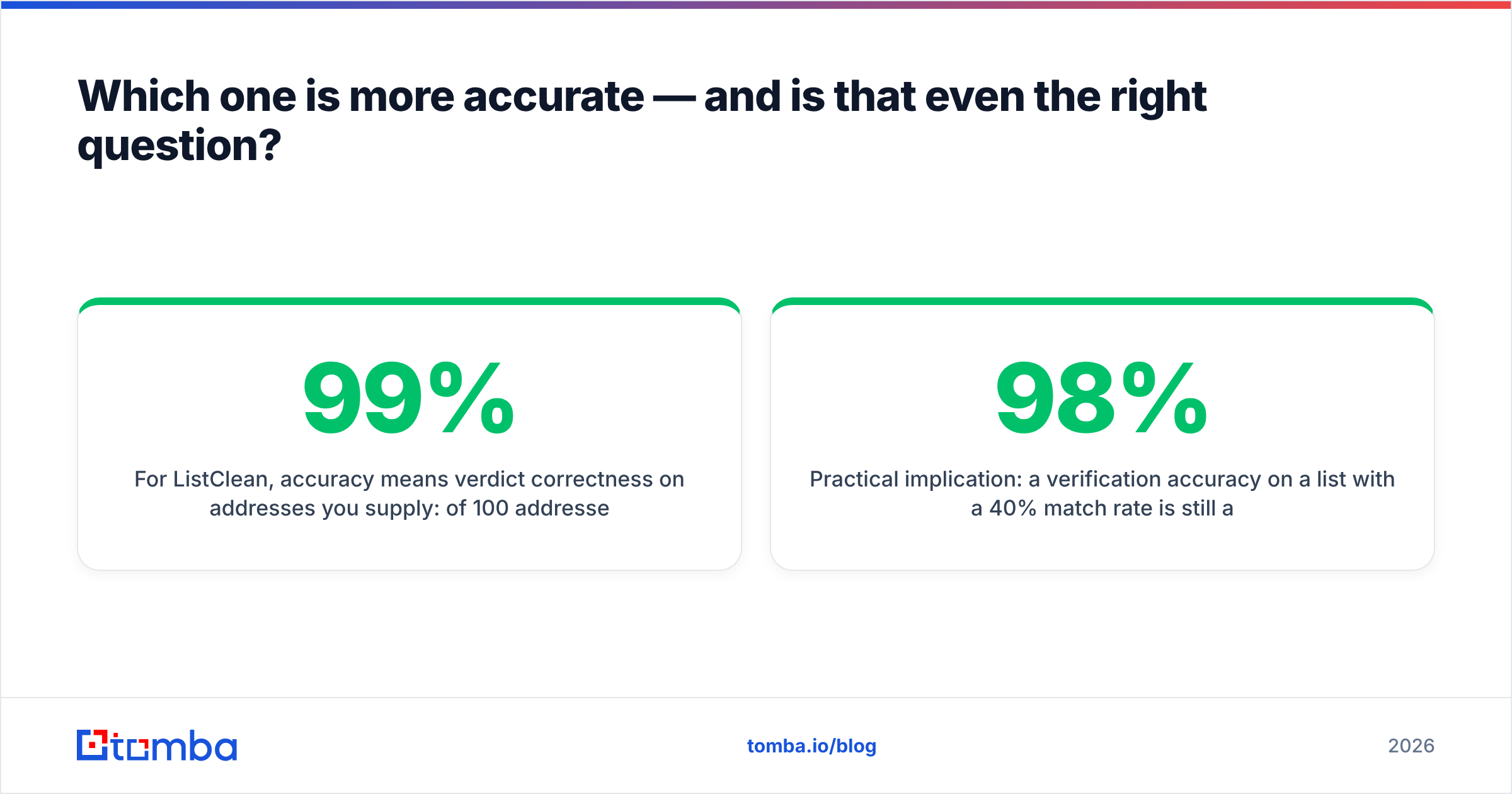
For ListClean, accuracy means verdict correctness on addresses you supply: of 100 addresses it marks deliverable, how many actually land? Verification vendors typically claim 97-99%, and most land in that band on clean commercial domains. The spread between vendors shows up almost entirely in the catch-all and greylisted segments.

Practical implication: a 98% verification accuracy on a list with a 40% match rate is still a weak campaign. You cannot verify your way out of a discovery problem. Measure both numbers before you attribute a bad quarter to the wrong vendor.
Kaspr vs ListClean: how do they compare head-to-head?#

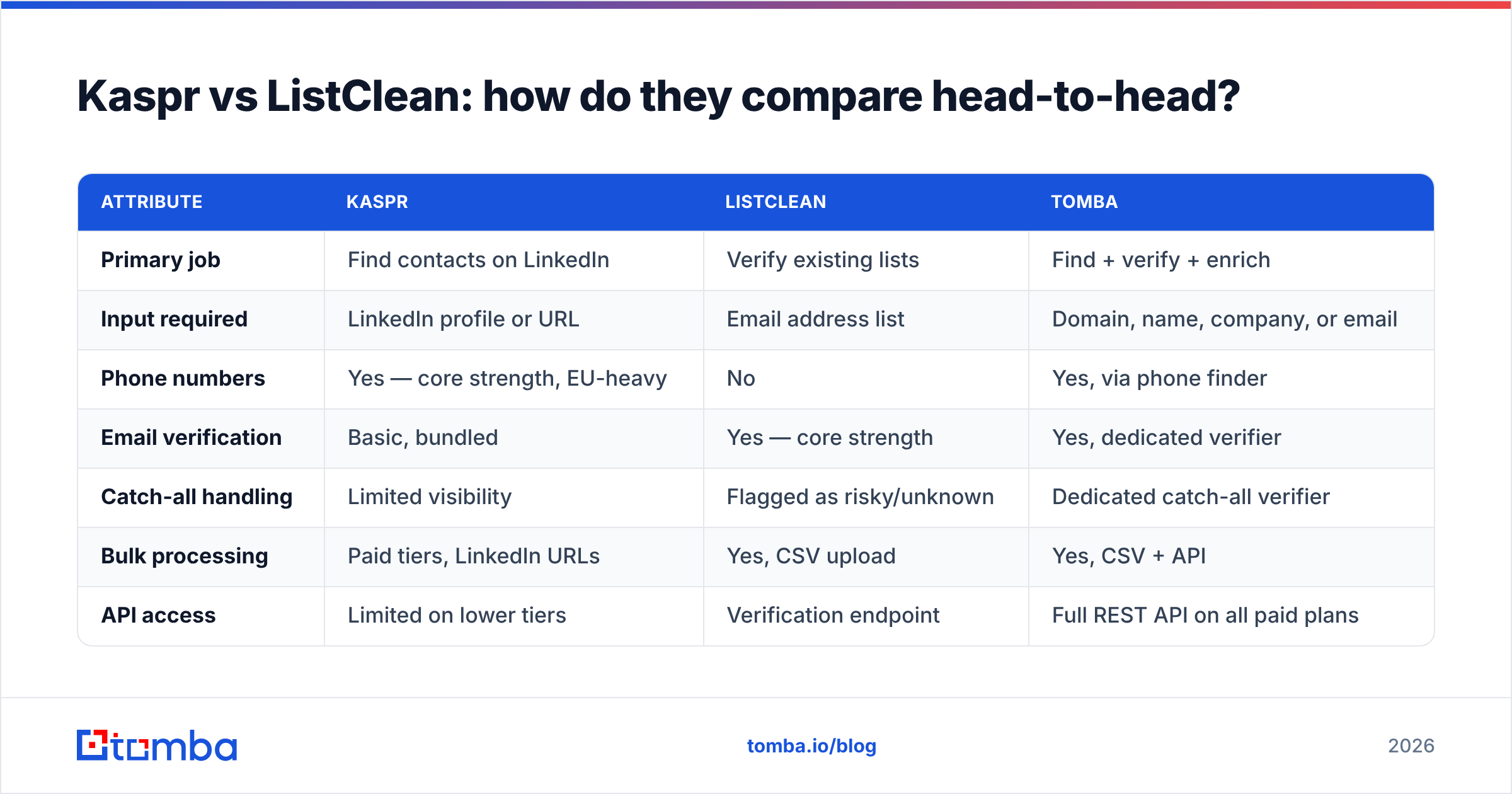
| Attribute | Kaspr | ListClean | Tomba |
|---|---|---|---|
| Primary job | Find contacts on LinkedIn | Verify existing lists | Find + verify + enrich |
| Input required | LinkedIn profile or URL | Email address list | Domain, name, company, or email |
| Phone numbers | Yes — core strength, EU-heavy | No | Yes, via phone finder |
| Email verification | Basic, bundled | Yes — core strength | Yes, dedicated verifier |
| Catch-all handling | Limited visibility | Flagged as risky/unknown | Dedicated catch-all verifier |
| Bulk processing | Paid tiers, LinkedIn URLs | Yes, CSV upload | Yes, CSV + API |
| API access | Limited on lower tiers | Verification endpoint | Full REST API on all paid plans |
| Pricing model | Per user, per month | Pay-as-you-go credits | Per workspace, per month |
| Entry paid price | Roughly $49-65/user/mo | Credit packs, low entry | $49/mo Starter |
| Free tier | Limited credits | Small trial batch | 25 searches/mo |
| Best for | LinkedIn-first SDR teams | Cleaning inherited lists | Full-funnel contact data |
Two things stand out. First, the overlap between Kaspr and ListClean is almost nil — the "vs" is a search artifact, not a real buying decision for most teams. Second, the cost structures are not comparable: Kaspr scales with headcount, ListClean scales with volume. If you have six reps each verifying 2,000 addresses a month, those two curves diverge fast.
Always confirm current numbers on each vendor's own pricing page before you budget. Published tiers move, and annual-versus-monthly gaps are significant. Tomba pricing is workspace-based: Free (25 searches/month), Starter $49/mo, Growth $99/mo, Pro $249/mo, Enterprise custom — credits are shared across the whole team rather than sliced per seat.
What does each tool actually cost you in practice?#
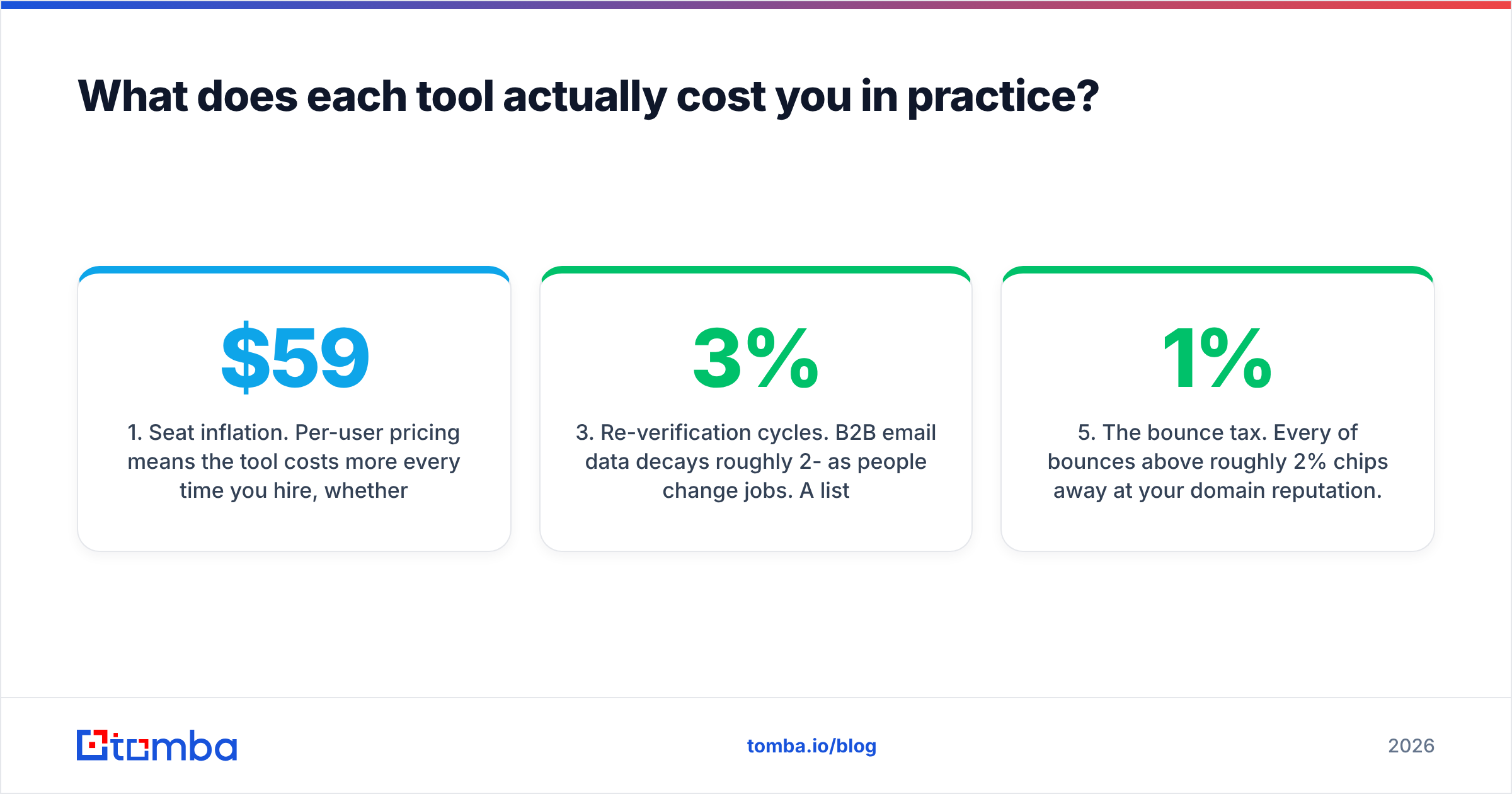
Sticker price is the smaller half of the equation. Here is what teams typically under-budget:
- Seat inflation. Per-user pricing means the tool costs more every time you hire, whether or not the new rep uses it. A ten-person team on a $59/seat plan is spending $590/month before a single credit is consumed.
- Dual credit pools. Kaspr separates phone and email credits. Running out of phone credits on day 18 while sitting on unused email credits is a real and common failure mode.
- Re-verification cycles. B2B email data decays roughly 2-3% per month as people change jobs. A list verified in January is measurably worse by April. If you pay per verification, that is a recurring line item, not a one-time cleanup.
- Integration glue. Two vendors means two API keys, two rate limits, two billing relationships, and usually a Zapier or Make step in between. That middleware has its own cost and its own failure modes.
- The bounce tax. Every 1% of bounces above roughly 2% chips away at your domain reputation. The cost is not the wasted credit — it is the deliverability of every subsequent campaign from that domain.

Do you need both tools, or one platform?#
Run through this decision quickly.
- Your list is empty. You have target accounts but no named contacts. A verifier does nothing for you. You need discovery — Kaspr, or a domain-based email finder if your entry point is a company rather than a LinkedIn profile.
- Your list is large and old. Twelve thousand rows from a 2023 trade show. You need verification, not discovery. Run it through an email verifier before it touches a sending domain.
- You dial as much as you email. Phone coverage becomes the deciding variable. Kaspr is strong in EU markets; check coverage in your specific territories before committing, and compare against a dedicated phone finder with validation built in.
- You are building a programmatic workflow. If contact data needs to flow into a product, a CRM automation, or an enrichment job, extension-first tools become a bottleneck. You want API-first, with predictable rate limits and documented response schemas.
- You are optimizing for cost per verified contact. Two vendors, two credit systems, and manual CSV handoffs between them produce a higher blended cost than a single pool covering find-and-verify in one call.
The last point is the honest argument for consolidation. Most teams comparing Kaspr and ListClean are really asking whether they need two line items at all. Often they do not — a platform that handles domain search, email discovery, verification, catch-all grading, and phone lookup from one credit balance eliminates the handoff entirely. That is the gap Tomba's Tomba API is built for: one authenticated endpoint set, one balance, find and verify in the same request chain.
What are the real weaknesses of each?#
Kaspr's limitations. Coverage outside Europe is inconsistent. The per-seat model gets expensive as teams grow. LinkedIn dependency is structural — if your prospecting starts anywhere other than LinkedIn, the extension is dead weight. And LinkedIn periodically tightens its stance on extensions, which is a platform risk every LinkedIn-native tool carries.
ListClean's limitations. It is a single-purpose utility. It cannot enrich, cannot discover, cannot tell you the email pattern a company uses. Catch-all domains come back as unknown, leaving you to guess. And because it only ever sees what you upload, it cannot improve the quality of your sourcing — only measure it.
Where both fall short together. Neither tells you whether the contact is worth reaching. Job title, seniority, tech stack, funding stage, headcount — that is enrichment, a third category, and a third vendor if you stay with point solutions. Data enrichment closes that loop from the same record you just found and verified.
Which should you choose in 2026?#
Choose Kaspr if your SDRs live in LinkedIn, you sell into Europe, cold calling is a real channel for you, and your team is small enough that per-seat pricing stays rational. It does its narrow job well.
Choose ListClean if you have a specific, bounded hygiene problem — an inherited database, a migration, a list from an acquisition — and you do not need ongoing discovery. Pay-as-you-go credits are the right shape for one-off cleanups.
Choose neither, and consolidate, if you are paying for both, reconciling CSVs between them, and still seeing bounce rates above 3%. At that point the integration overhead exceeds the value of best-in-class point tools, and a single find-plus-verify platform wins on both cost and cycle time.
Whatever you pick, instrument it. Track match rate, verified-deliverable rate, and actual bounce rate per source for one full quarter. Vendor-claimed accuracy is a marketing number. Your own numbers are the only ones that decide renewals.
Ready to collapse discovery and verification into one step? Start with the Tomba Email Finder — search by domain, name, or company, get a confidence score and verification status on every result, and run the whole thing through the API when you are ready to automate. The free tier gives you 25 searches a month to benchmark it against whatever you are paying for now, no card required.
Related guides#
// get started
Find, verify and enrich your first contacts today
Start on the free plan with 25 searches a month, then scale when your team is ready.
Free plan · No credit card required · GDPR & CCPA
// about the author