Kaspr vs Mailtester Ninja: Which Wins for B2B Outreach?
Kaspr finds contacts. Mailtester Ninja verifies them. Most teams compare the two as if they're rivals — here's what each actually does, what it costs, and which one your outbound stack really needs.
TL;DR
- Kaspr and Mailtester Ninja are not really competitors. Kaspr is a contact discovery tool (mobile numbers and emails pulled from LinkedIn profiles). Mailtester Ninja is a contact verification tool (does this mailbox exist?).
- Kaspr wins if your bottleneck is "I have a LinkedIn list and no phone numbers." It is per-seat, extension-first, and strongest on European mobile data.
- Mailtester Ninja wins if your bottleneck is "I have 200,000 addresses and a 9% bounce rate." It is API-first, pay-as-you-go, and one of the cheapest per-check verifiers available.
- Buying only one leaves a hole: Kaspr alone means unverified lists; Mailtester Ninja alone means nothing to verify.
- If you would rather not run two vendors, a combined finder-plus-verifier platform (Tomba, Dropcontact, Findymail) covers both halves on one credit pool.
What is Kaspr and what is Mailtester Ninja?#
The single most useful thing to understand before you compare pricing pages: these two products sit at opposite ends of the same pipeline.
Kaspr is a B2B contact data tool built around a Chrome extension. You open a LinkedIn profile, a Sales Navigator list, or a LinkedIn group, click the extension, and Kaspr returns the person's professional email and — its real selling point — their direct mobile number. It was acquired by Cognism in 2022 and now shares parts of that data infrastructure, which is why its European phone coverage punches above its price tier. Pricing is per user, per month, with credit buckets split by data type (phone credits, email credits, export credits). See the current tiers on kaspr.io.
Mailtester Ninja is an email verification engine. You feed it an address — one at a time, as a CSV, or through its API — and it tells you whether the mailbox is real, invalid, risky, or unknown, usually with a letter-grade confidence score. It became popular in cold-email circles for two reasons: it is unusually cheap per verification, and it makes a serious attempt at scoring catch-all domains that most verifiers simply mark "unknown." It does not find contacts. Details at mailtester.ninja.
So "Kaspr vs Mailtester Ninja" is less a fight and more a division of labour. The useful question is which half of your pipeline is currently costing you the most money.
How do Kaspr and Mailtester Ninja compare head-to-head?#
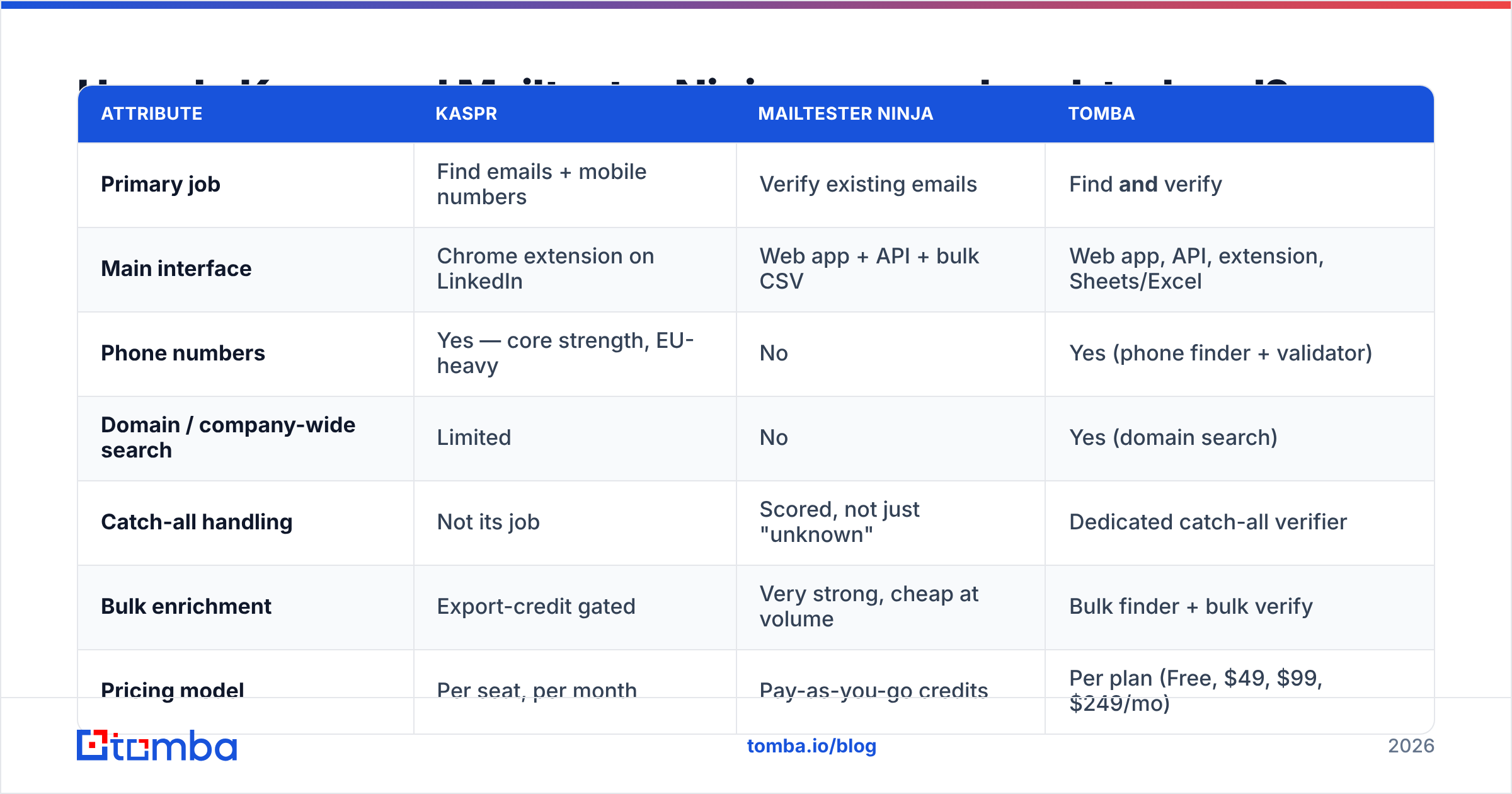
Here is the honest side-by-side, with a combined-platform column so you can see what each tool leaves out.
| Attribute | Kaspr | Mailtester Ninja | Tomba |
|---|---|---|---|
| Primary job | Find emails + mobile numbers | Verify existing emails | Find and verify |
| Main interface | Chrome extension on LinkedIn | Web app + API + bulk CSV | Web app, API, extension, Sheets/Excel |
| Phone numbers | Yes — core strength, EU-heavy | No | Yes (phone finder + validator) |
| Domain / company-wide search | Limited | No | Yes (domain search) |
| Catch-all handling | Not its job | Scored, not just "unknown" | Dedicated catch-all verifier |
| Bulk enrichment | Export-credit gated | Very strong, cheap at volume | Bulk finder + bulk verify |
| Pricing model | Per seat, per month | Pay-as-you-go credits | Per plan (Free, $49, $99, $249/mo) |
| Free tier | Yes, small monthly credits | Yes, limited daily checks | 25 searches/mo |
| Best for | SDRs working live in LinkedIn | Ops teams cleaning large lists | Teams that want one vendor for both |

Read the table as a shopping list, not a scoreboard. If three of the rows you care about are in the top half, buy Kaspr. If they cluster in the middle rows, buy Mailtester Ninja. If you are ticking rows from both halves, you are about to buy two subscriptions — which is fine, as long as you did it on purpose.
Which tool gives you more accurate data?#
They are measured on different scales, and comparing the headline numbers directly is the most common mistake in this comparison.
Kaspr's accuracy question is coverage plus correctness: out of 100 LinkedIn profiles, how many return a mobile number, and how many of those numbers actually ring the right person? In practice, Kaspr's hit rate is strong for Western Europe (France, UK, Benelux, DACH) and noticeably thinner for US mid-market and APAC. Reviews on G2 repeat that pattern consistently: European sellers rate the phone data highly, North American teams more often describe it as a supplement to a US-focused provider rather than a replacement.
Mailtester Ninja's accuracy question is verdict quality: out of 100 addresses it marks "valid," how many actually accept mail? Cheap verifiers fail in two directions — false positives (you bounce anyway) and excessive "unknown" verdicts (you paid for a shrug). Mailtester Ninja's reputation rests on keeping the unknown bucket small, including on catch-all domains, which is genuinely hard. The trade-off is that a scored guess on a catch-all is still a probability, not a guarantee, and you should treat anything below its top grade as a lead you send to a separate warm-up-safe segment.

One number that matters more than either vendor's marketing claim: your own bounce rate after 1,000 sends. Run the same 500 addresses through whichever verifier you are testing, send, and count. Mailbox providers score you on real outcomes, not on a dashboard percentage — and email deliverability damage from a single bad list takes weeks to repair.

How does pricing actually work for each?#
The pricing models are structurally different, which makes per-month comparisons misleading.
Kaspr charges per seat. Every SDR who needs the extension needs a licence, and each licence carries its own monthly credit allocation split across phone, email, and export credits. That model is efficient when a small team prospects continuously and inefficient when you have ten people who each need forty contacts a quarter. Watch the export credits specifically — they are the line item teams most often exhaust first, because bulk-exporting a Sales Navigator list burns them fast.
Mailtester Ninja charges per verification, with credits that do not reset monthly on its pay-as-you-go packs. The cost per check lands in the fractions of a cent at volume, which is why agencies use it as a cleanup pass in front of a more expensive sending stack. There are no seats, so a whole ops team can share one key.
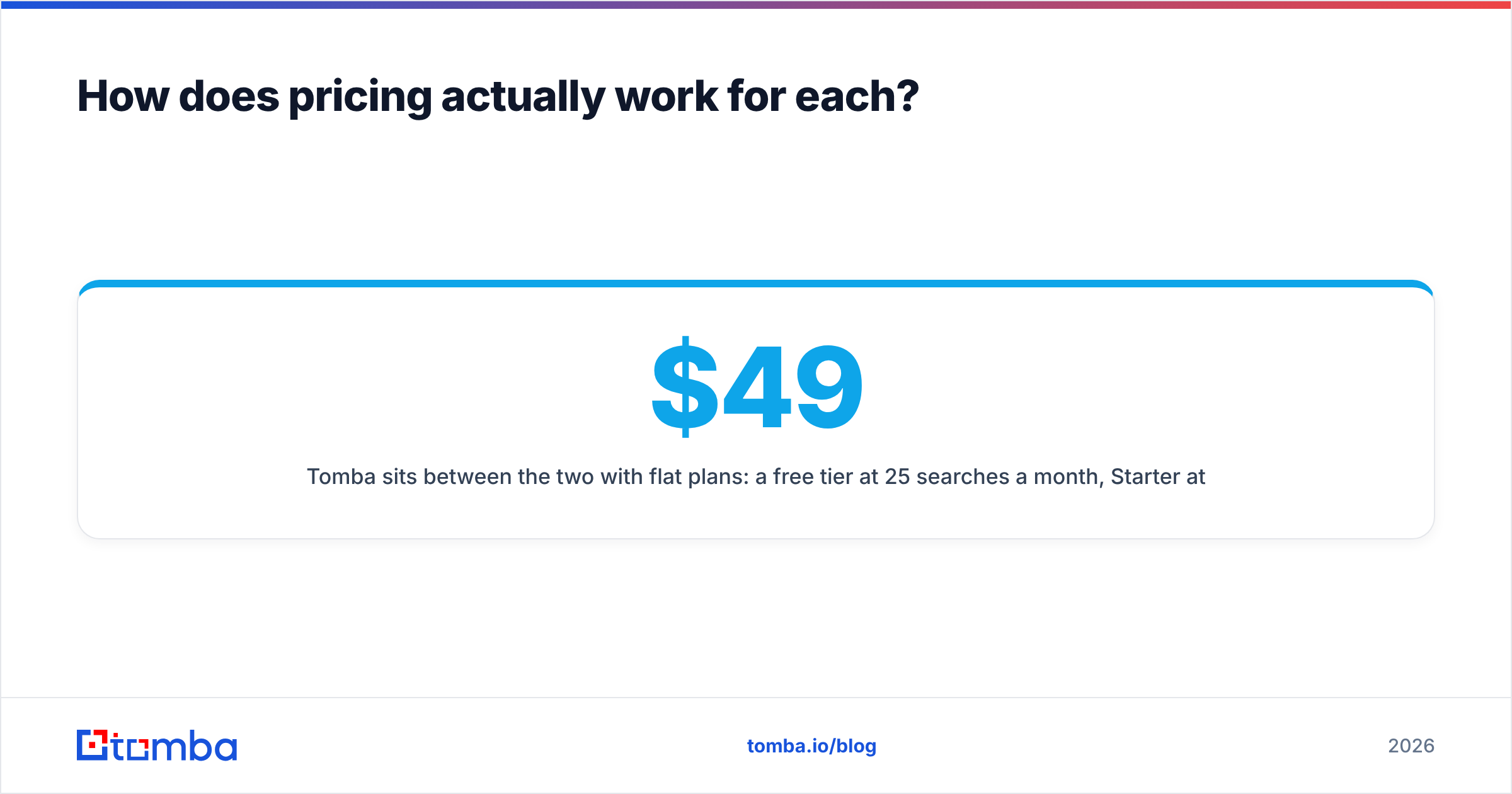
Tomba sits between the two with flat plans: a free tier at 25 searches a month, Starter at $49/mo, Growth at $99/mo, Pro at $249/mo, and custom Enterprise pricing — with finding and verification drawing from the same plan rather than two separate vendors. Full breakdown on the Tomba pricing page.
Before you commit, price the stack, not the tool:
- Count your real seats. Per-seat pricing punishes wide, low-usage teams. Five occasional users on a per-seat plan often costs more than a shared credit pool that does the same work.
- Count your monthly verification volume. Under ~10,000 checks a month, verification pricing differences are noise. Over 100,000, they are the largest line on the invoice.
- Count the overlap you are paying twice for. If your sales engagement platform already enriches contacts, a discovery tool may be duplicating spend.
- Count the rollover. Credits that expire monthly are effectively a use-it-or-lose-it tax on seasonal outbound.
- Count the integration work. A tool with no native CRM connector costs engineering hours that never show up on the pricing page.
Is Kaspr better than Mailtester Ninja for outbound teams?#
For a live-prospecting SDR, yes — and it is not close, because Mailtester Ninja is not competing for that job. An SDR working a Sales Navigator list needs contact details to appear in the browser within two seconds. Kaspr does that; a verification API does not.
For a RevOps or lifecycle team, the answer flips completely. If you are importing a 300,000-row list from a data partner, an event, or a scraper, Kaspr's per-seat extension model is the wrong shape entirely, and Mailtester Ninja's bulk API is exactly right.
The interesting case is the team doing both — which, by month three of a serious outbound programme, is most teams. That is where running two vendors starts to hurt: two billing relationships, two credit systems that expire on different dates, two support queues, and a CSV shuttle between them. Tools like LinkedIn finder and bulk email finder exist specifically to collapse that shuttle into one workflow, and the same logic drives consolidation across the category — Apollo, Dropcontact, and Findymail all bundle discovery and verification for the same reason.

What happens with catch-all domains?#
This is the section most comparisons skip, and it decides more purchases than the pricing page does.
A catch-all domain accepts mail to any address at that domain, so a standard SMTP check can never prove a specific mailbox exists. Depending on the sector, 20–35% of B2B domains are configured this way, and it is more common at enterprises than at startups. Which means: your most valuable accounts are disproportionately the ones your verifier cannot confirm.
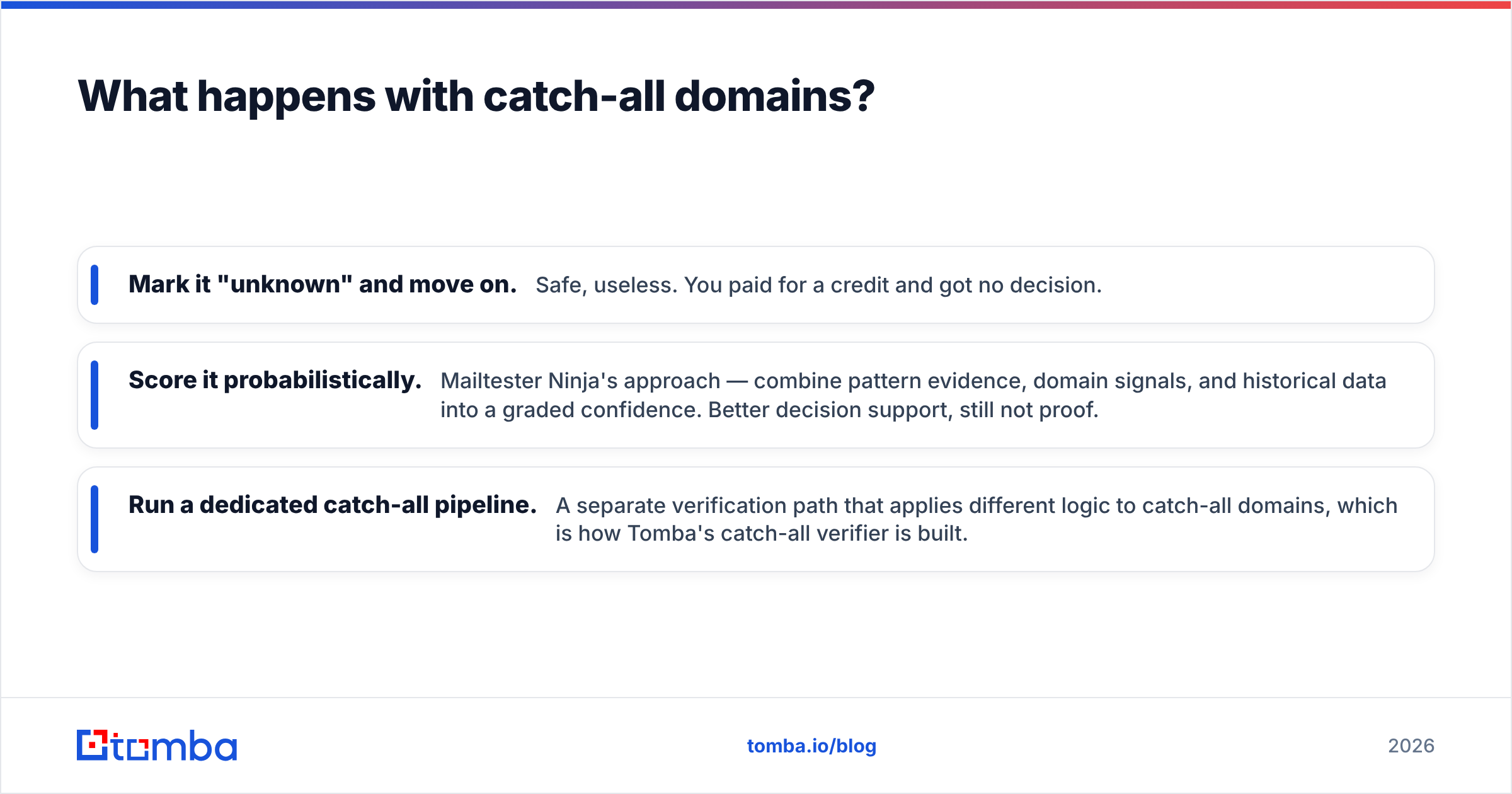
Three ways vendors handle it:
- Mark it "unknown" and move on. Safe, useless. You paid for a credit and got no decision.
- Score it probabilistically. Mailtester Ninja's approach — combine pattern evidence, domain signals, and historical data into a graded confidence. Better decision support, still not proof.
- Run a dedicated catch-all pipeline. A separate verification path that applies different logic to catch-all domains, which is how Tomba's catch-all verifier is built.
Whatever you buy, build the operational habit: segment catch-all contacts into their own sequence, send them from a secondary domain, and cap daily volume until you have real engagement data. Do not mix a 2,000-address catch-all batch into your primary sending domain and hope — that is how a healthy sender reputation becomes a three-week recovery project.
Which should you choose in 2026?#
Work down this list and stop at the first line that describes you.
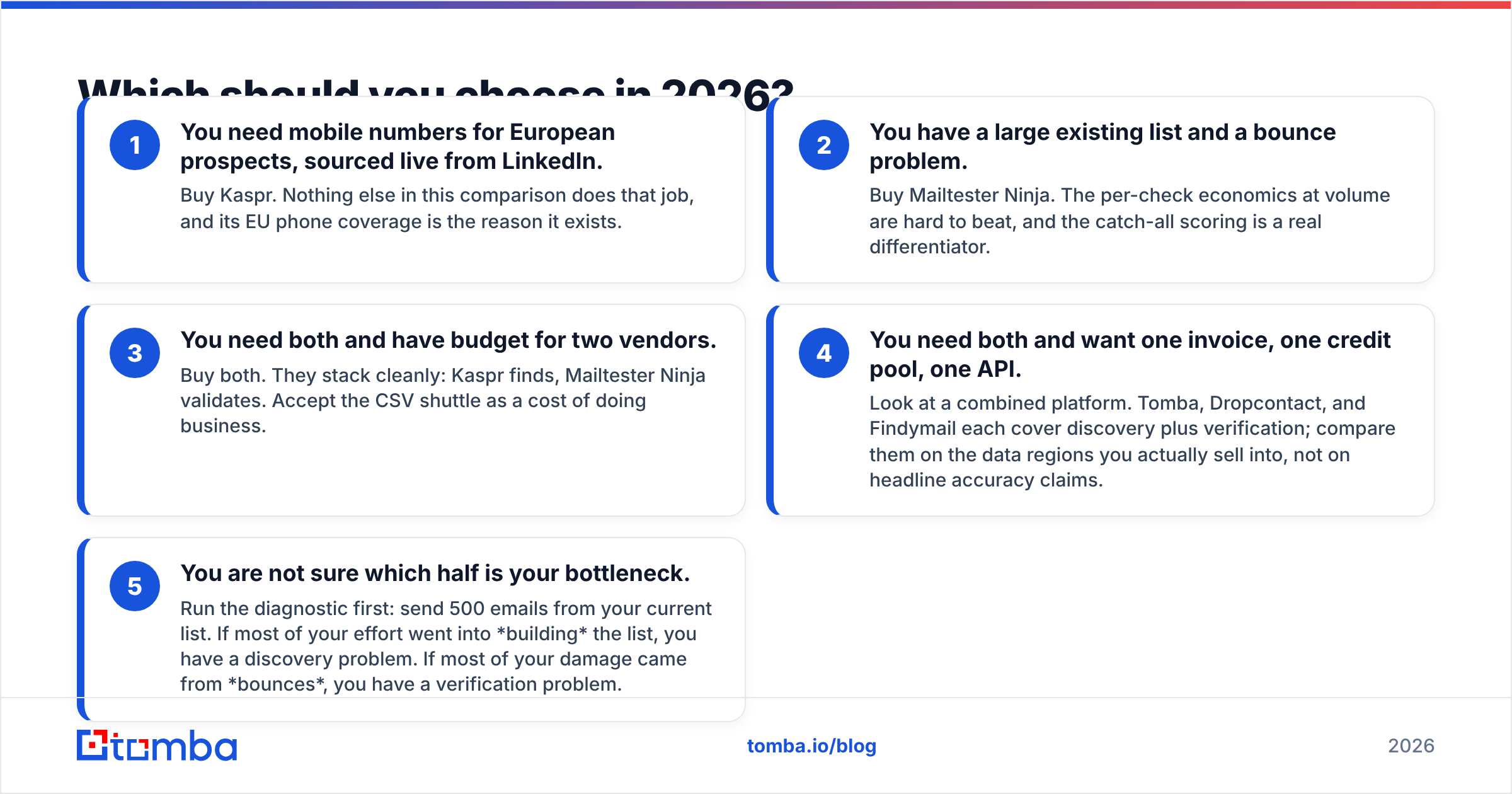
- You need mobile numbers for European prospects, sourced live from LinkedIn. Buy Kaspr. Nothing else in this comparison does that job, and its EU phone coverage is the reason it exists.
- You have a large existing list and a bounce problem. Buy Mailtester Ninja. The per-check economics at volume are hard to beat, and the catch-all scoring is a real differentiator.
- You need both and have budget for two vendors. Buy both. They stack cleanly: Kaspr finds, Mailtester Ninja validates. Accept the CSV shuttle as a cost of doing business.
- You need both and want one invoice, one credit pool, one API. Look at a combined platform. Tomba, Dropcontact, and Findymail each cover discovery plus verification; compare them on the data regions you actually sell into, not on headline accuracy claims.
- You are not sure which half is your bottleneck. Run the diagnostic first: send 500 emails from your current list. If most of your effort went into building the list, you have a discovery problem. If most of your damage came from bounces, you have a verification problem.
Two guardrails regardless of what you pick. First, test on your own ICP before you sign anything annual — a tool that hits 91% on a French SaaS list may hit 60% on US manufacturing, and no vendor benchmark will warn you. Second, check where the data comes from and how consent is handled; GDPR exposure travels with the data, not with the vendor, and the data sources page is the first thing your legal team will ask for.
Where does Tomba fit into this comparison?#
Honestly: as the consolidation option, not as a drop-in replacement for either.
Tomba will not replace Kaspr if mobile numbers from LinkedIn profiles are the entire reason you are shopping — that is Kaspr's specialty and it earns its price there. And if you verify a million addresses a month and nothing else, a specialist verifier's volume pricing is a legitimate reason to keep it.
What Tomba does replace is the two-vendor tax for everyone in the middle. Find the address with the email finder or domain search, confirm it with the email verifier, route catch-alls through their own pipeline, enrich, and push to HubSpot, Salesforce, or Sheets — on one credit pool, one API key, one invoice. The free tier gives you 25 searches a month to check the data quality on your own accounts before anything is charged.
Start with a list of 50 domains you actually sell into. Run them through the Tomba Email Finder, verify the results, and compare the hit rate against whatever you use today. Fifteen minutes of testing on your own ICP beats any comparison table — including this one.
Related guides#
// get started
Find, verify and enrich your first contacts today
Start on the free plan with 25 searches a month, then scale when your team is ready.
Free plan · No credit card required · GDPR & CCPA
// about the author