Kaspr vs Ninjapear: Which B2B Contact Finder Wins in 2026
Kaspr is a LinkedIn-first phone and email tool. Ninjapear is a leaner email-finding play. We break down accuracy, credit math, and which one actually fits your outbound motion.
TL;DR
- Kaspr is a LinkedIn-first contact tool owned by Cognism. Its strength is mobile phone numbers pulled while you browse a profile. Its weakness is per-seat pricing and credit caps that bite the moment you scale past one SDR.
- Ninjapear positions itself as a leaner, email-first finder for founders and small teams. It is cheaper to start and simpler to learn, but it publishes far less about its data sourcing and has a much thinner review footprint than Kaspr.
- If your outbound runs on cold calls, Kaspr wins. If it runs on cold email at volume, neither tool is an obvious pick — you want verification depth and API access, not a browser popup.
- Credits are the real cost driver. A "$49/month" plan that burns a credit on every failed lookup is not a $49/month plan.
- Run the same 100-contact test list through both before you commit. Vendor-published accuracy numbers are marketing; your ICP is the only benchmark that matters.
What are Kaspr and Ninjapear, and why are they compared?#
Both tools solve the same annoying problem: you found the right person, and you have no way to reach them. Think of it like having a name on a doorbell panel with no apartment number — the building is right, the contact is not.
They approach it from opposite ends:
- Kaspr starts at the profile. You install a Chrome extension, open a LinkedIn profile or a Sales Navigator list, and click to reveal phone numbers and emails. The workflow is visual and manual-first.
- Ninjapear starts at the domain or the name. You feed it a person plus a company, or a company plus a role, and it returns a business email. The workflow is list-first.
- Kaspr's differentiator is phone data. Mobile numbers are hard to source and expensive to maintain, which is why they anchor Kaspr's pitch.
- Ninjapear's differentiator is price and simplicity. Fewer modules, fewer seats to think about, faster onboarding.
- Both charge in credits, and both treat a credit as consumed when they return something — not necessarily when they return something correct.
That last point is where most buyers get burned, and it is the lens we use for the rest of this comparison.

What is Kaspr and who is it built for?#
Kaspr is a B2B contact-data tool acquired by Cognism in 2022. It lives primarily as a browser extension that overlays LinkedIn, LinkedIn Sales Navigator, and LinkedIn Recruiter. You can check the current feature set on the official site at kaspr.io.
The core loop is straightforward. Open a prospect. Click reveal. Get phone, email, and company details. Push to your CRM or a Kaspr list. Repeat.
Who it fits:
- SDR teams that cold call as a primary channel
- Recruiters working LinkedIn profiles all day
- EMEA-focused teams — Kaspr's European coverage is genuinely strong, which is not true of every US-built database
- Anyone already inside the Cognism ecosystem who wants a lighter front-end for prospecting
Where it frustrates people:
Reviews on G2 consistently flag two things: credit limits that feel restrictive on lower tiers, and phone numbers that skew stale in certain regions — particularly APAC and parts of LATAM. The extension model also means your workflow is tethered to a browser tab. If you want to enrich 5,000 rows sitting in a spreadsheet, the extension is the wrong shape of tool.
There is also a compliance dimension worth naming. Scraping-adjacent LinkedIn workflows sit in tension with the LinkedIn User Agreement, and enterprise procurement teams increasingly ask about it. Kaspr operates within a GDPR framework and publishes its compliance posture, but "compliant vendor" and "compliant usage by your reps" are two different questions.
What is Ninjapear and who is it built for?#
Ninjapear is the newer and smaller of the two. It markets itself as an email-finding and prospecting tool for small teams — the kind of buyer who found Kaspr's per-seat pricing hard to justify for two people doing part-time outbound.
Be honest with yourself about the information asymmetry here. Kaspr has hundreds of public reviews, a parent company, and a documented data pipeline. Ninjapear has a much smaller public footprint. That is not automatically a red flag — every tool starts somewhere — but it does mean you should verify current pricing, credit rollover policy, and refund terms directly with the vendor rather than trusting any third-party summary, including this one.
Who it fits:
- Solo founders doing their own outbound
- Agencies building lists for clients where email is the only channel
- Teams that want a simple credit pack, not a seat-based contract
Where it frustrates people:
Thin coverage outside common Western domains, limited phone data, and — the recurring complaint with any lightweight finder — no serious verification layer. A tool that returns an address but cannot tell you whether that address accepts mail is handing you a bounce, not a lead.
If you want to sanity-check any finder's output before it touches your sequencer, run the list through a dedicated email verifier first. This is not optional at volume.
How do Kaspr and Ninjapear compare head to head?#
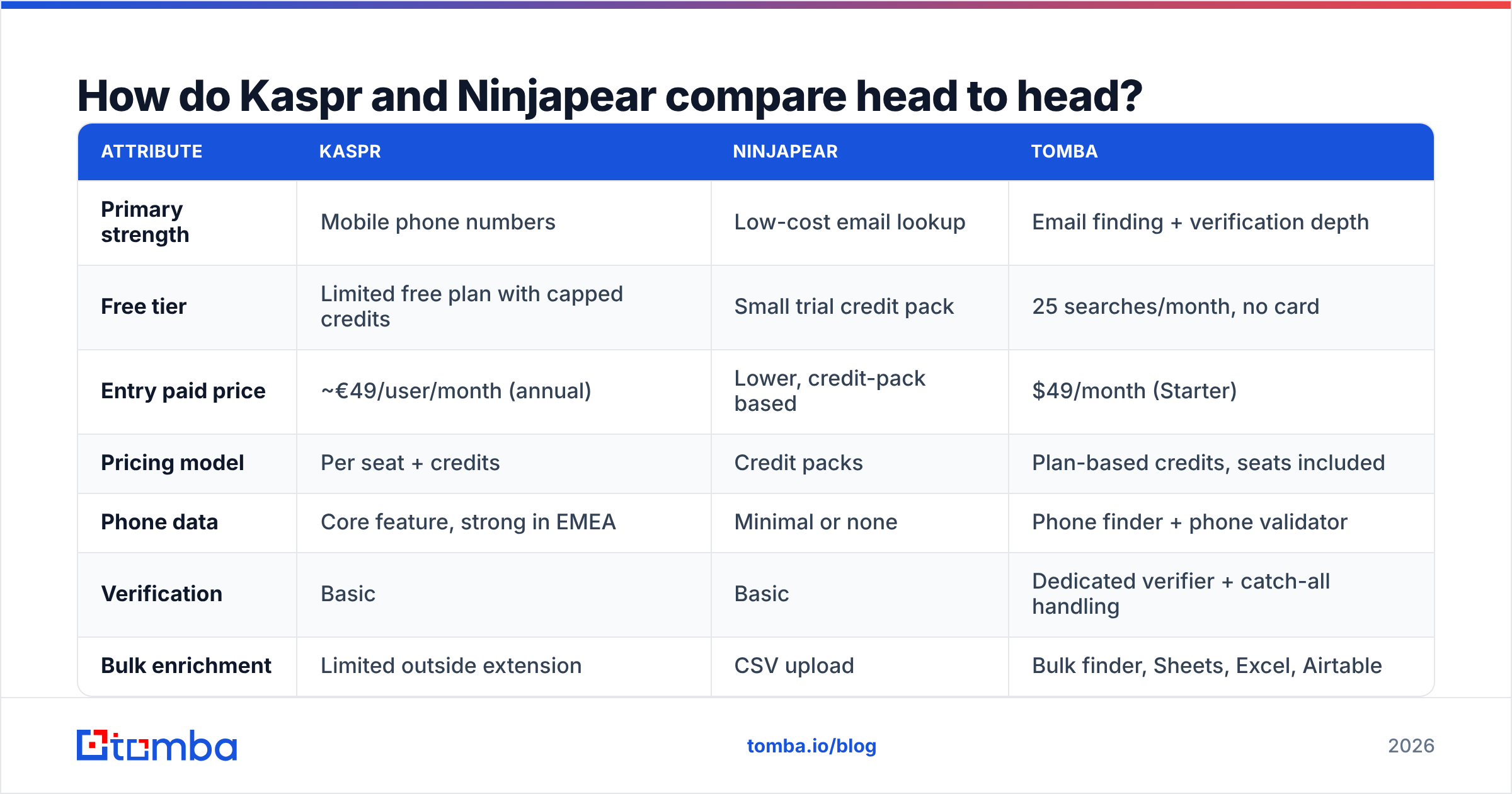
Here is the practical comparison. Treat pricing as directional — both vendors adjust tiers, and annual billing changes the math meaningfully.
| Attribute | Kaspr | Ninjapear | Tomba |
|---|---|---|---|
| Primary strength | Mobile phone numbers | Low-cost email lookup | Email finding + verification depth |
| Free tier | Limited free plan with capped credits | Small trial credit pack | 25 searches/month, no card |
| Entry paid price | ~€49/user/month (annual) | Lower, credit-pack based | $49/month (Starter) |
| Pricing model | Per seat + credits | Credit packs | Plan-based credits, seats included |
| Phone data | Core feature, strong in EMEA | Minimal or none | Phone finder + phone validator |
| Verification | Basic | Basic | Dedicated verifier + catch-all handling |
| Bulk enrichment | Limited outside extension | CSV upload | Bulk finder, Sheets, Excel, Airtable |
| API access | On higher tiers | Limited | Full REST API on all paid plans |
| LinkedIn workflow | Best in class | Secondary | Chrome extension + LinkedIn finder |
| Best for | Cold callers, recruiters | Solo founders, agencies | Email-led outbound at scale |

The table makes the shape of the decision obvious. These are not really the same product. Kaspr sells access to phone numbers with email as a bonus. Ninjapear sells cheap email lookups. Choosing between them is mostly choosing your channel.
Which one has better data accuracy?#
Short answer: Kaspr, on phones. Neither, on email at scale.
Accuracy in this category is measured three ways, and vendors love to blur them:
- Match rate — of 100 people you searched, how many returned any contact detail?
- Accuracy rate — of the details returned, how many were correct?
- Deliverability — of the emails returned, how many actually land in an inbox?
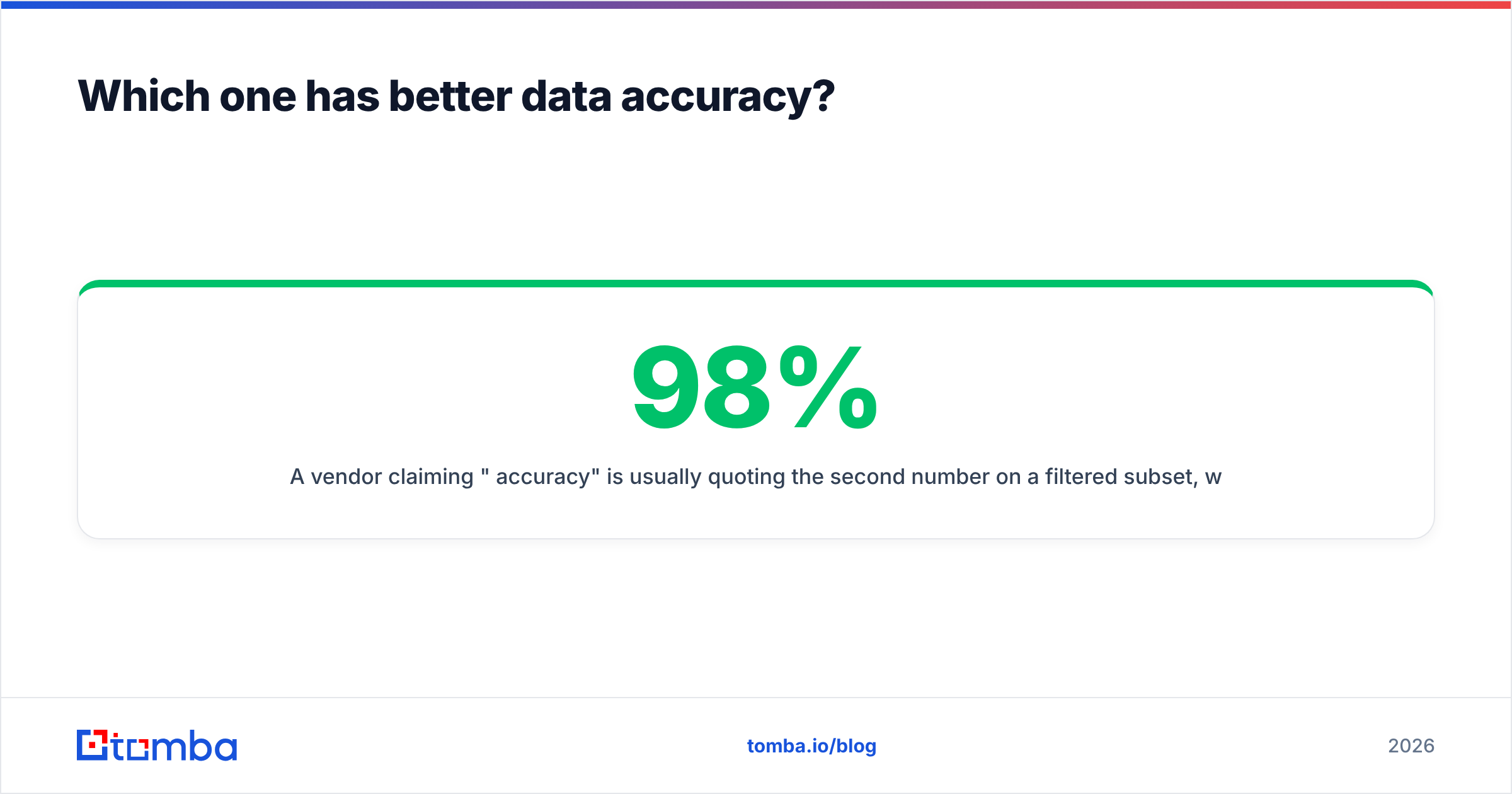
A vendor claiming "98% accuracy" is usually quoting the second number on a filtered subset, while you care about the first multiplied by the third. A tool with a 40% match rate and 95% accuracy gives you 38 usable contacts. A tool with an 80% match rate and 85% accuracy gives you 68. The bigger headline number loses.

Kaspr's phone accuracy in Western Europe is genuinely good — it is the reason people tolerate the credit model. Its email accuracy is adequate but not remarkable, because emails are a secondary product for them.
Ninjapear's email accuracy depends heavily on how much of your list sits on well-indexed domains. Big SaaS companies with predictable patterns? Fine. Mid-market manufacturers in Germany with a bespoke naming convention? Coverage drops fast.
Both tools also struggle with catch-all domains, which now cover a large slice of mid-market B2B. A catch-all server accepts every address at the domain, so a naive SMTP check returns "valid" for asdfgh@company.com. If your finder marks catch-alls as valid, your bounce rate is a time bomb. Use a catch-all verifier that treats them as a separate category instead of quietly passing them through.
How should you think about credits and real cost?#
Credits are where the sticker price and the invoice diverge. Three questions decide your actual cost per usable contact:
- Does a failed lookup consume a credit? If yes, your effective price per contact is the list price divided by your match rate. A 50% match rate doubles your cost.
- Do credits roll over? Most credit models expire monthly. Bursty prospecting — heavy in week one, quiet in week four — wastes a large share of what you bought.
- Are seats and credits coupled? Per-seat models like Kaspr's punish teams where only two of six reps prospect heavily. You end up paying for idle seats or sharing logins, which violates most terms of service.
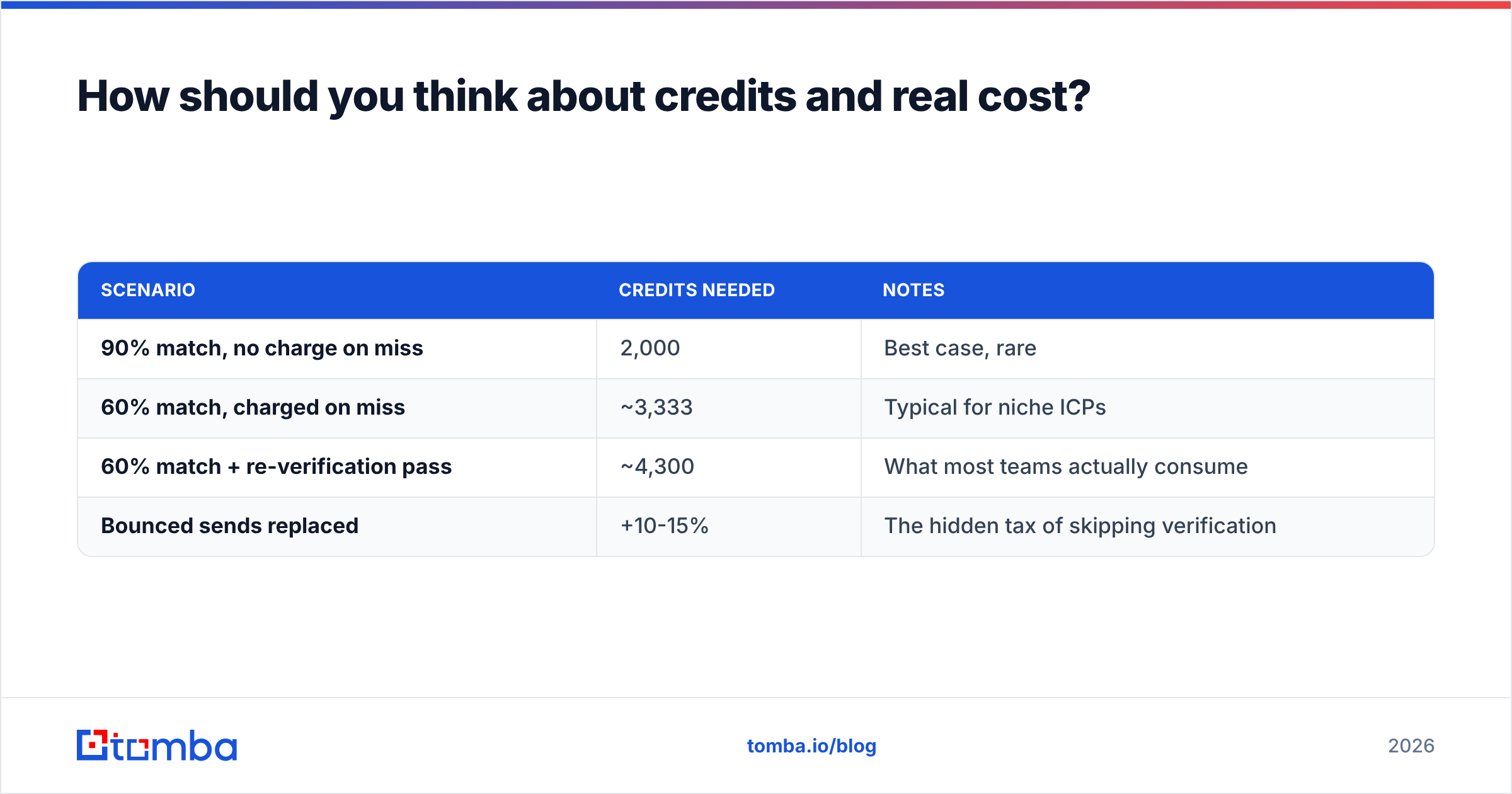
Run the math on a realistic month. Say you need 2,000 verified contacts:
| Scenario | Credits needed | Notes |
|---|---|---|
| 90% match, no charge on miss | 2,000 | Best case, rare |
| 60% match, charged on miss | ~3,333 | Typical for niche ICPs |
| 60% match + re-verification pass | ~4,300 | What most teams actually consume |
| Bounced sends replaced | +10-15% | The hidden tax of skipping verification |
That final row is why verification is not a nice-to-have. Every bounce costs you a credit to replace and damages sender reputation, which quietly reduces the deliverability of the messages that did land.
Where does Tomba fit in this comparison?#
Tomba is not a LinkedIn phone tool, and it is not trying to be a cheap one-trick finder. It sits in the middle of the market as an email-first data platform with the verification layer built into the same product.
Practically, that means:
- Email finder — find a business address from a name plus domain, or a role plus company
- Domain search — pull every discoverable address at a company, with confidence scores and sources
- Verification and catch-all handling — before the address hits your sequencer, not after it bounces
- Phone finder — for teams that do call, though phone is a complement here, not the headline product
- API, CLI, Sheets, Excel and Airtable — so 5,000-row enrichment does not require a human clicking a browser extension
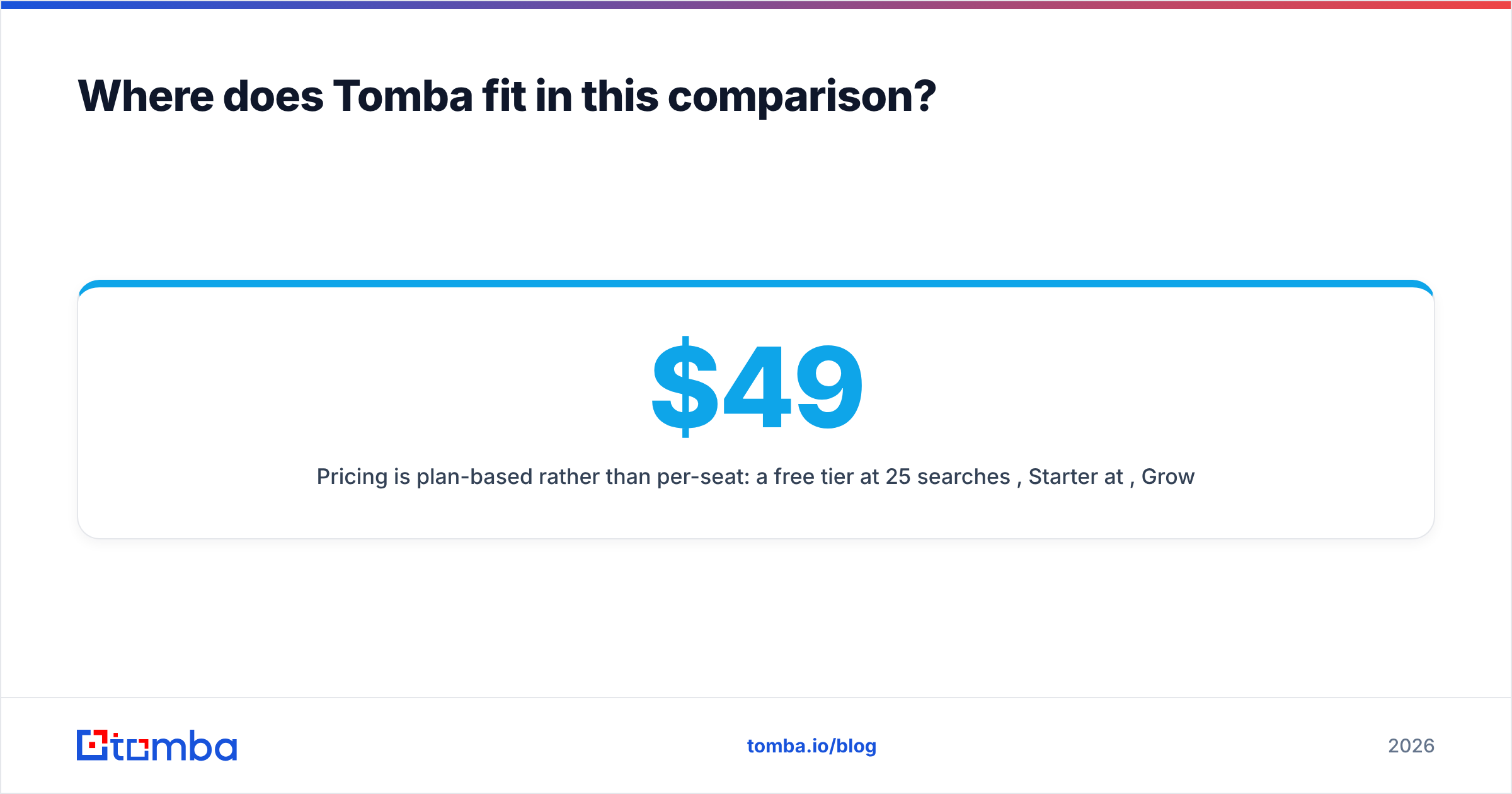
Pricing is plan-based rather than per-seat: a free tier at 25 searches per month, Starter at $49/month, Growth at $99/month, Pro at $249/month, and custom Enterprise. Full details are on the Tomba pricing page.
The honest framing: if you cold call EMEA prospects all day from LinkedIn, Kaspr's phone data is worth the seat cost and Tomba is not the right substitute. If your pipeline is built on cold email, sequenced at volume, and you need addresses that survive contact with a real mail server, an email-first platform with native verification will cost you less per usable contact than either tool in this matchup.
Which should you choose?#
Work through these in order:
- Is your primary channel the phone? → Kaspr. The mobile coverage is the product and it holds up.
- Are you a solo founder sending fewer than 500 emails a month? → Ninjapear or a free tier. Do not buy per-seat software for one seat of light usage.
- Are you sending cold email at volume across variable domains? → You need verification and API access. Neither Kaspr nor Ninjapear is built for that shape of work.
- Do you need both channels? → Budget for two tools. The all-in-one that does phones and email and verification equally well does not exist at SMB pricing, whatever the landing pages say.
- Are you enriching an existing CRM export? → Skip extensions entirely. Use a bulk or API workflow.
One more piece of advice that costs nothing: build a 100-row test list from your actual ICP — not a list of famous SaaS companies — and run it through every tool on your shortlist during the trial. Count the addresses that pass an independent verification check. That single number beats every comparison article, including this one.
Frequently asked questions#
Is Kaspr the same as Cognism? No. Cognism acquired Kaspr, but they are separate products at different price points. Cognism is an enterprise database with intent data; Kaspr is a lightweight LinkedIn extension.
Does Ninjapear offer phone numbers? Its focus is email. If phone is a requirement, verify current coverage directly with the vendor before buying, since this is the area where lightweight finders differ most.
Will these tools get my LinkedIn account restricted? Extension-based tools operate in a grey area relative to LinkedIn's terms. Heavy automated usage raises risk. Manual, human-paced reveals are lower risk but not zero risk.
Can I use a free email checker instead of paying for verification? For a handful of addresses, yes — a free email checker is fine. For a list of thousands, you need bulk verification with catch-all detection, because per-address manual checking does not scale.
Ready to test it on your own list?#
Stop guessing which vendor's accuracy claim is real. Pull 100 companies from your ICP, run them through the Tomba Email Finder, and check how many addresses come back verified rather than merely "found." The free tier gives you 25 searches with no card, and Starter is $49/month when you want the volume plus API access. The list you build in the next ten minutes will tell you more than another hour of comparison reading.
Related guides#
// get started
Find, verify and enrich your first contacts today
Start on the free plan with 25 searches a month, then scale when your team is ready.
Free plan · No credit card required · GDPR & CCPA
// about the author