Kaspr vs SafetyMails 2026: Finder vs Verifier Compared
Kaspr pulls phone numbers and emails off LinkedIn. SafetyMails checks whether emails are deliverable. Here is how the two compare on coverage, pricing and workflow fit — and when one tool replaces both.
TL;DR
- Kaspr and SafetyMails are not competitors. Kaspr finds contact data (emails plus mobile numbers) from LinkedIn profiles; SafetyMails validates email addresses you already have.
- Pick Kaspr if your prospecting starts inside LinkedIn and you need phone numbers. Pick SafetyMails if you have lists from forms, CRM exports, or scrapers and your bounce rate is climbing.
- Kaspr charges per user seat, which gets expensive fast on a team. SafetyMails sells non-expiring credit packs, which is cheap but does nothing to fill an empty pipeline.
- Running both means two subscriptions, two dashboards, and a manual CSV handoff between them.
- A single platform that does finding and verification in one credit pool — like Tomba at $49/mo — usually beats the two-tool stack on cost and on time-to-first-email.
What is Kaspr and what problem does it actually solve?#
Kaspr is a B2B contact-data tool built around a Chrome extension. You open a LinkedIn profile, a Sales Navigator list, or a LinkedIn group, click the extension, and Kaspr surfaces the person's work email, personal email, and — its real selling point — direct mobile numbers. It was acquired by Cognism in 2022 and now sits as the self-serve, SMB-facing layer of that data stack.
The workflow Kaspr is designed for is narrow and it is good at it:
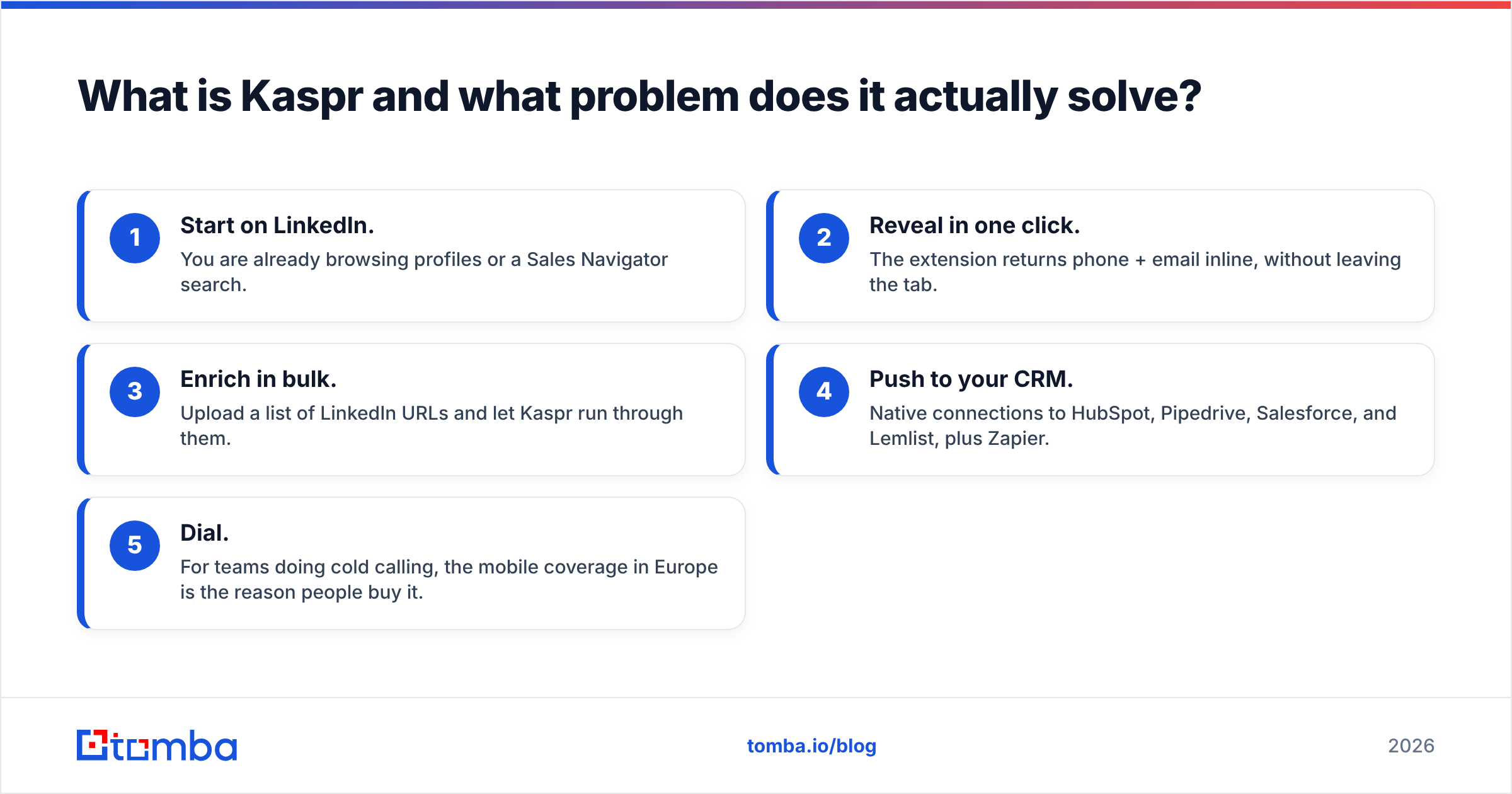
- Start on LinkedIn. You are already browsing profiles or a Sales Navigator search.
- Reveal in one click. The extension returns phone + email inline, without leaving the tab.
- Enrich in bulk. Upload a list of LinkedIn URLs and let Kaspr run through them.
- Push to your CRM. Native connections to HubSpot, Pipedrive, Salesforce, and Lemlist, plus Zapier.
- Dial. For teams doing cold calling, the mobile coverage in Europe is the reason people buy it.
What Kaspr does not do is tell you, with much confidence, whether the email it returned will actually land. It applies its own checks, but it is a sourcing tool first. If you are running cold email at volume, you will still want a verification layer behind it.
What is SafetyMails and where does it fit?#
SafetyMails is an email verification and hygiene service. You feed it a list — CSV upload, API call, or a real-time check on a signup form — and it classifies each address: valid, invalid, disposable, role-based, spam trap risk, catch-all/accept-all. It also sells a form-protection widget that blocks junk addresses at the point of capture, which is the part most verification vendors treat as an afterthought.
SafetyMails originated in Brazil and has strong coverage of LATAM domains, which matters more than people expect — a lot of US-centric verifiers behave badly against regional providers like UOL, Terra, and BOL.
The critical thing to understand: SafetyMails never gives you a new contact. It can only tell you the quality of what you already collected. If your list is empty, SafetyMails has nothing to do.

Kaspr vs SafetyMails: how do they compare head-to-head?#
Comparing them directly is a little unfair, because they occupy different stages of the same pipeline. But since teams genuinely evaluate them against each other — usually because the real question is "which one do I buy first?" — here is the honest breakdown.
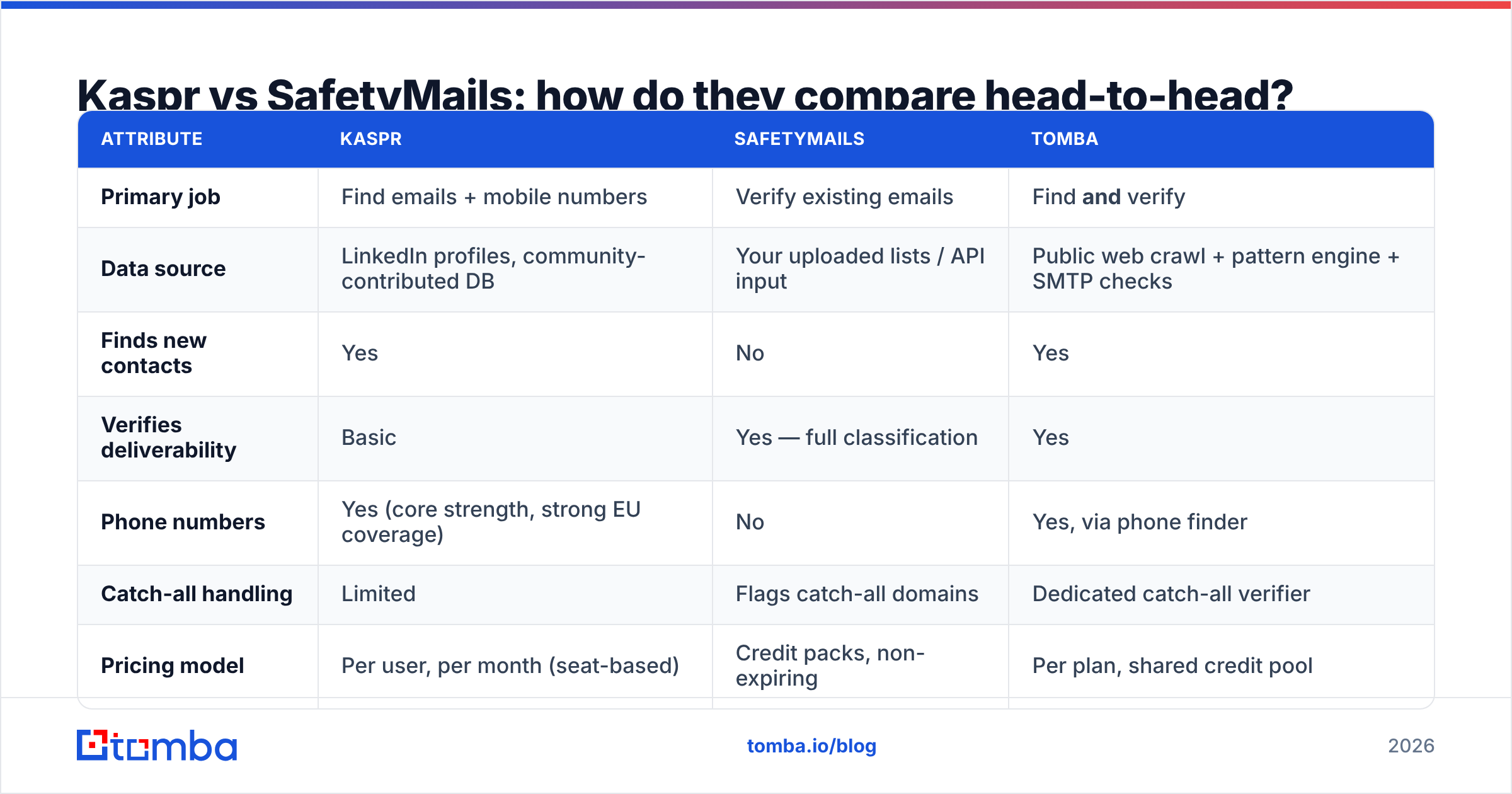
| Attribute | Kaspr | SafetyMails | Tomba |
|---|---|---|---|
| Primary job | Find emails + mobile numbers | Verify existing emails | Find and verify |
| Data source | LinkedIn profiles, community-contributed DB | Your uploaded lists / API input | Public web crawl + pattern engine + SMTP checks |
| Finds new contacts | Yes | No | Yes |
| Verifies deliverability | Basic | Yes — full classification | Yes |
| Phone numbers | Yes (core strength, strong EU coverage) | No | Yes, via phone finder |
| Catch-all handling | Limited | Flags catch-all domains | Dedicated catch-all verifier |
| Pricing model | Per user, per month (seat-based) | Credit packs, non-expiring | Per plan, shared credit pool |
| Entry paid price | ~$49–$65 per seat/mo (annual) | Single-digit $ per 1,000 credits | $49/mo, whole team |
| Free tier | Limited credits, phone-heavy | Free monthly verification allowance | 25 searches/mo |
| API | Yes | Yes, real-time | Yes — Tomba API |
| Works outside LinkedIn | Barely | N/A (input-agnostic) | Yes — domain search, CSV, CRM |
| Best for | SDRs cold calling EU prospects | Marketers cleaning old lists | Outbound teams needing both |
Pricing was checked in September 2026 and both vendors change tiers regularly — confirm on kaspr.io and safetymails.com before you commit. Kaspr in particular bundles credits by type (phone credits, email credits, export credits), so headline seat price is not the whole story.
Which tool gives you better data accuracy?#
They measure accuracy on two different axes, so treat this as two questions.
Kaspr's accuracy question is coverage. How often does clicking the extension on a profile return anything? In practice, coverage is strong for European mid-market and enterprise contacts, weaker for US SMB, and thin for APAC and LATAM. When Kaspr returns a mobile number, it is usually right — that is the database's reputation on G2. When it returns a work email, it is more variable, because a lot of the email data is contributed rather than independently confirmed.
SafetyMails' accuracy question is false positives and false negatives. A verifier that marks too many good addresses "invalid" silently deletes revenue. One that waves through dead mailboxes torches your sender reputation. SafetyMails is conservative and explicit about catch-all domains, which is the right behaviour — it tells you "we cannot confirm this" instead of guessing. That is more useful than a competitor that returns a confident-looking score for a domain nobody can verify.

The practical consequence: Kaspr's output still needs verifying before a send, and SafetyMails needs input before it has a job. Each one is half of a working system.
What does the two-tool stack actually cost?#
This is where most teams get surprised. Run the math for a five-person SDR team doing typical outbound volume.
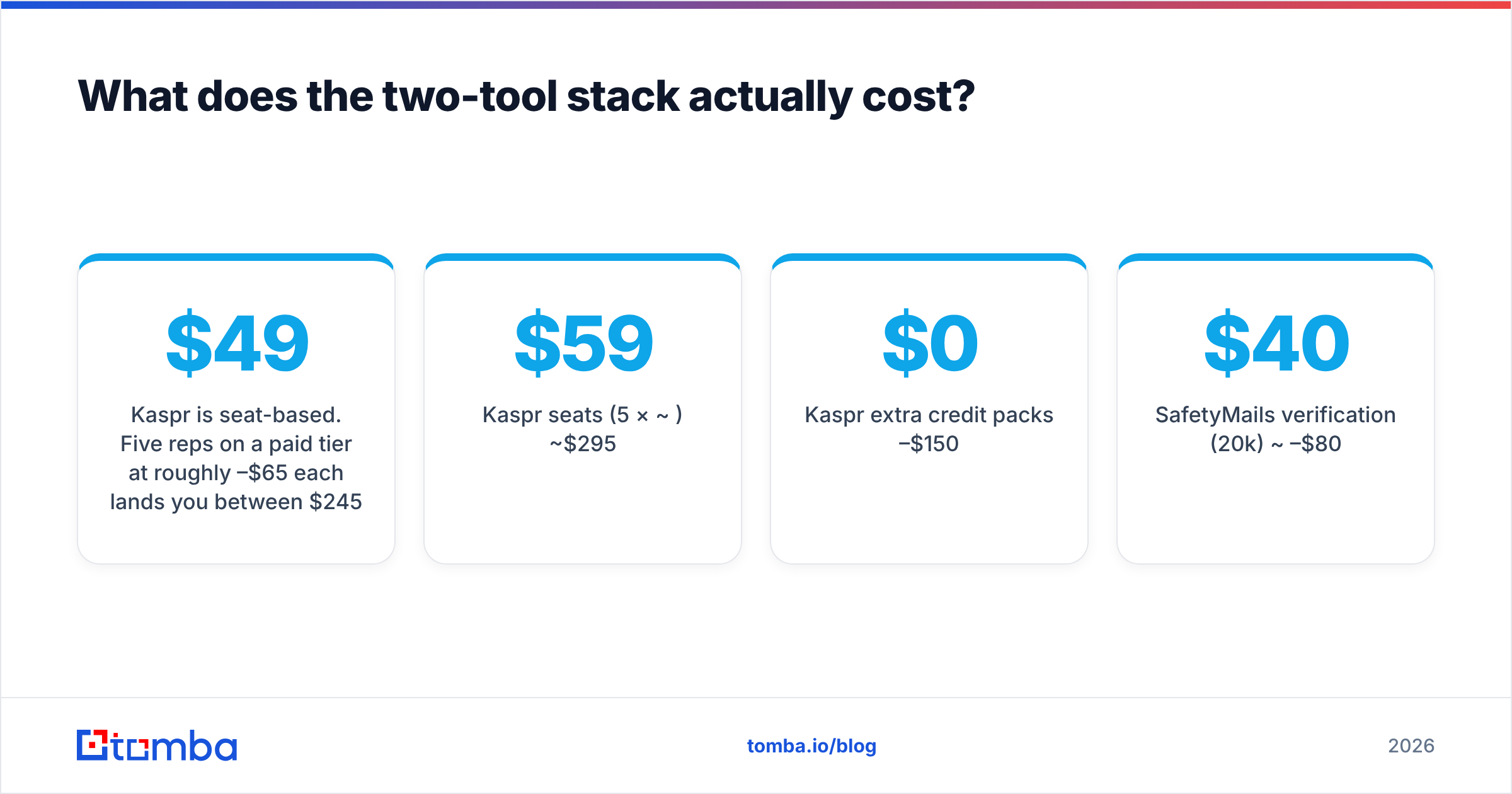
Kaspr is seat-based. Five reps on a paid tier at roughly $49–$65 each lands you between $245 and $325 per month before you add credit top-ups — and credit top-ups are common, because the tiers that include generous phone credits are the expensive ones. Add SafetyMails on top. Verification is cheap per unit, but at 20,000 addresses a month you are still adding a real line item, plus the operational cost of moving data between the two.
| Cost line | 5-person team, monthly |
|---|---|
| Kaspr seats (5 × ~$59) | ~$295 |
| Kaspr extra credit packs | $0–$150 |
| SafetyMails verification (20k) | ~$40–$80 |
| Manual CSV handoff (2 hrs/wk @ $40) | ~$320 in labour |
| Realistic total | $655–$845 |
Compare that to a single platform where finding and verifying draw from the same credit pool and the whole team shares the plan. Tomba pricing runs Free (25 searches/mo), Starter $49/mo, Growth $99/mo, and Pro $249/mo — team-wide, not per seat. The gap is not marginal; it is roughly an order of magnitude at small team size.

The seat model is the thing to watch. Tools priced per user punish exactly the behaviour you want — more reps prospecting more — while credit-pooled tools let you hire without renegotiating.
Where does each tool break down?#
Kaspr's failure modes:
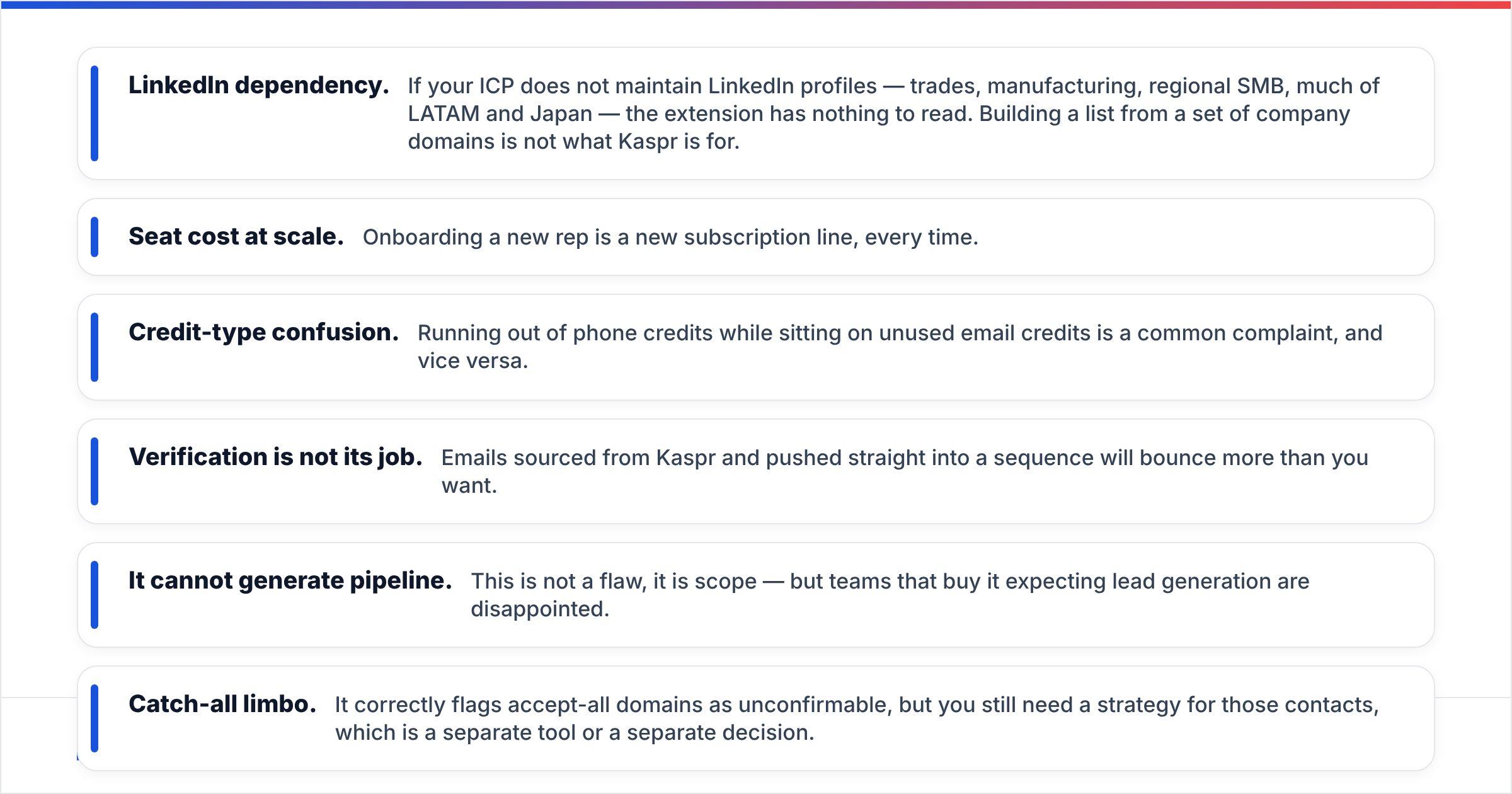
- LinkedIn dependency. If your ICP does not maintain LinkedIn profiles — trades, manufacturing, regional SMB, much of LATAM and Japan — the extension has nothing to read. Building a list from a set of company domains is not what Kaspr is for.
- Seat cost at scale. Onboarding a new rep is a new subscription line, every time.
- Credit-type confusion. Running out of phone credits while sitting on unused email credits is a common complaint, and vice versa.
- Verification is not its job. Emails sourced from Kaspr and pushed straight into a sequence will bounce more than you want.
SafetyMails' failure modes:
- It cannot generate pipeline. This is not a flaw, it is scope — but teams that buy it expecting lead generation are disappointed.
- Catch-all limbo. It correctly flags accept-all domains as unconfirmable, but you still need a strategy for those contacts, which is a separate tool or a separate decision.
- Enterprise workflow gaps. Deep CRM-native sync and team permissioning are thinner than what a full GTM platform offers.
Do you actually need both — or is there a third option?#
Ask yourself which bottleneck is real right now.
If your problem is "I don't have enough contacts," verification is not your answer. You need a finder. If your problem is "my bounce rate hit 6% and Google is throttling me," buying a LinkedIn scraper will make it worse. You need a verifier and a hard look at your email deliverability setup.
Most outbound teams have both problems simultaneously, which is exactly why the two-vendor stack exists — and exactly why it is worth checking whether one platform covers the span. A consolidated tool gives you three things the split stack cannot:
- One credit pool. Verification happens automatically on found addresses; nothing sits idle.
- No handoff. No CSV export, no column mapping, no "which version of the list is current?"
- One billing relationship. One renewal, one support queue, one security review.
Tomba runs email finder, email verifier, domain search, catch-all verification, phone lookup, and enrichment on a single plan, with a bulk email finder for list work and a Chrome extension for the LinkedIn-first workflow that draws people to Kaspr in the first place.

That said — be honest about the exception. If direct mobile numbers for European enterprise contacts are the single thing your team lives on, Kaspr's phone database is genuinely specialised and worth paying for alongside something else. Nobody should pretend a general-purpose platform matches a purpose-built dialling dataset in that one niche.
Which should you choose in 2026?#
Choose Kaspr if: your reps live in Sales Navigator, cold calling is a primary channel, your ICP is European, and you have three or fewer seats to pay for.
Choose SafetyMails if: you are a marketer with existing lists, form signups leaking junk addresses, or a CRM full of decayed contacts, and you are not trying to source new leads at all.
Choose a consolidated platform if: you need both halves, you have more than three people prospecting, you work outside LinkedIn, or you are tired of exporting a CSV from one tool to feed another.
Choose both Kaspr and SafetyMails if: EU mobile coverage is non-negotiable and you have list-hygiene obligations that a general verifier will not satisfy. Just budget for it honestly — the sticker prices hide the integration labour.
Before you sign anything, run the same 100 contacts through every option you are considering. Check hit rate, check bounce rate on a small send, and check what happens when your team doubles. Vendor-published accuracy numbers are marketing; your own test on your own ICP is data.
Ready to stop paying for two tools? Run your next list through the Tomba Email Finder — find verified professional emails by name, domain, or company, with verification built into the same credit pool. Start free with 25 searches a month, no card required, and see whether the split stack is still worth its price.
Related guides#
// get started
Find, verify and enrich your first contacts today
Start on the free plan with 25 searches a month, then scale when your team is ready.
Free plan · No credit card required · GDPR & CCPA
// about the author