Kaspr vs Salutary Data: Which B2B Contact Tool Wins?
Kaspr scrapes contacts one LinkedIn profile at a time. Salutary Data licenses a compiled US dataset in bulk. They solve different problems — here is which one your team actually needs in 2026.
TL;DR
- Kaspr is a workflow tool. Salutary Data is a data supply company. Kaspr lives in your browser and pulls contact details off LinkedIn profiles one at a time. Salutary Data licenses you a compiled US B2B contact file (or API access to it) and gets out of the way.
- Pick Kaspr if reps prospect manually on LinkedIn and you want mobile numbers surfaced in-session without asking ops for anything.
- Pick Salutary Data if you need a large, US-heavy contact file to load into a CRM, a data warehouse, or a resale/enrichment product — and you have someone who can operate raw data.
- Neither is cheap per contact. Kaspr bills per seat plus credits; Salutary Data typically negotiates annual licenses with volume minimums.
- A third path: pair a pay-as-you-go email finder API with your own targeting list. Most teams comparing these two are actually solving an enrichment problem, not a "buy a database" problem.
What is Kaspr, and what is Salutary Data?#
They get compared because both sell B2B contact details. That is roughly where the similarity ends.
Kaspr (kaspr.io) is a Paris-born contact-data tool acquired by Cognism in 2022. Its center of gravity is a Chrome extension: open a LinkedIn profile, a Sales Navigator list, or a LinkedIn group, click the extension, and Kaspr returns email addresses and phone numbers — including mobiles — for the people on screen. It has a web app with lists, basic enrichment, LinkedIn automation sequences, and integrations into HubSpot, Pipedrive, Salesforce and Zapier. Everything is credit-metered and seat-priced.
Salutary Data (salutarydata.com) is a US B2B contact and company data provider. It does not chase the browser-extension market. It compiles and multi-sources a contact database — the company publicly describes coverage in the range of 100M+ contacts with a heavy emphasis on verified direct dials and mobile numbers — and sells access through flat-file delivery, API, and data licensing arrangements, including white-label and reseller deals. Deals are negotiated, not self-serve.
So the real question behind "kaspr vs salutary data" is: do you want a rep-facing tool or a data supply contract?
Sorry — that image is rendered by the pipeline:

How do Kaspr and Salutary Data actually compare?#
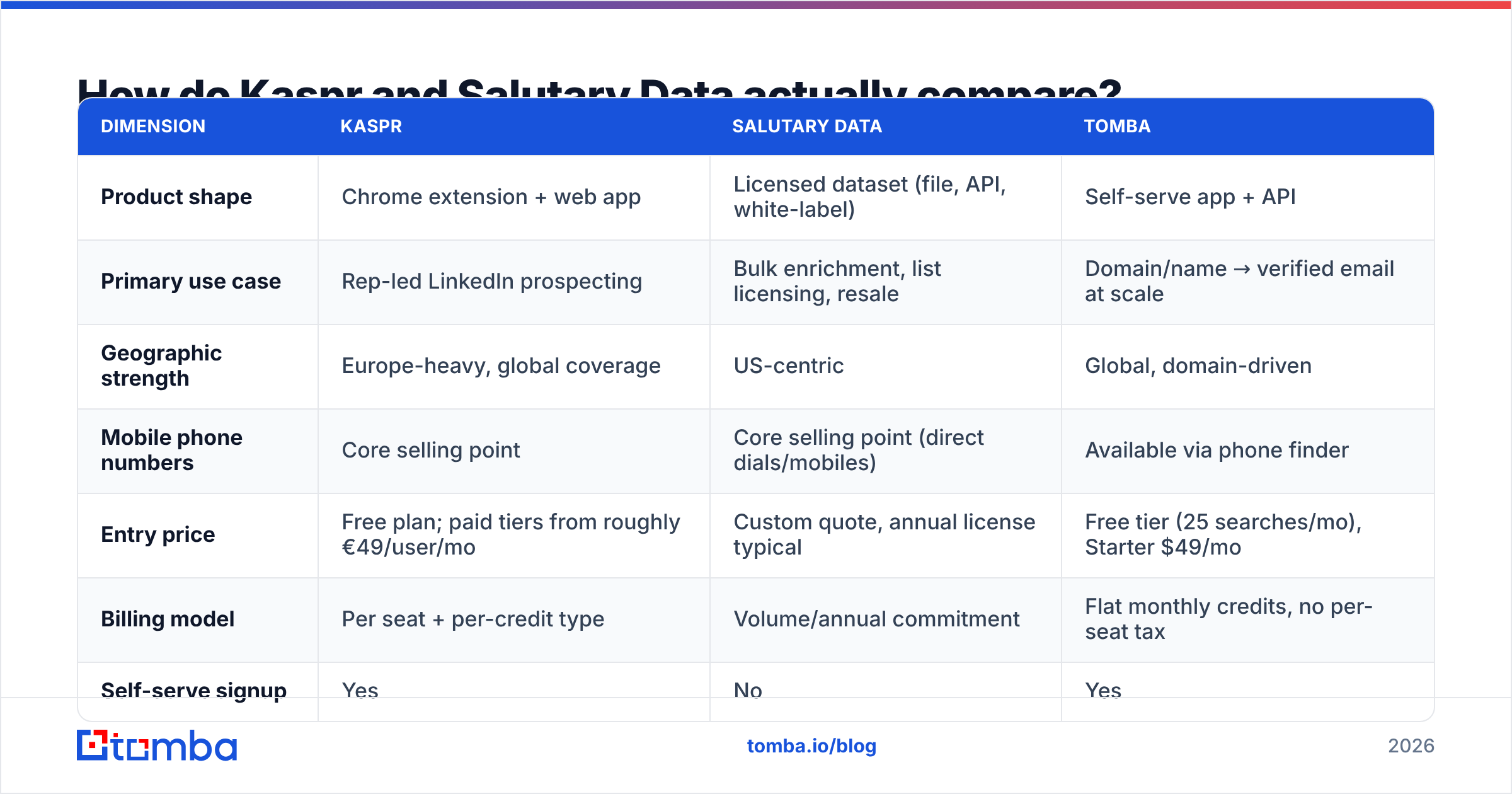
Here is the side-by-side. Treat pricing as directional — Kaspr adjusts its published tiers periodically and Salutary Data quotes per deal, so confirm current numbers with each vendor before you sign.
| Dimension | Kaspr | Salutary Data | Tomba |
|---|---|---|---|
| Product shape | Chrome extension + web app | Licensed dataset (file, API, white-label) | Self-serve app + API |
| Primary use case | Rep-led LinkedIn prospecting | Bulk enrichment, list licensing, resale | Domain/name → verified email at scale |
| Geographic strength | Europe-heavy, global coverage | US-centric | Global, domain-driven |
| Mobile phone numbers | Core selling point | Core selling point (direct dials/mobiles) | Available via phone finder |
| Entry price | Free plan; paid tiers from roughly €49/user/mo | Custom quote, annual license typical | Free tier (25 searches/mo), Starter $49/mo |
| Billing model | Per seat + per-credit type | Volume/annual commitment | Flat monthly credits, no per-seat tax |
| Self-serve signup | Yes | No | Yes |
| Bulk export | Credit-limited | Native (it's the whole product) | Bulk email finder + API |
| Verification included | Basic | Vendor-side verification cadence | Dedicated email verifier + catch-all handling |
| Best for | SDRs working profile by profile | RevOps, data teams, data resellers | Teams enriching lists programmatically |

The table hides one important asymmetry: Kaspr's cost scales with headcount, Salutary Data's scales with record volume. A 12-person SDR team burns Kaspr seats even in months when nobody prospects hard. A two-person RevOps team can license a large Salutary Data file once and enrich 300,000 CRM records from it. Match the billing model to how your demand actually behaves.
Which one has better data accuracy?#
Neither vendor will hand you a number you can independently verify, so evaluate accuracy the only honest way: run a paid pilot on your own ICP and measure.
What you will typically find, and why:
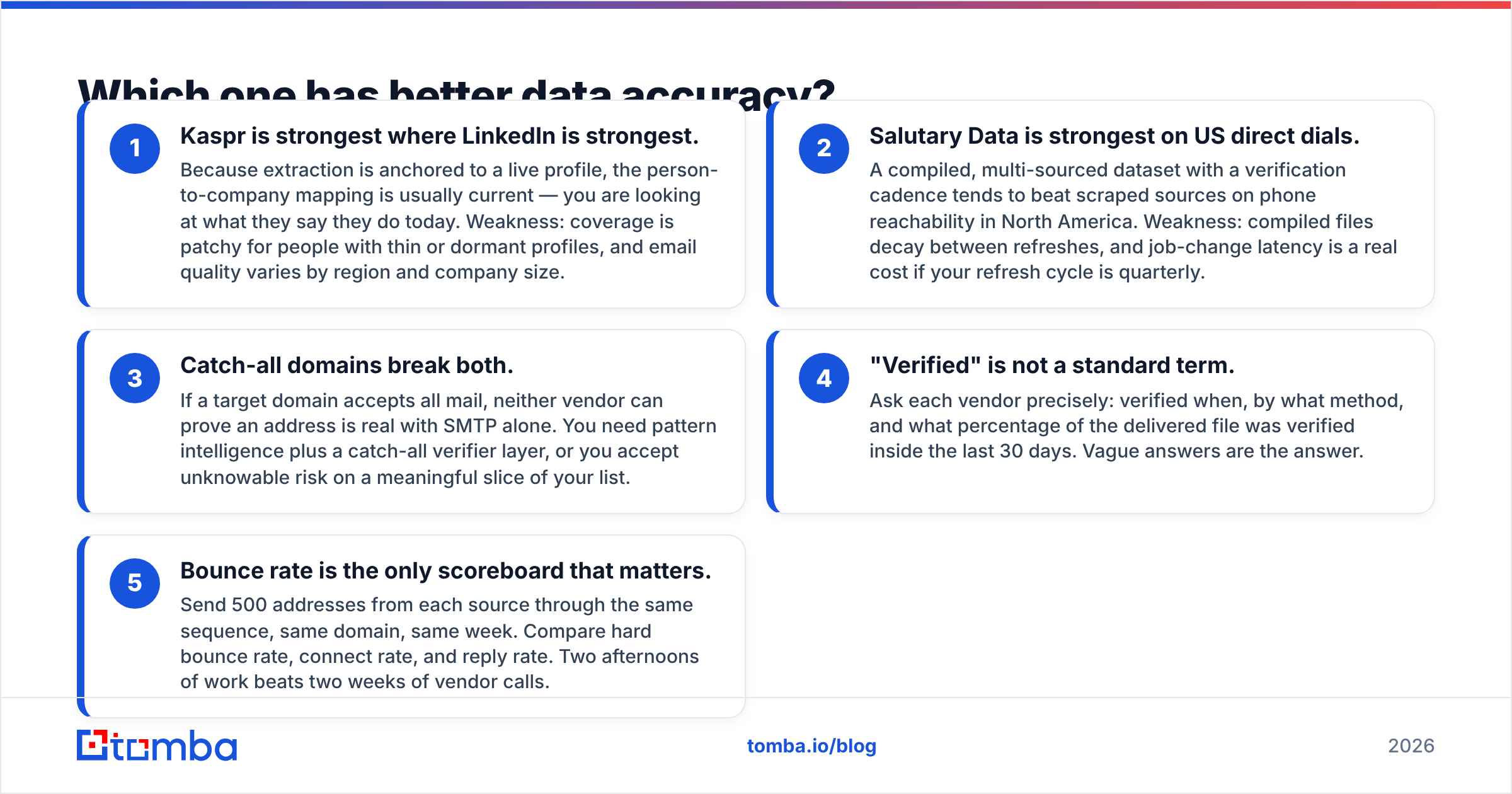
- Kaspr is strongest where LinkedIn is strongest. Because extraction is anchored to a live profile, the person-to-company mapping is usually current — you are looking at what they say they do today. Weakness: coverage is patchy for people with thin or dormant profiles, and email quality varies by region and company size.
- Salutary Data is strongest on US direct dials. A compiled, multi-sourced dataset with a verification cadence tends to beat scraped sources on phone reachability in North America. Weakness: compiled files decay between refreshes, and job-change latency is a real cost if your refresh cycle is quarterly.
- Catch-all domains break both. If a target domain accepts all mail, neither vendor can prove an address is real with SMTP alone. You need pattern intelligence plus a catch-all verifier layer, or you accept unknowable risk on a meaningful slice of your list.
- "Verified" is not a standard term. Ask each vendor precisely: verified when, by what method, and what percentage of the delivered file was verified inside the last 30 days. Vague answers are the answer.
- Bounce rate is the only scoreboard that matters. Send 500 addresses from each source through the same sequence, same domain, same week. Compare hard bounce rate, connect rate, and reply rate. Two afternoons of work beats two weeks of vendor calls.

Whatever you buy, verify before you send. A 6% bounce rate will damage your sender reputation faster than any data vendor will refund you for it.
What does Kaspr cost versus Salutary Data?#
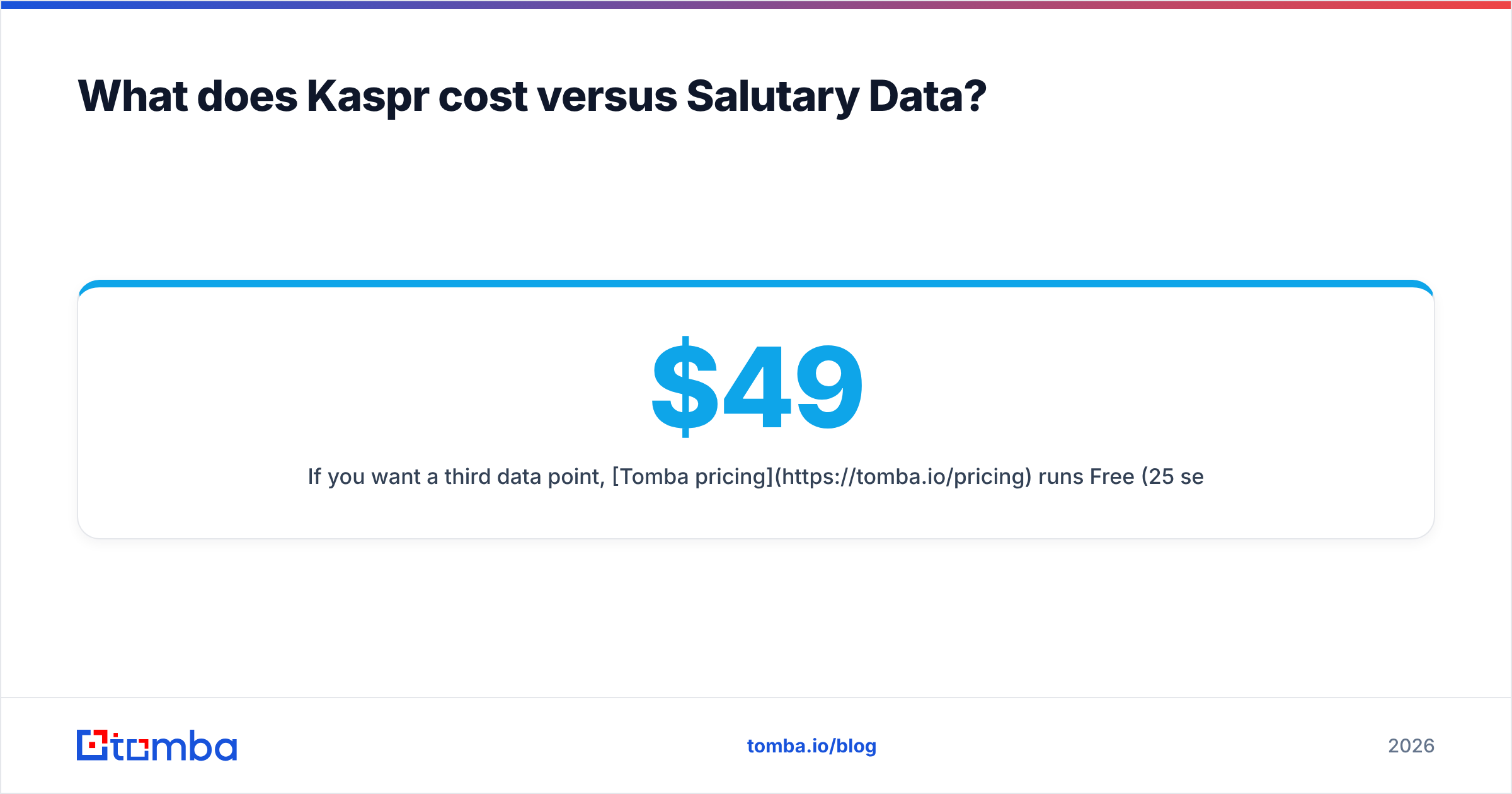
Kaspr publishes a tiered, per-user model. There is a genuinely usable free plan, then paid tiers that have historically started around €49 per user per month, rising through business and organization levels. Credits are split by type — phone credits, email credits, export credits — and the split matters more than the headline price. Teams routinely exhaust one credit pool while sitting on an unused surplus of another. Check current tiers on Kaspr's own pricing page before you budget; they have changed more than once.
Salutary Data does not publish prices. Expect an annual license or a per-record rate negotiated against volume, with the effective unit cost dropping sharply as commitment rises. Because it also serves resellers and data partners, contracts can include usage rights terms — internal use only versus redistribution — that materially change the price. Read the usage clause carefully; it is often more consequential than the per-record rate.
The practical budgeting difference:
- Kaspr: predictable monthly cost, unpredictable value (depends on rep activity).
- Salutary Data: large committed cost, predictable volume, plus an ops burden to actually use the file.
If you want a third data point, Tomba pricing runs Free (25 searches/mo), Starter $49/mo, Growth $99/mo, Pro $249/mo and Enterprise custom — with no per-seat multiplier, which is the line item that quietly sinks small teams evaluating Kaspr at scale.

Is Kaspr or Salutary Data better for compliance?#
This is where the two diverge most, and it should drive your decision more than feature checklists do.
Kaspr is built by a European company under European scrutiny, publishes GDPR documentation, and offers data-subject request handling. That is meaningful if you sell into the EU or UK. It does not make LinkedIn-sourced extraction automatically risk-free — LinkedIn's own terms of service restrict automated data collection, and that tension is an operational risk you inherit, not one the vendor absorbs for you.
Salutary Data is US-oriented and positions around CCPA compliance and documented sourcing provenance. For a US-only outbound motion, licensed data with a clear chain of custody is generally the more defensible posture — you can point to a contract when legal asks where the records came from.
Questions to put to both, in writing:
- Sourcing: Which specific sources feed each field? Is any of it scraped from platforms whose ToS prohibit it?
- Legal basis: What is your claimed basis for processing EU personal data, and can you produce a legitimate-interest assessment?
- Notice: Do you notify data subjects, and can you show me the notice?
- Deletion: What is your SLA on a deletion request, and does it propagate to files I already downloaded?
- Indemnification: Will you indemnify us against claims arising from your data? (Most say no. The ones that say yes are telling you something.)
A vendor that answers all five crisply is worth paying more for. See our note on where contact data comes from for what a straight answer looks like.
Which should you choose for your team?#
Choose Kaspr if: your pipeline comes from reps who live on LinkedIn, you need mobile numbers mid-conversation, you sell into Europe, and your team is small enough that per-seat pricing stays sane. Kaspr's extension genuinely removes friction from a manual workflow — that is a real product, not a repackaged file.
Choose Salutary Data if: you need volume, you're US-focused, you have a RevOps or data engineer who can operate a raw file, and your enrichment happens in a warehouse or CRM rather than in a browser tab. Also choose it if you're building a product on top of contact data and need redistribution rights — that's a genuine differentiator most self-serve tools can't grant.
Choose neither if your actual job is: "I have 4,000 companies and I need a verified decision-maker email at each." That is not a database-licensing problem and it is not a browser-extension problem. It is an API problem. A domain search that returns every public address at a company, run in bulk against your target account list, solves it for a fraction of either contract — and you only pay for lookups you run.
It's also worth pricing a specialist list vendor like BookYourData against both if your need is a clean, targeted US or EU list rather than an ongoing enrichment pipeline; buying a well-filtered list outright can beat a platform subscription when the requirement is one-off. And if you're comparing further, our breakdown of Apollo alternatives covers the all-in-one end of the market. Independent review sets on G2 are useful for sanity-checking support quality, which no vendor page will tell you honestly.
How should you run the evaluation?#
Do not take a demo first. Take a sample first.
- Build a 200-row truth set. Real companies in your ICP, real named roles you already have verified contact details for. This is your answer key.
- Request a blind sample from each vendor against those 200 rows. Both will do this for a qualified opportunity.
- Score three things: match rate (did they return anything?), accuracy (was it right?), and freshness (is the job title current?). Match rate alone is a vanity metric — a 90% match rate at 60% accuracy is worse than 60% at 95%.
- Run the addresses through a neutral verifier before you count them. Use a free email checker so nobody grades their own homework.
- Price per usable record, not per delivered record. Divide total annual cost by verified-accurate records. That number usually reorders the vendor ranking completely.
- Test the exit. Ask what happens to your data access on day one after contract end. Licensed files and subscription tools behave very differently here.
Most teams that run this process discover the same thing: they were buying breadth when they needed depth on 3,000 specific accounts.
The cheaper way to solve the same problem#
If your evaluation lands on "we just need reliable, verified work emails for a defined list of companies," you don't need a seat-based extension or an annual data license. Point the Tomba Email Finder at your account list — by domain, by name, or through the Tomba API — and get verified addresses with confidence scores and source attribution, on a flat plan starting at $49/mo with no per-seat tax and a free tier to test against your own truth set first. Run your 200-row benchmark on it before you sign anything with anyone else; if it wins, you've saved a five-figure contract, and if it doesn't, you've learned exactly what you're paying the premium for.
Related guides#
// get started
Find, verify and enrich your first contacts today
Start on the free plan with 25 searches a month, then scale when your team is ready.
Free plan · No credit card required · GDPR & CCPA
// about the author