Keepsync Alternatives in 2026: 8 Tools Compared Honestly
Keepsync keeps records in sync, but it can't fix data that was wrong on the way in. Here are eight Keepsync alternatives compared on coverage, verification, sync depth and real cost.
TL;DR
- Keepsync sits in the "keep records aligned across systems" category. It moves and reconciles data you already have — it does not go find new, verified contact data for you.
- That distinction decides your shortlist. If your problem is stale records, you want a sync/ops layer. If your problem is wrong or missing emails, you want a data source with verification built in.
- The eight Keepsync alternatives worth evaluating in 2026: Tomba, Clay, Apollo.io, BookYourData, Dropcontact, Findymail, HubSpot Breeze Intelligence (formerly Clearbit) and ZoomInfo.
- Cheapest credible entry point for verified B2B email data is around $49/mo. Full-suite intelligence platforms start in the five figures annually.
- Before you migrate, audit what percentage of your CRM records are actually deliverable — not just present. That number usually changes which tool you pick.
What is Keepsync, and why are people looking for alternatives?#
Keepsync belongs to the CRM data-hygiene and synchronization category: tools that keep contact and account records consistent across your CRM, your outreach platform, your billing system and whatever spreadsheet your RevOps lead refuses to give up. The pitch is straightforward — one record, updated everywhere, no manual re-keying.
That pitch works right up until the moment you realize sync is a plumbing problem, not a truth problem. A sync layer propagates whatever it is given. If a contact's email bounced in 2024 and nobody flagged it, a perfect sync will faithfully copy that dead address into four more systems.
The three reasons teams start shopping for Keepsync alternatives, in the order we hear them:
- Coverage gaps. Sync keeps existing records fresh but leaves blanks blank. Half-empty records stay half-empty.
- No verification step. Syncing an unverified address is just distributing risk. Your email deliverability gets worse, not better.
- Cost per seat vs. cost per record. Ops tooling is usually priced per user or per connection; data tooling is priced per credit. Which model is cheaper depends entirely on your motion, and a lot of teams discover they picked the wrong one at renewal.
Pricing and feature sets in this category change every quarter. Treat everything below as a starting point for your own evaluation, and confirm current numbers on each vendor's site before you sign.
What should a Keepsync alternative actually do?#
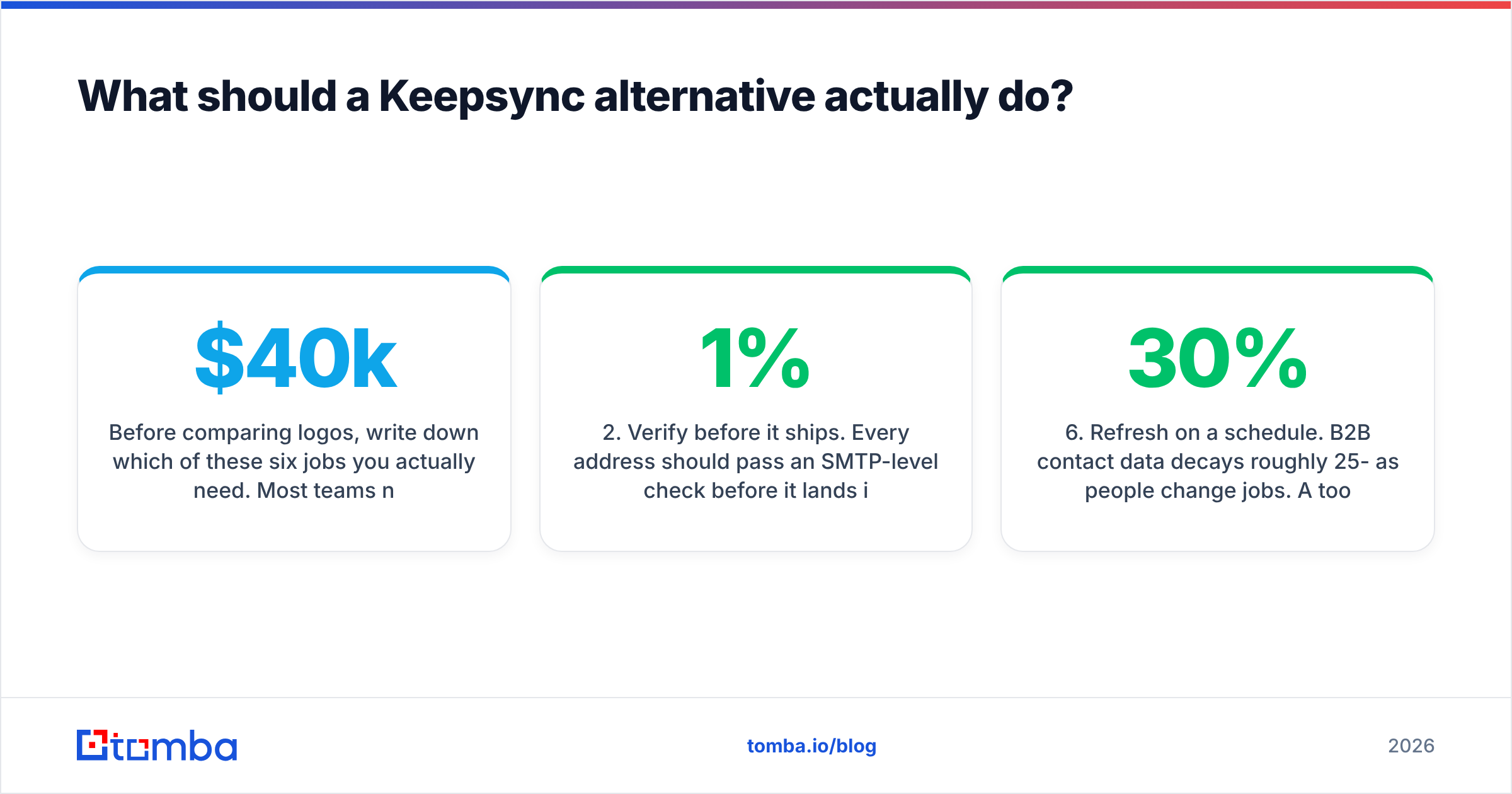
Before comparing logos, write down which of these six jobs you actually need. Most teams need three or four — not all six — and paying for all six is how you end up with a $40k contract you use 20% of.
- Find missing contact data. Given a name and a domain, return a working email address. This is a lookup problem, not a sync problem, and it needs a provider with real coverage — see how a modern email finder resolves a person to an address.
- Verify before it ships. Every address should pass an SMTP-level check before it lands in your CRM or your sequencer. A standalone email verifier is the difference between a 1% bounce rate and a 9% one.
- Enrich beyond email. Job title, seniority, company size, tech stack, phone. This is what turns a list into a segmentable audience.
- Push and pull from your CRM. Native HubSpot/Salesforce/Pipedrive connectors, or a clean API you can wire yourself. If the tool can't write back, you've bought a data island.
- Deduplicate and normalize. Two records for the same human is a reporting problem before it's a sales problem.
- Refresh on a schedule. B2B contact data decays roughly 25-30% per year as people change jobs. A tool that enriches once and never again is a depreciating asset.
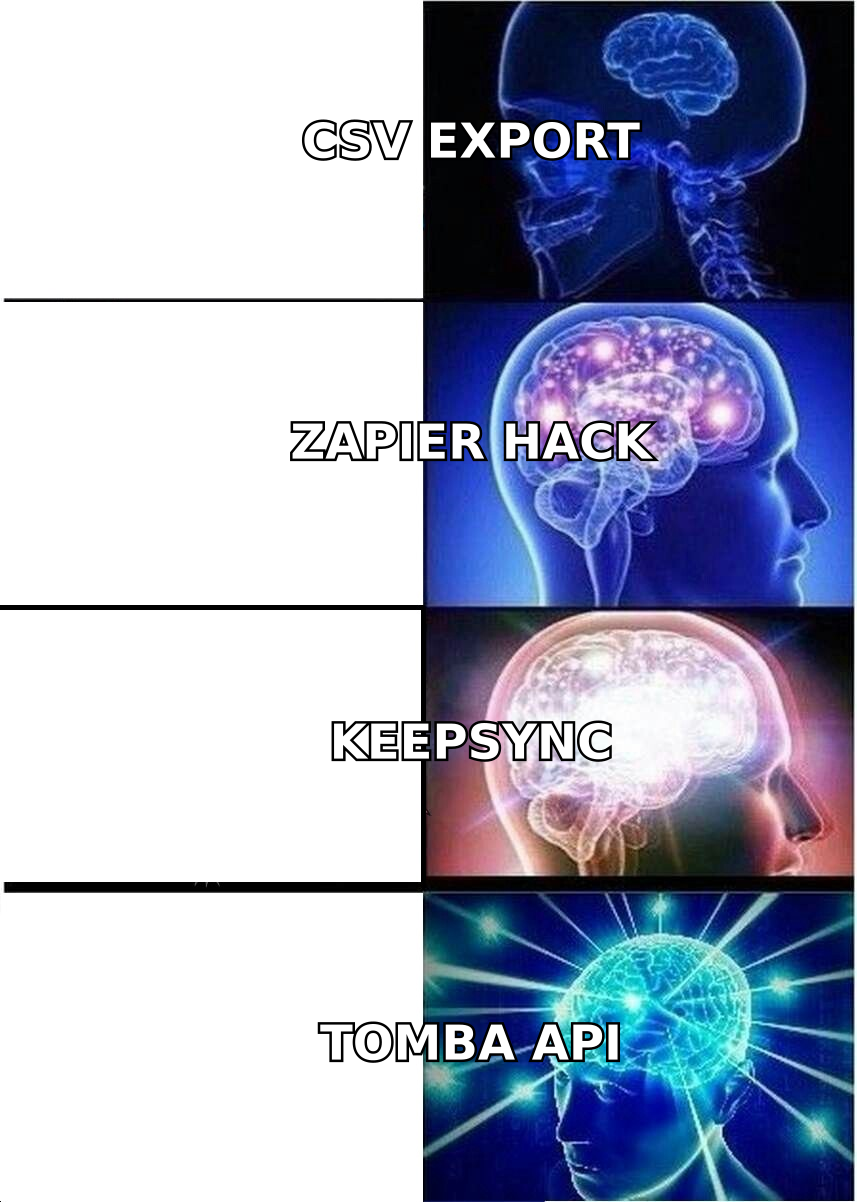
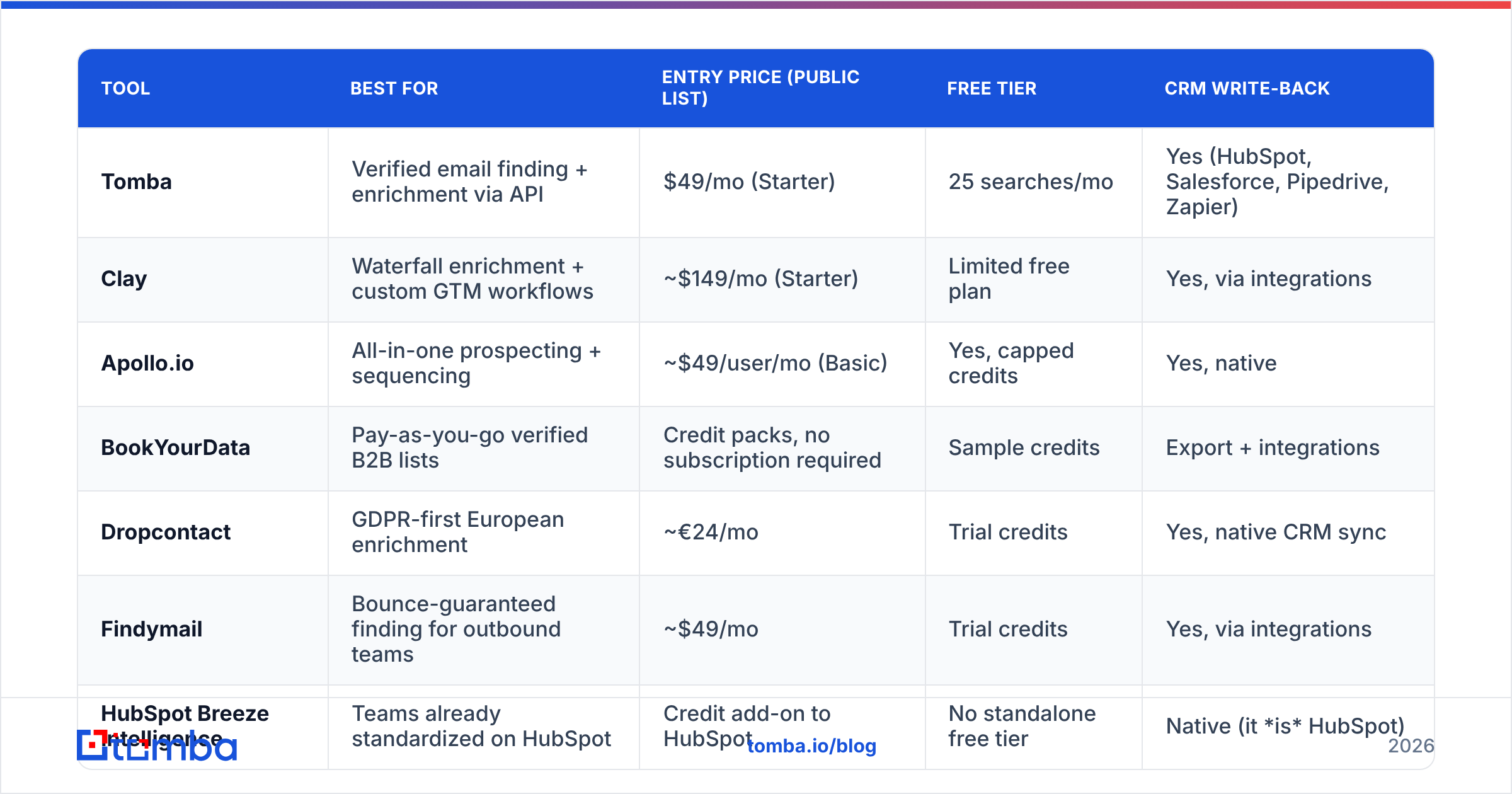
Sorry — placeholder note aside, here is the visual:
Which are the 8 best Keepsync alternatives in 2026?#
| Tool | Best for | Entry price (public list) | Free tier | CRM write-back |
|---|---|---|---|---|
| Tomba | Verified email finding + enrichment via API | $49/mo (Starter) | 25 searches/mo | Yes (HubSpot, Salesforce, Pipedrive, Zapier) |
| Clay | Waterfall enrichment + custom GTM workflows | ~$149/mo (Starter) | Limited free plan | Yes, via integrations |
| Apollo.io | All-in-one prospecting + sequencing | ~$49/user/mo (Basic) | Yes, capped credits | Yes, native |
| BookYourData | Pay-as-you-go verified B2B lists | Credit packs, no subscription required | Sample credits | Export + integrations |
| Dropcontact | GDPR-first European enrichment | ~€24/mo | Trial credits | Yes, native CRM sync |
| Findymail | Bounce-guaranteed finding for outbound teams | ~$49/mo | Trial credits | Yes, via integrations |
| HubSpot Breeze Intelligence | Teams already standardized on HubSpot | Credit add-on to HubSpot | No standalone free tier | Native (it is HubSpot) |
| ZoomInfo | Enterprise intelligence + intent signals | Custom, typically five figures/yr | No | Yes, native |
Tomba#
Tomba is a data source rather than a sync layer, which is the point: it fills the gaps Keepsync can only move around. The core product is the email finder, with a verifier, domain search, catch-all verifier, phone finder and enrichment sitting alongside it. Pricing is Free (25 searches/mo), Starter $49/mo, Growth $99/mo, Pro $249/mo, Enterprise custom — see Tomba pricing for current credit allocations.
Where it fits the Keepsync use case: the Tomba API and bulk email finder let you run your whole CRM through find-then-verify on a schedule, then write results back through the HubSpot, Salesforce or Zapier connectors. You're replacing "keep the same records aligned" with "keep the same records correct."
Trade-off: it is not a sequencer and not an ops workflow builder. If you wanted Keepsync because you liked the workflow canvas, this is a component, not a replacement.
Clay#
Clay is the most flexible thing on this list. It chains multiple data providers in a waterfall — try provider A, fall back to B, then C — and wraps the whole thing in a spreadsheet interface with AI research columns. For a RevOps team that wants to build their enrichment logic rather than buy it, nothing else comes close.
Trade-off: credits burn fast, the learning curve is real, and you're now maintaining a workflow system. Entry pricing sits well above the sub-$100 tier.
Apollo.io#

Apollo bundles a contact database, sequencing, dialer and basic CRM into one subscription. If you're consolidating vendors, that bundling is genuinely attractive, and the per-seat price is competitive. It's consistently one of the highest-reviewed tools in its category on G2.
Trade-off: data quality varies by region and seniority, and export limits on lower tiers surprise people. If you want the database without the sequencer, compare it against a dedicated Apollo alternative.
BookYourData#
BookYourData takes the opposite approach to subscriptions: you buy verified contact credits when you need them, with an accuracy guarantee attached, and you build lists by filtering industry, title, geography and company size. For teams running campaign-based outbound rather than always-on prospecting, pay-as-you-go is a cleaner fit than a monthly seat. Worth a look at bookyourdata.com if your usage is lumpy.
Trade-off: it's a list-building motion, not a continuous sync motion. You'll still want something re-checking those records six months later.
Dropcontact#
Dropcontact is built around European data compliance — no contact database is stored, records are computed and verified on request, which makes the GDPR conversation with your legal team a lot shorter. Strong on French and wider EU coverage, with native CRM sync that's closest in spirit to what Keepsync does.
Trade-off: thinner coverage for US mid-market and for phone data.
Findymail#
Findymail leans hard on one promise: the emails it returns won't bounce, and it credits you back when they do. It's popular with agencies running high-volume cold outbound where a bad list means a burned domain.
Trade-off: narrower feature surface. It finds and verifies; it doesn't do firmographic enrichment at depth.
HubSpot Breeze Intelligence (formerly Clearbit)#
If your entire GTM stack already lives in HubSpot, buying enrichment as a native credit add-on removes an integration from your life entirely. Records enrich in place, form fields shorten automatically, and there's no sync layer to maintain because there's nothing to sync.
Trade-off: you're locked to HubSpot, and standalone use isn't the product anymore.
ZoomInfo#
The enterprise answer. Deepest firmographic and technographic data, intent signals, org charts, conversation intelligence. If you have a large SDR org and a budget committee, it's the default for a reason.
Trade-off: annual contracts that typically start in the five figures, plus a sales cycle to get a quote. Wildly oversized for a five-person team trying to stop sending mail to dead addresses.
How do these Keepsync alternatives compare on the things that break?#
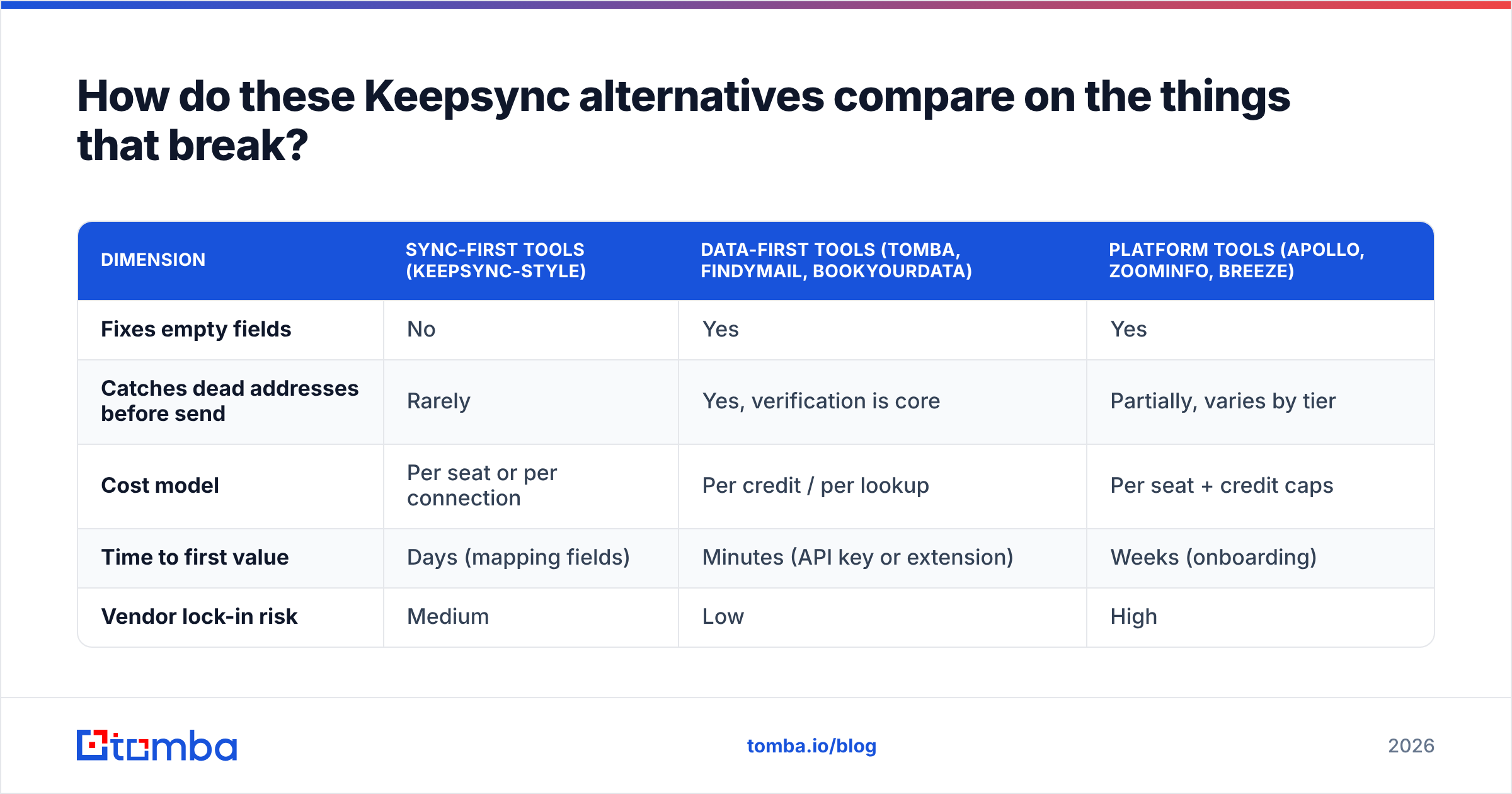
Feature lists are easy to fake. These four dimensions are where evaluations actually get decided:
| Dimension | Sync-first tools (Keepsync-style) | Data-first tools (Tomba, Findymail, BookYourData) | Platform tools (Apollo, ZoomInfo, Breeze) |
|---|---|---|---|
| Fixes empty fields | No | Yes | Yes |
| Catches dead addresses before send | Rarely | Yes, verification is core | Partially, varies by tier |
| Cost model | Per seat or per connection | Per credit / per lookup | Per seat + credit caps |
| Time to first value | Days (mapping fields) | Minutes (API key or extension) | Weeks (onboarding) |
| Vendor lock-in risk | Medium | Low | High |
The pattern is consistent. Sync tools optimize for consistency, data tools optimize for correctness, platforms optimize for consolidation. Keepsync users churning to a data-first tool are usually admitting that their consistency problem was actually a correctness problem all along.
One number worth generating before you talk to any vendor: take 500 random contacts from your CRM and run them through a verification pass. If more than 15% come back invalid or risky, the sync layer was never your bottleneck. That's also the fastest way to build an internal business case — "we are paying to distribute 18% garbage across five systems" moves budget conversations quickly.
Do you need catch-all handling, or are you ignoring it?#
Here's the detail most comparison posts skip. Somewhere between 20% and 30% of B2B domains are configured as catch-all, meaning the mail server accepts anything at that domain and reveals nothing during a standard SMTP check. Every verification tool will mark those addresses "unknown" or "accept-all."
What you do with that bucket determines a meaningful chunk of your pipeline:
- Discard them and you throw away a fifth of your enterprise TAM, because large companies disproportionately run catch-all.
- Send to them blind and you inflate your bounce rate on the exact domains where sender reputation matters most.
- Resolve them properly with a catch-all verifier that uses pattern confidence and secondary signals rather than SMTP alone.
Ask every vendor on your shortlist exactly how they handle catch-all domains. The answers vary enormously, and a vendor that shrugs at the question is telling you something about their accuracy claims.

How do you migrate off Keepsync without breaking your CRM?#
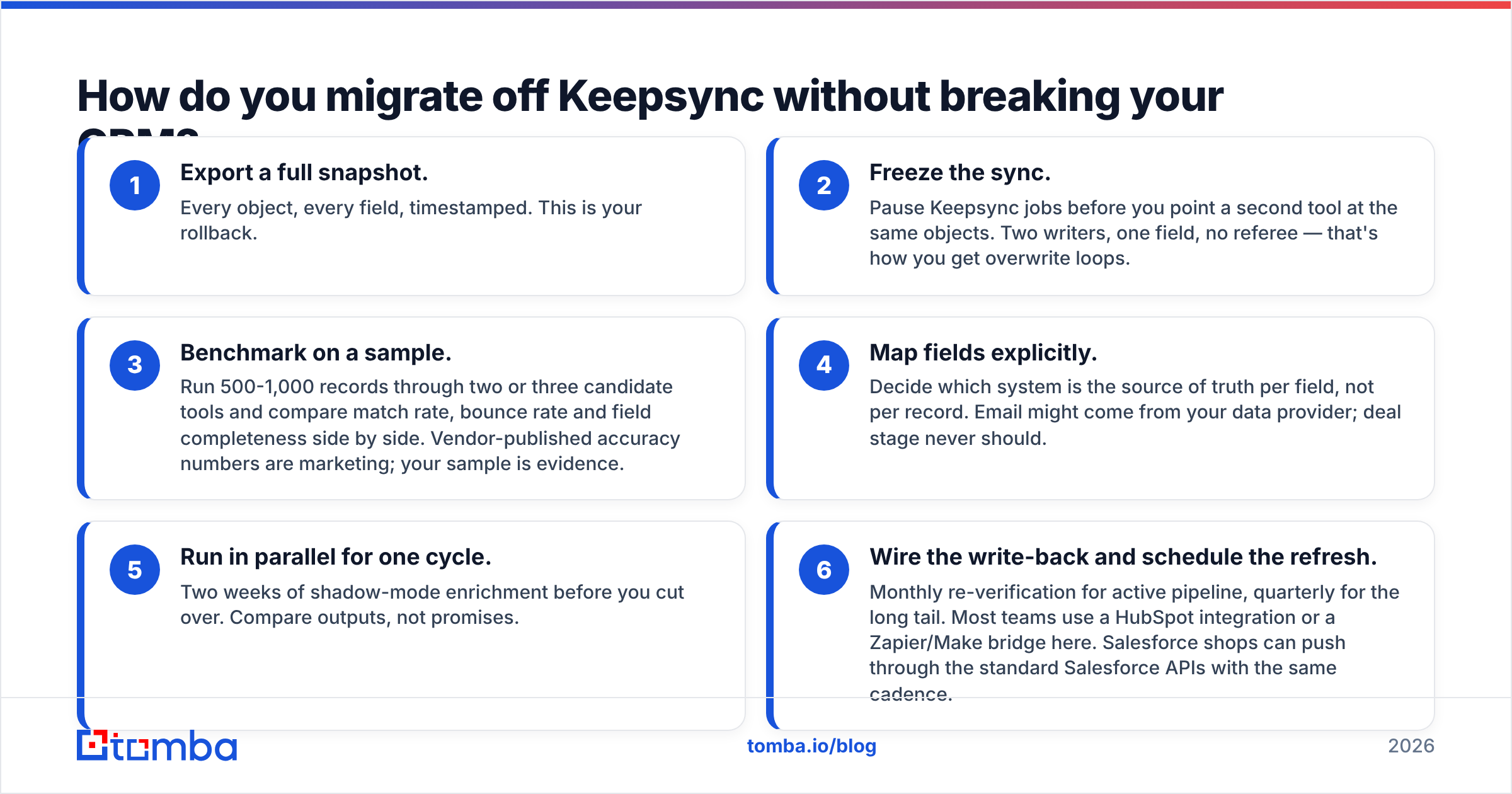
Six steps, in this order. Skipping step two is how teams end up with duplicate record explosions.
- Export a full snapshot. Every object, every field, timestamped. This is your rollback.
- Freeze the sync. Pause Keepsync jobs before you point a second tool at the same objects. Two writers, one field, no referee — that's how you get overwrite loops.
- Benchmark on a sample. Run 500-1,000 records through two or three candidate tools and compare match rate, bounce rate and field completeness side by side. Vendor-published accuracy numbers are marketing; your sample is evidence.
- Map fields explicitly. Decide which system is the source of truth per field, not per record. Email might come from your data provider; deal stage never should.
- Run in parallel for one cycle. Two weeks of shadow-mode enrichment before you cut over. Compare outputs, not promises.
- Wire the write-back and schedule the refresh. Monthly re-verification for active pipeline, quarterly for the long tail. Most teams use a HubSpot integration or a Zapier/Make bridge here. Salesforce shops can push through the standard Salesforce APIs with the same cadence.
Budget two to three weeks end to end for a mid-size CRM. It's less work than it sounds, and the parallel-run step catches almost every mapping mistake before it's expensive.
Which Keepsync alternative is right for your team?#
- Solo founder or two-person sales team: start on a free tier and upgrade when you hit the ceiling. Tomba's free plan plus a $49/mo Starter covers a surprising amount of ground before you need anything else.
- Agency running outbound for clients: bounce guarantees matter more than feature breadth. Findymail or Tomba's bulk workflows, with strict per-client list hygiene.
- RevOps team with engineering support: Clay if you want to build the logic yourself, or a direct API integration if you want fewer moving parts and predictable per-lookup costs.
- Campaign-based, seasonal outbound: BookYourData's pay-as-you-go credits beat paying for twelve months of a subscription you use in three.
- HubSpot-native org: Breeze Intelligence removes an integration, but price-check it against a standalone provider at your volume — the credit math often favors the standalone.
- Enterprise with an SDR floor and intent requirements: ZoomInfo, and negotiate hard on the multi-year.
The honest summary: nobody should pick a tool from a comparison table alone, including this one. Pick two, run the 500-record benchmark from step three, and let match rate and bounce rate decide. The data will disagree with at least one of your assumptions.
Ready to fix the data instead of just moving it?#
If the reason you're reading about Keepsync alternatives is that your CRM is full of records that sync perfectly and bounce anyway, start at the source. The Tomba Email Finder resolves names and domains to verified, deliverable addresses, with verification, catch-all handling, enrichment and a clean API behind it. Free tier is 25 searches a month — enough to run a sample against your own list and see the match rate for yourself before you commit a single dollar.
Benchmark it against whatever else is on your shortlist. That's the only comparison that counts.
Related guides#
// get started
Find, verify and enrich your first contacts today
Start on the free plan with 25 searches a month, then scale when your team is ready.
Free plan · No credit card required · GDPR & CCPA
// about the author