Kickbox vs Leadsrush: Which Email Data Tool Wins in 2026?
Kickbox verifies the emails you already have. Leadsrush helps you get emails in the first place. Here is the honest breakdown of where each one fits, what it costs, and when you need something that does both.
TL;DR
- Kickbox and Leadsrush are not really competitors. Kickbox is an email verification service; Leadsrush is a lead sourcing platform. Picking between them usually means you have not decided which problem is actually hurting you.
- If your bounce rate is climbing and your list already exists, Kickbox is the closer fit. Its per-verification pricing and Sendex quality score are built for cleaning data at volume.
- If you have no list yet and need contacts for named companies, a verifier does nothing for you. That is the Leadsrush lane.
- Running both means two vendors, two credit systems, two APIs, and a manual handoff between them. Tools like Tomba collapse find + verify into one pipeline starting at $49/mo.
- The expensive mistake is not picking the "wrong" tool. It is sending to unverified sourced data because the verification step lived in a different subscription nobody renewed.
What is the real difference between Kickbox and Leadsrush?#
Start with the job each tool was built for, because the marketing pages blur it.
Kickbox is a deliverability company. You hand it a list of email addresses and it tells you which ones are safe to send to. It checks syntax, domain and MX records, mailbox existence via SMTP, and layers on its own Sendex score, a 0–1 quality rating that estimates how engaged a given address is likely to be. It also flags disposable addresses, role accounts like info@ and sales@, and accept-all (catch-all) domains where a definitive answer is impossible. Kickbox does not find you a single new contact.
Leadsrush sits on the other side of the funnel. It is a lead-sourcing platform: you describe the companies or people you want, and it returns contact records you did not previously have. That is a discovery problem, not a hygiene problem. Whatever it returns still has to be validated before it touches your sending domain, because sourced data is only as fresh as the last time the underlying source was crawled.
So the honest framing of kickbox vs leadsrush is this: one is a filter, the other is a faucet. Comparing them head to head only makes sense if you are trying to work out which one your current stack is missing.
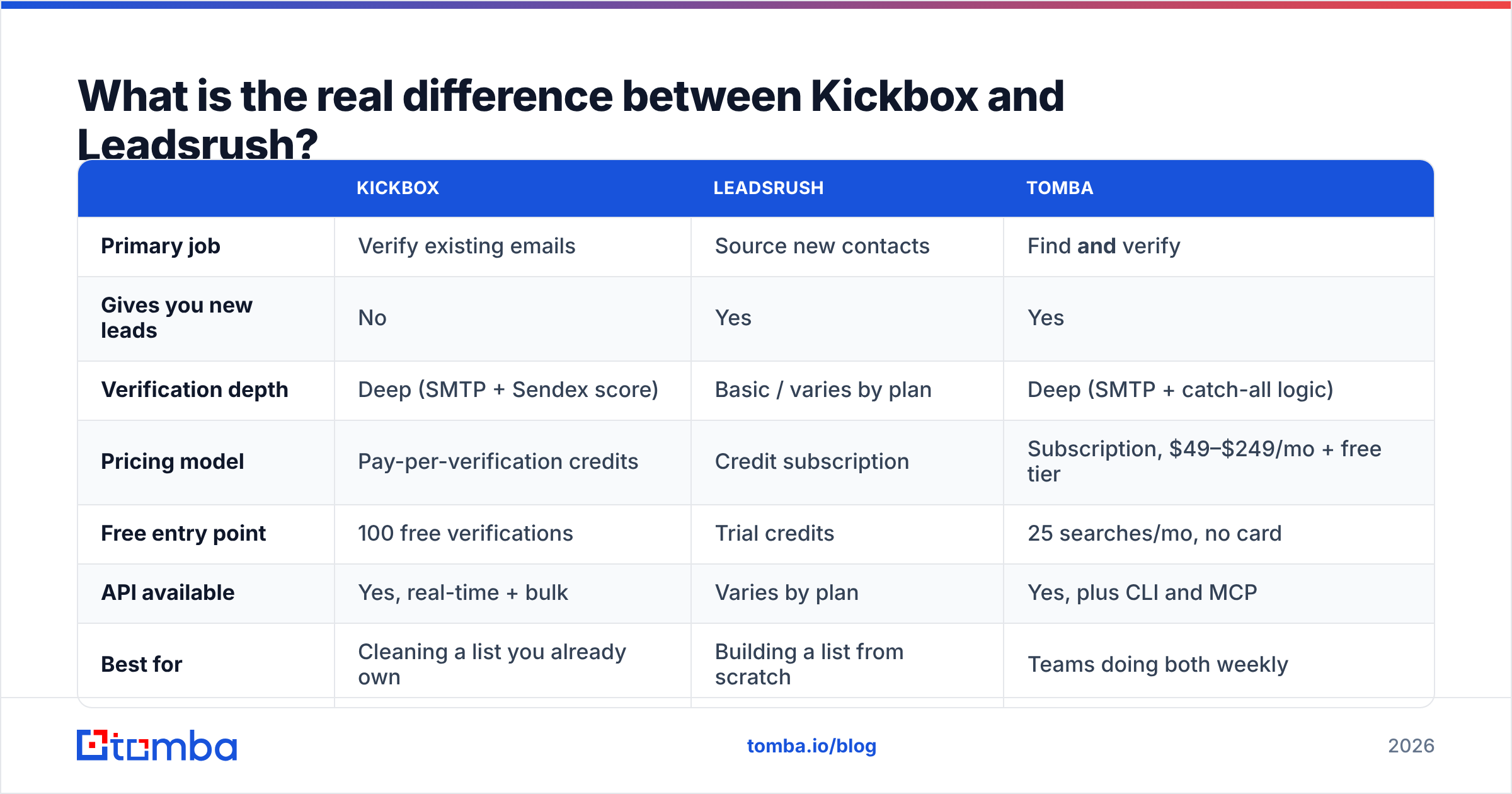
| Kickbox | Leadsrush | Tomba | |
|---|---|---|---|
| Primary job | Verify existing emails | Source new contacts | Find and verify |
| Gives you new leads | No | Yes | Yes |
| Verification depth | Deep (SMTP + Sendex score) | Basic / varies by plan | Deep (SMTP + catch-all logic) |
| Pricing model | Pay-per-verification credits | Credit subscription | Subscription, $49–$249/mo + free tier |
| Free entry point | 100 free verifications | Trial credits | 25 searches/mo, no card |
| API available | Yes, real-time + bulk | Varies by plan | Yes, plus CLI and MCP |
| Best for | Cleaning a list you already own | Building a list from scratch | Teams doing both weekly |
What does Kickbox actually do well?#
Three things, and it does them without much drama.
Real-time verification at the form. Kickbox's real-time API is designed to sit on a signup form and reject junk before it enters your database. This is the highest-leverage use of a verifier, because it stops bad data at the source rather than paying to clean it later. If you run a high-volume signup flow, this alone can justify the subscription.
The Sendex score. Most verifiers return a binary deliverable/undeliverable verdict. Kickbox adds a quality dimension: an address can be technically deliverable and still be a bad idea to email, because it is a role account, a known complainer domain, or a mailbox that looks dormant. Sorting by Sendex lets you send to your best 60 percent first and warm up gradually.
Honest catch-all handling. Kickbox labels accept-all domains as "risky" rather than pretending to know. That is the correct answer technically, but it leaves you with a decision to make on what is often 20–30 percent of a B2B list. If you work heavily with Microsoft 365 tenants, that bucket gets large fast, and you will want a dedicated catch-all verifier to squeeze signal out of it rather than discarding the whole segment.
Where Kickbox gets frustrating is scope. It has no discovery layer. No domain search, no pattern inference, no enrichment. If a prospect changes jobs, Kickbox will eventually tell you the old address is dead — but it cannot tell you the new one.

What does Leadsrush actually do well?#
Leadsrush answers the question Kickbox cannot: where do the addresses come from?
Lead-sourcing platforms in this bracket generally work one of three ways, and Leadsrush leans on the first two:
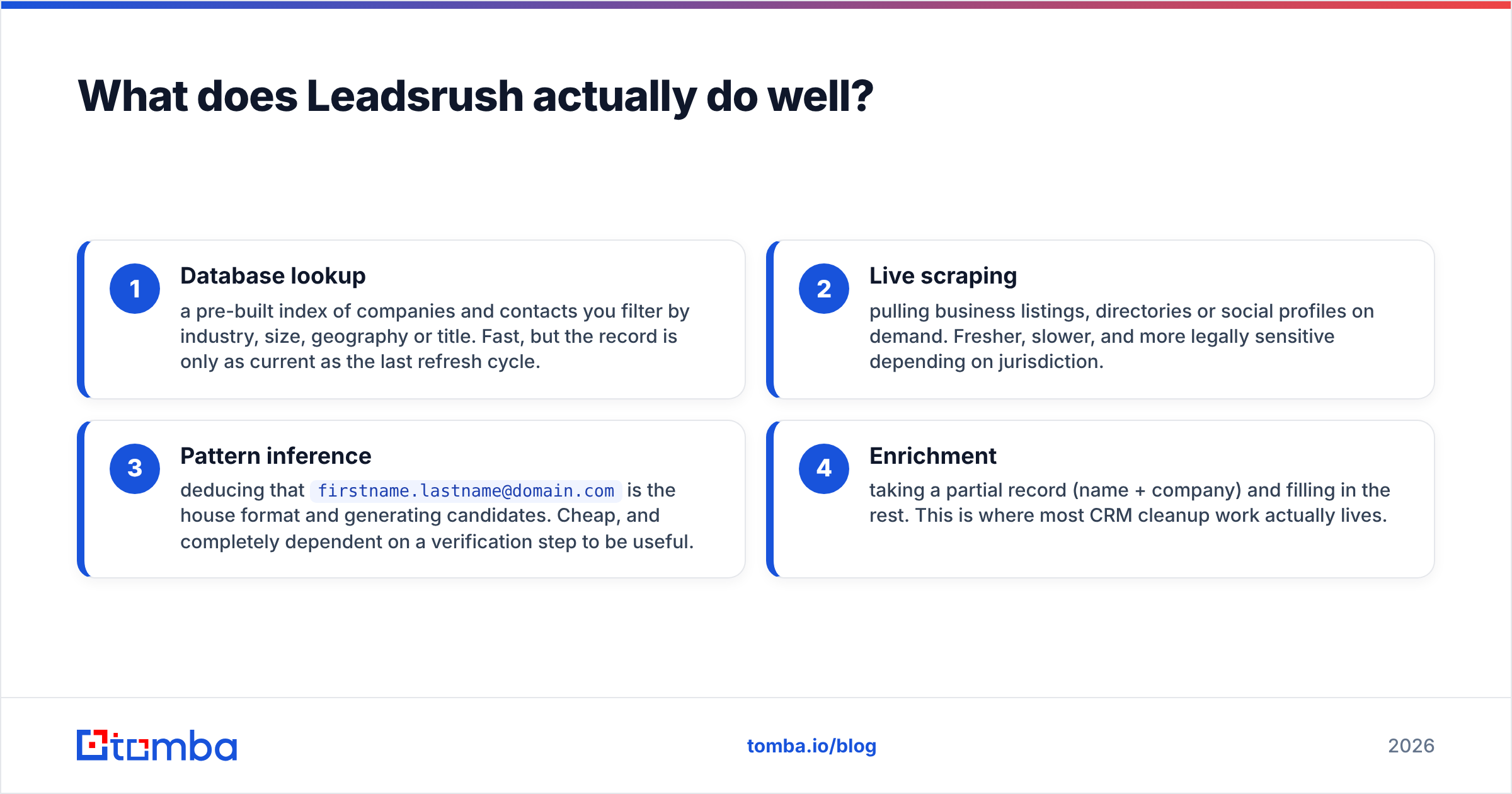
- Database lookup — a pre-built index of companies and contacts you filter by industry, size, geography or title. Fast, but the record is only as current as the last refresh cycle.
- Live scraping — pulling business listings, directories or social profiles on demand. Fresher, slower, and more legally sensitive depending on jurisdiction.
- Pattern inference — deducing that
firstname.lastname@domain.comis the house format and generating candidates. Cheap, and completely dependent on a verification step to be useful. - Enrichment — taking a partial record (name + company) and filling in the rest. This is where most CRM cleanup work actually lives.
The value here is speed to first list. You can go from "we should target dental clinics in Ontario" to a spreadsheet of contacts in an afternoon, which no verifier will ever do for you.
The catch is the one every sourcing tool shares: coverage and accuracy vary wildly by segment. Enterprise tech in North America is well covered by almost everyone. Mid-market manufacturing in Central Europe is not. Before committing to an annual plan, run the same 100-company sample through any tool you are evaluating and count how many usable, verified addresses come back. Vendor-published accuracy numbers are marketing; your own sample is data.
Which one is more accurate?#
This question is a category error, and it is worth naming why.
Kickbox measures accuracy as: of the addresses we marked deliverable, how many actually delivered? Good verifiers sit in the high 90s on this, because SMTP verification is a fairly deterministic process when the receiving server cooperates.
Leadsrush measures accuracy as: of the addresses we found, how many are real and current? That number is structurally lower for every sourcing vendor on the market, because it depends on human behaviour — job changes, domain migrations, mailbox retirements — not on protocol responses.

So a verifier will always post a higher headline accuracy number than a finder, and it tells you nothing about which tool to buy. The metric that actually matters is end-to-end usable contacts per dollar: start with 1,000 target companies, and count how many verified, sendable, correctly-titled contacts you have at the end of the pipeline, divided by total spend across every tool involved.
Run that calculation and stacked subscriptions look much worse than they do on a feature grid. Two vendors at $49 and $79 with separate credit pools and 30 percent overlap in what you actually use is not a cheaper stack than one vendor at $99 that covers both jobs.
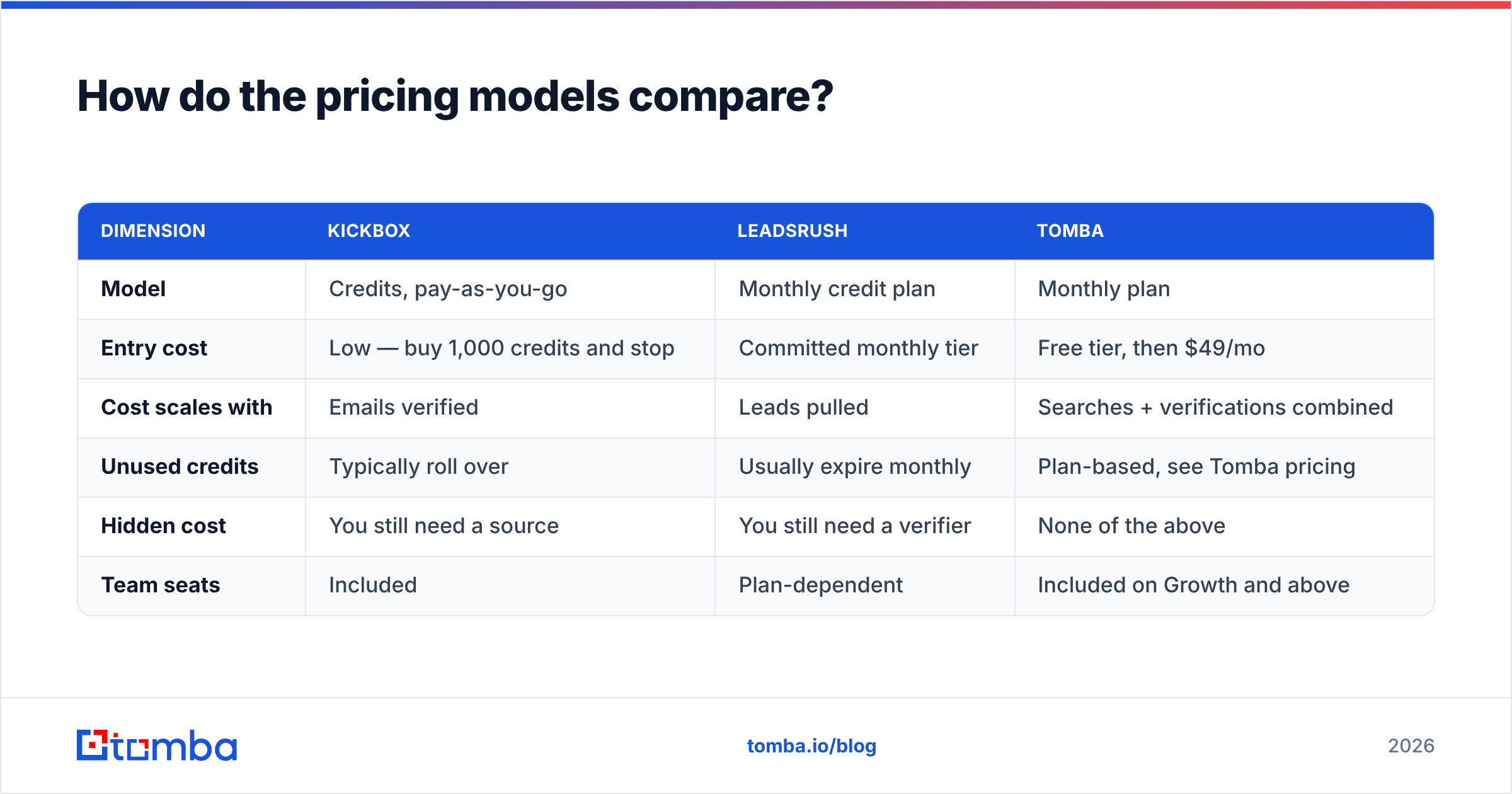
How do the pricing models compare?#
The pricing structures are shaped differently, which makes direct comparison misleading unless you normalise to your own volume.
| Dimension | Kickbox | Leadsrush | Tomba |
|---|---|---|---|
| Model | Credits, pay-as-you-go | Monthly credit plan | Monthly plan |
| Entry cost | Low — buy 1,000 credits and stop | Committed monthly tier | Free tier, then $49/mo |
| Cost scales with | Emails verified | Leads pulled | Searches + verifications combined |
| Unused credits | Typically roll over | Usually expire monthly | Plan-based, see Tomba pricing |
| Hidden cost | You still need a source | You still need a verifier | None of the above |
| Team seats | Included | Plan-dependent | Included on Growth and above |
Kickbox's pay-as-you-go model is genuinely good for spiky workloads. If you clean a list twice a year, you should not be on a subscription, and Kickbox does not force you onto one. Check their current rate card directly, since per-credit pricing steps down at volume and changes periodically.
Subscription sourcing tools punish irregular use in the opposite direction. If you pull 4,000 leads in January and nothing in February, you paid twice for one month of work. Look at whether credits roll over before you compare monthly headline prices — it frequently matters more than the price itself.
For reference points outside vendor marketing, G2's email verification category is the least-bad public source for how real buyers rate these tools, mostly because review volume makes individual astroturfing harder to hide.
Do you need both, or is there a single tool that covers it?#
Here is the workflow most teams end up running when they buy a finder and a verifier separately:
- Pull a list from the sourcing tool
- Export to CSV
- Upload to the verifier
- Wait
- Download results
- Re-merge with the original records, losing half the enrichment fields in the process
- Import to the CRM
- Discover next month that step 3 got skipped
Step 8 is the one that costs money. It is also the one that never appears in a vendor comparison table.

The single-vendor argument is not that any one tool is best at both jobs. It is that the handoff between jobs is where data quality dies. When finding emails and verifying them happen inside one system, verification is not a step someone can forget — it is a field on the record.
Tomba's stack is built around that assumption. The email finder handles discovery by name and domain, the email verifier runs SMTP-level validation on everything it returns, domain search pulls every public address at a company in one call, and bulk processing handles the list-level work without a CSV round trip. One credit pool, one API key, one export.
That is not a knock on Kickbox. If your only problem is a dirty list and you have no interest in sourcing, a specialist verifier with pay-as-you-go pricing is a rational purchase and Kickbox is among the better ones. Specialists exist for a reason.
Which should you choose for your specific situation?#
Match the tool to the actual bottleneck:
- Your bounce rate is above 3 percent and you already have a list. Buy verification. Kickbox, used as a one-off credit purchase, is a clean answer. Pair it with Google Postmaster Tools so you can see whether the cleanup actually moved your reputation.
- You have no list and a territory to attack. A verifier is useless to you right now. You need a sourcing tool — Leadsrush or a comparable platform — and then a verification step immediately after.
- You do both every week. Stop paying two vendors and reconciling two credit systems. A combined platform is cheaper and structurally safer, because the verify step cannot be skipped.
- You are technical and want this in a pipeline, not a dashboard. Compare API design directly. The Tomba API returns a confidence score and verification status on the same object as the discovered address, which removes an entire orchestration step from your code.
- You are a solo founder testing an ICP. Start on a free tier, run 25 searches, and see whether the data is good enough in your niche before committing to anything annual.
- Your deliverability is already damaged. No tool fixes this alone. Clean the list, fix authentication, and rebuild volume slowly. Verification is necessary but not sufficient.
What should you actually test before buying?#
Do not evaluate on feature lists. Run a bake-off with a sample you can score yourself:
Pick 100 target companies from your real ICP. Not the tool's demo data, not a list of Fortune 500 names that every vendor has memorised. Your actual segment, including the awkward geographies.
Measure coverage first. How many of the 100 returned at least one plausible contact with the right title? A tool that nails 95 percent accuracy on the 30 companies it covers is worse than one that hits 88 percent on 80 companies.
Then measure survival. Send a small, warmed batch and count hard bounces at 48 hours. This is the only number that cannot be gamed. Anything under 2 percent is healthy; above 5 percent means the verification layer is not doing its job.
Check the catch-all bucket separately. If 25 percent of your results are "risky/accept-all," ask each vendor what they do with them. Discarding that segment silently costs you a quarter of your pipeline.
Time the workflow end to end. From "here are 100 companies" to "here is a CRM-ready file." If one tool takes 20 minutes and another takes two hours of CSV shuffling, the hourly cost of that difference dwarfs the subscription gap within a month.
The bottom line#
Kickbox and Leadsrush solve different halves of the same problem, and buying one while ignoring the other is how teams end up with either a pristine list of nobody or a large list that torches their sending domain. If you genuinely only need verification, buy a verifier. If you genuinely only need sourcing, buy a sourcing tool. But most B2B teams need both every single week, and paying two vendors to hand files to each other is a workflow tax with no upside.
If that describes you, start with the Tomba Email Finder. Find the contact, get the verification status on the same record, export once. The free tier gives you 25 searches a month with no card, which is enough to run the 100-company bake-off above and decide with your own data instead of someone else's benchmark. Paid plans start at $49/mo when you are ready to scale.
Related guides#
// get started
Find, verify and enrich your first contacts today
Start on the free plan with 25 searches a month, then scale when your team is ready.
Free plan · No credit card required · GDPR & CCPA
// about the author