Kickbox vs SignalHire: Which Tool Fits Your 2026 Stack?
Kickbox verifies emails you already have. SignalHire finds contacts you don't. Here's an honest breakdown of pricing, accuracy, data coverage, and which one actually belongs in your outbound stack in 2026.
Kickbox vs SignalHire comes down to one question: do you need to clean a list, or build one? Kickbox verifies emails you already have. SignalHire finds new contacts and phone numbers. Here is how they compare on price, accuracy, and fit.
TL;DR
- They are not competitors. Kickbox is an email verification service. SignalHire is a contact discovery tool that pulls emails and phone numbers from profiles. A head-to-head only makes sense once you know which half of the problem you have.
- Kickbox wins on list hygiene. You get pay-as-you-go credits, a clear deliverable/risky/unknown taxonomy, and a real-time API. That makes it a solid cleaning layer for marketing lists.
- SignalHire wins on phone numbers and recruiting. Its browser extension and ATS-style pipeline features are built for recruiters first, SDRs second.
- Neither one covers the full loop. Find → verify → enrich needs two subscriptions if you buy these two. It also needs two credit systems to reconcile.
- If you want one bill, a combined platform like Tomba runs $49/mo at the Starter tier. Finding, verification, catch-all handling, and phone lookup share one credit pool.
Kickbox vs SignalHire: what are they, and why compare them?#
Both show up when you search "how do I get email addresses that actually work." That is where the overlap ends.
Kickbox is a dedicated email verification provider. You give it addresses you already collected. They might come from a signup form, a CRM export, or a scraped list. Kickbox tells you whether sending to them will bounce. It does not find anything for you.
SignalHire is a contact database and browser extension. You give it a person or a company. It returns work emails, personal emails, and phone numbers. It has a verification layer, but that is a byproduct of the lookup, not the product.
So the real question behind "Kickbox vs SignalHire" is simple. Do I have a data problem or a hygiene problem? Is your bounce rate climbing on a list you already own? That is Kickbox territory. Are your reps staring at an empty prospect list? That is SignalHire territory. In outbound, both are usually true. Then you are looking at two tools, two contracts, and two sets of credits that expire on different dates.
What does Kickbox actually do?#
Kickbox has a narrow job and it does that job well. Here is what you get:
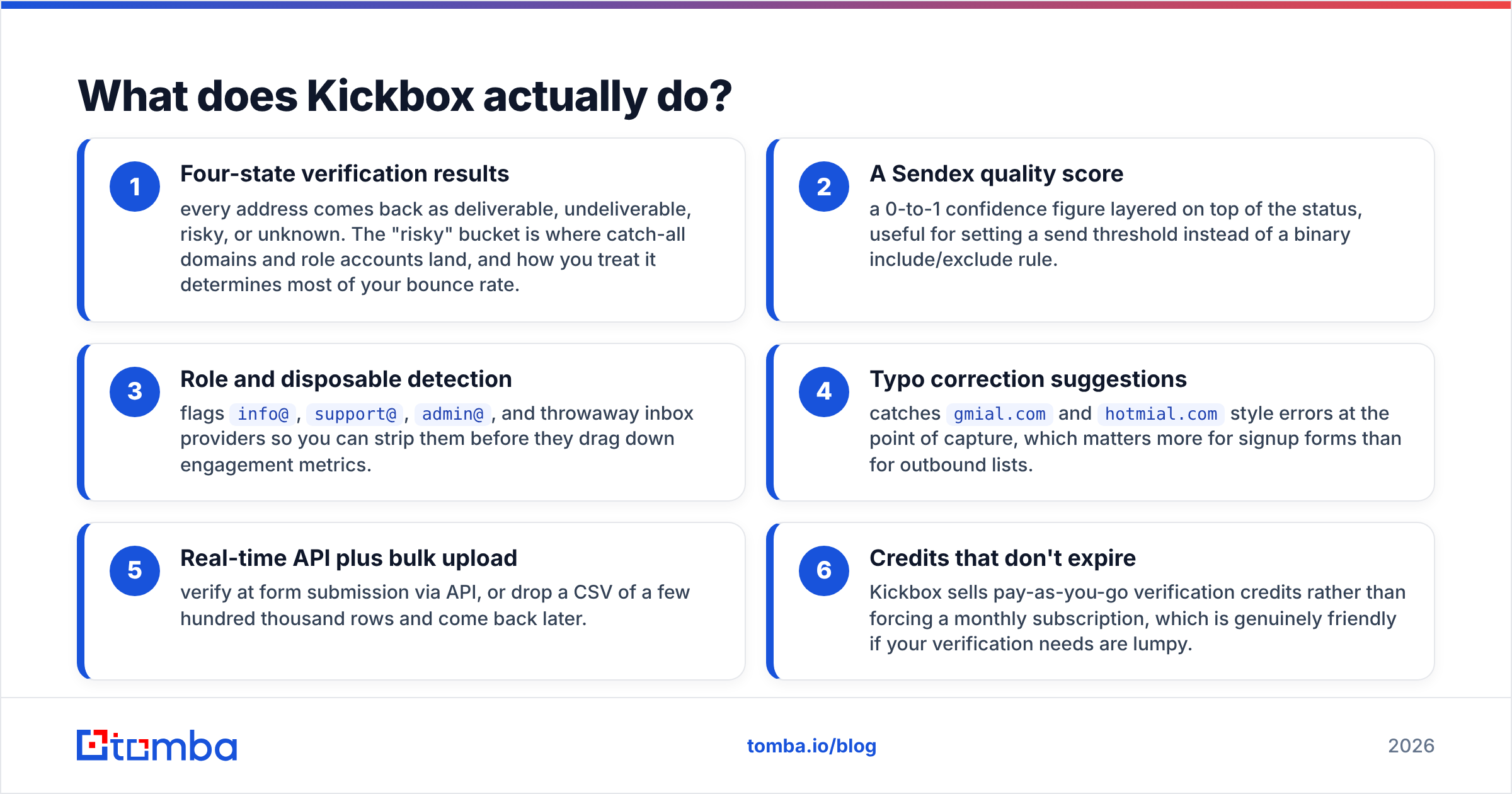
- Four-state verification results — every address comes back as deliverable, undeliverable, risky, or unknown. Catch-all domains and role accounts land in the "risky" bucket. How you treat that bucket drives most of your bounce rate.
- A Sendex quality score — a 0-to-1 confidence figure layered on top of the status. Use it to set a send threshold instead of a simple yes/no rule.
- Role and disposable detection — it flags
info@,support@,admin@, and throwaway inbox providers. Strip them before they drag down your engagement metrics. - Typo correction suggestions — it catches
gmial.comandhotmial.comerrors at the point of capture. That matters more for signup forms than for outbound lists. - Real-time API plus bulk upload — verify at form submission through the API. Or drop in a CSV of a few hundred thousand rows and come back later.
- Credits that don't expire — Kickbox sells pay-as-you-go credits instead of a monthly plan. That is genuinely friendly when your volume is lumpy.
Here is what Kickbox does not do. It will not find an address, enrich a company record, return a phone number, or tell you who to contact. It is a filter, not a source.
What does SignalHire actually do?#
SignalHire sits on the other side of the workflow. The loop is simple. Open a profile on LinkedIn, GitHub, X, or a company site. Click the extension. Get contact details back for that person.
- Multi-channel contact reveal — work email, personal email, and direct or mobile numbers where available. Phone coverage is the main reason recruiters pick it.
- Browser extension first — the extension is the main interface. Web app search exists, but the product lives in profile-by-profile reveal.
- Recruiting features — candidate pipelines, team seats, notes, and basic ATS-style tracking. For an SDR, half of this is dead weight. For a recruiter, it is the reason to buy.
- Bulk search and API — available on higher tiers for programmatic lookups.
- Credit-per-reveal pricing — you spend a credit each time a contact is revealed. Coverage varies sharply by region and seniority.
SignalHire's weakness is the flip side of its strength. Reveals are profile-driven. So building a list of 5,000 contacts at 300 companies is slow and credit-hungry. A domain-level search does the same job faster.
Kickbox vs SignalHire: feature by feature#
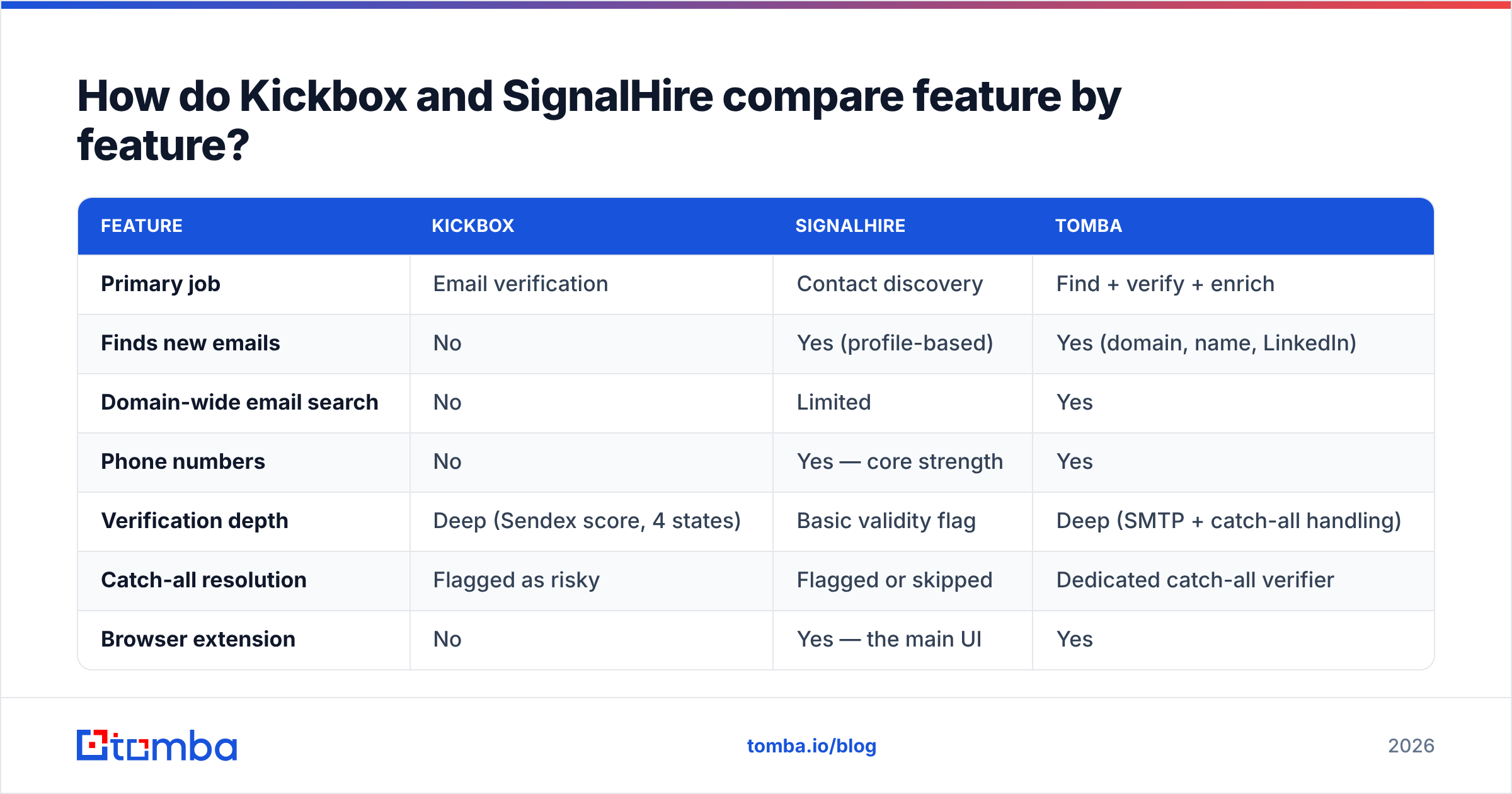
Here is the honest side-by-side. Tomba is included for context, since it spans both categories.
| Feature | Kickbox | SignalHire | Tomba |
|---|---|---|---|
| Primary job | Email verification | Contact discovery | Find + verify + enrich |
| Finds new emails | No | Yes (profile-based) | Yes (domain, name, LinkedIn) |
| Domain-wide email search | No | Limited | Yes |
| Phone numbers | No | Yes — core strength | Yes |
| Verification depth | Deep (Sendex score, 4 states) | Basic validity flag | Deep (SMTP + catch-all handling) |
| Catch-all resolution | Flagged as risky | Flagged or skipped | Dedicated catch-all verifier |
| Browser extension | No | Yes — the main UI | Yes |
| API access | Yes, all plans | Higher tiers | Yes, all paid plans |
| Best-fit buyer | Email marketers, product teams | Recruiters, phone-first sales | Outbound teams, agencies |
| Entry price | Pay-as-you-go credits | ~$49/mo (credit bundle) | $49/mo Starter |
| Free tier | Trial credits | Small monthly credit allowance | 25 searches/mo |

Two things jump out. First, the feature overlap is close to zero. The only shared row is "does something with email validity," and even there the depth differs a lot. Second, the buyers barely intersect. A lifecycle marketer cleaning a 400,000-row Mailchimp list has no use for SignalHire. A technical recruiter sourcing DevOps engineers has no use for Kickbox.
Which one is more accurate?#
That is the wrong question. The two tools measure different things. And you should be skeptical of every vendor accuracy claim, including the ones below.
Kickbox measures whether an address accepts mail. That claim is testable and bounded. On clean, non-catch-all domains, verification providers all land in a narrow band. The gaps show up in the hard cases: catch-all domains, greylisting mail servers, and providers that accept everything at SMTP time and bounce later.
SignalHire measures whether an address belongs to a person. That is a much harder claim, and it decays fast. Roughly a fifth to a quarter of B2B contact data goes stale each year as people change jobs. A contact that was perfect in January can bounce by October, no matter how good the original match was.

The practical takeaway is short. Source from SignalHire and send without re-verifying, and you inherit every month of decay on that record. Verify with Kickbox after sourcing badly, and you get a clean list of people who are not your buyers. Both failures are common. Neither tool warns you about the other one.
Check real buyer reviews on G2 before you commit. Read the ones from your own region. Coverage for EMEA and APAC contacts differs a lot from North America, and that is true for every vendor in this space.
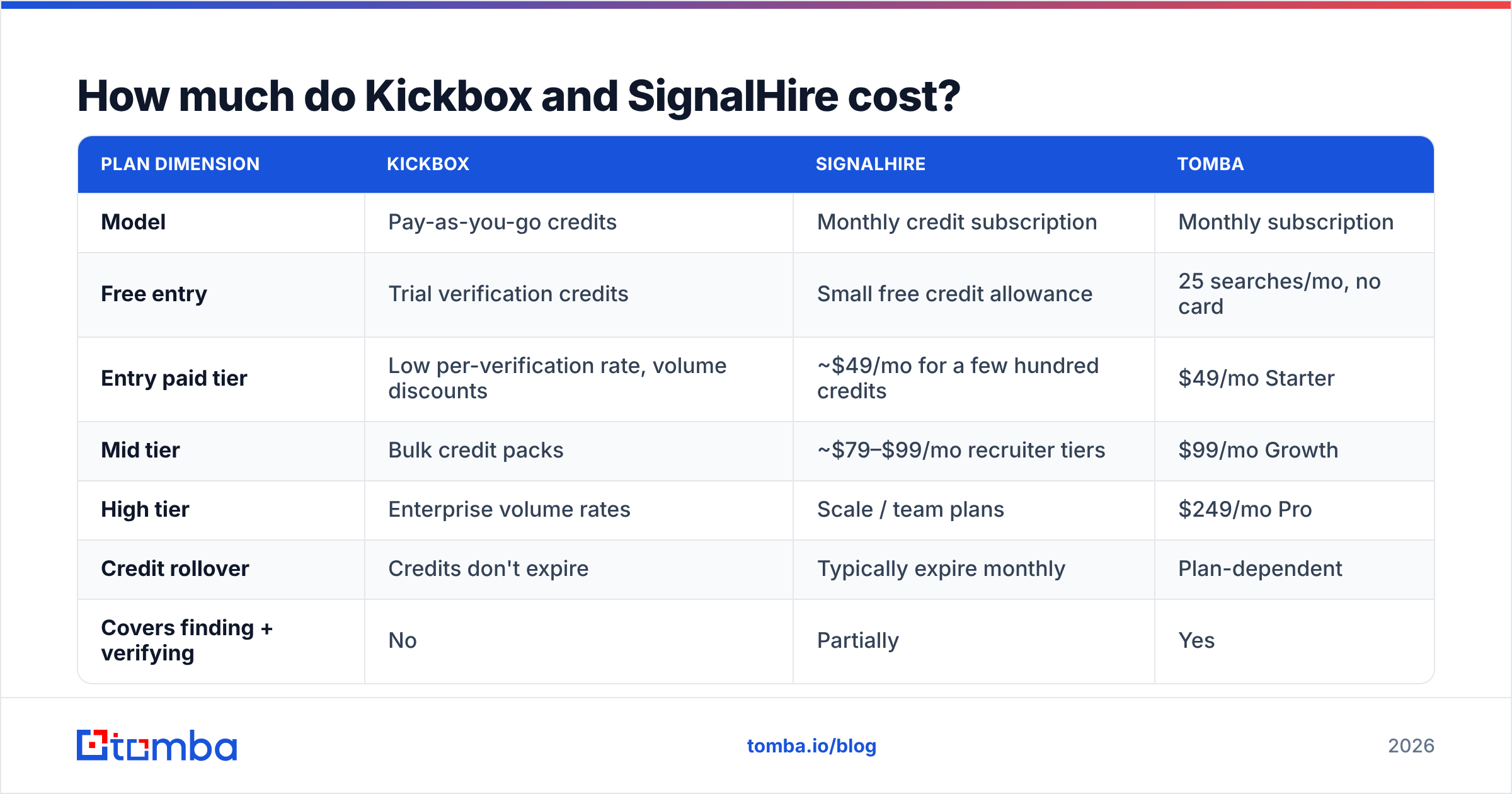
How much do Kickbox and SignalHire cost?#
Pricing moves on both sides. Treat these numbers as directional and confirm them on the vendor pages before you buy.
| Plan dimension | Kickbox | SignalHire | Tomba |
|---|---|---|---|
| Model | Pay-as-you-go credits | Monthly credit subscription | Monthly subscription |
| Free entry | Trial verification credits | Small free credit allowance | 25 searches/mo, no card |
| Entry paid tier | Low per-verification rate, volume discounts | ~$49/mo for a few hundred credits | $49/mo Starter |
| Mid tier | Bulk credit packs | ~$79–$99/mo recruiter tiers | $99/mo Growth |
| High tier | Enterprise volume rates | Scale / team plans | $249/mo Pro |
| Credit rollover | Credits don't expire | Typically expire monthly | Plan-dependent |
| Covers finding + verifying | No | Partially | Yes |
The hidden cost is not in either table. A real outbound stack needs both jobs done. So you pay two entry prices. You also pay an operational tax: export from one tool, import to the other, then reconcile which records failed where. On a 3-person SDR team, that reconciliation is somebody's Tuesday.
Compare that with Tomba pricing. Finding and verification draw from the same pool and the same API key.
Is Kickbox better than SignalHire for cold email?#
For cold email, neither one is complete. They fail in different places.
Kickbox handles the last mile well. Clean the list, drop the undeliverables, and decide what to do with the risky bucket. Your bounce rate then stays under the limits Google and Microsoft enforce. That protects sender reputation, which decides whether your campaign lands at all. But Kickbox cannot build the list.
SignalHire can build the list. At volume, though, the math works against you. Profile-by-profile reveal is fine for 40 high-value accounts. It is painful for 2,000. The verification layer is shallow, so you re-verify elsewhere anyway.
Here is the setup that works for cold email. Use domain-level discovery to build the list. Run deep verification, including catch-all resolution, before you send. Then enrich for personalization. That is three jobs. Kickbox does one of them well. SignalHire does one and a half.
Where does each tool fall short?#
Kickbox limitations
- No discovery at all. You must already have the addresses.
- Catch-all domains come back as "risky" with no further answer. On some B2B lists, that is 20–30% of your records stuck in limbo.
- No firmographic or person-level enrichment, so personalization has to come from somewhere else.
SignalHire limitations
- The extension-first workflow does not scale to large list builds.
- Credit burn on failed or partial reveals frustrates users at volume.
- Recruiting features add interface weight that sales teams never touch.
- Verification is a checkbox, not a discipline. You will likely still pay a verifier.
None of this is a dealbreaker inside each tool's own lane. They become dealbreakers when you stretch one tool across the whole workflow.
Do you need both — or neither?#
Run the decision this way:
- You only clean lists you already own (inbound signups, CRM hygiene, newsletter upkeep) → Kickbox alone is a solid, well-built choice.
- You are a recruiter who lives on phone numbers → SignalHire alone makes sense, and the ATS features earn their keep.
- You run outbound sales and need both → Two tools means two bills and two workflows. One platform is usually cheaper and always simpler.
- You need one API across find + verify → A single API surface beats stitching two together.
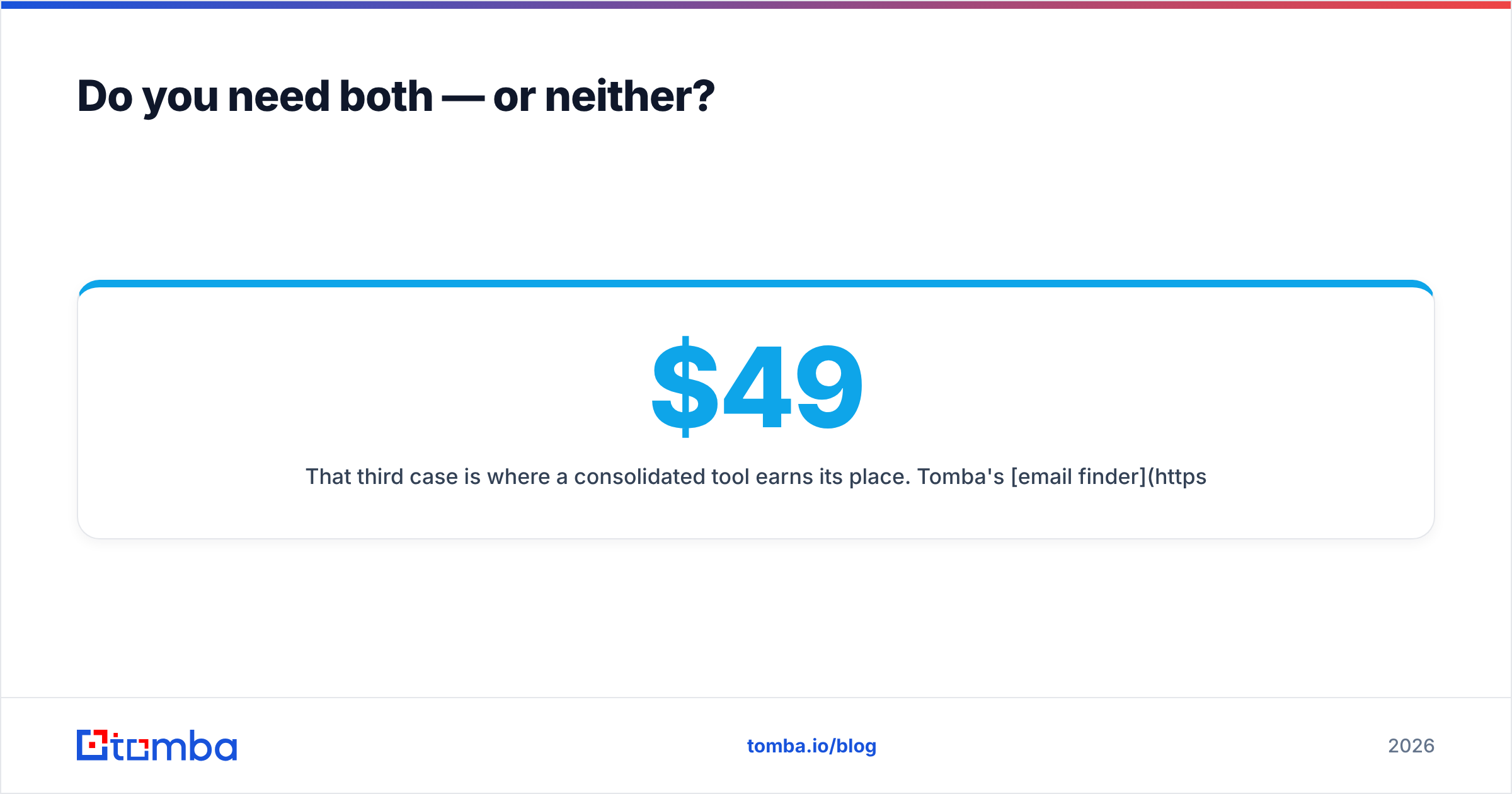
That third case is where a consolidated tool earns its place. Tomba's email finder handles discovery by domain, name, or company. The email verifier runs SMTP-level checks, with a dedicated catch-all verifier for the ambiguous bucket that verify-only tools punt on. And phone finder covers the multi-channel need that pushes people toward SignalHire.
Starter is $49/mo, Growth is $99/mo, and Pro is $249/mo. There is also a free tier at 25 searches a month. Test accuracy on your own target accounts before you pay anyone.
That last point beats any comparison table. Run the same 50 target contacts through every tool on your shortlist. Vendor accuracy figures come from vendor-chosen samples. Your ICP, your regions, your seniority mix — that is the only benchmark that predicts your results.
Kickbox vs SignalHire: which should you choose?#
Pick Kickbox if verification is the whole job and you want a specialist with fair pay-as-you-go pricing. Pick SignalHire if phone numbers and recruiting workflows are non-negotiable. Pick both if you have budget for two tools and patience for two exports.
If none of that appeals, start with the Tomba Email Finder free tier. You get 25 searches a month, no card required. Check whether one platform can cover discovery, verification, catch-all resolution, and phone lookup for less operational drag. Test it on your real list, not a demo one, and let the bounce rate settle the argument.
Related guides#
// get started
Find, verify and enrich your first contacts today
Start on the free plan with 25 searches a month, then scale when your team is ready.
Free plan · No credit card required · GDPR & CCPA
// about the author