KickFire Pricing, Reviews, Pros and Cons: A 2026 Breakdown
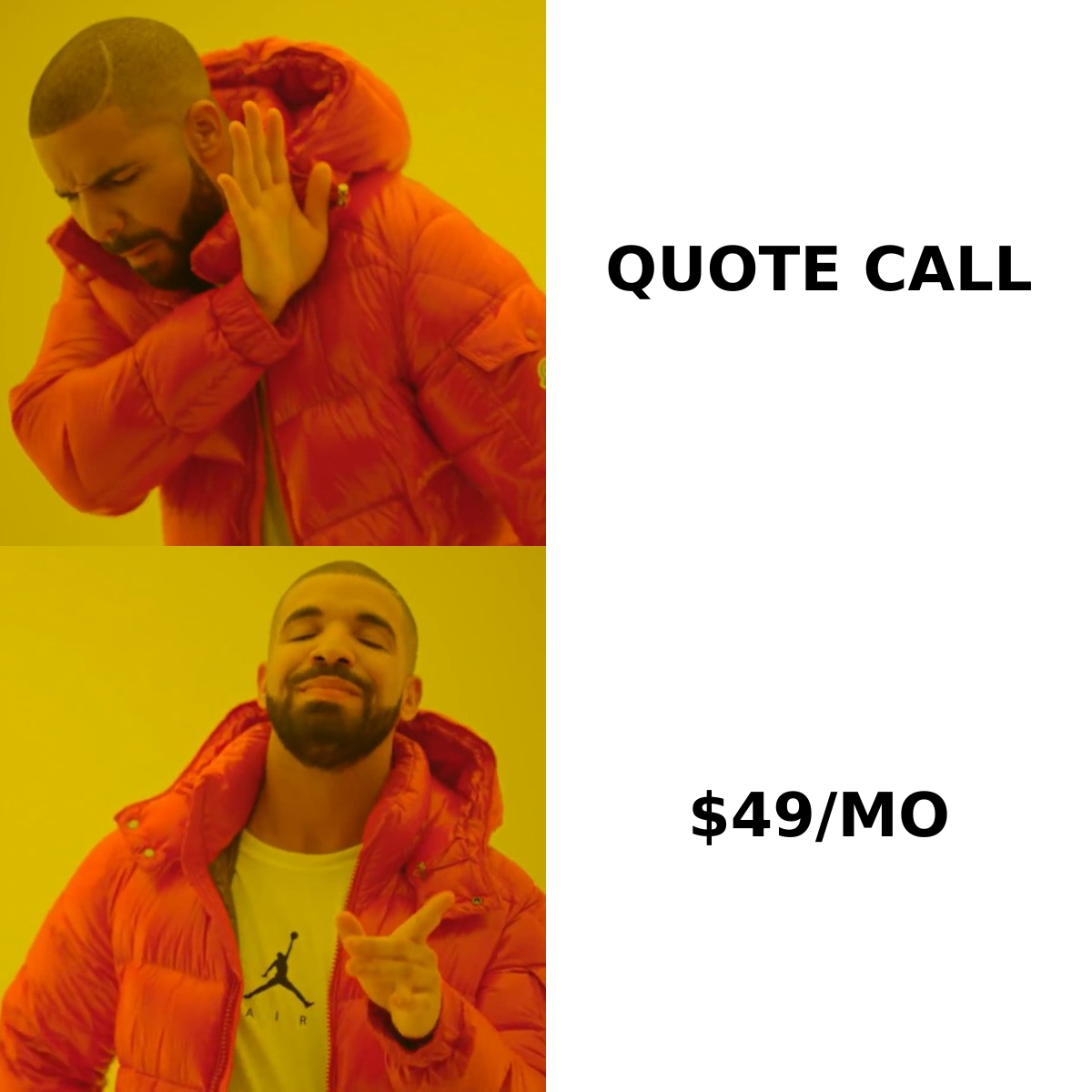
KickFire hides its pricing behind a sales call. Here is what buyers report paying, what the reviews actually say about match accuracy, and when a $49/mo alternative does the same job.
TL;DR
- KickFire does not publish a price list. Every plan is quote-only, negotiated annually, and scoped to your traffic volume — expect a discovery call before you see a number.
- Buyer-reported contracts cluster in the low-to-mid four figures per month for mid-market deployments, with entry packages reported nearer $1,000–$1,500/mo billed annually. Treat every number in this post as a reported range, not an official rate card.
- The strength is IP-to-company identification and firmographic enrichment at the account level. The weakness is that account-level signal is not a contact — you still need emails and phone numbers to act on it.
- Reviews consistently praise the TrueIP matching and the Salesforce/HubSpot push, and consistently flag rigid annual terms, uneven match rates on remote/ISP traffic, and slow support escalation.
- If your bottleneck is "who visited?", KickFire is a reasonable buy. If your bottleneck is "how do I reach them?", a $49/mo contact-data stack solves more of the problem for 5% of the spend.
What is KickFire and what does it actually do?#
KickFire is a B2B account intelligence platform built around IP-to-company identification. You install a tracking script, and when an anonymous visitor lands on your site, KickFire resolves their IP address to a company record and attaches firmographics — industry, revenue band, employee count, location, technographics — then pushes that record into your CRM, ad platform, or MAP.
The company was acquired by Foundry (formerly IDG Communications) in 2021, and the product now sits inside Foundry's broader intent-data portfolio. That matters for pricing: KickFire is increasingly sold as a component of a larger intent and ABM package rather than as a standalone $X/mo SaaS subscription. Check the current product positioning directly at kickfire.com before you assume the standalone SKU you read about in a 2022 review still exists.
Here is the honest framing of what you buy:
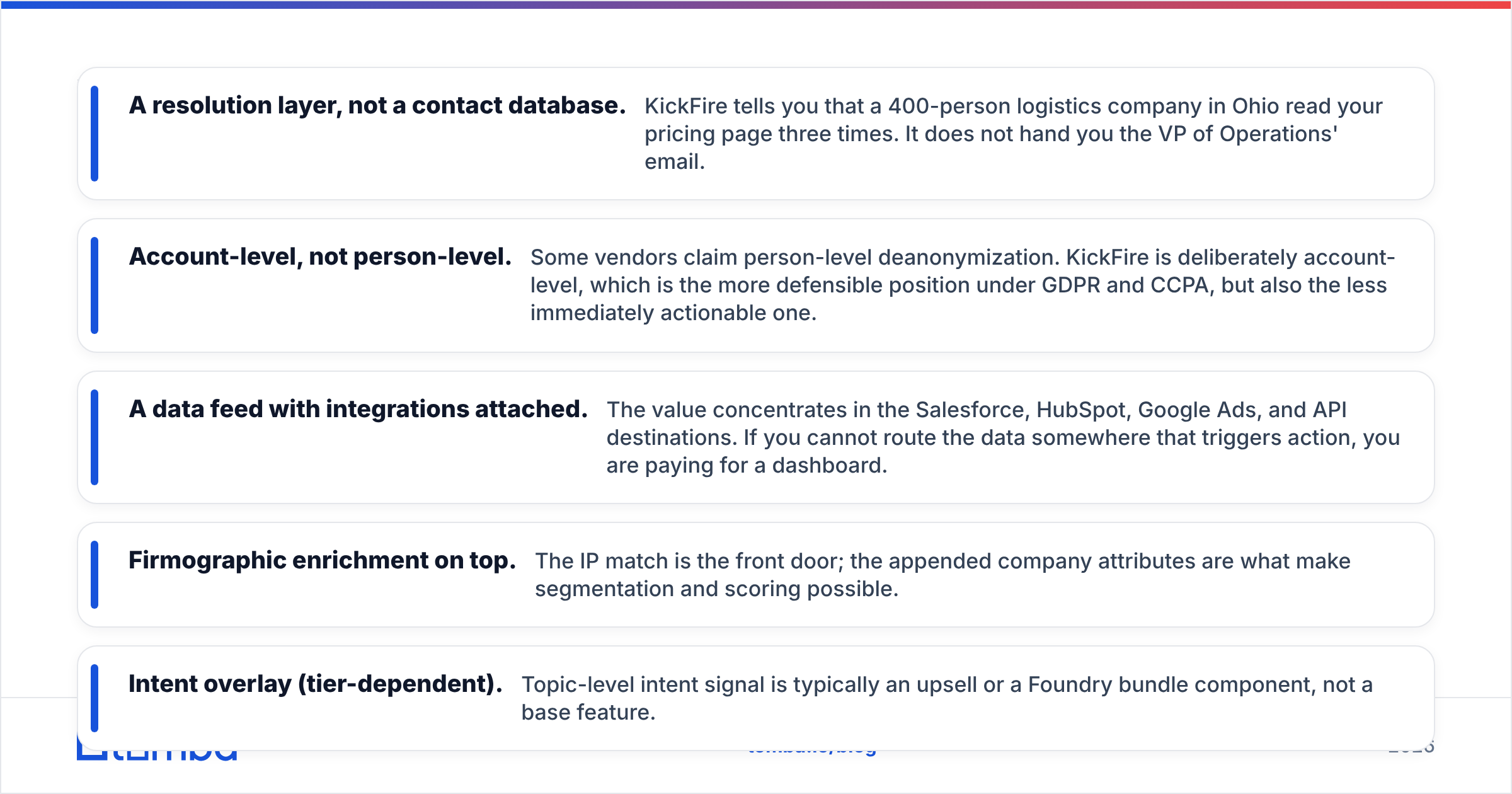
- A resolution layer, not a contact database. KickFire tells you that a 400-person logistics company in Ohio read your pricing page three times. It does not hand you the VP of Operations' email.
- Account-level, not person-level. Some vendors claim person-level deanonymization. KickFire is deliberately account-level, which is the more defensible position under GDPR and CCPA, but also the less immediately actionable one.
- A data feed with integrations attached. The value concentrates in the Salesforce, HubSpot, Google Ads, and API destinations. If you cannot route the data somewhere that triggers action, you are paying for a dashboard.
- Firmographic enrichment on top. The IP match is the front door; the appended company attributes are what make segmentation and scoring possible.
- Intent overlay (tier-dependent). Topic-level intent signal is typically an upsell or a Foundry bundle component, not a base feature.
How does KickFire pricing work in 2026?#
Short answer: you will not find a price on the website, and that is by design. KickFire uses a quote-based, annually contracted model scoped to your monthly identified-company volume, the number of seats, and which destinations you need.
That opacity is the single most common complaint in buyer forums. It is not unusual for enterprise data vendors — Gartner and G2 both list KickFire without a public rate card — but it does mean you cannot budget without a call.
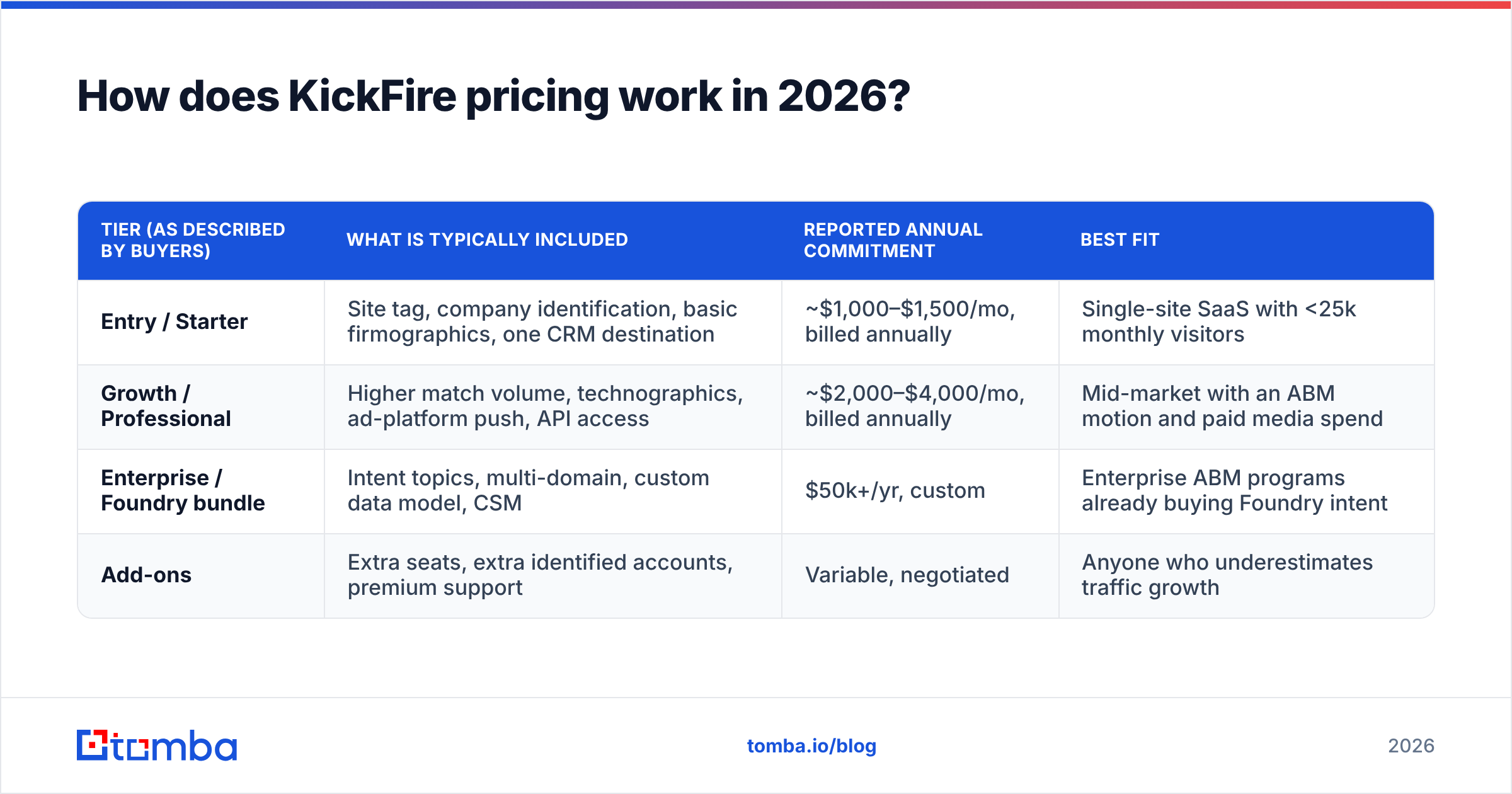
The table below reflects the structure buyers describe, not published rates. Verify every figure with a current quote.
| Tier (as described by buyers) | What is typically included | Reported annual commitment | Best fit |
|---|---|---|---|
| Entry / Starter | Site tag, company identification, basic firmographics, one CRM destination | ~$1,000–$1,500/mo, billed annually | Single-site SaaS with <25k monthly visitors |
| Growth / Professional | Higher match volume, technographics, ad-platform push, API access | ~$2,000–$4,000/mo, billed annually | Mid-market with an ABM motion and paid media spend |
| Enterprise / Foundry bundle | Intent topics, multi-domain, custom data model, CSM | $50k+/yr, custom | Enterprise ABM programs already buying Foundry intent |
| Add-ons | Extra seats, extra identified accounts, premium support | Variable, negotiated | Anyone who underestimates traffic growth |
Three structural details are worth more than the headline number:
- Volume is metered on identified companies, not raw visitors. A 100,000-visitor month might only produce 6,000 resolved accounts. Ask what your realistic resolution rate is before you buy against a traffic number.
- Annual commitment is standard. Month-to-month is rare, and buyers report limited flexibility on mid-term downgrades. Negotiate an out clause at renewal, not after.
- Overages exist. If a campaign spikes traffic, you can blow through your identified-account allowance. Get the overage rate in writing.
What do KickFire reviews actually say?#
Aggregating public reviews on G2 and Capterra, the pattern is consistent enough to summarize fairly.
What reviewers praise:
- TrueIP match quality on corporate networks. When a visitor is on a company-owned network, the resolution is reliably accurate. This is the product's genuine technical strength.
- CRM hygiene. The Salesforce and HubSpot integrations write clean account records rather than duplicate junk — a low bar that many enrichment tools still fail.
- Ad audience building. Pushing identified accounts into Google Ads for retargeting or suppression is the most frequently cited ROI story.
- Onboarding. Implementation is a tag and a mapping exercise, not a quarter-long project.
What reviewers criticize:
- Remote and ISP traffic. Post-2020 work patterns broke the core assumption of IP-based identification. Residential IPs, VPNs, and mobile carriers resolve to nothing useful, and reviewers report visible match-rate decay on audiences that work from home.
- Opaque and rigid pricing. Multiple reviewers describe the renewal conversation as a price increase with limited downgrade paths.
- Support escalation. First-line response is described as fast; deep technical escalations less so.
- The "so what" gap. The most instructive criticism: teams buy KickFire, get a beautiful list of visiting companies, and then discover they have no contacts at those companies to email.
That last point is the one that determines whether the spend pays back.
What are the pros and cons of KickFire?#
Pros
- Privacy-defensible architecture. Account-level identification avoids the legal exposure of person-level deanonymization. Your legal team will approve it faster.
- Genuinely good firmographic append. The company attributes attached to a match are usable for scoring without heavy cleanup.
- Strong paid-media use case. Suppression lists and account-based retargeting audiences produce measurable savings, often the clearest line to ROI.
- Foundry data ecosystem. If you already buy Foundry intent, consolidation is a real advantage.
- Fast time to first value. Tag, map, see accounts within days.
Cons
- No published pricing. You cannot evaluate fit without entering a sales cycle.
- Annual lock-in. Poor match to seasonal or experimental programs.
- Declining IP signal. Remote work structurally erodes the core input. This is an industry problem, not a KickFire defect, but you pay for it either way.
- No contact layer. Identified account ≠ reachable human. You will buy a second tool.
- Overage exposure. Traffic spikes convert directly into invoice surprises.

How does KickFire compare to the alternatives in 2026?#
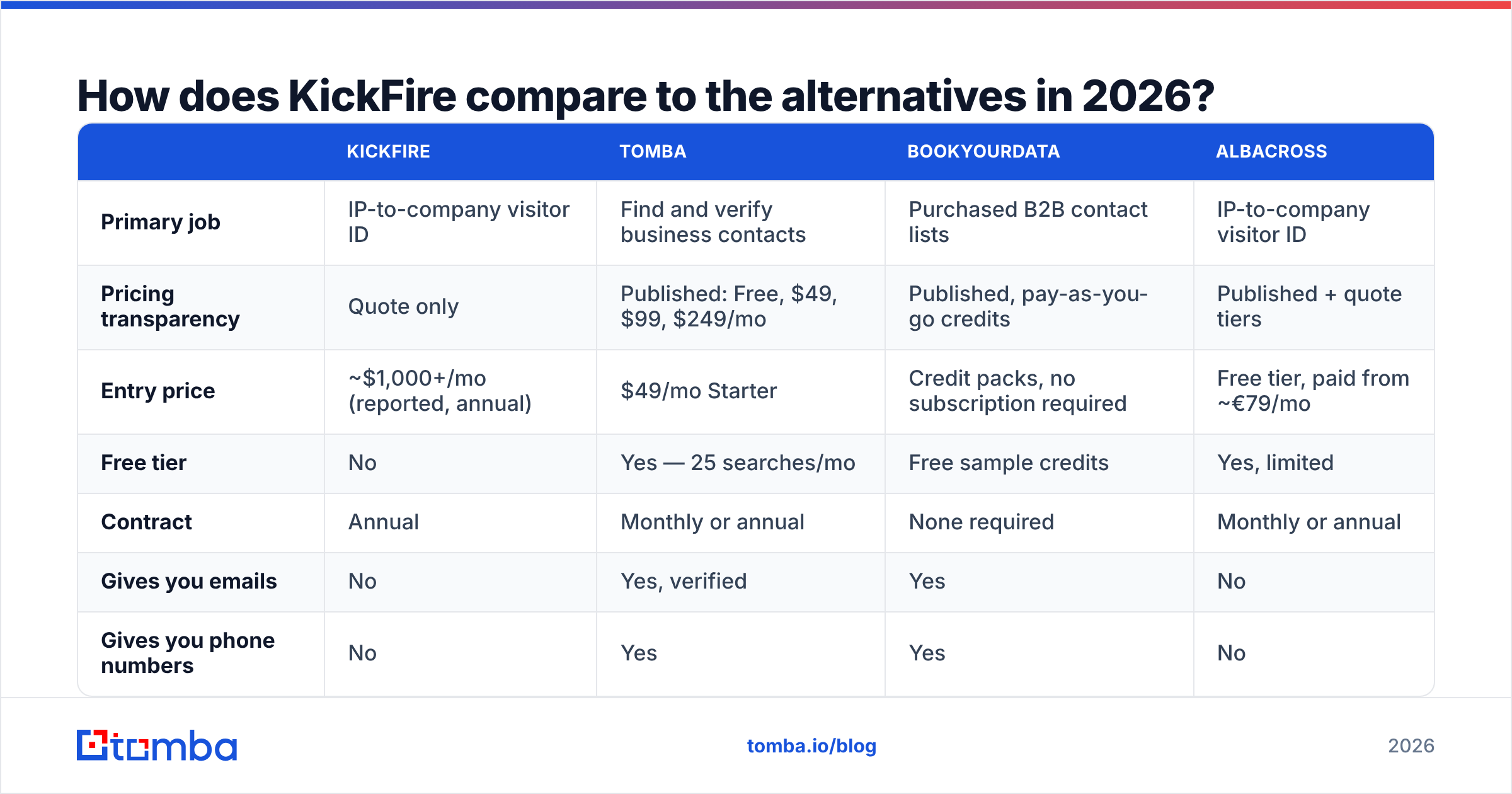
The honest comparison is not "KickFire vs another visitor-ID tool." It is "visitor identification vs contact data" — because most teams that consider KickFire are really trying to fix pipeline, and there is more than one route there.
| KickFire | Tomba | BookYourData | Albacross | |
|---|---|---|---|---|
| Primary job | IP-to-company visitor ID | Find and verify business contacts | Purchased B2B contact lists | IP-to-company visitor ID |
| Pricing transparency | Quote only | Published: Free, $49, $99, $249/mo | Published, pay-as-you-go credits | Published + quote tiers |
| Entry price | ~$1,000+/mo (reported, annual) | $49/mo Starter | Credit packs, no subscription required | Free tier, paid from ~€79/mo |
| Free tier | No | Yes — 25 searches/mo | Free sample credits | Yes, limited |
| Contract | Annual | Monthly or annual | None required | Monthly or annual |
| Gives you emails | No | Yes, verified | Yes | No |
| Gives you phone numbers | No | Yes | Yes | No |
| Best for | ABM teams with high corporate traffic | Outbound teams that need reachable contacts | Teams that want a clean list now | SMB visitor ID on a budget |
A few reads on that table:
KickFire and Tomba are complements, not substitutes. KickFire tells you which company showed up. A domain search tells you who works there and how to reach them. Teams that run both convert visitor signal into actual sequences; teams that run only the first half generate reports.
BookYourData is a legitimately different buying motion. If you want a defined list of contacts in a specific segment without building a research workflow, buying a verified list is faster than instrumenting your site and waiting for traffic. It is a reasonable, well-regarded option — just solving a different problem than visitor identification.
Albacross competes with KickFire head-on and publishes pricing, which makes it the easier bake-off if visitor ID is genuinely what you need.
If website visitor identification is your actual requirement, it is worth comparing KickFire against Tomba's visitor reveal too — same category, published pricing, and it sits in the same account as your contact data instead of in a separate contract.
What hidden costs should you budget for?#
Four line items that rarely appear in the initial quote:
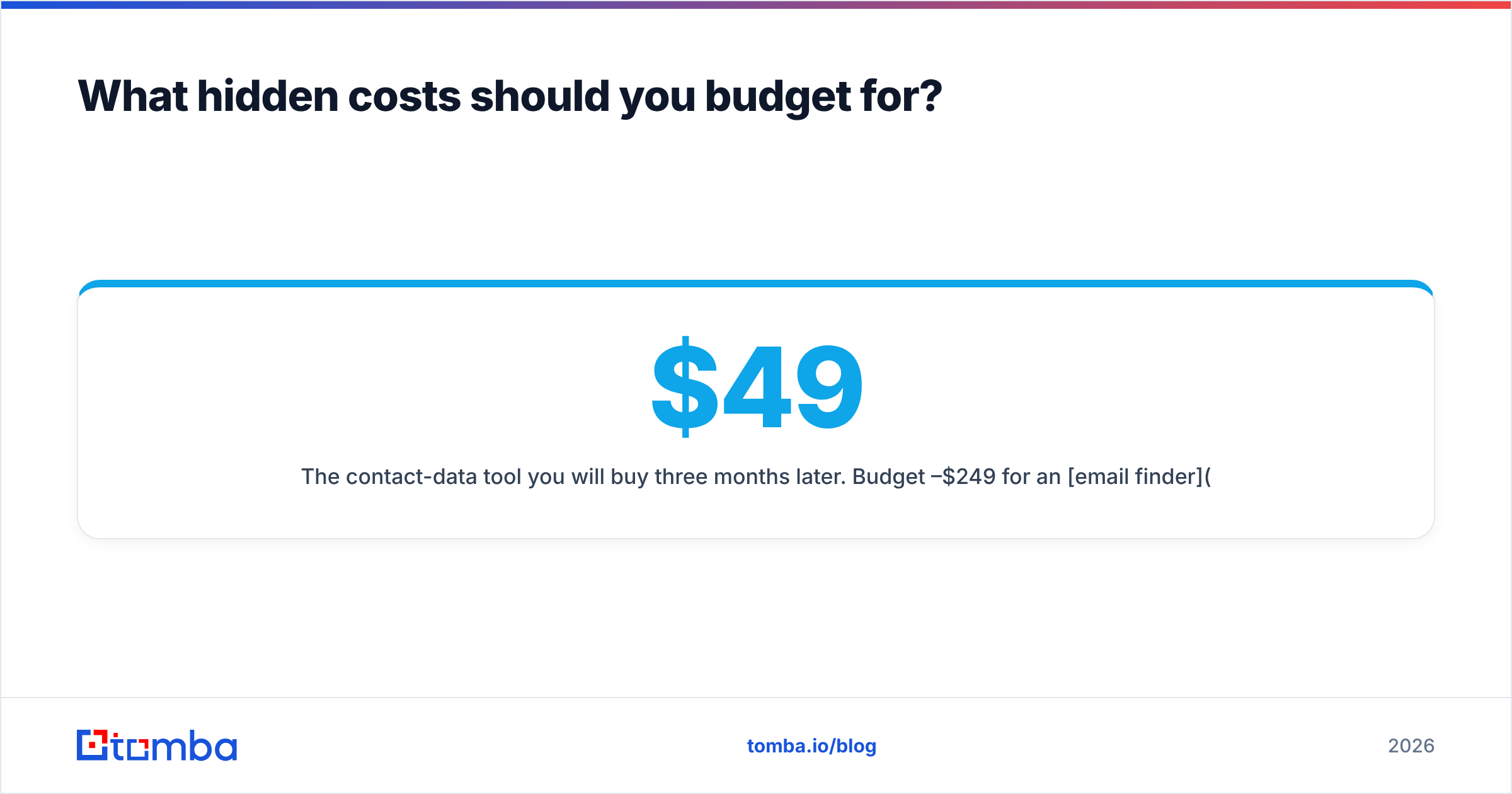
- The contact-data tool you will buy three months later. Budget $49–$249/mo for an email finder and verification layer. Without it, identified accounts sit in a dashboard.
- Overage on identified accounts. Model a 2x traffic month and ask what it costs.
- Ops time for routing. Someone has to build the workflow that turns "Acme visited pricing" into a task for a rep. That is 10–20 hours of RevOps work, minimum.
- Renewal uplift. Ask for a capped renewal increase in year one. It is far easier to negotiate before signature.
Is KickFire worth it for your team?#
Buy KickFire if: you get meaningful corporate-network traffic, you already run paid media where suppression and account retargeting pay for themselves, you have an ABM motion with named accounts, and you have budget for an annual five-figure commitment.
Skip it if: your traffic is under roughly 15,000 monthly visitors, your audience is remote-heavy or SMB, you need contacts more than you need accounts, or you cannot commit to twelve months.
The most common mistake is buying account intelligence to fix a top-of-funnel problem that is really a contact-data problem. If your reps are not sending enough qualified outbound because they cannot find verified emails, a visitor-ID contract does not move that number. A data enrichment and contact-finding workflow does — and you can test it this afternoon instead of next quarter.
The practical next step#
If you want to know which companies visit your site, get a KickFire quote and negotiate hard on the annual term and overage rate. If what you actually need is a way to turn company names — from your CRM, a target list, or a visitor report — into verified, reachable contacts, start there instead.
Run twenty target domains through the Tomba Email Finder on the free tier (25 searches a month, no card) and see how many usable contacts come back. If it works, Tomba pricing starts at $49/mo — roughly 5% of a reported KickFire entry contract, with no sales call between you and the answer.
Related guides#
// get started
Find, verify and enrich your first contacts today
Start on the free plan with 25 searches a month, then scale when your team is ready.
Free plan · No credit card required · GDPR & CCPA
// about the author