Kipplo Reviews 2026: Data Accuracy, Pricing, and Limits
Kipplo promises 500M+ verified B2B contacts and a one-click LinkedIn extension. Here is what the review sites, the credit model, and the accuracy claims actually hold up to — and when a cheaper email finder beats it.
TL;DR
- Kipplo is a B2B contact intelligence platform — a searchable contact database plus a LinkedIn Chrome extension, bulk reveal, and an enrichment API. It advertises 500M+ contacts.
- Public Kipplo reviews skew positive on ease of use and extension reliability; the recurring complaints are dated UI and thin native integrations.
- Published pricing has sat in the roughly $34–$69/month band with a limited free tier — cheap per seat, but the credit model is where the real cost hides.
- Buy Kipplo if your workflow lives inside LinkedIn and you want phone numbers alongside emails. Skip it if you mainly need high-accuracy email discovery at domain scale — a dedicated finder plus verifier is cheaper and more precise.
- Whatever you pick, verify before you send. Provider-side "verified" flags are not the same as a fresh SMTP check on your list.
What is Kipplo?#
Kipplo is a B2B data platform built for go-to-market teams — sales, ABM, marketing ops — that need contact records for decision-makers: work emails, direct dials, job titles, and company firmographics. Think of it as a phone book that reorganizes itself around whatever filter you type, rather than around the alphabet.
The product has four moving parts, and most confusion in Kipplo reviews comes from people evaluating one part and generalizing to the whole thing:
- The database search. Filter a pool of contacts by job title, seniority, industry, headcount, tech stack, and geography, then build a list.
- The LinkedIn Chrome extension. Sit on a profile or a Sales Navigator search and reveal contact details without leaving the tab. This is the feature most reviewers actually rate.
- Bulk reveal and list enrichment. Upload a CSV of names and companies, get back appended emails and phones.
- The enrichment API. Programmatic lookups for keeping a CRM from rotting — the part that matters if you have engineering time and a data warehouse.
Those four surfaces have genuinely different quality levels. The extension can be excellent while database coverage in your specific vertical is mediocre, and vice versa. Any review that gives you a single score is flattening something important.
What do real Kipplo reviews actually say?#
Aggregate sentiment is positive, and it clusters tightly around a few themes.
What users consistently praise:
- Extension reliability. Long-term users report the LinkedIn extension has stayed stable across Chrome updates — a low bar that a surprising number of competitors trip over.
- Speed for one-off prospecting. Reveal, copy, paste, move on. No context switch into a separate app.
- Bounce-rate improvement. At least one published review cites bounce rates dropping from around 14% to near zero after switching. Treat that as a directional anecdote, not a benchmark — the previous tool matters more than the new one in that comparison.
- Phone coverage. Direct dials alongside emails is the differentiator people mention most when comparing Kipplo to email-only tools.
What users consistently flag:
- Interface age. "Could use a refresh" appears often enough to be a real signal, not a one-off gripe.
- Integration depth. Native connectors are thinner than what Apollo or Clearbit-tier platforms ship. Expect CSV, and expect to build the rest.
- Credit opacity. The gap between "searches" and "reveals" is where budgets get eaten.
You can read the primary sources yourself on G2 and Capterra rather than trusting any single roundup — including this one. Review-site samples for younger tools are small, and small samples move fast.
How accurate is Kipplo's data?#
Here is the honest answer: nobody outside the vendor knows, including this post, and you should be suspicious of anyone who publishes a precise accuracy percentage for a tool they did not test on your exact ICP.
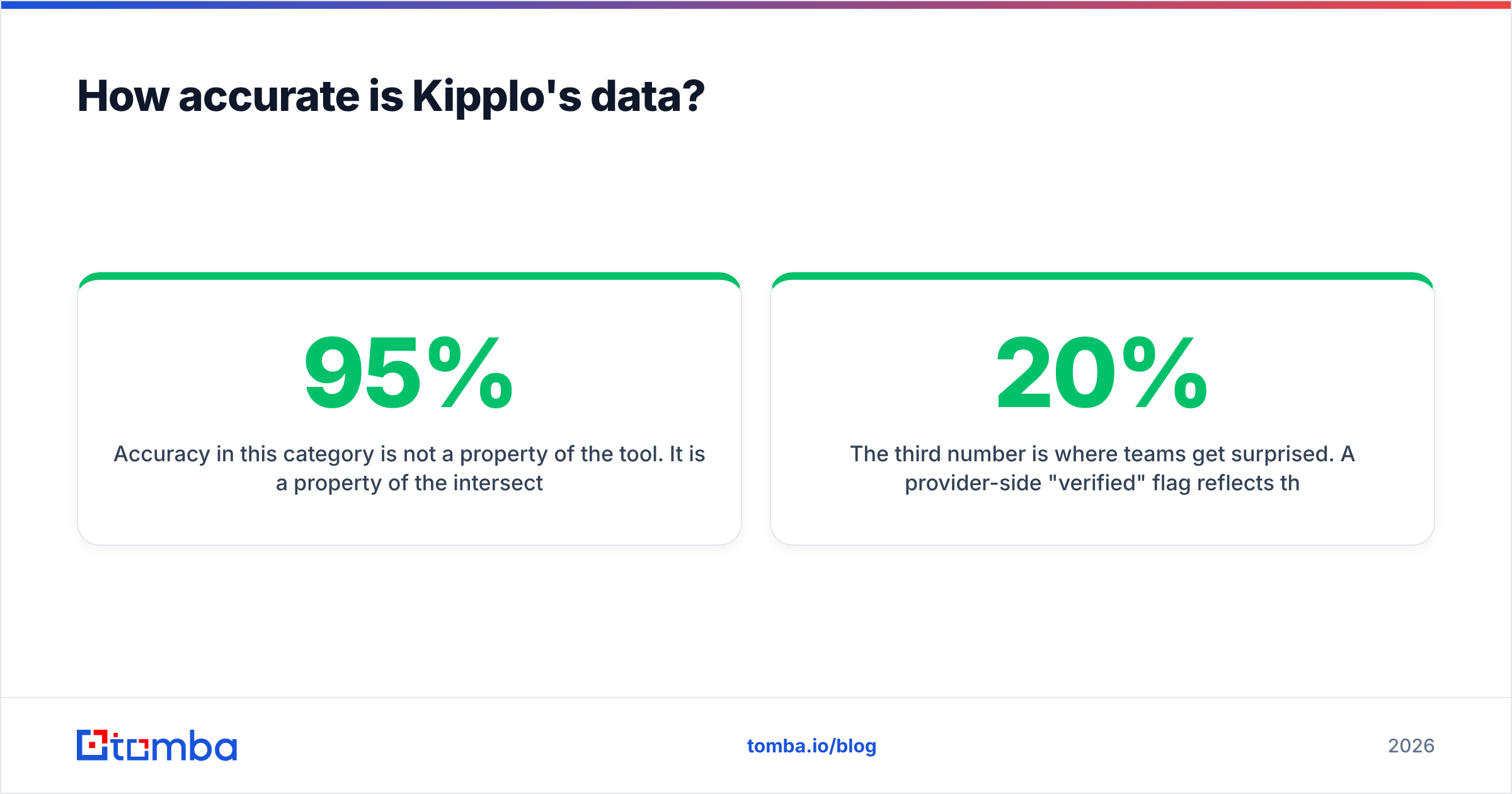
Accuracy in this category is not a property of the tool. It is a property of the intersection between the tool's sources and your target list. A provider that is 95% accurate on US mid-market SaaS can fall to 60% on German manufacturing or on companies under 20 employees. The vendor's headline number is measured on their best-covered segment, because that is how marketing works.

What you can control is the test. Take 100 real accounts from your pipeline — not a sample the vendor picks — and run them through the trial. Then measure three things separately:
- Hit rate: how many of the 100 returned any contact at all. Coverage gaps are usually the bigger problem, not wrong data.
- Verified rate: of the returned records, how many the provider marks deliverable versus risky or catch-all.
- Actual bounce rate: what your sending platform reports after a real campaign. This is the only number that pays rent.
The third number is where teams get surprised. A provider-side "verified" flag reflects the state of the mailbox whenever that record was last checked, which could be months ago. People change jobs at roughly 20% a year in tech. That is why serious operators run an independent email verifier over any purchased or revealed list immediately before a send, regardless of which database produced it. It costs a fraction of a cent per record and protects the domain reputation you spent months building.

Catch-all domains deserve their own note. Many enterprise mail servers accept everything at the SMTP layer, so standard verification returns "unknown." Some tools quietly count those as valid, which inflates the accuracy number on the dashboard and deflates your reply rate later. If a meaningful share of your ICP sits on catch-all infrastructure, you need a catch-all verifier in the stack or you are guessing.
How much does Kipplo cost?#
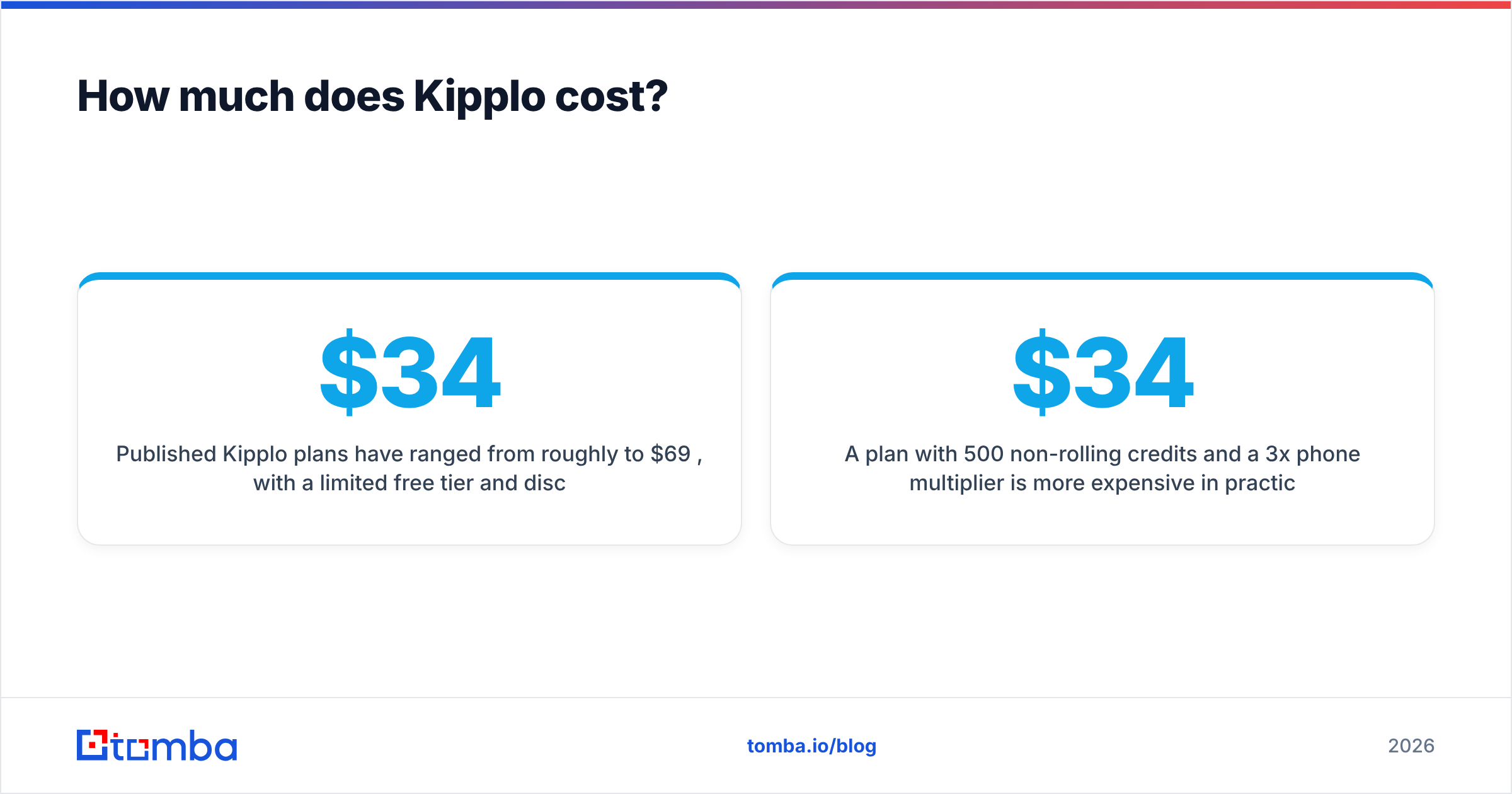
Published Kipplo plans have ranged from roughly $34 to $69 per month, with a limited free tier and discounts of up to about 20% for annual billing. Enterprise is quoted. Check kipplo.com/pricing before you budget — this tier of the market repriced twice in the last eighteen months and any number in a blog post ages badly.
The sticker price is not the interesting part. The interesting part is the unit:
- What consumes a credit? A search that returns nothing should not cost you. A reveal that returns a generic
info@address arguably should not either. Ask explicitly. - Do phone numbers cost more than emails? Usually yes, often several multiples, because direct dials are expensive to source.
- Do credits roll over? If they expire monthly, your effective price is set by your worst month, not your average month.
- Is the API metered separately? Enrichment at scale is frequently a different SKU from seat-based UI usage.
A $34 plan with 500 non-rolling credits and a 3x phone multiplier is more expensive in practice than a $49 plan with 5,000 rolling email lookups. Compute cost per usable, verified contact — everything else is theater.
How does Kipplo compare to other B2B contact data tools?#
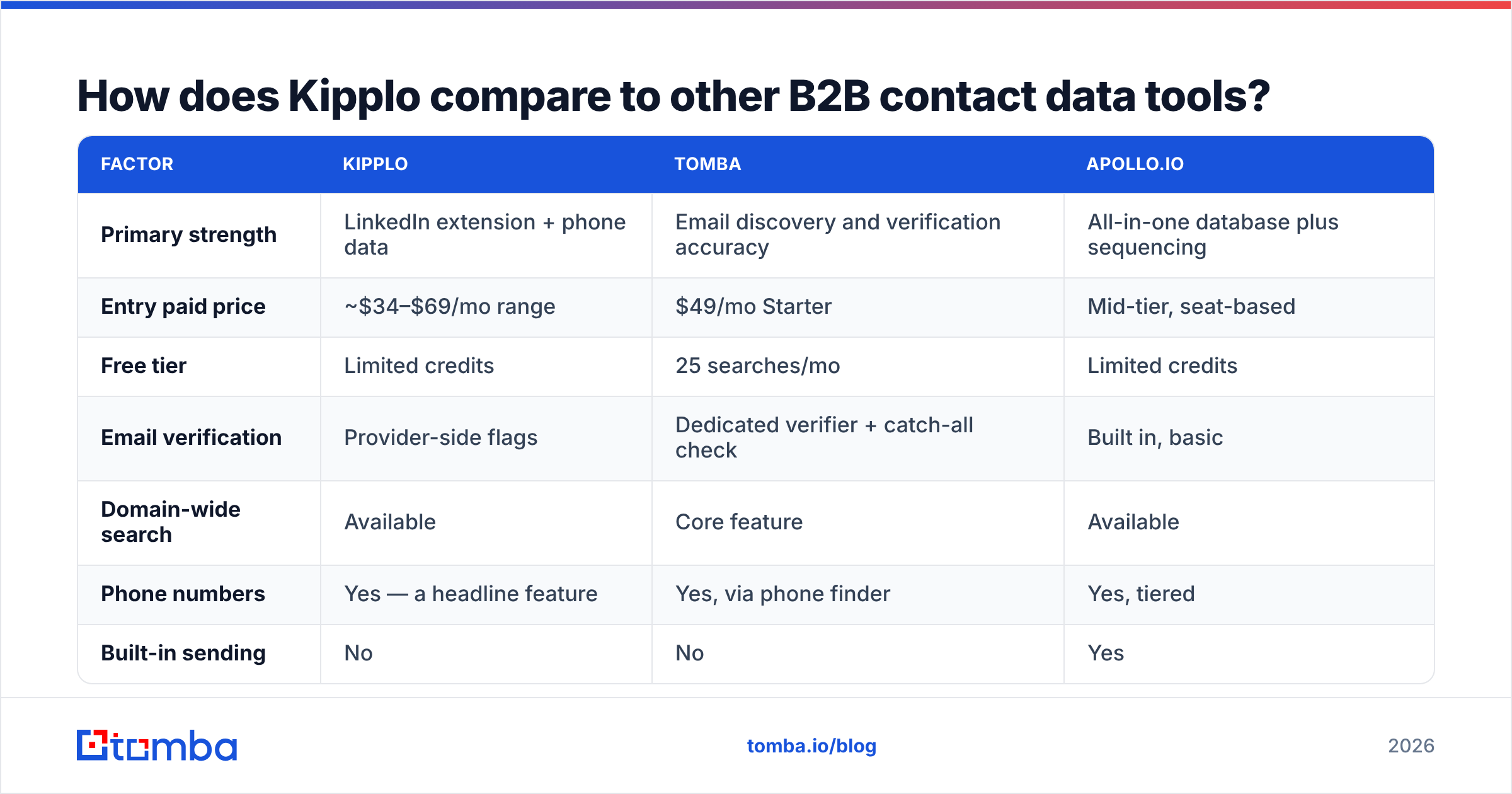
| Factor | Kipplo | Tomba | Apollo.io |
|---|---|---|---|
| Primary strength | LinkedIn extension + phone data | Email discovery and verification accuracy | All-in-one database plus sequencing |
| Entry paid price | ~$34–$69/mo range | $49/mo Starter | Mid-tier, seat-based |
| Free tier | Limited credits | 25 searches/mo | Limited credits |
| Email verification | Provider-side flags | Dedicated verifier + catch-all check | Built in, basic |
| Domain-wide search | Available | Core feature | Available |
| Phone numbers | Yes — a headline feature | Yes, via phone finder | Yes, tiered |
| Built-in sending | No | No | Yes |
| API / automation | Enrichment API | Full API, CLI, MCP, Sheets, Excel | API on higher tiers |
| Best fit | Reps living inside LinkedIn | Teams that need clean, verified email at scale | Teams wanting one platform end to end |

Two honest observations from that table.
First, Kipplo and Tomba are not really the same product. Kipplo optimizes for a rep working profile by profile with phone coverage attached. Tomba optimizes for finding and validating work emails — by person, by domain search, or in bulk — and pushing them into whatever system you already run. If your outbound is email-first and volume-heavy, that difference matters more than any feature checkbox.
Second, if what you actually want is a pre-built, pre-verified list rather than a subscription and a workflow, that is a different purchase entirely. Prepaid list vendors like BookYourData are a legitimate answer for teams running a handful of campaigns a year and unwilling to pay twelve monthly invoices for four weeks of work. Tool subscriptions reward continuous prospecting; they punish sporadic prospecting.

Who is Kipplo actually a good fit for?#
- Individual AEs and SDRs whose day is LinkedIn. The extension is the product. If your motion is profile → reveal → send, the rest of the platform is a bonus.
- Teams that need phones, not just emails. Multichannel sequences with real dials justify the credit premium. Email-only teams are paying for capability they never touch.
- Small teams priced out of enterprise data. Sub-$70 entry points are genuinely useful when ZoomInfo quotes five figures.
- Anyone doing light, ad-hoc enrichment. A few hundred records a month fits comfortably in the lower tiers.
And who should look elsewhere:
- High-volume email outbound. Thousands of finds per month at strict deliverability standards is a job for a dedicated email finder plus verification pipeline, not a general-purpose reveal tool.
- Teams needing deep CRM sync. Thin native integrations mean you will be writing Zapier scenarios or maintaining a CSV ritual.
- Non-US and SMB-heavy ICPs. Test coverage hard before committing. Every provider in this market is weakest exactly where it advertises least.
- Engineering-led GTM. If you want to enrich inside your own pipelines, evaluate the email finder API, rate limits, and docs quality first — the UI is irrelevant to you.
What should you test before you commit?#
Run this in under an hour on a free trial. It will tell you more than every review roundup combined.
- Pull 100 accounts from your own CRM that you already have verified contacts for. You now have an answer key.
- Measure hit rate and false positives against that key. Wrong-but-confident data is worse than no data, because it silently burns sending reputation.
- Run the output through an independent verifier. Compare the provider's "valid" count against a fresh check. The delta is your real accuracy discount.
- Send one small campaign — 200 contacts, from a warmed domain — and read the bounce and reply numbers. Under 2% bounce is acceptable; over 5% means stop and fix the list.
- Price the whole workflow, not the seat. Credits plus verification plus whatever glue tooling you need to move data into your CRM.
- Check the exit. Can you export everything you have revealed, in full, if you cancel? Some contracts say no. Find out now.
Most buyers skip steps 3 and 4, then blame email deliverability for what was a data problem all along.
So — is Kipplo worth it in 2026?#
For the right buyer, yes. Kipplo is a credible, affordable contact intelligence tool with a well-liked LinkedIn extension and real phone coverage, and it undercuts the enterprise vendors by an order of magnitude. Reviewers who use it as an extension-first prospecting aid are broadly happy, and that consistency counts for something in a category full of tools that decay quietly.
But "affordable contact intelligence platform" is not the same product as "high-accuracy email discovery engine," and a lot of teams buy the first when they needed the second. If your growth depends on finding and validating work emails at volume — by name, by domain, in bulk, or through an API wired into your own systems — you want a tool that treats accuracy as the product rather than as one feature among nine.
That is the gap Tomba fills. Start with the Tomba Email Finder on the free tier (25 searches a month, no card), run your own 100-account accuracy test against whatever you use today, and compare the verified hit rate — not the marketing page. If the numbers hold up, Tomba pricing starts at $49/month for Starter and scales to Growth at $99 and Pro at $249, with bulk email finder and API access when you outgrow manual lookups. Test both. Let your bounce rate pick the winner.
Related guides#
// get started
Find, verify and enrich your first contacts today
Start on the free plan with 25 searches a month, then scale when your team is ready.
Free plan · No credit card required · GDPR & CCPA
// about the author