Kipplo vs LeadGibbon: Which B2B Email Finder Wins in 2026?
Kipplo and LeadGibbon both promise verified B2B emails, but they solve different problems. Here's how they compare on accuracy, data coverage, exports, API access and real cost per usable contact.
TL;DR
- Kipplo and LeadGibbon are both B2B email-finding tools, but they attack the problem from different ends: Kipplo leans on domain and pattern-based lookup, LeadGibbon leans on list-building and LinkedIn-sourced exports.
- If your workflow starts with a company list, domain-first tools win. If it starts with a LinkedIn search, list-builders win. That single distinction decides most of this comparison.
- Neither tool removes the need for a separate verification step. Budget for it, or your bounce rate will decide your sender reputation for you.
- Credit accounting is where the real cost hides: failed searches, re-searching the same contact, and per-seat minimums matter more than the sticker price.
- Run a 200-contact head-to-head on your own ICP before committing. Published coverage numbers rarely survive contact with a niche vertical.
What are Kipplo and LeadGibbon?#
Kipplo (kipplo.com) positions itself as a lightweight B2B email finder and lead-data tool. The core loop is the one most sales teams recognize: give it a person's name and a company domain, get back a professional email address with a confidence indicator. Around that core sit the usual satellites — bulk lookups, some enrichment fields, and export to CSV.
LeadGibbon (leadgibbon.com) has historically been a list-building product. Its center of gravity is the browser extension and the saved-list workflow: you run a search on a professional network or a company page, pull contacts into a list, and export them enriched with emails and firmographic fields. The mental model is closer to "build me a prospect list" than "resolve this one contact."
That difference is not cosmetic. It determines which tool actually saves you time:
- Domain-first workflows — You already have 400 target accounts from a CRM export, an event attendee list, or an ABM tier. You need contacts inside those domains. Domain search and pattern resolution are what you want.
- Persona-first workflows — You don't have accounts yet. You have a persona ("VP Ops, 50-200 employees, US logistics") and you want to discover who matches. List-builders and database search are what you want.
- One-off resolution — You have a name and a company from a podcast, a conference badge, or a byline. You need one address, right now, without opening a data warehouse.
- Pipeline enrichment — You have inbound signups with work domains and you need to fill in titles, seniority, and phone numbers automatically via API.
Most teams need two of these four. Very few tools do all four well, which is why "Kipplo vs LeadGibbon" usually ends with "and also a verifier."
How do Kipplo and LeadGibbon compare at a glance?#
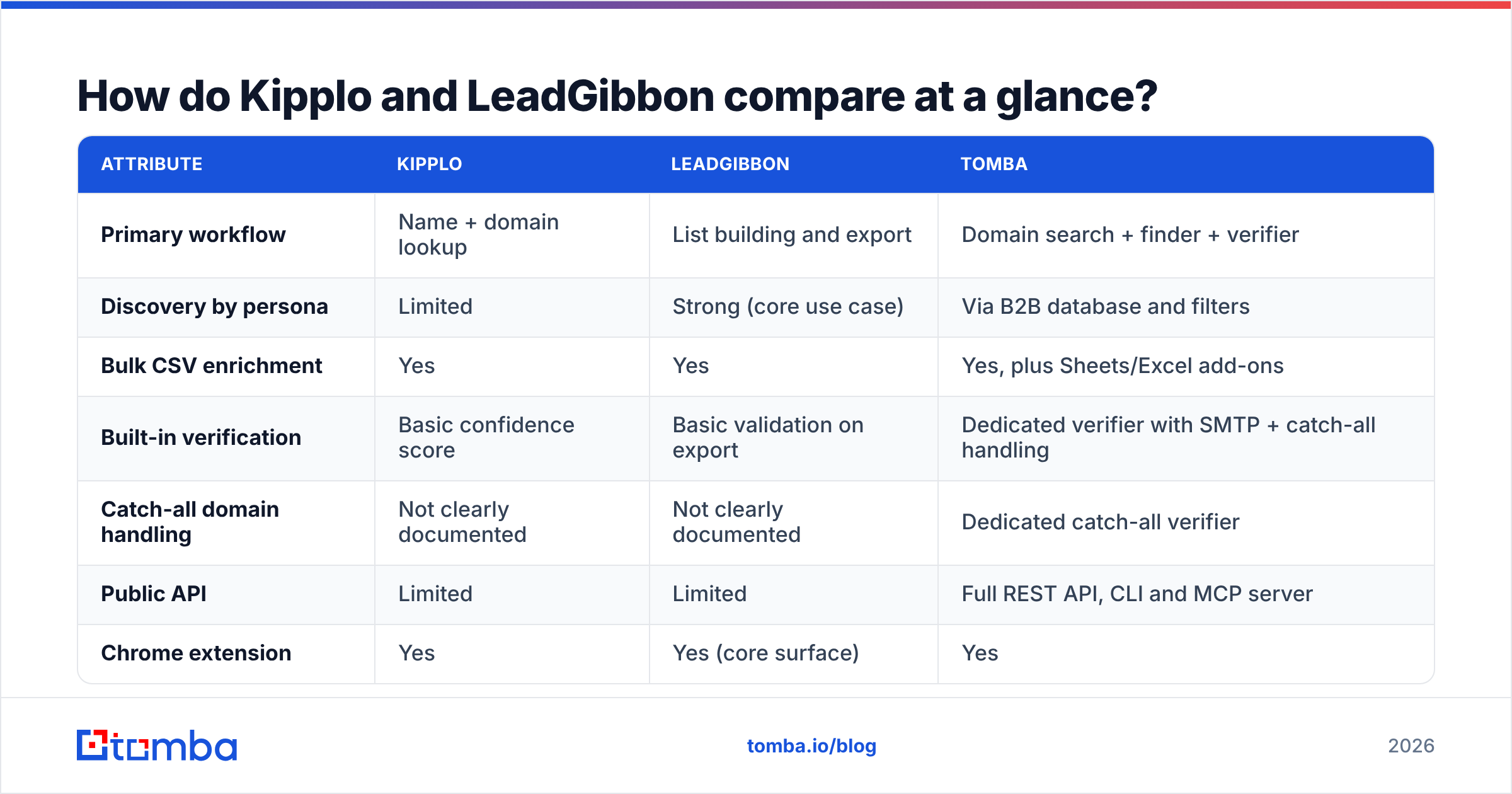
| Attribute | Kipplo | LeadGibbon | Tomba |
|---|---|---|---|
| Primary workflow | Name + domain lookup | List building and export | Domain search + finder + verifier |
| Discovery by persona | Limited | Strong (core use case) | Via B2B database and filters |
| Bulk CSV enrichment | Yes | Yes | Yes, plus Sheets/Excel add-ons |
| Built-in verification | Basic confidence score | Basic validation on export | Dedicated verifier with SMTP + catch-all handling |
| Catch-all domain handling | Not clearly documented | Not clearly documented | Dedicated catch-all verifier |
| Public API | Limited | Limited | Full REST API, CLI and MCP server |
| Chrome extension | Yes | Yes (core surface) | Yes |
| Entry paid plan | Credit-based, see vendor page | Credit-based, see vendor page | $49/mo Starter |
| Free tier | Trial credits | Trial credits | 25 searches/mo, no card |
Pricing on both Kipplo and LeadGibbon is credit-based and changes often enough that you should verify the current numbers on their own pages before you budget. What does not change is the structure of the cost: you pay per resolved contact, and the plans that look cheap tend to be the ones with the tightest monthly credit ceilings and the hardest export caps.

Which one finds more valid emails?#
Short answer: nobody can tell you from a blog post, including this one. Coverage is ICP-dependent, and the honest test takes an afternoon.
Here is the protocol that actually produces a defensible answer:
- Build a 200-row control set. Real names, real domains, drawn from your last two closed-won cohorts plus your current target list. Do not use a generic tech-company sample — it flatters every vendor.
- Run the same 200 rows through both tools. Record three columns: found / not found, the confidence label returned, and the format of the address returned (first.last, f.last, first, etc.).
- Verify everything with a neutral third tool. Do not let a finder grade its own homework. Push all results through an independent email verifier so both vendors are scored on the same rubric.
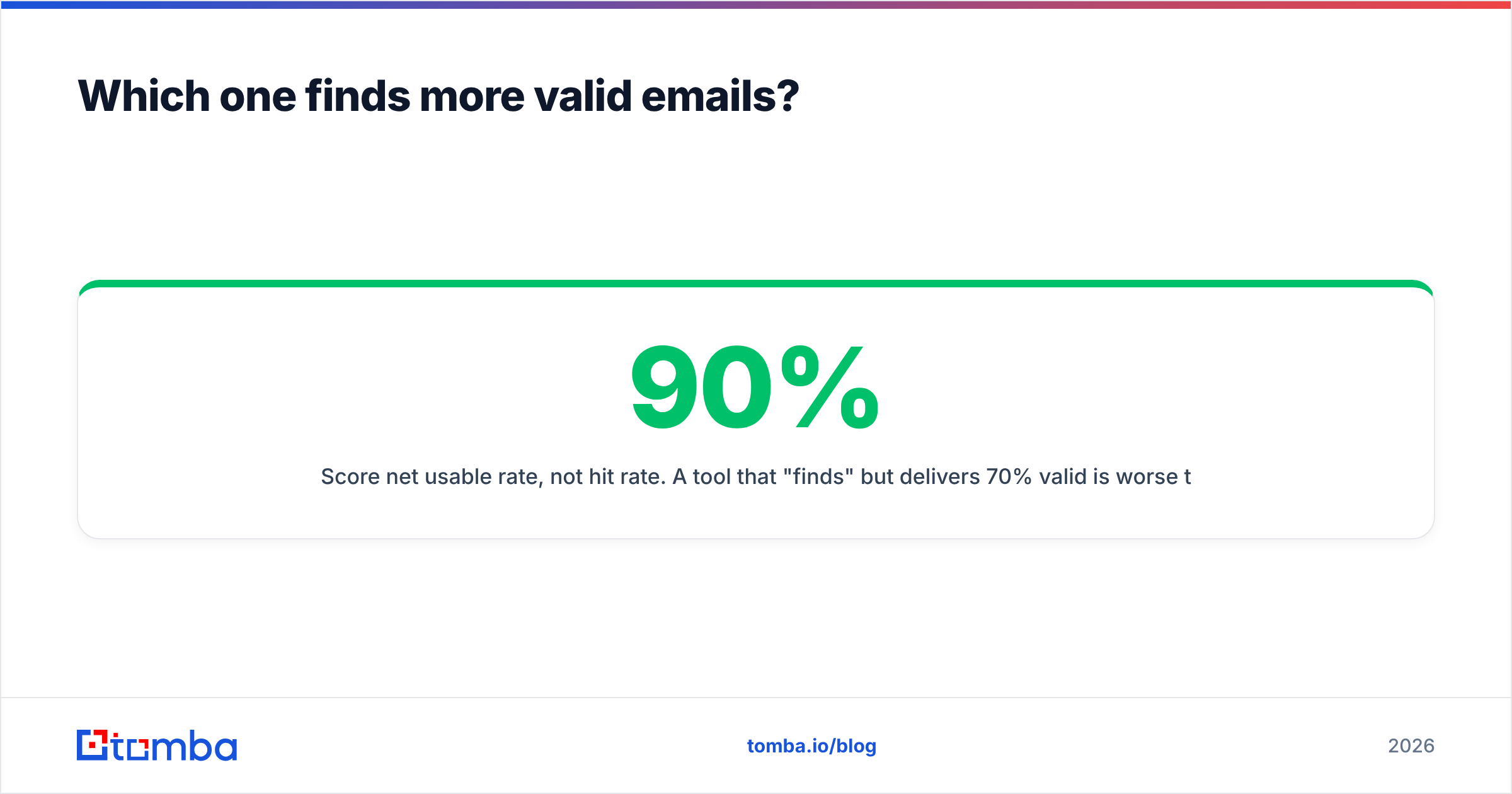
- Score net usable rate, not hit rate. A tool that "finds" 90% but delivers 70% valid is worse than one that finds 75% at 95% valid. The second one costs you fewer credits and less reputation.
- Segment the results. Break the score down by company size and by region. Most coverage gaps are structural — SMB, EMEA, and non-English domains are where the differences show up.

The pattern that repeats across these tests: tools with heavy LinkedIn-sourced pipelines tend to win on discovery (they know the person exists and where they work) and lose on freshness (the email format changed after an acquisition, or the person moved). Tools with heavy crawl-and-pattern pipelines tend to win on domain depth (they know the company's actual email convention) and lose when the person has no public footprint.
Neither failure mode is fixed by a confidence score. It is fixed by verification at send time, which is a separate job.
Why does verification matter more than the finder you pick?#
Because deliverability is the constraint, not lead volume.
Think of it like a delivery van. The finder is the address book; verification is checking whether the building still exists before you drive there. A wrong address does not just waste one trip — repeat enough failed deliveries and the depot stops trusting your route. That is what mailbox providers do with sender reputation: sustained hard bounces above roughly 2% and your inboxing rate degrades across every campaign, including the ones with perfect data.
Both Google and Microsoft tightened bulk-sender requirements in recent years, and the enforcement trend has only gone one direction. Google's own bulk sender guidance is explicit about spam-rate thresholds and authentication. If your list is 12% invalid, you are not running an outbound test — you are running a reputation experiment.
Practical consequences for this comparison:
- A "confidence score" from a finder is a probability, not a check. It tells you the address is plausible, not that the mailbox accepts mail.
- Catch-all domains defeat naive verification entirely. They accept everything at the SMTP layer and bounce silently later. You need a tool that explicitly handles them — a catch-all verifier rather than a green checkmark.
- Role addresses (info@, sales@, support@) inflate "found" counts and depress reply rates. Filter them before they reach your sequencer.
How do Kipplo and LeadGibbon compare on cost per usable contact?#
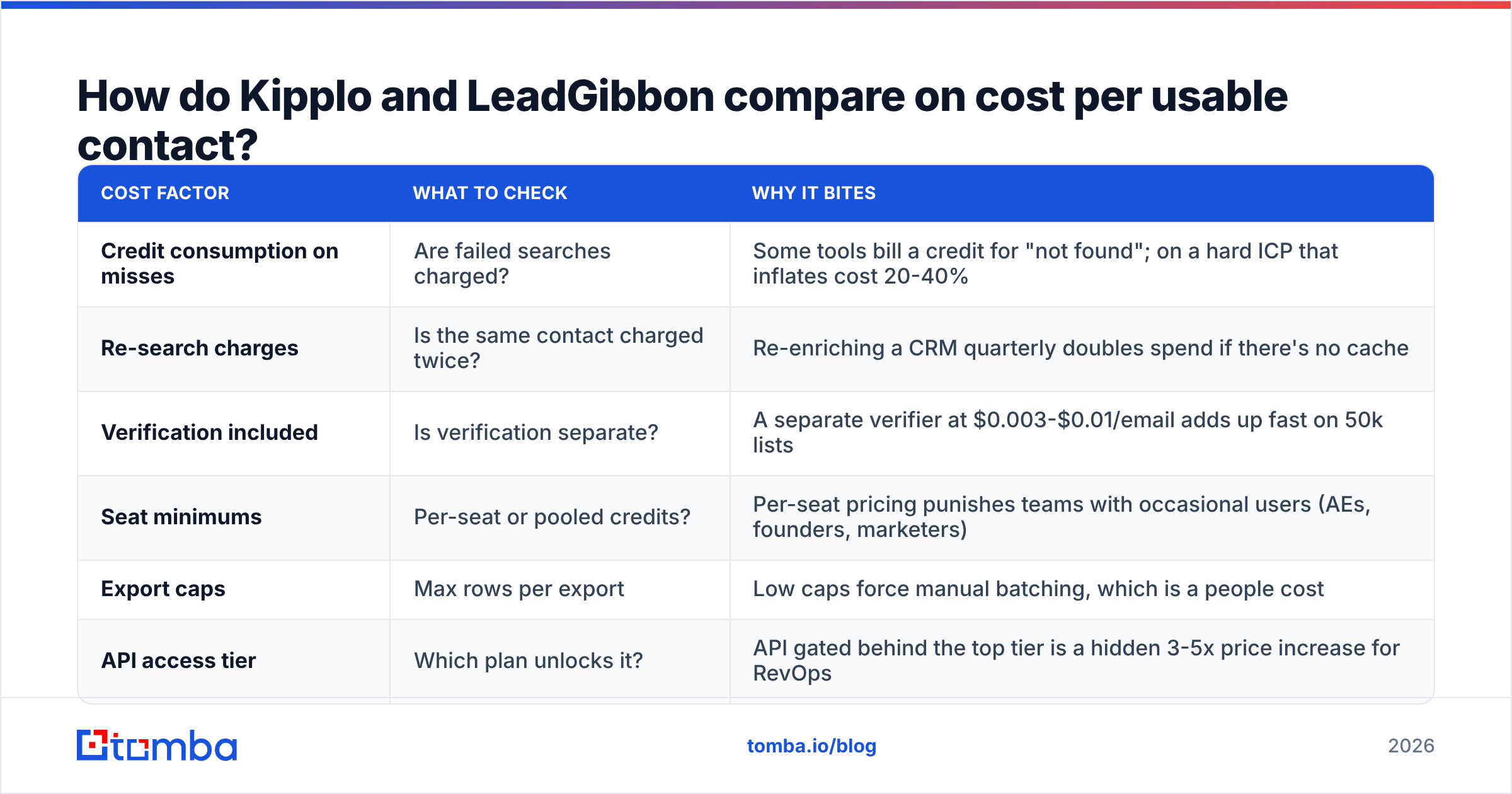
The sticker price is the least interesting number. What matters is cost per usable contact — the address that is found, valid, not a role account, and matches your persona.
| Cost factor | What to check | Why it bites |
|---|---|---|
| Credit consumption on misses | Are failed searches charged? | Some tools bill a credit for "not found"; on a hard ICP that inflates cost 20-40% |
| Re-search charges | Is the same contact charged twice? | Re-enriching a CRM quarterly doubles spend if there's no cache |
| Verification included | Is verification separate? | A separate verifier at $0.003-$0.01/email adds up fast on 50k lists |
| Seat minimums | Per-seat or pooled credits? | Per-seat pricing punishes teams with occasional users (AEs, founders, marketers) |
| Export caps | Max rows per export | Low caps force manual batching, which is a people cost |
| API access tier | Which plan unlocks it? | API gated behind the top tier is a hidden 3-5x price increase for RevOps |

Do the arithmetic on your own volumes. A team resolving 2,000 contacts a month with a 65% usable rate is paying roughly 1.5x the listed per-credit price. At a 90% usable rate they are paying 1.1x. That gap is usually larger than the difference between any two vendors' price lists.
For reference, Tomba pricing runs Free (25 searches/mo), Starter at $49/mo, Growth at $99/mo, Pro at $249/mo, and custom Enterprise — with verification, domain search, and API access included rather than bolted on as separate line items. That bundling is the main structural difference versus a credit-only finder.
Who should pick Kipplo, and who should pick LeadGibbon?#
Pick Kipplo if:
- Your list-building happens elsewhere (a CRM, a data warehouse, an events team) and you need a clean resolution step.
- You mostly work account-first: you know the companies, you need the people.
- You want a simple tool a non-technical SDR can learn in ten minutes.
Pick LeadGibbon if:
- Your prospecting starts inside LinkedIn and you want contacts flowing into lists without leaving the browser.
- You build many small, targeted lists per week rather than one large quarterly pull.
- Extension ergonomics matter more to you than API access.
Pick neither — look wider — if:
- You need programmatic enrichment inside a product or a data pipeline. Both tools are extension-and-export shaped; that is a poor fit for an automated backend.
- You operate at catch-all-heavy verticals (enterprise, finance, government contractors) where naive verification produces false positives.
- You need phone numbers alongside emails for a multichannel motion.
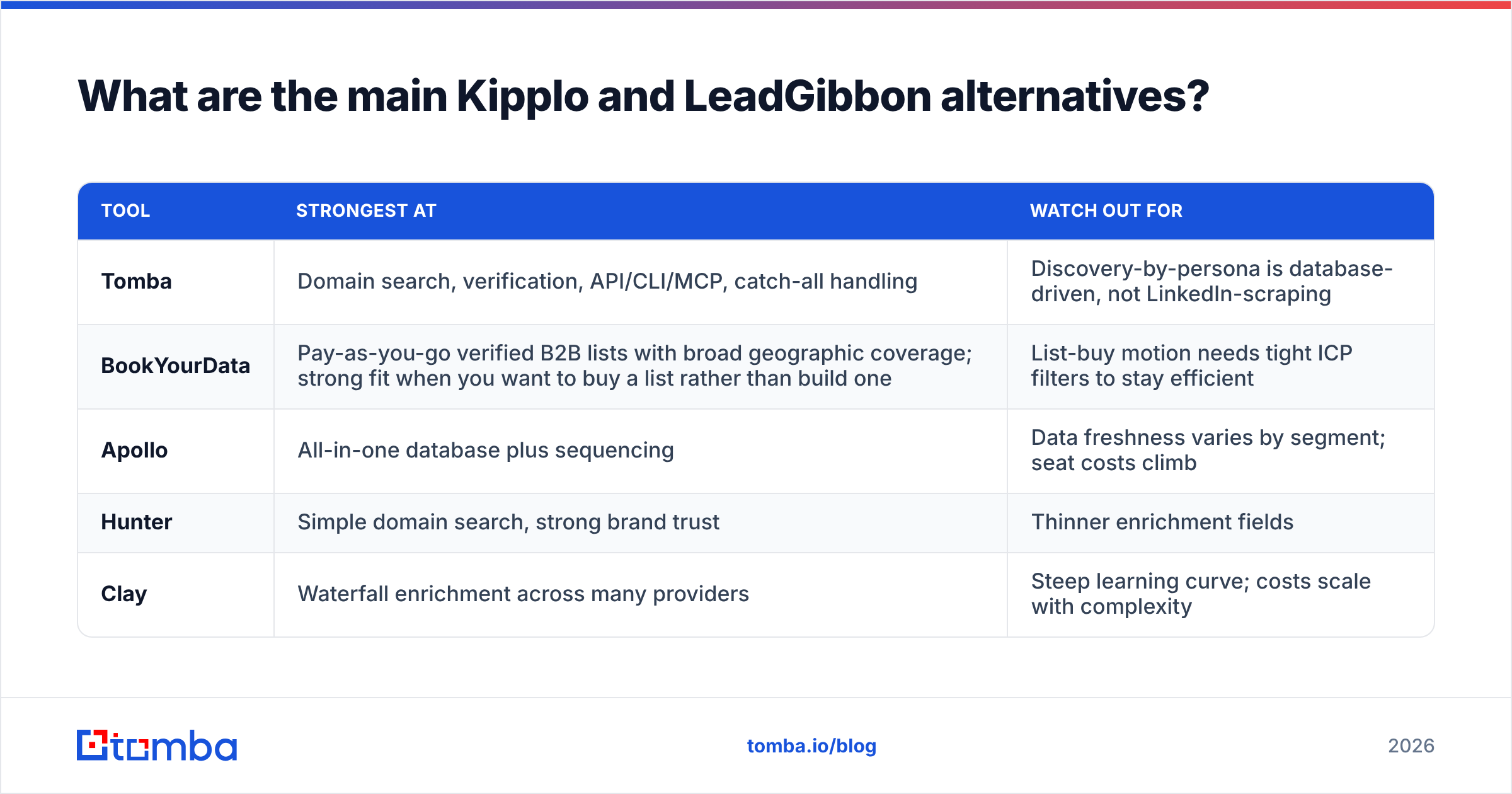
What are the main Kipplo and LeadGibbon alternatives?#
| Tool | Strongest at | Watch out for |
|---|---|---|
| Tomba | Domain search, verification, API/CLI/MCP, catch-all handling | Discovery-by-persona is database-driven, not LinkedIn-scraping |
| BookYourData | Pay-as-you-go verified B2B lists with broad geographic coverage; strong fit when you want to buy a list rather than build one | List-buy motion needs tight ICP filters to stay efficient |
| Apollo | All-in-one database plus sequencing | Data freshness varies by segment; seat costs climb |
| Hunter | Simple domain search, strong brand trust | Thinner enrichment fields |
| Clay | Waterfall enrichment across many providers | Steep learning curve; costs scale with complexity |
If you want a deeper feature-by-feature breakdown against the big-database players, the Apollo alternative comparison covers the credits-versus-seats tradeoff in detail.
For engineering-led teams, the deciding factor is usually integration surface rather than raw coverage. A finder you can call from a job queue — via the Tomba API, a CLI, or an MCP server — turns enrichment from a weekly chore into a background process. Extension-first tools cannot do that, no matter how good their data is.
How should you run the decision?#
Do it as a two-week bake-off, not a demo call:
- Week 1, coverage. 200-row control set through both tools. Neutral verification. Score net usable rate, segmented by company size and region.
- Week 1, workflow. Time one SDR building a 100-contact list in each tool. Measure minutes, not vibes.
- Week 2, deliverability. Send 100 verified contacts from each source through the same sequencer, same copy, same sending domain. Compare bounce rate and reply rate.
- Week 2, cost. Convert credits consumed into cost per replied contact. That is the only number your CFO cares about.
- Decide on the delta. If net usable rates land within 5 points of each other, pick on workflow fit and API access. If the gap is wider than 10 points, the data wins — workflow can be retrained, bad data cannot.
Most teams discover something uncomfortable in step 3: their bottleneck was never the finder. It was the unverified 15% of the list quietly burning their domain. Fix that first and both tools get better.
Ready to test a finder that includes verification?#
If your shortlist came down to Kipplo vs LeadGibbon because you need accurate B2B addresses without a separate verification contract, run the same control set through the Tomba Email Finder. The free tier gives you 25 searches a month with no card, which is enough to sanity-check a sample before you commit budget. Bring your hardest 25 contacts — the ones both other tools missed — and see what comes back.
Related guides#
// get started
Find, verify and enrich your first contacts today
Start on the free plan with 25 searches a month, then scale when your team is ready.
Free plan · No credit card required · GDPR & CCPA
// about the author