Kipplo vs Leadmine (2026): Which Email Finder Actually Wins?
Kipplo and Leadmine both promise verified B2B emails, but they solve different halves of the problem. Here is how they compare on accuracy, pricing, catch-all handling, and export limits in 2026.
TL;DR
- Kipplo leans toward discovery: bulk list building, company-level search, and volume-priced credits. It is the better fit if your bottleneck is "I need 5,000 contacts by Friday."
- Leadmine leans toward precision: single-lookup workflows, a browser extension, and a tighter verification step. It suits AEs and founders doing targeted, low-volume prospecting.
- Neither tool publishes an independently audited accuracy number. Every "98% accurate" claim in this category is vendor self-reported, so run your own 100-contact test before you commit budget.
- Pricing is where the two genuinely diverge: credit rollover, export caps, and whether verification credits are separate from search credits will change your real cost per usable contact by 2-3x.
- If you want one platform that covers search, verification, catch-all checks, and enrichment without stacking two subscriptions, Tomba starts at $49/mo with a free tier for testing.
What are Kipplo and Leadmine?#
Both tools sit in the same category: B2B contact data platforms that turn a name plus a company domain into a working email address. Analysts group them under "lead intelligence" on review sites like G2, alongside dozens of competitors that all sound identical on their landing pages.
They are not identical in practice.
Kipplo is built around volume. The core interface is a search-and-filter experience: you define a company list or a set of filters, pull matching contacts, and export. The mental model is closer to a database you query than a tool you point at one person. That design shows up everywhere, from the credit packaging to the CSV export flow.
Leadmine is built around the individual lookup. You have a prospect in mind, you find them, you verify, you move on. The browser extension matters more here than the bulk uploader, and the workflow assumes a human is reviewing each result rather than trusting a batch job.
The distinction sounds academic until you get the invoice. A volume tool priced for volume is expensive when you use it for ten lookups a day. A precision tool is painfully slow when you need a thousand rows enriched before a campaign launch.
Think of it like renting a vehicle. A cargo van and a motorcycle both get you across the city. Choosing wrong does not mean you fail to arrive — it means you pay for capacity you never touch, or spend the afternoon making six trips.
How do Kipplo and Leadmine compare at a glance?#
Treat the figures below as a starting frame, not gospel. Vendors in this space change packaging quarterly, and both companies adjust credit definitions more often than they adjust headline prices. Verify current terms on each vendor's pricing page before you buy.
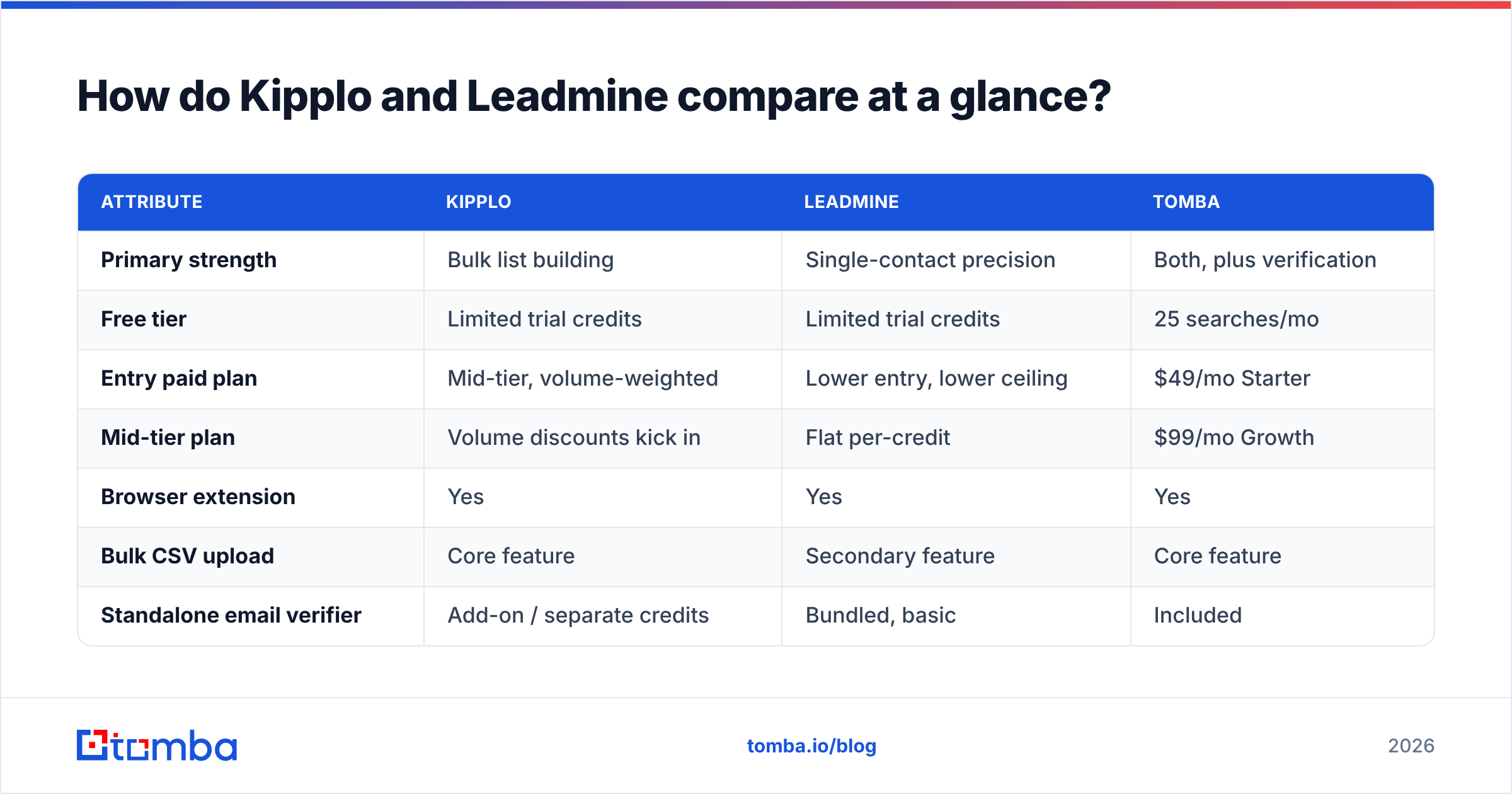
| Attribute | Kipplo | Leadmine | Tomba |
|---|---|---|---|
| Primary strength | Bulk list building | Single-contact precision | Both, plus verification |
| Free tier | Limited trial credits | Limited trial credits | 25 searches/mo |
| Entry paid plan | Mid-tier, volume-weighted | Lower entry, lower ceiling | $49/mo Starter |
| Mid-tier plan | Volume discounts kick in | Flat per-credit | $99/mo Growth |
| Browser extension | Yes | Yes | Yes |
| Bulk CSV upload | Core feature | Secondary feature | Core feature |
| Standalone email verifier | Add-on / separate credits | Bundled, basic | Included |
| Catch-all domain handling | Marked as "risky" | Marked as "unknown" | Dedicated catch-all check |
| Public API | Yes | Limited | Full REST API |
| Credit rollover | Plan-dependent | Typically none | Plan-dependent |
The row that quietly decides most of these evaluations is catch-all domain handling. Roughly one in five B2B domains is configured to accept mail at any address, which means a standard SMTP check returns "valid" for a mailbox that does not exist. Tools that simply label these "risky" and move on are pushing the problem onto you.
Which tool finds more valid emails?#
Short answer: the one that matches your target segment. There is no universal accuracy winner, and anyone telling you otherwise is selling something.
Email finders build coverage from different source mixes — crawled public pages, pattern inference, partner data contributions, and user-submitted corrections. That mix determines where a tool is strong. A provider with heavy North American SaaS coverage will look brilliant on your test if you sell to North American SaaS, and mediocre if you sell to German manufacturing.

Here is the test protocol that actually settles the question for your business:
- Build a 100-row control list. Pull real prospects from your ICP, not from a generic sample. Include first name, last name, and company domain only.
- Run the same list through both tools. Same day, same columns, no manual cleanup in between.
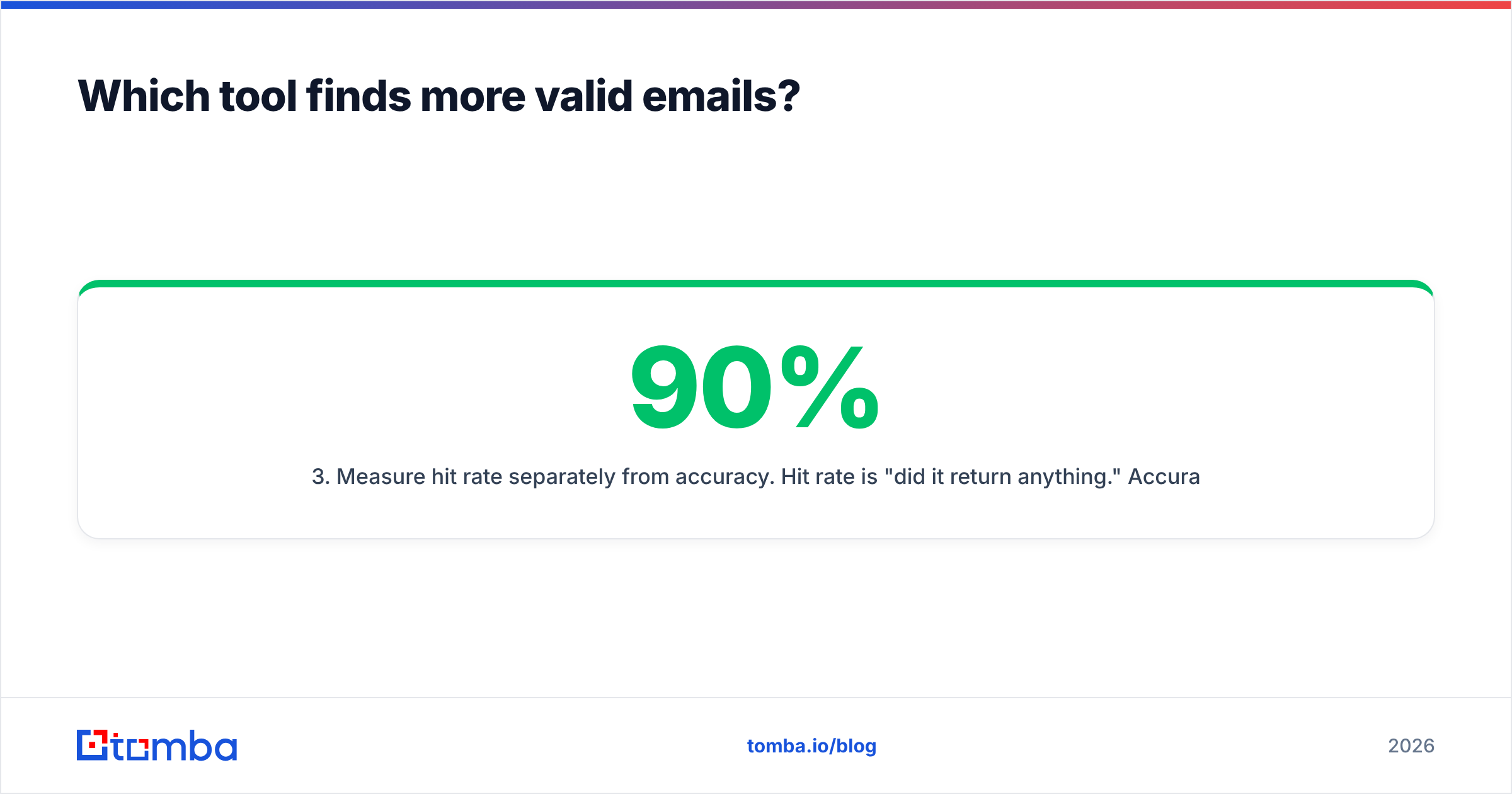
- Measure hit rate separately from accuracy. Hit rate is "did it return anything." Accuracy is "was what it returned correct." A tool with 90% hit rate and 70% accuracy is worse than one with 65% hit rate and 96% accuracy, because bounces damage your domain.
- Verify with a third, neutral tool. Do not let either vendor grade its own homework. Run the outputs through an independent email verifier so the scoring is consistent.
- Count catch-alls as a separate bucket. Do not let them silently inflate either side's "valid" column.
- Compute cost per verified contact. Divide plan cost by contacts that survived step 4. This is the only number that belongs in your decision doc.
Most teams that run this honestly find the gap between two mainstream tools is 5-15 percentage points, not the 40 points the marketing implies. The bigger cost difference comes from what you do with the ambiguous results.
How does pricing really compare?#
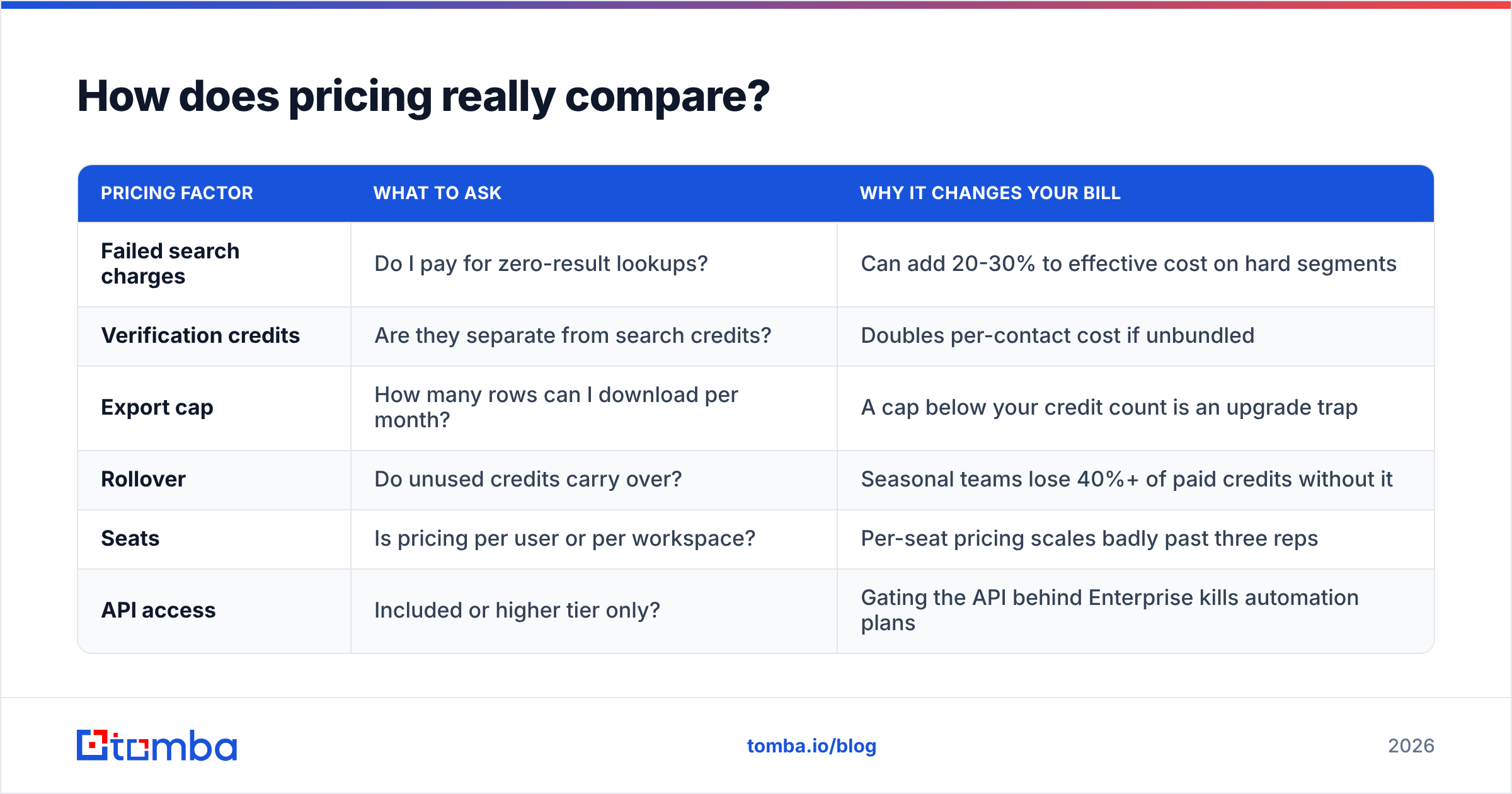
Headline prices mislead in this category because "credit" means different things at each vendor. Some charge a credit for a search that returns nothing. Some charge separately for verification. Some cap CSV exports below your credit allowance, which quietly forces an upgrade.
| Pricing factor | What to ask | Why it changes your bill |
|---|---|---|
| Failed search charges | Do I pay for zero-result lookups? | Can add 20-30% to effective cost on hard segments |
| Verification credits | Are they separate from search credits? | Doubles per-contact cost if unbundled |
| Export cap | How many rows can I download per month? | A cap below your credit count is an upgrade trap |
| Rollover | Do unused credits carry over? | Seasonal teams lose 40%+ of paid credits without it |
| Seats | Is pricing per user or per workspace? | Per-seat pricing scales badly past three reps |
| API access | Included or higher tier only? | Gating the API behind Enterprise kills automation plans |
For reference, Tomba pricing runs a free tier at 25 searches per month, Starter at $49/mo, Growth at $99/mo, Pro at $249/mo, and custom Enterprise terms — with search, verification, and domain search under one credit pool rather than three separate meters.
The practical takeaway: build a small spreadsheet with your realistic monthly volume, then compute cost per verified contact for each option. Teams routinely discover that the cheaper-looking plan costs more per usable row once failed lookups and separate verification credits are counted. Capterra reviews are useful here mainly because buyers complain about billing surprises in a way vendors never disclose upfront.
What happens with catch-all domains and verification?#
This is where a Kipplo vs Leadmine comparison gets decided for anyone running cold outbound at scale.
A catch-all (or "accept-all") domain accepts mail to any address at that domain, then silently discards what does not resolve internally. Standard verification returns a green checkmark. Your send looks fine. Two weeks later your bounce rate and spam complaints tell a different story, and your sender reputation is already damaged.
Most finders handle this in one of three ways:
- Flag and skip. The tool marks the address "risky" or "unknown" and leaves the decision to you. Safe for the vendor, useless for you.
- Flag and include. The tool counts it as valid in its accuracy math. Flattering numbers, real bounces.
- Actively resolve. The tool applies additional signals — pattern confidence, historical engagement data, secondary source confirmation — to make a defensible call.
The third approach is what a dedicated catch-all verifier exists to do. If both tools on your shortlist are stuck at "flag and skip," you will end up paying a third vendor for the missing step, which changes the pricing math you just built.
One more practical note: no amount of verification rescues a bad list. If you are scraping loosely targeted domains, a 99% valid address that belongs to someone who has no reason to care about your product still produces a zero-reply campaign. HubSpot's sales research has been saying the same thing for a decade — targeting beats volume, and data quality only compounds targeting that was already correct.
Which tool fits your actual workflow?#
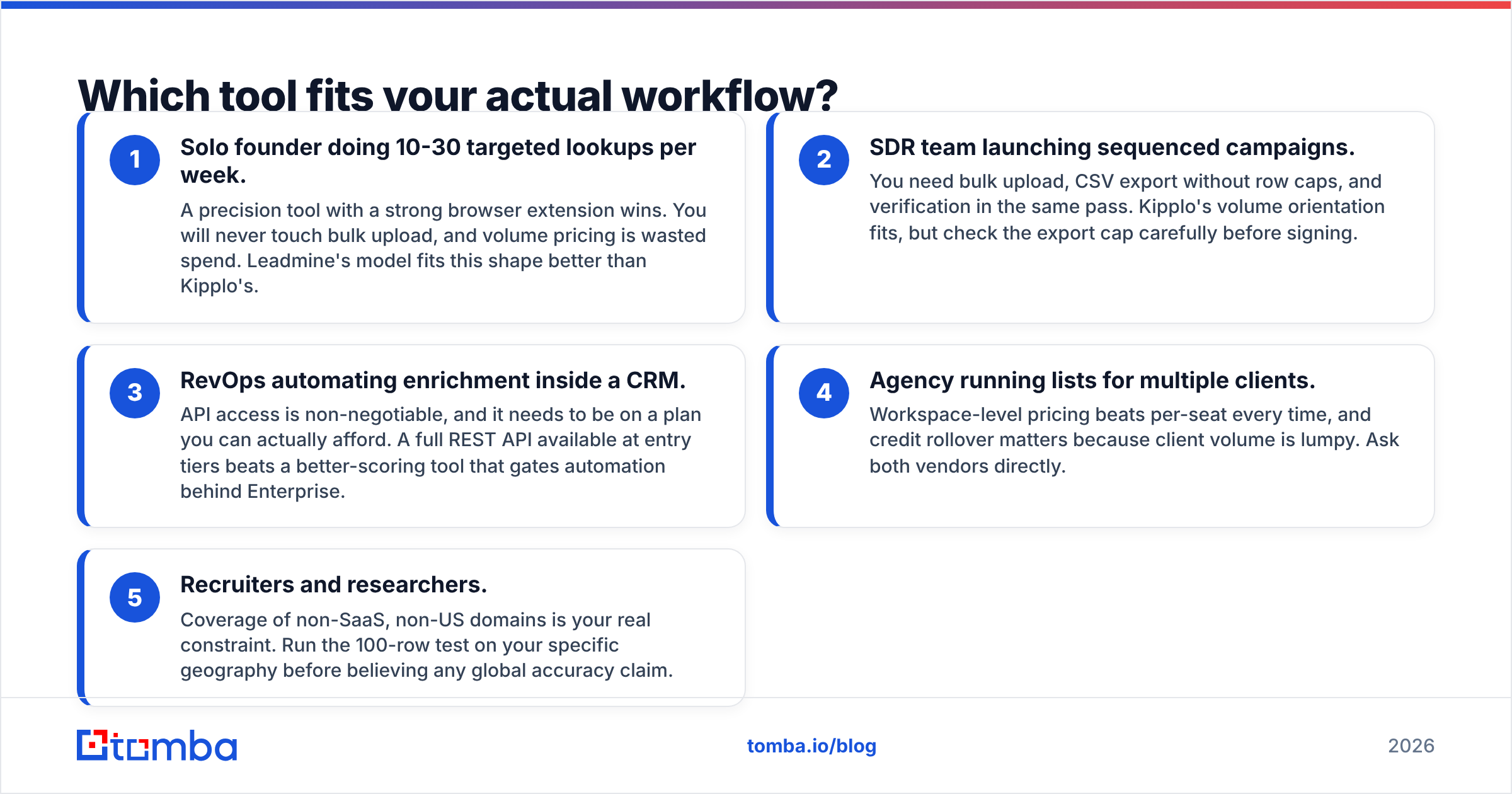
Pick based on how your team works, not on the feature grid:
- Solo founder doing 10-30 targeted lookups per week. A precision tool with a strong browser extension wins. You will never touch bulk upload, and volume pricing is wasted spend. Leadmine's model fits this shape better than Kipplo's.
- SDR team launching sequenced campaigns. You need bulk upload, CSV export without row caps, and verification in the same pass. Kipplo's volume orientation fits, but check the export cap carefully before signing.
- RevOps automating enrichment inside a CRM. API access is non-negotiable, and it needs to be on a plan you can actually afford. A full REST API available at entry tiers beats a better-scoring tool that gates automation behind Enterprise.
- Agency running lists for multiple clients. Workspace-level pricing beats per-seat every time, and credit rollover matters because client volume is lumpy. Ask both vendors directly.
- Recruiters and researchers. Coverage of non-SaaS, non-US domains is your real constraint. Run the 100-row test on your specific geography before believing any global accuracy claim.


Where does Tomba fit in this comparison?#
Honest framing: Tomba is not automatically the right answer, and if you have a working setup with either tool, switching for a marginal accuracy gain is not worth the migration cost.
Tomba becomes the better choice in one specific situation — when you would otherwise need two subscriptions. The common pattern looks like this: a team buys a finder, discovers the verification is too shallow for cold outbound, and adds a dedicated verifier. Now there are two bills, two credit pools, two APIs, and a CSV shuttling between them.
Tomba consolidates that: email finder, verifier, domain search, catch-all checking, phone finder, and enrichment share one account and one credit pool. For teams processing lists rather than one-off lookups, the bulk email finder handles upload, find, and verify in a single pass rather than three exports.
| Scenario | Best fit |
|---|---|
| Low-volume, high-touch prospecting | Leadmine or Tomba Free/Starter |
| High-volume list building | Kipplo or Tomba Growth |
| Finder + verifier in one bill | Tomba |
| API-driven CRM enrichment | Tomba (API on entry tiers) |
| Heavy catch-all exposure | Tomba catch-all verifier |
| Non-US, non-SaaS targeting | Test all three on your own list |
So which should you choose?#
Choose Kipplo if your primary job is building large lists fast, your segments are well covered by its data sources, and you have a separate verification step you already trust. Confirm the export cap matches your credit allowance before you pay.
Choose Leadmine if you do targeted, considered prospecting, live in the browser extension, and would rather find 40 correct contacts than 400 uncertain ones. Its ceiling is lower, which only matters if you plan to scale past it.
Choose Tomba if you want the finding, verification, and catch-all work under one roof at a predictable price — or if you are currently stacking two tools and want to stop.
And whichever you pick, run the 100-row test first. It takes an afternoon and it is the only evidence that reflects your actual market rather than a vendor's best-case benchmark.
Ready to run that test? Start with the Tomba Email Finder — the free tier gives you 25 searches a month, no card required, and Starter is $49/mo when you are ready to scale. Load your control list, compare the results against whatever you are using today, and let the numbers decide.
Related guides#
// get started
Find, verify and enrich your first contacts today
Start on the free plan with 25 searches a month, then scale when your team is ready.
Free plan · No credit card required · GDPR & CCPA
// about the author