Labnify vs RocketReach 2026: Honest Feature Comparison
Labnify sends cold email at volume. RocketReach finds the contacts. They are not competitors — and picking the wrong one is the most common outbound budgeting mistake teams make in 2026.
TL;DR
- Labnify and RocketReach are not competitors. Labnify is sending infrastructure (SMTP relay, inbox rotation, warmup, campaign delivery). RocketReach is a contact database (emails, phone numbers, LinkedIn-sourced profiles).
- If you already have a list and your emails are landing in spam, you have a Labnify-shaped problem. If your CRM has 400 company names and no contacts, you have a RocketReach-shaped problem.
- RocketReach's scale is its selling point — hundreds of millions of profiles — but per-lookup pricing gets expensive fast, and a chunk of what you pull still needs verification before send.
- A dedicated email finder plus a sending tool usually beats one bloated all-in-one, and costs less than a mid-tier RocketReach seat.
- Buying both without a verification layer between them is how you burn a domain in week three.
What exactly are Labnify and RocketReach?#
Start here, because the entire comparison collapses if you get this wrong.
Labnify positions itself as cold email sending infrastructure. Its pitch is volume: send large campaign batches through managed SMTP, rotate across multiple sending inboxes, warm those inboxes up, and keep deliverability stable while you scale. It sits at the end of your outbound pipeline — the part that touches the recipient's mail server.
RocketReach is the opposite end. It is a B2B contact database with a web app, a Chrome extension, and an API. You search a person or a company, and it returns work emails, personal emails, and phone numbers, aggregated from public web sources and its own crawl. It sits at the start of your pipeline — the part that fills the list.
So "Labnify vs RocketReach" is a bit like asking whether you need a truck or gasoline. The honest answer for most outbound teams is that you need something in both categories, and the real question is which specific tools, at what cost.
Where the confusion comes from: both brands market themselves with the phrase "cold outreach," both promise more meetings booked, and both show pipeline graphs on their homepages. Marketing language collapses the distinction that your budget cannot afford to collapse.

How do Labnify and RocketReach compare head-to-head?#
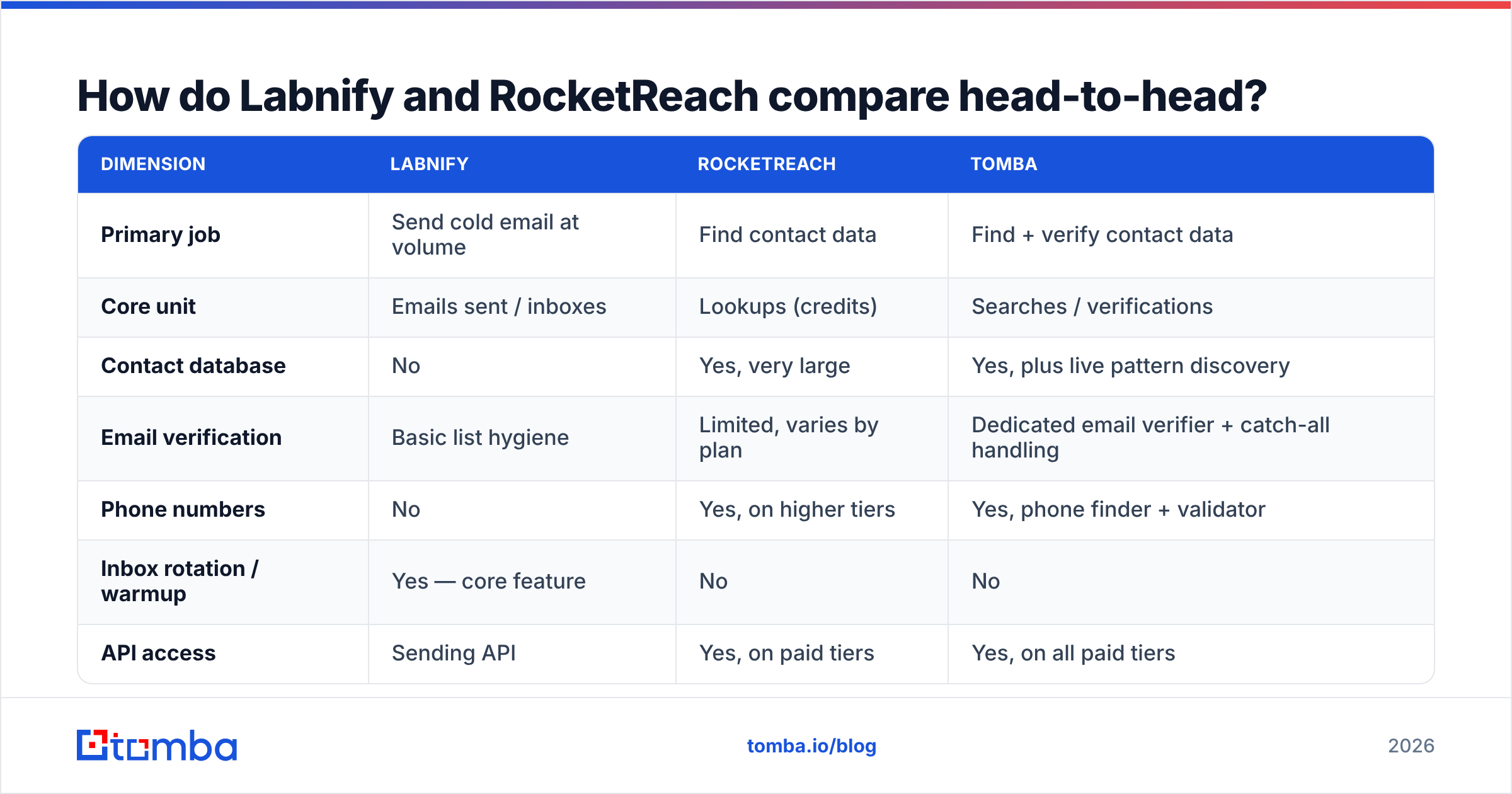
Here is the structural comparison. Treat pricing as directional — both vendors adjust tiers, and annual-vs-monthly gaps are wide — and confirm on their own pages before you buy.
| Dimension | Labnify | RocketReach | Tomba |
|---|---|---|---|
| Primary job | Send cold email at volume | Find contact data | Find + verify contact data |
| Core unit | Emails sent / inboxes | Lookups (credits) | Searches / verifications |
| Contact database | No | Yes, very large | Yes, plus live pattern discovery |
| Email verification | Basic list hygiene | Limited, varies by plan | Dedicated email verifier + catch-all handling |
| Phone numbers | No | Yes, on higher tiers | Yes, phone finder + validator |
| Inbox rotation / warmup | Yes — core feature | No | No |
| API access | Sending API | Yes, on paid tiers | Yes, on all paid tiers |
| Entry paid price | Varies; often sold as lifetime/volume deals | Roughly $39–$80/mo depending on term | $49/mo Starter |
| Free tier | Trial-based | Limited free lookups | 25 searches/mo, no card |
| Best for | Teams sending 10k+ emails/month | Recruiters, researchers, phone-first sales | Email-first B2B prospecting at controlled cost |
The row that matters most is "core unit." Labnify charges you for throughput. RocketReach charges you for discovery. Those two meters run independently, and neither vendor's plan protects you from overspending on the other.
What does Labnify actually do well?#
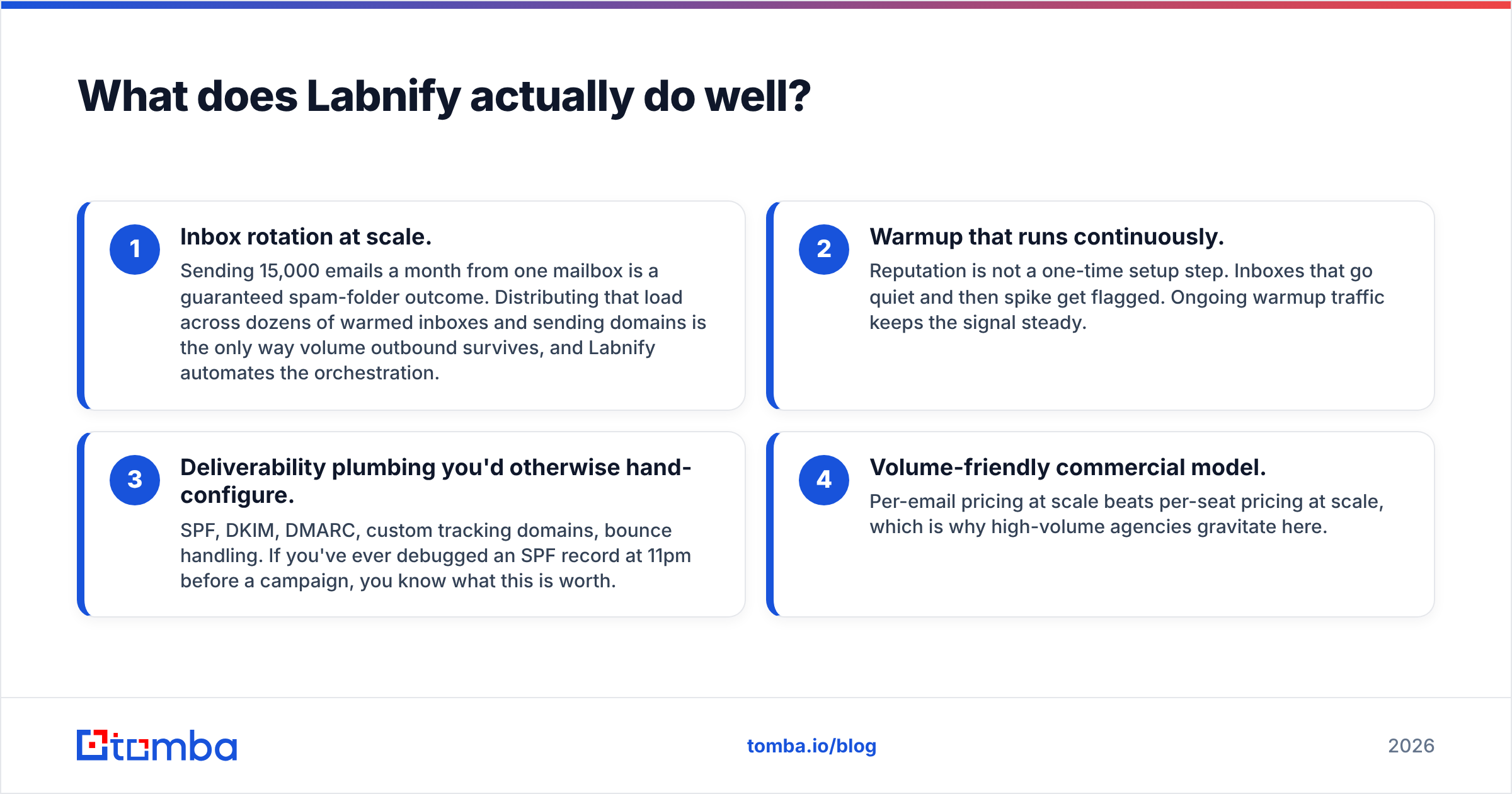
Three things, and they are genuinely hard problems:
- Inbox rotation at scale. Sending 15,000 emails a month from one mailbox is a guaranteed spam-folder outcome. Distributing that load across dozens of warmed inboxes and sending domains is the only way volume outbound survives, and Labnify automates the orchestration.
- Warmup that runs continuously. Reputation is not a one-time setup step. Inboxes that go quiet and then spike get flagged. Ongoing warmup traffic keeps the signal steady.
- Deliverability plumbing you'd otherwise hand-configure. SPF, DKIM, DMARC, custom tracking domains, bounce handling. If you've ever debugged an SPF record at 11pm before a campaign, you know what this is worth.
- Volume-friendly commercial model. Per-email pricing at scale beats per-seat pricing at scale, which is why high-volume agencies gravitate here.
What Labnify does not do: tell you who to email. It will happily blast a list of 8,000 guessed addresses into oblivion and take your domain reputation with it. The tool is amoral about input quality — that is your job.
Where does RocketReach win?#
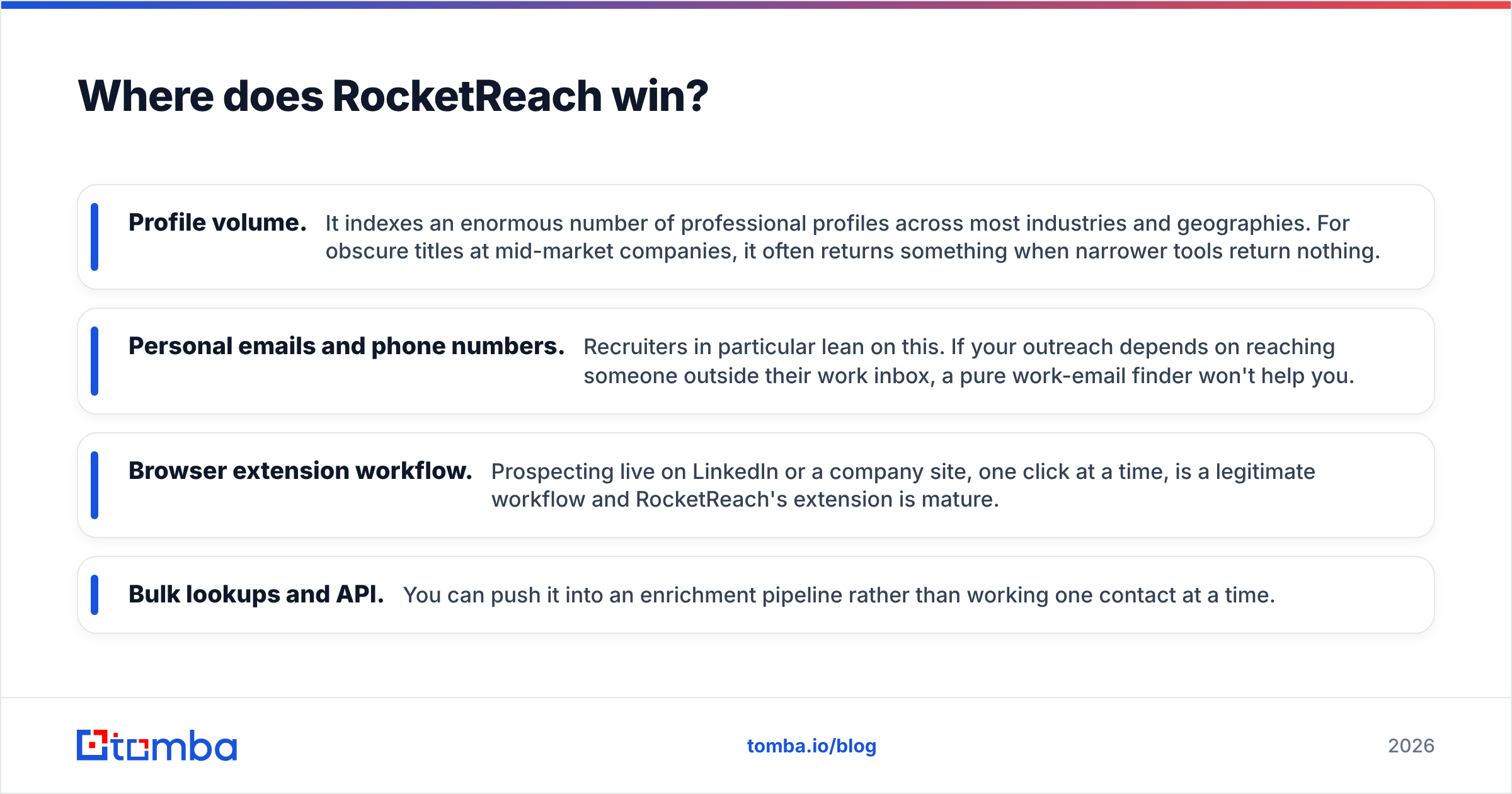
RocketReach's strongest arguments are coverage and breadth of data types.
- Profile volume. It indexes an enormous number of professional profiles across most industries and geographies. For obscure titles at mid-market companies, it often returns something when narrower tools return nothing.
- Personal emails and phone numbers. Recruiters in particular lean on this. If your outreach depends on reaching someone outside their work inbox, a pure work-email finder won't help you.
- Browser extension workflow. Prospecting live on LinkedIn or a company site, one click at a time, is a legitimate workflow and RocketReach's extension is mature.
- Bulk lookups and API. You can push it into an enrichment pipeline rather than working one contact at a time.
RocketReach's weaknesses are equally consistent across user reviews on G2: credit consumption feels fast, results vary sharply by region and company size, and a meaningful share of returned emails still need verification before you'd risk sending to them. That last point is the expensive one — you pay for the lookup, then pay again (in bounces or in a separate verifier) to find out whether the lookup was usable.
How much should contact data actually cost you?#
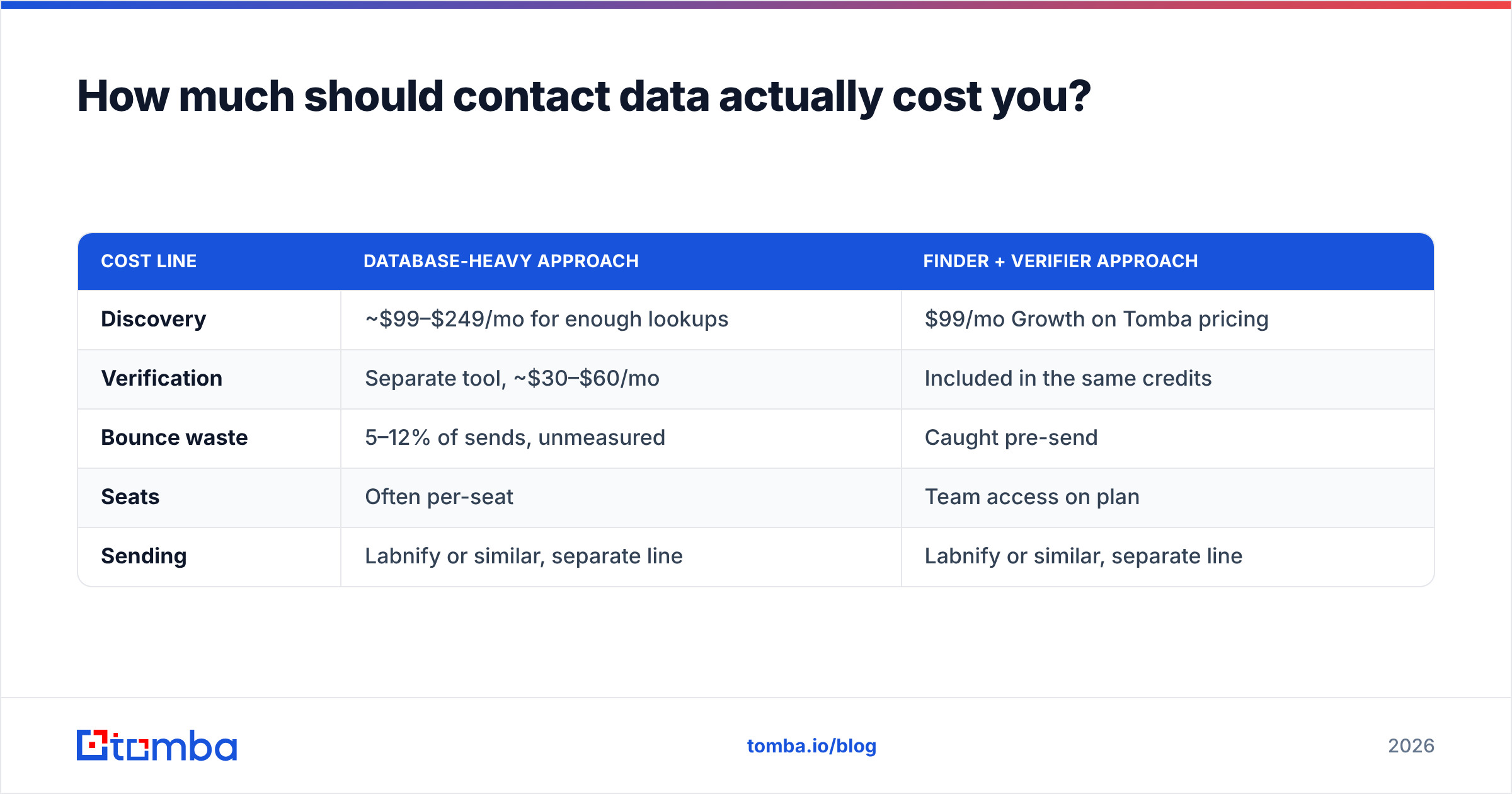
Run the numbers on a realistic month rather than on list prices.
Say you need 2,000 usable, verified work emails per month for a two-SDR team.
| Cost line | Database-heavy approach | Finder + verifier approach |
|---|---|---|
| Discovery | ~$99–$249/mo for enough lookups | $99/mo Growth on Tomba pricing |
| Verification | Separate tool, ~$30–$60/mo | Included in the same credits |
| Bounce waste | 5–12% of sends, unmeasured | Caught pre-send |
| Seats | Often per-seat | Team access on plan |
| Sending | Labnify or similar, separate line | Labnify or similar, separate line |
The finder-plus-verifier model wins on the second row. When discovery and verification live in one credit pool, you stop paying twice for the same contact, and you stop shipping unverified addresses into a sending tool that will cheerfully deliver your bounce rate straight into Google's spam filter.
This is the structural reason RocketReach alternatives keep getting evaluated by teams who are otherwise happy with the data: the pricing model, not the data, is what breaks at scale.
Is your bounce rate a data problem or a sending problem?#
Diagnose before you buy. The symptoms look identical from the outside — "our cold email isn't working" — but the fixes are opposite.
It's a data problem if:
- Hard bounces exceed 3% of sends
- Bounce messages say "user unknown," "no such recipient," or "address rejected"
- Reply rate is near zero even on domains that accept the mail
- You are guessing email patterns manually or with a permutator
It's a sending problem if:
- Bounces are low but opens are strangely low too
- Mail lands in Promotions or Spam on test inboxes
- Deferrals and rate-limit errors appear in logs
- One domain performs fine and another identical domain performs terribly
- Your sender reputation score dropped after a volume increase
Data problems point to RocketReach, Tomba, or another finder. Sending problems point to Labnify, warmup, and DNS. Buying a sending tool to fix a data problem is the single most common waste of outbound budget I see, and vendors on both sides have no incentive to correct you.

How accurate is the data you get from a contact database?#
No vendor's headline accuracy number survives contact with your specific ICP. What actually drives accuracy:
- Company size. Enterprise contacts are easier; sub-50-employee companies have thinner public footprints.
- Region. North American coverage is consistently stronger than EMEA or APAC across every provider, RocketReach included.
- Recency. Job changes are the main decay driver. A database refreshed quarterly will hand you stale contacts for roughly a quarter.
- Catch-all domains. Many company mail servers accept everything, so simple SMTP checks return "valid" for addresses that do not exist. A dedicated catch-all verifier is the only honest way to handle these, and most databases just mark them "risky" and move on.
The practical rule: whatever your provider returns, verify before send. Treat a database result as a strong hypothesis, not a fact. That single habit does more for deliverability than any warmup schedule.
Do you actually need both tools?#
Depends entirely on volume.
Under 1,000 emails/month: You do not need Labnify. Your own Google Workspace or Microsoft 365 inbox, properly configured, handles this. Spend everything on data quality. A domain search plus verification will serve you better than sending infrastructure you're not saturating.
1,000–8,000 emails/month: Grey zone. A mid-tier sequencer with a few sending inboxes usually covers it. Add dedicated sending infrastructure when you start seeing deferrals, not before.
8,000+ emails/month: Yes, you need both — real sending infrastructure and a real data source. At this volume, a 5% bounce rate is 400 bad sends, which is enough to measurably damage domain reputation. Verification stops being optional.
Recruiting or phone-first sales: RocketReach's personal emails and mobile numbers earn their cost in a way they don't for pure email outbound.
What does the recommended 2026 stack look like?#
Three layers, cleanly separated, each replaceable without breaking the others:
- Discovery layer — find contacts by domain, name, or company. Push results straight into your CRM via the Tomba API or a spreadsheet add-on.
- Verification layer — reject invalids, flag catch-alls, deduplicate. Non-negotiable above 1,000 sends/month.
- Sending layer — Labnify or a comparable platform, with warmup running continuously and domains segmented by campaign type.
Keep them separate on purpose. All-in-one platforms bundle a weak version of one layer with a strong version of another, and you end up paying premium rates for the weak part. Separation also means you can swap the sending layer when deliverability norms shift — and they shift every year as Google and Microsoft tighten bulk-sender requirements.
Which should you choose — Labnify or RocketReach?#
Choose Labnify if your list is already good, your volume is above roughly 8,000 emails a month, and your problem is landing in the inbox rather than finding the address. It solves a real infrastructure problem that spreadsheets and a single Gmail account cannot.
Choose RocketReach if you need broad profile coverage including personal emails and mobile numbers, you're in recruiting or a phone-heavy sales motion, and you can absorb per-lookup pricing.
Choose neither, yet, if you're under 1,000 sends a month and still guessing email patterns. Fix discovery and verification first — that's where your return per dollar is highest, and it's the cheapest layer to get right.
The most expensive version of this decision is buying both, skipping verification, and discovering in month two that your beautifully warmed inboxes are sending perfectly-delivered mail to addresses that don't exist.
Start with the layer that costs least to fix. Tomba's Email Finder returns verified work emails by domain, name, or company, with verification built into the same credit pool — no second subscription to find out whether a contact is real. The free tier gives you 25 searches a month with no card, Starter is $49/mo, and Growth at $99/mo covers a two-SDR team comfortably. Test it against a sample of your current list before you renew anything else.
Related guides#
// get started
Find, verify and enrich your first contacts today
Start on the free plan with 25 searches a month, then scale when your team is ready.
Free plan · No credit card required · GDPR & CCPA
// about the author