Labnify vs Wiza (2026): Which One Do You Actually Need?
Labnify sends email at volume. Wiza pulls contacts out of LinkedIn. Comparing them head-to-head only makes sense once you know which half of your outbound stack is actually broken — here's the breakdown.
TL;DR — Labnify vs Wiza in 30 seconds
- Labnify vs Wiza is not a fair fight. The two tools fix opposite halves of outbound. Labnify sends email. Wiza finds the people to send it to.
- Messages landing in spam? Labnify is the tool to look at. Half your addresses bouncing? Wiza is the one to fix that.
- Wiza shines when your buyers live in LinkedIn Sales Navigator. It fades when they do not, or when you need a clean API feed into your CRM.
- Labnify sells volume. One sending setup beats paying for dozens of Google Workspace seats. That math only works if your list is already clean.
- Most teams who weigh Labnify vs Wiza end up buying three things: a sender, a data tool, and a verifier. Budget for all three or the numbers never work.
Labnify vs Wiza: what does each tool do?#
They are not rivals. That one fact saves you an hour on their pricing pages.
Wiza is a contact data tool built on LinkedIn. Run a Sales Navigator search. Open a profile. Or upload a list. Wiza hands back work emails, personal emails, and phone numbers on higher plans. It checks each address as it exports. It also pushes lists into your CRM, so they do not rot in a spreadsheet. The pitch: LinkedIn search to usable list in a few clicks.
Labnify sits at the other end. It is cold email plumbing: mailboxes, SMTP relay, warmup, sequences, and inbox placement tools. It is built for teams sending far more than a normal Google Workspace account can take. Push past that limit and Google throttles you or flags you. The pitch: send a lot of email without burning your domain.
So the real question behind Labnify vs Wiza is simple. Which half of my outbound is broken right now? One fixes the list. The other fixes the send. Buy the wrong one and the old problem just gets louder.
Here is the split in plain terms:
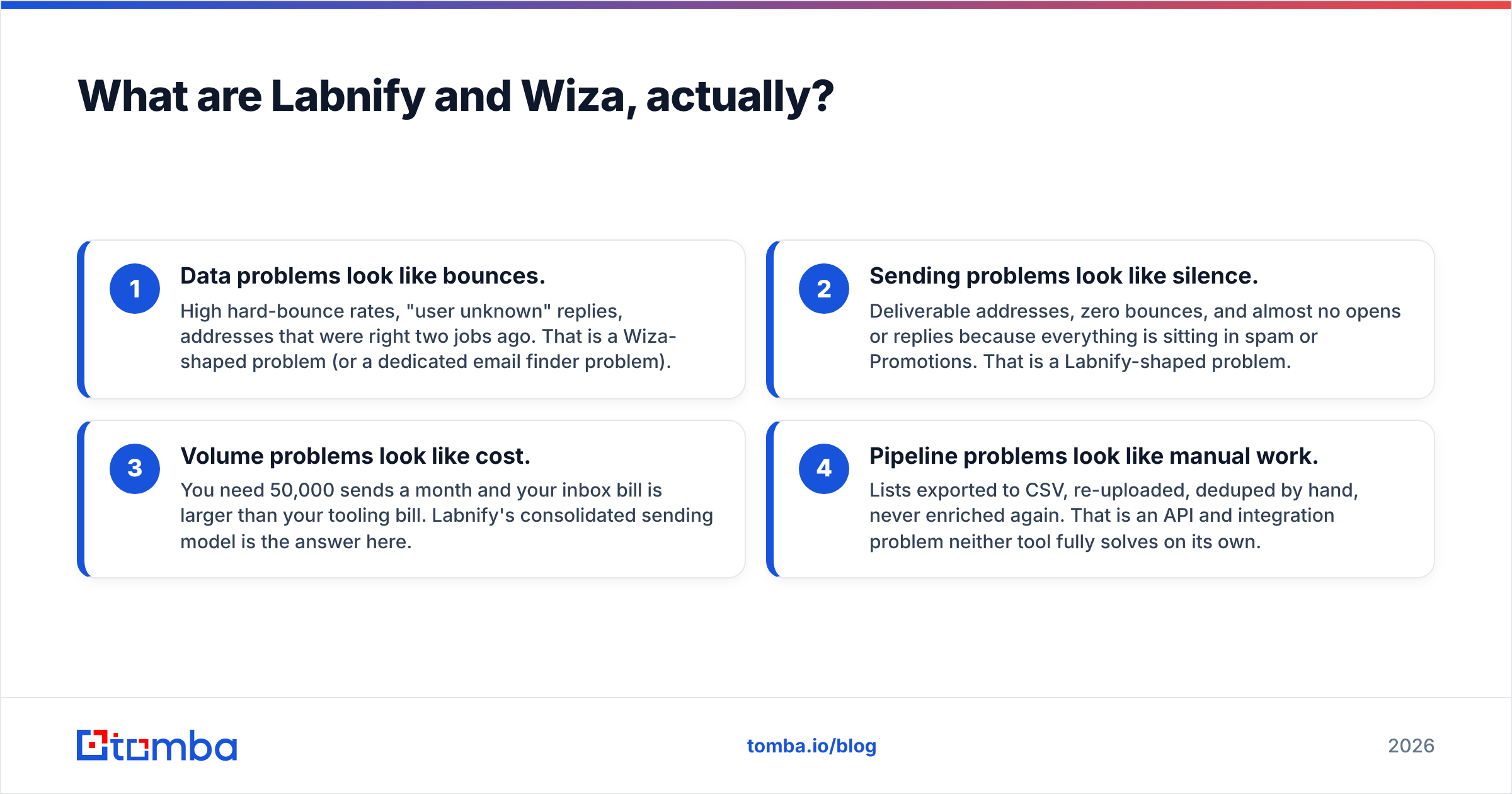
- Data problems look like bounces. High bounce rates. Replies that say the user is unknown. Addresses that were right two jobs ago. That is a Wiza-shaped problem, or a job for an email finder.
- Sending problems look like silence. Good addresses, no bounces, and almost no opens. The mail sits in spam or Promotions. That is a Labnify-shaped problem.
- Volume problems look like cost. You need 50,000 sends a month. Your inbox bill now beats your tool bill. Labnify is built for that.
- Pipeline problems look like busy work. Lists go to CSV, get re-uploaded, get deduped by hand, and never get enriched. Neither tool solves that alone.

Labnify vs Wiza: how do they compare head-to-head?#
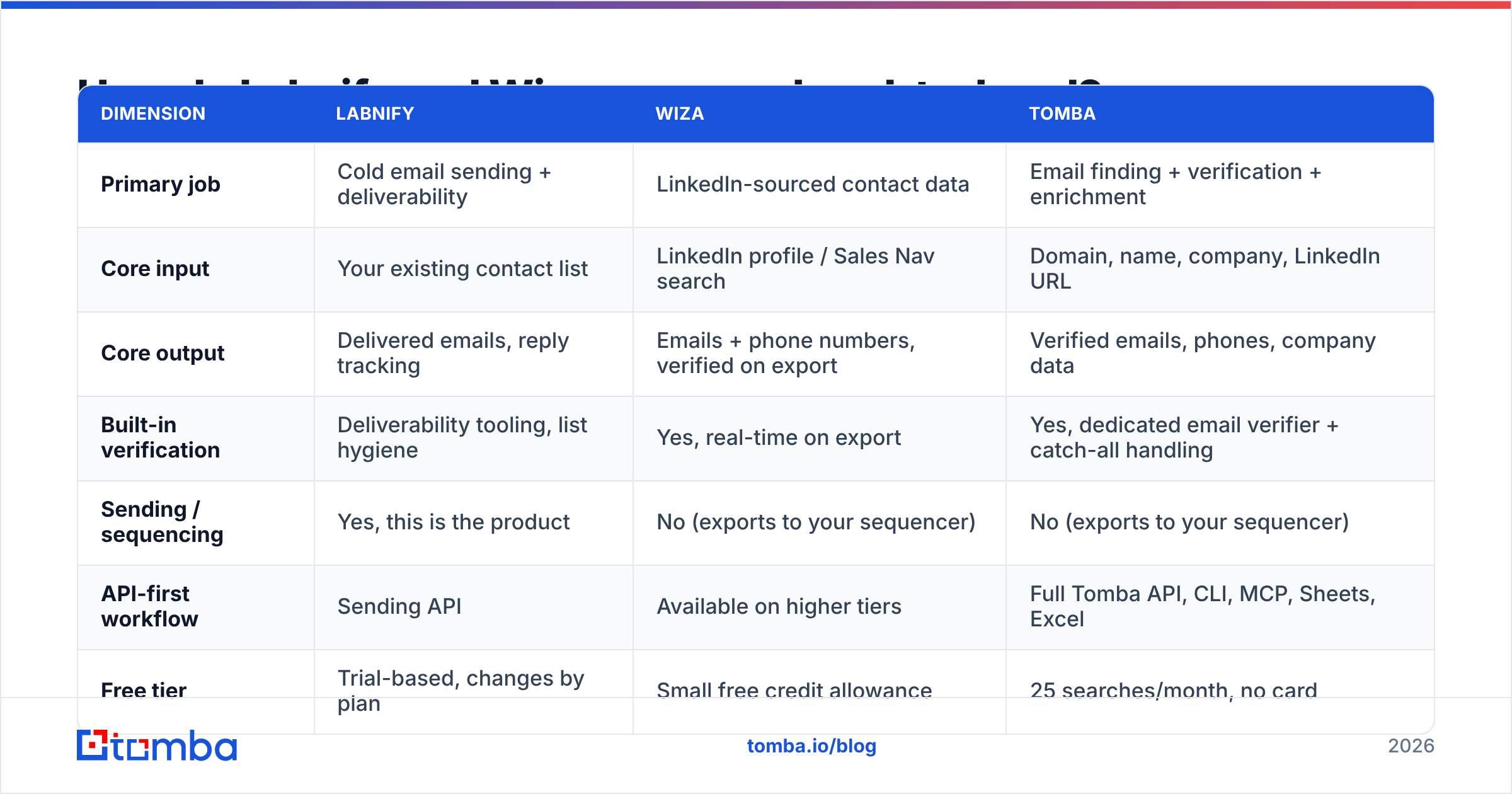
Read the table as a map of gaps, not a scoreboard. Prices reflect public plans at the time of writing. Both vendors shuffle tiers often, so check their own pages before you buy.
| Dimension | Labnify | Wiza | Tomba |
|---|---|---|---|
| Primary job | Cold email sending + deliverability | LinkedIn-sourced contact data | Email finding + verification + enrichment |
| Core input | Your existing contact list | LinkedIn profile / Sales Nav search | Domain, name, company, LinkedIn URL |
| Core output | Delivered emails, reply tracking | Emails + phone numbers, verified on export | Verified emails, phones, company data |
| Built-in verification | Deliverability tooling, list hygiene | Yes, real-time on export | Yes, dedicated email verifier + catch-all handling |
| Sending / sequencing | Yes, this is the product | No (exports to your sequencer) | No (exports to your sequencer) |
| API-first workflow | Sending API | Available on higher tiers | Full Tomba API, CLI, MCP, Sheets, Excel |
| Free tier | Trial-based, changes by plan | Small free credit allowance | 25 searches/month, no card |
| Entry paid price | Volume-based sending plans | Roughly $80–$100/mo range for email credits | $49/mo Starter |
| Best fit | Agencies and teams sending 20k+/mo | SDRs who live in Sales Navigator | Teams that need clean data across any source |
The first row matters most. Put Labnify vs Wiza side by side and you are picking between "I can send" and "I have someone to send to." Neither one is optional.
Labnify vs Wiza: which one has better data?#
Only one of them makes a data claim at all.
Wiza leans on LinkedIn. When a profile is current, active, and tied to a company domain Wiza knows, hit rates are good. The live check at export keeps most bad addresses out of your file. Where it slips is easy to predict. Think of people who last logged in back in 2019. Or regions where few people use LinkedIn. Or small firms with odd email patterns. Trades, factories, clinics, and public sector roles fall in the same gap.
Labnify does not find people. For Labnify, accuracy means one thing: does the mail reach the inbox. Teams mix up the two numbers all the time. You can hold a 99% valid list and still land 20% in the inbox. You can also run perfect plumbing over a list that was half guessed and never checked.
A simple way to judge any data source:
- Coverage — how much of your list comes back with an address. LinkedIn-first tools win on LinkedIn-heavy buyers and lose on the rest.
- Validity — how many of those addresses accept mail. A second check pass pays for itself here, above all on catch-all domains that accept every address and tell you nothing.
- Freshness — how recently the record was confirmed. Job changes are the quiet killer. B2B data goes stale fast.
- Sourcing — can the vendor say where a record came from. Read the data sources page before you scale spend on it.
- Refunds — do you get a credit back when a lookup fails. Policies vary, and they quietly change your true cost per contact.
Want a second opinion before you pay? Read recent reviews on G2 instead of the quotes on the vendor site. Look for reviews from firms your size, in your region.
Labnify vs Wiza pricing in 2026: what will you pay?#
The two price models are too different for a clean per-month match. You need a usage guess first.
Wiza sells credits. One credit per email. More for a phone number. Plans with phone data cost a fair bit more. A single seat on the entry tier tends to run $80 to $100 a month with a small credit pool. Add phones or seats and the curve gets steep.
Labnify sells sending capacity: mailboxes, monthly volume, and the tools around them. The pitch is cost per send against a rack of Google Workspace seats. At high volume that math holds up. At low volume it does not. A team sending 2,000 emails a month can do that from two or three normal inboxes for less.
For reference, Tomba pricing starts free at 25 searches a month. Starter is $49/mo, Growth is $99/mo, Pro is $249/mo, and Enterprise is custom. Finding, checks, and enrichment all draw on one credit pool.
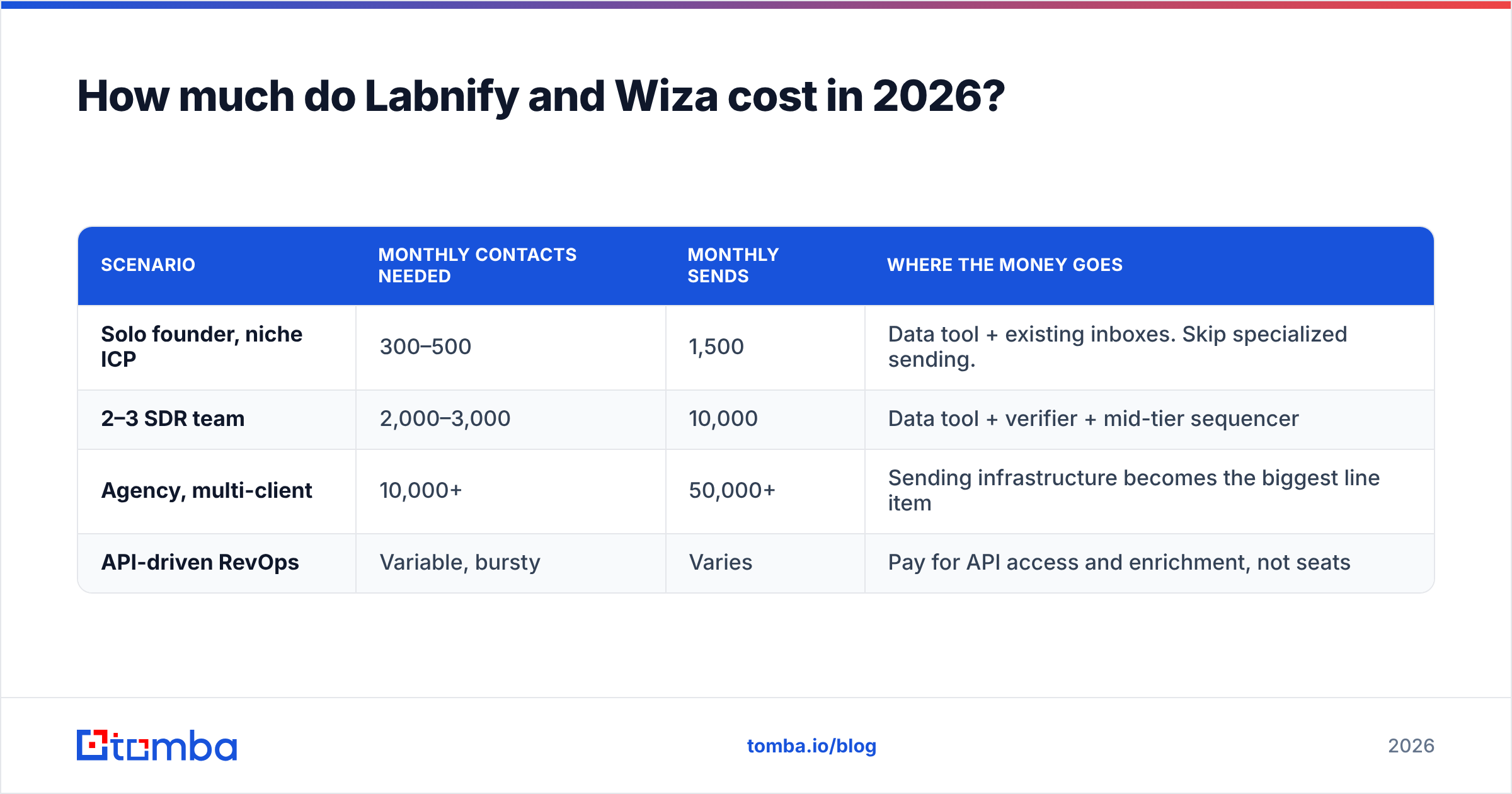
Run your own numbers before you sign:
| Scenario | Monthly contacts needed | Monthly sends | Where the money goes |
|---|---|---|---|
| Solo founder, niche ICP | 300–500 | 1,500 | Data tool + existing inboxes. Skip specialized sending. |
| 2–3 SDR team | 2,000–3,000 | 10,000 | Data tool + verifier + mid-tier sequencer |
| Agency, multi-client | 10,000+ | 50,000+ | Sending infrastructure becomes the biggest line item |
| API-driven RevOps | Variable, bursty | Varies | Pay for API access and enrichment, not seats |
One failure mode shows up again and again. Teams buy sending power first, because that pitch is exciting. Then they learn their list quality caps results far below what the setup could do. Fix the bottom of the fraction before you scale the top.

Labnify vs Wiza: do you need both, or neither?#
Most teams need both jobs done. They do not always need these two products.
Pick Labnify, or another sending setup, if: you send more than about 20,000 emails a month. Or you run several domains. Or you run client campaigns as an agency. Or you now spend real hours babysitting inbox rotation because you keep getting throttled.
Below that bar, a normal sequencer plus well-set Workspace inboxes is cheaper and simpler. Check your SPF record and auth setup first. A lot of spam crises turn out to be one bad DNS record.
Pick Wiza, or another data tool, if: your prospecting truly starts in Sales Navigator. Your buyers are all over LinkedIn. You want a fast path from profile to list with little setup. It is a good tool at that job, and the check-on-export step is a real time saver.
Pick neither if: your lists start from a domain list, an event exhibitor page, a funding note, an author byline, or your own site traffic. LinkedIn-first tools stall when there is no profile in the loop.
That is where domain search earns its place. You give it a company domain. It returns the people and the email format. No social profile needed. For bulk work, a bulk email finder can sweep a few thousand domains at once. No browser add-on comes close.
Here is the honest call for a mid-size team. Use one data tool with broad reach and an API. Add one check pass before every send. Then size your sending setup to your real volume. Wiza can be the data layer if you live in LinkedIn. Labnify can be the sending layer if you push real volume. Neither one replaces the other, and neither one replaces checking.
Where Labnify vs Wiza fits in a full stack#
Think of outbound like a restaurant. Wiza buys the ingredients. Labnify drives the delivery van. Neither one is the kitchen. And a fast van will not save bad food.
A stack that works, in order:
- Source — build the list from wherever your buyers show up: LinkedIn, domains, job boards, review sites, site visitors.
- Find — turn names and companies into addresses. Reach here sets the ceiling for everything after it.
- Check — run every address through a test. Deal with catch-all domains head on instead of hoping.
- Enrich — add title, seniority, company size, and tech stack so your copy can be specific. Contact enrichment is what lifts a note above "Hi {{first_name}}".
- Send — sequence and deliver from warm, signed inboxes at a pace your domains can handle.
- Measure — track bounce rate and reply rate apart. They point to different faults.
Skip step three and your sending spend is wasted. Skip step five and your data spend is wasted. Teams who say cold email is dead are almost always missing one step, not all six.
Labnify vs Wiza: which should you pick?#
Pick by your bottleneck, not by whose pricing page looks friendlier.
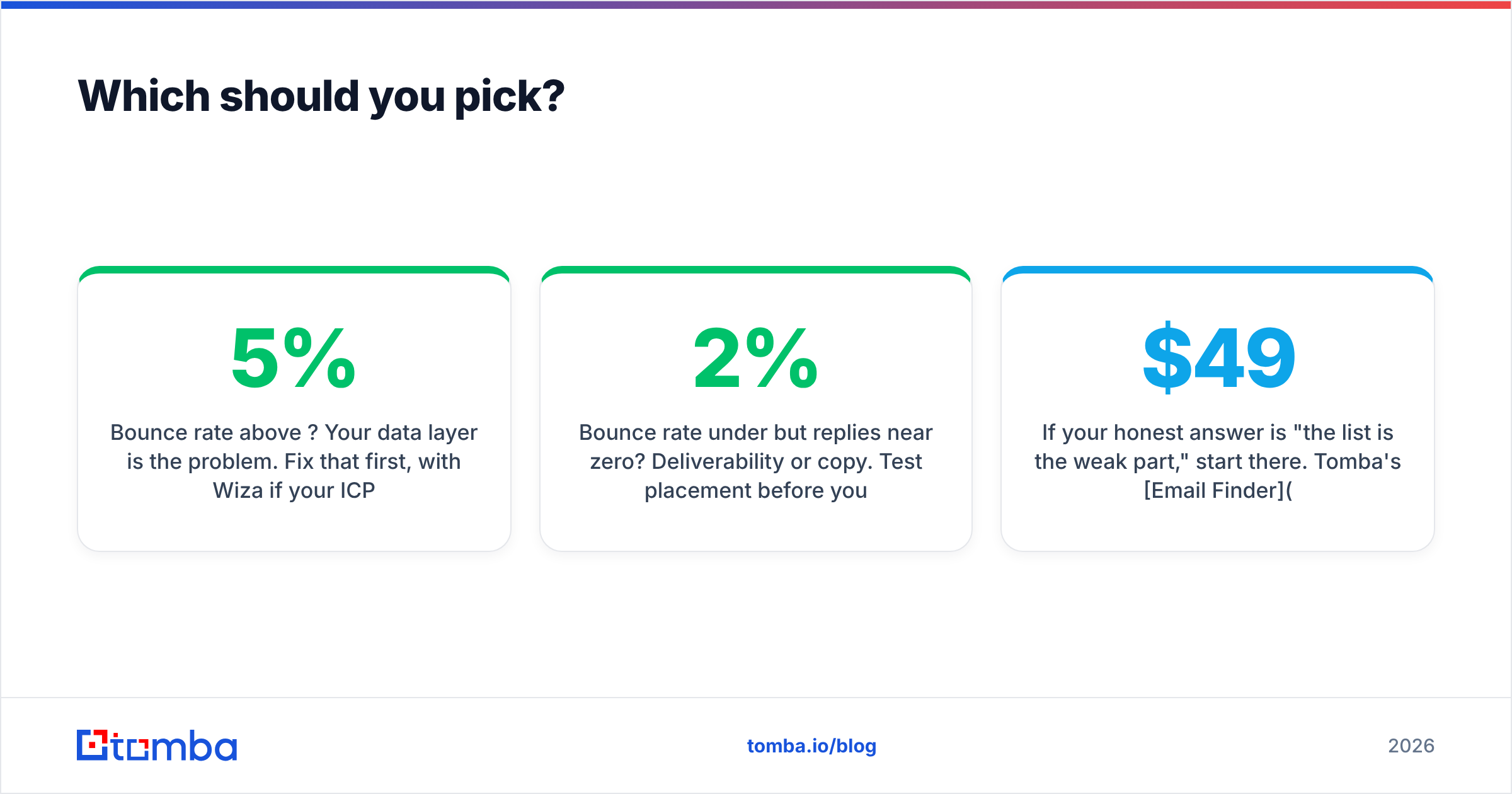
- Bounce rate above 5%? Your data is the problem. Fix that first. Use Wiza if your buyers live on LinkedIn, or a broader finder if they do not.
- Bounce rate under 2% but no replies? It is placement or copy. Test placement before you buy more data. Labnify makes sense if volume is straining your setup.
- Sending under 10,000 a month? A dedicated sending platform is early. Put the money into better data and better copy.
- Building on an API? Weigh API depth and credit math over UI polish. You will open the dashboard twice a year.
If the list is the weak part, start there. Tomba's Email Finder resolves contacts from a domain, a name, or a LinkedIn URL. It checks them on the same credits. Everything is exposed through an API, a CLI, a Sheets add-on, and a Chrome add-on, so the data lands where your team already works.
The free tier gives you 25 searches a month. Test coverage against your own buyer list before you spend a cent. Starter is $49/mo when you are ready to scale. Run 50 of your hardest prospects through it. Compare the hit rate to your current tool. Then let the numbers decide.
Related guides#
// get started
Find, verify and enrich your first contacts today
Start on the free plan with 25 searches a month, then scale when your team is ready.
Free plan · No credit card required · GDPR & CCPA
// about the author