Labnify vs Zintlr (2026): Which One Does Your Outbound Need?
Labnify sends email at scale. Zintlr finds the people you send to. They are not really competitors, and picking the wrong one is why half of outbound stacks stall. Here is the honest breakdown.
TL;DR
- Labnify and Zintlr are not direct competitors. Labnify is sending and deliverability infrastructure; Zintlr is a B2B contact and prospect-intelligence database. Comparing them head-to-head is like comparing a delivery truck to a warehouse.
- Pick Labnify if your bottleneck is volume, inbox placement, and mailbox management. Pick Zintlr if your bottleneck is not knowing who to contact in the first place.
- Most teams that search "Labnify vs Zintlr" actually need both layers, plus a dedicated verification step neither one owns end to end.
- Data freshness is the single biggest hidden cost in this comparison. A sending platform will happily deliver to a dead mailbox and charge you for the privilege.
- Budget reality: sending tools price on volume or mailbox count, data tools price on credits. Model both before you commit to annual anything.
What are Labnify and Zintlr, actually?#
They solve two different halves of the same problem.
Labnify positions itself as cold-email sending infrastructure: a mailer layer built for people running outbound at volume, where the hard parts are SMTP reliability, mailbox rotation, warmup, and keeping messages out of spam. The value proposition is throughput without your primary domain catching fire.
Zintlr sits on the other side of the pipeline. It is a B2B prospecting database with contact records, company firmographics, and a personality-intelligence layer that tries to tell you how a prospect prefers to be communicated with, not just their job title. The value proposition is list building and pre-call context.
Here is the split that matters when you are evaluating them:
- Labnify owns the send. Deliverability, mailbox pools, throttling, bounce handling, reply routing. Nothing to do with who is on the list.
- Zintlr owns the list. Search by industry, role, geography, company size; export contacts with emails and in many cases phone numbers.
- Neither owns verification as a core product. Both touch it. Neither is built as a dedicated verification engine, which is where most bounce problems originate.
- Neither owns your CRM. You are still syncing to HubSpot, Pipedrive, or Salesforce yourself or through a middleware layer.
- Overlap is thin. If you are trying to decide between them as an either/or, you are probably answering the wrong question.
That last point is the whole post, honestly. The useful version of "Labnify vs Zintlr" is "which layer of my outbound stack is currently broken?"
How do Labnify and Zintlr compare feature by feature?#
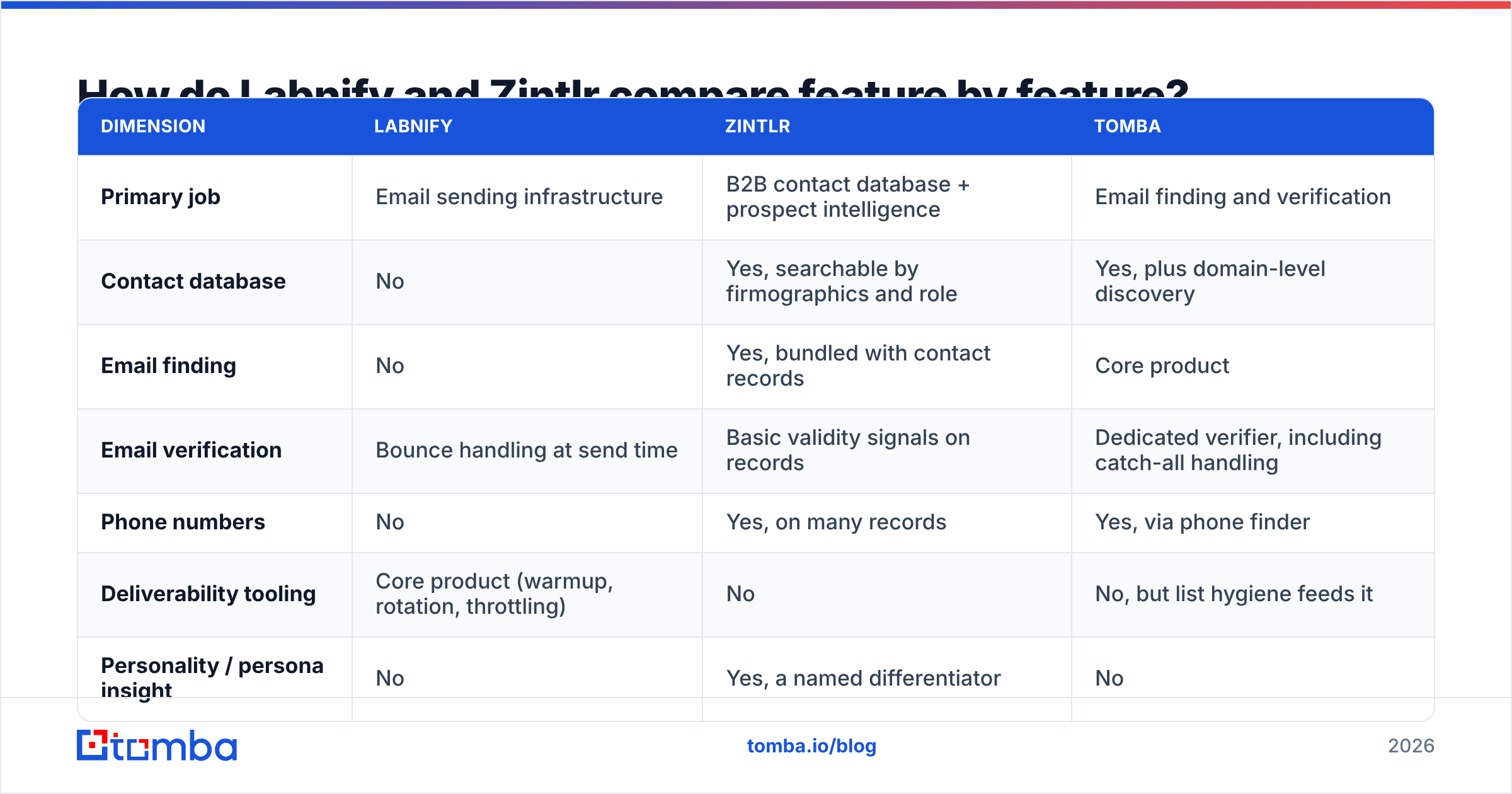
Pricing for both vendors changes often enough that you should confirm current numbers on their own pages before you sign anything. The structural differences below are stable.
| Dimension | Labnify | Zintlr | Tomba |
|---|---|---|---|
| Primary job | Email sending infrastructure | B2B contact database + prospect intelligence | Email finding and verification |
| Contact database | No | Yes, searchable by firmographics and role | Yes, plus domain-level discovery |
| Email finding | No | Yes, bundled with contact records | Core product |
| Email verification | Bounce handling at send time | Basic validity signals on records | Dedicated verifier, including catch-all handling |
| Phone numbers | No | Yes, on many records | Yes, via phone finder |
| Deliverability tooling | Core product (warmup, rotation, throttling) | No | No, but list hygiene feeds it |
| Personality / persona insight | No | Yes, a named differentiator | No |
| API access | Yes, for sending | Yes, on higher tiers | Yes, on all paid tiers |
| Pricing model | Volume / mailbox based | Credit based, tiered | Credit based; Free 25 searches, Starter $49/mo, Growth $99/mo, Pro $249/mo |
| Best for | Agencies and teams sending high volume | SDRs building lists, especially APAC coverage | Teams that need accurate, verified contact data at any volume |
Two honest caveats about this table. First, "email verification" means different things to each vendor: a sending platform verifies in the sense that it handles bounces gracefully, while a email verifier verifies in the sense that it tells you not to send at all. Second, Zintlr's coverage skews stronger in some regions than others, so run a sample before you believe any global coverage claim, from any vendor including this one.
Is Labnify worth it for cold email sending?#
If you are sending meaningful volume, some kind of dedicated sending layer is not optional, and Labnify is a reasonable candidate for that slot.
Where it earns its keep:
- You are running multiple sending domains and dozens of mailboxes and managing that by hand is eating a person's week.
- You have already burned a primary domain once and never want to do it again.
- Your volume has outgrown what a standard sequencer's built-in sending can handle without throttling problems.
Where it does nothing for you:
- Your reply rate is low because your targeting is wrong. No sending infrastructure fixes a bad list.
- Your bounce rate is high because your data is stale. This is the most common misdiagnosis in outbound. Teams see bounces, assume a deliverability problem, and buy a sending tool, when the actual fix is upstream list hygiene.
- You send under a few thousand emails a month. At that volume the infrastructure overhead is not worth it.
Before you buy any sending platform, run your existing list through a verifier and look at the invalid percentage. If it is above 5%, your problem is data, not sending. Fixing it costs a fraction of what a sending upgrade costs. A simple free email checker will tell you in thirty seconds whether you are about to solve the wrong problem.
Is Zintlr's data good enough to build a list on?#
Zintlr is a credible database, with a genuinely differentiated feature in its personality-intelligence layer. Whether it is good enough for your list depends almost entirely on your ICP's geography and seniority.
Evaluate it the way you should evaluate any data vendor:
- Pull 100 records from your exact ICP. Not a broad "SaaS companies" search. Your actual segment.
- Verify all 100 independently. Use a third-party verifier, not the vendor's own validity flag. Vendors grade their own homework.
- Check recency. How many of those contacts are still in the role the record claims? LinkedIn spot-checks on 20 records is enough to see the pattern.
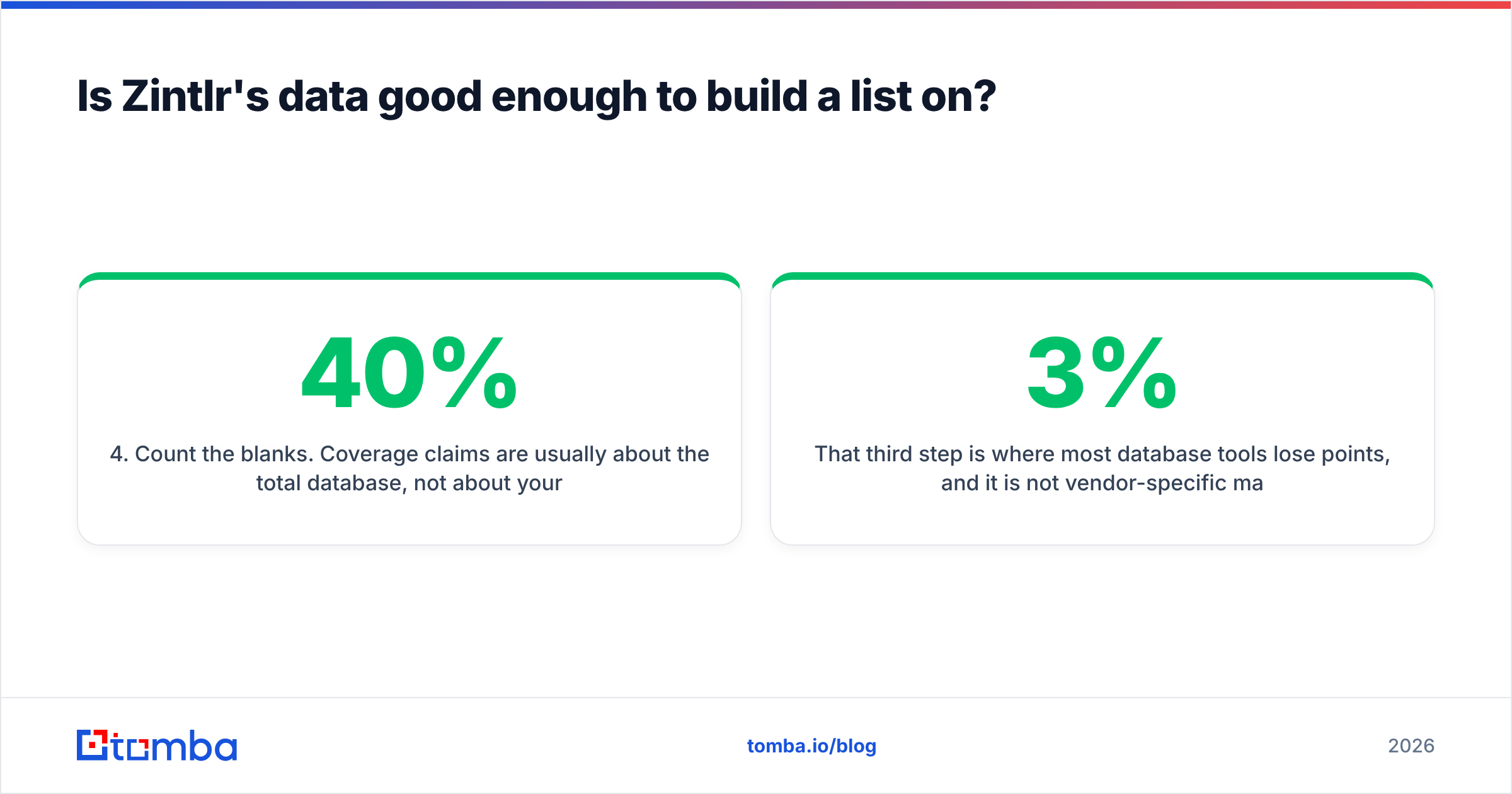
- Count the blanks. Coverage claims are usually about the total database, not about your segment. A 200-million-record database with 40% coverage of your niche is a 40% tool for you.
- Test the enrichment path. If you already have domains and names, can the tool fill the gaps, or does it only work as a search-and-export product?
That third step is where most database tools lose points, and it is not vendor-specific malice. B2B contact data decays roughly 2-3% per month through job changes alone, which compounds to a meaningful chunk of any database inside a year. Anyone selling you a static export is selling you a depreciating asset.
This is also the argument for pairing a database with a real-time email finder rather than relying on one source. A database tells you who existed at the time of the crawl. A finder tells you what resolves today.
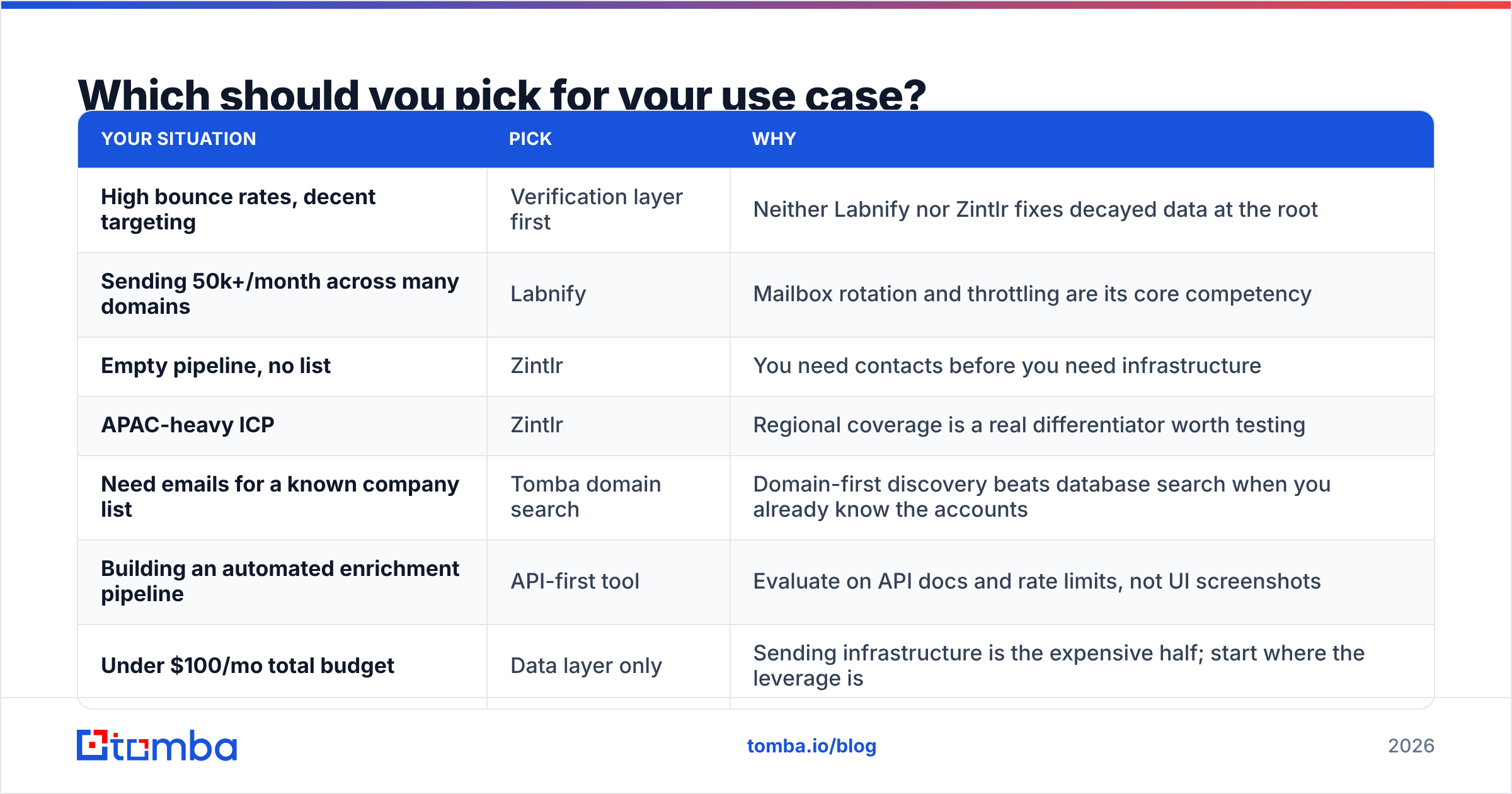
Which should you pick for your use case?#
| Your situation | Pick | Why |
|---|---|---|
| High bounce rates, decent targeting | Verification layer first | Neither Labnify nor Zintlr fixes decayed data at the root |
| Sending 50k+/month across many domains | Labnify | Mailbox rotation and throttling are its core competency |
| Empty pipeline, no list | Zintlr | You need contacts before you need infrastructure |
| APAC-heavy ICP | Zintlr | Regional coverage is a real differentiator worth testing |
| Need emails for a known company list | Tomba domain search | Domain-first discovery beats database search when you already know the accounts |
| Building an automated enrichment pipeline | API-first tool | Evaluate on API docs and rate limits, not UI screenshots |
| Under $100/mo total budget | Data layer only | Sending infrastructure is the expensive half; start where the leverage is |
What does a complete outbound stack actually look like in 2026?#
Four layers, and you cannot skip any of them:
Layer 1 — Targeting. Your ICP definition and account list. This is not a tool problem, it is a strategy problem, and buying software before you solve it is how teams end up with expensive spray-and-pray.
Layer 2 — Data. Finding and verifying contacts at those accounts. This is where Zintlr lives, and where a dedicated finder-plus-verifier stack lives. The output of this layer should be a list where you would bet money on every address resolving.
Layer 3 — Sending. Mailboxes, domains, warmup, rotation, throttling. Labnify's territory. Also where sequencers like Instantly, Smartlead, and their peers partially overlap.
Layer 4 — Sequencing and CRM. The actual campaign logic and where replies land.
Most stacks break at layer 2 and get diagnosed at layer 3. You see poor inbox placement, you blame the sender, you upgrade the sending tool, and nothing improves, because mailbox providers were downranking you for hitting dead addresses the whole time. Email deliverability is downstream of list quality far more than most vendors will admit, since admitting it means selling you a cheaper product.
A practical sequence for a team starting from scratch:
- Define 200 target accounts manually. No tools.
- Find contacts at those accounts by domain, not by database search.
- Verify every address, including catch-all domains, before a single send.
- Send from two warmed domains at low volume for 30 days.
- Only then evaluate whether you need dedicated sending infrastructure.
Teams that follow that order rarely need to buy layer 3 in year one. Teams that skip it usually buy layer 3 twice.
What do Labnify and Zintlr cost?#
Both vendors publish pricing, and both revise it, so treat any number you read in a blog post (including this one) as a starting point for your own check.
The structural difference is what you should plan around:
- Sending tools price on capacity. Mailboxes, sending volume, connected domains. Costs scale with how loud you are, not with how effective you are. This means a badly targeted campaign costs the same as a good one.
- Data tools price on credits. You pay per contact or per lookup. Costs scale with list size, and unused credits often expire monthly, which is where a lot of budget quietly evaporates.
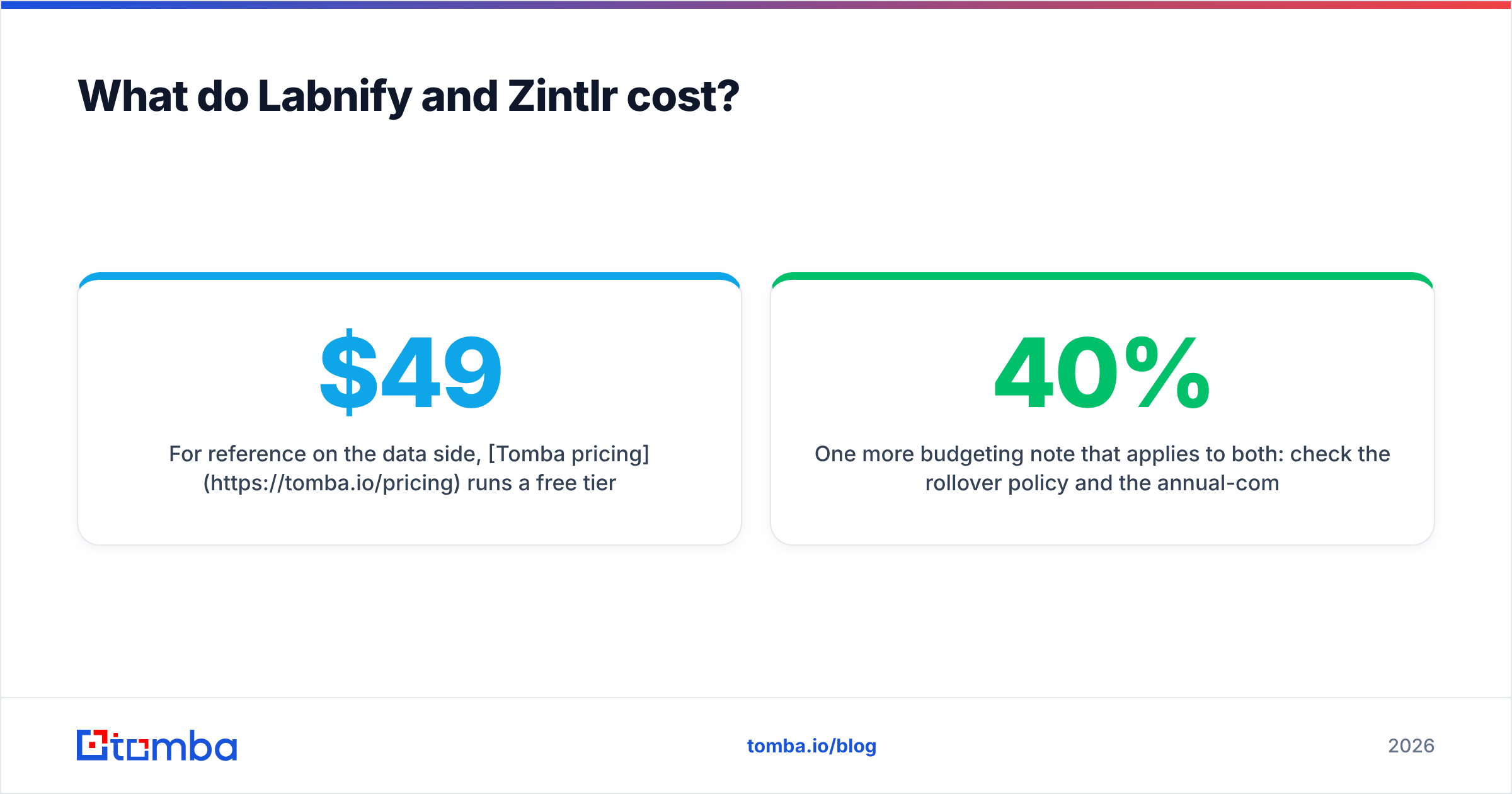
For reference on the data side, Tomba pricing runs a free tier at 25 searches a month, Starter at $49/mo, Growth at $99/mo, and Pro at $249/mo, with enterprise pricing on request. Use that as a benchmark when you are reading any credit-based quote: if a vendor's effective cost per verified contact is dramatically higher, ask what you are getting for the premium, and if it is dramatically lower, ask where the data came from.
One more budgeting note that applies to both: check the rollover policy and the annual-commitment discount separately. A 40% annual discount is not a discount if you only use the tool for four months, and credit-based tools in particular are designed around the assumption that most customers underuse their plan.
How do you test both without wasting a month?#
Run a two-week bakeoff with a real list, not a demo:
- Week 1, data test. Build the same 200-contact list in Zintlr and through a dedicated finder. Verify both lists with the same third-party verifier. Compare valid-address percentage and coverage gaps. The winner is whichever gives you more usable contacts per dollar, not more rows.
- Week 2, send test. Send the same verified list through your current setup and through Labnify. Compare inbox placement and reply rate. Because the list is identical and clean, any difference is genuinely attributable to the sending layer.
That second design is the important one. Most vendor comparisons change two variables at once and then credit the result to whichever tool the reviewer is affiliated with. Holding the list constant is the only way to isolate whether a sending platform is actually doing anything for you.
If you want outside signal before you commit, vendor review profiles on G2 are worth ten minutes, but read the two-star and three-star reviews specifically. Five-star reviews tell you what the product does. Three-star reviews tell you what it does not.
The verdict#
Labnify vs Zintlr is a false choice for most teams. If you must pick one, pick based on which layer is currently costing you deals: no pipeline means you need data, and stalled delivery at real volume means you need infrastructure.
But before you buy either, settle the layer underneath both of them. Verified, current contact data makes a mediocre sending setup look fine, and unverified data makes a great sending setup look broken. That order never reverses.
If that is where your stack is leaking, start with Tomba Email Finder. Find addresses by domain, name, or company, verify them before they ever touch a campaign, and push the clean list into whatever sending layer you land on. The free tier covers 25 searches a month, which is enough to run the data half of the bakeoff above and see for yourself whether your problem was ever the sending tool.
Related guides#
// get started
Find, verify and enrich your first contacts today
Start on the free plan with 25 searches a month, then scale when your team is ready.
Free plan · No credit card required · GDPR & CCPA
// about the author