Lead Capture Automation: The 2026 Guide to Faster Pipeline
Most teams automate the form and stop there. Here is what a full lead capture automation stack looks like in 2026 — capture, enrich, verify, route, and respond — with real costs and a build-vs-buy verdict.
TL;DR
- Lead capture automation is not "a form that emails you." It is a five-layer pipeline: capture, enrich, verify, route, respond — and most teams only automate layer one.
- Speed-to-lead is the single highest-leverage variable. Responding inside five minutes versus thirty minutes changes qualification odds by roughly an order of magnitude, per the widely cited MIT/InsideSales lead response research.
- Enrichment at the point of capture lets you cut form fields from seven to three without losing routing data. Shorter forms convert better; enrichment fills the gap.
- Verification before routing is non-negotiable. A bounced confirmation email on a hand-raiser is a lost deal and a hit to your sender reputation.
- Budget reality: a working stack runs roughly $150–$600/month for a small team. The expensive part is almost never the capture tool.
What is lead capture automation?#
Lead capture automation is the set of systems that move a prospect from "showed interest" to "sitting in front of the right rep with complete data" without a human touching a spreadsheet.
Think of it like an airport baggage system. The passenger drops the bag (capture), a scanner reads the tag and adds flight data (enrichment), a sensor checks the bag is not damaged or misrouted (verification), a series of gates send it down the right belt (routing), and it arrives at the plane before the passenger boards (response). Break any one stage and the bag shows up in Denver three days late. Most companies have built the drop-off counter and nothing else.
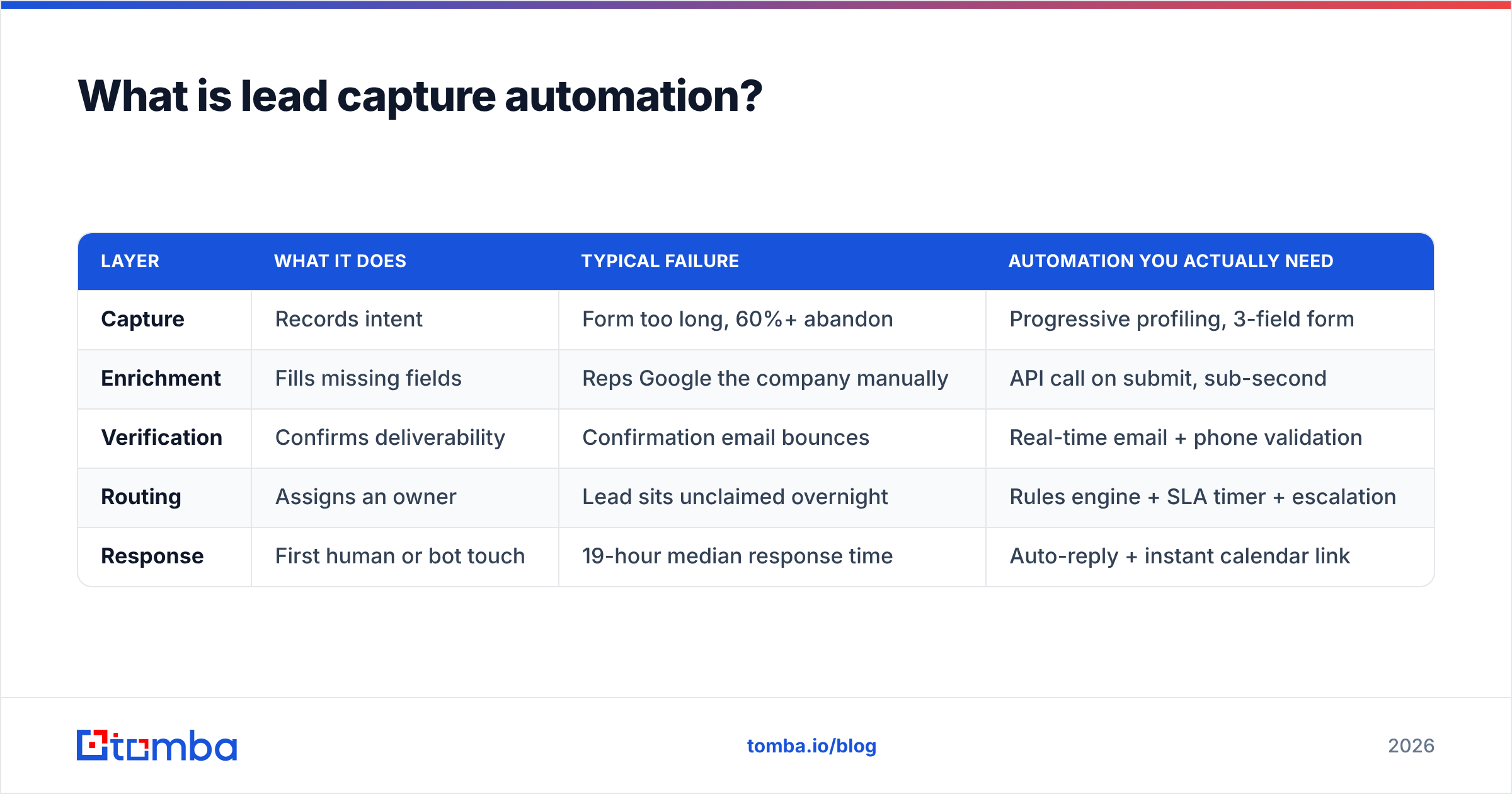
The five layers, in the order a lead moves through them:
- Capture — the surface where intent gets recorded: forms, chat, calendar bookings, LinkedIn message, webinar signup, website visitor identification, inbound calls.
- Enrichment — appending firmographic and contact data the prospect did not type: company size, industry, tech stack, job title, work email, direct dial.
- Verification — confirming the contact data is deliverable and the company is real before it costs you a send or a rep's hour.
- Routing — assigning the lead to an owner by territory, segment, account ownership, or round-robin, with an SLA clock attached.
- Response — the first touch: an instant reply, a booked meeting, a task in the CRM, a Slack alert to the owner.
| Layer | What it does | Typical failure | Automation you actually need |
|---|---|---|---|
| Capture | Records intent | Form too long, 60%+ abandon | Progressive profiling, 3-field form |
| Enrichment | Fills missing fields | Reps Google the company manually | API call on submit, sub-second |
| Verification | Confirms deliverability | Confirmation email bounces | Real-time email + phone validation |
| Routing | Assigns an owner | Lead sits unclaimed overnight | Rules engine + SLA timer + escalation |
| Response | First human or bot touch | 19-hour median response time | Auto-reply + instant calendar link |
Why do most lead capture automations break at layer two?#
Because enrichment is where the build-it-yourself approach stops being free.
A form is trivial to automate — every website builder ships one. Routing is a config screen in any modern CRM. But enrichment requires a data provider, an API contract, an error path for when the provider has no match, and a decision about what happens to the lead when enrichment fails. That is engineering work, and it is the point where teams quietly revert to "export the CSV on Friday."
The symptom is easy to spot. If your reps open LinkedIn to find out what a new inbound lead's company does before they reply, your layer two is a human. That human costs you somewhere between four and eleven minutes per lead, and those minutes are subtracted directly from your speed-to-lead.

The fix is structural, not motivational. Wire a data enrichment call into the form submit handler so the record lands in the CRM already complete. The rep opens a lead that says "Series B fintech, 180 employees, uses Segment and Snowflake, VP Ops, direct dial attached" instead of a name and a Gmail address.
How short should your capture form be?#
Three fields for top-of-funnel, five maximum for demo requests. Everything else you were going to ask, you append instead.
The trade-off is well documented: each additional required field depresses completion. HubSpot's own form research has shown meaningful conversion lift moving from four fields down to three. But shorter forms have historically meant worse data, which meant worse routing, which meant good leads landing with the wrong rep.
Enrichment breaks that trade-off. Here is the mapping most B2B teams can use:
- Ask for work email. It is the primary key for everything downstream. A personal Gmail tells you almost nothing; a work email resolves the company, the domain, and usually the employee count.
- Ask for name. Needed for personalization and for matching against existing CRM records.
- Ask one qualifying question. Something the data cannot infer: budget timing, use case, team size they are buying for.
- Append company, industry, employee count, revenue band. Domain-driven, from the email. Zero friction.
- Append job title and seniority. Drives routing to enterprise versus SMB rep.
- Append tech stack and direct dial. Fuels the first call and the first message.
If your form still asks "Company Name" as a required field, you are charging the prospect a tax for data you can get for free from their email domain.
How do you enrich and verify a lead in real time?#
The pattern is a single synchronous call on submit, with a fallback path. Here is the sequence that works in production:
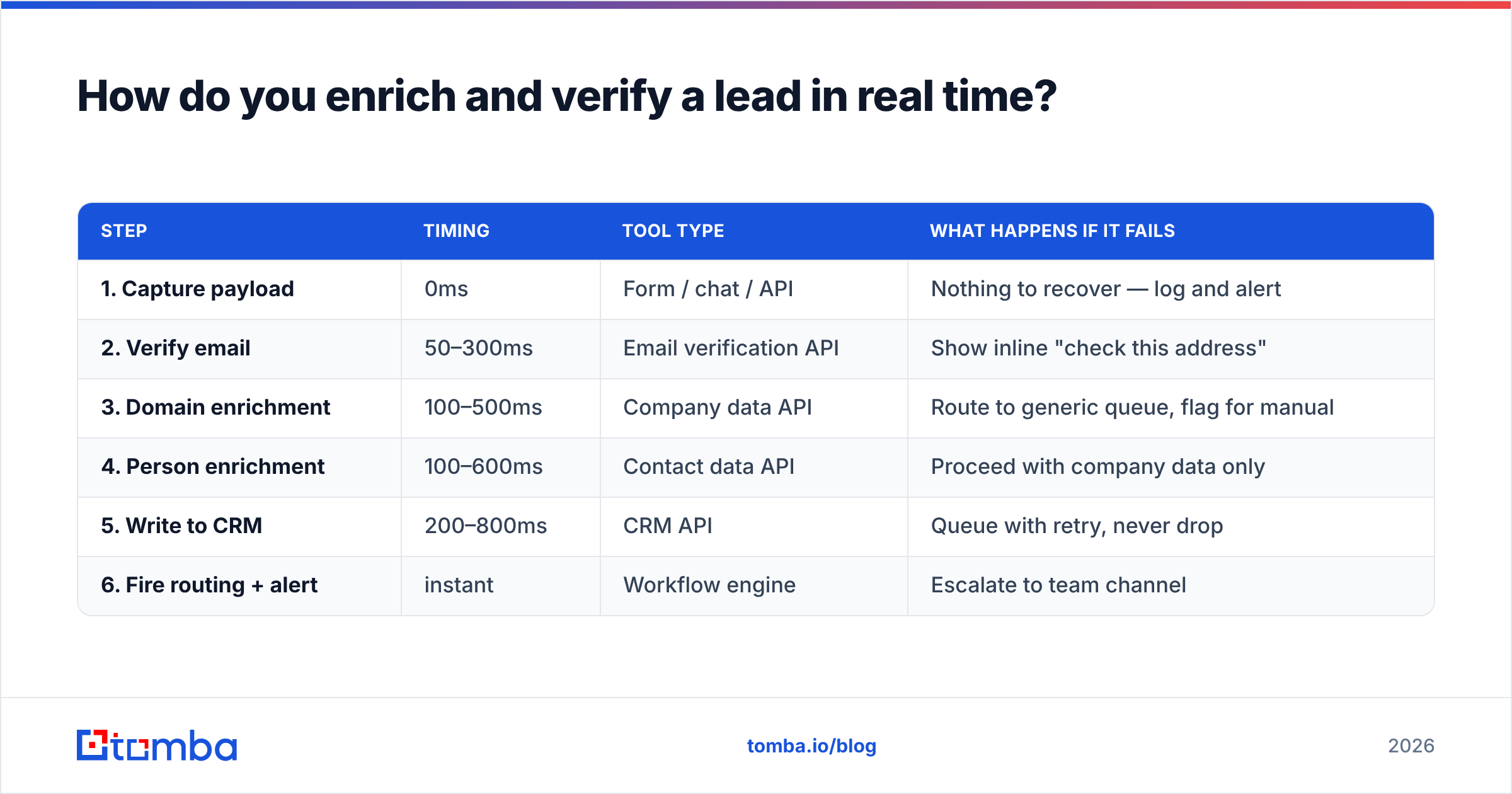
| Step | Timing | Tool type | What happens if it fails |
|---|---|---|---|
| 1. Capture payload | 0ms | Form / chat / API | Nothing to recover — log and alert |
| 2. Verify email | 50–300ms | Email verification API | Show inline "check this address" |
| 3. Domain enrichment | 100–500ms | Company data API | Route to generic queue, flag for manual |
| 4. Person enrichment | 100–600ms | Contact data API | Proceed with company data only |
| 5. Write to CRM | 200–800ms | CRM API | Queue with retry, never drop |
| 6. Fire routing + alert | instant | Workflow engine | Escalate to team channel |
Two details matter more than the tool choice.
Verify before you write, not after. If a typo'd email (@gmial.com) lands in your CRM and then in your sequencer, you burn a send and nudge your bounce rate up. Run an email verifier synchronously at submit and show an inline correction prompt. Prospects fix their own typos when you ask in the moment; they never fix them after they have closed the tab.
Never block the thank-you page. Enrichment runs in under a second on a good day and times out on a bad one. Return the success state to the user immediately and let enrichment complete asynchronously if it exceeds your budget — 800ms is a reasonable ceiling.
For leads that arrive without an email at all — a phone-only inquiry, a LinkedIn connection, a conference badge scan — reverse the direction. A reverse email lookup resolves a person from an address you already have, while domain search pulls the full contact set for a company when all you have is a website.
What does the tool landscape look like in 2026?#
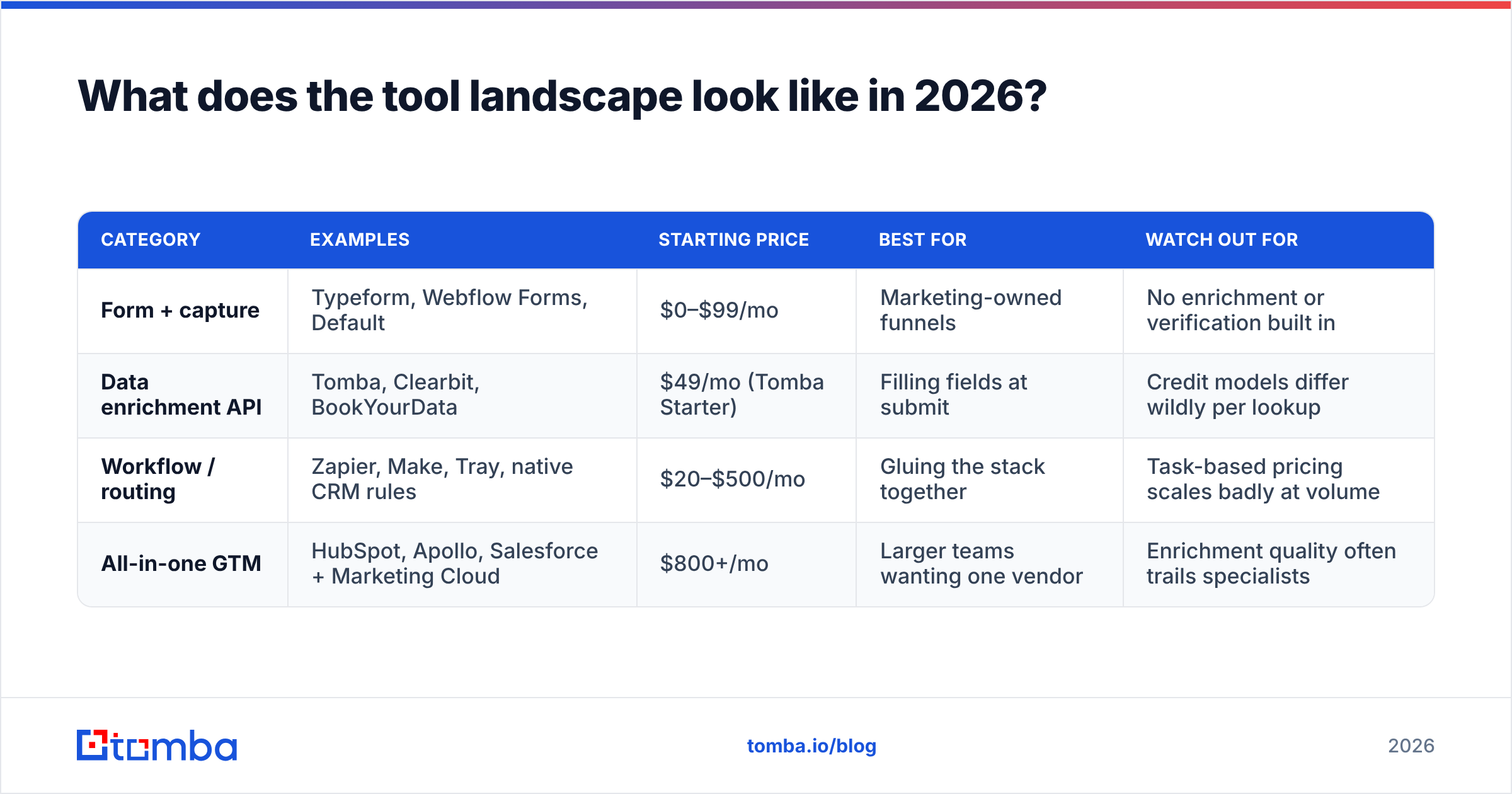
The market splits into four rough categories, and most teams end up buying from two or three of them rather than one platform that claims to do everything.
| Category | Examples | Starting price | Best for | Watch out for |
|---|---|---|---|---|
| Form + capture | Typeform, Webflow Forms, Default | $0–$99/mo | Marketing-owned funnels | No enrichment or verification built in |
| Data enrichment API | Tomba, Clearbit, BookYourData | $49/mo (Tomba Starter) | Filling fields at submit | Credit models differ wildly per lookup |
| Workflow / routing | Zapier, Make, Tray, native CRM rules | $20–$500/mo | Gluing the stack together | Task-based pricing scales badly at volume |
| All-in-one GTM | HubSpot, Apollo, Salesforce + Marketing Cloud | $800+/mo | Larger teams wanting one vendor | Enrichment quality often trails specialists |
A representative small-team stack: a free or cheap form tool, an enrichment API at $49–$99/month, a workflow tool at $30–$50/month, and your existing CRM. Total: under $200/month, handling a few thousand leads. The all-in-one route starts around four times that and does not necessarily give you better match rates on the data itself.
On pricing specifically, the credit model is where costs surprise people. Some vendors charge a credit for a lookup attempt, others only for a successful match. At a 60% match rate, the difference is a 40% price increase you did not budget for. Check Tomba pricing and any competitor's terms for this distinction before committing to annual. Tomba runs a free tier at 25 searches/month for testing the integration, then Starter at $49/mo, Growth at $99/mo, and Pro at $249/mo.
For teams that already live in a CRM, wiring enrichment through a native connector beats a custom webhook. The HubSpot integration and Salesforce integration paths both let enrichment fire on record creation without shipping code.
Does speed-to-lead really matter that much?#
Yes, and it is the least controversial finding in inbound sales.
The MIT Lead Response Management study — still the most-cited work on this, and consistent with what Salesforce and HubSpot report in their own benchmarks — found that contacting a lead within five minutes versus thirty minutes changes the odds of qualifying the lead by roughly 21x. Waiting an hour cuts the odds by about 60x versus the five-minute window. Meanwhile, median B2B response times are measured in hours, not minutes.

Automation is how you hit five minutes without staffing a 24-hour desk. Three mechanics do most of the work:
- Instant acknowledgment with a booking link. Not "we received your request." A real reply with the assigned rep's name, a calendar link, and one relevant sentence about their company — which you can only write because enrichment ran.
- A routing SLA with teeth. The lead is assigned, a timer starts, and if it is not actioned in N minutes it reassigns and pings a manager channel. Without escalation, an SLA is a suggestion.
- Off-hours handling. Leads arriving at 11pm should get an immediate automated reply and land at the top of the morning queue, not in position 40 behind overnight newsletter signups.
One caution on the automated first touch: deliverability decides whether any of this works. If your instant reply lands in spam, your five-minute SLA is theater. Keep your sender reputation clean by verifying before you send and by keeping transactional replies on a separate subdomain from cold outbound.
Should you build it or buy it?#
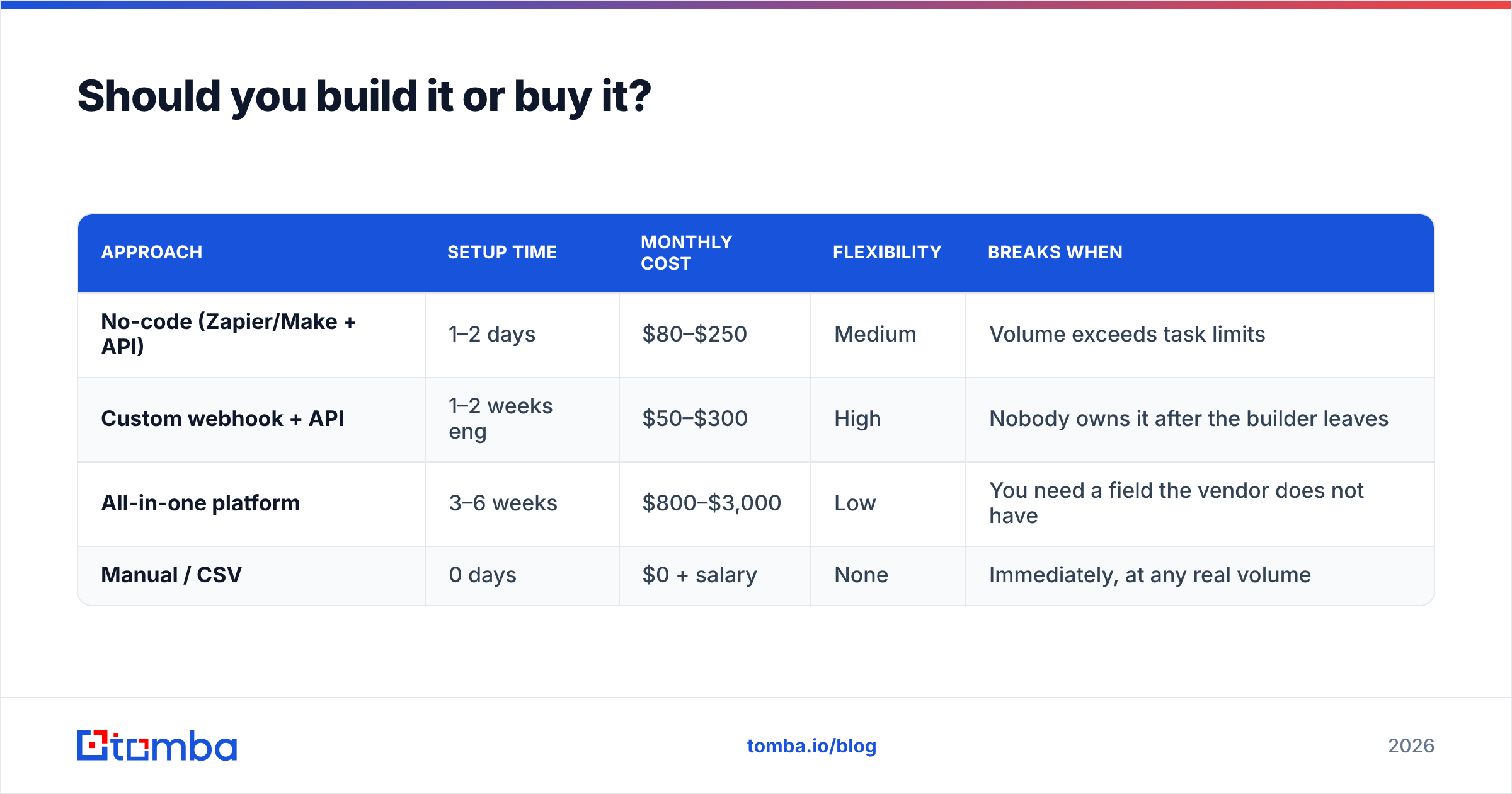
Buy the data, glue it yourself, unless you are past roughly 20,000 leads per month.
| Approach | Setup time | Monthly cost | Flexibility | Breaks when |
|---|---|---|---|---|
| No-code (Zapier/Make + API) | 1–2 days | $80–$250 | Medium | Volume exceeds task limits |
| Custom webhook + API | 1–2 weeks eng | $50–$300 | High | Nobody owns it after the builder leaves |
| All-in-one platform | 3–6 weeks | $800–$3,000 | Low | You need a field the vendor does not have |
| Manual / CSV | 0 days | $0 + salary | None | Immediately, at any real volume |
The no-code path is correct for most teams. A Zapier integration between your form, an enrichment API, and your CRM takes an afternoon and requires no deploy pipeline. Graduate to a custom implementation when task-based pricing starts costing more than an engineer-week, or when you need logic a visual builder cannot express — multi-step fallbacks, conditional re-enrichment, dedupe against account hierarchies.
Two things to decide before you build anything:
- What happens to unmatched leads? Roughly a quarter to a third of inbound will not enrich cleanly — new companies, stealth startups, personal-email signups. Define a queue for them rather than letting them fall through silently.
- How do you dedupe? Inbound leads from existing accounts should route to the account owner, not into round-robin. Match on email domain first, company name second, and expect edge cases with subsidiaries.
How do you know it is working?#
Track five numbers, monthly. Vanity metrics like "leads captured" tell you nothing about whether the automation is doing its job.
- Form completion rate. Should rise after you cut fields. If it did not, the form was not your bottleneck.
- Enrichment match rate. Percentage of leads that came back with usable firmographic and contact data. Below 70% on B2B domains, change providers or check your input hygiene. This is also where data accuracy claims get tested — run your own sample against a known list rather than trusting a marketing page.
- Median time-to-first-touch. The SLA metric. Measure median and 90th percentile; the average hides your worst nights.
- Bounce rate on automated replies. Should sit under 2%. Above that, your verification layer is not running or not running first.
- Lead-to-meeting conversion by source. The only number that proves the stack earns its cost. Segment it by whether the lead enriched successfully — the gap between enriched and unenriched conversion is the ROI of layer two.
Run these against a control if you can. Hold 10% of inbound on the old manual path for a month. The comparison will either justify the budget or tell you the bottleneck was never capture.
What should you fix first?#
In order, because sequence matters:
- Cut your form to three fields. Free, takes an hour, immediate conversion lift.
- Add verification at submit. Cheap, stops bad data at the door, protects deliverability.
- Add enrichment on the same call. Restores every field you just removed from the form.
- Attach an SLA timer with escalation. Converts your new data advantage into speed.
- Automate the first reply with a booking link. Collect the compounding return.
Skipping to step five without steps one through three gives you a fast, personalized reply full of wrong details — which is worse than a slow correct one.
Start where the leverage is. The capture form is not your problem; the empty fields behind it are. Tomba Email Finder resolves work emails, company data, and contact details from a domain or a name in a single API call, so your inbound leads land in the CRM already complete and already verified. Test it free with 25 searches a month, then move to Starter at $49/mo when the workflow proves out — no annual contract required to find out whether real-time enrichment changes your speed-to-lead. Pair it with the Tomba API for a custom submit handler, or the Zapier integration if you would rather ship it this afternoon.
Related guides#
// get started
Find, verify and enrich your first contacts today
Start on the free plan with 25 searches a month, then scale when your team is ready.
Free plan · No credit card required · GDPR & CCPA
// about the author