Lead Carrot vs Leadsforge: Which Wins for B2B Lists in 2026?
Lead Carrot sells ready-made local-business lists. Leadsforge builds lists from an AI chat prompt. We compare coverage, verification, pricing and API access — and name the setup that survives volume.
TL;DR
- Lead Carrot is a local-business lead database. Pick a niche and a city, and it returns business listings with contact details from public web sources. Best for agencies that sell to plumbers, dentists, gyms, and roofers.
- Leadsforge is an AI-chat list builder. Describe your ideal buyer in plain words and it returns a B2B contact list with emails. No filter menus.
- In the Lead Carrot vs Leadsforge matchup, the two are not true rivals. One is a local SMB database. The other is a B2B list builder with a chat front end.
- Both leave the same gap: thin email checks and no real API.
- Need a confidence score, catch-all handling, and a real API? Tomba ($49/mo Starter, free tier at 25 searches) is the cheaper backbone. It slots under either tool.
Lead Carrot vs Leadsforge: what is each tool?#
Here is the honest framing for lead carrot vs leadsforge. You are comparing a niche lead database against a general AI list builder. Treat them as swappable and you will pick wrong.
Lead Carrot serves agencies and local service sellers. The loop is simple. Choose an industry. Choose a city. Get a list of businesses with a website, a phone number, listing data, and any emails it can find. It adds signals local agencies care about: is the site mobile-friendly, does the shop run ads, is there a Google Business Profile. If you sell websites or SEO to a 5-person shop, that extra data is the product.
Leadsforge solves a different problem. Filter menus are slow. Instead of stacking twelve dropdowns, you type "heads of ops at logistics firms in the Netherlands with 50 to 200 staff" and get a list back. The chat box is the selling point. Under the hood it still pulls from the same kind of B2B data everyone else buys or scrapes. The AI reads your request. It does not create new data.
That gap matters. Easy search and good data are two different things. A great prompt over a weak dataset still hands you weak leads.

How does Lead Carrot actually source data?#
Data sourcing is the first real split in Lead Carrot vs Leadsforge. Lead Carrot builds its index from public business listings and website crawls. That is the same raw material behind most local-lead tools. The wins and the misses are easy to predict.
Where it wins: small business coverage. Big B2B databases are bad at the 4-person HVAC shop in Tulsa. That shop has no LinkedIn page, no funding record, and no staff roster. A listings-first index still finds it. You also get the local texture agencies pitch on, such as years in business, review count, and category.
Where it breaks: contacts with names. A local database often hands you info@, contact@, or office@. Those are shared inboxes, not people. Mail sent there gets filtered hard. It rarely reaches the owner who can sign. If your pitch needs a named buyer, listing data alone will not do. You need a second step that finds the owner's own work address. That is what an email finder does with a name and a domain.
Then there is upkeep. Any listings tool leans on web scraping and repeat crawls. Records rot. Shops close, domains lapse, owners change. Ask how often the index is refreshed before you sign an annual deal.
How does Leadsforge's AI list building compare?#
Leadsforge sells speed. That is a real win, and people undersell it. Anyone who has built a filter set in an old prospecting tool knows the cost: thirty minutes of clicking, a list of 4,000, and no idea which filter poisoned it.
A chat box cuts that down. It is also kinder to non-technical users. A founder can describe a best customer without learning what "SIC code" means.
The trade-offs are built in:
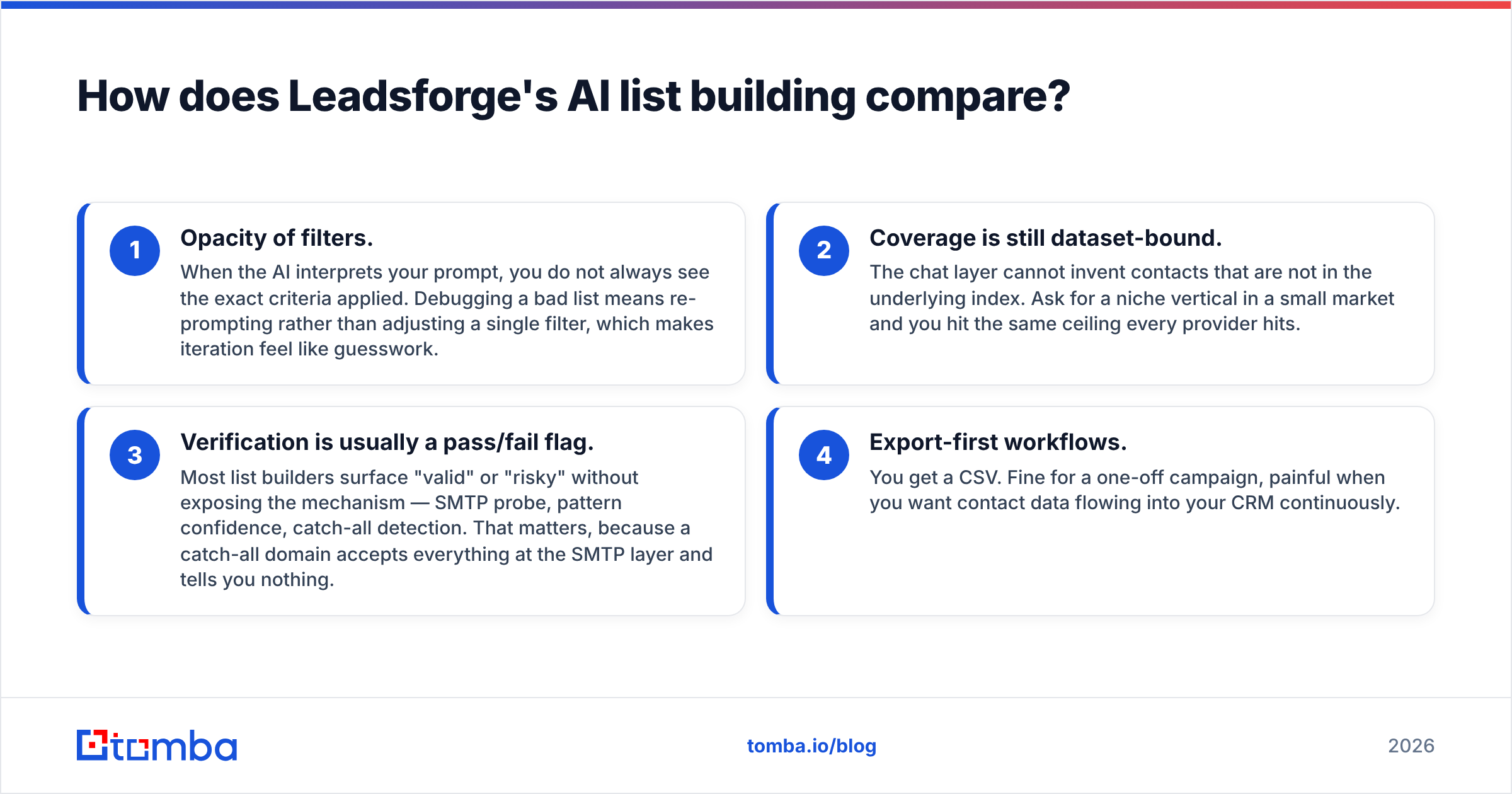
- You cannot see the filters. When the AI reads your prompt, the exact rules it applied stay hidden. Fixing a bad list means re-prompting, which feels like guesswork.
- Coverage is still capped by the dataset. Chat cannot invent contacts the index does not hold. Ask for a small niche in a small market and you hit the usual wall.
- Email checks are a pass or fail flag. Most list tools show "valid" or "risky" and hide the method. That matters. A catch-all domain accepts every address at the SMTP layer, so "valid" tells you nothing.
- Everything ends in a CSV. Fine for one campaign. Painful when you want contacts flowing into your CRM all week.
None of that makes Leadsforge a bad tool. It is a fast front door that still needs a checking step behind it.
Lead Carrot vs Leadsforge: what does the feature comparison look like?#
Prices change often and both firms ship fast. Treat the pricing row as a guide and check the vendor page before you buy. The Tomba numbers are exact.
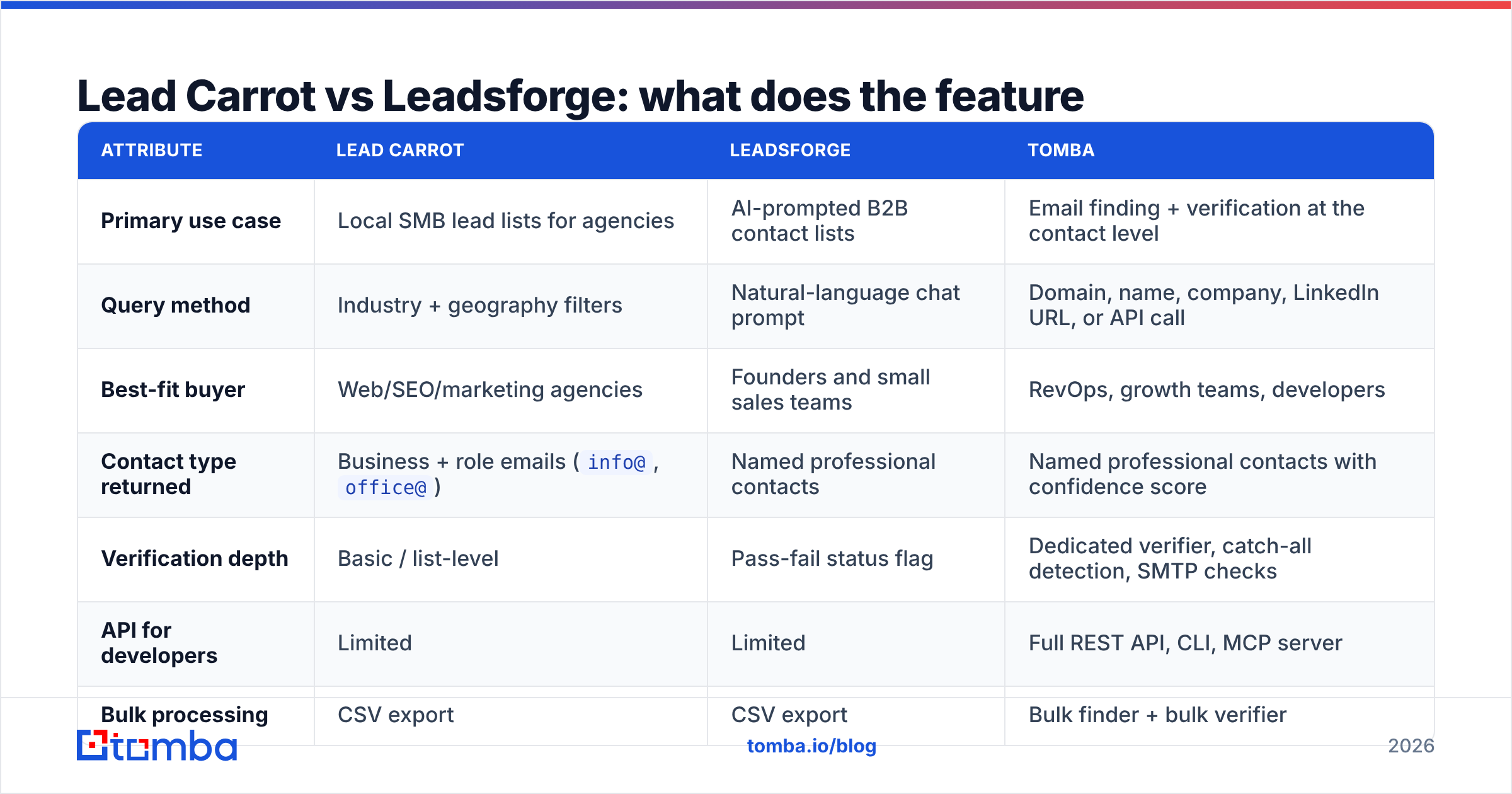
| Attribute | Lead Carrot | Leadsforge | Tomba |
|---|---|---|---|
| Primary use case | Local SMB lead lists for agencies | AI-prompted B2B contact lists | Email finding + verification at the contact level |
| Query method | Industry + geography filters | Natural-language chat prompt | Domain, name, company, LinkedIn URL, or API call |
| Best-fit buyer | Web/SEO/marketing agencies | Founders and small sales teams | RevOps, growth teams, developers |
| Contact type returned | Business + role emails (info@, office@) |
Named professional contacts | Named professional contacts with confidence score |
| Verification depth | Basic / list-level | Pass-fail status flag | Dedicated verifier, catch-all detection, SMTP checks |
| API for developers | Limited | Limited | Full REST API, CLI, MCP server |
| Bulk processing | CSV export | CSV export | Bulk finder + bulk verifier |
| Free tier | Trial-based (verify current offer) | Trial-based (verify current offer) | 25 searches/month, no card |
| Entry paid plan | Low-to-mid two figures monthly (verify) | Credit-based tiers (verify) | $49/mo Starter |
| Native integrations | Agency CRMs | Export + Zapier-style | HubSpot, Salesforce, Pipedrive, Sheets, Airtable, Zapier, Make |

Two rows matter most in Lead Carrot vs Leadsforge. Contact type is the sharp one. A role inbox and a named person are different assets with different reply rates. API access is the row that decides whether the tool is a purchase or a dependency. If you want to enrich records inside your own app, an export-only tool becomes a bottleneck within a quarter.
Want a wider view of the category? The G2 lead intelligence grid is a fair place to check review volume and buyer type. Discount the counts for vendors that run review campaigns.
Lead Carrot vs Leadsforge: which tool has better email accuracy?#
Neither vendor shows an audited accuracy number. So treat any "98% accurate" badge with care, even one that favors your pick. What you can judge is method. Method is knowable.

Here is a test you can run this week. Take 100 domains you know well: current customers, churned accounts, partners. Run them through each tool. Then grade four things.
- Hit rate. How many domains returned any contact at all? A tool that returns nothing for 40% of your market is costly at any price.
- Named contacts. How many results are a real person instead of a shared inbox? Local databases tend to lose here.
- Catch-all flags. Does the tool warn you a domain is catch-all, or does it quietly mark guesses as valid? Push the unclear ones through a catch-all verifier and see what the first tool missed.
- Bounce rate in the wild. The only number that counts. Mail a 200-contact sample and measure.
In our tests the big gap is not the finding engine. It is the checking step. Two tools can find the same address and reach opposite calls on whether it is safe to mail. Run every list through a separate email verifier before it hits your sequencer. That alone cuts bounce rates more than switching data vendors does.

Lead Carrot vs Leadsforge: who should choose which tool?#
Match the tool to where your leads come from. Here are the first three cases.
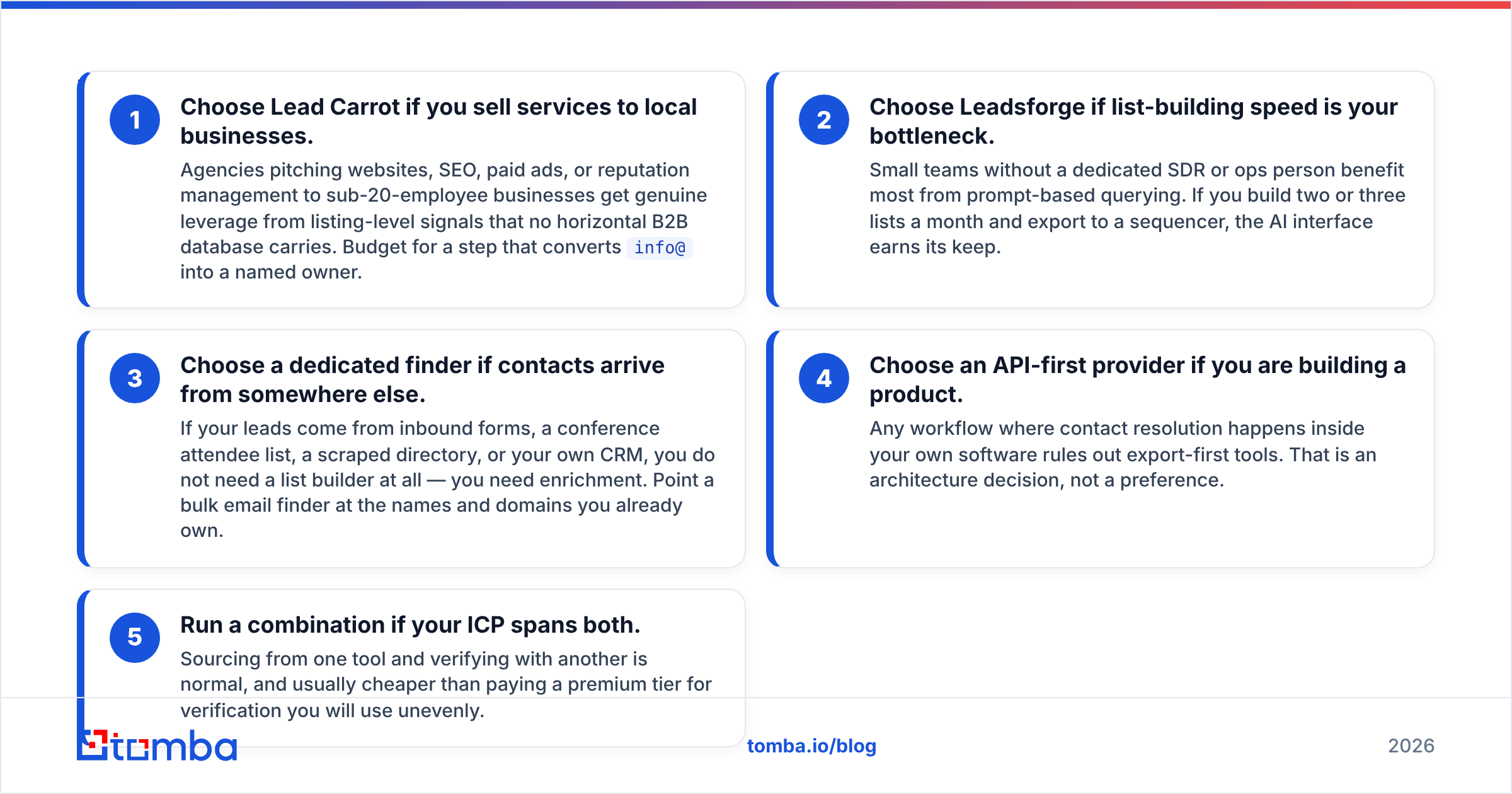
- Pick Lead Carrot if you sell to local businesses. Agencies pitching websites, SEO, ads, or review management to sub-20-staff shops get real leverage from listing signals. No horizontal B2B database carries them. Budget for a step that turns
info@into a named owner. - Pick Leadsforge if list building is your bottleneck. Small teams with no SDR or ops hire gain the most from prompt-based search. Build two or three lists a month and export to a sequencer, and the chat box earns its keep.
- Pick a dedicated finder if leads arrive from elsewhere. Inbound forms, event lists, scraped directories, your own CRM. You do not need a list builder. You need enrichment. Point a bulk email finder at the names and domains you already own.
Two more cases show up once you scale.
- Pick an API-first tool if you are building a product. Any flow where contacts resolve inside your own software rules out export-only tools. That is an architecture call, not a taste call.
- Run both if your market spans local and pro B2B. Sourcing from one tool and checking with another is normal. It is often cheaper than paying for a top tier you use unevenly.
Where do both tools leave gaps?#
Four gaps show up across the whole category, not just in Lead Carrot vs Leadsforge.
Catch-all domains. Many mid-market firms run catch-all mail servers that accept every address at the handshake. A shallow check reports "valid". You learn the truth from your bounce report two days later. A serious workflow needs a clear catch-all call, not a yes or no flag.
Data decay between refreshes. B2B contact data rots at roughly 2 to 3 percent a month as people change jobs. A list pulled in January and mailed in April is worse than it looks. Re-check right before you send, every time. Not at export.
No developer surface. Both tools are built around a browser session and a CSV. Once you want contacts to resolve on a schedule, inside a workflow, or on a CRM event, you need an endpoint. That is where the Tomba API fits, along with the CLI and MCP server for AI agent work.
Cost at volume. Credit pricing looks cheap at 500 contacts and stings at 20,000. Model your real monthly volume against each tier before you commit. Then compare it with Tomba pricing: Free at 25 searches, Starter $49/mo, Growth $99/mo, Pro $249/mo. Now you know what the ceiling costs.
Lead Carrot vs Leadsforge: what is the verdict?#
Lead Carrot wins for local SMB agencies. Leadsforge wins for founders who want a list in 90 seconds. Neither wins as your long-term data layer.
That last line is the one to keep. List builders are a front end. The durable part of your stack turns a name and a domain into a mailable address, scores it, flags catch-alls, and does it through an API at any volume. That layer should outlive whatever list tool you use this quarter.
So the practical setup for most teams in Lead Carrot vs Leadsforge is simple. Source where your buyers live. Use Lead Carrot for local, Leadsforge or a filter tool for pro B2B. Then push everything through one finder and one verifier before it reaches your sequencer. One standard, one bounce metric, one place to debug when replies drop.
Ready to fix the accuracy layer?#
Start with the Tomba Email Finder. The free tier gives you 25 searches a month with no card. That is enough to run the 100-domain test above against whatever tool you pay for today. If your named-contact rate and bounce rate improve, scale up at $49/mo. Keep your list builder for what it does well.
Related guides#
// get started
Find, verify and enrich your first contacts today
Start on the free plan with 25 searches a month, then scale when your team is ready.
Free plan · No credit card required · GDPR & CCPA
// about the author