Lead Enrichment for CRM: The 2026 Guide That Actually Works
Most CRM enrichment projects fail because teams buy a data vendor before fixing their schema. Here's the field-level playbook: what to enrich, when to trigger it, what it costs, and how to stop paying for records nobody touches.
TL;DR
- Lead enrichment for CRM is the practice of automatically filling missing fields on contact and account records — email, phone, job title, company size, tech stack — from external data sources, so reps stop doing manual research.
- The failure mode is almost never the vendor. It's enriching every record on a schedule instead of enriching the right fields at the right trigger, which burns credits and fills your CRM with decayed data.
- B2B contact data decays roughly 25-30% per year. Job changes alone invalidate a large share of your email column annually, which is why one-time enrichment at import is not a strategy.
- Real cost ranges from about $0.02 to $0.40 per enriched record depending on waterfall depth. Most teams overpay by enriching records that never get worked.
- Build enrichment around three triggers — form submit, lifecycle-stage change, and pre-sequence verification — and you'll cut spend while improving deliverability.
What is lead enrichment for CRM?#
Lead enrichment for CRM is the process of taking a thin record — often just an email address, or just a company name and a first name — and appending verified attributes from outside your database so the record becomes routable, scoreable, and sellable.
Think of it like a passport control desk. Someone walks up with a name scrawled on a napkin. Enrichment is the officer who checks that name against authoritative registries and hands back a full identity document: who this person is, where they work, how big that company is, and whether their contact details are still live. Technically, it's an API lookup keyed on an identifier (email, domain, LinkedIn URL, or name + company) that returns a structured payload written back to CRM fields.
Two distinct layers get lumped together under the same word, and conflating them is where budgets go sideways:
- Person enrichment — job title, seniority, department, direct phone, LinkedIn profile, verified work email. Keyed on an individual.
- Company (firmographic) enrichment — employee count, revenue band, industry code, HQ location, funding stage, technographics. Keyed on a domain.
- Intent and behavioral enrichment — page visits, topic surges, hiring signals. Keyed on domain but sourced from co-ops and bidstream, and far less deterministic than the first two.
- Verification — not enrichment at all, but the step that decides whether the enriched email is safe to send to. Skipping it is why enriched CRMs still bounce at 8%.
Most teams need layers 1, 2, and 4. Layer 3 is a legitimate product category but a terrible first purchase — buy intent data after your basic firmographics are clean, not before.

Why do most CRM enrichment projects fail?#
They fail because the enrichment runs before anyone decided what the fields are for.
Here's the pattern I see repeatedly. A RevOps lead signs a data contract, connects the native CRM integration, flips on "enrich all records," and 400,000 contacts get processed in a week. Three months later the credits are gone, 60% of the enriched fields are blank because the vendor had no coverage for SMB or non-US records, and nobody trusts the employee_count field because it contradicts what the AE saw on the prospect's website.
The specific failure modes, in order of how often they bite:
- No field ownership. Nobody decided whether the vendor's
job_titleoverwrites the rep-enteredjob_title. So either enrichment silently destroys human-verified data, or it's set to "fill blanks only" and never updates the title of someone who got promoted two years ago. - Enriching the whole database on a cadence. Refreshing 400k records quarterly costs the same as refreshing them once — and 380k of them will never be contacted. Enrich on access, not on schedule.
- No verification step. Enrichment vendors return a "best guess" email. Some return pattern-generated addresses with no SMTP check behind them. Sending to those torches your sender reputation.
- Ignoring decay. Per HubSpot's research on database health, contact databases degrade meaningfully every year through job changes, company closures, and domain migrations. A record enriched in January 2025 is materially wrong by September 2026.
- Single-source dependency. No provider has universal coverage. European SMBs, APAC mid-market, and anything outside SaaS are exactly where single-vendor setups return nulls.
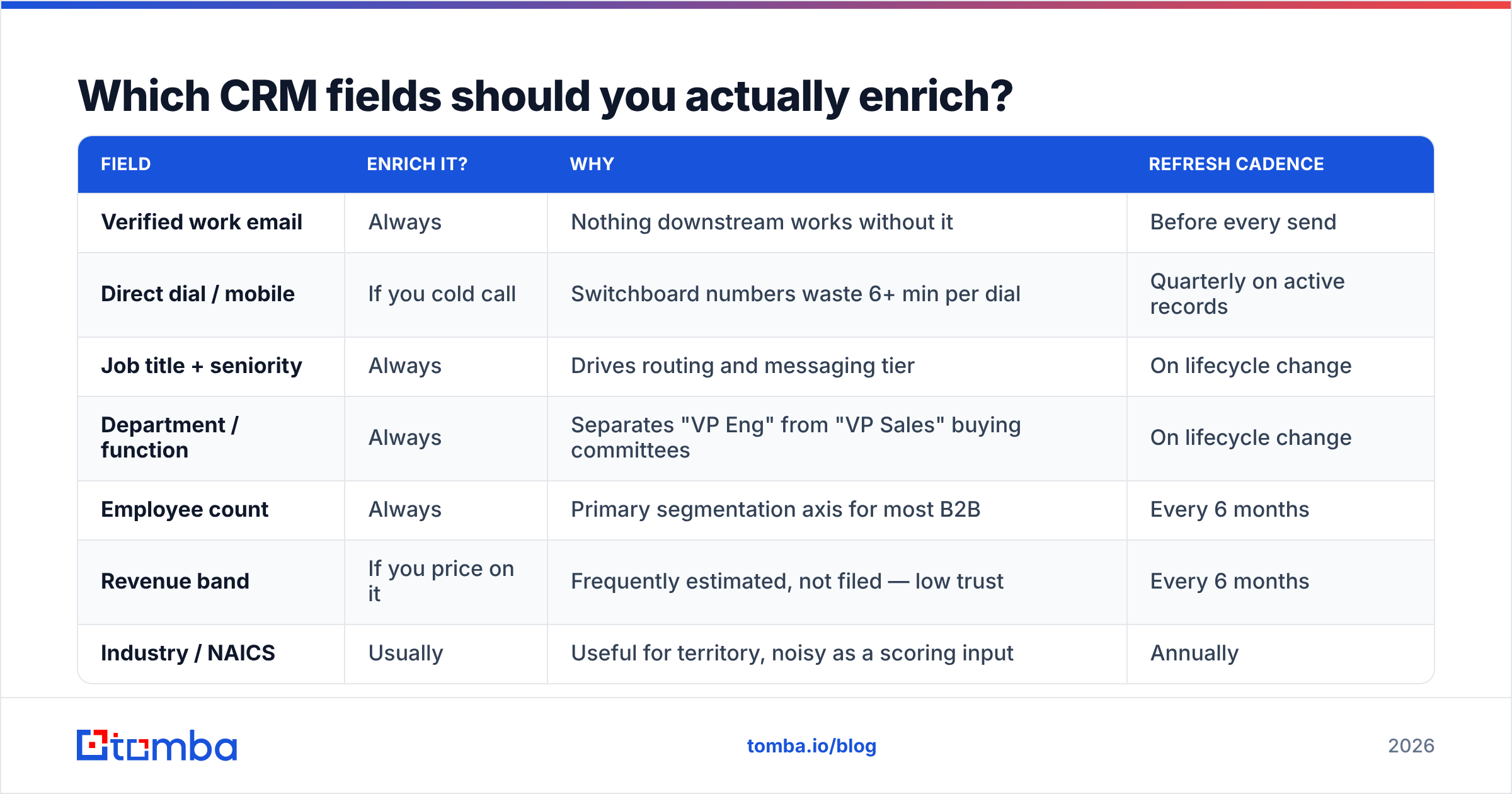
Which CRM fields should you actually enrich?#
Fewer than you think. The test is simple: if a field doesn't change routing, scoring, messaging, or deliverability, don't pay to fill it.
| Field | Enrich it? | Why | Refresh cadence |
|---|---|---|---|
| Verified work email | Always | Nothing downstream works without it | Before every send |
| Direct dial / mobile | If you cold call | Switchboard numbers waste 6+ min per dial | Quarterly on active records |
| Job title + seniority | Always | Drives routing and messaging tier | On lifecycle change |
| Department / function | Always | Separates "VP Eng" from "VP Sales" buying committees | On lifecycle change |
| Employee count | Always | Primary segmentation axis for most B2B | Every 6 months |
| Revenue band | If you price on it | Frequently estimated, not filed — low trust | Every 6 months |
| Industry / NAICS | Usually | Useful for territory, noisy as a scoring input | Annually |
| Tech stack | Only if you integrate | Powerful for "uses Salesforce" plays, wasted otherwise | Quarterly |
| Funding stage / last round | If you sell to startups | Strong timing signal, decays fast | Monthly |
| LinkedIn URL | Always | Cheapest way to let a rep verify everything else | On create |
| Social handles, bio, photo | Rarely | Feels rich, changes nothing | Never |
The last row matters more than it looks. Vendor demos love the enriched-profile card with a headshot and a Twitter bio. None of that moves a deal. Pay for the fields your routing rules and your sequences actually read.
How should you trigger enrichment instead of scheduling it?#
Trigger-based enrichment is the single biggest cost lever available. You move from "enrich everything, hope it's used" to "enrich this record because something just happened that makes it worth money."
The three triggers that cover roughly 90% of real usage:
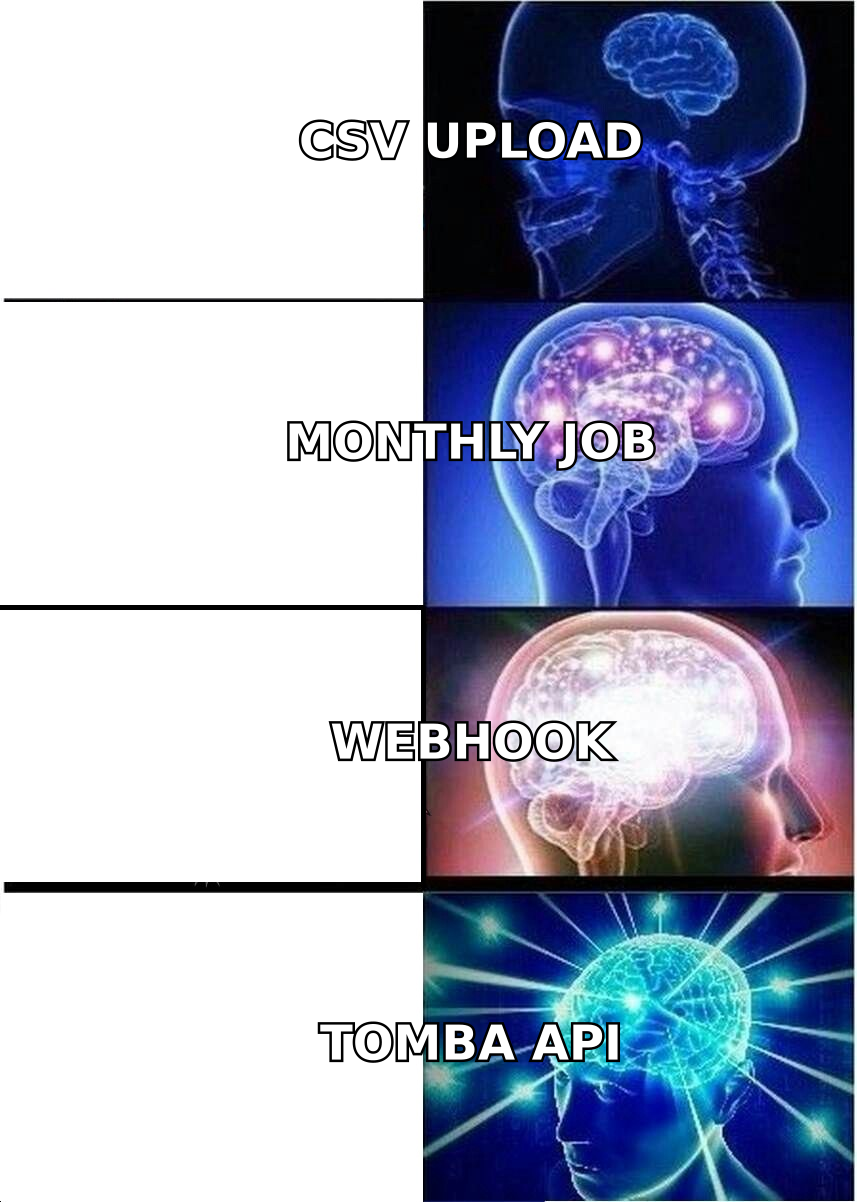
- On inbound create. A form submit arrives with an email and nothing else. Enrich immediately — firmographics decide routing, and routing decides speed-to-lead. This is the only trigger where latency matters; keep it under two seconds or the round-robin assignment stalls.
- On lifecycle-stage change. When a contact moves from Subscriber to MQL, re-enrich person-level fields. This is the moment a human is about to read the record, so it's the moment the data must be current.
- Pre-send verification. Before any record enters a sequence, run it through an email verifier. This is separate from enrichment and should be non-negotiable. A 3% bounce rate is the difference between the inbox and the spam folder at most mailbox providers.
Two secondary triggers worth adding once the first three are stable:
- On rep request. A button in the CRM record that fires an enrichment call on demand. Cheap, and it builds trust — reps stop believing the data is stale because they can refresh it themselves.
- On domain change detection. If a company rebrands or gets acquired, every email at the old domain is about to break. Monitoring the domain and re-running a domain search catches this before your sequences start bouncing.
How do the main enrichment approaches compare?#
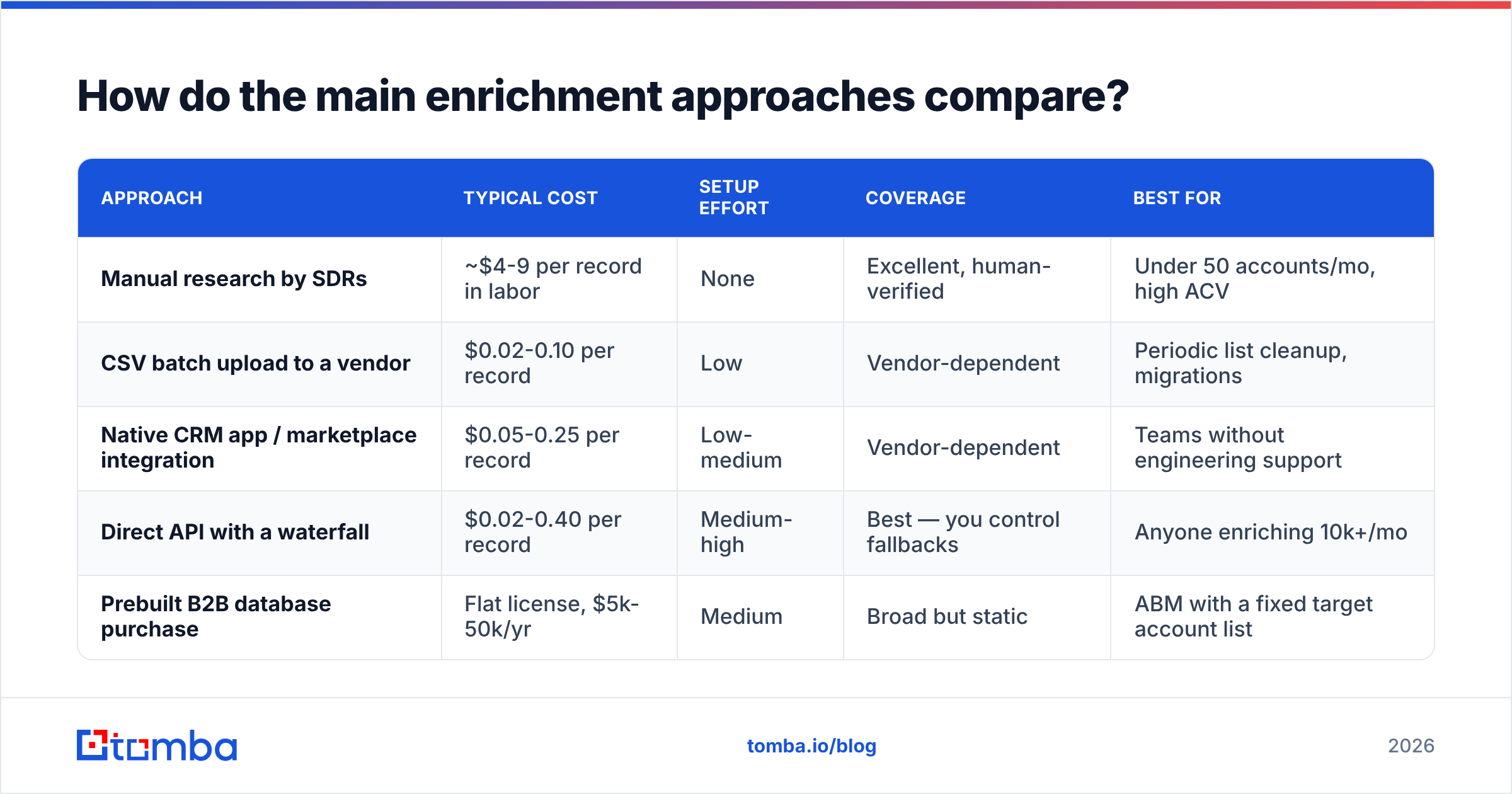
There are four structurally different ways to get enriched data into a CRM, and they have very different cost and maintenance profiles.
| Approach | Typical cost | Setup effort | Coverage | Best for |
|---|---|---|---|---|
| Manual research by SDRs | ~$4-9 per record in labor | None | Excellent, human-verified | Under 50 accounts/mo, high ACV |
| CSV batch upload to a vendor | $0.02-0.10 per record | Low | Vendor-dependent | Periodic list cleanup, migrations |
| Native CRM app / marketplace integration | $0.05-0.25 per record | Low-medium | Vendor-dependent | Teams without engineering support |
| Direct API with a waterfall | $0.02-0.40 per record | Medium-high | Best — you control fallbacks | Anyone enriching 10k+/mo |
| Prebuilt B2B database purchase | Flat license, $5k-50k/yr | Medium | Broad but static | ABM with a fixed target account list |
The waterfall pattern deserves its own note. Instead of calling one provider and accepting a null, you call provider A, and if it returns nothing or a low confidence score, you fall through to provider B, then C. Coverage goes up materially; cost per attempted record goes up, but cost per successful record usually goes down because you stop re-running failures. Orchestration tools exist for this, or you can build it in about 200 lines against a email finder API and one or two fallbacks.
For teams already standardized on a CRM, the native path is the pragmatic starting point — a HubSpot integration or Salesforce integration gets you to value in an afternoon, and you can graduate to the API waterfall once volume justifies it. Vendors like Clearbit, ZoomInfo, Apollo, and BookYourData all occupy defensible positions here; BookYourData in particular is strong when you want verified contacts delivered as a purchased list rather than metered API calls, which suits fixed-target ABM programs well.
What does enrichment actually cost at scale?#
Model it per worked record, not per record in the database. That single reframing usually cuts the budget in half.
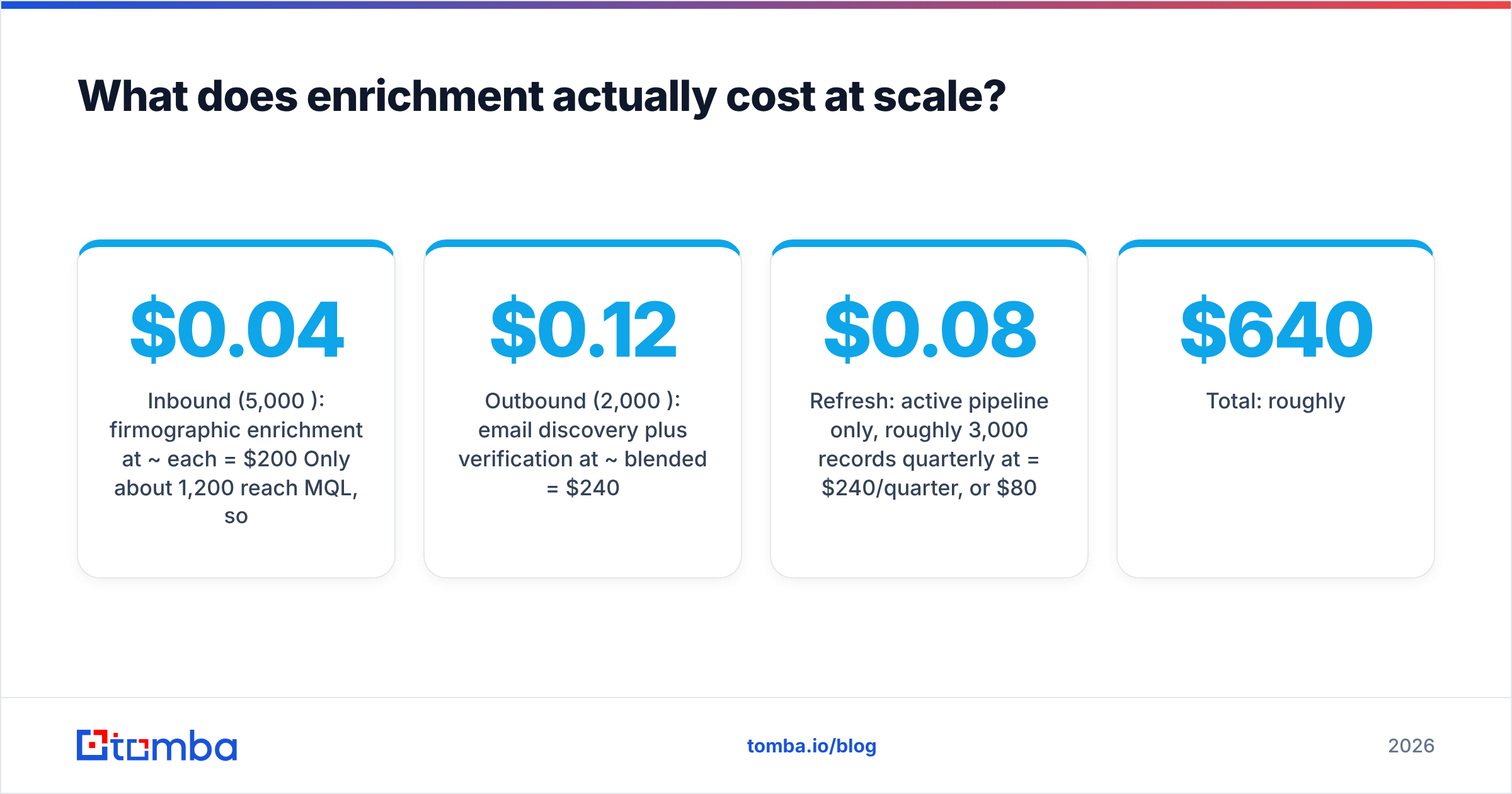
Take a team running 5,000 new inbound leads per month plus 2,000 outbound prospects:
- Inbound (5,000/mo): firmographic enrichment at ~$0.04 each = $200/mo. Only about 1,200 reach MQL, so person-level enrichment at ~$0.10 applies to those = $120/mo.
- Outbound (2,000/mo): email discovery plus verification at ~$0.12 blended = $240/mo.
- Refresh: active pipeline only, roughly 3,000 records quarterly at $0.08 = $240/quarter, or $80/mo.
- Total: roughly $640/mo.
Now the naive version: enrich all 180,000 database records quarterly at $0.08 = $14,400/quarter, or $4,800/mo, to maintain fields on records nobody will contact. Same vendor, same data quality, 7.5x the spend.
Tool pricing lands in a predictable band. Tomba pricing runs a free tier at 25 searches/month, Starter at $49/mo, Growth at $99/mo, Pro at $249/mo, and custom Enterprise — which puts credible per-record costs in the low single-digit cents at Growth and above. Enterprise data platforms typically start in the $15k-30k/year range with seat minimums. Neither is wrong; they solve different problems. If your enrichment need is "fill the email and firmographic columns reliably," the mid-market API tier is almost always the better unit economics. If you need intent, org charts, and a managed data steward relationship, you're buying a platform, and you should expect platform pricing.
How do you keep enriched data from rotting?#
You accept that it will rot, and you build for the rot rate instead of pretending it doesn't exist.
Three practices, in order of impact:
Timestamp everything. Every enriched field needs a companion <field>_enriched_at date. Without it you cannot distinguish a value confirmed last week from one confirmed in 2023, and your scoring model treats them identically. This is a one-hour schema change that pays for itself permanently.
Set confidence thresholds, not just values. Good providers return a confidence score alongside the value. Write both. Then let your routing rules require confidence above, say, 85 before they act on a field automatically, and queue anything below that for human review. Where the data comes from is a fair question to ask any vendor, and the ones who answer it clearly are the ones whose confidence scores mean something.
Re-verify at the moment of use, never before. Verification has a shelf life measured in weeks. Running it monthly across the database is expensive and still leaves you sending to addresses verified 29 days ago. Running it the hour before a sequence launches costs less and is materially more accurate. For catch-all domains — which will be a meaningful slice of your enterprise records — a dedicated catch-all verifier is the only way to get past the "unknown" verdict that generic verifiers return.
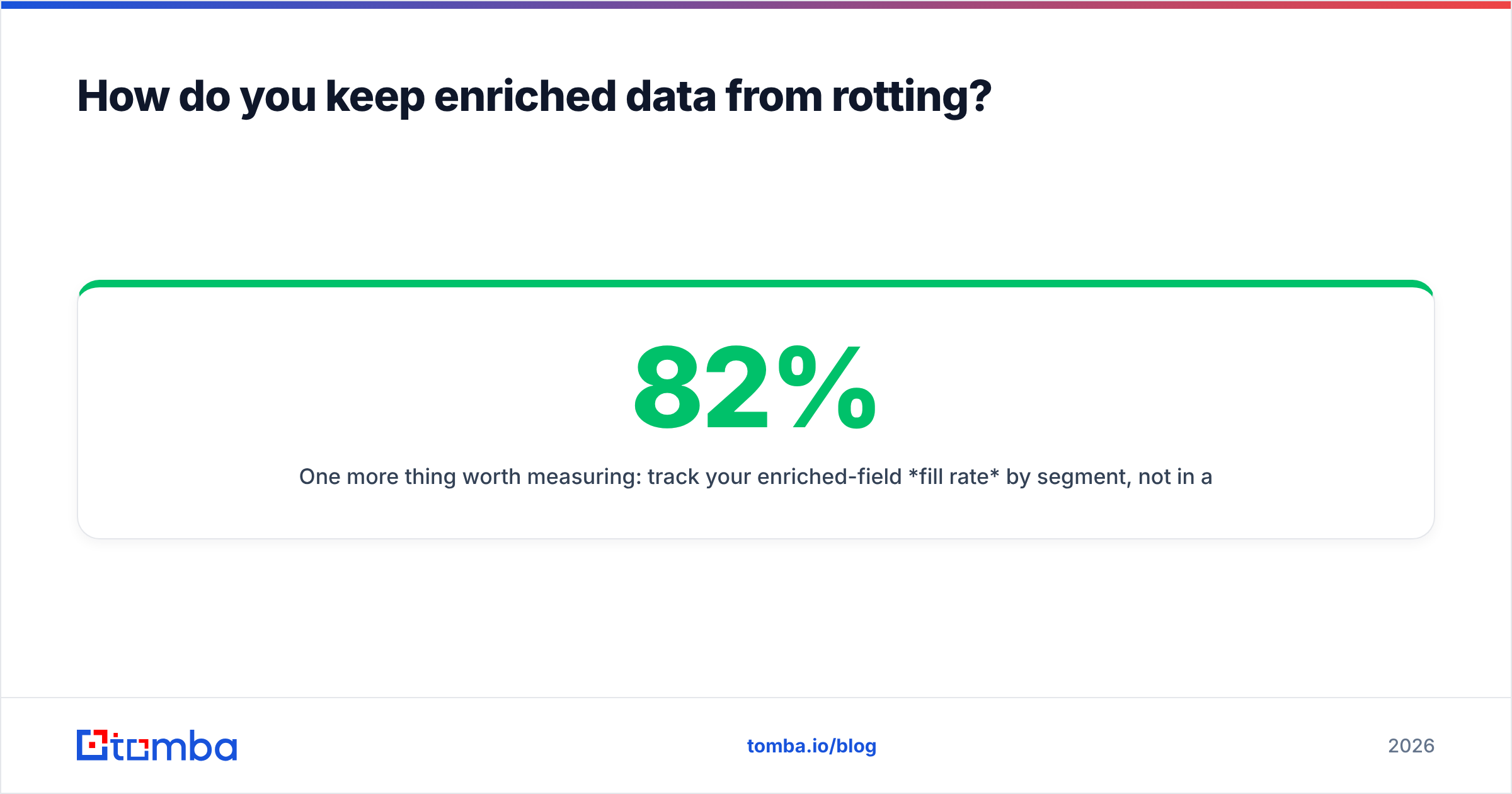
One more thing worth measuring: track your enriched-field fill rate by segment, not in aggregate. An 82% overall fill rate can easily mask 95% coverage on US SaaS and 40% on European manufacturing. If your ICP is the second one, your vendor is failing you and the aggregate number is hiding it. G2's category listings for sales intelligence software are a reasonable place to cross-check coverage claims against reviews from teams in your geography.
What does a working implementation look like?#
A concrete, boring sequence that works:
- Audit first. Export 500 random CRM records. Count how many have each field populated. This is your baseline; without it you cannot prove the project worked.
- Define the field map. For each field: source of truth (rep or vendor), overwrite rule (never / fill-blanks / always), and refresh cadence. Write it down. One page.
- Pilot on one segment. Pick your highest-volume inbound source. Enrich only that, only on create, for 30 days. Measure fill rate and routing accuracy.
- Add verification before it touches a sequence. No exceptions, even in the pilot.
- Instrument the cost. Credits consumed per enriched record, per segment. You'll find one segment eating disproportionate credits for low returns; cut it.
- Then scale the triggers. Lifecycle change, then rep-request, then domain monitoring.
If you're moving data in bulk during a migration — a CRM consolidation, an acquisition, a list cleanup — the batch path is better than the API for that specific job. A bulk email finder run on the deduplicated export, verified, then imported once, beats streaming 200k records through a per-call API and paying for the overhead.
And if your reps live in a spreadsheet during account planning, meet them there. A Google Sheets add-on that enriches a column in place removes the "export, upload, wait, re-import" loop that kills adoption of otherwise good enrichment programs. Adoption is the hidden variable in every one of these projects — the technically superior pipeline that reps route around delivers zero.
Where should you start?#
Start with the email column, because everything else in your CRM is decoration if you can't reach the person.
Run the audit, find out what percentage of your contact records have a verified, currently-deliverable work email, and you'll usually get a number between 40% and 70% — lower than anyone expects. Fix that first with discovery plus verification on the records you actually intend to contact. Add firmographics next, because they drive routing. Add person-level detail third, because it drives messaging. Add intent last, if at all.
The Tomba Email Finder is built for exactly that first step: find verified professional emails by domain, name, or company, with verification and catch-all handling in the same stack, and an API that slots into whichever trigger you decide to fire it from. Start on the free tier with 25 searches to benchmark coverage against your own ICP before you commit to a plan — if the fill rate on your segment holds up, scale the triggers. If it doesn't, you've learned that for free, which is the whole point of running the audit first.
Related guides#
// get started
Find, verify and enrich your first contacts today
Start on the free plan with 25 searches a month, then scale when your team is ready.
Free plan · No credit card required · GDPR & CCPA
// about the author