Lead Extractor Tools in 2026: How They Work and What to Use
A lead extractor pulls contact data out of websites, LinkedIn, and directories. Here's how the categories differ, what each one actually returns, and how to avoid paying for a list that bounces.
TL;DR
- A "lead extractor" is any tool that pulls contact records out of a source you don't own — a company website, a LinkedIn search, a directory listing, a spreadsheet of domains.
- There are four distinct categories, and people buy the wrong one constantly: browser scrapers, API-based finders, database exports, and enrichment services.
- Extraction is the easy half. Verification is where lists live or die — raw scraped addresses commonly bounce at 20-40%.
- Cost per usable lead matters more than cost per credit. A $0.02 credit that returns a dead address costs infinity.
- Pick by input type: if you have domains, use domain search; if you have names, use an email finder; if you have LinkedIn URLs, use a LinkedIn extractor; if you have partial records, use enrichment.
What is a lead extractor?#
A lead extractor is software that converts unstructured public information into structured contact records. You point it at a source — a site, a search result page, a list of company domains — and it gives you back rows with names, job titles, email addresses, phone numbers, and company attributes.
Think of it like a juicer. The fruit is public data that's technically visible but useless in its raw form: a 200-person team page, a directory of 4,000 dental clinics, a LinkedIn Sales Navigator search with 1,200 results. Nobody is copying that by hand. The extractor does the squeezing. What comes out still needs filtering before you'd drink it.
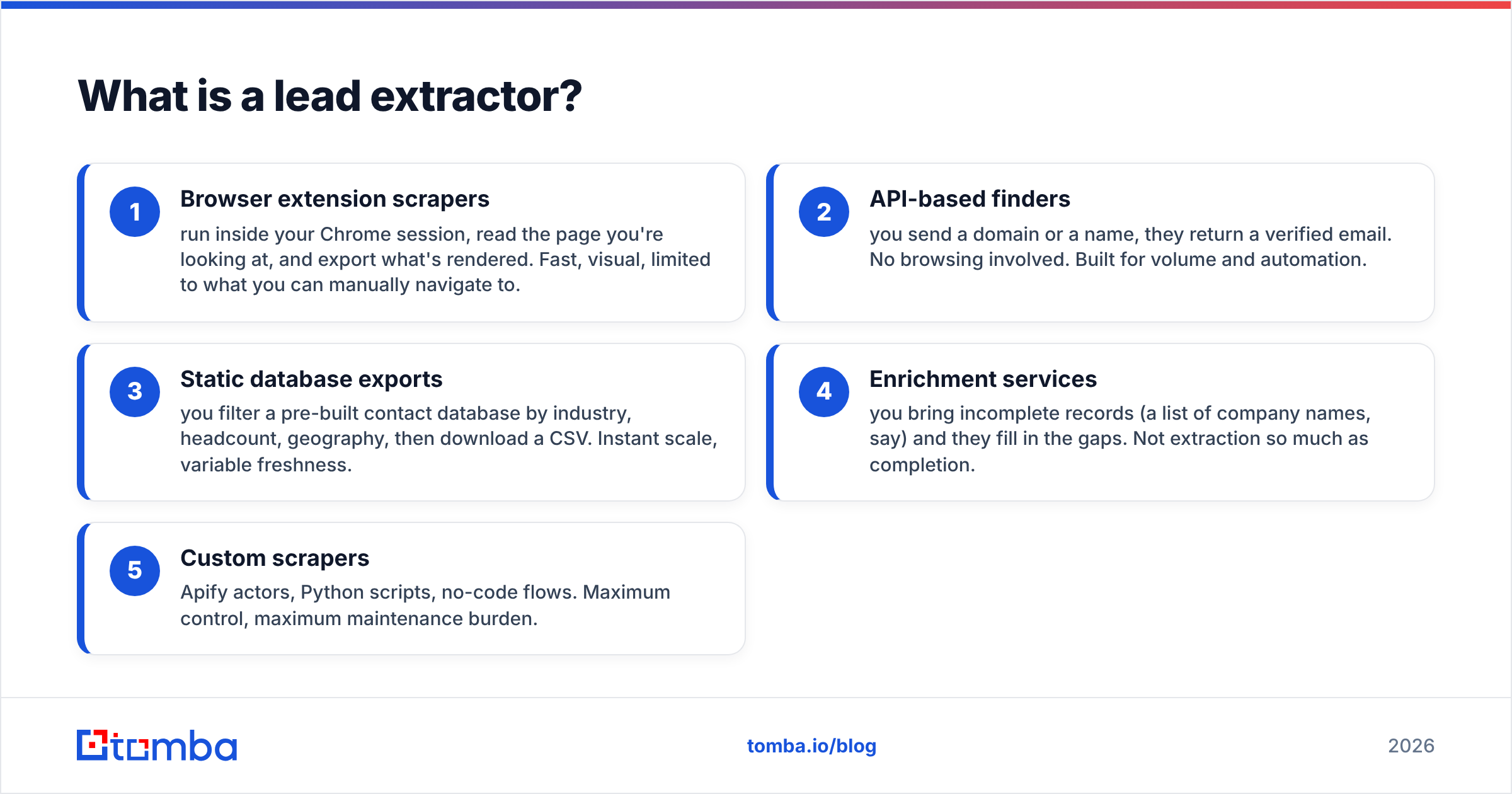
The confusion in this market comes from vendors using "extractor," "scraper," "finder," and "database" interchangeably when they describe genuinely different mechanics:
- Browser extension scrapers — run inside your Chrome session, read the page you're looking at, and export what's rendered. Fast, visual, limited to what you can manually navigate to.
- API-based finders — you send a domain or a name, they return a verified email. No browsing involved. Built for volume and automation.
- Static database exports — you filter a pre-built contact database by industry, headcount, geography, then download a CSV. Instant scale, variable freshness.
- Enrichment services — you bring incomplete records (a list of company names, say) and they fill in the gaps. Not extraction so much as completion.
- Custom scrapers — Apify actors, Python scripts, no-code flows. Maximum control, maximum maintenance burden.
Most teams end up running two of these together. The typical stack is a database or scraper for discovery plus a finder-plus-verifier for accuracy.

How does a lead extractor actually find an email address?#
Three mechanisms, and knowing which one your tool uses tells you how much to trust the output.
Crawled and indexed. The vendor has crawled millions of public pages — team bios, press releases, conference speaker lists, GitHub commits, academic papers, WHOIS records — and indexed every address it found alongside the name and domain it appeared next to. When you query, it returns a record it has actually seen. These hit rates are lower but confidence is high.
Pattern inference. The tool determines that Stripe uses first@stripe.com, then generates a candidate for the person you asked about and tests it. Pattern detection is why a company email pattern check is the first step in any decent finder. Coverage is much broader here, but the output is a hypothesis until it passes verification.
Contributed and licensed data. Some providers get records from users who sync their address books, from data partners, or from opt-in forms. Volume is enormous. Freshness and provenance vary wildly, so check the vendor's data sources disclosure before you commit budget.
Serious tools blend all three, then run every candidate through SMTP-level checks before returning it. That last step is not optional. It's the difference between a list and a liability.
Which type of lead extractor fits your workflow?#
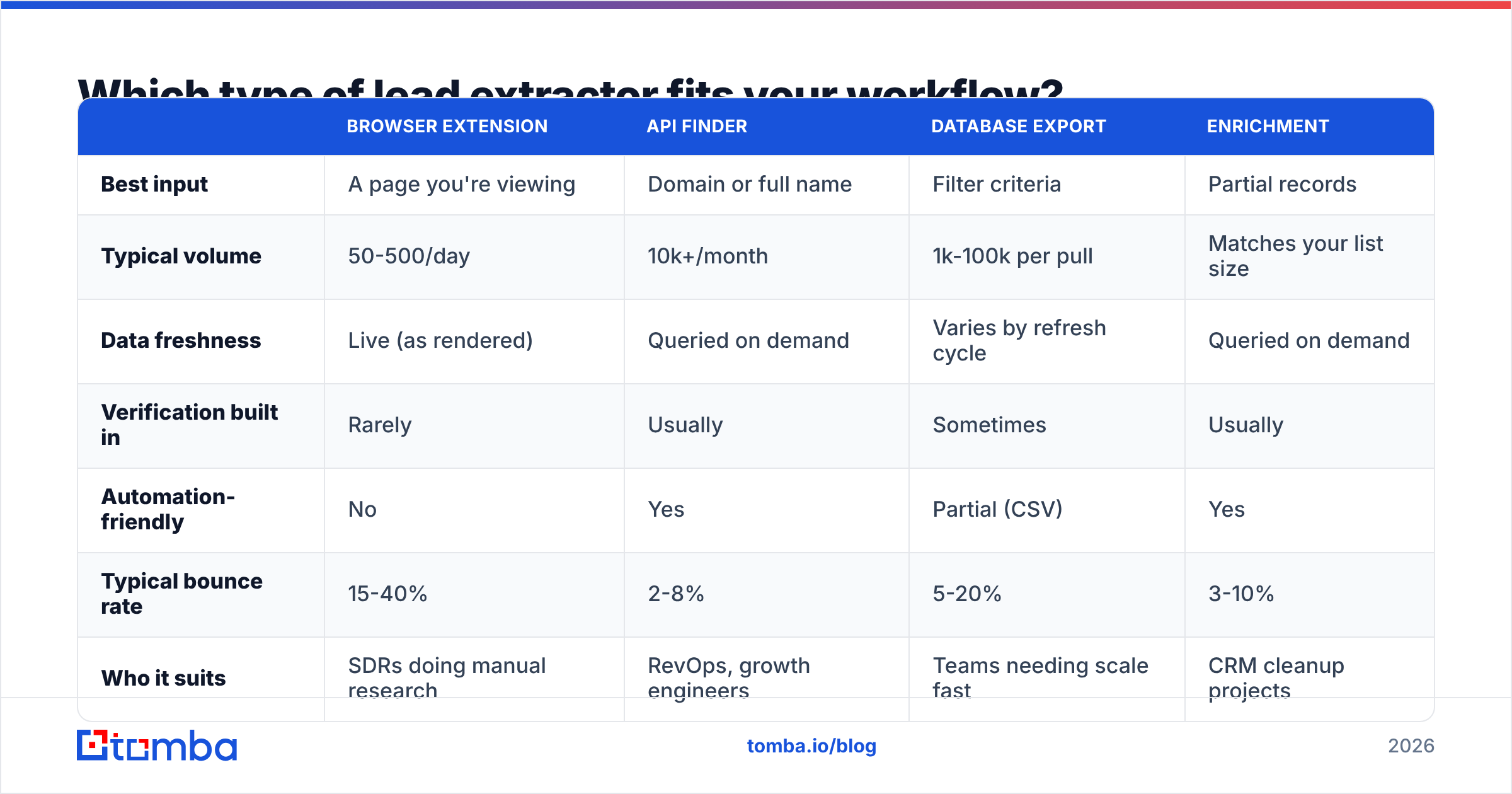
| Browser extension | API finder | Database export | Enrichment | |
|---|---|---|---|---|
| Best input | A page you're viewing | Domain or full name | Filter criteria | Partial records |
| Typical volume | 50-500/day | 10k+/month | 1k-100k per pull | Matches your list size |
| Data freshness | Live (as rendered) | Queried on demand | Varies by refresh cycle | Queried on demand |
| Verification built in | Rarely | Usually | Sometimes | Usually |
| Automation-friendly | No | Yes | Partial (CSV) | Yes |
| Typical bounce rate | 15-40% | 2-8% | 5-20% | 3-10% |
| Who it suits | SDRs doing manual research | RevOps, growth engineers | Teams needing scale fast | CRM cleanup projects |
The bounce-rate column is where budgets leak. A browser extension that grabs 400 addresses a day from rendered pages sounds like a bargain until 140 of them hard-bounce and your sending domain reputation takes a hit you'll spend six weeks repairing.
How do the major lead extraction tools compare on price and approach?#
| Tool | Approach | Entry price | Free tier | Strongest at |
|---|---|---|---|---|
| Tomba | API finder + verifier + domain search | $49/mo (Starter) | 25 searches/mo | Domain-first extraction with built-in verification |
| Apollo.io | Database + sequencer | $49/user/mo | Limited credits | All-in-one prospecting and sending |
| BookYourData | Pay-as-you-go B2B lists | Per-record pricing | Sample records | Targeted list building with a verification guarantee |
| Clay | Waterfall enrichment orchestration | $149/mo | 100 credits | Chaining multiple data vendors in one table |
| Apify | Custom scraper marketplace | Usage-based | $5 free credit | Bespoke sources no vendor covers |
| PhantomBuster | Automation "phantoms" | $69/mo | 14-day trial | LinkedIn and social extraction flows |
Prices shift; check each vendor directly before you sign. The useful takeaway is that these tools are not substitutes. Apify extracts from sources nobody else indexes but gives you zero verification. Clay orchestrates other vendors but needs those vendors underneath it. BookYourData sells finished lists with accuracy commitments, which suits teams that would rather buy a result than run a pipeline. Tomba sits at the finder-and-verifier layer, which is what Clay-style orchestration and scraper outputs both eventually need.

Is scraping leads legal in 2026?#
Short answer: extraction of public data is generally lawful in the US; contacting the people you extracted is what's regulated, and GDPR changes the math in Europe.
The US precedent most people cite is hiQ Labs v. LinkedIn, where the Ninth Circuit held that scraping publicly accessible data doesn't violate the Computer Fraud and Abuse Act. That's about access, not about what you do afterward. CAN-SPAM still governs your outreach: accurate headers, a real physical address, a working opt-out.
Europe is stricter. Under GDPR, a business email tied to a named individual is personal data. You need a lawful basis — usually legitimate interest — plus a documented balancing test, a privacy notice at first contact, and a deletion path. Role addresses like info@ and sales@ carry less risk because they aren't tied to a person.
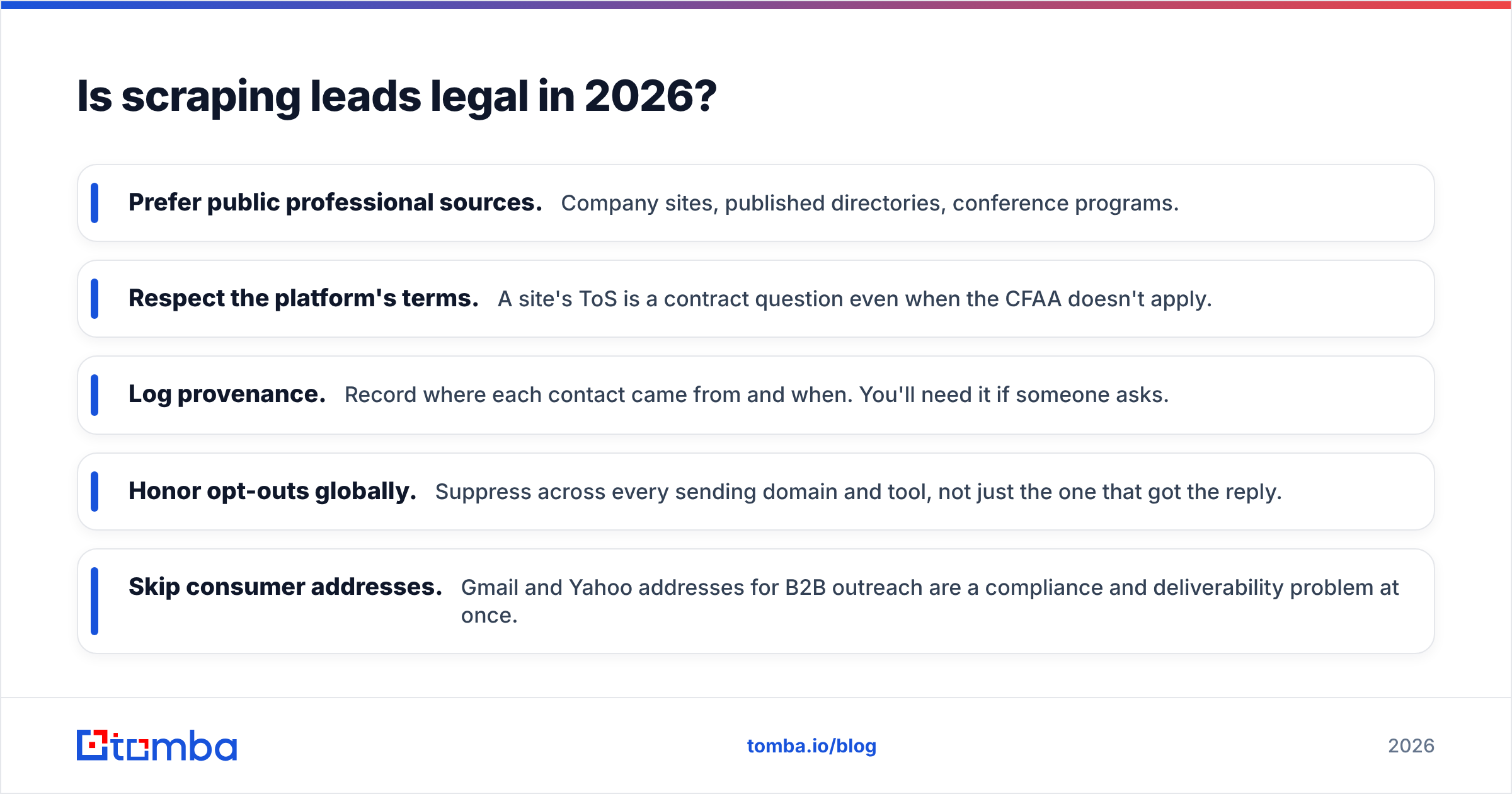
Practical rules that keep you out of trouble:
- Prefer public professional sources. Company sites, published directories, conference programs.
- Respect the platform's terms. A site's ToS is a contract question even when the CFAA doesn't apply.
- Log provenance. Record where each contact came from and when. You'll need it if someone asks.
- Honor opt-outs globally. Suppress across every sending domain and tool, not just the one that got the reply.
- Skip consumer addresses. Gmail and Yahoo addresses for B2B outreach are a compliance and deliverability problem at once.
This is operational guidance from people who send a lot of email, not legal advice. Get counsel for your jurisdiction.
What separates a good extraction workflow from a bad one?#
The bad one is a single step: scrape, upload, send. The good one is five.
1. Define the target before you extract. "Head of Engineering at Series B SaaS companies in DACH with 50-200 employees" is a target. "Tech companies" is a wish. The firmographic filter determines everything downstream, and fixing it later means re-extracting.
2. Extract the company layer first, contacts second. Build the domain list before you build the people list. Domains are cheap to gather, easy to dedupe, and a clean domain list feeds domain search directly — one query returns every indexed address at that company, plus the detected pattern, plus role classification.
3. Verify everything, including what the vendor already verified. Vendors verify at the moment of indexing. If that was eleven months ago and your prospect changed jobs in March, the record is stale and nobody flagged it. Run the final list through an email verifier immediately before the campaign, not weeks earlier.
4. Handle catch-all domains explicitly. Roughly a fifth of B2B domains accept mail for any address, so standard SMTP verification returns "unknown" instead of a verdict. You either drop them (losing real prospects) or send blind (risking bounces). A catch-all verifier applies additional signals to resolve those records rather than guessing.
5. Enrich, then segment. Once addresses are confirmed, add the context that makes the message land: tech stack, headcount, funding stage, recent hires. Data enrichment at this stage is cheap because you're only enriching records you know are real.

What does a lead extractor actually cost per usable lead?#
Credit pricing hides the number that matters. Run it yourself.
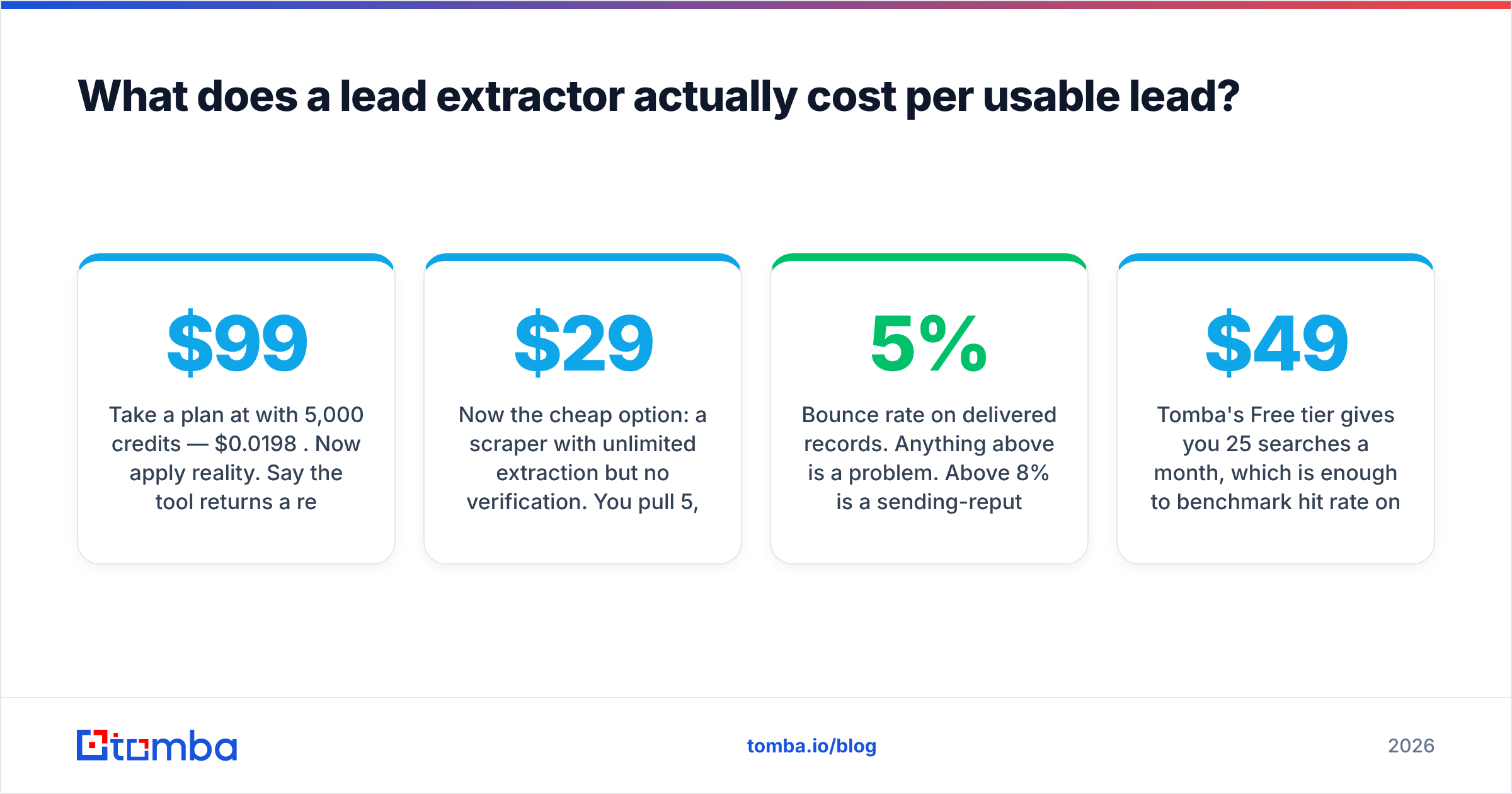
Take a plan at $99/month with 5,000 credits — $0.0198 per credit. Now apply reality. Say the tool returns a result for 65% of queries (3,250 records), and 90% of those survive verification. You have 2,925 usable contacts, so your real cost is $0.034 per usable lead — 71% above the sticker.
Now the cheap option: a $29/month scraper with unlimited extraction but no verification. You pull 5,000 addresses at $0.0058 each. Then 32% bounce. You're at 3,400 usable contacts for $0.0085 each — still cheaper on paper. Except you also sent 1,600 emails to dead addresses, pushed your bounce rate past the 5% threshold that mailbox providers watch, and lost inbox placement across the whole campaign. That damage doesn't appear in the credit math, but it's the most expensive line item in the exercise.
Three numbers to demand from any vendor before you buy:
- Hit rate on your ICP specifically. Industry averages are marketing. Run 100 of your own target accounts through the trial.
- Bounce rate on delivered records. Anything above 5% is a problem. Above 8% is a sending-reputation event.
- Credit policy on misses. Good vendors don't charge for a query that returns nothing. Check the pricing details and the fine print on failed lookups.
Tomba's Free tier gives you 25 searches a month, which is enough to benchmark hit rate on a real sample before any card is entered. Starter is $49/mo, Growth $99/mo, Pro $249/mo, with Enterprise negotiated.

How do you extract leads from LinkedIn without getting banned?#
LinkedIn is the highest-intent source and the most hostile to extraction. Automated scraping violates the User Agreement, and the detection systems are aggressive — connection request limits, profile view velocity, session fingerprinting. Accounts get restricted for behavior that looks robotic, not just for volume.
The lower-risk approach separates identification from extraction. Use LinkedIn the way a human does: search, review, save profile URLs. Then resolve those URLs to contact data outside the platform. A LinkedIn finder takes the profile URL and returns the professional email from indexed sources, so no automation is touching LinkedIn's servers on your behalf.
For teams already running Sales Navigator, export saved lists through LinkedIn's own features where available, then resolve names and companies through an email finder against the corporate domain. Slower than a one-click scraper. Also the one that doesn't end with a restricted account and a support ticket that goes nowhere.
If you want phone coverage on the same records, a phone finder pass on your highest-priority accounts tends to outperform adding more email volume — direct dials are scarcer and convert better on ABM-style lists.
How do you keep extracted leads from decaying?#
B2B contact data degrades at roughly 25-30% annually. People change jobs, companies rebrand, domains migrate after acquisitions. A list extracted in January is meaningfully worse by June and close to useless by the following January.
What actually works:
- Re-verify before every campaign. Not quarterly. Before each send. Bulk verify makes this a batch job rather than a project.
- Track bounces as a data signal. A hard bounce on a previously valid address usually means a job change, which is a buying trigger at the new company.
- Sync to the CRM, not a spreadsheet. A HubSpot integration or Salesforce pipe keeps enrichment continuous instead of episodic. HubSpot's own research on data decay puts the annual figure around 22%, which matches what most operators see.
- Automate the refresh. The Tomba API lets you re-check records on a schedule so decay is handled by a cron job instead of remembered by a person.
- Suppress aggressively. Unsubscribes, complaints, and repeat hard bounces belong in a permanent global suppression list.
One more habit worth building: when a record bounces, don't just delete it. Re-run the person's name against their likely new employer. Job changers are among the warmest prospects available — new budget, new mandate, a prior relationship with your category.
Which lead extractor should you choose?#
Match the tool to your input, not to the loudest review site.
- You have a list of domains. Domain search is the highest-leverage extraction method available. One query, every public address at that company, pattern included.
- You have names and companies. An email finder with pattern inference plus SMTP verification will resolve most of them.
- You have nothing but an ICP definition. Start with a database or a list vendor, then verify what you get.
- You have a messy CRM. This is an enrichment problem, not an extraction problem. Different tool, different budget line.
- You have a source nobody indexes. Build a custom scraper, then push the output through a verifier before it touches your sequencer.
If you're evaluating, check G2's lead intelligence category for peer reviews, but weight your own trial data far more heavily. Vendor performance varies enormously by vertical and geography — a tool with 80% coverage on US SaaS might return 35% on German manufacturing.
Start with verified extraction, not volume#
The teams that win at outbound aren't the ones extracting the most records. They're the ones whose lists are small, current, and verified, so every send lands in an inbox and every reply comes from a real person at a real company.
Start there. Run Tomba Email Finder against 25 of your actual target accounts on the free tier and measure the hit rate yourself — domain search, pattern detection, and SMTP verification run in the same request, so what comes back is already checked rather than merely extracted. If the numbers hold on your ICP, scale up on Starter at $49/mo. If they don't, you've spent nothing and learned exactly what to demand from the next vendor.
Related guides#
// get started
Find, verify and enrich your first contacts today
Start on the free plan with 25 searches a month, then scale when your team is ready.
Free plan · No credit card required · GDPR & CCPA
// about the author