Lead Generation AI Tools in 2026: The No-Fluff Buyer's Guide
AI can research, score, and write faster than any SDR — but it still invents contact data. Here's what lead generation AI tools do well in 2026, where they quietly fail, and how to budget a stack that actually books meetings.
TL;DR
- AI has genuinely won three parts of lead generation: research, scoring, and first-draft copy. It has not won contact data — models still hallucinate email addresses that look perfect and bounce.
- The strongest 2026 stacks are layered, not consolidated: a signal layer, a data layer, an enrichment/orchestration layer, and a sending layer. All-in-one platforms are convenient and usually weakest at the data layer.
- Budget reality: a working two-person outbound stack costs roughly $200–$600/month. The single most expensive mistake is paying per-seat for a platform and still buying a separate verifier because the built-in data bounces.
- Verification is the non-negotiable step. A 3% bounce rate is the line between "inbox" and "spam folder," and no amount of AI personalization outruns a burned domain.
- Pick tools by the job they do, not by the "AI" label. Half the products marketed as lead generation AI tools in 2026 are a database with a GPT wrapper on the search bar.
What are lead generation AI tools, actually?#
The label covers at least five different products that share almost nothing under the hood. Treating them as one category is how teams end up paying twice for the same capability.
Think of it like a kitchen. Some tools source ingredients, some prep them, some cook, and some plate. Nobody buys a knife expecting it to grow vegetables — but buyers do that constantly with AI sales software.
- Signal and intent tools — detect that a company is in-market: hiring pages, tech-stack changes, funding events, website visits, job postings. They tell you who to look at, not how to reach them.
- Contact data and email-finding tools — turn a name and a domain into a deliverable email address or phone number. This is the layer where accuracy is measurable and where AI alone performs worst.
- Enrichment and orchestration tools — take a thin row (a domain, a LinkedIn URL) and fill in firmographics, technographics, headcount, and custom AI-researched fields. Clay popularized this pattern; most competitors now copy it.
- Scoring and routing tools — rank inbound and outbound leads against your ICP so reps work the top 20% first. This is genuinely well-suited to machine learning because you have labeled outcomes.
- Sequencing and copy tools — write, personalize, schedule, and send. Fast to adopt, easy to abuse, and the layer most responsible for the flood of generic "I noticed your company is scaling" emails in 2026.
A useful rule: if a vendor claims to do all five well, assume it's strongest at the layer where switching costs are highest (sequencing) and weakest where quality is objectively testable (data).
Which layer does AI actually improve?#
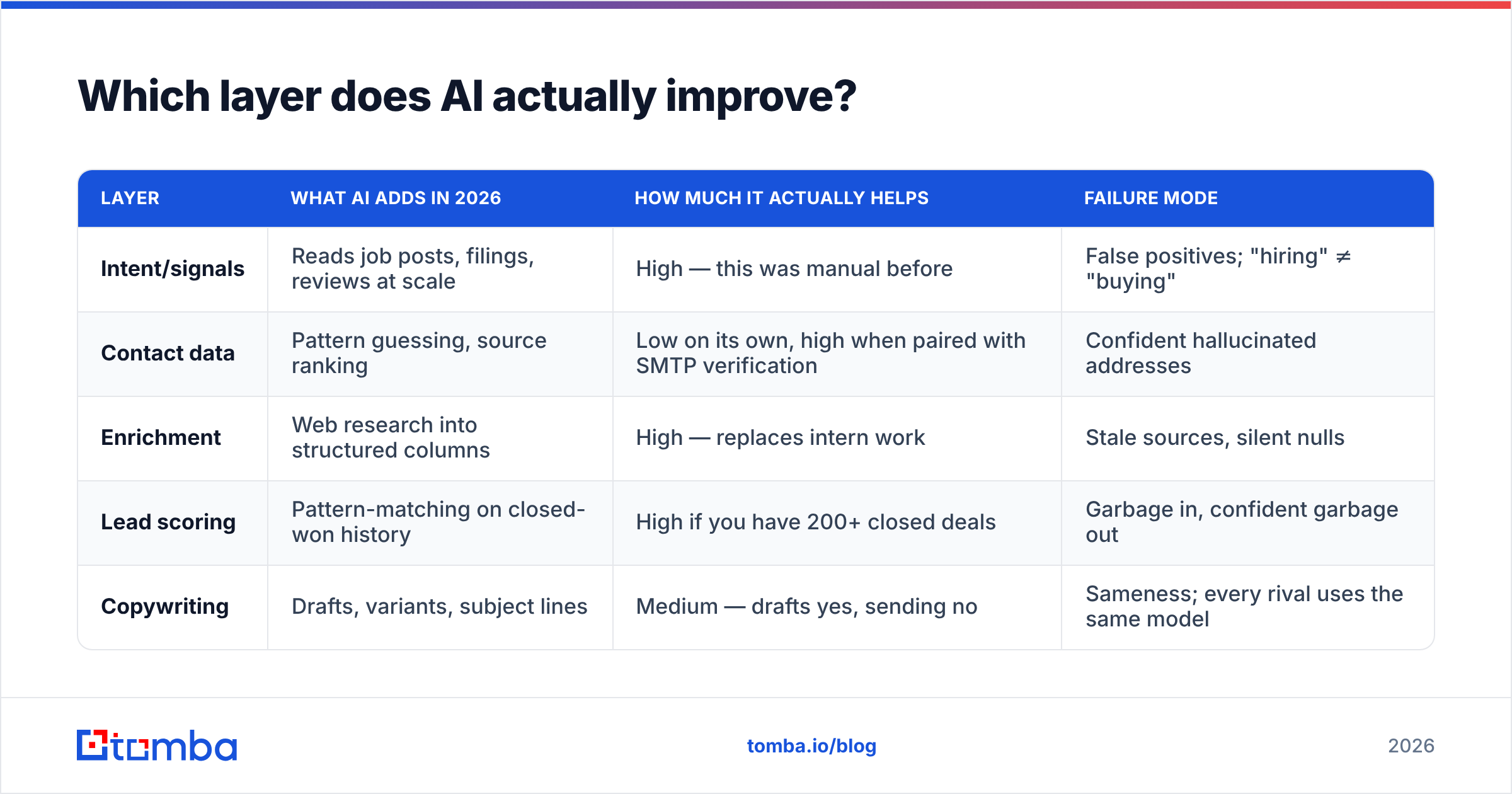
AI improves layers where the input is unstructured text and the output is a judgment. It does not improve layers where the output is a fact that either exists or doesn't.
| Layer | What AI adds in 2026 | How much it actually helps | Failure mode |
|---|---|---|---|
| Intent/signals | Reads job posts, filings, reviews at scale | High — this was manual before | False positives; "hiring" ≠ "buying" |
| Contact data | Pattern guessing, source ranking | Low on its own, high when paired with SMTP verification | Confident hallucinated addresses |
| Enrichment | Web research into structured columns | High — replaces intern work | Stale sources, silent nulls |
| Lead scoring | Pattern-matching on closed-won history | High if you have 200+ closed deals | Garbage in, confident garbage out |
| Copywriting | Drafts, variants, subject lines | Medium — drafts yes, sending no | Sameness; every rival uses the same model |
The pattern is consistent: AI is excellent at reading the internet and mediocre at knowing things. An email address is a thing that either routes to a mailbox or doesn't. Language models are trained to produce plausible strings, and first.last@company.com is always plausible. That is precisely why plausibility is worthless here.

Is AI-generated contact data reliable in 2026?#
Not by itself — and the gap is wider than most vendors admit.
There are two fundamentally different ways a tool produces an email address:
- Generation: apply the company's known pattern to a name. Cheap, instant, and produces a guess.
- Discovery plus verification: find the address in a real source (site, byline, public profile, filings), then confirm the mailbox exists via SMTP, MX, and catch-all handling.
Most "AI email finders" do the first and call it the second. You can test any vendor in 20 minutes: pull 100 contacts, verify them through an independent email verifier, and compare the vendor's claimed confidence against real deliverability. Vendors advertising 98% accuracy routinely land in the 70s on niche domains.
Three things to check before you trust any dataset:
- Catch-all handling. Roughly a fifth of B2B domains accept everything. A tool that marks catch-alls as "valid" is inflating its own score. A catch-all verifier gives you a probabilistic answer instead of a false green.
- Source transparency. Can the tool show you where an address came from? If the answer is a confidence percentage and nothing else, it's a guess with a decimal point.
- Recency. B2B contact data decays roughly 2–3% per month through job changes. A record enriched 14 months ago is closer to a coin flip than a contact.
Which lead generation AI tools are worth paying for?#
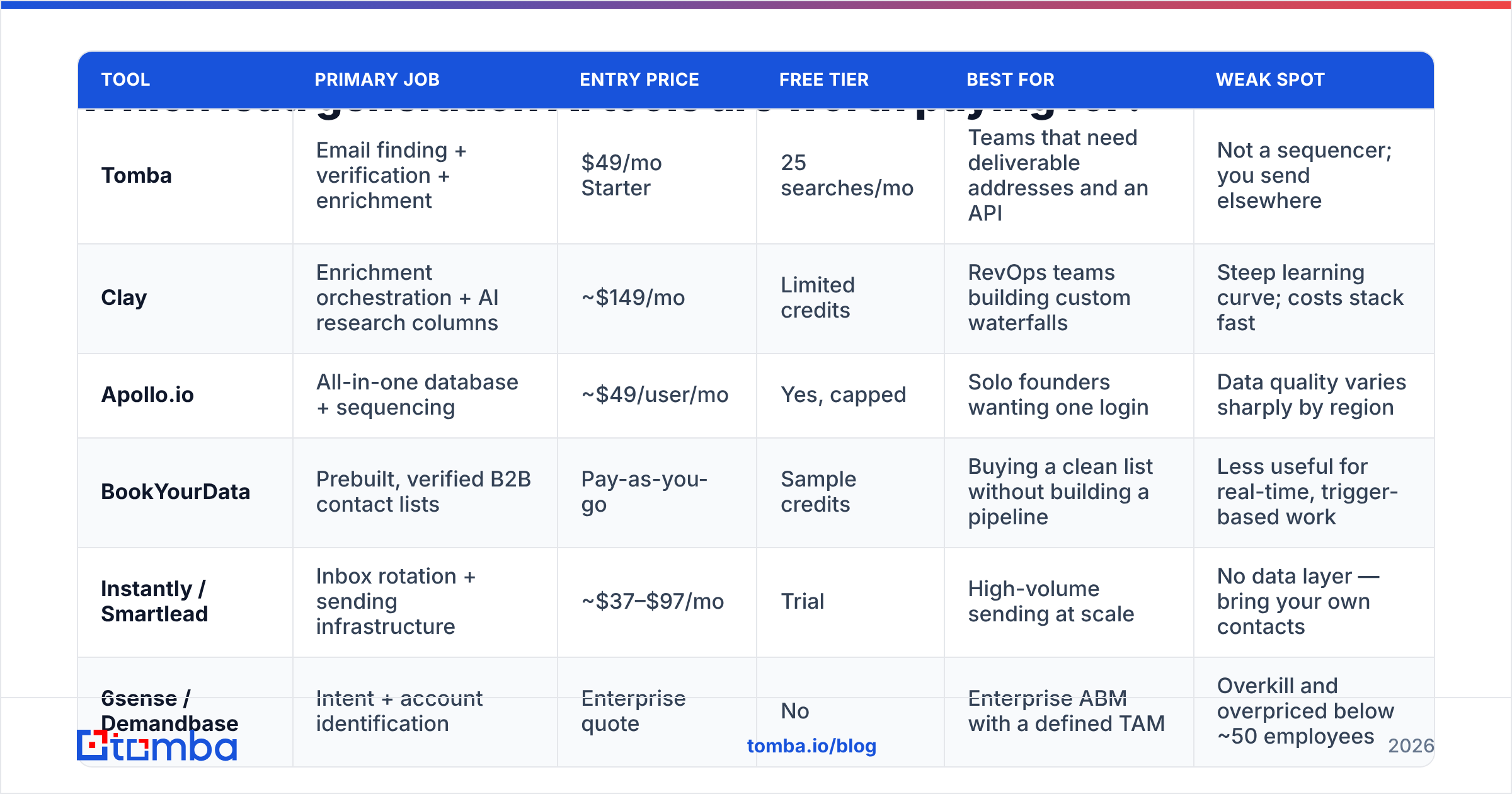
Here's an honest read on the main categories, with list pricing at the time of writing (always check the vendor's current page — SaaS pricing moves quarterly).
| Tool | Primary job | Entry price | Free tier | Best for | Weak spot |
|---|---|---|---|---|---|
| Tomba | Email finding + verification + enrichment | $49/mo Starter | 25 searches/mo | Teams that need deliverable addresses and an API | Not a sequencer; you send elsewhere |
| Clay | Enrichment orchestration + AI research columns | ~$149/mo | Limited credits | RevOps teams building custom waterfalls | Steep learning curve; costs stack fast |
| Apollo.io | All-in-one database + sequencing | ~$49/user/mo | Yes, capped | Solo founders wanting one login | Data quality varies sharply by region |
| BookYourData | Prebuilt, verified B2B contact lists | Pay-as-you-go | Sample credits | Buying a clean list without building a pipeline | Less useful for real-time, trigger-based work |
| Instantly / Smartlead | Inbox rotation + sending infrastructure | ~$37–$97/mo | Trial | High-volume sending at scale | No data layer — bring your own contacts |
| 6sense / Demandbase | Intent + account identification | Enterprise quote | No | Enterprise ABM with a defined TAM | Overkill and overpriced below ~50 employees |
Two observations worth more than the table itself.
First, the consolidation pitch rarely survives contact with a bounce report. All-in-one platforms win on convenience, but nearly every team running serious volume ends up bolting on a dedicated finder or verifier within a quarter. If you already know that's where you'll land, the cheaper path is to start layered.
Second, credit models matter more than headline price. A $49/month plan that charges a credit for every failed lookup is more expensive than a $99 plan that only charges on success. Read the credit policy before the feature list — Tomba's pricing tiers (Free, Starter $49, Growth $99, Pro $249, Enterprise) are structured around searches rather than seats, which is the model that scales better for small teams with big lists.
How do you build a stack that actually books meetings?#
Five steps, in order. Skipping step four is the most common reason AI outbound programs die in month two.
- Define the trigger, not the list. "Series A SaaS in fintech" is a list. "Series A SaaS in fintech that posted a compliance role in the last 30 days" is a trigger. Triggers are what make AI research worth running.
- Source the accounts. Pull the company set from your intent tool, a B2B database, or a scraped source. Keep it small — 200 well-chosen accounts beat 5,000 generic ones.
- Enrich and find contacts. Resolve domains to decision-makers, then find addresses. Run this through an API so it's repeatable, not a weekly manual export. Tomba's email finder API and bulk email finder both handle this; Clay can orchestrate it as a column.
- Verify before sending. Always. Drop anything risky. Target under 2% bounce. This step costs cents and protects an asset — your domain — that takes months to rebuild.
- Personalize with AI, approve with a human. Let the model draft the first line from the trigger you defined in step one. Read it. If the line would make sense sent to any of the other 199 accounts, it isn't personalization — it's filler with a merge tag.
The ordering matters because each step reduces the volume entering the next. Teams that sequence first and verify later are effectively running a deliverability experiment on their own domain.
What breaks when you scale AI outbound?#
Volume exposes every weakness in the stack at once. Four failures show up predictably:
Deliverability collapse. Mailbox providers got substantially better at pattern detection through 2025 and 2026. Google and Yahoo's bulk-sender requirements pushed the acceptable spam-complaint rate to 0.3%, and a rising bounce rate compounds the damage. Monitor sender reputation weekly, not after the replies stop.
Sameness. When every competitor uses the same three models on the same public data, "personalized" emails converge. The differentiator is no longer the writing — it's the trigger and the timing. HubSpot's ongoing research on outbound benchmarks keeps pointing the same direction: relevance beats volume (hubspot.com).
Credit burn. AI research columns are seductive and metered. A 10-column waterfall on 5,000 rows is 50,000 operations. Cap your enrichment at the fields that change a rep's behavior.
Attribution fog. With five tools touching one lead, nobody knows which layer produced pipeline. Tag the source at ingestion, not at reporting time. Peer reviews on G2 are a useful sanity check on whether a vendor's reporting is as good as its demo suggested.
Should small teams buy an all-in-one or assemble a stack?#
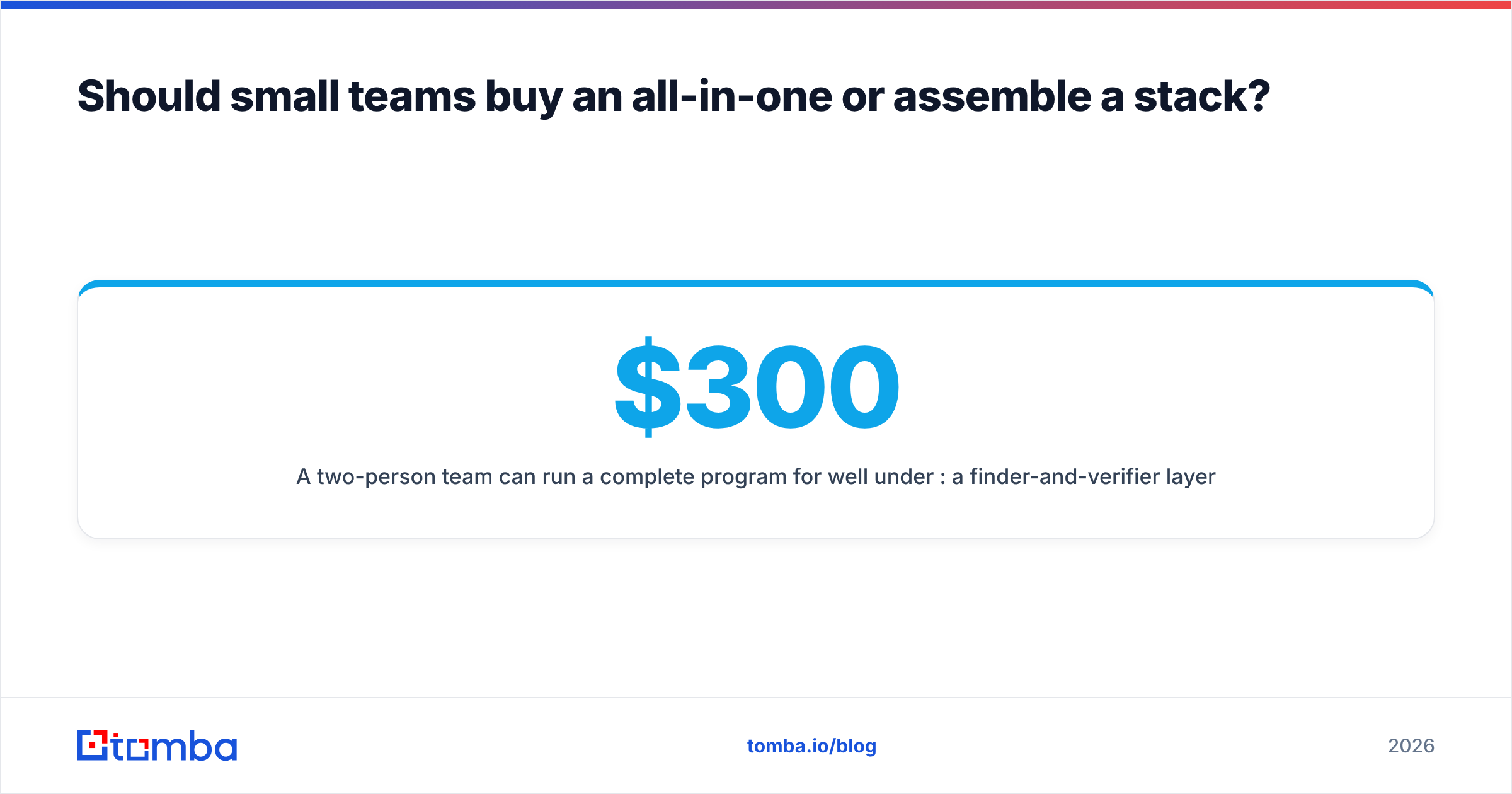
Assemble, if you send fewer than 3,000 emails a month. Buy all-in-one only when admin overhead genuinely costs more than data quality.
A two-person team can run a complete program for well under $300/month: a finder-and-verifier layer ($49–$99), a sending tool ($37–$97), and a spreadsheet or CRM you already pay for. The all-in-one equivalent runs $100–$200 per seat and still ships data you'll want to re-verify.
Where all-in-one genuinely wins: teams above roughly 10 reps who need shared sequences, a single activity log, and manager-level reporting. At that size, tool sprawl becomes a real cost. Below it, sprawl is cheaper than compromise. Analyst coverage of the go-to-market tooling market has been making a similar point for a couple of years — the consolidation story is strongest at enterprise scale and weakest for lean teams (gartner.com).
How do you evaluate a vendor in one afternoon?#
Run the same 100-row test on every shortlist candidate:
- Take 100 real target contacts you can independently confirm (customers, partners, public bylines).
- Run them through each tool's finder or enrichment flow.
- Verify all outputs through a neutral third-party checker.
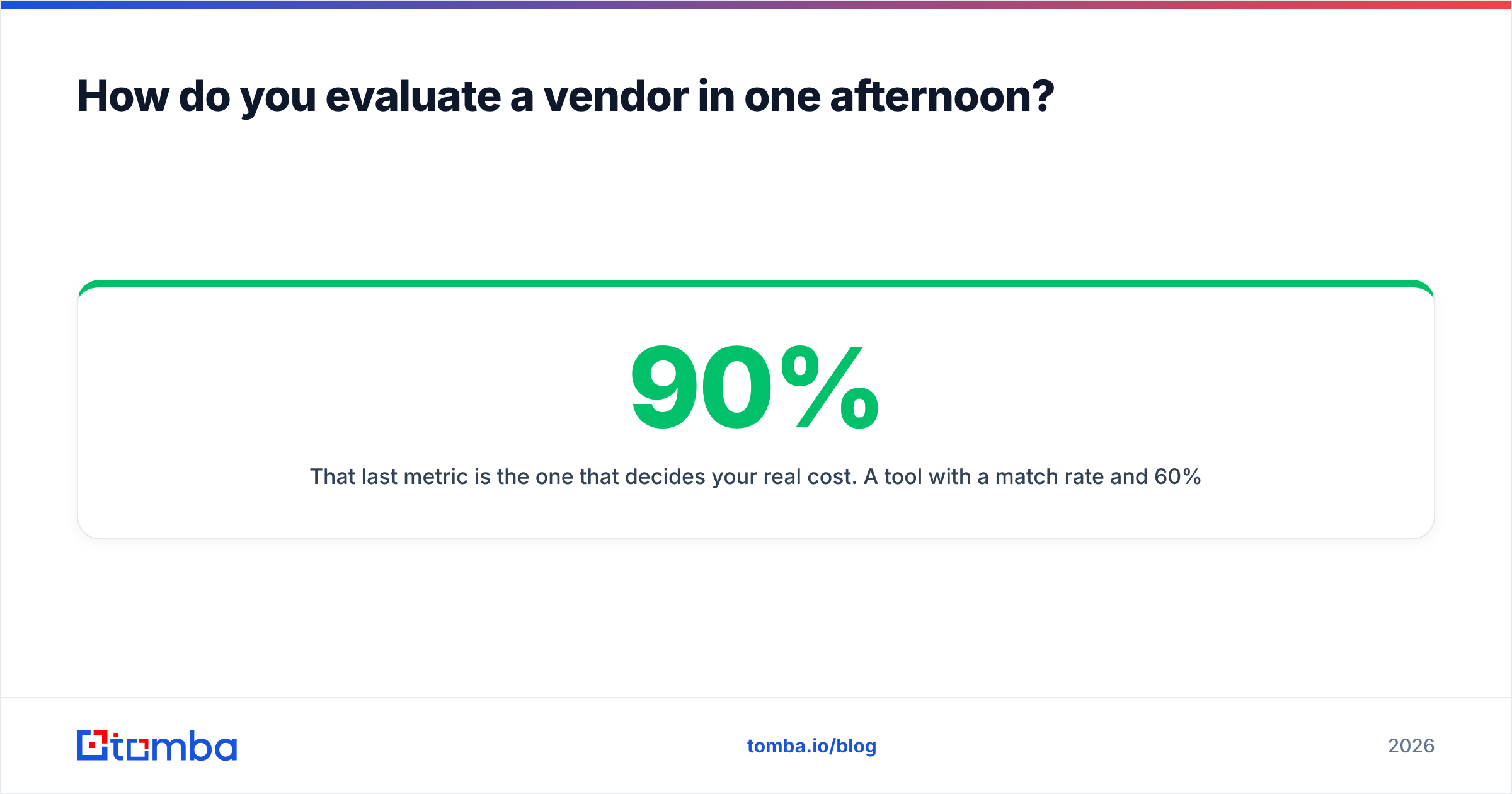
- Record: match rate, verified-valid rate, catch-all rate, and credits consumed per usable contact.
That last metric is the one that decides your real cost. A tool with a 90% match rate and 60% verified-valid is more expensive per usable contact than one at 70% match and 95% valid — even if the sticker price is lower. Most vendors, including the good ones, will quote you the first number.
Free tiers exist for exactly this. Tomba's free tier gives 25 searches a month, which is enough to sanity-check patterns across a handful of your real target domains before anyone signs anything.
Start with the layer AI can't fake#
If you fix one thing in your 2026 stack, fix the data layer. AI will keep getting better at research, scoring, and drafting — those improvements arrive for free with every model release. Deliverable contact data doesn't work that way. It comes from real sources, real SMTP checks, and real catch-all logic, and no model upgrade produces it.
Start with the Tomba Email Finder: find addresses by name, domain, or company, verify them before they touch your sequencer, and pull the whole thing through an API so your stack runs on a schedule instead of on someone's Tuesday afternoon. The free tier covers 25 searches a month — enough to run the 100-row test above on your own target list and see, with your own data, which of your current lead generation AI tools are actually earning their line item.
Related guides#
// get started
Find, verify and enrich your first contacts today
Start on the free plan with 25 searches a month, then scale when your team is ready.
Free plan · No credit card required · GDPR & CCPA
// about the author