Lead Generation Data in 2026: Sources, Accuracy, and Cost
Most lead generation data is stale before you buy it. Here's how the sourcing models actually work, what decay really costs you, and how to test a vendor in one afternoon.
TL;DR
- Lead generation data is only worth what it costs you to reach one real person — measure cost per usable record, not cost per row.
- B2B contact data decays roughly 2–2.5% per month, so a list bought in January is materially wrong by June. Static CSVs are a depreciating asset.
- The four sourcing models (public crawl, contributed/community, licensed panels, and first-party intent) have different legal exposure and different failure modes. Most vendors blend them and won't say in what ratio.
- Vendor-claimed accuracy is nearly always measured on their easiest records. Run your own 200-row test against a domain you know well before committing budget.
- The cheapest reliable stack in 2026 is usually a find-on-demand API plus a verification step, not a bulk database subscription.
What is lead generation data, exactly?#
Lead generation data is the set of attributes you need to identify, reach, and prioritize a potential buyer: a person's name, role, work email, phone number, and the firmographic context around them — company size, industry, tech stack, funding, location.
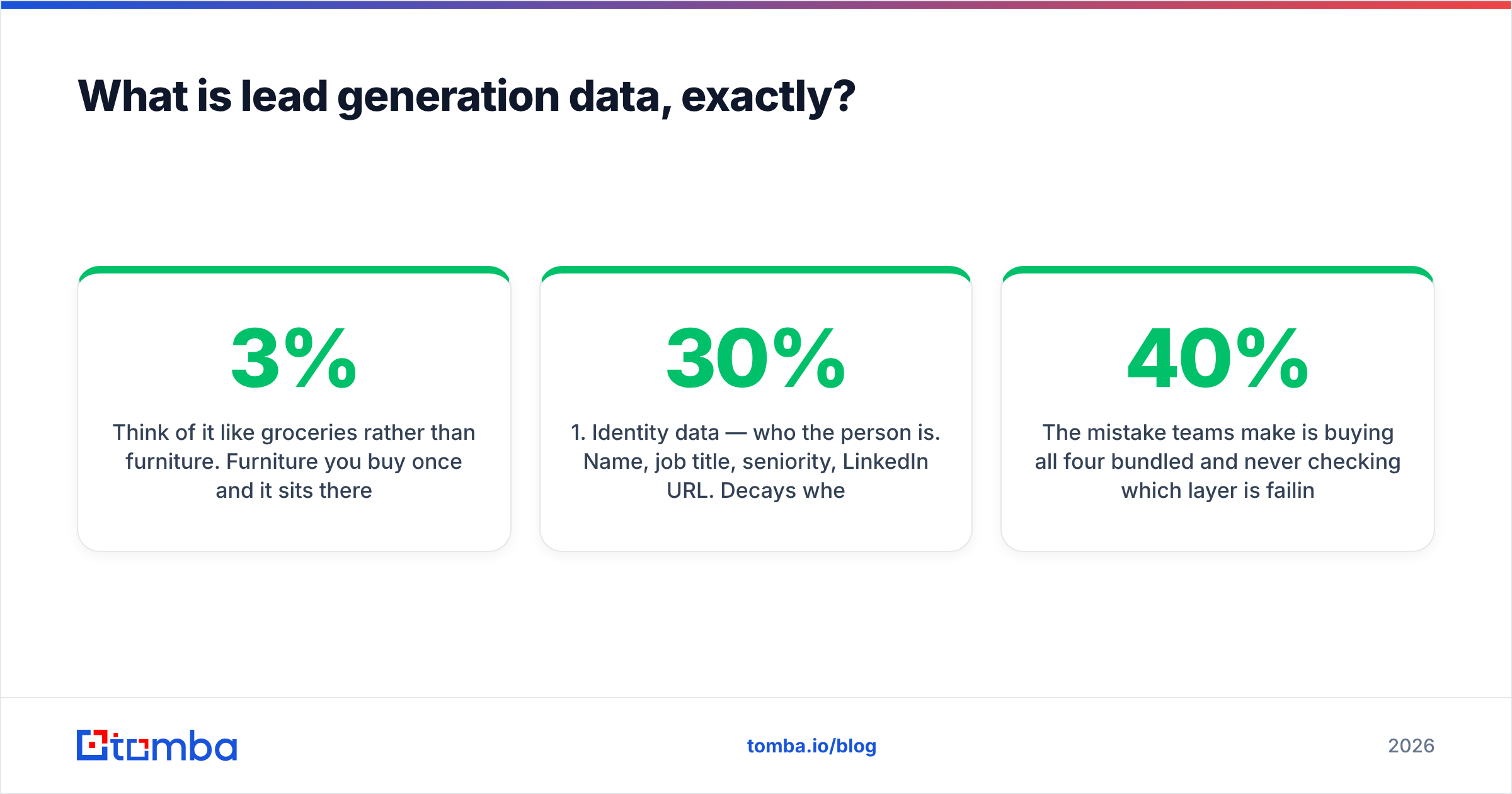
Think of it like groceries rather than furniture. Furniture you buy once and it sits there. Groceries spoil. Everyone treats contact data like furniture — a one-time purchase that lives in the CRM forever — and then wonders why their bounce rate climbed from 3% to 14% over two quarters. It spoiled.
Technically, lead generation data splits into three layers that behave very differently:
- Identity data — who the person is. Name, job title, seniority, LinkedIn URL. Decays when people change jobs (roughly 20–30% annually in tech and sales roles).
- Contact data — how you reach them. Work email, direct dial, mobile. Decays fastest, because it dies the moment identity changes and it dies independently when a company migrates mail providers or retires an alias.
- Context data — why you'd reach them now. Headcount growth, funding rounds, hiring signals, installed technologies, site visits. Doesn't "decay" so much as go stale — a funding signal from 14 months ago is not a trigger, it's trivia.
- Consent and provenance metadata — where the record came from and whether you can legally process it. Most buyers ignore this layer entirely until a GDPR complaint arrives.
The mistake teams make is buying all four bundled and never checking which layer is failing. A campaign with 40% open rates and zero replies has a context problem. A campaign with 20% bounces has a contact problem. They need opposite fixes.
Where does lead generation data actually come from?#
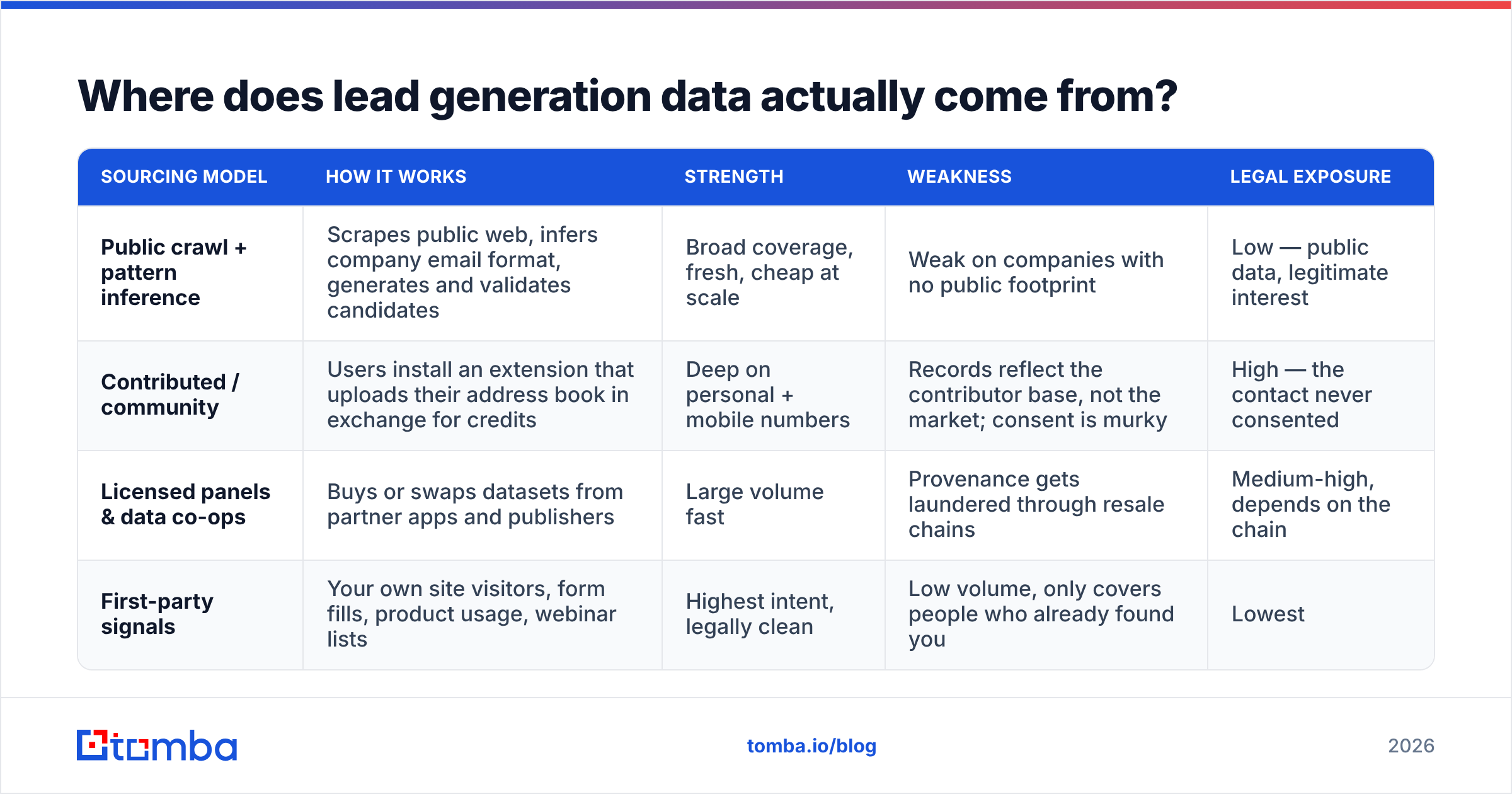
There are only four real ways any vendor gets a work email address. Everything on the market is some blend of these.
| Sourcing model | How it works | Strength | Weakness | Legal exposure |
|---|---|---|---|---|
| Public crawl + pattern inference | Scrapes public web, infers company email format, generates and validates candidates | Broad coverage, fresh, cheap at scale | Weak on companies with no public footprint | Low — public data, legitimate interest |
| Contributed / community | Users install an extension that uploads their address book in exchange for credits | Deep on personal + mobile numbers | Records reflect the contributor base, not the market; consent is murky | High — the contact never consented |
| Licensed panels & data co-ops | Buys or swaps datasets from partner apps and publishers | Large volume fast | Provenance gets laundered through resale chains | Medium-high, depends on the chain |
| First-party signals | Your own site visitors, form fills, product usage, webinar lists | Highest intent, legally clean | Low volume, only covers people who already found you | Lowest |
Most "database" vendors are model 2 and 3 with a marketing layer on top. Most "finder" tools are model 1 with a verification layer. This is the single most useful distinction when you're evaluating a purchase, and almost nobody asks about it on the demo call.
Tomba sits in the first bucket — it crawls public sources and infers patterns, then validates via SMTP before returning a result, and publishes its data sources openly. BookYourData takes a different route with human-verified, opt-in B2B records sold as one-time purchases rather than a subscription, which is genuinely the right shape for teams who need a defined list for a defined campaign and don't want a recurring seat cost. Apollo and Seamless.AI lean heavily on contributed and co-op data, which is why their coverage of mobile numbers is strong and their record freshness is uneven.

How fast does lead generation data go stale?#
Faster than your renewal cycle. That's the whole problem.
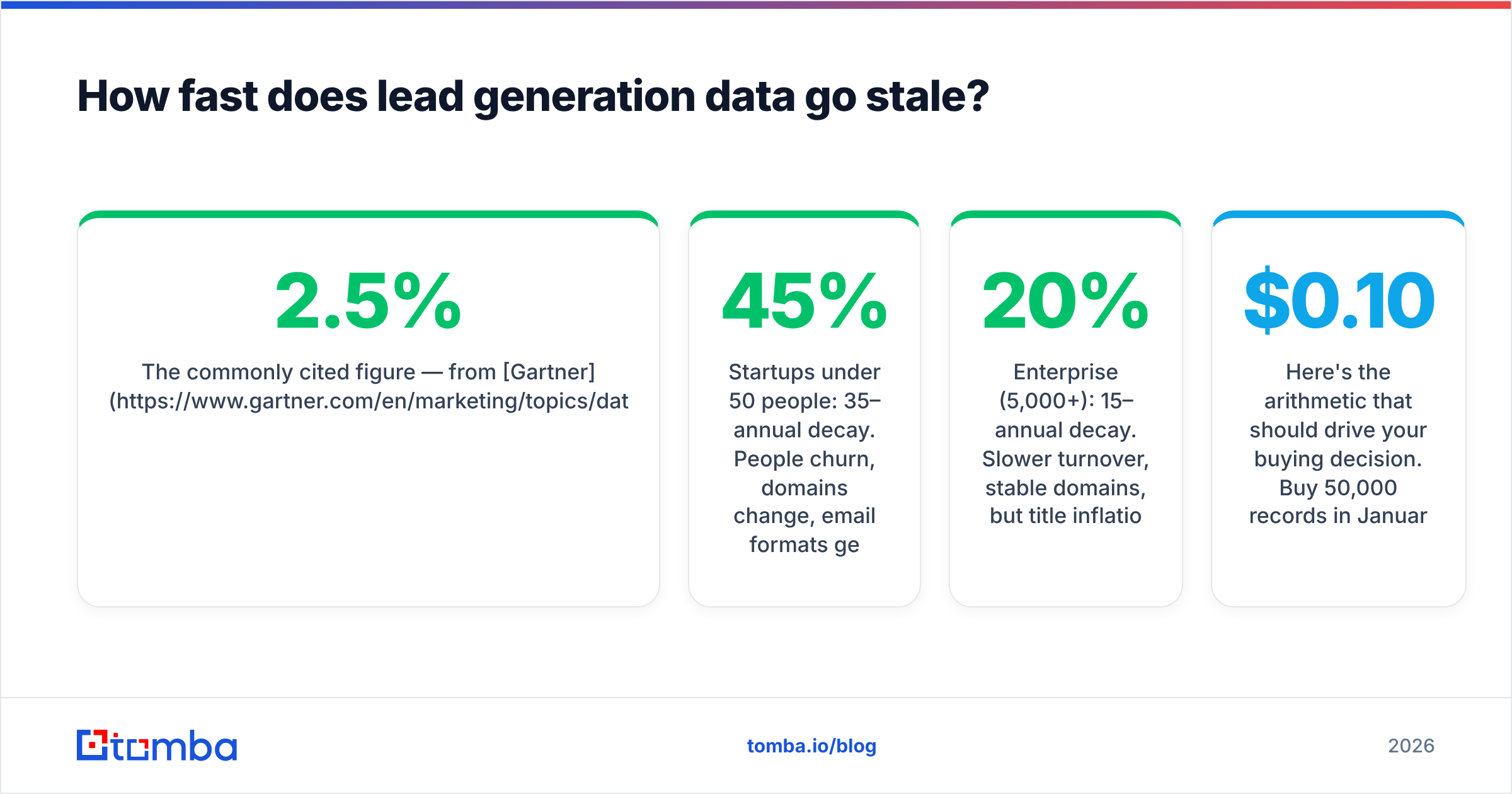
The commonly cited figure — from Gartner and echoed across the industry — is around 2 to 2.5% monthly decay for B2B contact records, which compounds to roughly 25–30% annually. In practice it's worse in some segments and better in others:
- Startups under 50 people: 35–45% annual decay. People churn, domains change, email formats get rebuilt when they move off Google Workspace.
- Enterprise (5,000+): 15–20% annual decay. Slower turnover, stable domains, but title inflation means the role data goes wrong even when the mailbox still works.
- Agencies and services firms: high decay, high catch-all rate. Many run wildcard mail servers that accept everything, which means naive verification returns "valid" for addresses that will never be read. This is where a proper catch-all verifier earns its keep.
Here's the arithmetic that should drive your buying decision. Buy 50,000 records in January at $0.10 each — $5,000, feels reasonable. By July, roughly 13% are dead. By the following January, around 28%. Your effective cost per usable record at the twelve-month mark is $0.139, and that assumes every remaining record was accurate on day one, which it wasn't.
Now compare that to finding records on demand. You pay only for the contacts you're actually about to email, and they're resolved at the moment of use. The cost per row is higher. The cost per usable row is lower, and it doesn't drift.
How do you evaluate a lead generation data vendor?#
Ignore the accuracy claim on the homepage. Every vendor says 95%+. They're all measuring something different, usually "percentage of returned records that passed our own syntax and MX check" — which is not accuracy, it's formatting.
Run this test instead. It takes about two hours and costs less than one month of a bad subscription.
- Pick three domains you know cold. Your own company, a customer, and a partner. You can verify ground truth by hand.
- Request 50 contacts per domain from each vendor. Same job-title filters across all vendors so you're comparing like for like.
- Score four things separately: did the email exist, was the person still at the company, was the title current, and did the message actually land in the inbox rather than spam.
- Send a real 200-address test campaign through a warmed domain and record hard bounces at 48 hours. This is the only number that matters.
- Check coverage on your hardest segment, not your easiest. If you sell to 20-person manufacturing firms in Ohio, coverage of San Francisco Series B SaaS tells you nothing.
- Ask for provenance in writing. "Which of the four sourcing models produced this record?" A vendor that can't answer is reselling something they don't control.
Expect the real numbers to land 10 to 25 points below the marketing claim. That's normal. What you're looking for is which vendor degrades least on your segment.

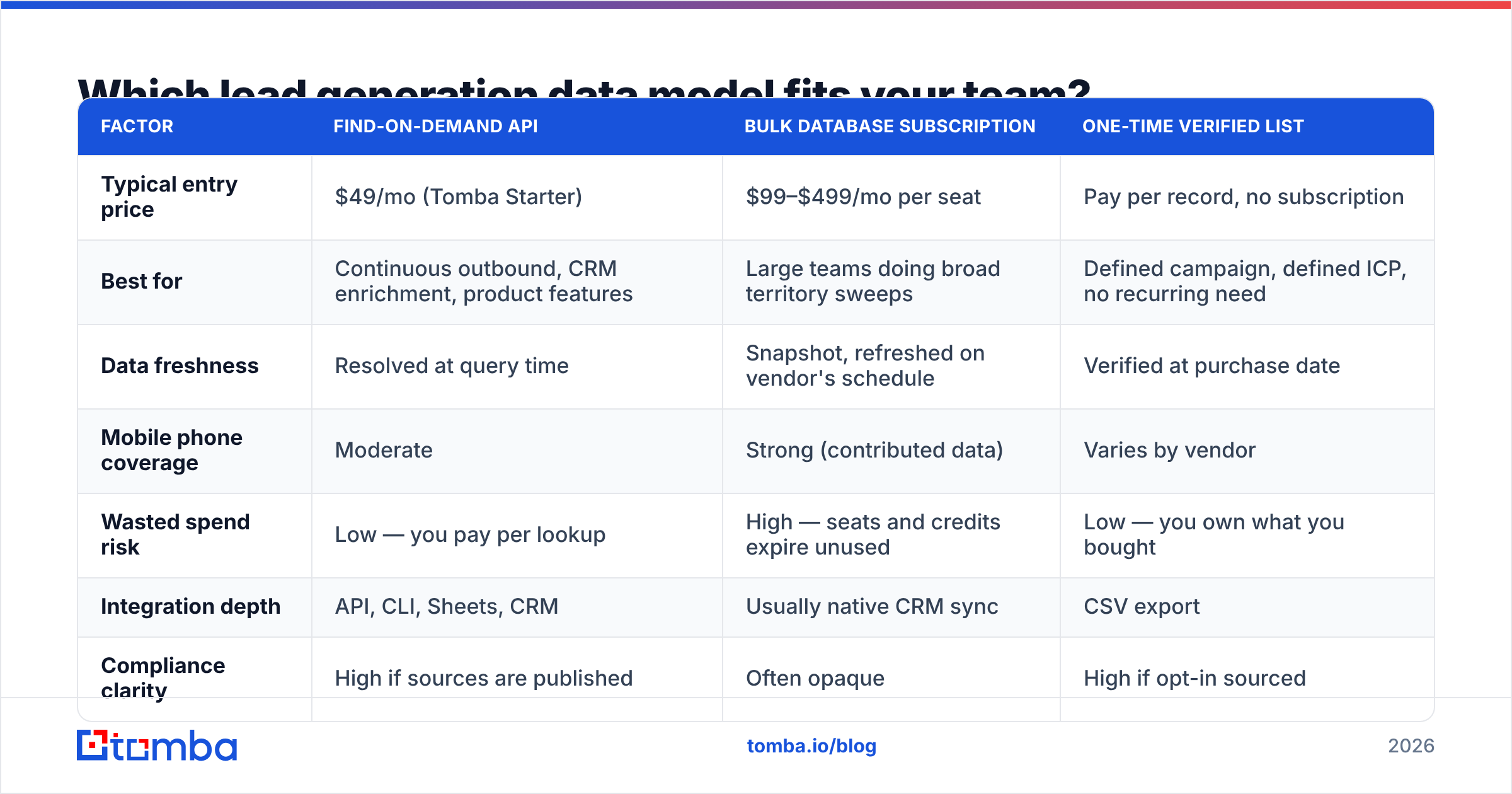
Which lead generation data model fits your team?#
The answer depends almost entirely on volume shape — steady trickle versus periodic bulk — and on whether you need mobile numbers.
| Factor | Find-on-demand API | Bulk database subscription | One-time verified list |
|---|---|---|---|
| Typical entry price | $49/mo (Tomba Starter) | $99–$499/mo per seat | Pay per record, no subscription |
| Best for | Continuous outbound, CRM enrichment, product features | Large teams doing broad territory sweeps | Defined campaign, defined ICP, no recurring need |
| Data freshness | Resolved at query time | Snapshot, refreshed on vendor's schedule | Verified at purchase date |
| Mobile phone coverage | Moderate | Strong (contributed data) | Varies by vendor |
| Wasted spend risk | Low — you pay per lookup | High — seats and credits expire unused | Low — you own what you bought |
| Integration depth | API, CLI, Sheets, CRM | Usually native CRM sync | CSV export |
| Compliance clarity | High if sources are published | Often opaque | High if opt-in sourced |

For most teams under 30 reps, the find-on-demand model wins on unit economics. Tomba pricing starts with a free tier at 25 searches per month for testing, then $49/mo Starter, $99/mo Growth, and $249/mo Pro — and because credits are consumed per lookup rather than per seat, the spend tracks actual outbound volume instead of headcount.
For teams that need a clean, consent-documented list for a specific campaign and genuinely don't want a recurring tool in the stack, a one-time purchase from a vendor like BookYourData is a cleaner fit than paying twelve months of subscription for one quarter of work. Match the billing shape to the work shape.
How do you keep lead generation data clean once you have it?#
Treat it as a pipeline with three gates, not a one-time import.
Gate 1 — at acquisition. Never let an unverified address into the sending system. Run every new record through an email verifier before it reaches your sequencer. Reject anything flagged as role-based (info@, sales@) unless you're specifically targeting a shared inbox, and quarantine catch-all domains into a separate, lower-volume track.
Gate 2 — at rest. Re-verify your CRM on a rolling schedule. Quarterly is the minimum; monthly is better if your ICP skews toward small companies. A bulk verify run against your active database costs a fraction of what a deliverability recovery costs after your domain gets flagged. If your sender reputation drops, everything downstream breaks, including the emails to people whose addresses were fine.
Gate 3 — at send. Watch bounce rate per segment, not in aggregate. An overall 4% bounce rate can hide a 22% bounce rate on one imported source that's poisoning your domain. Segment-level monitoring surfaces a bad data source in days rather than months.
One more thing that gets skipped: deduplicate on the person, not the email string. The same human can exist three times in your CRM under a personal address, a work address, and an old work address from a previous employer. Sequencing all three is how you get marked as spam by someone who was otherwise interested.

Is buying lead generation data still worth it in 2026?#
Yes, but the shape of the purchase has changed.
Three things are different from five years ago. First, Google and Microsoft's 2024 bulk-sender requirements raised the cost of bad data sharply — a spam complaint rate above 0.3% now materially degrades delivery, so a list with 15% junk doesn't just waste 15% of your effort, it damages the other 85%. Second, AI-generated outbound flooded inboxes, which means reply rates on generic sequences have compressed and precision targeting matters more than volume. Third, regulators got more active on contributed-data sourcing specifically, which makes provenance a real procurement question rather than a legal checkbox.
The net effect: smaller, fresher, better-documented datasets now outperform large stale ones by a wide margin. A 2,000-contact list where every record was resolved this week beats a 200,000-contact database from 2024, and it's cheaper.
What hasn't changed is that data alone doesn't close anything. G2's category data consistently shows that teams rating their data tools highest are the ones that integrated them into an existing workflow rather than adding another dashboard. The tool that finds emails inside your CRM or your spreadsheet gets used. The one that requires a separate login gets abandoned in month three.
What does a sensible 2026 data stack look like?#
Keep it to three components:
- A resolution layer that turns a name plus a company into a verified contact on demand. This is your email finder or domain search, depending on whether you start from a person or a company.
- A verification layer that gates everything before it sends, including scheduled re-verification of records already in the CRM.
- An enrichment layer that fills in firmographics and context so reps can personalize without twenty minutes of manual research per account.
Everything beyond those three is optimization. Intent data is useful when you have the volume to act on it and wasteful when you don't. Website visitor identification is excellent if you have real traffic and pointless below a few thousand monthly visitors. Buy the base layer first, prove the motion works, then add signals.
If you're auditing your current setup, the fastest diagnostic is to pull 100 random contacts from your CRM, verify them, and count how many are dead. Under 5% means your process is working. Over 15% means you're paying postage on mail to nobody, and it's probably hurting delivery to the people who are still there.
Start with the Tomba Email Finder — the free tier gives you 25 searches a month, enough to run the 200-row vendor test described above against your own hardest segment before you commit a dollar. Find the contacts, verify them, and let the bounce rate tell you the truth that no vendor's accuracy page will.
Related guides#
// get started
Find, verify and enrich your first contacts today
Start on the free plan with 25 searches a month, then scale when your team is ready.
Free plan · No credit card required · GDPR & CCPA
// about the author