Lead Generation Database: How to Build One That Converts
A lead generation database is only as good as the decay rate hiding inside it. Here is how to build, buy, verify, and maintain one that still works in month six.
TL;DR
- A lead generation database is a structured, maintained store of B2B contacts and company records — not a CSV you bought once and forgot.
- B2B contact data decays roughly 22–30% per year, and job-change churn concentrates in exactly the seniority bands you want to reach.
- Build-vs-buy is the wrong framing. Almost every working setup is hybrid: a purchased or API-sourced core, enriched and re-verified on your own schedule.
- Cost per usable contact matters far more than cost per record. A $0.02 record with a 40% bounce rate is more expensive than a $0.15 verified one.
- Your database needs an owner, a refresh cadence, and a suppression list. Without those three, it degrades into a deliverability liability within two quarters.
What Is a Lead Generation Database?#
A lead generation database is the system of record for every prospect your go-to-market team can legitimately contact: person-level fields (name, role, verified email, phone, LinkedIn URL), company-level fields (domain, headcount, industry, tech stack, funding), and the metadata that tells you whether any of it is still true — source, last-verified date, confidence score, consent basis.
That last group is what separates a database from a list. A list is a snapshot. A database has a heartbeat: records enter, get scored, get re-verified, get suppressed, and get retired.
Most teams discover the difference the expensive way. You buy 50,000 records in January, push them into your sequencer in February, and by April your domain reputation is damaged because nobody tracked which records had gone stale. The email deliverability cost of a poorly maintained database is almost always larger than the cost of maintaining it properly.
What fields actually belong in it?#
Not everything. Field bloat is real — every column you add is a column someone has to keep accurate. A workable minimum:
- Identity fields — full name, current company, current title, company domain. These anchor every other lookup and every re-verification pass.
- Contact channels — verified work email, deliverability status, direct phone where available, LinkedIn profile URL. Each channel needs its own validity flag; an email can go dead while the phone stays live.
- Firmographics — headcount band, revenue band, industry code, HQ country, funding stage. These drive segmentation and ICP scoring, not personalization.
- Signals — tech stack, hiring activity, recent funding, website visit history. Short shelf life, high value while fresh.
- Provenance and compliance — data source, first-seen date, last-verified date, consent or legitimate-interest basis, suppression status. Boring, and the first thing a legal review asks for.
- Engagement history — last contacted, channel, outcome, opt-out flag. This prevents the most common own-goal: emailing someone who unsubscribed eight months ago from a different campaign.
Why Does a Lead Generation Database Decay So Fast?#
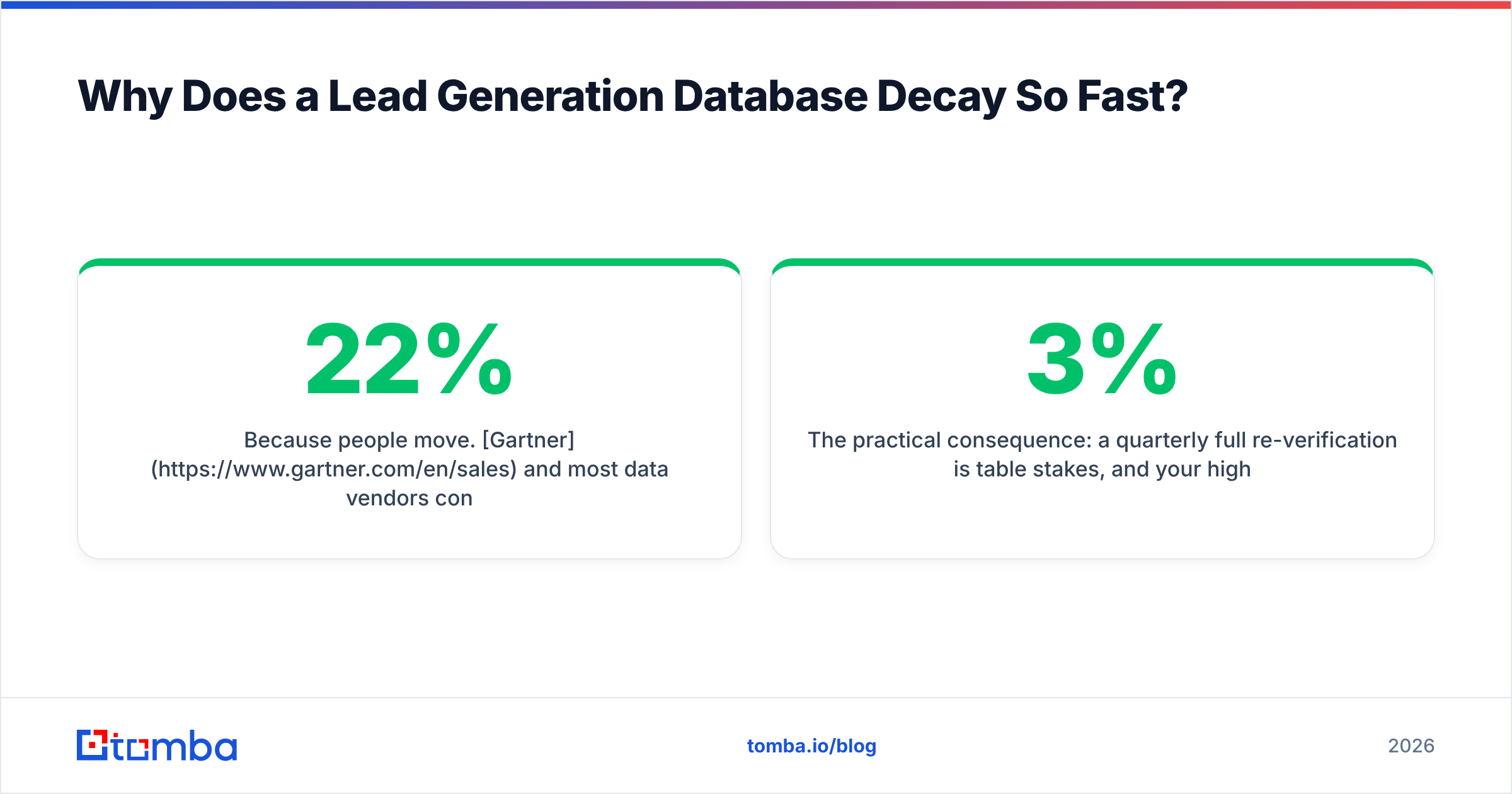
Because people move. Gartner and most data vendors converge on a similar estimate: B2B contact data degrades somewhere between 22% and 30% annually, and that average hides a nastier pattern. Decay is not uniform — it clusters.
Three clusters do most of the damage:
- Seniority churn. VP and director-level contacts change roles more often than individual contributors. Your best-fit personas are your fastest-decaying records.
- High-growth companies. Startups that just raised rebrand domains, migrate email providers, and restructure titles. The exact accounts you flagged as hot are the ones whose data breaks first.
- Layoff and restructuring waves. These produce step-function decay, not gradual drift. A single quarter can invalidate a meaningful slice of a vertical.

The practical consequence: a quarterly full re-verification is table stakes, and your highest-value segments deserve a monthly pass. If your bounce rate on a fresh send exceeds 3%, you are not sending to a database — you are sending to an archive. Running the list through an email verifier before every major campaign is cheaper than one blocklist incident.
[Suggested visual: a decay curve screenshot from your own CRM showing bounce rate by record age — 0–3 months, 3–6, 6–12, 12+.]
Should You Build or Buy Your Lead Generation Database?#
Neither, exclusively. The realistic question is which layer you own and which layer you rent.
Buying gets you coverage fast. You pay for breadth you could never scrape yourself, and good providers absorb the maintenance cost of re-crawling the open web. The tradeoff is that you are buying the same records your competitors are buying, at the same freshness, with the same gaps.
Building — via APIs, enrichment on inbound, website visitor identification, and event or community data — gets you records nobody else has. It is slower, and it only works if someone owns the pipeline.
The hybrid pattern that actually holds up: rent the firmographic and person-level core from one or two providers, own the enrichment and verification layer, and own 100% of the engagement and suppression data. Never rent your suppression list.
How do the main approaches compare?#
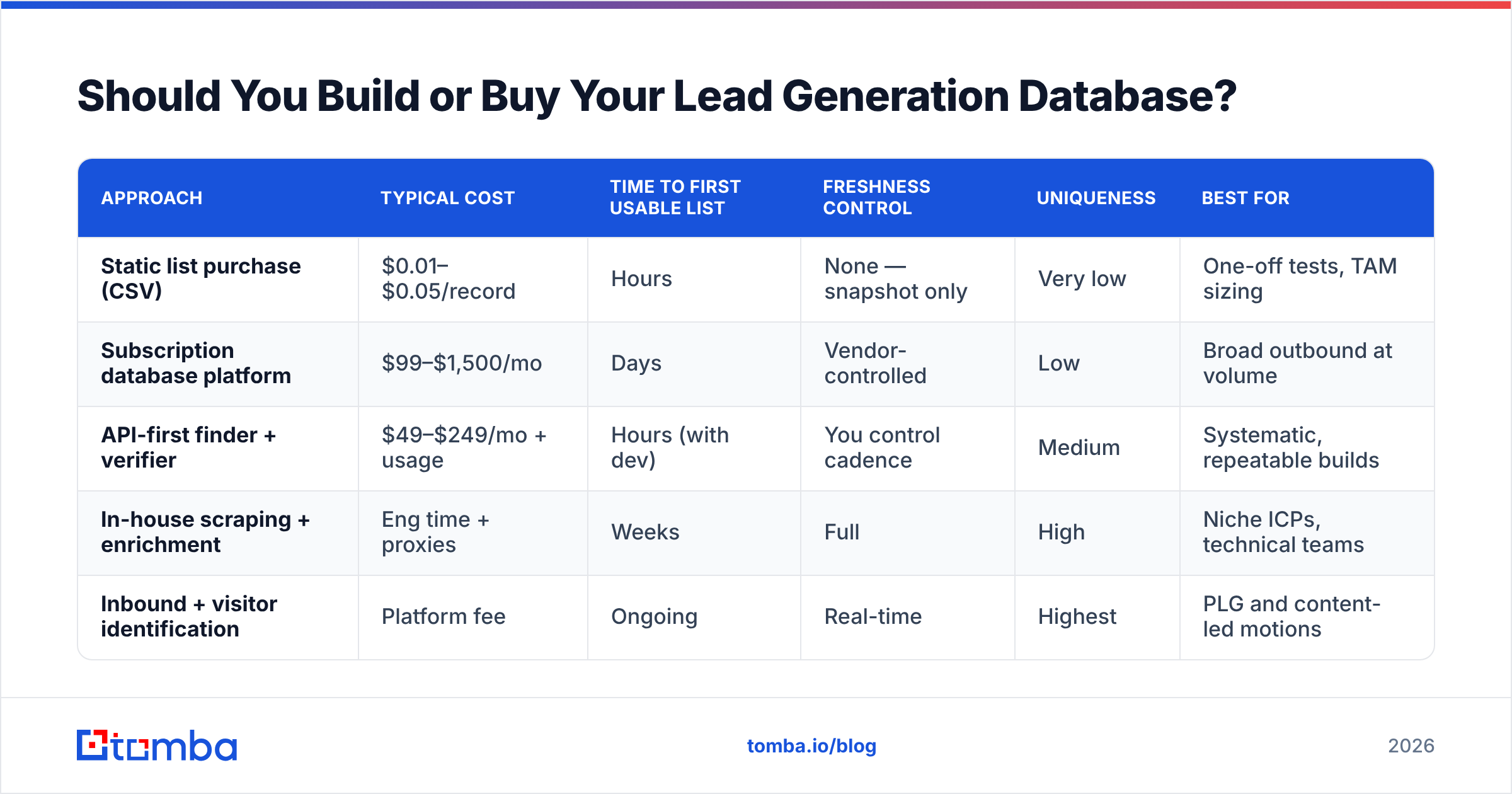
| Approach | Typical cost | Time to first usable list | Freshness control | Uniqueness | Best for |
|---|---|---|---|---|---|
| Static list purchase (CSV) | $0.01–$0.05/record | Hours | None — snapshot only | Very low | One-off tests, TAM sizing |
| Subscription database platform | $99–$1,500/mo | Days | Vendor-controlled | Low | Broad outbound at volume |
| API-first finder + verifier | $49–$249/mo + usage | Hours (with dev) | You control cadence | Medium | Systematic, repeatable builds |
| In-house scraping + enrichment | Eng time + proxies | Weeks | Full | High | Niche ICPs, technical teams |
| Inbound + visitor identification | Platform fee | Ongoing | Real-time | Highest | PLG and content-led motions |
Most teams under 50 reps land on rows two and three combined. BookYourData is a solid option when you want a pay-as-you-go, prebuilt list with verification baked in and no annual commitment — useful when you need coverage in a vertical your API-first stack hasn't crawled deeply. Pair that with an API layer for continuous, on-demand lookups and you cover both breadth and freshness.
How Do You Build a Lead Generation Database Step by Step?#
Six steps, in order. Skipping step one is the most common failure.
- Define the ICP as a query, not a paragraph. "Mid-market SaaS" is unusable. "US or UK, 50–500 employees, software vertical, uses HubSpot or Salesforce, hired a RevOps person in the last 6 months" is a query you can run against a provider.
- Source company records first, contacts second. Build the account list, then find people inside it. Working person-first produces contacts at companies you never wanted.
- Resolve contacts at the domain level. Run a domain search per target account to pull every discoverable address and detect the company's email pattern. Pattern detection is what lets you predict addresses for people the crawlers missed.
- Verify before storage, not before send. Store the deliverability status as a field. Verifying at send time means you discover your problems under deadline pressure.
- Enrich with the fields that drive segmentation. Headcount, tech stack, funding. Run data enrichment as a batch job on ingest, not as a manual lookup per record.
- Set a refresh cadence and an owner. Quarterly full pass, monthly on tier-1 accounts, with a named person accountable. Unowned databases always rot.
[Suggested visual: a screenshot of your CRM's import mapping screen showing source, last-verified, and confidence-score fields populated.]
What does this cost in practice?#
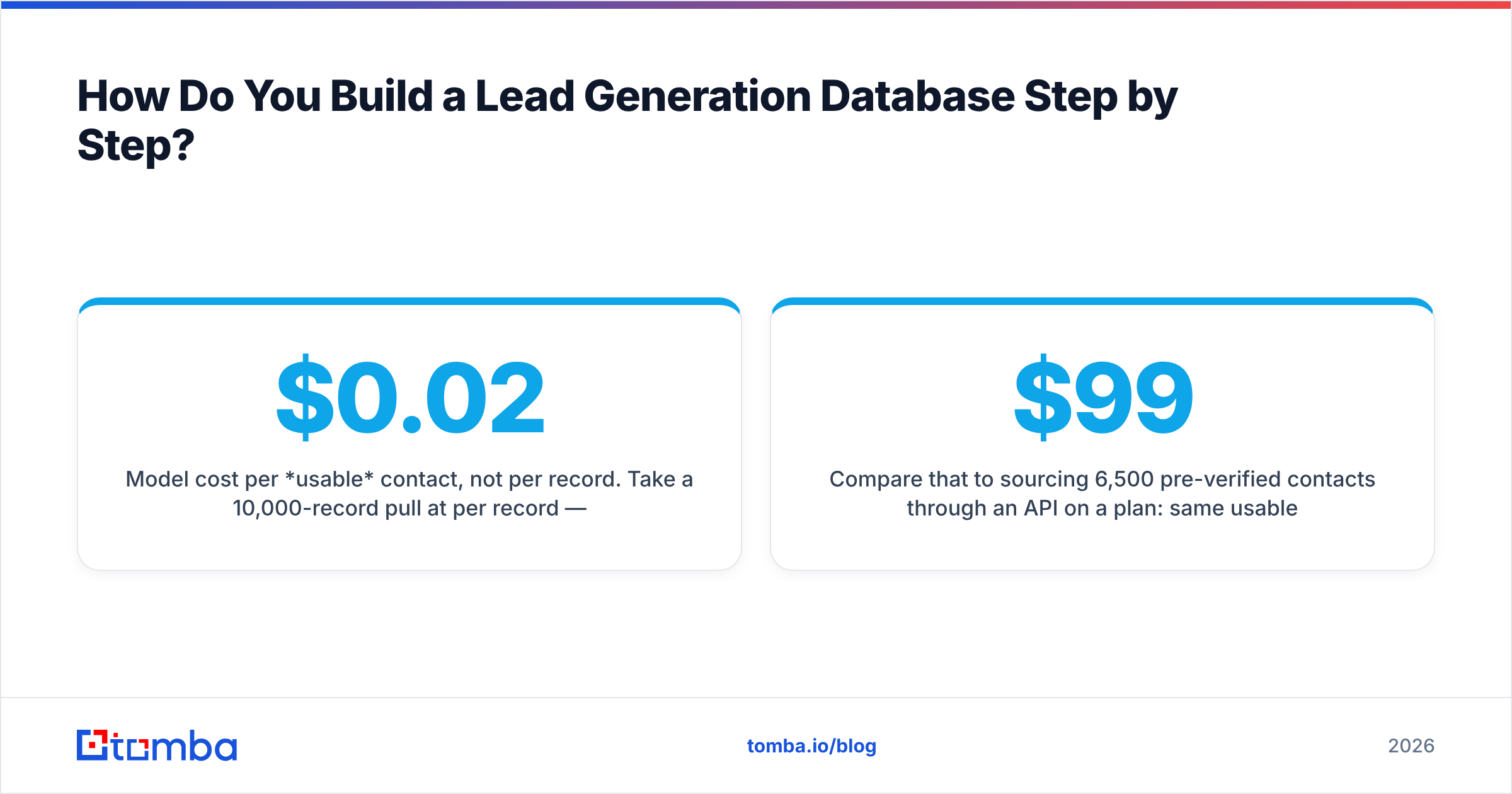
Model cost per usable contact, not per record. Take a 10,000-record pull at $0.02 per record — $200. If 35% bounce or are role-based addresses, your usable count is 6,500 and your true cost is $0.031. Now add the deliverability damage from sending to 3,500 bad addresses, which does not appear on any invoice but shows up in your inbox placement for the next six weeks.
Compare that to sourcing 6,500 pre-verified contacts through an API on a $99/mo plan: same usable volume, no reputation hit, and the records carry a last-verified timestamp you can act on.
What Should You Look For in a Lead Generation Database Provider?#
Five criteria, weighted roughly in this order.
Coverage in your specific segment. Global averages are meaningless. Run the same 50 target accounts through every shortlisted vendor's trial and count hits. A vendor with 200M records that covers 30% of your Nordic manufacturing ICP is worse than one with 40M records that covers 80%.
Verification methodology. Ask whether verification is SMTP-level, pattern-inferred, or crowd-sourced. Ask how catch-all domains are handled — this is where most vendors quietly fail. A catch-all verifier that gives you a real confidence signal instead of a shrug is worth paying for, because catch-all domains are often 20–30% of a B2B list.
Freshness transparency. Does every record carry a last-verified date? If the vendor cannot tell you when a record was last checked, assume the worst-case age.
Access model. UI-only exports cap your ceiling. An email finder API lets you wire lookups into your CRM, your onboarding flow, and your scoring jobs. Check rate limits and whether failed lookups consume credits.
Compliance posture. GDPR lawful basis, CCPA handling, documented opt-out processing, and a published statement on data sources. Legal review will ask; have the answer ready.

How do the pricing models compare?#
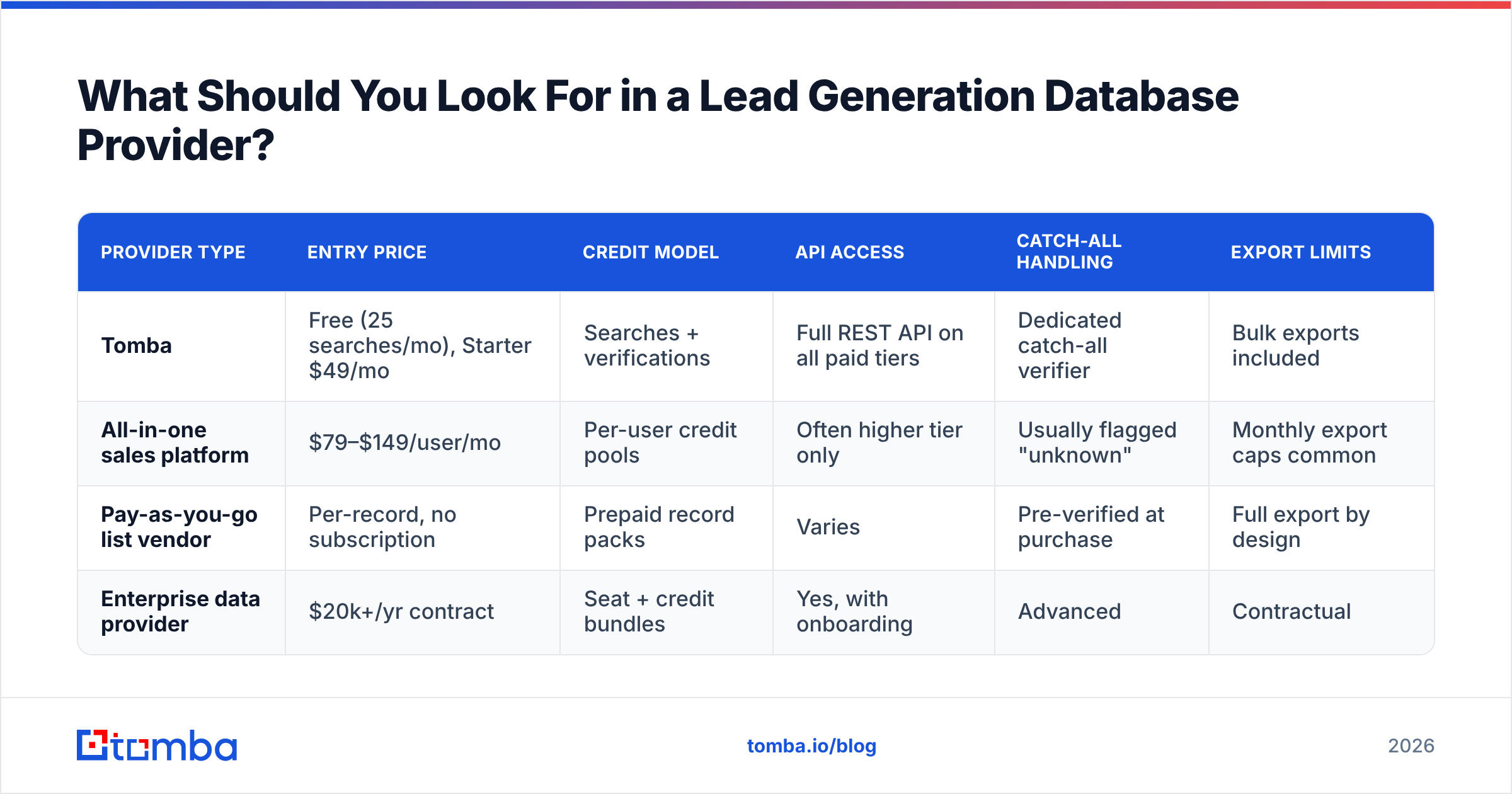
| Provider type | Entry price | Credit model | API access | Catch-all handling | Export limits |
|---|---|---|---|---|---|
| Tomba | Free (25 searches/mo), Starter $49/mo | Searches + verifications | Full REST API on all paid tiers | Dedicated catch-all verifier | Bulk exports included |
| All-in-one sales platform | $79–$149/user/mo | Per-user credit pools | Often higher tier only | Usually flagged "unknown" | Monthly export caps common |
| Pay-as-you-go list vendor | Per-record, no subscription | Prepaid record packs | Varies | Pre-verified at purchase | Full export by design |
| Enterprise data provider | $20k+/yr contract | Seat + credit bundles | Yes, with onboarding | Advanced | Contractual |
Full Tomba pricing runs Free, Starter $49/mo, Growth $99/mo, Pro $249/mo, and custom Enterprise — with the same API surface available from the first paid tier rather than gated behind an annual contract.
How Do You Keep a Lead Generation Database Clean?#
Treat it like infrastructure with an SLA, not like a spreadsheet.
- Deduplicate on a stable key. Email is not stable — people change addresses. Use a composite of normalized name plus company domain, and keep a merge log.
- Re-verify on a schedule, not on a hunch. Quarterly full pass, monthly for tier-1. Automate it; a manual process becomes a skipped process by month three.
- Maintain a hard suppression list. Unsubscribes, complaints, competitor domains, existing customers, and anyone legal flags. This list must survive CRM migrations — export it separately.
- Track bounce rate as a database health metric, not a campaign metric. Chart it monthly. A rising trendline means your refresh cadence is too slow, regardless of how any individual campaign performed.
- Retire records instead of deleting them. A contact who left a target company is a warm lead at their new one. Flag and re-resolve rather than purge.
- Audit field completeness quarterly. If a field is under 60% populated, either fix the enrichment source or drop the field. Half-populated fields produce segmentation that silently excludes good accounts.
One more thing most teams skip: reconcile your database against your CRM regularly. HubSpot and Salesforce both accumulate records created by reps, forms, and imports that never pass through your enrichment pipeline. Those orphan records are where bad data re-enters a system you thought you had cleaned.
What Mistakes Kill a Lead Generation Database?#
- Optimizing for record count. 200,000 records nobody has segmented is a storage cost, not an asset. A tightly-defined 8,000-record database with 95% deliverability outperforms it on every metric that matters.
- Verifying once, at purchase. Verification is a state with a timestamp, not a permanent attribute.
- No owner. RevOps, marketing ops, or a named SDR lead — someone's name goes on it.
- Mixing sourced and engaged data without provenance. When you cannot tell which records came from where, you cannot fix a bad source or answer a compliance question.
- Ignoring catch-all domains. Treating them as "send anyway" inflates bounce rates; treating them as "never send" cuts out a large share of enterprise accounts. Resolve them properly instead.
- Building it in a spreadsheet past 5,000 rows. There is no version control, no audit trail, and no way to enforce field validation. Move to a database or CRM object before it breaks.
Frequently Asked Questions#
How often should I re-verify a lead generation database? Quarterly as a baseline for the full database, monthly for tier-1 accounts and anything you actively sequence. If your last send bounced above 3%, re-verify before the next one regardless of schedule.
Is buying a lead list legal? In the US, purchased B2B lists are generally permissible under CAN-SPAM provided you honor opt-outs and identify yourself. Under GDPR you need a lawful basis — usually legitimate interest — plus documentation and a working opt-out. Jurisdiction matters more than vendor claims; verify with counsel for your target markets.
How many records do I actually need? Work backwards from pipeline targets. At a 3% reply rate and a 20% reply-to-meeting rate, 10,000 verified contacts produce roughly 60 meetings. Most teams need far fewer records and far better ones than they assume.
Can I build a lead generation database without engineering help? Yes, up to a point. Browser extensions, spreadsheet add-ins, and bulk upload tools cover a few thousand records comfortably. Past that, API-driven enrichment saves more time than it costs to set up.
Where Should You Start?#
Start with 100 accounts, not 100,000 records. Define the ICP as a runnable query, resolve contacts at the domain level, verify on ingest, and put a refresh date on every row. Then scale the process that worked instead of scaling a list that never did.
The Tomba Email Finder is built for exactly that loop: find verified work emails by domain, name, or company, check them against a real verification pipeline including catch-all domains, and wire the whole thing into your CRM through the API. Start on the free tier with 25 searches a month to test coverage against your own target accounts before committing — that coverage test, run on accounts you actually care about, will tell you more than any vendor benchmark.
Related guides#
// get started
Find, verify and enrich your first contacts today
Start on the free plan with 25 searches a month, then scale when your team is ready.
Free plan · No credit card required · GDPR & CCPA
// about the author