How to Build a Lead Generation Landing Page That Converts in 2026
Most landing page advice stops at the form. This guide covers field count, above-the-fold structure, builder trade-offs, and what to do in the 10 minutes after someone hits submit.
TL;DR
- A lead generation landing page has exactly one job: convert a visitor into a contact record you can act on. Every element that does not serve that job is drag.
- Median B2B landing page conversion sits in the 2-5% range. The pages that beat it usually win on message match and form friction, not on design polish.
- Shorter forms convert better but produce thinner records. The fix is not a longer form — it is enrichment after submit.
- Your builder choice matters far less than your offer, your above-the-fold clarity, and your speed-to-lead. Pick the cheapest tool that fits your stack and move on.
- Treat the ten minutes after submit as part of the landing page. A verified email, an enriched record, and a routed alert are what turn a form fill into pipeline.
What is a lead generation landing page?#
A lead generation landing page is a standalone page built around a single conversion action — usually a form exchange where the visitor gives contact details for something of value. It is not your homepage, and it is not a product page with a form bolted onto the footer. The defining trait is subtraction: no global nav, no competing calls to action, no "explore our platform" escape hatches.
Think of it like a checkout lane at a grocery store. The store itself is built for browsing — aisles, displays, signage pulling you in six directions. The checkout lane is built for one transaction, which is why it is narrow, has nothing to look at, and ends in a single action. A landing page is that lane.
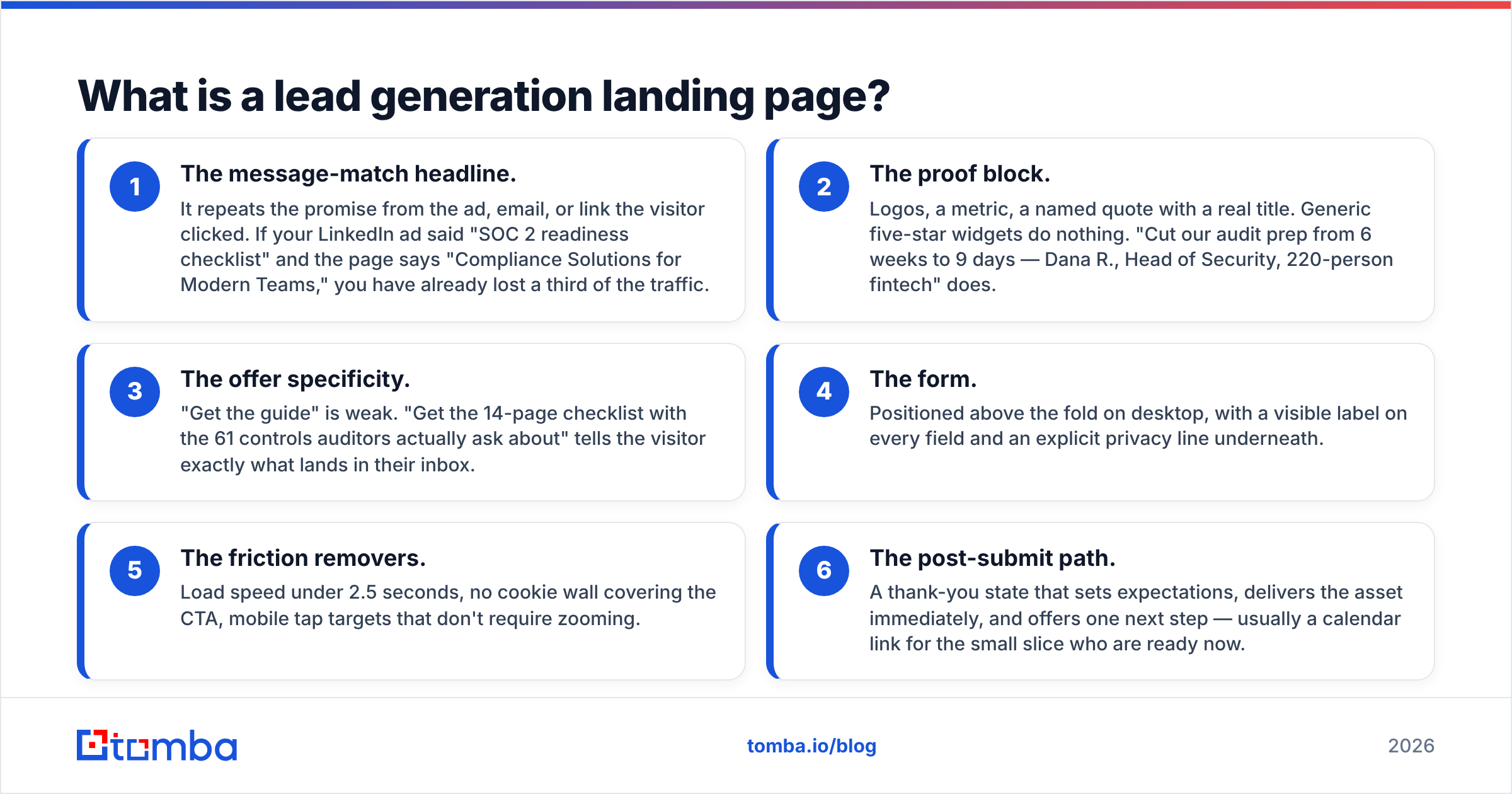
The anatomy that consistently performs breaks into six parts:
- The message-match headline. It repeats the promise from the ad, email, or link the visitor clicked. If your LinkedIn ad said "SOC 2 readiness checklist" and the page says "Compliance Solutions for Modern Teams," you have already lost a third of the traffic.
- The proof block. Logos, a metric, a named quote with a real title. Generic five-star widgets do nothing. "Cut our audit prep from 6 weeks to 9 days — Dana R., Head of Security, 220-person fintech" does.
- The offer specificity. "Get the guide" is weak. "Get the 14-page checklist with the 61 controls auditors actually ask about" tells the visitor exactly what lands in their inbox.
- The form. Positioned above the fold on desktop, with a visible label on every field and an explicit privacy line underneath.
- The friction removers. Load speed under 2.5 seconds, no cookie wall covering the CTA, mobile tap targets that don't require zooming.
- The post-submit path. A thank-you state that sets expectations, delivers the asset immediately, and offers one next step — usually a calendar link for the small slice who are ready now.
Miss any one of the first five and you lose conversion rate. Miss the sixth and you lose the pipeline you already paid for.
Why do most lead generation landing pages convert under 3%?#
Because they are written for the company, not the visitor, and because they ask for more than the offer is worth.
The three failure patterns show up again and again in audits:
Message mismatch. The ad promises a benchmark report; the page pitches a demo. The visitor's expectation and the page's ask are two different transactions, and the visitor resolves the conflict by leaving.
Price-of-entry mismatch. A one-page PDF gated behind eleven form fields including company revenue and purchase timeline. The value exchange is obviously lopsided, and the people who do complete it are often the least qualified — students, competitors, and anyone comfortable typing fiction into a text box.
Ambiguous next-step language. "Submit," "Send," and "Request Information" all describe what the button does for you, not what the visitor gets. Button copy that restates the outcome — "Send me the checklist" — reliably outperforms the verb-first version.
There is a fourth, quieter killer: speed. If your page takes four seconds to render on a mid-range Android over LTE, your measured conversion rate includes a large cohort of people who never saw the form. Fix load time before you A/B test headline variants.
How many form fields should you actually use?#
Fewer than you want, and then enrich the rest.
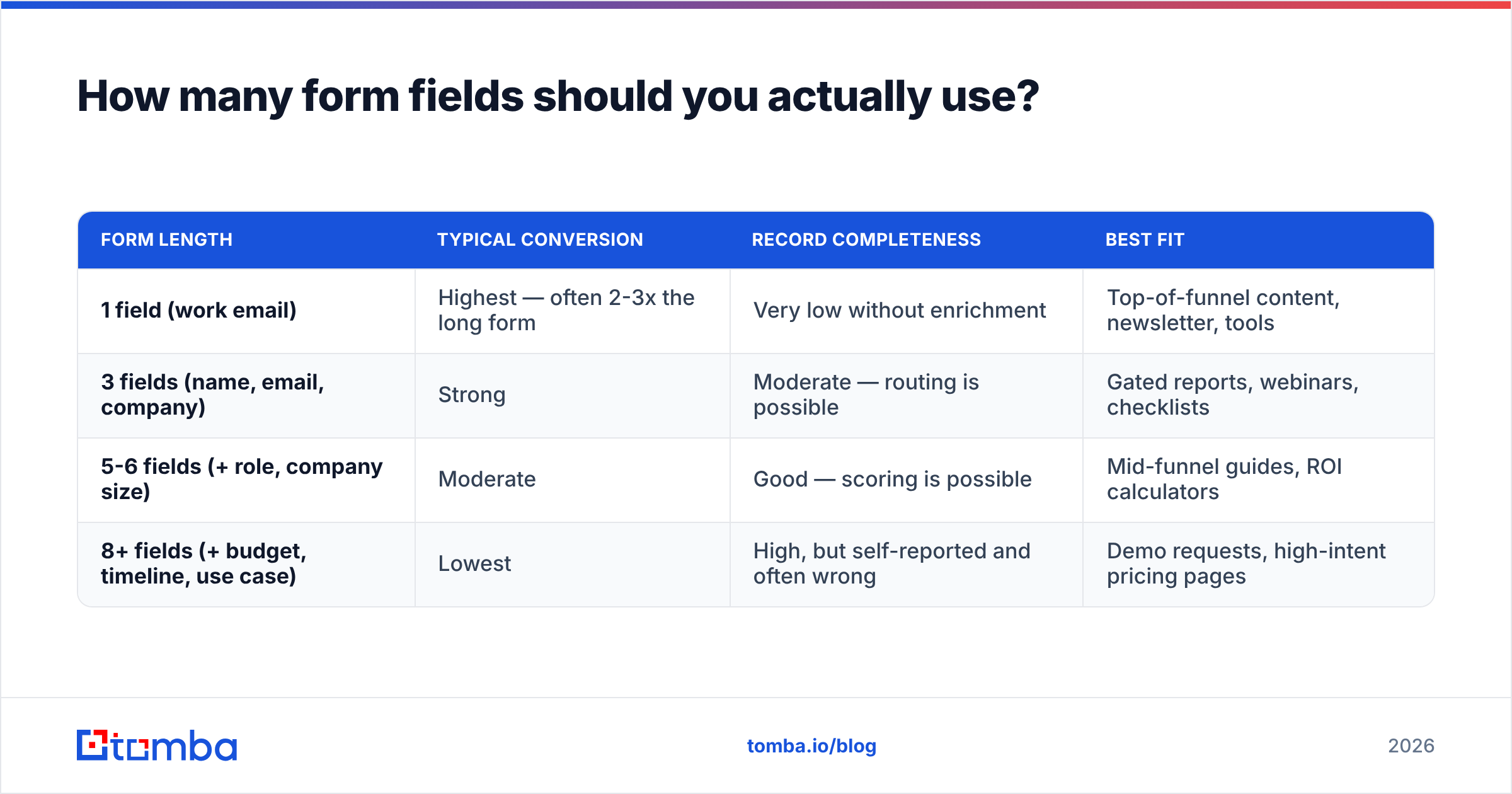
The trade-off is real and it is not a myth: every field you add removes some percentage of submitters, and every field you remove removes some amount of context your sales team wanted. The table below reflects the pattern most B2B teams see when they run the test properly — same traffic source, same offer, same time window.
| Form length | Typical conversion | Record completeness | Best fit |
|---|---|---|---|
| 1 field (work email) | Highest — often 2-3x the long form | Very low without enrichment | Top-of-funnel content, newsletter, tools |
| 3 fields (name, email, company) | Strong | Moderate — routing is possible | Gated reports, webinars, checklists |
| 5-6 fields (+ role, company size) | Moderate | Good — scoring is possible | Mid-funnel guides, ROI calculators |
| 8+ fields (+ budget, timeline, use case) | Lowest | High, but self-reported and often wrong | Demo requests, high-intent pricing pages |

Two nuances that get missed:
Self-reported data is not high-quality data. A visitor who types "1-10 employees" to get through a form faster has just poisoned your scoring model. Data you derive from a verified email and a company domain is more reliable than data a stranger typed to make a modal go away.
Field count is not the only friction. Optional-looking fields that are secretly required, dropdowns with 40 options, phone fields that reject international formats, and a reCAPTCHA that triggers on every submit all cost you more than an extra text input would. Test your own form on a phone, on cellular, before you argue about field count.
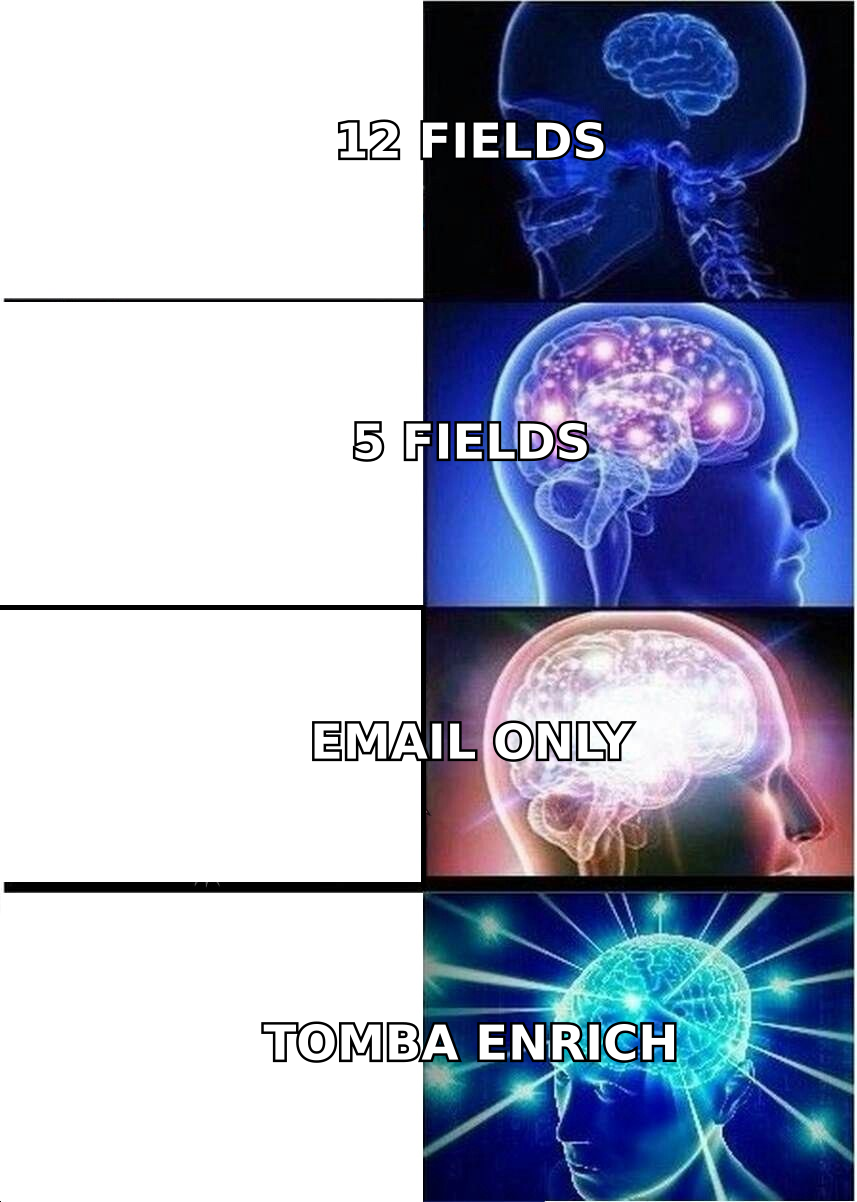
The practical answer for most B2B teams in 2026: collect work email plus one or two fields you genuinely cannot derive (usually first name and a single qualifying dropdown), then fill in the rest programmatically.
How do you turn a two-field form into a full lead record?#
You enrich after submit, not during. The visitor's job is to give you an identifier. Your job is to expand it.
A work email address is a surprisingly dense key. From dana.r@northwind-fin.com you can derive the company domain, the company itself, headcount band, industry, tech stack signals, and often the person's title and LinkedIn profile — none of which the visitor had to type.
The post-submit sequence that works looks like this:
- Verify the address in real time. A typo'd or disposable address is a lead you will never reach and a bounce that damages your sending domain. Running submissions through an email verifier at the moment of capture keeps your list clean and your email deliverability intact.
- Enrich the record. Use data enrichment to attach firmographics and role data to the email you just captured. This is where the fields you removed come back — accurately, and without costing you conversions.
- Score and route. Now that the record is complete, your routing rules have something real to work with. A 400-person fintech VP goes to an AE immediately; a two-person consultancy goes into nurture.
- Alert the owner. Speed-to-lead remains the single highest-leverage variable in inbound. Contacting within five minutes versus an hour is not a marginal difference.
If you also want to catch the 95%+ of traffic that never fills anything in, website visitor reveal identifies companies browsing your pricing and landing pages so outbound can follow up on demand signals the form never captured.
Which landing page builder should you use?#
Honestly: the one your team will actually ship with. Builder choice is a second-order decision, and teams spend far too long on it.
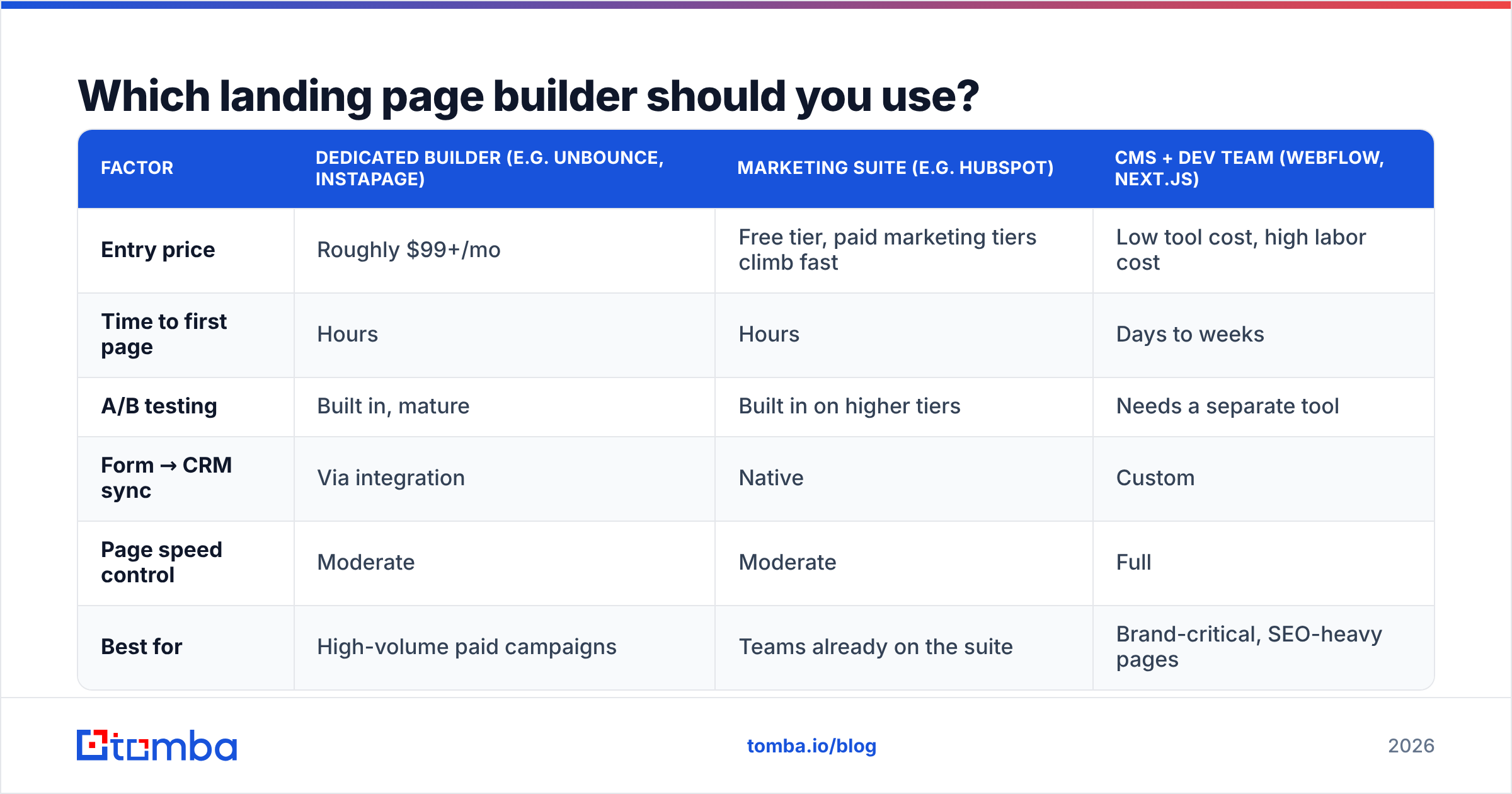
That said, the trade-offs are real. Here is how the main categories compare on the dimensions that matter for lead gen specifically.
| Factor | Dedicated builder (e.g. Unbounce, Instapage) | Marketing suite (e.g. HubSpot) | CMS + dev team (Webflow, Next.js) |
|---|---|---|---|
| Entry price | Roughly $99+/mo | Free tier, paid marketing tiers climb fast | Low tool cost, high labor cost |
| Time to first page | Hours | Hours | Days to weeks |
| A/B testing | Built in, mature | Built in on higher tiers | Needs a separate tool |
| Form → CRM sync | Via integration | Native | Custom |
| Page speed control | Moderate | Moderate | Full |
| Best for | High-volume paid campaigns | Teams already on the suite | Brand-critical, SEO-heavy pages |
A few honest observations. Dedicated builders earn their price only if you are running enough paid traffic to justify continuous testing — below roughly $10k/month in ad spend, the testing features go unused. If you already pay for HubSpot, building inside it removes an entire integration layer and is usually the right call even if the editor is less pleasant than Unbounce. And if your landing pages need to rank organically as well as convert, a real CMS wins, because you control markup, schema, and Core Web Vitals directly.
Whatever you pick, check current user reviews on G2 before committing to an annual contract — the gap between a vendor's feature list and the day-to-day experience is where most buyer regret lives.
How should you test a lead generation landing page?#
Test in the order of impact, not the order of ease.
- Offer. Swapping "Request a demo" for "Get the 2026 benchmark report" can move conversion rate by a multiple. No button color change will ever do that.
- Headline and message match. The single highest-leverage copy test. Run one variant per traffic source rather than one headline for all of them.
- Form length and structure. Two fields versus five, single-step versus two-step. Two-step forms (click the CTA, then see the fields) often lift completion because the click creates commitment before the ask.
- Social proof placement. Above the form versus below it. On skeptical, high-consideration offers, above usually wins.
- Everything else. Button color, hero image, section order. Real but small.
Two methodology rules that save you from false positives: do not call a test before you have several hundred conversions per variant, and segment your results by traffic source. A variant that wins on paid search and loses on LinkedIn is not a winner — it is two different pages waiting to be built.
Also measure the right outcome. Form fill rate is a proxy. The metric that pays your salary is qualified-meetings-per-thousand-visitors. A variant that lifts fills 30% while halving lead quality is a loss dressed as a win, and you will only see it if you track downstream.
What should happen in the first ten minutes after submit?#
Treat this as page design, not as ops. The visitor's experience does not end at the thank-you screen.
- Deliver instantly. The asset appears on the confirmation page and in an email. Do not make someone wait for a nurture sequence to send what they already asked for.
- Set expectations in plain language. "Your checklist is on this page and in your inbox. If you want a walkthrough, here's my calendar — otherwise you'll hear from us once next week."
- Offer exactly one escalation. A calendar link. Not a calendar link plus a demo form plus a newsletter checkbox.
- Run the verification and enrichment calls. Silent, server-side, before the record hits your CRM.
- Notify the owner with context. A Slack alert that says "Dana R., Head of Security, Northwind Financial, 220 employees, downloaded the SOC 2 checklist" is actionable. One that says "New form submission" is not.
If your form captures an email but you need a direct line for high-fit accounts, a phone finder fills that gap on the records worth calling. And for companies that visited but never converted, find email addresses for the relevant roles at that domain so outbound can pick up where the page left off.
What does a good lead generation landing page cost to run?#
Less than teams assume on tooling, more than they assume on iteration.
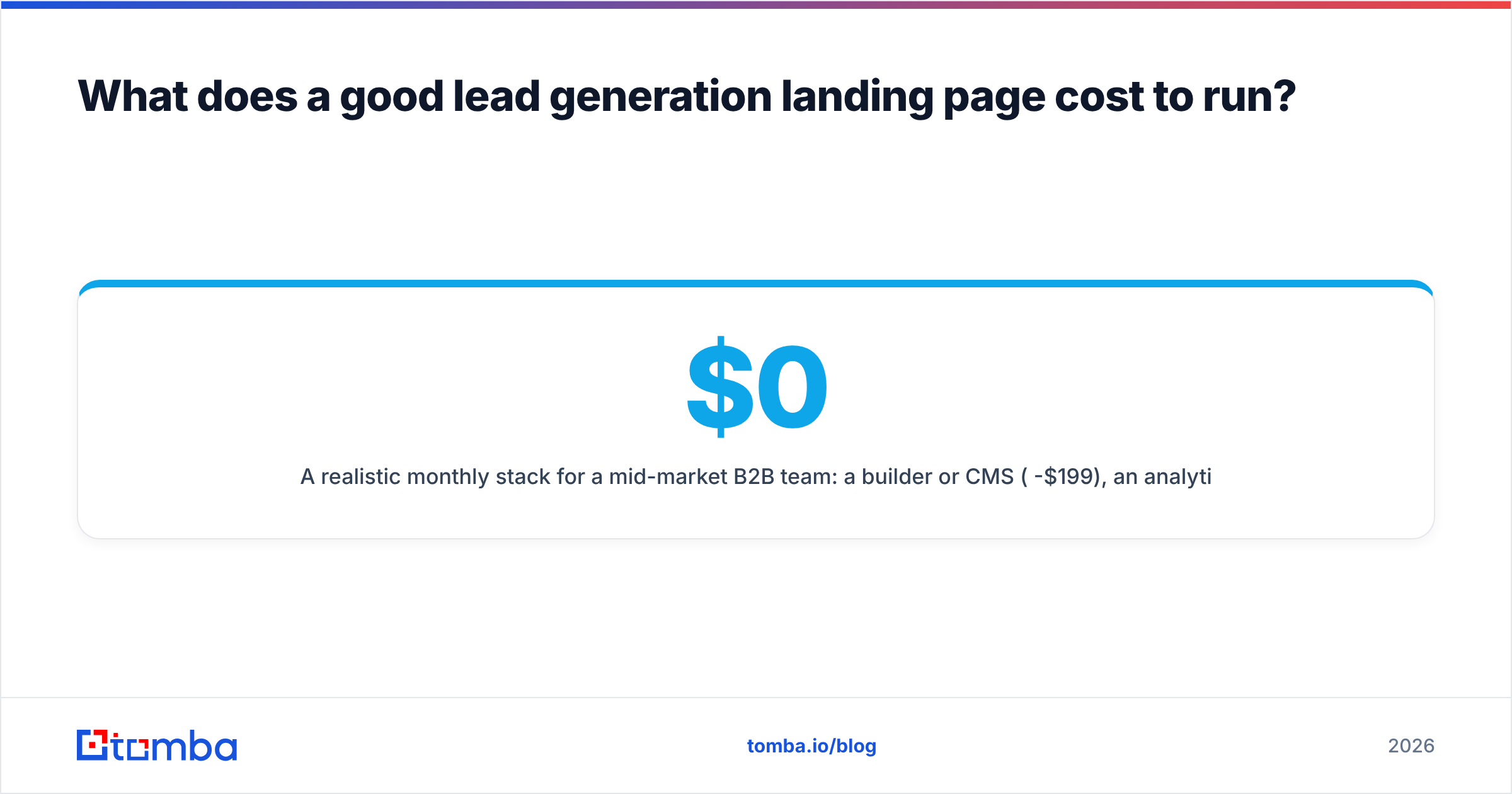
A realistic monthly stack for a mid-market B2B team: a builder or CMS ($0-$199), an analytics and session-replay tool ($0-$150), and a verification plus enrichment layer. That last piece is where quality is won, and it is usually the cheapest line item — Tomba pricing starts with a free tier at 25 searches per month, with Starter at $49/mo and Growth at $99/mo covering the volume most inbound programs generate.
The real cost is attention. A landing page that nobody revisits decays: the offer goes stale, the proof points age, the ad copy drifts away from the headline. Put a recurring 30-minute review on the calendar per page, quarterly. That single habit outperforms most tool upgrades.
Where should you start this week?#
Pick your highest-traffic landing page. Cut the form to work email plus one field. Rewrite the headline to match, word for word, the promise in the ad or email driving traffic to it. Add a verification and enrichment step behind the submit so your sales team still gets a complete record. Then watch qualified meetings per thousand visitors for four weeks.
That sequence — subtract fields, match the message, enrich the record — is where almost all of the available gain sits. Everything else is refinement.
Ready to stop trading conversion rate for data completeness? Tomba Email Finder turns a single captured work email — or a company domain you only know from a visitor session — into a complete, verified contact record, so your forms can stay short and your CRM can stay full. Start on the free tier at 25 searches per month and see what your landing page traffic has been hiding.
Related guides#
// get started
Find, verify and enrich your first contacts today
Start on the free plan with 25 searches a month, then scale when your team is ready.
Free plan · No credit card required · GDPR & CCPA
// about the author