Lead Generation Sites: Where B2B Leads Actually Come From
Most "lead generation sites" fall into five very different buckets, and only two of them reliably produce contacts your reps can email this week. Here's how to tell them apart, what they cost, and how to test one in 48 hours.
TL;DR
- "Lead generation sites" is a catch-all for five different product categories: B2B databases, contact-finding tools, directories, intent/visitor platforms, and marketplaces that sell you pre-packaged lists. They are not interchangeable.
- Directories and marketplaces are cheap and fast but produce shallow records. Databases and finder APIs cost more and produce records you can actually sequence.
- Judge every site on four things: match rate, verification method, refresh cadence, and refund policy on bad records. Ignore the logo wall.
- Free tiers are good for sampling, not for building pipeline. Use them to test accuracy on 25–50 known contacts before you spend a dollar.
- The cheapest failure mode is skipping verification. A 40% bounce rate on a bought list will cost you more in domain reputation than the list cost in cash.
What are lead generation sites?#
A lead generation site is any web platform that hands you contact records or buying signals you didn't have before. That's a deliberately wide definition, because the market is wide — and the confusion is expensive. A sales manager who tells their SDR to "go find a lead generation site" will get back a scraped industry directory, a $3,000 annual database contract, or a Fiverr gig, depending on who they asked.
Think of it like grocery shopping. A wholesale supplier, a farmers market, a restaurant-supply catalog, and a meal-kit subscription all sell you food. They differ on freshness, price per unit, how much prep you do, and how much you can return. Lead generation sites work the same way.
Here's the honest taxonomy:
- B2B databases — Large pre-built repositories of company and person records you search by filters (industry, headcount, title, tech stack). You pay for access and credits. Best for volume and for building ICP-shaped lists from scratch.
- Contact finders and enrichment APIs — You bring the target (a domain, a name, a LinkedIn profile) and the tool returns a verified email or phone. Best for precision, for enriching a CRM you already have, and for automating at scale. Tomba's email finder and domain search sit in this bucket.
- Directories and review sites — G2, Capterra, Clutch, Crunchbase, industry association member lists. They give you company names and sometimes a generic inbox. Cheap or free; you still have to find the human.
- Intent and visitor-identification platforms — Tools that tell you which companies are researching your category or visiting your site. High signal, low volume, premium pricing.
- List marketplaces — You pick filters, pay per record, download a CSV. Fast and transactional. Quality varies enormously by vendor; the good ones verify before delivery and refund bad rows.
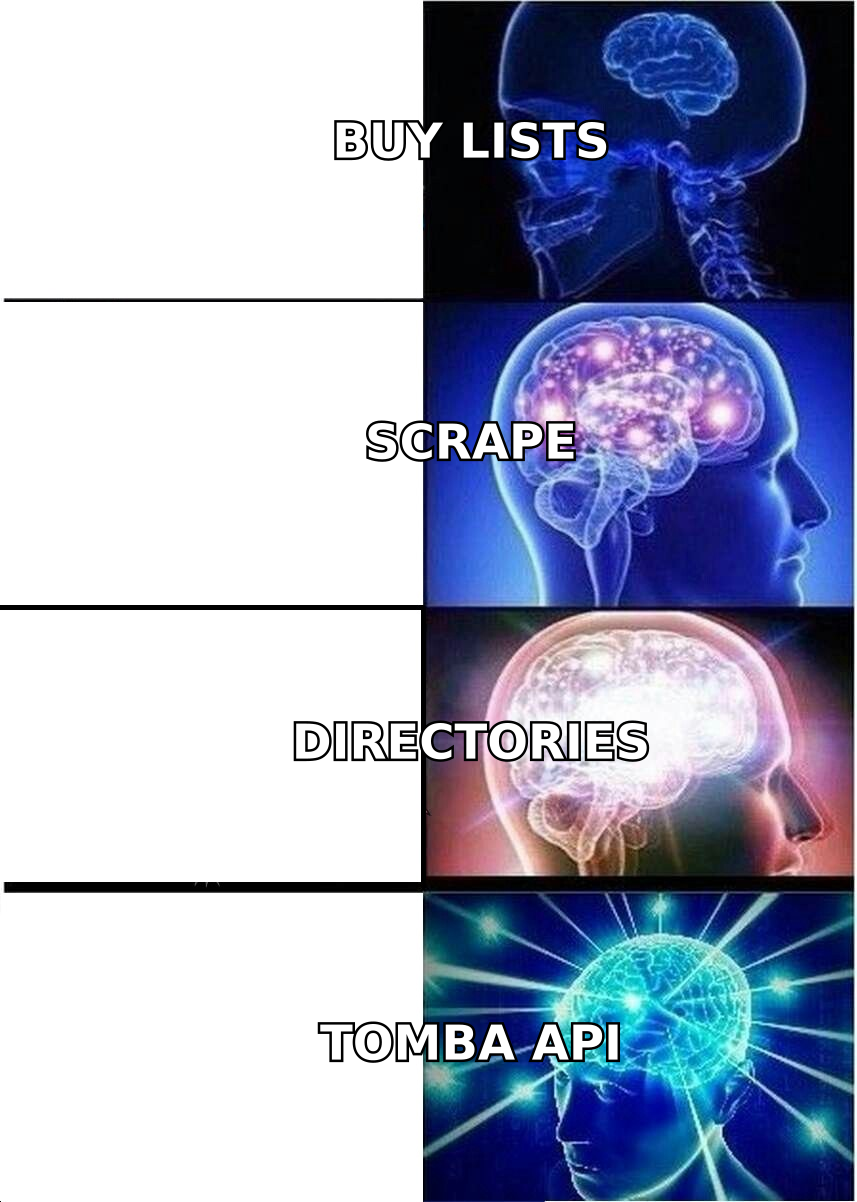
Most teams need two of these, not five. The common winning combination is one source of breadth (a database or a directory) plus one source of precision (a finder or enrichment API that turns a name into a deliverable address).
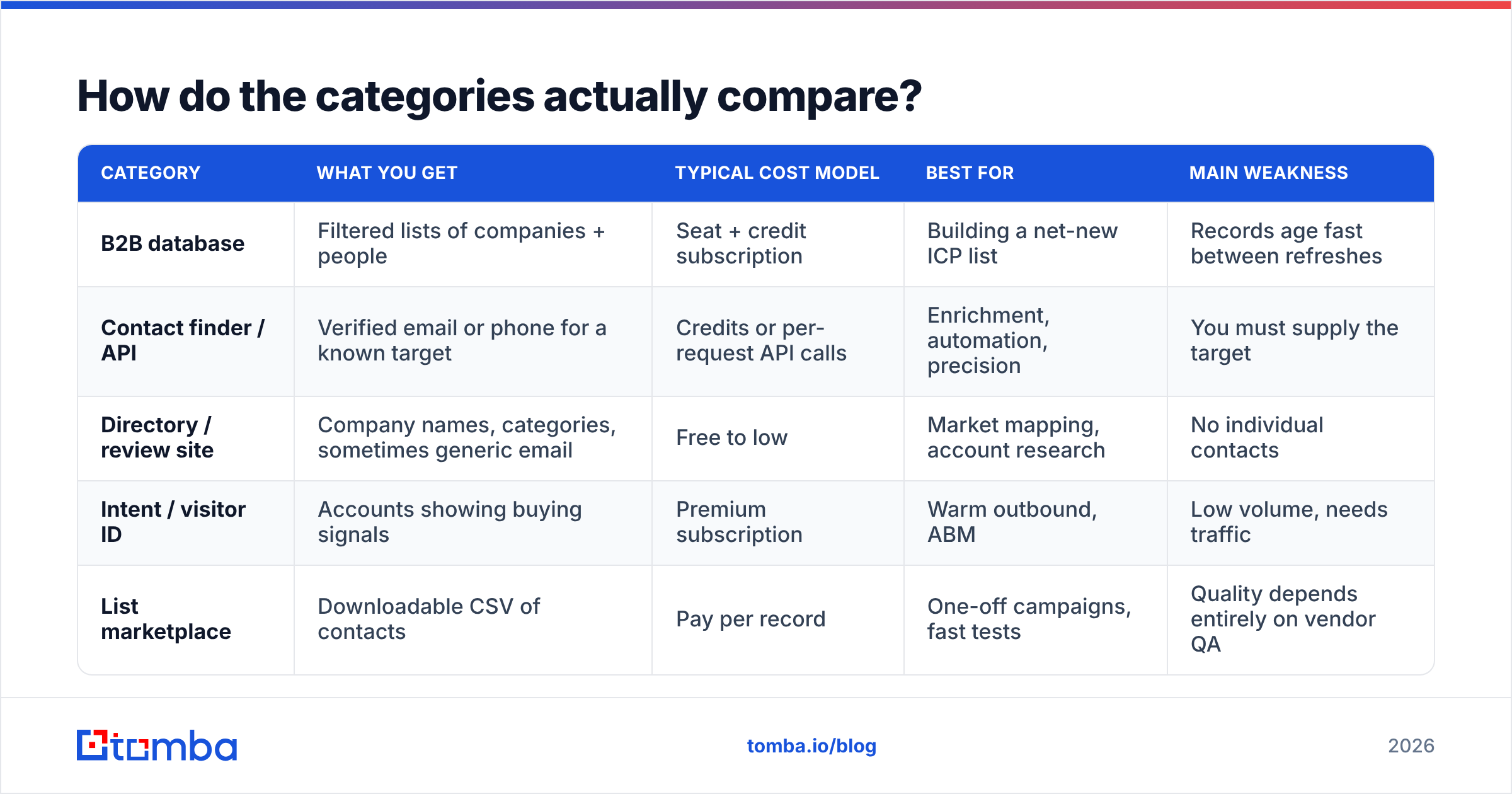
How do the categories actually compare?#
| Category | What you get | Typical cost model | Best for | Main weakness |
|---|---|---|---|---|
| B2B database | Filtered lists of companies + people | Seat + credit subscription | Building a net-new ICP list | Records age fast between refreshes |
| Contact finder / API | Verified email or phone for a known target | Credits or per-request API calls | Enrichment, automation, precision | You must supply the target |
| Directory / review site | Company names, categories, sometimes generic email | Free to low | Market mapping, account research | No individual contacts |
| Intent / visitor ID | Accounts showing buying signals | Premium subscription | Warm outbound, ABM | Low volume, needs traffic |
| List marketplace | Downloadable CSV of contacts | Pay per record | One-off campaigns, fast tests | Quality depends entirely on vendor QA |
Which lead generation sites are worth paying for in 2026?#
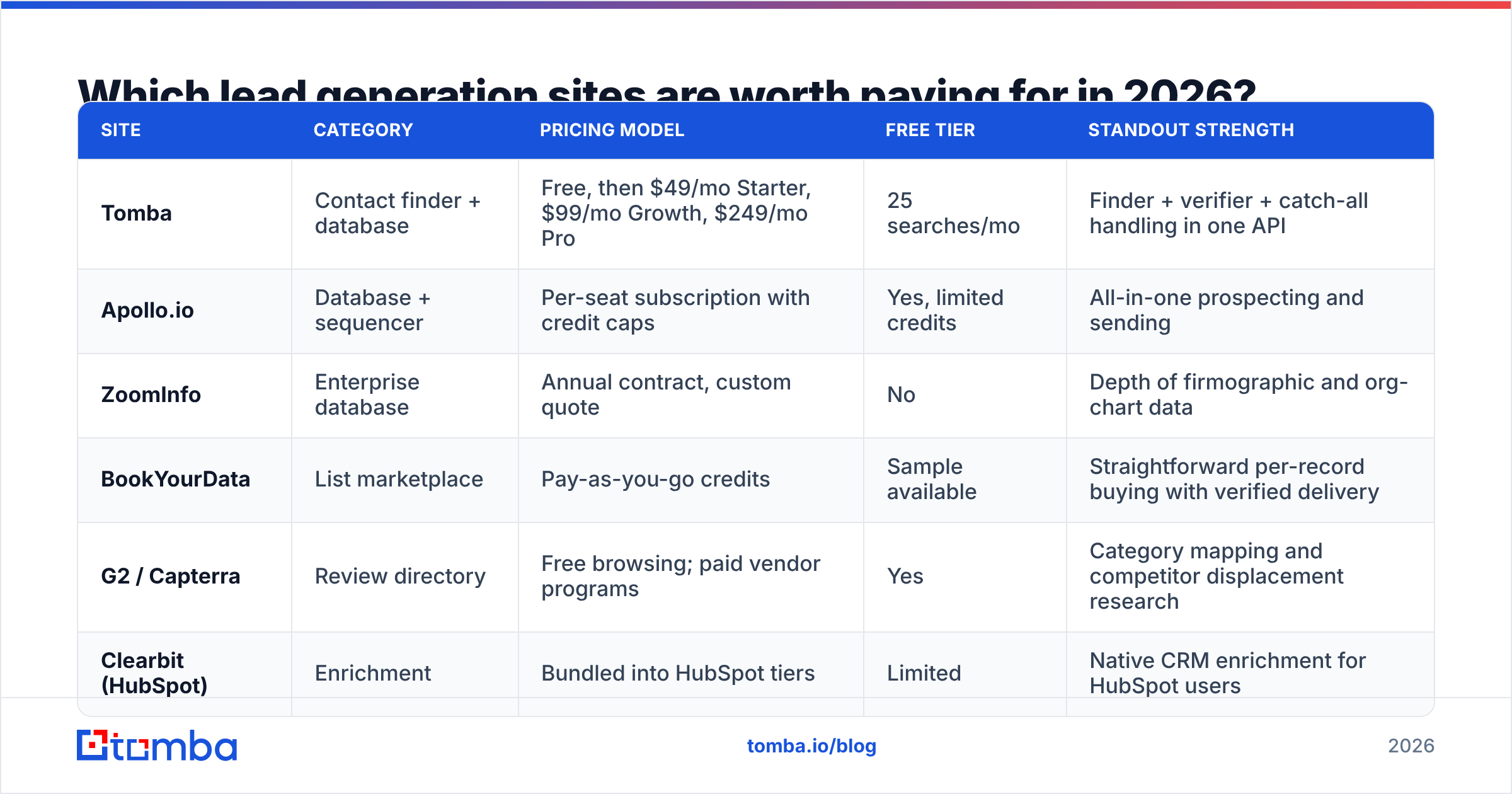
Rather than rank sites on a single axis, match them to a job. Here's how the most commonly shortlisted options break down. Pricing models below are the shape of the offer, not a quote — every vendor moves numbers, so confirm on their own pricing page before you commit.
| Site | Category | Pricing model | Free tier | Standout strength |
|---|---|---|---|---|
| Tomba | Contact finder + database | Free, then $49/mo Starter, $99/mo Growth, $249/mo Pro | 25 searches/mo | Finder + verifier + catch-all handling in one API |
| Apollo.io | Database + sequencer | Per-seat subscription with credit caps | Yes, limited credits | All-in-one prospecting and sending |
| ZoomInfo | Enterprise database | Annual contract, custom quote | No | Depth of firmographic and org-chart data |
| BookYourData | List marketplace | Pay-as-you-go credits | Sample available | Straightforward per-record buying with verified delivery |
| G2 / Capterra | Review directory | Free browsing; paid vendor programs | Yes | Category mapping and competitor displacement research |
| Clearbit (HubSpot) | Enrichment | Bundled into HubSpot tiers | Limited | Native CRM enrichment for HubSpot users |
Three notes on reading that table honestly.
First, enterprise databases are priced for teams that will actually consume them. A five-figure annual contract makes sense when twelve reps run daily searches. For a two-person founding team, that same contract is the most expensive way possible to discover that your ICP was wrong.
Second, marketplaces are underrated when the vendor stands behind the data. Buying 2,000 verified records for a single campaign is a legitimate strategy — BookYourData and similar pay-as-you-go vendors let you size the spend to the experiment instead of committing to a year. The failure mode isn't buying lists; it's buying lists nobody verified.
Third, directories are research tools, not contact sources. G2 will tell you which 80 companies use your competitor. It won't tell you the VP of Ops' email. That's the handoff point where a finder tool earns its keep.
How do you judge data quality before you pay?#
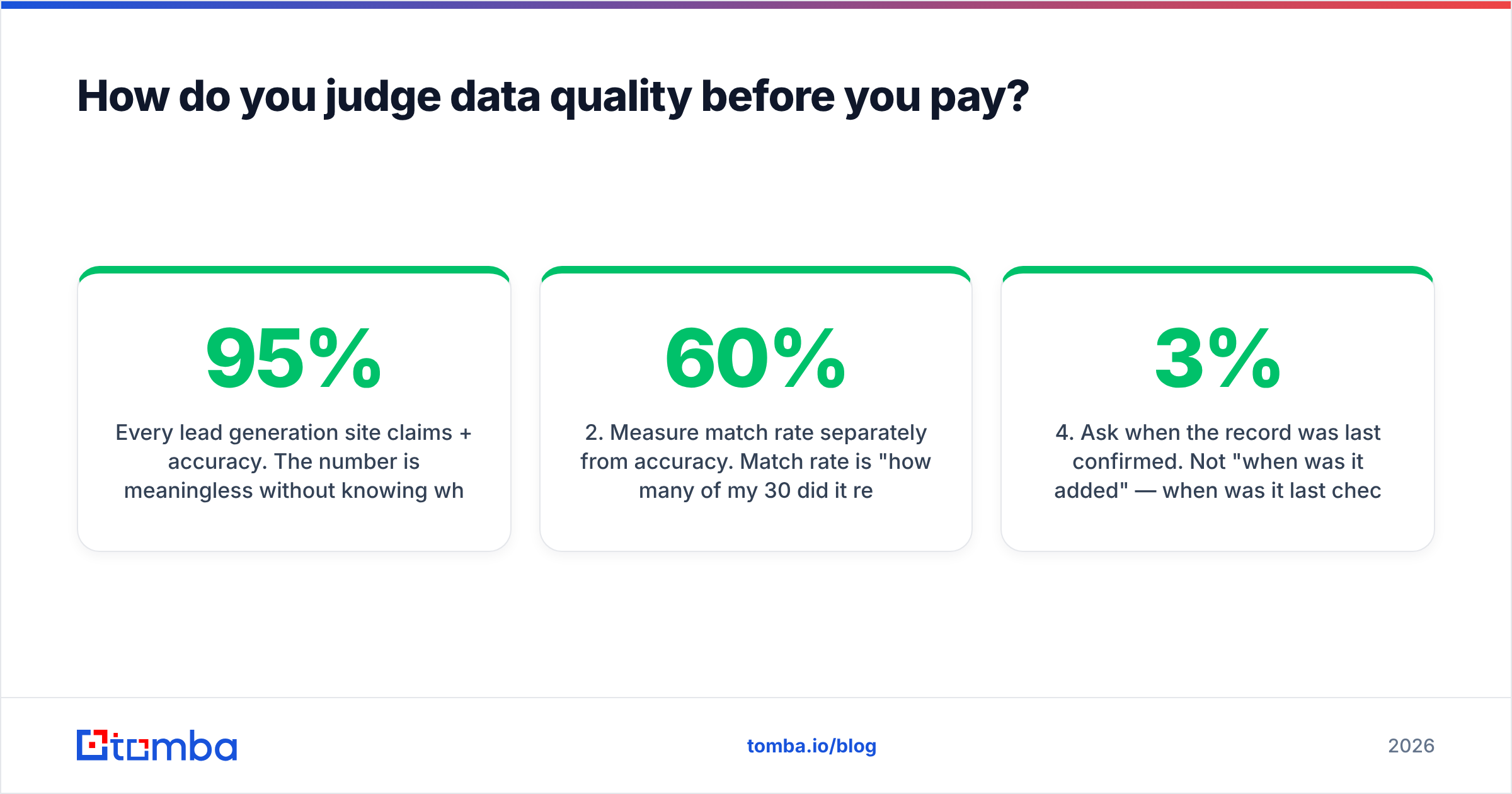
Every lead generation site claims 95%+ accuracy. The number is meaningless without knowing what it measures — some vendors count a record as "accurate" if the domain resolves, which is a very low bar.
Run this four-step test on any tool with a free tier, and do it before the sales call:
- Build a 30-contact control set. Use people you can independently verify — current customers, past colleagues, publicly listed executives with a known email format. You need ground truth, not vendor-reported truth.
- Measure match rate separately from accuracy. Match rate is "how many of my 30 did it return anything for." Accuracy is "of those, how many were right." A tool with a 60% match rate and 98% accuracy is usually more valuable than one with a 95% match rate and 70% accuracy, because the second one poisons your sending domain.
- Check how catch-all domains are handled. Catch-all servers accept every address, so naive verifiers mark them "valid" and you find out the truth from your bounce report. Ask the vendor directly what their catch-all logic does. A dedicated catch-all verifier treats these as their own risk class instead of quietly passing them.
- Ask when the record was last confirmed. Not "when was it added" — when was it last checked against a live mail server. B2B contact data decays roughly 2–3% per month as people change jobs, which means an 18-month-old record is a coin flip.
- Read the credit refund policy. Good vendors don't charge for a failed lookup. If a site bills you for records it couldn't find or couldn't verify, your real cost per usable contact is far higher than the sticker price.

Are free lead generation sites good enough?#
For research, yes. For pipeline, no — and the reason is math, not snobbery.
Free tiers across the category land somewhere between 10 and 50 lookups per month. Tomba's free plan gives you 25 searches a month; Apollo and most competitors run comparable caps. That's a sampling budget. If your outbound motion needs 500 contacts a month to produce 15 meetings, no free tier in this market covers it, and stitching together six free accounts costs more in SDR hours than a $49 plan costs in cash.
Where free genuinely wins:
- Validating a tool before you buy. Run the 30-contact control test described above on the free tier of three vendors. It costs nothing and settles the argument with data.
- Low-volume, high-value prospecting. If you're closing six enterprise deals a year, 25 precise lookups a month may be all you need.
- Single-purpose utilities. A free email checker or an email pattern lookup solves a one-off question without any subscription at all.
- Directory research. Crunchbase, LinkedIn company pages, and review sites remain the cheapest way to map a market.
The moment you're running a repeatable outbound motion, the free-tier ceiling stops being a budget decision and starts being a throughput bottleneck.
How do you turn a lead generation site into actual pipeline?#
Buying access is the easy part. The workflow around it determines whether the spend returns anything. A sequence that works consistently:
- Define the ICP tightly enough to filter on. Industry, headcount band, geography, and one qualifying signal (hiring for a role, using a specific technology, recently funded). If you can't express it as filters, no database will help you.
- Pull company-level breadth first. Use a database or directory to build the account list. Don't buy contacts yet.
- Pick the right titles per account. Two to four people, not fifteen. Spraying an entire department is how you get domain-blocked.
- Find and verify contacts for those specific people. This is where a finder plus an email verifier beats a bulk CSV purchase — you're paying only for the records you actually intend to contact.
- Enrich before you write. Job title, seniority, company news, and tech stack turn a generic template into a relevant one. Contact enrichment at this step raises reply rates more than any subject-line tweak.
- Warm the sending domain and throttle volume. New domains that send 300 cold emails on day one land in spam regardless of data quality. Ramp over two to four weeks.
Step four is where most teams overspend. Buying 10,000 records to email 800 people means you paid for 9,200 rows of storage. Working from an account list and resolving contacts on demand — via a bulk email finder or an API call inside your CRM — inverts that ratio.
What mistakes kill results on lead generation sites?#
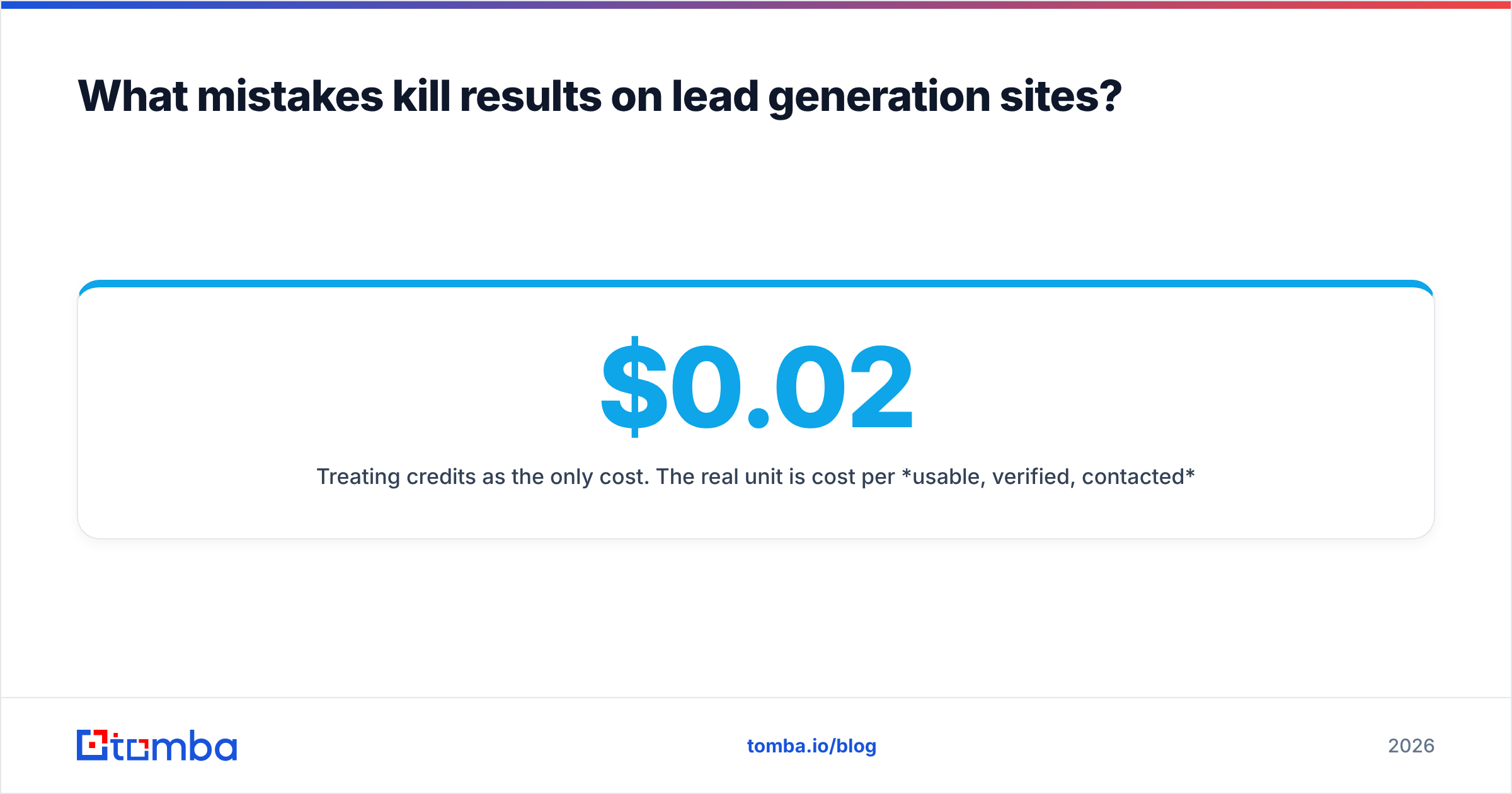
Treating credits as the only cost. The real unit is cost per usable, verified, contacted record. A site at $0.02 per record with a 45% bounce rate is more expensive than one at $0.08 with a 2% bounce rate, once you price in the deliverability damage.
Ignoring compliance. GDPR and CAN-SPAM don't care where the data came from. Confirm the vendor's data sourcing, honor suppression lists, and keep an unsubscribe path in every message. HubSpot's guidance on purchased lists is worth reading before you sign anything.
Skipping the pilot. Vendors will happily sell you an annual contract before you've tested a hundred records. Insist on a trial sized to your actual use case.
Letting the list rot. A list you pulled in January is a different list in June. Re-verify before every major campaign, not after the bounces arrive.
Confusing volume with coverage. "300 million contacts" tells you nothing about whether the vendor has good data on mid-market logistics companies in Spain. Test your segment, not their headline number.
Which site should you start with?#
If you already know who you want to reach, start with a finder — you'll pay less and bounce less. If you don't yet know who you want to reach, start with a directory or database, then layer a finder on top once the account list exists.
For most B2B teams under 50 people, the practical stack is: a free directory for account research, one database or marketplace for breadth when you need it, and one verified finder API wired into the CRM for everything else.
That last piece is where Tomba's Email Finder fits. You bring a name and a domain; it returns a verified professional address with a confidence score, with catch-all detection and verification built into the same call instead of sold as a separate product. The free plan gives you 25 searches a month to run your own accuracy test, and paid plans start at $49/mo — see Tomba pricing for the full breakdown. Run the 30-contact control test against your own segment, compare the match rate to whatever you're using now, and let the numbers pick the tool.
Related guides#
// get started
Find, verify and enrich your first contacts today
Start on the free plan with 25 searches a month, then scale when your team is ready.
Free plan · No credit card required · GDPR & CCPA
// about the author